

Microsoft
Updates, Upgrades, and Maintenance in Dynamics 365

GEt in Touch
| Table |
|---|
Dynamics 365 is more of an evolving ecosystem than a mere application suite for businesses, helping enterprises grow agile, stay competitive in the market, and remain connected. From smaller-scale improvements to integrations with major key releases, the system lives between the three main pillars: updates, upgrades, and maintenance.
Businesses need to understand how separate processes differ from each other, and more importantly, how to harness their power strategically, as that can be the difference between achieving smooth operations and expensive interruptions. Dynamics 365 services play a crucial role in helping companies navigate these complexities, offering customized solutions to meet specific business needs.
In this blog, we shall discuss each of these processes, their implications on the Dynamics 365 environment, and how to come up with a plan on approaching these processes from a proactive standpoint.
What Are Dynamics 365 Service Updates?
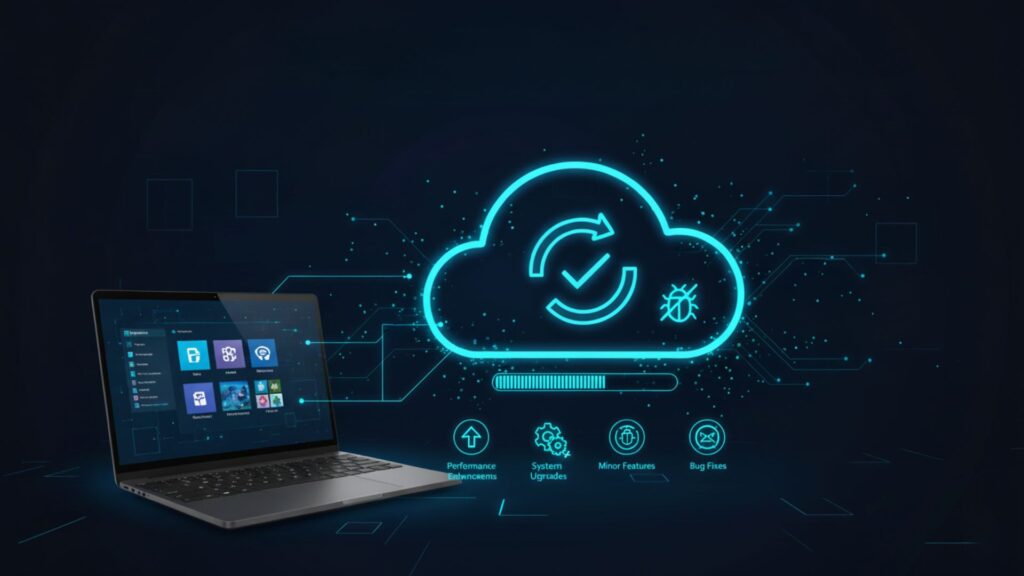
Microsoft carries out D365 service updates regularly, which include small increments for better performance, introduce minor features, and fix bugs. The updates usually take place either every month or every other month and are different for each app (e.g., Sales, Finance, Customer Service, or Field Service).
As Dynamics 365 is basically a cloud model, Microsoft carries out automatic updates for its customers. This is designed to remove any manual intervention and ensure availability to AI technology, enhanced UI, or security measures in a continuous manner.
For businesses, including those working with a financial software development company, understanding these updates is crucial. The service updates are generally small in impact and usually need very little time for maintenance or user interference. The companies will be informed in advance, and the upgrades will most probably be done during off-peak hours. The point is to keep your system modern, stable, and in line with Microsoft’s product roadmap, without interfering with your daily tasks.
What Are Dynamics 365 Upgrades?
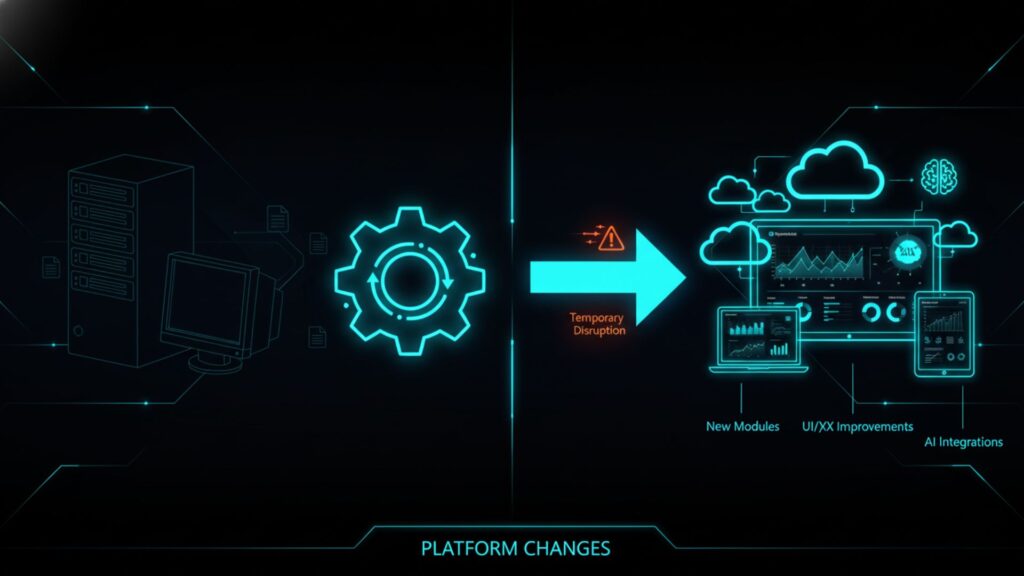
Unlike service updates, upgrades are significant for version or platform changes. They signify the upcoming group of Dynamics 365 capacities, infrastructure, or interface experiences. Such upgrades generally come with great improvements like new modules, enhanced UI/UX, better performance architecture, or Artificial Intelligence integrations that allow for changing the way users interact with the system.
For example, transitioning from Dynamics AX or CRM on-premises to the Dynamics 365 Cloud is an upgrade. It involves a prolonged assessment process, moving data, changing customizations, and educating users all over again. Since upgrades change the way the system operates, they have to be planned for in detail, and this is done along with the testing and the internal IT teams collaborating, who, on the other hand, might have to work with the Microsoft partners closely and bring in the stakeholders.
While upgrades may bring temporary disturbance, they are necessary for companies that want to remain competitive in the market. They ensure regulatory compliance, access to new tools, and plan for future scalability, all the while getting rid of the old technology and reducing the cost of maintenance.
If you’re considering moving from on-premises systems to the cloud, our guide on Dynamics 365 On-Premises vs Cloud Deployment can help you understand the pros and cons of each approach.
What Is Ongoing Maintenance in Dynamics 365?
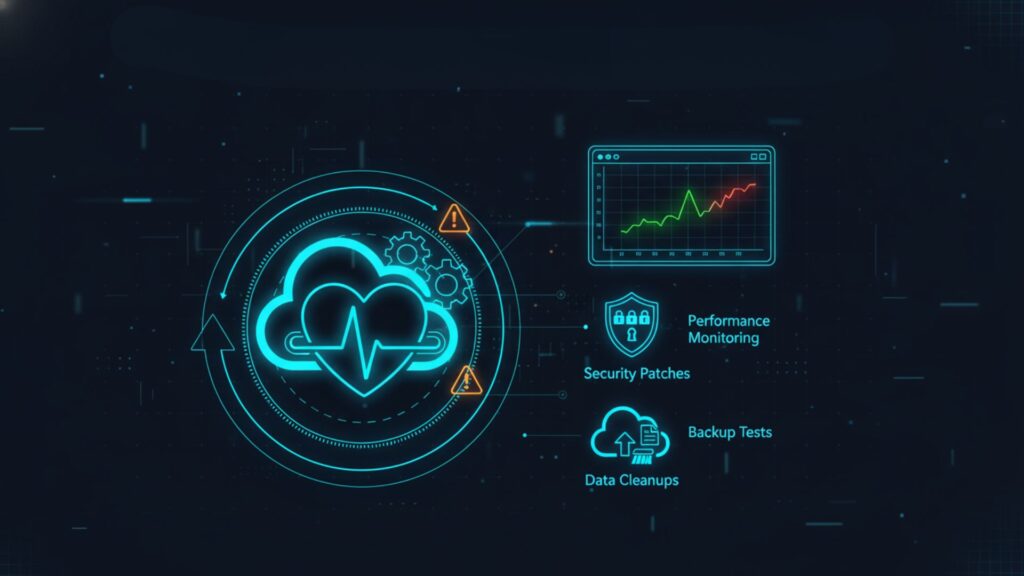
Maintenance is the constant effort needed to care for the health, security, and performance of your Dynamics 365 environment. It is not related to Microsoft’s release schedule; it’s the organization’s own responsibility to ensure the system is running smoothly.
Ongoing Dynamics 365 maintenance activities include:
- Monitoring the system’s performance and the usage of resources
- Execution of integrations with other business solutions
- Regular data cleanups and integrity checks
- Security reviews are conducted regularly, and patches are applied
- Tests of the backups and recovery processes are made
Maintenance can also be done in-house by IT teams or outsourced to managed service providers who are experts in Dynamics 365 optimizations. By putting effort and time into these Dynamics 365 preventive maintenance, companies can expect a reduction in the number of incidents, the prolonging of the lifespan of their deployment, as well as preventing business downtime.
In summary, while updates and upgrades introduce new features, maintenance is what makes the system dependable, making sure that everything continues to function exactly as it should every day.
Dynamics 365 Lifecycle: Understanding Updates, Upgrades, and Maintenance
A table comparing all three concepts – Updates vs. Upgrades vs. Maintenance against some key criteria is as below:
| Updates | Upgrades | Continuous, as needed | |
|---|---|---|---|
|
Frequency |
Monthly or Bi-monthly
|
Annually or Major Release Cycle
|
Continuous, as needed
|
|
Who Manages It
|
Microsoft-led
|
Partner-led or Joint effort
|
Partner or Customer-led
|
|
Primary Goal
|
Introduce new features and carry out fixes |
Deliver innovation or platform shift
|
Ensure system stability and performance
|
|
User impact
|
Low
|
High |
Varies
|
Frequency (Monthly vs. Yearly vs. Ongoing)
Service updates are recurring and predictable, keeping the users upfront with the latest Microsoft timeline. On the other hand, upgrades are not so frequent and tend to take place when Microsoft plans to make any bigger releases or changes in its infrastructure. Nevertheless, maintenance is the only thing that continues guiding the overall operations and monitoring of the organization’s system.
Who Manages It (Microsoft-led vs. Partner-led vs. Customer-led)
For the cloud deployments, updates are automatically done by Microsoft. To install upgrades, however, the customer must work with the implementation partners since this process requires a thorough check, planning, and then moving to a new version. But when it comes to maintenance, the IT department of the organization or the outsourced partners will most probably be responsible for this part.
Primary Goal (New Features vs. Platform Stability vs. Performance Health)
Updates are aimed at making the present functionality better. Upgrades change the very platform with its new functionalities, the new architecture, or the new user interface. Maintenance, on the other hand, optimizes the system in terms of compliance, performance, and user satisfaction.
User Impact (Low vs. High vs. Varies)
Updates are meant to cause minimal user disruption. On the other hand, upgrades can cause retraining or even downtime. Maintenance, in its turn, may have differing influences on the users, standard regular checks will not be noticeable, but the temporary lack of access may be caused due to large-scale optimizations.
How to Master Dynamics 365 Cloud Maintenance
Shift from Reactive to Proactive
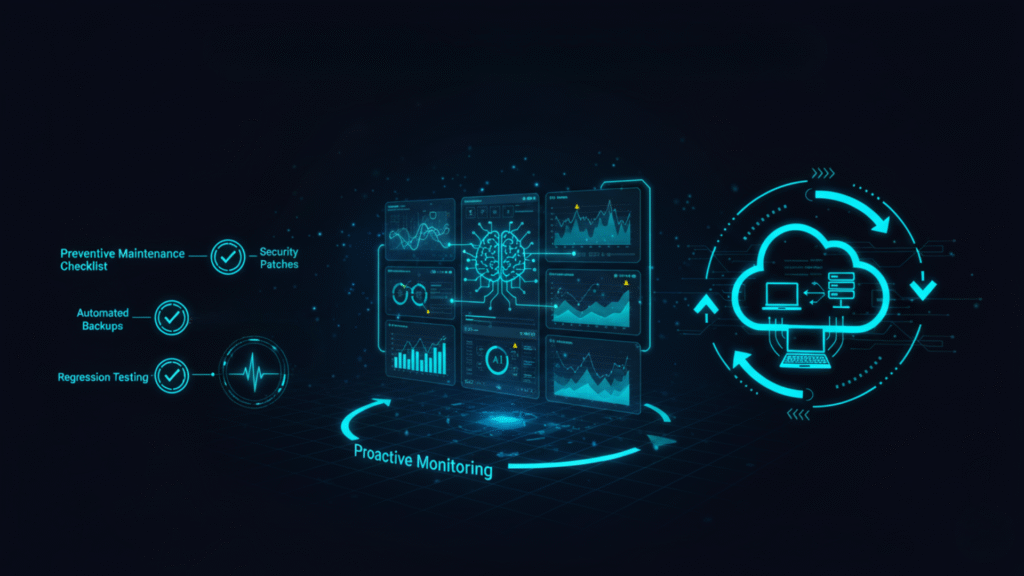
In many businesses, maintenance is done only after a problem arises. However, in the cloud world, this reactive model is no longer followed. The proactive approach leads to the use of analytics, automation, and AI insights to early detect any performance degradation and make corrections immediately.
Companies that switch to this new maintenance model face fewer downtimes, have minimal support costs, and have happy users. With Dynamics 365 preventive maintenance, it will be more advantageous in terms of both time and money to prevent the machine from going down than to fix it.
Your Preventive Maintenance Checklist
To keep your Microsoft Dynamics 365 environment compliant and optimized, use the provided checklist:
- Roles and access controls should be reviewed and updated every month.
- LCS dashboards should be used to monitor API and integration health.
- Security patches and cumulative updates are to be applied regularly.
- Backups of the system should be validated, and recovery tests should be performed.
- Storage capacity must be checked and optimized by archiving data.
- Workflows and Power Automate flows need to be audited regularly for any performance glitches.
- The release notes must be reviewed before each update round so that the operators are prepared for the changes.
- Regression testing is to be done in a sandbox before the production rollout without fail.
For technical teams, it’s also important to align your maintenance strategy with proper infrastructure. Learn more in our article on Infrastructure Hosting Requirements for Dynamics 365.
Navigating the Microsoft Dynamics 365 Upgrade Process
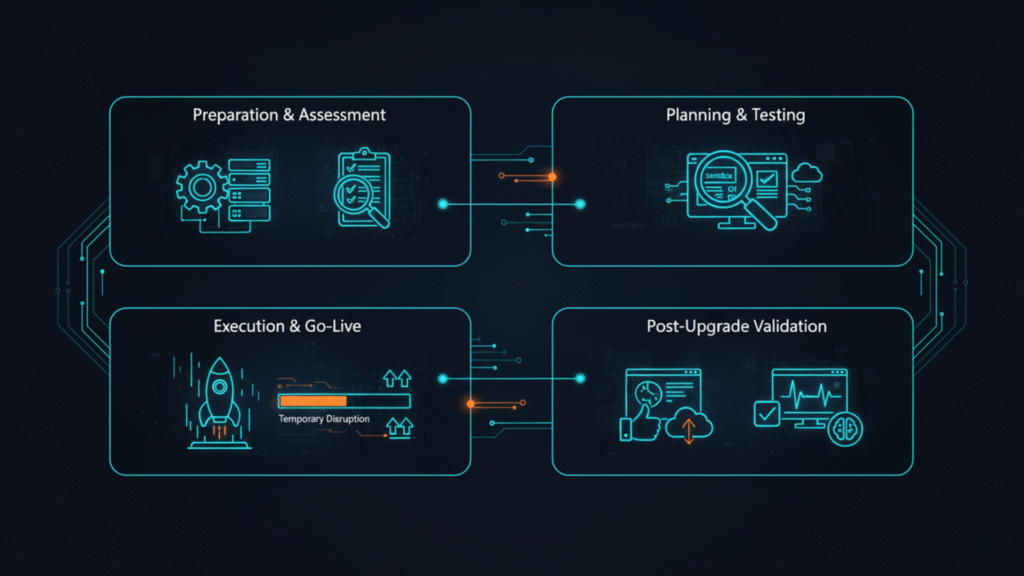
Step 1: Preparation & Assessment
- Start with an analysis of your existing environment, integrations, and customizations.
- Now, list the third-party solutions that could potentially be affected.
- At this point, do the compatibility checks with the target version.
- Sort out your hardware, data volumes, and performance metrics to make a fair evaluation.
Step 2: Planning & Testing in a Sandbox
- Prepare a recreational area to imitate the update.
- Conduct trials of all principal business workflows, security roles, and data migration scripts.
- Substantiate that the new features function as anticipated and are cohesive with the current logic.
- Take notes of all discoveries and set up fallback strategies, if necessary.
Step 3: Execution & Go-Live
- Choose a time when there’s little to no activity for the upgrade.
- Let all users know what’s happening and what new features are coming.
- Do everything according to the steps laid down by Microsoft without skipping any.
- After the upgrade, keep logs and snaps saved for a quick review.
Step 4: Post-Upgrade Validation
- Test the main sections of the application by running regression tests
- Make sure that the correctness of reporting, the reliable and user-friendly representation of data through dashboards, and the seamless integration with other systems are checked and tested.
- Track the user acceptance of the system and collect their feedback.
- Check the system health with the help of telemetry and performance analytics.
Connect with skilled Microsoft Dynamics 365 partners in USA like Shaligram Infotech to help you ensure a seamless upgrade with no time loss and proven performance gain.
Best Practices for Managing Updates and Maintenance
To effectively manage Dynamics 365 updates and Dynamics 365 maintenance, companies need to employ a mix of automation, scheduling, and documentation. The following are the most crucial practices:
- Plan Update Windows Strategically: Line up updates with either business hours or after-hours schedules.
- Stay Informed: Be an active subscriber to the release planner from Microsoft to know about new features and changes beforehand.
- Maintain Version Documentation: Create and organize all records on updates, patches, and configurations.
- Test Before Applying: It is better to test updates in a sandbox to be sure everything is compatible.
- Back up Regularly: Get a backup right before every major update or configuration change.
- Train Users Continuously: Provide short training within the timetable of changes and update operations.
- Partner Strategically: Access the professionalism and proactive monitoring competence of Dynamics 365 service providers with the right certification and partnership.
The above practices are ways through which your support team can always have maintenance as a strategic advantage and not a bothersome routine task.
Conclusion
For the safe, stable, and future-friendly running of the Microsoft Dynamics 365 environment, companies need to regularly update, upgrade, and maintain their IT systems. The three IT processes mentioned above all have different but equally important roles.
Partnering with an offshore software development company in USA can be a strategic choice for businesses looking to manage these processes efficiently, cost-effectively, and with expert support.
The process of updating is aimed at delivering a continuous improvement to the system; the upgrades are made to expand future product capacity, and the maintenance process is concerned with system durability.
FAQs
What is the difference between a Dynamics 365 update and an upgrade?
What is the difference between a Dynamics 365 update and an upgrade?
An update stands for a small, incremental enhancement or a fix rolled out automatically by Microsoft. However, an upgrade embodies a complete version or platform transition that brings considerably new features and needs planning and testing.
How often does Microsoft release service updates for Dynamics 365?
How often does Microsoft release service updates for Dynamics 365?
Normally, Microsoft rolls out service updates either every month or every two months, and comes with two major feature releases a year, called Release Wave 1 and Wave 2.
Is D365 GDPR compliant by default?
Is D365 GDPR compliant by default?
For customers always in the cloud, the upgrades are part of your subscription. Nevertheless, in the case your system has many customizations, or you are using third-party integrations, there might be a need for additional configuration or partner support costs.
Can I control when Dynamics 365 updates are applied?
Can I control when Dynamics 365 updates are applied?
Yes. To reduce business disruptions, administrators can stall or schedule updates within the allowed timelines of Microsoft.
What happens if I skip a major D365 upgrade?
What happens if I skip a major D365 upgrade?
If you decide to do without an upgrade, you are going to experience issues with compatibility, risks of data loss, and problems with security. All these, in the long run, lead to more technical debts, thereby rendering the whole process of future upgrades that much more complex, not to mention being expensive. Don’t let delays cost you more. Connect our Dynamics 365 experts to plan your upgrade the right way and provide a smooth, secure transition.


 Get In Touch