Categories
Blog Microsoft

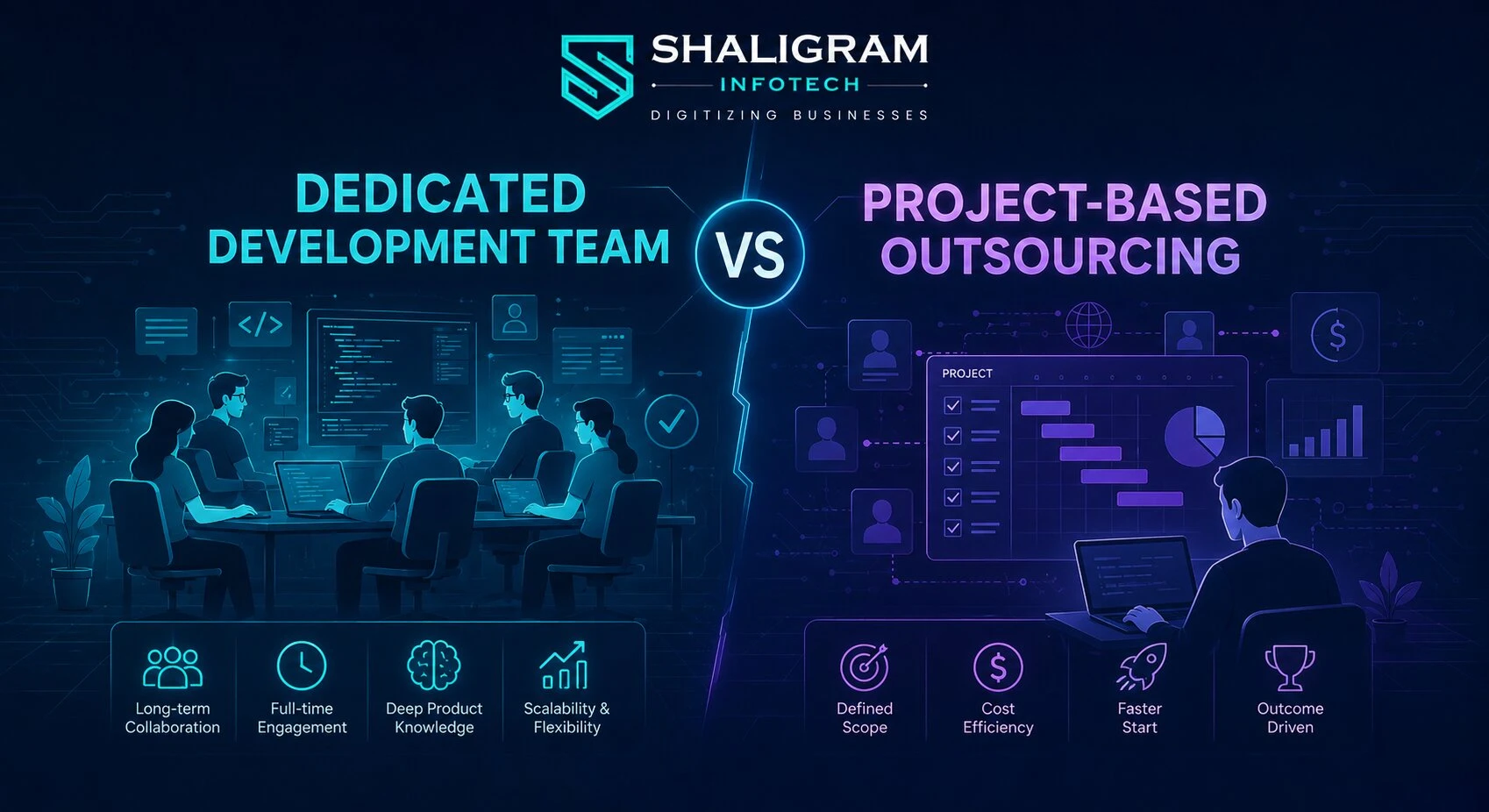
Dedicated Development Team vs Project-Based Outsourcing
Microsoft Dynamics 365

Dedicated Development Team vs Project-Based Outsourcing

GEt in Touch


    TABLE

      What Is a Dedicated Development Team Model?
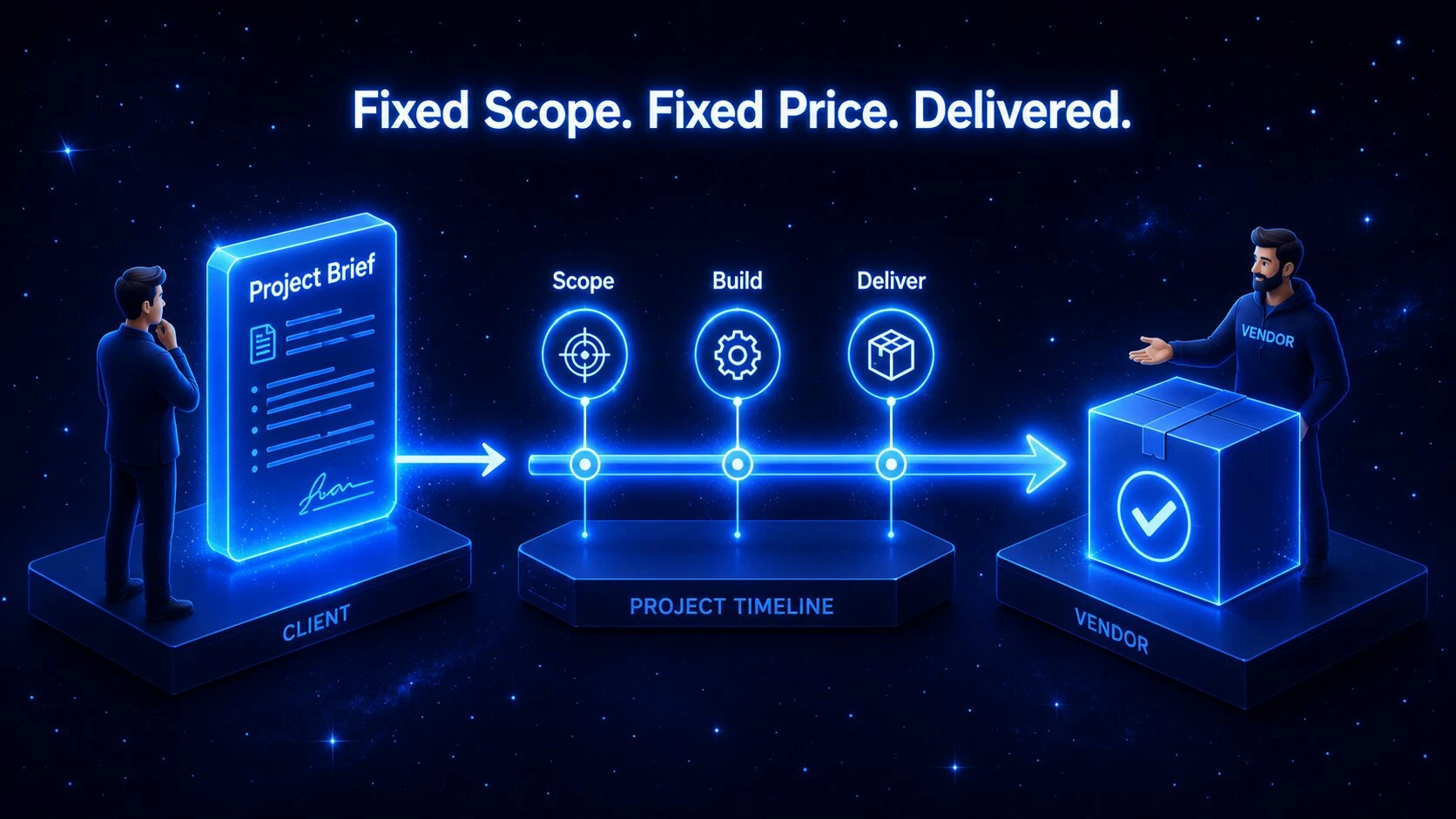
      Project-based outsourcing model in software development illustrated with a contract and milestone timeline

      Before diving into the differences, it is important to understand what a dedicated team model is and how it functions for growing businesses.

      Definition and Core Concept of a Dedicated Team

      At its core, the dedicated development team model is a long-term partnership where an external IT company provides a fully committed group of remote professionals who work exclusively on your software projects. When a team works solely on your project, it is referred to as a dedicated development team model.

       This approach gives you a complete team of developers, QA testers, and designers who operate as a natural extension of your internal staff. The dedicated development team does not divide its time across other clients, ensuring total focus on your business goals and company culture.

       It is a reliable model, particularly when you want to build long-term product knowledge and maintain momentum without starting from scratch every time you scale.

      How a Dedicated Software Development Team Works

      In this setup, you manage the team’s daily tasks and project priorities directly, much like your own in-house staff. Many businesses choose to hire dedicated developers who use your communication tools, attend your regular meetings, and focus entirely on your product roadmap.

       The service provider handles office space, HR responsibilities, and hardware setup, allowing your remote engineers to remain fully productive from day one.

      Dedicated Development Team vs Project-Based Outsourcing: Key Differences Explained
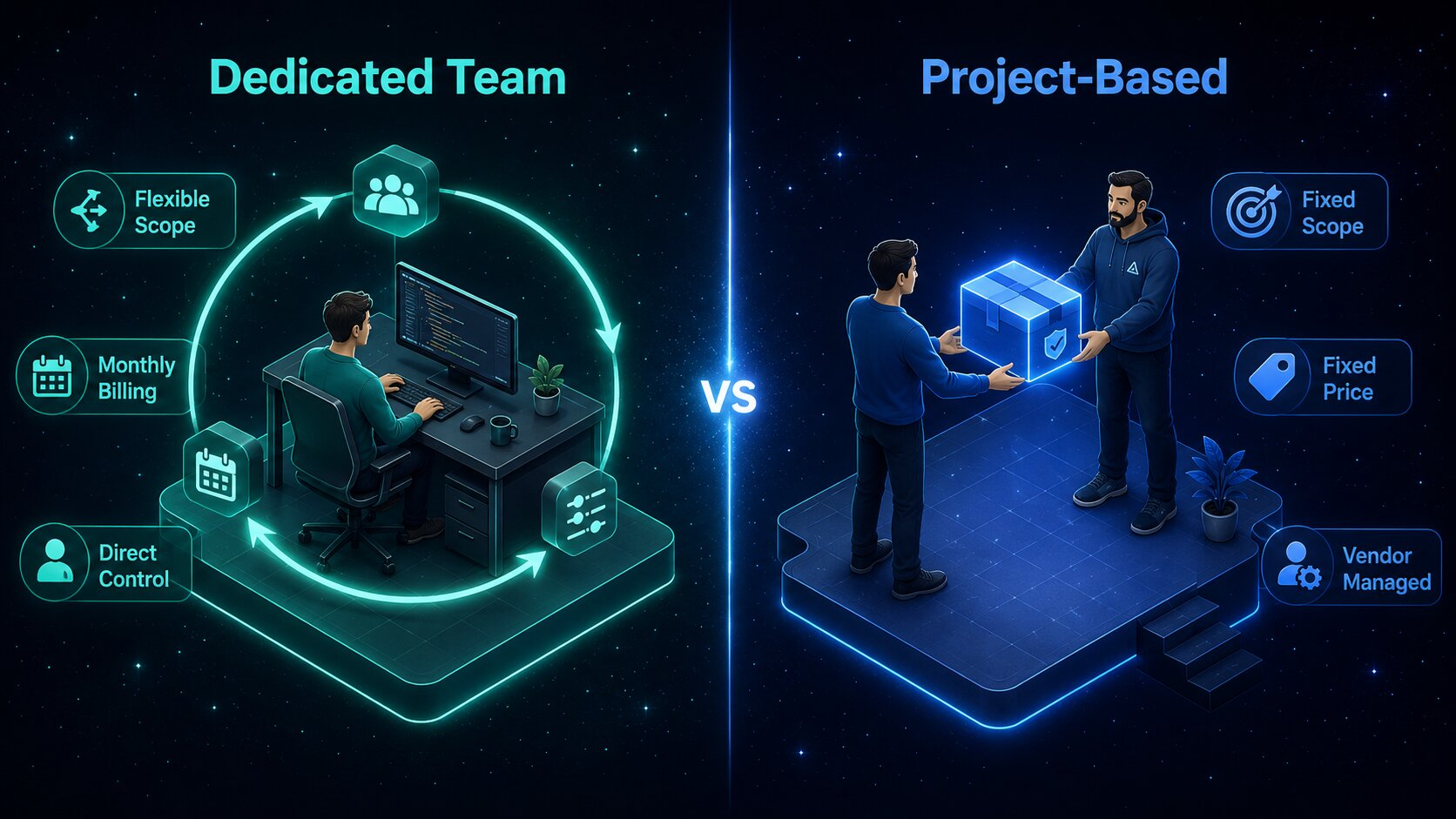
      Comparison table of dedicated development team vs project-based outsourcing key differences

      Here is a side-by-side comparison of the dedicated development team vs the outsourcing model:

      Factor Dedicated Development Team Project-Based Outsourcing
      Team Control
      Full direct management
      Vendor-managed
      Scope Flexibility
      High – evolves with the product
      Low – fixed at contract start
      Pricing Model
      Monthly, resource-based billing
      Fixed-price contract
      Best For
      Long-term, evolving products
      Short-term, defined deliverables
      Engagement Length
      Ongoing
      One-time project
      Product Knowledge
      Builds continuously
      Resets with each engagement
      Scalability
      On demand
      On demand
      Risk Distribution
      Shared
      Vendor assumes delivery risk

      Benefits of Hiring a Dedicated Software Development Team
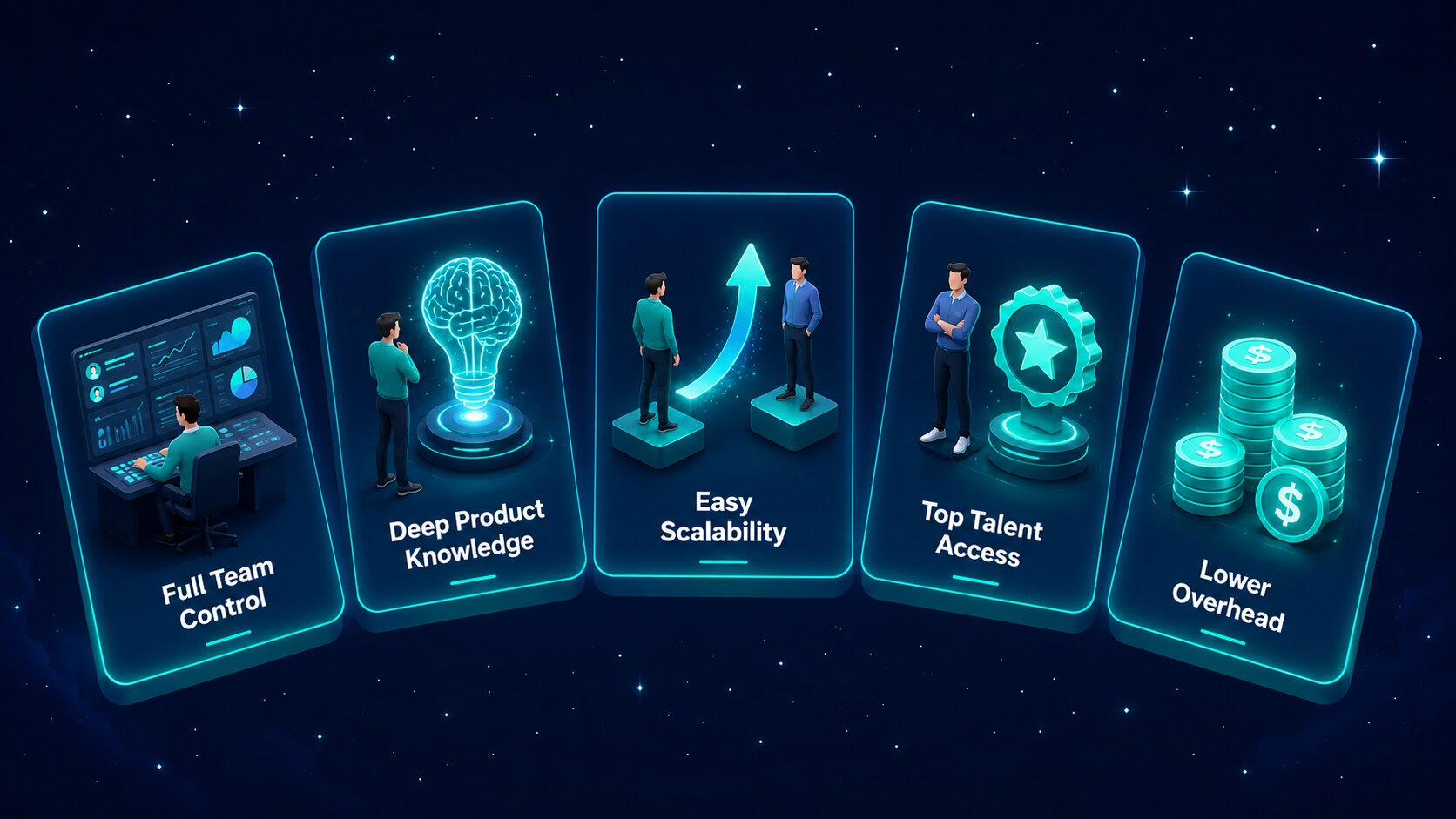
      The key benefits of hiring a dedicated software development team include:

      Complete and Direct Team Control

      You manage daily tasks, workflows, and project priorities directly, just as you would with your own in-house staff. This hands-on approach keeps developers fully aligned with your business goals, company culture, and technical standards.

      Deep Product Knowledge

      As the team focuses exclusively on your software, they build a thorough understanding of your business logic. This accumulated knowledge leads to smarter technical decisions, higher code quality, and faster feature delivery over time.

      High Scalability and Flexibility

      You can scale your team up or down based on changing market demands. This flexibility allows your business to adjust direction without going through lengthy hiring cycles.

      Deep Product Knowledge

      The model makes it straightforward to hire dedicated mobile app developers or niche engineers. You can onboard skilled professionals with expertise in the latest technologies without being constrained by local talent shortages.

      Deep Product Knowledge

      You save significantly on recruitment, onboarding, employee benefits, and office infrastructure. The vendor manages all administrative responsibilities, allowing you to direct your full budget toward software development.

      Benefits of Project-Based Outsourcing
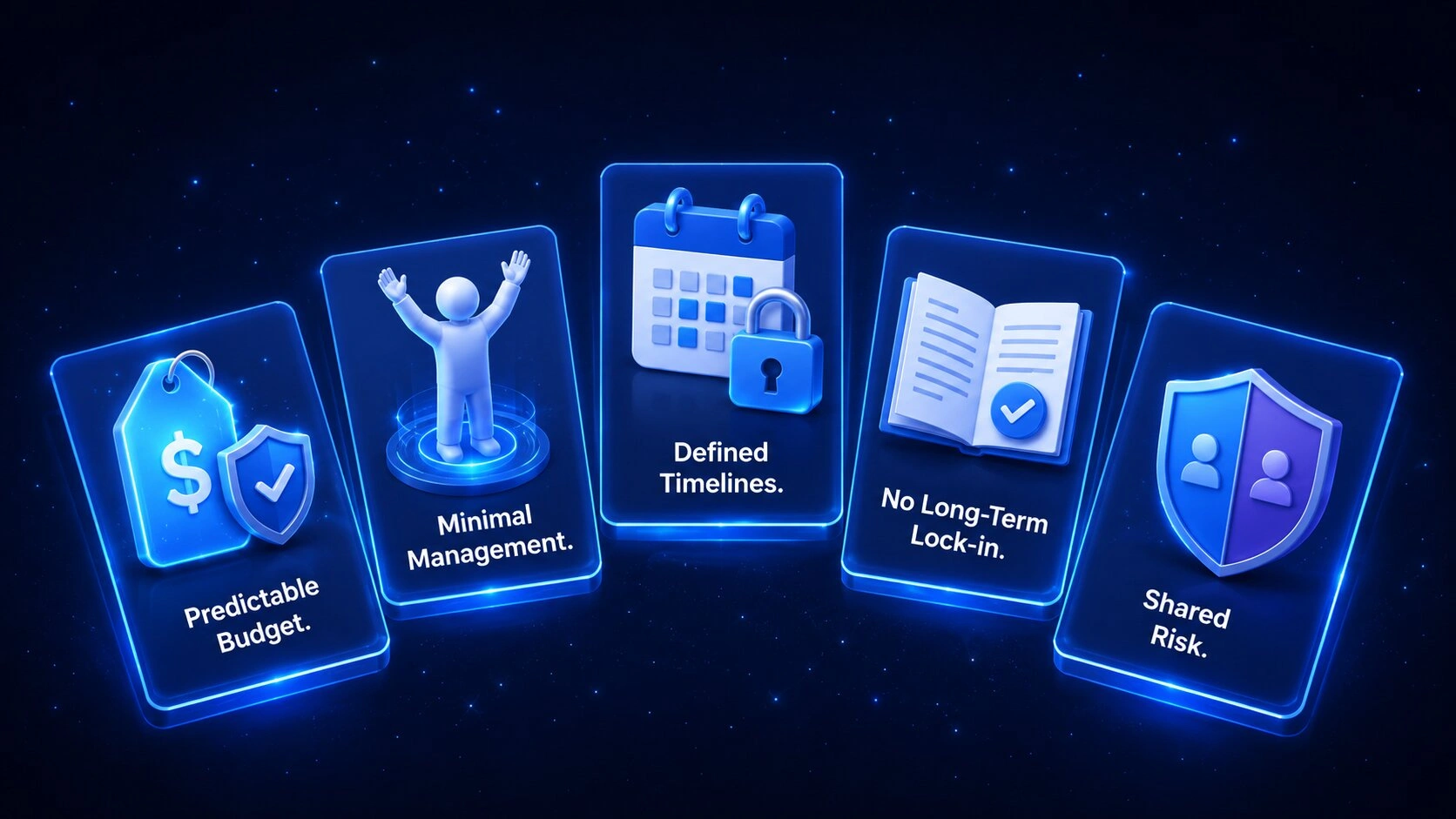
      The benefits of outsourcing software development on a project basis include:

      Predictable Project Budgeting

      Financial planning is straightforward because the total cost is fixed before development begins. Fixed pricing protects your business from unexpected cost overruns and makes budget approvals easier to manage.

      Minimal Management Responsibility

      The external vendor manages daily tasks, developer oversight, and milestone tracking. Your team retains valuable time and bandwidth, allowing internal leaders to focus on core business operations.

      Clear and Defined Timelines

      Every deadline is agreed upon before any development begins. The agency tracks progress against these milestones, giving your business a predictable schedule for its product launch.

      No Long-Term Commitments

      The engagement concludes naturally once the vendor delivers the final product. There are no ongoing obligations, making this a suitable approach for one-off initiatives or standalone builds.

      Lower Shared Risk

      Your vendor assumes responsibility for meeting all project requirements by the agreed deadline. Any unexpected technical challenges or resourcing changes must be resolved internally by the vendor at no additional cost to you.

      Dedicated Team Model vs Outsourcing Model: Cost Comparison
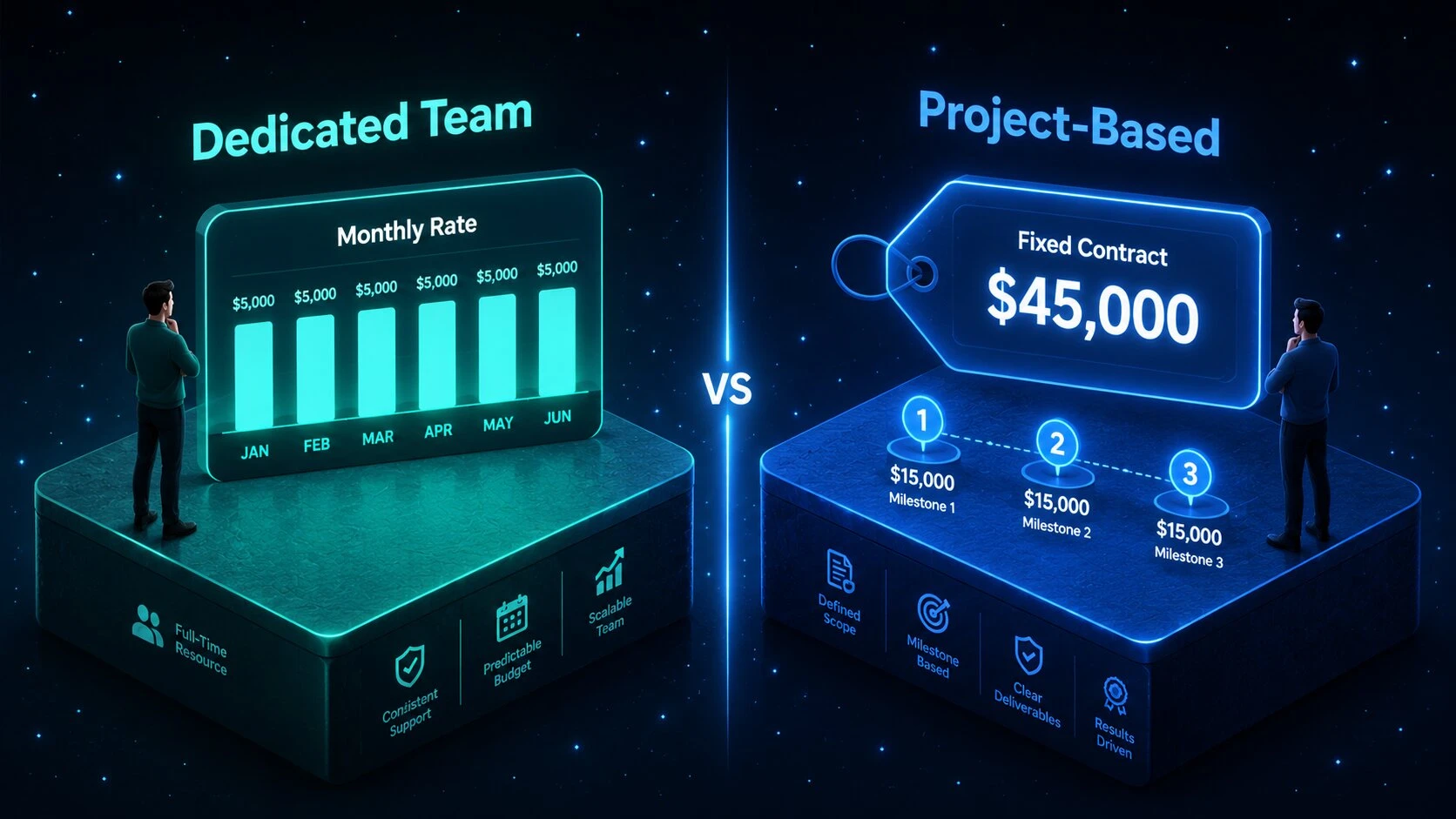
      Cost comparison between dedicated development team and project-based outsourcing models on a timeline

      How Pricing Works in a Dedicated Team Model

      Monthly Billing Structure: You pay a single monthly invoice covering full-time developer rates and the vendor’s administrative fees.

      Resource-Based Costs: Your expenses are based on team size and hours worked, not on changes to project features.

       Predictable Operational Costs: Financial forecasting is straightforward because your monthly engineering costs remain consistent over time.

      How Pricing Works in Project-Based Outsourcing

      Fixed-Price Contract: The total cost for building your software is agreed upon and locked in before work begins.

       Milestone Payments: Payments are released in instalments once the vendor meets specific delivery dates and pre-defined project goals.

       Paid Change Requests: Any modification to the original project scope requires separate negotiation, which can increase your overall budget significantly.

      When to Choose a Dedicated Development Team

      Signs Your Project Needs a Dedicated Team

      You should hire a dedicated team when you: 

      • Need close collaboration with full direct control
      • Have a product that is actively expanding with no defined end date
      • Want to avoid repeated onboarding across multiple vendors
      • Are scaling and need a consistent, predictable development pace
      • Require niche or senior-level technical expertise

      When to Choose Project-Based Outsourcing

      Signs Your Project Is a Good Fit for Outsourcing

      You should choose project-based outsourcing when you:

      • Are building a one-time product or standalone feature
      • Have a fully defined scope, timeline, and budget
      • Need speed and delivery predictability above all else
      • Do not have the internal bandwidth to manage developers directly
      • Are validating an idea before committing to a full build

      How to Hire a Dedicated Software Development Team
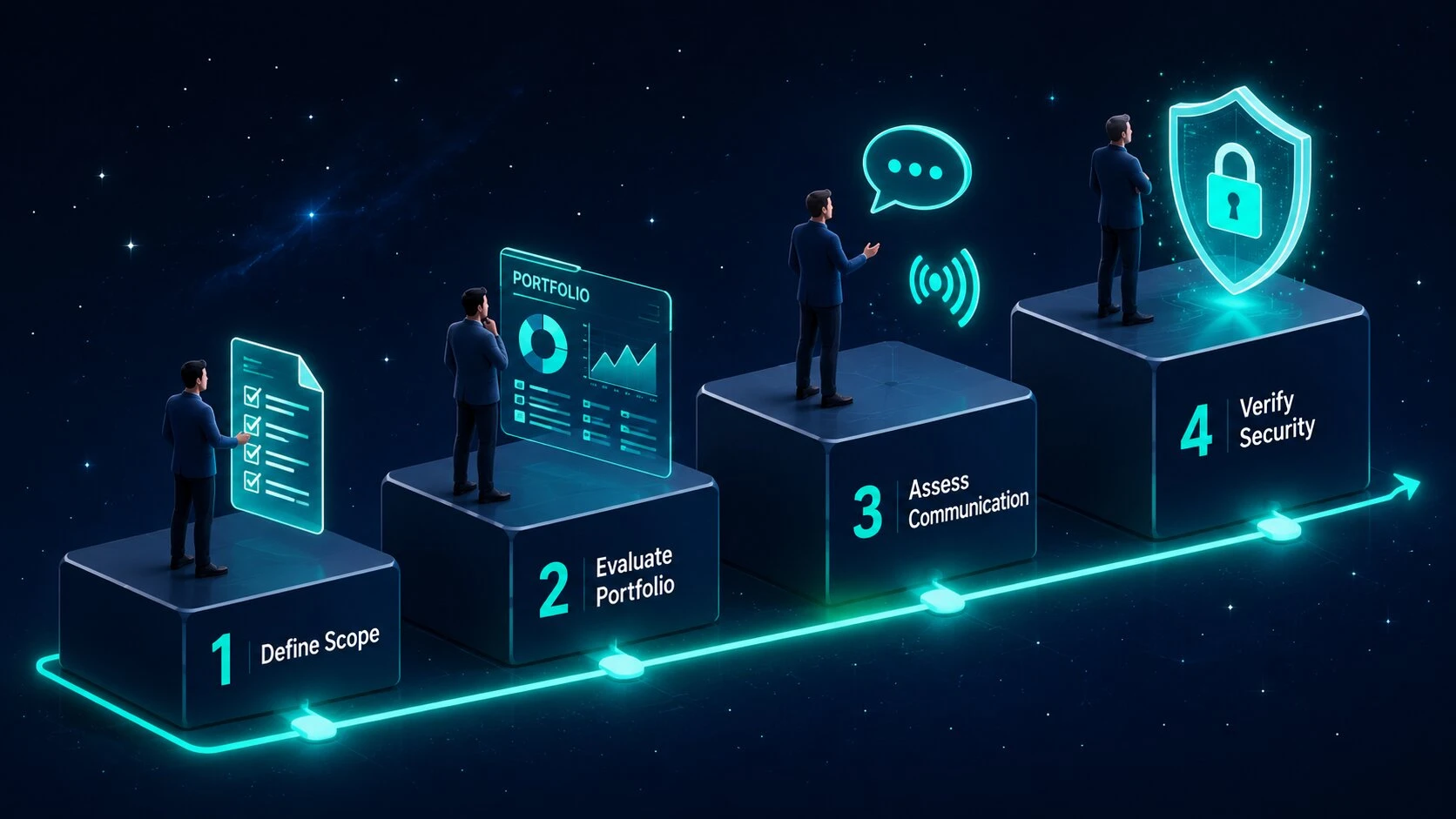
      Four-step process for hiring a dedicated software development team illustrated as a flowchart

      Here is how to hire a dedicated software development team:

      Define Technical Scope: Begin by listing the exact programming languages, frameworks, and team composition your software product requires.

       Evaluate Portfolio Quality: Review the past work and case studies of potential service providers to assess their technical depth and delivery track record.

       Assess Communication Skills: Evaluate how effectively the remote developers communicate and collaborate using shared tools and async workflows.

       Verify Security Standards: Confirm that the agency uses robust non-disclosure agreements and secure data handling protocols before any engagement begins.

       To secure long-term product success, partner with a best-in-class software development company in India with a proven track record of delivering top-tier engineering talent and high-quality code.

      Common Mistakes to Avoid When Choosing an Outsourcing Model

      Vague Project Scope Definition: Failing to create clear, documented technical requirements leads to significant misunderstandings and missed delivery deadlines.

       Selecting Fixed Pricing for Evolving Products: Applying a project-based contract to a complex software build with a changing feature set leads to constant delays and costly change orders.

       Prioritising Cost Over Code Quality: Choosing a partner based solely on the lowest quote typically results in poor software architecture and expensive rewrites down the line.

       Failing to Align Vendor Expertise with the Chosen Model: Hiring an agency without specialist experience in custom software development services makes it difficult to switch or scale engagement frameworks as your project evolves.

      Conclusion

      Choosing between a dedicated development team and project-based outsourcing ultimately depends on your project scope, budget flexibility, and how much management involvement your team can sustain. The right model delivers a smooth workflow and helps you build excellent software without unnecessary delays.

      As a leading software development company in India, Shaligram Infotech provides scalable engagement models tailored precisely to your technical requirements and operational workflows. Get in touch with our team today to build the right development strategy for your next digital initiative.

      Ready to build? Contact Our Global Teams

      🇺🇸 USA: +1 (919) 629-9671

      🇬🇧 UK: +44 20 3581 6366

      🇮🇳 India: +91 99099 84567

      🇦🇺 AUS: +61 07 3121 3147

      💬 Interested in Regular Insights on Microsoft Dynamics 365?

      📲 Follow Shaligram Infotech on LinkedIn
      Let’s build the future of applications together.

      FAQs

      What is a dedicated development team model?

      It is a long-term partnership where an external agency provides an exclusive team of remote developers who work solely on your product under your direct management and control.

      It is a fixed-scope engagement where you hire a vendor to build a specific software product from start to finish for an agreed price, with no ongoing involvement after delivery.

      Dedicated teams offer high flexibility, direct management control, and rolling monthly billing. Project-based outsourcing provides a fixed scope, minimal day-to-day management, and strict delivery timelines.

      Choose a dedicated team when your product has a long-term, evolving roadmap and your organisation has an internal lead who can guide daily priorities and maintain product direction.

      Yes, but only for short-term, well-defined projects. For ongoing software development, dedicated teams are typically more cost-effective because they eliminate the expensive change request cycles common in fixed-scope contracts.

      Yes. You can transition smoothly to a dedicated team once your initial version launches and requires continuous scaling, regular updates, or ongoing feature development.

      Start by defining your exact technical requirements, review the vendor’s portfolio and case studies, assess their communication practices, and partner with an established agency with a strong delivery record.

      Choose a dedicated team for long-term, evolving digital products where control and knowledge retention matter. Choose project-based outsourcing if you have a fixed budget and a clearly scoped, one-time application to build.


      Categories
      Blog Microsoft

      AI Agents vs Copilot in Dynamics 365: What’s the Difference

      Microsoft

      AI Agents vs Copilot in Dynamics 365: What’s the Difference

      AI agents vs Copilot in Dynamics 365

      GEt in Touch


        TABLE

          Quick Summary :

          AI agents and Copilot serve different but complementary roles in Dynamics 365. While AI agents automate workflows and execute tasks independently, Copilot enhances productivity by assisting users with insights and content generation. Using both together enables smarter and more efficient business operations.

          What Are AI Agents in Dynamics 365?

          AI agents' automation in business systems

          Understanding AI Agents in Enterprise Systems

          Autonomous Artificial Intelligence Agents are computer programs that perform tasks using predefined data and rules, executed by machine learning models. AI Agents are digital workers that live within enterprise systems to reduce manual intervention and help streamline complex processes within an organization.

          Here are some key attributes of AI agents:

          • Perform tasks without human intervention AI agents can complete tasks without human intervention. Examples include processing customer requests, updating records, or starting a workflow. 
          • Use available data to decide the best next step AI agents analyze business data to determine the most appropriate next step.  
          • Learn from experience Machine learning models used by the agent allow it to improve over time as it receives additional data and learns from its results.
          • Collaborate with other systems  AI agents integrate with systems like CRM, ERP, and operational platforms to enable end-to-end automation.

          Being able to do this creates more than just automation; it allows for intelligent workflow automation as organizations transition from traditional automation. Organizations expanding Dynamics 365 beyond CRM and ERP are increasingly adopting AI-driven automation

          How AI Agents Automate Business Processes

          Artificial intelligence agents create automated processes by integrating data, workflows, and decision-making logic across enterprise systems. AI agents do not need people to oversee their work; they continually monitor events and can automatically take the appropriate actions.  

          Examples of process automation include the following:  

          • Customer service automation
            Automatically route customer inquiries to appropriate departments; categorize customer tickets to expedite processing; suggest appropriate resolutions for customer inquiries.
          • Sales workflow (process) automation
            Prioritize high-value leads; schedule timely follow-up actions; update opportunity records.
          • Finance operations support
            Monitor transactions, detect unusual activity, and trigger workflow approval processes.
          • Supply chain management
            Analyze inventory trends, initiate procurement, and create replenishment orders. Embedding automation into existing workflows will reduce operational delays and improve efficiency across enterprises.

          By adopting AI and machine learning development services, organizations can build smarter AI agents that continuously learn from data, improve decision-making accuracy, and drive more efficient end-to-end automation across business workflows.

          Businesses using Dynamics 365 business process automation can significantly reduce manual workload and improve efficiency.

          Role of AI Agents in Microsoft Dynamics 365

          AI agents in Dynamics 365 function across a variety of modules, including sales, finance, customer service, and supply chain management. They also help companies implement automated, event-driven business processes.

          Some examples of what AI agents can do for enterprises include:

          • Automated Repetitive Tasks within CRM & ERP
          • Workflows Triggered/initiated by real estate events
          • Data Analysis will help provide recommendations for actions to take
          • Facilitating/Coordinating Processes Across Systems

          All these abilities allow companies to grow their business without increasing their manual labor burden.

          What Is Microsoft Copilot in Dynamics 365?

          How Microsoft Copilot Works in Dynamics 365

          Integrating Copilot across Dynamics 365 interfaces enables users to interact with the platform and its core data elements using natural language prompts.  

          The main features of Copilot include:  

          • Contextual Assistance
            Copilot recognizes a user’s request based on its relationship to an organization and provides the right assistance.
          • Natural Language
            Users can ask questions or solicit summary reports using conversational prompts.
          • Generative Content Creation
            Copilot can create drafts of emails, reports, and customer responses.
          • Insights and Recommendations in Real-Time
            The AI algorithms that power Copilot analyze business data stored in Dynamics 365 to provide insights and suggestions.

          All these features make it easier for users to utilize Dynamics 365 and minimize time spent doing repetitive documentation and analysis. 

          CRM Copilot and Productivity Use Cases

          In a customer relationship management context, Copilot increases team productivity by supporting sales and service teams with their day-to-day tasks.  

          Use cases in the CRM environment include:  

          • Drafting personalized emails to customers 
          • Summarizing the history of customers 
          • Generating notes to prepare for meetings 
          • Providing sales teams with insights into their opportunities 
          • Creating recommended follow-up tasks for teams.

          Because Copilot simplifies routine CRM activities, team members can concentrate on building relationships with customers and making strategic decisions.

          AI Copilot for User Assistance and Insights

          Copilot is not only designed for CRM efficiency; it can also serve as an intelligent assistant, helping users interpret and analyze their business data.

          Copilot can assist users with the following capabilities: 

          • Data Summarization
            Users will be able to receive quick summaries of their dashboards, reports, or account history.
          • Generating insights
            Copilot can identify patterns, trends, and potential opportunities.
          • Recommending next steps
            Copilot can recommend the next steps in workflows.
          • Retrieving knowledge
            Copilot can reply to users with answers from any organizational data sources.

          Businesses leveraging Generative AI Development Services can further enhance Copilot capabilities by customizing AI models to generate context-aware content, automate communication, and deliver more personalized user experiences within Dynamics 365.

          Instead of removing human input from the process, it will assist with decision-making and improve productivity. Integrating AI and machine learning into Dynamics 365 enables smarter, data-driven decisions across operations.

          AI Agents vs Copilot: Key Differences Explained

          Feature AI Agents Microsoft Copilot
          Primary Role
          Autonomous workflow automation
          AI-powered user assistance
          Interaction Model
          Event-driven automation
          Conversational interface
          Task Execution
          Performs tasks automatically
          Suggests or assists users
          Decision Capability
          Can make contextual decisions
          Provides recommendations
          User Involvement
          Minimal human intervention
          Requires user interaction
          Business Impact
          End-to-end process automation
          Productivity and insight enhancement

          Automation vs Assistance

          The main distinction between AI agents and Copilot is their primary objectives.  The emphasis of an AI agent is to provide automated systems with the means to complete workflows autonomously, without human intervention.  

          The purpose of a copilot is to assist users in completing tasks more quickly by suggesting what to do, summarizing what has been done, or generating final products.  

          To illustrate this in practical terms:  

          • AI agents eliminate repetitive manual activities. 
          • Copilots help users work more productively and successfully.

          Decision-Making Capabilities

          AI agents are created to inspect information and create events within a business based on a set of criteria or learning models applied to the AI agent.

          Sample Actions Include:

          • Approve or escalate requests
          • Trigger workflow actions
          • Auto-assign a task

          Copilot, on the other hand, provides decision support rather than executing a decision.  

          An example of Copilot would be to:

          • Recommend the best follow-up event for a sales opportunity
          • Identify areas of high risk within a sales opportunity 
          • Show possible responses to customer inquiries  

          The user still holds final authority over the decision. 

          Level of Autonomy

          The key difference is autonomy. Autonomy refers to an AI Agent’s ability to function independently after it’s set up, versus a CoPilot needing user input and approval to engage.  

          The level of autonomy for these systems greatly affects how they are used in the workplace.

          Workflow Impact and Use Cases

          Workflows are fundamentally changed by incorporating the agents into everyday business activities.  

          There are many examples of how this is accomplished.  

          • Providing automated assignment of service tickets 
          • Updating CRM records based on customer activity 
          • Triggering invoice approval processes  

          Copilot is similar, but it leverages user productivity gains and enhanced information accessibility to improve workflows.  

          Some specific examples of Copilot improving workflow include:  

          • Drafting emails for customers 
          • Summarizing meeting notes 
          • Generating reports  

          Both AI agents and Copilot improve workflow efficiency; however, each does so in very distinct ways.

          AI Copilot vs AI Agents: A Detailed Comparison for Businesses

          Use Case Comparison in Dynamics 365

          Process automation scenarios are perfect for AI agents.
          Examples of Process Automation Scenarios:  

          • Lead Qualification Workflow  
          • Automated Ticket Routing  
          • Supply Chain Monitoring  
          • Invoice Processing  

          Knowledge-driven tasks are better suited for Copilot to accomplish.  
          Examples of Knowledge-Driven Tasks:  

          • Sales Opportunities and Insights Summary  
          • Drafting Customer Communication  
          • Interpreting Data  
          • Creating Meetings/Reports 

          The combination of these capabilities will provide employees with both operational automation support and productivity enhancement. 

          Integration with Business Automation Tools

          Automation platforms that AI-driven automation usually connect to include the following:   

          • Microsoft Power Automate  
          • Workflow orchestration applications  
          • Process engines for ERP or CRM 

          With these integrations, agents can perform a series of processes across various systems.  

          By better integrating with user productivity tools, such as:  

          • CRM user interfaces 
          • Collaboration platforms  
          • Reporting dashboards   

          Copilot provides users with immediate access to AI assistance within their daily workflows.

          Scalability and Enterprise Use

          Businesses deploy these systems to automate tasks across large-scale operations.
          Benefits of using both include:  

          • Lower Operational Costs 
          • Faster Processes 
          • Improved Workflow Consistency 

          Copilot will allow you to scale your organization differently by increasing team productivity.  
          Specifics of Copilot may include:  

          • Quicker Decision Making 
          • Lower Administrative Burden 
          • Better Knowledge Availability  

          Many organizations are deploying both the agents and Copilot to drive efficiencies.

          How AI Agents and Copilot Work Together in Dynamics 365

          Combining Automation and Assistance

          AI agents provide automated solutions to operational tasks, while Copilot supports employees as they manage their daily workload and make decisions.  
          Examples:  
          • AI agents automatically process and route inbound customer support tickets.  
          • Copilot helps agents prepare email responses to customers.  
          Together, these tools provide the foundation for improved workflow efficiency and increased employee productivity.

          End-to-End Workflow Optimization

          Organizations can develop workflows using AI Agents to complete tasks and Copilots for decision support.   
          Sample workflow:  

          1. AI Agents find top sales leads. 
          2. The system routes leads to a sales agent. 
          3. A personalized email is created using Copilot. 
          4. A sales agent reviews and sends the email.  

           This allows for both automation and personalization. 

          Real-Time Decision Support

          With real-time insight into daily decisions, Copilot gives employees access to decision-making information, while the agents manage operational tasks behind the scenes.  
          The results are:
          • Faster response to business events;  
          • Decisions based on data;  
          • Greater operational agility. 
          Together, these functions allow businesses to create AI-powered workflows.

          Use Cases: When to Use AI Agents vs Copilot in Dynamics 365

          When AI Agents Are the Better Choice

          The optimal application of these systems is in cases that require automation.  
          Common examples include:  
          • Customer Service Routing Automation 
          • Workflow Approval Automation 
          • Data Processing Automation 
          • Supply Chain Automation 
          • Compliance Monitoring Automation 
           Scenarios require little to no human involvement and yield consistent results.

          When Copilot Is the Better Choice

          Copilot is particularly beneficial to staff when an employee requests an AI-based understanding of what to do and how to achieve it.   
          This situation might take the form of:   
          • Sales Opportunity Insight  
          • Drafting for the Customer  
          • Taking Notes and Summarizing Meetings  
          • Interpreting Data   
          Each of these scenarios requires human judgment, as well as support from AI-powered assistance.

          Benefits of AI Agents and Copilot for Business Automation

          While AI-based capabilities can offer many advantages, they also pose challenges during implementation.
          Examples of the common considerations include the following:  

          • Data Quality Requirements
            For AI systems to work properly, they need access to accurate, well-organized data.
          • Complexity In Designing Workflows
            Automation designs must be implemented with sufficient precision to prevent errors.
          • Change Management
            When employees begin using AI-supported processes, they will need to learn about them.
          • Concerns Related To Security And Compliance
            Data security and adherence to required standards should be ensured at the beginning of the AI implementation process.

          Successfully implementing AI into an organization requires consideration of the above challenges.

          Future of AI Agents and Copilot in Microsoft Dynamics 365

          The future of enterprise AI will probably involve increased cooperation between AI assistants and autonomous agents.   
          Trends that are developing include:   
          • The use of multiple agents to orchestrate complex workflows. 
          • Deeper integration with enterprise data platforms. 
          • Improved contextual awareness for AI assistants.  
          • More advanced automation of decisions. 
          With the development of these emerging technologies, Dynamics 365 will be more frequently used as a fully AI-enabled business application, with automation and assistance working in a completely integrated way.

          Conclusion

          As a leading software development company in India, Microsoft Copilot and AI Agents are two of the biggest ways organizations can use AI inside of Dynamics 365. The focus of AI-driven automation is to automate workflows and execute tasks, while Copilot’s goal is to help users be more productive through suggestions, recommendations, and generative assistance. By combining these two technologies, organizations can leverage both capabilities to build intelligent, efficient, and scalable workflows that enable operational automation and human decision-making with the expertise of Shaligram Infotech.

          Ready to build? Contact Our Global Teams

          🇺🇸 USA: +1 (919) 629-9671

          🇬🇧 UK: +44 20 3581 6366

          🇮🇳 India: +91 99099 84567

          🇦🇺 AUS: +61 07 3121 3147

          💬 Interested in Regular Insights on Software and App Development?

          📲 Follow Shaligram Infotech on LinkedIn
          Let’s build the future of applications together.

          FAQs

          What is the difference between AI agents and Copilot?

          AI agents automate workflows and carry out these tasks without human operators present. In contrast to AI agents, Microsoft’s Copilot is an AI-powered tool that provides users with content creation, insights, and recommendations. Looking to implement AI agents or Copilot in Dynamics 365? Contact our experts to build intelligent, scalable business solutions.

          Generally speaking, AI agents are favored for business automation because they can perform tasks autonomously. Copilot is a more favorable option for improving employee productivity and/or decision-making.

          AI agents will apply and automate workflows by monitoring business activity, analyzing data, and triggering events within Dynamics 365.

          Both AI agents and Copilot work together in harmony, combining workflow automation and intelligent user support to improve efficiency and data-centric processes within an organization.

          Dynamics 365 includes intelligent computer programs that allow you to automate repetitive tasks and help you analyze your company’s data, as well as assist you in making more accurate decisions. Each program works within a structured process to increase productivity and efficiency within your organization. Contact us to see how AI agents can benefit your business.

          Examples of business processes that employ AI agents include automating routine workflow activities such as ticket routing, invoice processing, and supply chain monitoring. Examples of productivity tools that would be created via Copilot implementation in conjunction with AI agents include email drafts, customer engagement summary documents, and sales staff insight generation.

          Categories
          Blog Microsoft

          What Are AI Agents in Dynamics 365 and How They Change Business Workflows

          Microsoft

          What Are AI Agents in Dynamics 365 and How They Change Business Workflows

          AI agents in Dynamics 365 workflow automation

          GEt in Touch


            TABLE

              Quick Summary :

              AI agents in Dynamics 365 enable intelligent automation by analyzing enterprise data, making context-aware decisions, and optimizing workflows across CRM and ERP systems. Businesses that deploy them see measurable gains in operational efficiency, decision speed, and the capacity to automate complex, multi-step processes at scale.

              What Are AI Agents in Enterprise Software?

              Understanding Artificial Intelligence Agents

              Software agents or artificial intelligence agents represent entities that work independently to perform their functions by analyzing data, learning from that data, and making decisions based on defined parameters set by an organization. The principal distinction between AI agents and traditional automation mechanisms is that AI agents adapt to ever-changing conditions and learn to increase their efficacy over time.

              There are three major elements in an AI agent: the capability to process data, the ability to analyze or interpret that data, and the capability to act based on its interpretation. All these elements, combined, allow an AI agent to receive input from its context, process the data, and execute actions that align with the organization’s desired outcomes.

              In organizations, AI agents can be located within software systems such as CRM, ERP, and other customer service systems. By automating many complex business functions, AI agents can be applied to tasks such as processing customer support requests, predicting future sales, reconciling financial transactions, and optimizing inventory.

              AI agents provide businesses with a unique opportunity to combine automation with intelligence. Rather than continue to execute rigid processes, they will continually evaluate the quality of the data received and adjust their actions as appropriate, making them particularly useful in businesses that frequently experience changing conditions.

              How AI Agents Work in Business Systems

              AI agents use a combination of ML models, APIs, and automated toolsets to interact with enterprise data and workflows.

              The first step for an AI agent to accomplish this is to collect data from multiple sources. AI agents will gather information from several disparate sources, including customer records in a CRM, transactional databases, email, and customer interactions. This data is then analyzed using either ML algorithms or generated by the AI agent itself through its AI modeling.

              Businesses often rely on AI and machine learning development services to build and integrate these intelligent models into enterprise systems for more accurate predictions and automation.

               After processing data, AI agents use predictive insights to decide actions automatically.

              Once the AI agent has determined how to act, it will execute its actions within the enterprise system. The AI agent may do this by updating CRM records, creating reports, triggering workflows, or engaging in conversations with users via chat-based user interfaces.

              With continued learning from previous outcomes, AI agents will become increasingly effective at completing these actions. Because of this ability to learn and evolve, AI agents will become significantly more effective than similar types of fixed automation toolsets. 

              Role of Microsoft AI Agents in Modern Enterprises

              Microsoft added artificial intelligence across its entire suite of business products. Microsoft Dynamics 365, Power Platform, and the Azure AI Services enable companies to deploy AI agents that work across multiple business functions.

              Microsoft AI agents play an important role in many areas for a modern enterprise, such as:  

              • Customer Relationship Management 
              • Financial Operations 
              • Supply Chain Optimization 
              • Sales Forecasting and Lead Management 
              • Customer Service Automation

              Microsoft AI agents help streamline business operations, decrease manual workloads, and provide greater insight into enterprise data. By embedding AI directly into business applications, Microsoft enables companies to adopt intelligent automation without relying on extensive data science experience.

              AI Agents in Dynamics 365: A New Era of Workflow Automation

              How Microsoft Dynamics 365 Uses AI Agents

              In Dynamics 365, AI agents are embedded directly into business applications to enhance CRM and ERP workflows with real-time intelligence.

              These agents work within the Dynamics ecosystem by leveraging data from sales, customer service, finance, and operations modules. Instead of only analyzing data, they actively support decision-making by providing recommendations, automating tasks, and initiating workflows.

              For example, AI agents in Dynamics 365 can prioritize leads, suggest next best actions for sales teams, automate customer service responses, and generate financial insights.

              By integrating AI capabilities directly into everyday workflows, Dynamics 365 enables businesses to move from manual operations to intelligent, data-driven automation.

              Generative AI in Dynamics 365 for Intelligent Automation

              Generative AI is enhancing the capabilities of artificial intelligence agents in the Dynamics 365 platform. With generative models, AI agents can now create content, automatically summarize, recommend, and generate data.

              Businesses are increasingly leveraging Generative AI development services to integrate these advanced capabilities into Dynamics 365 and unlock more intelligent automation outcomes.

              This technology can also analyze and generate business insights from large volumes of data that would be difficult to determine manually. By using generative AI alongside enterprise data, Dynamics 365 enables improved workflow intelligence and efficiency.

              Microsoft Copilot Dynamics 365 and CRM Copilot Integration

              Microsoft Copilot is an important technology that integrates AI directly into the Dynamics 365 user interface. By integrating an AI assistant into CRM and ERP workflows, Copilot serves as a virtual assistant for Microsoft Dynamics users.

              Users can interact with the system in natural language via Copilot’s integration with Dynamics 365 CRMs and ERPs.

              Using AI agents for business workflows, CRM Copilot can access relevant data, recognize patterns, and generate responses instantly. This allows CRM Copilot to dramatically reduce the time required to create reports, analyze customer data, and communicate with customers.

              By embedding AI into the workflow, Copilot increases the usability and productivity of enterprise applications. 

              Businesses expanding Dynamics 365 beyond traditional CRM and ERP are increasingly leveraging AI-driven automation.

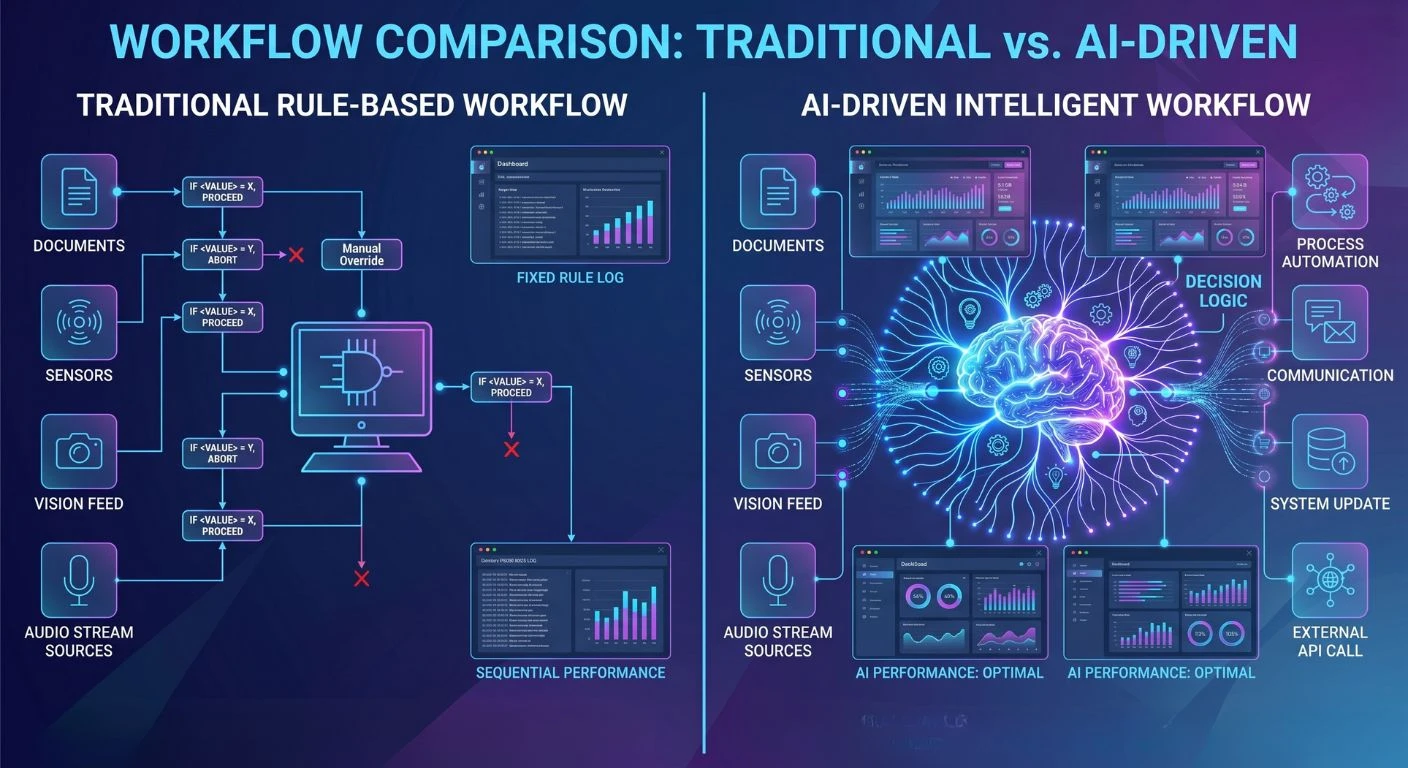
              AI Agents vs Traditional Workflows: What's Changing?

              AI vs traditional workflows
              Factor Traditional Workflow AI Agent Workflow
              Logic type
              Rule-based, static
              ML-driven, adaptive
              Change handling
              Manual reconfiguration
              Learns and adjusts automatically
              Decision support
              None
              Predictive recommendations
              Error handling
              Fails at edge cases
              Flags anomalies and escalates
              Maintenance
              High (rule updates)
              Lower after initial training
              Data usage
              Triggers on conditions
              Analyzes patterns across data sources

              Limitations of Traditional Workflow Automation

              Traditional workflow automation relies on static logic and established rules; therefore, while it may assist with automating repetitive processes, this type of system is typically unable to adapt to a continuously changing business environment.

              In addition to being difficult for human beings to configure and update each time business conditions change, the rule-based workflow system is also unable to generate decisions based on complex data patterns or to interpret conditions beyond the established scenarios used to generate results.

              Therefore, when many companies try to automate more complex business processes, they run into barriers to using automation to assist with many decision-related tasks, and many of these tasks require ongoing human involvement.

              Benefits of AI-Powered Workflows in Dynamics 365

              Automated solutions have been revolutionized through the adoption of AI-driven processes. Previously, automated processes were limited to executing rules. However, with the use of AI, agents will analyze current data and make decisions based on predictive insights when determining what action to take.

              Here are a few of the significant advantages this will provide:  

              • Faster decision-making enabled by predictive analytics 
              • Decreased manual labor for employees 
              • Improved accuracy with fewer operational errors 
              • Real-time insights and recommendations 
              • Ability to continuously improve via machine learning 

              Incorporating AI agents into Dynamics 365 workflows will enable companies to build intelligent, automated solutions that can respond to real-world situations.

              From Rule-Based Systems to Intelligent Automation

              Transitioning from a rule-based to an intelligent automation model for enterprise software represents a significant change in financial management systems.

              With rule-based systems, you are required to follow explicit rules when performing time-sensitive tasks. In contrast, the intelligent automation model analyzes data and selects contextually appropriate actions to achieve business goals.

              In Dynamics 365, virtual agents support decision-making within workflows. By examining data, AI agents will identify opportunities and assess their likely consequences. Ultimately, artificial intelligence agents will trigger automated events without requiring human intervention.

              Through this transition from simple automation of business processes to completely automated intelligent operations, organizations can become true intelligent businesses.

              How AI Agents Automate Business Workflows in Dynamics 365

              AI workflow automation in Dynamics 365

              Workflow Automation Using AI Agents

              AI agents can be used with Power Automate and Dynamics 365’s workflow engine to automate your workflows.

              AI agents for business workflows can monitor system actions, process incoming data, and execute automated techniques when predefined conditions are met. For instance, if there is an identified high-value sales opportunity, the AI agent can immediately notify a member of the sales team with the recommendation of actions to take.

              Using this approach provides less room for delays and ensures that key processes are executed as efficiently as possible.

              Business Process Automation Across Departments

              The AI agents in Dynamics 365 can assist a variety of teams/departments. Automation of processes across departments using AI agents leads to improved connectivity and efficiency within an organization.

              Real-Time Decision Making and Process Optimization

              Real-time decision support through the AI agent capabilities is among their greatest strengths.  

              AI agents can recognize situations, find opportunities, and identify anomalies using real-time data. Companies can continually optimize processes rather than wait for regular reports and/or manual review.

              When used within Dynamics 365 environments, this capability enables greater operational agility.

              Real-World Use Cases of AI Agents in Dynamics 365

              Customer Service Automation

              A B2B company using Dynamics 365 Customer Service deploys an AI agent that reads incoming ticket subjects, pulls the customer’s order history from Dataverse, and drafts a resolution response routed to the right support tier, cutting average handle time by cutting repetitive triage steps.

              Sales Forecasting and Lead Scoring

              Dynamics 365 Sales agents score leads by analyzing email engagement, CRM activity, and firmographic data. Sales reps receive a prioritized pipeline view each morning without manually reviewing activity logs.

              Invoice and Payment Processing

              In Dynamics 365 Finance, AI agents perform three-way matching (PO, receipt, invoice) and flag discrepancies automatically, reducing manual reconciliation effort in high-volume AP operations.

              Inventory and Supply Chain

              Dynamics 365 Supply Chain Management agents monitor stock levels against historical demand signals and trigger replenishment orders when thresholds are breached, reducing stockout events without buyer intervention.

              Document Data Extraction

              AI agents extract structured data from unstructured sources like supplier contracts or shipping docs using Azure AI Document Intelligence, writing results directly into Dynamics records.`

              AI Security in Dynamics 365: Managing Risks and Compliance

              Data Privacy and Governance

              AI technologies depend on large amounts of enterprise data; therefore, both are important to consider when developing an organization’s approach to data privacy and protection. Organizations’ AI-based solutions must adhere to strict guidelines for accessing and using their data. 

              Dynamics 365 provides organizations with embedded systems to support their governance practices, such as ensuring data security, enforcing appropriate access controls, and meeting compliance obligations for all types of data.

              Responsible AI in Business Workflows

              Enterprise environments must adopt AI responsibly as they incorporate it into their business operations. The AI-enabled solution should ensure that the AI output is clear and unbiased; it should adhere to the business’s established code of conduct or ethics. 

              Microsoft has created many tools to promote responsible AI use in Dynamics 365. Some of these tools provide monitoring capabilities for AI output, detection of potential AI bias, and development of AI accountability mechanisms.

              Security Challenges in AI Automation

              AI automation brings both benefits and new security issues. Potential risks include unauthorized access to data, inaccuracies in AI’s predictions, and integration issues. 

              Organizations that implement AI agents need to enforce strict security measures, including identity management, access control, and ongoing monitoring. Strong governance and compliance are critical when implementing AI in enterprise systems.

              Microsoft Dynamics 365 Automation Testing with AI Agents

              Role of AI in Testing and Quality Assurance

              Using the capabilities of AI, you can have better testing and quality assurance help for your implementation of Dynamics 365.

              By analyzing the way that your workflows and systems interact, AI tools will automatically find any bugs, performance issues, or conflicts within your workflows. This will help development teams identify issues earlier in the deployment process.

              Reducing Errors with Intelligent Automation

              Using AI, testing tools can simulate how a user would interact with an application or system in the real world to identify potential issues before they affect the business.

              By doing so, they enhance the overall reliability of automated processes and ensure proper functionality of Dynamics 365 applications. Organizations using business process automation in Dynamics 365 can significantly improve operational efficiency.

              Benefits of AI Agents for Enterprise Workflow Automation

              AI business workflow benefits

              Businesses using AI agents with Dynamics 365 will see many benefits, including:  

              • Increased operational efficiencies 
              • Faster decisions in your business 
              • Reduced manual tasks for employees 
              • Better engagement with your customers 
              • Improved prediction and analysis capabilities.  

              These factors have made AI agents an effective option for business owners wanting to modernize their workflow automation strategy.

              Challenges of Implementing AI Agents in Dynamics 365

              There can be challenges involved with the use of AI agents, even though they have many advantages.  

              When introducing AI, some organizations may face issues with data quality, integration complexity, and change management. Employees may also need training on how to properly interact with the AI-powered system.

              Companies also must comply with security and governance policies regarding any kind of implementation using AI.

              Careful planning and effective data management are essential for successful adoption, as is collaboration between technical personnel and business stakeholders.

              Best Practices for Using AI Agents in Dynamics 365

              Organizations should adhere to certain best practices to maximize the value of their intelligent automation implementations.

              Organizations should:  

              • Define clear goals for what the automation should accomplish. 
              • Use high-quality structured data to train their AI agents. 
              • Incrementally introduce AI agents into their workflows. 
              • Continuously monitor their AI agent’s performance and continuously optimize. 
              • Develop strong governance and security policies. 

               Adhering to these principles will help organizations successfully implement intelligent automation using AI agents and achieve sustainable benefits from these solutions over time.

              Conclusion

              Businesses looking for the best software developer company in India are increasingly using AI agents in Microsoft Dynamics 365 to automate their operations by combining intelligent automation, predictive analytics, and generative AI. The use of AI agents is reshaping how businesses operate by streamlining processes, enabling better decision-making, and increasing productivity across business units. Microsoft’s Copilot is an example of a tool that will continue to provide businesses with AI-enabled workflows, which have become an integral factor of modern-day enterprises. Businesses that are thoughtful about integrating AI agents can be more efficient, provide a better overall customer experience, and remain competitive in a more data-driven digital marketplace with the expertise of Shaligram Infotech.

              Ready to build? Contact Our Global Teams

              🇺🇸 USA: +1 (919) 629-9671

              🇬🇧 UK: +44 20 3581 6366

              🇮🇳 India: +91 99099 84567

              🇦🇺 AUS: +61 07 3121 3147

              💬 Interested in Regular Insights on Software and App Development?

              📲 Follow Shaligram Infotech on LinkedIn
              Let’s build the future of applications together.

              FAQs

              What are AI agents in Dynamics 365?

              Dynamics 365 includes intelligent computer programs that allow you to automate repetitive tasks and help you analyze your company’s data, as well as assist you in making more accurate decisions. Each program works within a structured process to increase productivity and efficiency within your organization. Contact us to see how AI agents can benefit your business.

              AI analyzes incoming data, identifies patterns, and uses the patterns to automatically trigger actions within Dynamics workflows. This could include things such as lead scoring, routing service requests to appropriate personnel, or generating insight to be used for making decisions.

              Historically, work processes were based on a set of rules and followed a specific path. AI agents, on the other hand, will leverage their ability to learn from previous events to identify patterns or actions to make on the fly, therefore adapting to the changing environment in which your business is operating.

              Microsoft Copilot leverages AI to pull relevant data, provide you with insight, and help you execute tasks. Copilot provides you with AI-infused assistance directly in the Dynamics 365 user interface.

              AI-driven workflows allow companies to become more efficient, minimize how much work an employee needs to do manually, enable them to make real-time decisions, improve the use of predictive analytics, and improve a company’s ability to automate complex business processes.

              AI security is one of the most important areas of focus for companies using AI. Companies should have strong governance, follow strict data protection policies, and have some type of monitoring of the applications that have been built around AI so that AI will be managed safely and responsibly.

              AI agents improve workflows by analyzing real-time data, automating decisions, triggering actions, and continuously learning from outcomes to optimize business processes.

              Categories
              Blog Microsoft

              Dynamics 365 Implementation Mistakes: What Slows Projects Down and How to Avoid Them

              Microsoft

              Dynamics 365 Implementation Mistakes: What Slows Projects Down and How to Avoid Them

              Showcasing Common Mistakes That Slow Down Dynamics 365 Implementations Banner

              GEt in Touch


                TABLE

                  Quick Summary :

                  What are the most common Dynamics 365 implementation mistakes?

                  The most common Dynamics 365 implementation mistakes are: (1) unclear business objectives before kickoff, (2) poor data preparation and migration planning, (3) misalignment between business and IT teams, (4) over-customization beyond what the platform natively supports, (5) weak project governance and unrealistic timelines, and (6) insufficient user training and change management. Each of these can delay go-live, inflate costs, and reduce ROI.

                  Why Dynamics 365 Implementation Is More Complex Than Most Businesses Expect

                  Microsoft Dynamics 365 is a cloud-based business applications platform that combines CRM and ERP capabilities across sales, customer service, field service, finance, supply chain, and marketing. A Dynamics 365 implementation is the end-to-end process of deploying, configuring, integrating, and adopting one or more of these modules within an organization typically delivered in structured phases over weeks to months depending on scope and complexity. Because it works closely with the way a company does business, putting it in place can affect parts of the company, like different departments and systems.
                  Some companies think they can set up a customer relationship management system like Microsoft Dynamics 365 quickly and easily. The truth is, it takes a lot of planning and work to get it right. Companies need to plan to manage the project well, get their data ready, and make sure the technical and business teams work well together.
                  When companies do not get ready for the challenges of setting up Microsoft Dynamics 365, things can go wrong. Projects can be delayed because the requirements are not clear, there are problems, or users do not want to use the new system. If companies understand these challenges from the start, they can avoid making mistakes and keep the project on schedule. When implemented correctly, Dynamics 365 improves efficiency across sales, service, finance, and operations.

                  Poor Dynamics 365 CRM Implementation Strategy from the Start

                  Lack of Clear Business Goals

                  A CRM implementation should always start with business objectives that are easy to understand. Many organizations begin using Dynamics 365 without knowing what they want to get out of it. For instance, companies might say they want to manage their customers, but they do not say what that means. They do not say things like we want to get leads to buy our products, or we want to sell things to people faster, or we want to help our customers when they have problems sooner.
                  When you do not have goals, it is hard to figure out what you need from the system, what is important, and if you are doing a good job. This can cause a lot of problems, like trying to make too many changes all the time and taking too long to get everything working. Dynamics 365 implementation can be a project, and companies need to have clear goals for their CRM implementation.
                  To avoid these issues, many businesses choose to hire Dynamics 365 developers who can align the system with their goals and ensure a smooth implementation process.

                  Misalignment Between Business and IT Teams

                  Another common mistake is that business teams and IT departments are not on the same page.
                  Business teams know the problems they want to fix and what they do every day, while IT teams focus on the technical side. If these teams do not work together properly, the system they create may not really help the business.
                  When business and IT teams are not aligned, it can cause problems like setting up the system, making work more difficult and frustrating for users. When departments work together, from the start, they can make sure the CRM solution works technically and fits with how the business really works.

                  Not Defining a Proper CRM Implementation Roadmap

                  A Dynamics 365 CRM implementation roadmap should define:
                  • Implementation phases with clear entry and exit criteria
                  • Milestones and go/no-go checkpoints
                  • Resource allocation across business, IT, and vendor teams
                  • Integration plans for connected systems (ERP, marketing automation, helpdesk)
                  • Training schedules aligned to role-based user groups
                  • Risk register and contingency planning
                  If you do not have a clear roadmap, projects can get off track. Teams might work on tasks without knowing what is most important. This can cause delays and confusion during the implementation process of the project. The implementation roadmap is really important to keep the project on track.

                  Weak Dynamics 365 Project Management

                  CRM project workflow delays

                  Poor Communication Between Stakeholders

                  Effective Dynamics 365 project management requires coordinating a wide group of stakeholders, including executives, department leads, IT architects, implementation consultants, and end users all working toward the same goal.
                  When these groups do not talk to each other well, they get confused about what they need, when things are supposed to happen, or what the system can do. This means they must do rework, face frustration, and delays.
                  Customer relationship management projects need to have updates, easy ways for people to talk to each other, and meetings where everyone agrees on things. This makes sure the project is going as planned with the customer relationship management implementation. The customer relationship management implementation needs updates and clear communication to succeed.

                  Lack of Defined Roles and Responsibilities

                  People often have trouble when team members do not know what they are supposed to do.
                  If the people working on the project do not know what their jobs are, they might do the work twice or forget to do something important. For instance, it might not be clear who is in charge of moving the data from one place to another. Nobody might be responsible for making sure the workflows work properly.
                  When you make sure everyone knows what their job is, like the project sponsor, solution architect, data migration lead, and user training coordinator, then you know who is responsible for what, and things get done easily.

                  Unrealistic Implementation Timelines

                  Some companies try to get Dynamics 365 up and running really fast, thinking it is easy to set up.
                  However, putting in a customer relationship management system is a big job. It includes getting everything set up right, moving data over, connecting it to other systems, testing it, and teaching users how it works. If you rush through these steps, you might make mistakes in the system, and people might not want to use it. You could end up spending a lot of money to fix things.
                  If you give yourself time, your team can get Dynamics 365 set up properly and make sure it works the way your business needs it to.

                  Ignoring Common Dynamics 365 Implementation Challenges

                  CRM data migration and data transformation

                  Data Migration Problems

                  Migrating data from systems into Dynamics 365 can be a tough part of getting everything set up. When we move data from these systems, we often run into some big problems.

                  Common problems with moving data include:

                  • Duplicate records
                  • Inconsistent data formats
                  • Missing customer information
                  • Outdated records
                  If we do not make sure the data is correct and clean before we move it, it can cause a lot of mistakes in the system, and people will not trust it as much. Dynamics 365 is the system we are talking about. We need to get the data migration into Dynamics 365 right.

                  Integration With Existing Systems

                  Most companies use a lot of systems for things like finance and marketing. They also use these systems for things like ERP and support operations. Dynamics 365 needs to work with all these systems so that data can flow easily.
                  When we try to get all these systems to work together, we can run into problems. This happens when the systems are not compatible or when the software is old. Sometimes the APIs are not good. That causes problems, too. If we do not plan the integration carefully, the teams will have to deal with delays. They will not be able to work very efficiently. Dynamics 365 and all these other systems, like finance and marketing, need to be integrated.


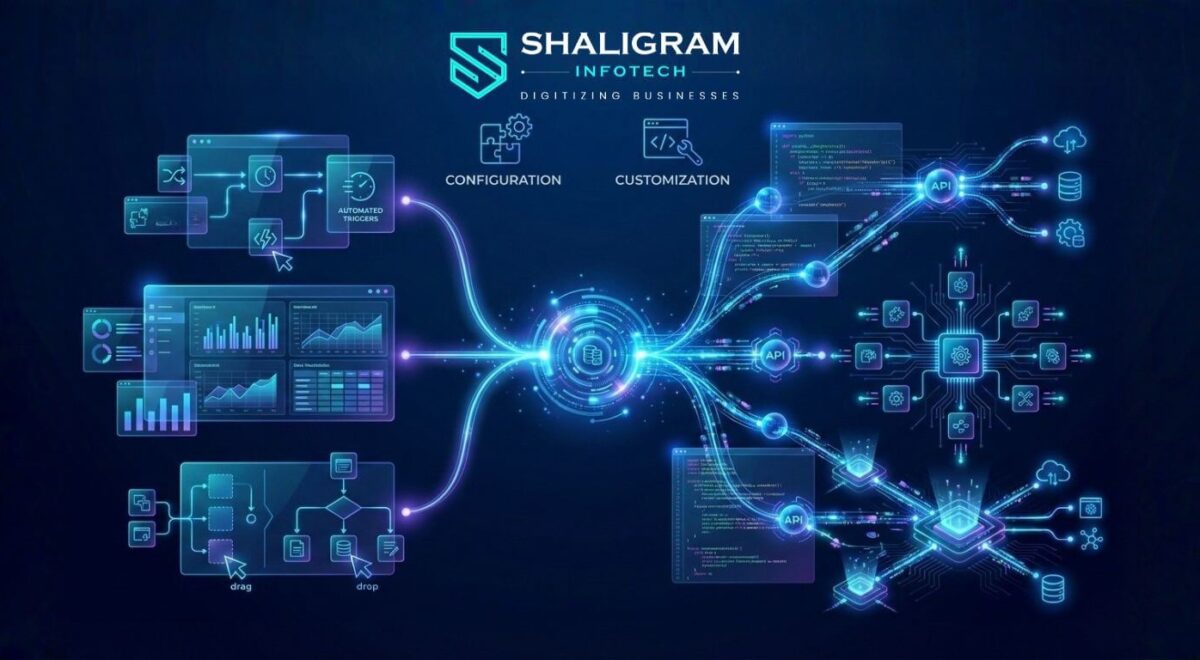
                  Customization vs Configuration Confusion

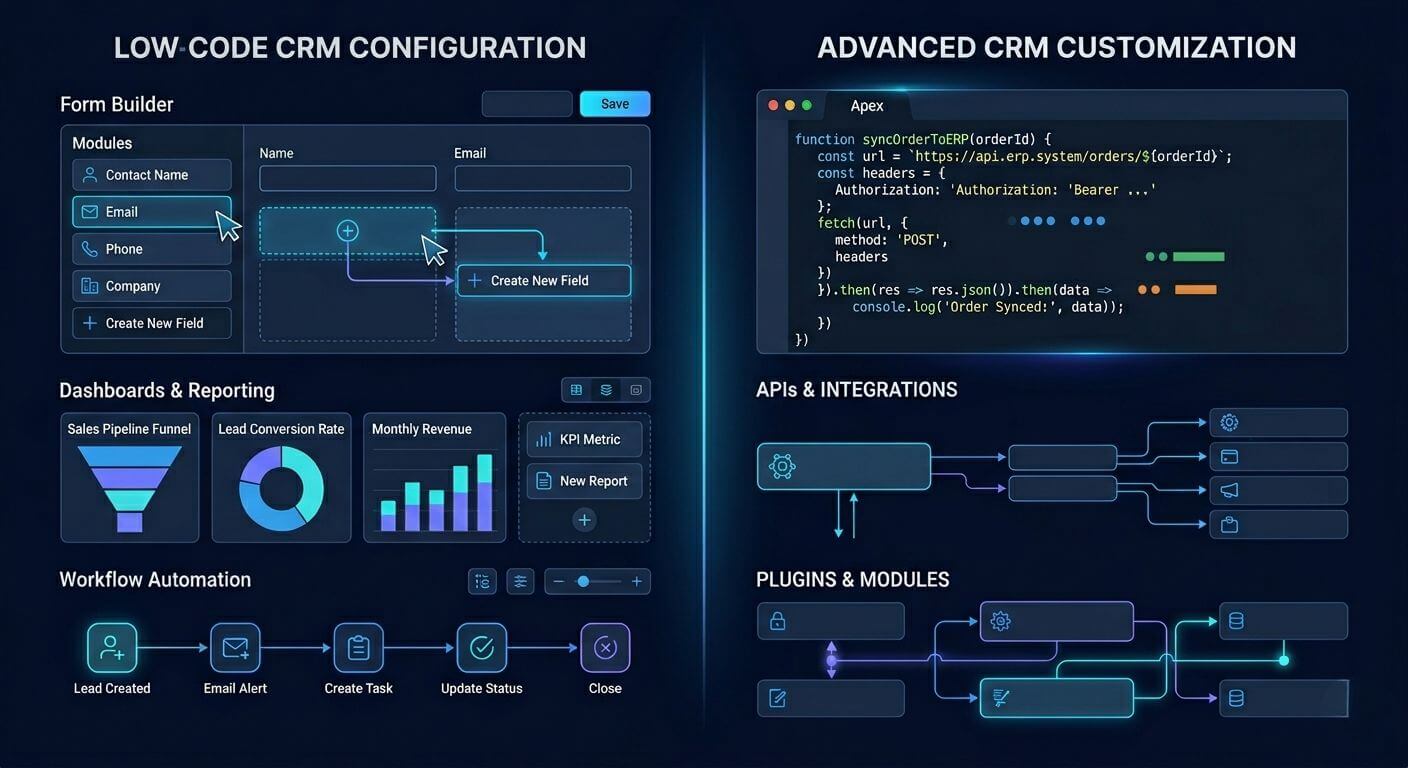
                  Dynamics 365 customization vs configuration

                  With the ability to configure your Dynamics 365 system out of the box without writing custom code, you can create a customized solution for your organization.

                  Unfortunately, businesses often think about customization first when implementing a new solution rather than utilizing the many ways that the Dynamics 365 configurational capabilities provide; by customizing your system, you can increase the time and cost of developing a solution, as well as create complexities in the future for supporting that custom solution.
                  By differentiating between configuration and customization, organizations will make more informed decisions when implementing their new system. Understanding the difference between configuration and customization is critical for maintaining scalability and reducing long-term complexity.

                  Underestimating Dynamics 365 Deployment Challenges

                  Another contributing factor that can slow down an implementation project is the difficulty of the actual deployment.
                  Often, organizations do not plan effectively for deployment tasks, including environment preparation, system testing, security configuration, and performance optimization.
                  If deployment is not planned correctly, it can create a chaotic environment, resulting in unanticipated delays in the final phase of implementation.
                  To ensure that system testing, validation, and rollout occur smoothly, a structured deployment plan is important.

                  Poor Data Preparation Before Dynamics 365 CRM Implementation

                  Data quality is critical to how well a CRM performs.
                  When moving your existing data into Dynamics 365, ensure it is cleaned, standardized, and validated before migration. Unfortunately, many companies skip this step and try to move raw data directly into their CRM.
                  This usually leads to duplicate records, missing pieces of information regarding the customer, and inaccurate reporting.
                  When you have taken proper steps to prepare your data, the CRM will provide accurate reports, allowing the company to make sound decisions based on the information provided by the system.
                  Data governance and security standards also play a key role in ensuring reliable CRM performance.

                  Lack of a Clear D365 Implementation Plan

                  Without a clearly defined D365 implementation plan, teams frequently encounter:

                  • Ambiguous or changing system requirements that cause scope creep
                  • Delayed integration activities with ERP, marketing, or support platforms
                  • Insufficient UAT (User Acceptance Testing) planning, leading to post-go-live issues
                  • Inadequate user training preparation, resulting in poor adoption rates
                  • No rollback plan if deployment issues arise
                  A structured implementation plan should cover five phases: Discovery and Requirements, Solution Design, Development and Configuration, Testing and UAT, and Go-Live and Post-Implementation Support. Each phase should have defined owners, deliverables, and sign-off criteria before the next phase begins.

                  Over-Customization During Dynamics 365 Implementation

                  One of the most common errors when deploying customer relationship management systems within an organization is over-customization.
                  Applying too many customizations can undermine system stability and make future upgrades significantly more complex, costly, and time-consuming, often breaking functionality when Microsoft releases platform updates. Ultimately, through excessive customization, an organization’s CRM will become difficult to maintain, upgrade, and support over the long term.
                  As a result, the anticipated implementation timeframes will be significantly exceeded. Therefore, organizations should place greater emphasis on their core use of standard product capabilities and use custom solutions only when necessary.
                  Over-customized systems often create challenges during future upgrades and platform maintenance.

                  Lack of Training and User Adoption Planning

                  CRM user adoption and training issues
                  A business can use highly functional, technically advanced customer relationship management software. However, the business will fail if employees do not use the CRM system effectively.
                  Most businesses focus more on CRM implementation than on user training and adoption.
                  Inadequate user training prevents employees from fully utilizing CRM functionality, resulting in low user adoption and incomplete data entry.
                  Successful CRM implementations include thorough employee training, user documentation, and ongoing user support. This is required to help the employee fully embrace the new technology.

                  Ignoring Dynamics 365 Implementation Best Practices

                  Best practices help prevent organizations from failing to implement successfully by ensuring adherence to specific standards, resulting in smoother implementations.
                  Failure to adhere to best practices can result in inefficient processes, poor system performance, and lower-than-expected ROI due to unsuccessful CRM implementation.
                  Key Dynamics 365 implementation best practices include:
                  • Define measurable business goals before kickoff, not just “improve CRM” but specific outcomes like reducing lead response time by 30% or consolidating three legacy systems into one.
                  • Implement in phases using a pilot-first approach: deploy to one business unit, validate, then roll out company-wide.
                  • Perform structured UAT with real users testing real-world scenarios, not just technical QA.
                  • Maintain data integrity through pre-migration audits, deduplication, and field mapping validation.
                  • Plan for user adoption from day one: assign change champions, create role-based training, and measure adoption post-go-live.
                  • Use Microsoft’s Success by Design framework as a governance baseline for enterprise D365 implementations.
                  Following established best practices will significantly reduce the risks of implementing a CRM and improve overall project success rates.

                  How to Build a Successful Dynamics 365 CRM Implementation Strategy

                  Connected CRM ecosystem with automation
                  To successfully implement Dynamics 365, the technology, strategy, and change management need to work as a single, cohesive process that strikes the optimal balance among them.

                  Businesses must take several key steps to be successful:

                  Clearly Define Business Objectives

                  Before you start your implementation, determine exactly what you expect the new CRM to resolve and what it will accomplish for you.

                  Develop a Plan for Your Implementation

                  Next, develop a plan outlining all the phases, timelines, and resources of your Dynamics 365 implementations.

                  Emphasize Data Quality

                  Data quality is critical for reporting and analytics. Data cleansing and preparation should be part of your migration strategy to ensure that the migrated data provides accurate metrics and reporting.

                  Prioritize Configuration Over Customization

                  Leverage the out-of-the-box functionality provided by Dynamics 365 whenever possible to minimize the amount of complexity introduced to the solution.

                  Establish Appropriate Project Governance

                  Establish clear roles, responsibilities, and communication protocols so everyone involved understands how the project will be managed.

                  Allocate Resources for Training and Change Management

                  Provide employees with a clear understanding of why Dynamics 365 will be important to them and deliver appropriate training so they can adopt the new system.
                  When you utilize the above steps, your organization will significantly increase the probability of a successful Dynamics 365 implementation.

                  Conclusion

                  When implemented correctly, Dynamics 365 from Microsoft can transform the way a company operates. However, many companies fail to take advantage of the benefits offered by this technology because of poor planning, insufficient project management, and/or a lack of experience with data-related challenges or excessive customization.
                  Awareness of typical failures associated with a Dynamics 365 implementation will give your business the ability to streamline the entire process through proactive resolution of these issues and maximize your investment in this software application. Partnering with an offshore software development company in India can also help businesses access skilled expertise and cost-effective solutions for smoother implementation. At Shaligram Infotech, we help businesses overcome these challenges with expert guidance and proven implementation strategies.
                  To realize the full potential of Dynamics 365, companies should develop a carefully thought-out strategy with clear lines of communication between teams, concentrate on the end-user experience as their primary concern, and successfully implement the software for operational growth and efficiency.

                  Ready to build? Contact Our Global Teams

                  🇺🇸 USA: +1 (919) 629-9671

                  🇬🇧 UK: +44 20 3581 6366

                  🇮🇳 India: +91 99099 84567

                  🇦🇺 AUS: +61 07 3121 3147

                  💬 Interested in Regular Insights on Microsoft Dynamics 365? 󠀢󠀢󠀢󠀢

                  📲 Follow Shaligram Infotech on LinkedIn
                  Let’s build the future of applications together.

                  FAQs

                  What are the most common Dynamics 365 implementation mistakes?

                  Businesses may encounter many problem areas in their CRM projects, including a lack of clarity around business goals, improper data preparation, excessive customizations, no user training, ineffective project management, and no integration with existing systems. Facing these challenges? Contact us today to get expert guidance for a successful Dynamics 365 implementation.
                  Some of the most significant challenges faced by companies in deploying their CRM solutions are data migration, integration of different systems, managing customizations made to the CRM software, ensuring that users adopt and use the CRM system, and aligning business processes with how the CRM system works.
                  The length of time it takes to implement a CRM system varies based on the complexity of each company’s project. A small or basic Dynamics 365 implementation typically takes 6 to 12 weeks, depending on scope and data complexity. Mid-size implementations often range from 3 to 6 months, while large enterprise deployments involving multiple modules, integrations, and data migrations can take 9 to 18 months or more.
                  To avoid issues during the deployment of your CRM solution, define your business goals before beginning your project, prepare your data prior to beginning the project, utilize a consultant who is experienced in assisting companies with implementing their CRM solutions, and utilize proven CRM deployment methodologies.
                  Business success through CRM use will be achieved through the implementation of this overall strategy, which consists of the following key points: defined business objectives, a structured implementation roadmap, effective project governance, a well-prepared data set, minimal customization, and adequate user training.
                  Categories
                  Blog Microsoft

                  Building an Intelligent Business Ecosystem with Dynamics 365 and Power Platform

                  Microsoft

                  Building an Intelligent Business Ecosystem with Dynamics 365 and Power Platform

                  dynamics 365 and power platform business ecosystem concept

                  GEt in Touch


                    TABLE

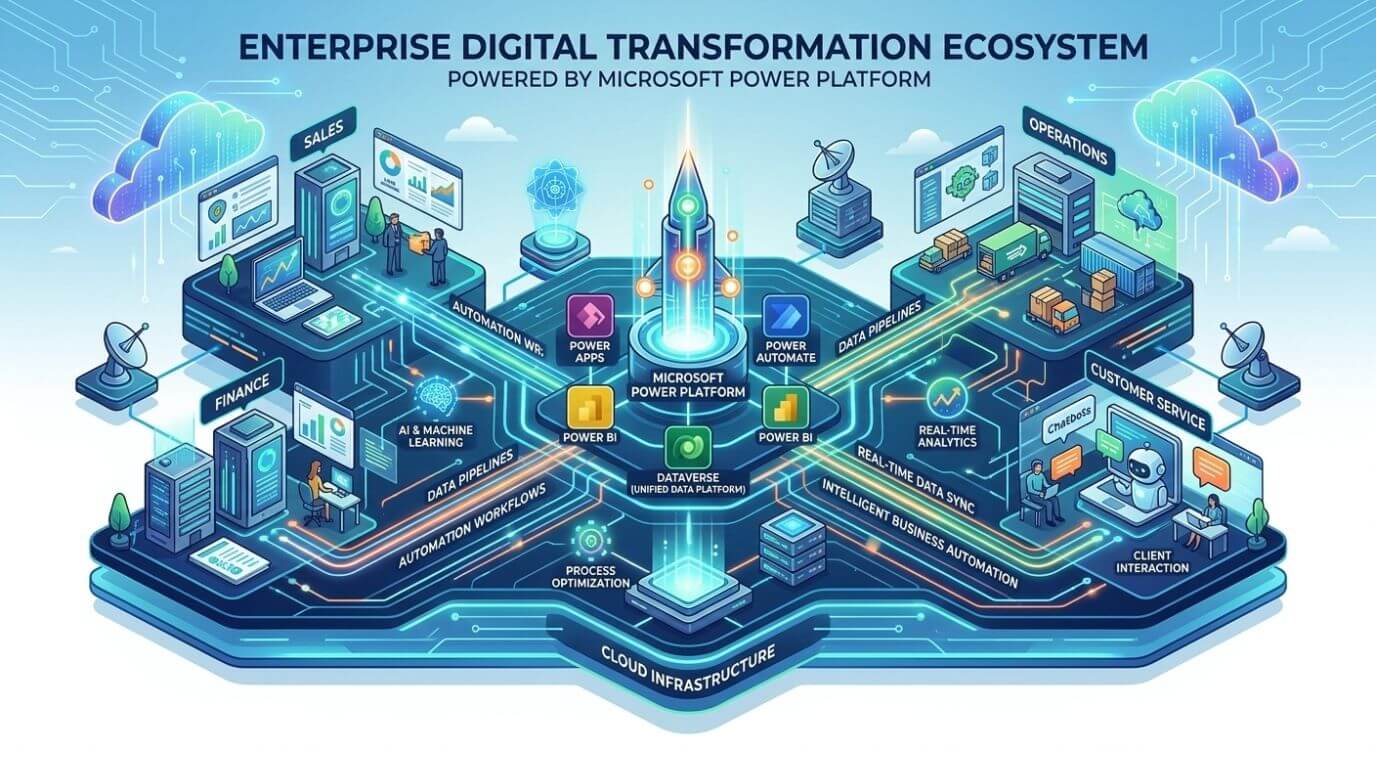
                      What Is the Dynamics 365 and Power Platform Ecosystem?

                      Understanding the Dynamics 365 Platform

                      Present-day organizations depend on integrated software systems, which create seamless business processes instead of relying on separate software applications and standalone operational procedures. Organizations need connected data systems that support automated decision processes and flexible digital infrastructure because their business requirements continuously change.
                      Organizations can build intelligent business solutions through Microsoft Power Platform and Dynamics 365, which connect their different operational processes, data analysis functions, and enterprise automation capabilities. Enterprises can select specific modules from the Dynamics 365 system, which merges enterprise resource planning with customer relationship management to meet their business requirements.
                      With the support of skilled Power Apps developers, businesses can also create custom low-code applications that extend Dynamics 365 capabilities and connect data across systems to support unique workflows and operational needs.
                      Key business capabilities include:
                      • Management of sales activities together with customer engagement processes 
                      • Execution of financial and accounting processes 
                      • Management of supply chain operations, together with inventory systems 
                      • Management of field service operations and project execution 
                      • Customer service operations
                      The common data model enables all applications to share information, which allows teams to work together across different departments without needing to transfer or duplicate data.

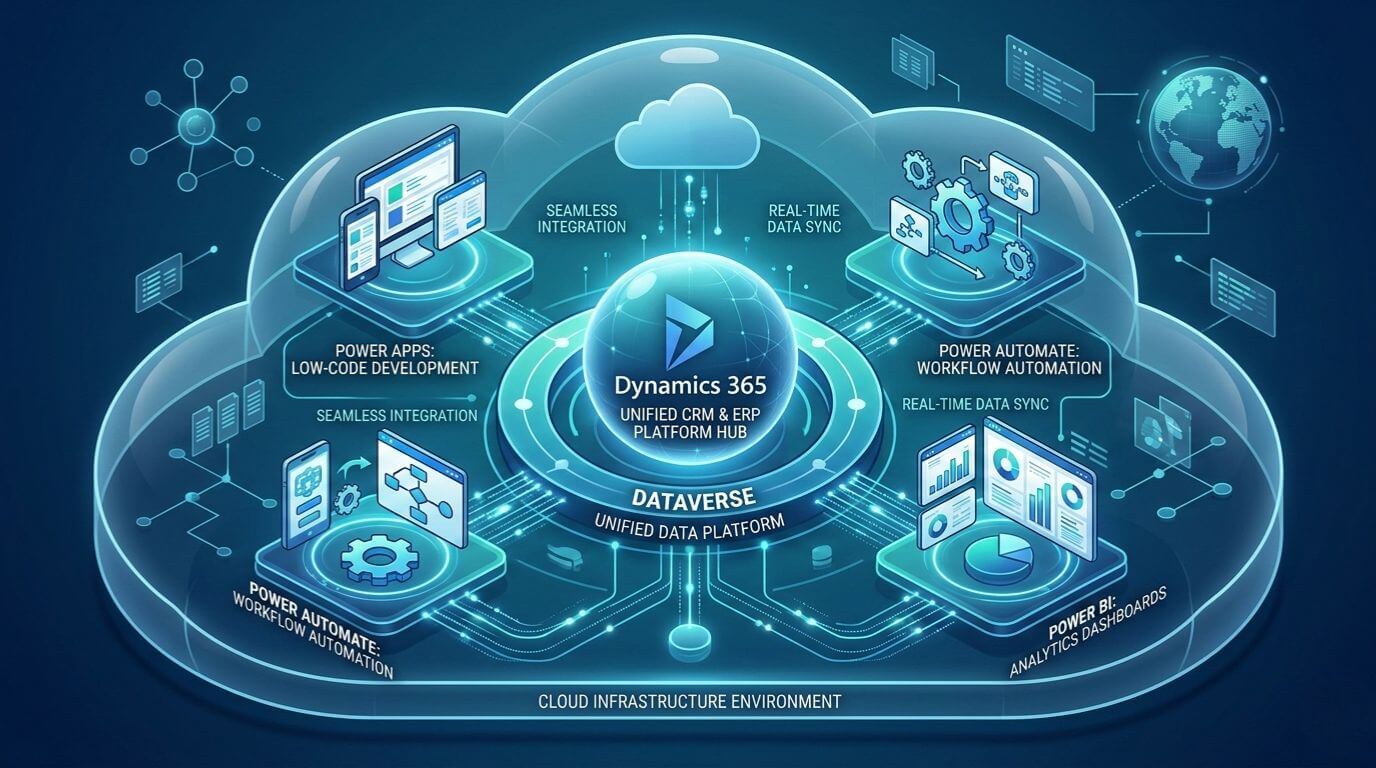
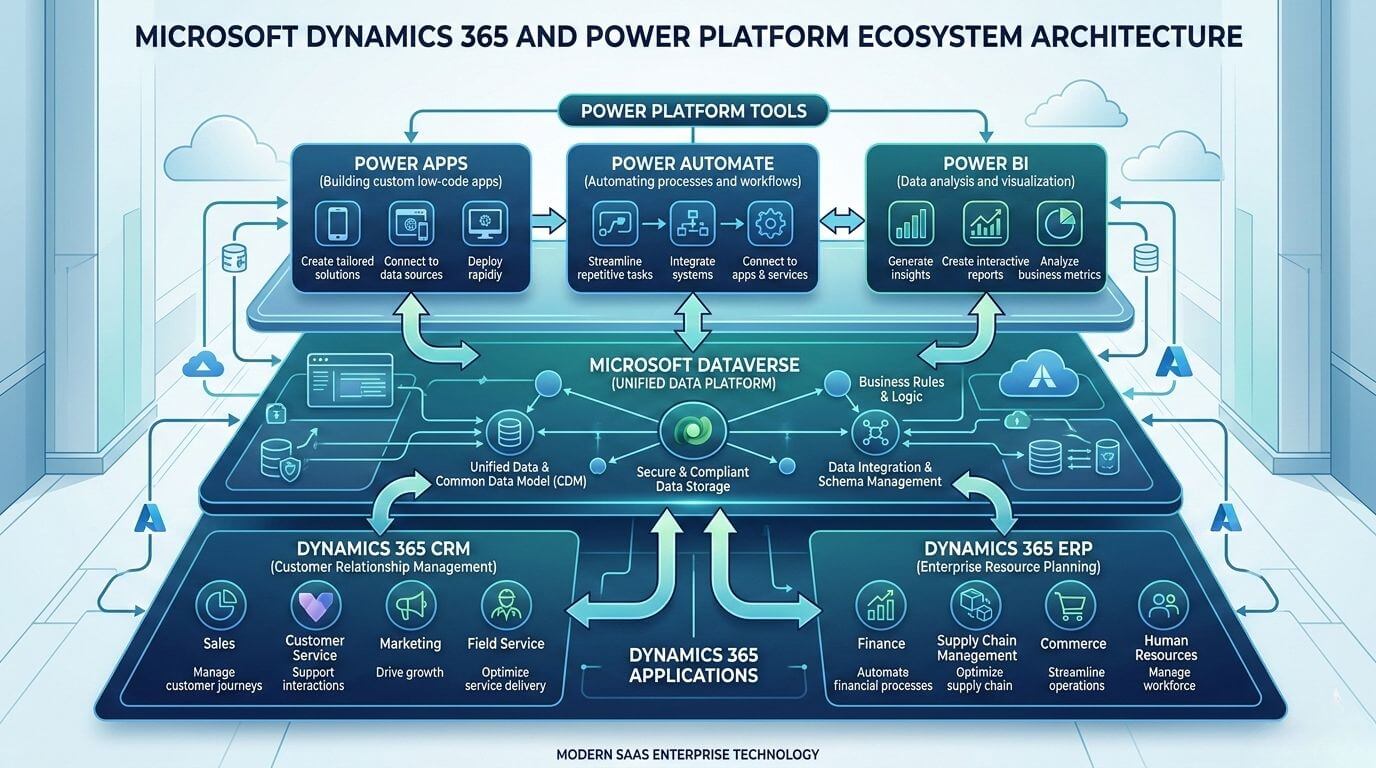
                      Microsoft Power Platform and Dynamics 365: Seamless Integration

                      Power Platform enhances Dynamics 365 by providing organizations with tools for automated processes, data analysis, and rapid software development that requires minimal coding.
                      Microsoft Dataverse serves as the integration backbone, which provides a unified data platform that enables secure application and workflow access to reliable data.
                      Many global businesses also choose to hire Microsoft CRM developers in India to build customized integrations, automate CRM workflows, and ensure Dynamics 365 solutions align with their specific operational requirements.
                      Key integration benefits include:
                      • Automated workflows triggered by Dynamics 365 events 
                      • Custom applications that use operational data in real time 
                      • Real-time analytics dashboards 
                      • Artificial intelligence-based predictions that produce alerts
                      The seamless connection between these systems removes standard integration difficulties while speeding up digital transformation projects.

                      Automate Business Processes with Dynamics 365 and Power Automate

                      business workflow automation with dynamics 365 and power automate

                      Business Process Automation Across Departments

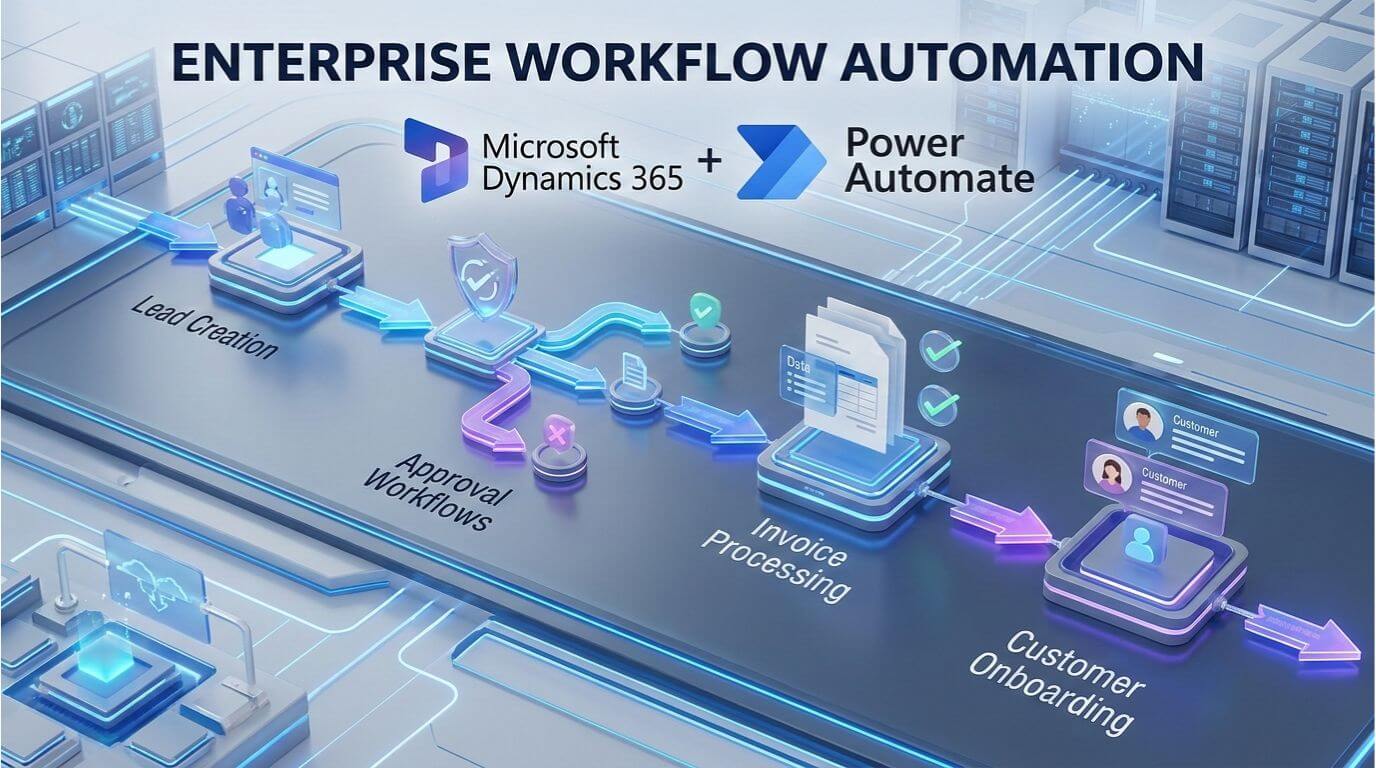
                      The fastest method for business teams to reach measurable ROI from digital transformation projects is through automation. Power Automate from Microsoft enables businesses to create automated workflows that link directly to their Dynamics 365 operations.
                      • The following operations show automatic lead qualification routing to managers who need to make decisions about lead qualification.
                      • The system initiates an invoice approval process when the finance department has completed its validation process.
                      • Leadership teams start customer onboarding procedures when clients sign their contracts.  
                      • When stock levels fall to the point of shortage, the system generates inventory alerts.
                      The system reduces manual work through automation while maintaining operational compliance according to established rules.

                      Dynamics 365 and Power Automate in Action

                      The sales pipeline process requires evaluation when a deal reaches its next stage in Dynamics 365.
                      • The system generates automatic notifications to finance teams 
                      • The system creates contract templates.  
                      • The system initiates approval of workflows.  
                      • The system assigns tasks for customer onboarding.
                      Without automation, the tasks require manual email communication and direct contact. Business operations gain faster execution times because automation increases organizational responsibility.

                      Power Automate Business Central Integration

                      The automation capabilities of Microsoft Dynamics 365 Business Central expand to financial and operational workflows through its integration with existing systems.
                      Organizations can automate these processes:
                      • Vendor payment approvals  
                      • Purchase order creation  
                      • Inventory replenishment alerts  
                      • Financial reconciliation workflows
                      The solution helps finance teams by reducing delays and eliminating repetitive administrative tasks while keeping audit readiness intact. Many enterprises are expanding Dynamics 365 beyond traditional CRM and ERP roles to build connected digital ecosystems.

                      Low-Code Development with Power Platform and Power Apps

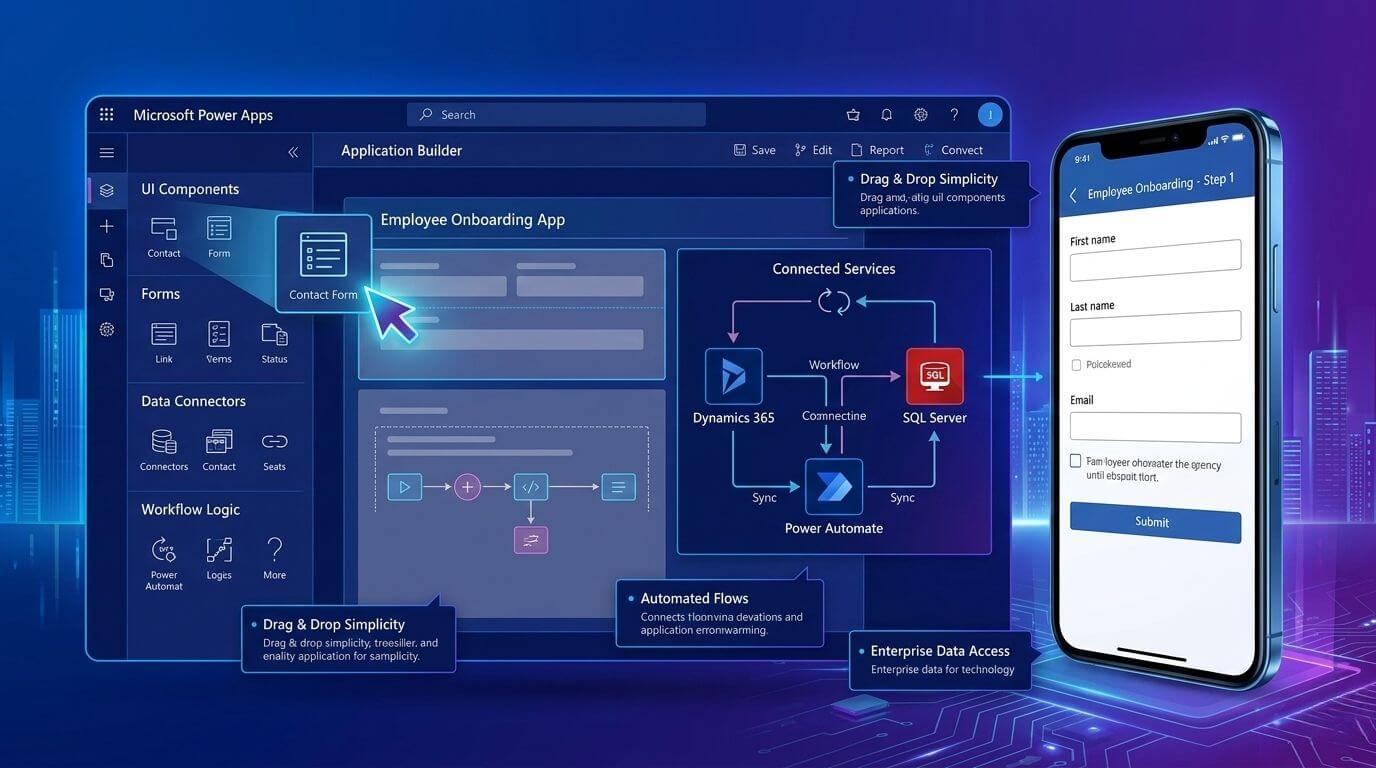
                      low code app development using microsoft power apps

                      Microsoft Power Apps for Custom Business Solutions

                      Traditional software development processes create barriers to innovation because they require extended periods to complete development work while needing multiple resources to operate.
                      Microsoft Power Apps enables Leadership teams to create business applications through its low-code development platform, which allows for quick application development.
                      Examples include:
                      • Inspection and compliance applications  
                      • Mobile solutions for field technicians  
                      • Portals for employee onboarding  
                      • Dashboards for vendor approval
                      Business users and IT teams work together to develop solutions that maintain governance standards while achieving faster delivery times.

                      Dynamics 365 and Power Apps Integration

                      Traditional software development processes create barriers to innovation because they require extended periods to complete development work while needing multiple resources to operate.
                      Microsoft Power Apps enables organizations to create business applications through its low-code development platform, which allows for quick application development.
                      Examples include:
                      • Inspection and compliance applications  
                      • Mobile solutions for field technicians  
                      • Portals for employee onboarding  
                      • Dashboards for vendor approval
                      Business users and IT teams work together to develop solutions that maintain governance standards while achieving faster delivery times.

                      Microsoft Low-Code Development for Enterprise Automation

                      The development of low-code platforms helps IT teams to work more effectively. Enterprise governance features allow organizations to:
                      • Control access permissions  
                      • Maintain data security compliance  
                      • Monitor usage and performance  
                      • Standardize application deployment
                      The IT departments control system operations while business teams work to create new processes.
                      The system provides organizations with automated processes that can grow as needed while preventing unauthorized application expansion, ensuring that both IT departments and business teams can collaborate effectively without compromising security or efficiency.

                      Power BI Integration: Turning Data into Intelligent Decisions

                      power bi analytics dashboard for business intelligence

                      Power BI and Business Central Reporting

                      Organizations encounter their greatest difficulty when they attempt to achieve transparency in their data. By leveraging power bi and business central together, finance teams can eliminate data silos.
                      Financial executives obtain enhanced operational understanding through the integration of Microsoft Power BI with Business Central.
                      The reporting system has achieved better results through three main enhancements, which include:
                      • Cash flow forecasting dashboards  
                      • Profitability analysis by product or region  
                      • Real-time budget monitoring  
                      • Vendor performance analytics
                      Executives now use live decision intelligence instead of traditional static spreadsheets.

                      Power BI Business Central & Dynamics 365 Integration

                      Power BI combines information from various Dynamics 365 applications to create unified data sets.
                      Organizations can analyze:
                      • Customer lifecycle performance  
                      • Sales pipeline conversion rates  
                      • Operational bottlenecks  
                      • Supply chain efficiency
                      The automatic dashboard refresh process allows leadership teams to access current data without depending on outdated monthly reports.

                      Power BI Integration for Executive Visibility

                      The executive leadership team requires centralized analytics, which provides them with essential operational advantages.

                      The dashboards display three distinct functions, which include:

                      • The system tracks essential performance indicators throughout all company departments  
                      • The system provides instant revenue information to users  
                      • The system measures customer satisfaction through its dedicated metrics  
                      • The system conducts risk assessments while also verifying compliance with regulations.  
                      Decision-makers acquire complete organizational insights that they cannot achieve through conventional reporting methods, enabling them to make informed decisions that enhance customer satisfaction, streamline operations, and ultimately improve the overall customer experience as measured by the system’s dedicated metrics.

                      Enterprise Automation with Microsoft Power Platform

                      dynamics 365 and power platform ecosystem infographic

                      Building Intelligent Business Solutions

                      The intelligent ecosystem connects people, processes, and data to create intelligent connections.
                      Organizations achieve this through:
                      • The implementation of automated workflows that eliminate the need for manual coordination  
                      • The development of custom applications that solve specific operational needs  
                      • Data-driven insights that lead to strategic decision-making  
                      • The combined use of ERP and CRM systems enables organizations to work together.
                      Companies use unified intelligence to manage their technology systems rather than handling technology silos, which allows for improved data sharing and collaboration across departments.

                      Dynamics 365 Integration Across Systems

                      Most enterprises require multiple systems because they need to use their existing ERP systems, HR software, and additional third-party applications.
                      The Dynamics 365 platform offers integration capabilities through its APIs and connectors, which enable users to connect with:
                      • E-commerce platforms   
                      • HR management systems   
                      • Banking integrations   
                      • External logistics providers 
                      The organization maintains uninterrupted service while it updates its services through gradual improvements instead of implementing complete system changes, ensuring that customers continue to receive reliable support and access to essential features during the transition.

                      Real-World Use Cases: Dynamics 365 Power Platform in Action

                      Sales & Customer Experience Automation

                      Sales teams gain advantages through the use of automated engagement workflows, which handle their customer outreach activities.
                      Examples include:
                      • Automated follow-up emails after meetings  
                      • Customer sentiment tracking dashboards  
                      • AI-driven opportunity scoring
                      Sales representatives dedicate most of their time to creating customer relationships instead of doing administrative tasks, which allows them to focus on understanding customer needs and improving sales performance.

                      Financial Process Optimization

                      Finance departments achieve better control over their operations through the implementation of automated systems.
                      The system provides the following capabilities:
                      • The system facilitates the automatic processing of invoices.  
                      • The system allows users to establish approval workflows that incorporate trackable audit trails.  
                      • It equips financial professionals with the necessary tools to construct financial consolidation dashboards.
                      The process of manual data entry results in a substantial reduction of entry errors.

                      Operations & Supply Chain Automation

                      Supply chain teams acquire predictive abilities through their work.
                      Organizations automate:
                      • Inventory replenishment alerts   
                      • Vendor communication workflows   
                      • Shipment tracking updates 
                      Companies experience fewer operational interruptions, which leads to improved customer satisfaction.

                      Common Mistakes When Integrating Dynamics 365 and Power Platform

                      Organizations face implementation challenges that prevent them from utilizing their existing capabilities.
                      Common mistakes include:
                      • Over-customizing instead of configuring standard features  
                      • Organizations fail to enforce governance policies that apply to their low-code applications  
                      • The organization needs to optimize its processes before proceeding with process automation.  
                      • The organization needs user training programs together with adoption strategies to achieve its goals.  
                      • The organization needs to establish proper processes for handling data quality issues. 
                      Operational inefficiencies require both technological solutions and strategic planning to achieve their resolution. Choosing between configuration and customization also plays an important role in maintaining platform scalability.

                      Best Practices for Building a Scalable Intelligent Ecosystem

                      Organizations achieve long-term success when they follow structured implementation strategies. Recommended best practices include:
                      • Business objectives should drive the creation of automation priority definitions.  
                      • Low-code development requires the establishment of governance frameworks.  
                      • Data standardization should receive primary focus during the initial project phase.  
                      • Organizations should create a system that allows their IT department and business teams to work together.  
                      • Organizations should use a phased implementation approach instead of implementing their entire system at once.
                      Organizations achieve scalability through managed innovation processes, which prevent them from expanding their operations too quickly. Security and compliance frameworks should also be considered when designing enterprise automation environments.

                      Conclusion

                      Organizations need to create operational connections, develop automation capabilities, and establish data-driven decision-making systems before they can establish intelligent business ecosystems through new software implementation.
                      Many businesses today work with a software development agency in India to implement and customize solutions like Microsoft Dynamics 365 and Power Platform. These agencies help companies build systems that fit their business needs, improve workflows, and ensure smooth integration between different tools.
                      The combination of Dynamics 365 software and Power Platform functions enables businesses to create unified operational processes that drive their innovative development while accessing enterprise-level intelligence across their entire organization. Businesses that strategically integrate automation with analytics and low-code development tools gain the ability to adapt to market changes while achieving enhanced operational performance. Shaligram Infotech helps businesses implement and customize Dynamics 365 and Power Platform solutions to build connected, scalable, and intelligent systems that support long-term growth.

                      Ready to build? Contact Our Global Teams

                      🇺🇸 USA: +1 (919) 629-9671

                      🇬🇧 UK: +44 20 3581 6366

                      🇮🇳 India: +91 99099 84567

                      🇦🇺 AUS: +61 07 3121 3147

                      💬 Interested in Regular Insights on Microsoft Dynamics 365?

                      📲 Follow Shaligram Infotech on LinkedIn
                      Let’s build the future of applications together.

                      FAQs

                      How do Dynamics 365 and Microsoft Power Platform work together?

                      The system operates through Dynamics 365, which controls CRM and ERP operational data management, while Power Platform enhances its functions through automated processes, analytical tools, and application creation capabilities. The organization creates seamless operational systems through shared data models, which enable their workflows, dashboards, and applications to function across different platforms. Contact us to learn how you can implement this integration for your business.
                      Organizations establish business process automation systems that activate when specific events occur. Using dynamics 365 and power automate, teams can trigger multi-step workflows for sales approvals, invoice processing, onboarding, and inventory alerts without manual intervention.
                      Organizations use integration to develop personalized applications that access live operational information. Teams develop mobile applications, dashboards, and approval workflows that meet their specific business needs while using minimal coding skills.
                      Integration provides organizations with financial dashboards that present real-time data, forecasting insights, and operational analytics. Leadership teams can see all performance metrics immediately, which eliminates the need for them to wait for scheduled reporting periods.
                      Enterprise automation enables departments to link their workflows with analytics and AI systems. The system provides automated approval processes, predictive alert systems, compliance monitoring functions, and intelligent decision support systems.
                      Low-code development accelerates many business solutions, especially workflow automation and internal applications. However, organizations still need traditional development methods to create complex enterprise systems or their unique integrations.
                      Categories
                      Blog Microsoft

                      Dynamics 365 Customization vs Configuration

                      Microsoft

                      Dynamics 365 Customization vs Configuration

                      Dynamics 365 configuration vs customization platform overview

                      GEt in Touch


                        TABLE

                          Customization vs Configuration in Dynamics 365

                          What Is Dynamics 365 Configuration?

                          Configuration allows users to adapt Dynamics 365 using supported, easily understood administrative and low-code approaches.
                          Organizations typically configure entities, fields, forms, dashboards, workflows, and security models based on business needs.
                          One significant benefit of configuration is that it can be completed quickly by functional consultants or other qualified administrators. This means departments can respond to changing business needs independently, without waiting for an established development cycle.
                          Platform compatibility is also very important. Because configuration is based on Microsoft’s approved Dynamics 365 framework, most software changes do not affect configured items. Companies using the configuration-first approach generally find that their upgrades proceed smoothly and that maintenance costs have decreased over time.

                          What Is Dynamics 365 Customization?

                          When native features are not enough to support the complexity of your business, customization is required.
                          Integrating proprietary systems with Dynamics 365, implementing regulatory validation engines, and creating unique customer engagement experiences are examples of this. By using custom plugins, JavaScript extensions, APIs, and external automation frameworks, companies can extend the platform’s capabilities more than ever before.
                          Many organizations choose to hire Dynamics 365 developer resources at this stage to ensure custom solutions are scalable, secure, and aligned with best practices.
                          Customization provides unparalleled flexibility for industries with strict regulatory requirements or highly specialized operational models.
                          However, customization also brings long-term obligations with it. Each custom object must be tested through any upgrades, documented completely, and monitored for performance impact. Without governance, over-customization can create an environment that is less agile than before.

                          Configure vs Customize Dynamics 365: A Side-by-Side Comparison

                          Criteria Configuration Customization

                          Flexibility and Control

                          Strong flexibility within platform limits
                          Maximum flexibility through custom logic

                          Development Time & Cost

                          Faster implementation and lower upfront cost
                          Longer development timelines and higher investment

                          Upgrade & Maintenance Impact

                          Minimal disruption during updates
                          Requires testing and potential refactoring

                          Performance Considerations

                          Optimized native performance
                          Dependent on code quality and architecture

                          Governance & Risk

                          Lower operational risk
                          Requires governance, documentation, and testing

                          Dynamics 365 Configuration Capabilities: What You Can Do Without Code

                          D365 Configuration Tools

                          The Dynamics 365 platform offers an extensive framework of tools used for the ongoing refinement and enhancement of business processes.
                          Customizing forms and views provides teams with the ability to tailor user interfaces to meet the unique requirements of each department. Automated workflows facilitate repetitive tasks (e.g., notifications and approvals), thereby freeing users from performing these types of tasks on a regular basis. Security configurations determine which roles within an organization will have access to sensitive information.
                          By providing organizations with the ability to make gradual changes to their workflows without the complexities of custom development, configuration is highly beneficial for companies experiencing rapid and continuous operational shifts.

                          Dynamics 365 Omnichannel Pricing and Configurable Features

                          Configurable customer engagement channels, including chat, messaging, and digital case management, can be largely established through configuration.
                          Organizations can configure routing rules, service queues, escalation logic, and knowledge base integration directly on the platform. However, omnichannel deployment requires careful consideration of licensing, as advanced features could result in additional subscription costs.
                          Strategically planning the activation of these features will enable organizations to ensure that they meet their customer experience objectives without the risk of needing to expand licensing unexpectedly.

                          D365 Customization: When Native Capabilities Are Not Enough

                          Microsoft Dynamics 365 Customization Options

                          Customization can take many different shapes based on the amount of complexity.
                          Server-side plugins can provide automation logic through developer-approved coding, and client-side scripts can improve the overall user experience. Third-party integrations can be accomplished using APIs.
                          Data synchronization between cloud applications and legacy systems through integration requires a modular architecture design. A best practice is to keep customizations modularized, which prevents the disruption of the user experience when upgrading the core platform.

                          Dynamics 365 CRM Customization for Complex Workflows

                          A complex workflow can consist of multiple departments and compliance checks.
                          Examples include customer onboarding that is regulated and validating contract terms against policy frameworks. Approval coordination takes place between finance and operations through automation, reducing manual intervention and providing consistent results.
                          However, rigorous process documentation must be provided to implement a sustained and effective custom automated solution. Without lifecycle management to maintain custom-developed solutions as business processes continue to evolve, logic development becomes a challenge.

                          Difference between customization and configuration in Dynamics 365

                          Ultimately, responsibilities are a primary distinction.
                          Vendors must fully support Microsoft-maintained configured features.
                          Implementation teams or partners have partial responsibility for customized solutions. Therefore, businesses must manage their own testing cycles and version control and monitor performance related to these solutions.
                          Many organizations choose to hire Microsoft Dynamics CRM developers to maintain oversight of custom components and ensure ongoing stability.
                          Evaluating customizations through a strategic lens allows for the clearest understanding that customizing does not impede the long-term ability to adjust but rather enhances the agility of an organization and its customers.

                          Dynamics 365 Portal vs Power Apps Portal: Configuration or Customization?

                          Dynamics 365 portal and PowerApps portal comparison

                          When to Configure a Portal

                          When companies need organized, self-service experiences like submitting tickets or accessing a knowledge base, configuration is adequate. Templates and permission models support fast implementation while ensuring the ability to upgrade.
                          To change branding, route workflows, and manage user roles can often be done with only native features.

                          When Custom Development Is Required

                          When companies need very unique digital experiences or have complex integrations, customization is required. Developing sophisticated authentication methods, keeping external systems synchronized in real-time, or creating custom user interfaces often requires development resources.
                          User experience expectations and maintainability must be balanced for portal investments to be viable for the long haul.

                          Cost Considerations: Configuration vs Customization in Dynamics 365

                          Over-customization impact on Dynamics 365 maintenance

                          Short-Term Cost Comparison

                          The Configuration process will allow early investment to be minimized, as teams can utilize existing capabilities to build the solution. The speed of rolling out the solution will also decrease the consulting costs associated with implementation and time to value.
                          Customization requires architectural design, coding, creation of testing environments, and the management of deployments. Although these tasks may allow for more robust solutions, they have a greater impact on the initial budget.

                          Long-Term Total Cost of Ownership

                          Configured environments usually require only a few specialists to support the environment.
                          Most organizations will quickly see that over time, maintenance becomes the primary cost of ownership for their customized environment because of the need for continual monitoring, upgrade validation, and documentation updates for customized solutions.

                          Hidden Maintenance Costs of Over-Customization

                          Hidden operating costs can also occur because of over-customization.
                          Costs associated with upgrade regression testing, reliance on specific developers, performance troubleshooting, and undocumented integrations can all gradually add to the cost of ownership. Organizations that over-customize frequently end up spending funds later to simplify their customized solutions.

                          Scalability and Future-Proofing Your D365 Environment

                          Modular Dynamics 365 architecture for scalable customization
                          For an organization to achieve future scalability, it must be adaptable.
                          Configuration enables organizations to take advantage of new features that Microsoft has released as quickly as possible. Thus, organizations’ customizations should be focused primarily on those aspects that differentiate them from other organizations yet also remain modular and loosely coupled.
                          Futureproofing will allow innovations to be developed without limiting the evolution of the platform.
                          For organizations looking to extend platform capabilities strategically, see how Dynamics 365 can evolve beyond traditional CRM and ERP boundaries.

                          Common Mistakes Businesses Make with D365 Customization

                          Many organizations undertake customizations too early in their projects.
                          By replicating legacy business processes, overlooking native capabilities, and failing to implement a governance framework, organizations often create unnecessary complexity in their environments, resulting in expensive redesigns for re-establishing upgrade compatibility.
                          Successful prevention of these challenges can be accomplished through proper evaluation before development begins.

                          Best Practices for Microsoft Dynamics CRM Customization and Configuration

                          Organizations that utilize customization as part of their strategy have treated customization as an investment, rather than just an option.
                          The presence of governance committees, solution documentation, performance monitoring, and version control ensures the long-term stability of the organization. A collaborative relationship with business stakeholders and technical architects helps to ensure that decisions for platforms are made using measurable results.
                          Expecting that all outcomes will be achieved through configuration first, and following a process for customization, will yield the best overall outcome.
                          Strong governance should also align with broader security and compliance considerations within the Dynamics 365 environment.

                          How to Decide: Configuration or Customization for Your Business?

                          Step 1: Define Business Requirements

                          Definitive documentation prevents development waste. You can assess whether a requirement is truly needed by determining if it meets strict compliance standards or provides a distinct competitive advantage.

                          Step 2: Evaluate Native Capabilities First

                          An exhaustive evaluation of many workflows will reveal that the configuration can accomplish most of them. Timely evaluation of workflows often reduces the need for customization.

                          Step 3: Assess Long-Term Scalability

                          While evaluating future expansion plans, it is important to realize that the architecture of solving current custom logic needs will create added complexities for future growth.

                          Step 3: Assess Long-Term Scalability

                          While evaluating future expansion plans, it is important to realize that the architecture of solving current custom logic needs will create added complexities for future growth.

                          Step 4: Consider Governance & Maintenance

                          Deciding who owns maintenance, upgrades, testing, and documentation standards will affect the decision to customize a solution.

                          Conclusion

                          The distinction between configuring and customizing Dynamics 365 serves discrete purposes. Configuring ensures stability, quick implementation, and readiness to upgrade, whereas customizing creates an opportunity for innovation where the business complexity requires more detailed control. The companies that can effectively use both look for opportunities to create an environment that provides the flexibility of developing as the business continues to expand. At Shaligram Infotech, this balanced approach is central to delivering Dynamics 365 solutions that align with long-term business growth and operational excellence.
                          Partnering with a software development agency in India can further support this approach by providing technical expertise and scalable development capabilities aligned with evolving business needs.

                          Ready to build? Contact Our Global Teams

                          🇺🇸 USA: +1 (919) 629-9671

                          🇬🇧 UK: +44 20 3581 6366

                          🇮🇳 India: +91 99099 84567

                          🇦🇺 AUS: +61 07 3121 3147

                          💬 Interested in Regular Insights on Microsoft Dynamics 365?

                          📲 Follow Shaligram Infotech on LinkedIn
                          Let’s build the future of applications together.

                          FAQs

                          What can be achieved using D365 configuration?

                          The D365 Configuration functionality allows you to configure workflows, dashboards, automation rules, security roles, customer journeys, and report customization without coding. Contact us to optimize your Dynamics 365 environment with the right configuration strategy.
                          Use customization when no native features are available to accommodate complex integrations or custom workflows.
                          Yes. Custom components must be validated during the upgrade process to ensure compatibility. Organizations planning long-term stability should also understand how regular platform updates and maintenance cycles affect customized environments.
                          In general, you will find that D365 Configuration has lower initial costs than D365 Customizations. Additionally, the maintenance costs for D365 Configuration are also typically lower than those for D365 Customizations.
                          Dynamics Portals primarily expose data from the CRM to be consumed externally. In contrast, Power Apps Portals (now Power Pages) provide users with a wider range of low-code, externally facing web applications and secure sites.
                          Yes. The potential for excessive customization will produce an increased amount of technical debt and require significantly more ongoing maintenance without governance policies being enacted.
                          Categories
                          Blog Microsoft

                          How Organizations Are Expanding Dynamics 365 Beyond Traditional CRM and ERP

                          Microsoft

                          How Organizations Are Expanding Dynamics 365 Beyond Traditional CRM and ERP

                          Microsoft Dynamics 365 integrates CRM, ERP, and operations on one platform

                          GEt in Touch


                            Why Traditional CRM and ERP Are No Longer Enough

                            The traditional CRM and ERP systems were designed for a different time, when departments worked separately, and data moved slowly between systems. Modern enterprises, however, need real-time visibility, cross-functional collaboration, and predictive insights. Sales teams need operational data to close deals faster, finance teams need customer insights for accurate revenue forecasting, and leadership needs a consolidated view of the entire business. Old CRM and ERP systems cannot provide the integrated levels of agility and intelligence required, resulting in data silos, manual workarounds, and delayed decision-making. As businesses modernise, they often look for platforms that can be customised and scaled by an experienced ERP software development company in India, ensuring the system adapts to regional compliance, industry workflows, and global growth needs.

                            Dynamics 365 as a Unified Business Ecosystem

                            Microsoft Dynamics 365 is a unified data platform designed to combine CRM, ERP, and operational data on a single cloud foundation, eliminating data silos between sales and finance. Dynamics 365 doesn’t isolate sales, finance, customer service, and operations; instead, it connects them through data models, standard security, and seamless integration with Microsoft’s broader ecosystem. Organisations adopting enterprise-grade Microsoft Dynamics 365 development services leverage a unified data platform in Dynamics 365 to integrate CRM, ERP, analytics, and automation into a single ecosystem that supports end-to-end business operations.
                            This allows organisations to shift focus from isolated systems to business outcomes, customer experience, and operational efficiency.

                            Breaking Down Silos: CRM, ERP, and Operations on One Platform

                            Microsoft Dynamics 365 CRM Beyond Sales Automation

                            Dynamics 365 CRM has grown significantly and now offers many more features than just basic sales tracking and lead management. Companies are turning it into end-to-end customer journeys across sales, marketing, and service. Customer data is enhanced with insights into behaviour, interaction history, and AI recommendations, resulting in more personalised engagement.
                            To tailor CRM workflows, automate customer journeys, and integrate AI-driven insights, many companies choose to hire Microsoft Dynamics CRM developers who understand both business processes and platform capabilities.
                            Customer service departments use CRM to win customers over by resolving their issues before they occur, while marketing departments also benefit from unified customer profiles when running their campaigns, as the campaigns are more precise and thus more effective. The new CRM platform helps shape the customer experience strategy rather than merely supporting sales operations.

                            Microsoft Dynamics 365 Finance & Supply Chain Management

                            On the ERP front, Dynamics 365 caters to diverse financial management, supply chain, and project-based workflow needs. Organizations now use ERP for more than accounting and procurement, relying on it for deeper operational intelligence. The finance team, for instance, is using real-time data to enhance forecasting and cash flow management, while the operations team utilizes integrated planning tools to optimise logistics, production, and inventory. The ERP becomes a strategic partner in achieving operational excellence rather than just a transaction record-keeping system.
                            For advanced operational integrations and cross-functional automation, organisations frequently hire Dynamics 365 developers to extend standard modules and build custom business logic.

                            How Dynamics 365 Finance & Supply Chain Management Connects the Business

                            Dynamics 365 Finance & Supply Chain Management serves as the primary link between the front and back offices. Financial integration, supply chain, manufacturing, and project operations, together with CRM data, enable organisations to see the entire process from start to finish, ensuring seamless integration. Moreover, this connection allows for predictive planning, quicker responses to market changes, and better synchronisation between customer demand and operational execution. Therefore, companies no longer need to deal with management that only reacts; they can now apply proactive management techniques for optimisation.

                            Expanding Dynamics 365 Capabilities with the Power Platform

                            Expanding Dynamics 365 Capabilities with the Power Platform in Microsoft Dynamics 365

                            Power BI and Dynamics 365 Integration for Decision Intelligence

                            The interactive dashboards and detailed analytics are the result of Power BI transforming Dynamics 365 data. The trends in sales performance, financial health, customer behaviour, and operational efficiency are represented by organisations that use Power BI. Integrating CRM and ERP data into a single analytics layer provides business leaders with a complete view. These insights not only support data-driven decision-making, scenario analysis, and performance enhancements but also extend across all levels of the organisation.

                            Power Automate with Dynamics 365 for Process Automation

                            Power Automate automates tedious, time-consuming tasks across all Dynamics 365 modules within an organisation. The most frequently seen cases include automated approvals, notifications, data sync-ups, and exception handling. Businesses can enhance efficiency and consistency by eliminating human effort and errors while allowing teams to focus on more value-added activities. In addition, the automation ensures that processes expand without hassle as the organisation grows.

                            Custom Applications on Dynamics 365 Using Power Apps

                            Power Apps empowers the organisation to create bespoke applications using Dynamics 365 data. The applications solve specific business problems that the standard modules may only partially address, such as field service tools, compliance tracking, or internal workflow management. Since Power Apps uses the same data as Dynamics 365, custom applications can easily integrate with existing processes while securing and controlling data.

                            AI-Driven Insights in Microsoft Dynamics 365

                            Dashboard showing AI-driven insights and predictive analytics within the Microsoft Dynamics 365 ecosystem

                            Microsoft Copilot in Dynamics 365

                            With Microsoft Copilot, generative AI is integrated directly into Dynamics 365 workflows. Users can leverage Microsoft Copilot in Dynamics 365 to automatically generate sales meeting summaries, draft email responses, and visualize supply chain disruptions using natural language queries directly within their daily apps. With Copilot, users will be more productive, as time spent on manual tasks is reduced, allowing them to focus on more important activities. This AI-powered support is changing the way that teams communicate with the enterprise systems.

                            AI-Driven Insights Across CRM and ERP Data

                            AI in Dynamics 365, by analysing combined datasets from CRM and ERP, provides insights that were previously hard to obtain. Sales predictions are becoming more realistic, customer churn is detected earlier, and supply chain disruptions can be predicted. Organisations can act more quickly and make more informed choices by leveraging real-time intelligence rather than relying solely on historical data.

                            Dynamics 365 Governance, Security, and Compliance at Scale

                            Governance, security, and compliance framework in Microsoft Dynamics 365

                            Dynamics 365 Governance Best Practices

                            Effective governance encompasses identifying clear ownership, managing environments, and controlling customisation and automation. Organisations that put in place governance frameworks early can not only avoid technical debt but also ensure long-term scalability. Additionally, governance enables Power Platform extensions to align with corporate standards and the business’s objectives. As organisations scale their Dynamics 365 environments, managing security, regulatory compliance, and data governance becomes critical to protect sensitive information and maintain operational trust.

                            Security Standards in Microsoft Dynamics ERP & CRM

                            Dynamics 365 is fully compliant with Microsoft’s enterprise-grade security standards, including role-based access control, data encryption, and adherence to global regulations. The organisations receive a centralised identity management system and consistent application of security rules across CRM, ERP, and custom applications. The adoption of this unified security model simplifies risk management and compliance efforts.

                            From ERP Platform to Business Intelligence Engine

                            When fully leveraged, Dynamics 365 transforms from a typical ERP platform into a comprehensive business intelligence system. Organisations that combine transactional data, analytics, automation, and AI gain endless insights into performance and opportunities. This step is what company leaders can rely on to guide strategy.

                            Real-World Use Cases: How Organisations Expand Dynamics 365

                            Real-world business use cases of Microsoft Dynamics 365 across industries

                            Manufacturing & Supply Chain

                            In manufacturing and supply chains, companies are opting for Dynamics 365 to synchronise demand forecasting, production planning, and inventory management with customer data. The result is that deliveries are on time, waste is kept at a minimum, and customer happiness is at its peak.

                            Professional Services & Finance

                            Professional services and finance management companies use Dynamics 365 to integrate assignments, billing, resource allocation, and financial performance into a single platform. This results in better profitability analysis and improved client delivery outcomes.

                            Sales, Marketing & Customer Experience

                            Dynamics 365 is a tool used by sales, marketing, and customer experience teams to develop personalised, data-driven engagement strategies. By integrating customer interactions across channels, companies can deliver consistent experiences while improving conversion and retention rates.

                            Common Mistakes Organisations Make with Dynamics 365

                            An error often made is treating Dynamics 365 as a mere system swap rather than a total transformation. The companies that do not integrate their business strategy with the platform’s capabilities are the ones that mostly fail to realise its potential. Lack of governance is another problem that causes unregulated customisations and automation. The successful expansion of Dynamics 365 requires a clear plan, stakeholder alignment, and ongoing optimisation. Many challenges with Dynamics 365 arise when updates, upgrades, and ongoing maintenance are overlooked, leading to performance gaps, compatibility issues, and security risks over time.

                            Conclusion

                            Microsoft Dynamics 365 has become a compelling platform that has removed the limitations of traditional CRM and ERP. The companies that take the whole ecosystem of Microsoft products, including CRM, ERP, Power Platform, and AI, along with the Analytics, will experience a tremendous increase in their productivity, intelligence, and scalability.
                            Many organisations today partner with a reliable software development company in India to support complex implementations, integrations, and ongoing improvements across their Dynamics 365 environments.
                            Shaligram Infotech works with global businesses to design and evolve Microsoft Dynamics 365 solutions that align technology with real operational goals.
                            By treating Dynamics 365 as a business platform rather than a collection of applications, companies can make smarter decisions, provide better customer service, and achieve sustainable growth.

                            Ready to build? Contact our global teams:

                            🇺🇸 USA: +1 (919) 629-9671
                            🇬🇧 UK: +44 20 3581 6366
                            🇮🇳 India: +91 99099 84567
                            🇦🇺 AUS: +61 07 3121 3147

                            💬 Interested in Regular Insights on Microsoft Dynamics 365?

                            📲 Follow Shaligram Infotech on LinkedIn
                            Let’s build the future of applications together.

                            FAQs

                            What is Microsoft Dynamics 365 beyond traditional CRM and ERP?

                            Dynamics 365 is a single business platform that unifies CRM, ERP, analytics, automation, and AI to power entire processes and decisions. If you’re looking to extend Dynamics 365 beyond basic CRM or ERP use cases, working with an experienced implementation partner can help you tailor it to your specific workflows and growth goals.
                            It connects customer, financial, and operational data in real-time across applications using a standard data model and cloud infrastructure.
                            AI provides future-like insights, suggestions, and automated tasks through shared intelligence and tools such as Microsoft Copilot.
                            Power BI turns Dynamics 365 data into actionable insights, enabling better forecasting, performance assessment, and strategic decision-making.
                            It encompasses CRM, ERP, Power Platform, AI capabilities, and Microsoft tools integrations such as Azure and Microsoft 365.
                            Real-time data, in-depth analytics, and AI-driven insights combine to form a very effective support system for faster, wiser, and more informed decision-making throughout the entire organisation.
                            Categories
                            Blog Microsoft

                            NAV to Business Central Migration

                            Microsoft

                            NAV to Business
                            Central Migration

                            Futuristic digital migration concept showing transition from legacy NAV system to modern Dynamics 365 Business Central cloud

                            GEt in Touch


                              Why Businesses Are Moving Away From NAV to Business Central?

                              Visual representation of NAV ERP limitations with warning icons and modern cloud technology in the background
                              There are several reasons for the move, mainly related to efficiency and long-term growth. First of all, Microsoft ended mainstream support for older NAV versions, meaning no new features, limited patches, and increasing compatibility issues.
                              This poses a higher operational risk, particularly for companies that are heavily dependent on integrations and custom workflows. Moreover, on-premises NAV deployments require regular hardware and infrastructure maintenance, as well as manual upgrades, which are costly liabilities. In contrast, the Microsoft Dynamics 365 Business Central cloud model does not incur any of these expenses.
                              Another factor contributing to this trend is the shift to remote work and international operations. MS Business Central provides browser-based access, mobile support, and seamless cloud integration that Navision software was never designed to support. Apart from access, Business Central presents a modern user interface, automation, AI-driven suggestions, and easier workflows. Microsoft’s deep integration with 365, Power BI, and Teams has been a significant factor in collaboration.
                              Finally, automatic biannual updates ensure your ERP system never gets outdated, unlike NAV, where each upgrade was expensive. Organizations seeking expert guidance often collaborate with a custom erp software development company in india to ensure a smooth and future-ready migration journey.

                              Business Central: What's Actually Different

                              MS Business Central, even though it evolved from Microsoft Dynamics NAV, is an entirely different, more sophisticated product. Its cloud-native architecture ensures it leverages Azure’s secure, scalable infrastructure to the fullest. Moreover, the interface is sleek and user-friendly, which allows users to enjoy organized workspaces and customized dashboards.
                              The overall performance boost across finance, supply chain, and inventory management enables faster operations. Along with these advantages, D365 Business Central also uses an extension-based AL development model that fully resolves upgrade issues caused by NAV’s code-level customizations. Real-time data analysis takes a giant leap forward with the integration of Power BI, enabling more profound insights and better decision-making. The combined effect of enhanced automation, improved reporting, and regular updates has transformed Business Central 365 into a ‘future-ready’ ERP that adapts to your business needs rather than holding it back. For businesses looking to maximize these capabilities, hiring a Dynamics 365 Business Central developer ensures expert customization and a smoother adoption.

                              Migration Options: Which Path Fits Your Business?

                              Three migration strategy paths illustrated as futuristic holographic routes for Business Central upgrade
                              Organizations today usually consider three different strategies for their migration.
                              • A Complete Reimplementation (Start Fresh)
                                This approach provides a clean slate. It is recommended for companies on very old NAV versions (pre-2013) or those with heavily customized systems that no longer align with standard workflows. By migrating only master data and opening balances, you eliminate legacy code debt and maximize the standard capabilities of Business Central.
                              • A Technical Upgrade (Lift and Shift)
                                This method migrates your entire database, including historical data and compatible customizations, directly to Business Central. This path ensures full data continuity but is recommended only for stable, well-maintained NAV instances, typically NAV 2015 through NAV 2018. It is not suitable for systems with corrupted data or unstable architecture.
                              • Hybrid Migration
                                A balanced approach that selectively migrates essential historical data while redesigning outdated customizations. This strategy involves modernizing specific add-ons to use AL extensions while discarding redundant code, offering a middle ground between continuity and modernization.
                              Your NAV version, database quality, business goals, and future digital roadmap determine the right option. Organizations migrating to Dynamics 365 should prioritize understanding security, compliance, and data governance to maintain a protected and compliant environment. Microsoft provides detailed guidance on upgrade paths in its official Business Central upgrade and migration overview, which helps businesses evaluate the most suitable approach.

                              How to Choose the Right Business Central Migration Partner

                              Partner selection is essential for a successful migration. It is advisable to look for a team with experts in NAV and Business Central certification, backed by a strong portfolio of successful migrations across various versions and industries. Microsoft also outlines partner capabilities and solution guidance within its Dynamics 365 Business Central documentation, which can help organizations set clear expectations when choosing a migration partner.

                              Additionally, ensure the partner can handle complex customizations, data transformations, and modern integration design. It is necessary to have a structured migration methodology, transparent costing, and a strong post-go-live support model. The right partner will guide you through each step, ensuring your system not only migrates smoothly but also gains performance, visibility, and scalability. With expert guidance, organizations can also unlock stronger data-driven decisions with Dynamics 365, maximizing the value of their modern ERP environment.

                              Conclusion

                              Migrating from Navision to Business Central is more than a software update; it is a necessary step to secure your business against the risks of unsupported legacy systems. By moving to the cloud, you not only eliminate infrastructure costs but also unlock next-generation capabilities like Dynamics 365 Copilot (AI) and advanced analytics.

                              If you stay on-premise with NAV, the cost of doing nothing will keep rising each year. Whether you decide to upgrade your current system or start fresh, strategic planning with an experienced partner can help you succeed during this transition to the cloud. A well-managed migration can lead to a more connected, efficient, and modern business.


                              As a leading software development company in India, we guide businesses through this change with clarity and confidence. Shaligram Infotech makes migration easy, leading to better efficiency and updated cloud operations.

                              Ready to build? Contact our global teams:

                              🇺🇸 USA: +1 (919) 629-9671
                              🇬🇧 UK: +44 20 3581 6366
                              🇮🇳 India: +91 99099 84567
                              🇦🇺 AUS: +61 07 3121 3147

                              💬 Interested in Regular Insights on Microsoft Dynamics 365?

                              📲 Follow Shaligram Infotech on LinkedIn
                              Let’s build the future of applications together.
                              Categories
                              Blog Microsoft

                              Updates, Upgrades, and Maintenance in Dynamics 365

                              Microsoft

                              Updates, Upgrades, and Maintenance in Dynamics 365

                              Dynamics 365 updates, upgrades, and maintenance concept with cloud technology and IT professiona

                              GEt in Touch


                                Dynamics 365 is more of an evolving ecosystem than a mere application suite for businesses, helping enterprises grow agile, stay competitive in the market, and remain connected. From smaller-scale improvements to integrations with major key releases, the system lives between the three main pillars: updates, upgrades, and maintenance.
                                Businesses need to understand how separate processes differ from each other, and more importantly, how to harness their power strategically, as that can be the difference between achieving smooth operations and expensive interruptions. Dynamics 365 services play a crucial role in helping companies navigate these complexities, offering customized solutions to meet specific business needs.
                                In this blog, we shall discuss each of these processes, their implications on the Dynamics 365 environment, and how to come up with a plan on approaching these processes from a proactive standpoint.

                                What Are Dynamics 365 Service Updates?

                                Visual of Dynamics 365 service updates with a glowing cloud, progress bars, and performance monitoring
                                Microsoft carries out D365 service updates regularly, which include small increments for better performance, introduce minor features, and fix bugs. The updates usually take place either every month or every other month and are different for each app (e.g., Sales, Finance, Customer Service, or Field Service).
                                As Dynamics 365 is basically a cloud model, Microsoft carries out automatic updates for its customers. This is designed to remove any manual intervention and ensure availability to AI technology, enhanced UI, or security measures in a continuous manner.
                                For businesses, including those working with a financial software development company, understanding these updates is crucial. The service updates are generally small in impact and usually need very little time for maintenance or user interference. The companies will be informed in advance, and the upgrades will most probably be done during off-peak hours. The point is to keep your system modern, stable, and in line with Microsoft’s product roadmap, without interfering with your daily tasks.

                                What Are Dynamics 365 Upgrades?

                                showing the transition from old tech to Dynamics 365 cloud with new modules and AI integrations
                                Unlike service updates, upgrades are significant for version or platform changes. They signify the upcoming group of Dynamics 365 capacities, infrastructure, or interface experiences. Such upgrades generally come with great improvements like new modules, enhanced UI/UX, better performance architecture, or Artificial Intelligence integrations that allow for changing the way users interact with the system.
                                For example, transitioning from Dynamics AX or CRM on-premises to the Dynamics 365 Cloud is an upgrade. It involves a prolonged assessment process, moving data, changing customizations, and educating users all over again. Since upgrades change the way the system operates, they have to be planned for in detail, and this is done along with the testing and the internal IT teams collaborating, who, on the other hand, might have to work with the Microsoft partners closely and bring in the stakeholders.
                                While upgrades may bring temporary disturbance, they are necessary for companies that want to remain competitive in the market. They ensure regulatory compliance, access to new tools, and plan for future scalability, all the while getting rid of the old technology and reducing the cost of maintenance.
                                If you’re considering moving from on-premises systems to the cloud, our guide on Dynamics 365 On-Premises vs Cloud Deployment can help you understand the pros and cons of each approach.

                                What Is Ongoing Maintenance in Dynamics 365?

                                Ongoing maintenance and support for Dynamics 365
                                Maintenance is the constant effort needed to care for the health, security, and performance of your Dynamics 365 environment. It is not related to Microsoft’s release schedule; it’s the organization’s own responsibility to ensure the system is running smoothly.
                                Ongoing Dynamics 365 maintenance activities include:
                                • Monitoring the system’s performance and the usage of resources
                                • Execution of integrations with other business solutions
                                • Regular data cleanups and integrity checks
                                • Security reviews are conducted regularly, and patches are applied
                                • Tests of the backups and recovery processes are made
                                Maintenance can also be done in-house by IT teams or outsourced to managed service providers who are experts in Dynamics 365 optimizations. By putting effort and time into these Dynamics 365 preventive maintenance, companies can expect a reduction in the number of incidents, the prolonging of the lifespan of their deployment, as well as preventing business downtime.
                                In summary, while updates and upgrades introduce new features, maintenance is what makes the system dependable, making sure that everything continues to function exactly as it should every day.

                                Dynamics 365 Lifecycle: Understanding Updates, Upgrades, and Maintenance

                                A table comparing all three concepts – Updates vs. Upgrades vs. Maintenance against some key criteria is as below:
                                Updates Upgrades Continuous, as needed
                                Frequency
                                Monthly or Bi-monthly
                                Annually or Major Release Cycle
                                Continuous, as needed
                                Who Manages It
                                Microsoft-led
                                Partner-led or Joint effort
                                Partner or Customer-led
                                Primary Goal
                                Introduce new features and carry out fixes
                                Deliver innovation or platform shift
                                Ensure system stability and performance
                                User impact
                                Low
                                High
                                Varies

                                Frequency (Monthly vs. Yearly vs. Ongoing)

                                Service updates are recurring and predictable, keeping the users upfront with the latest Microsoft timeline. On the other hand, upgrades are not so frequent and tend to take place when Microsoft plans to make any bigger releases or changes in its infrastructure. Nevertheless, maintenance is the only thing that continues guiding the overall operations and monitoring of the organization’s system.

                                Who Manages It (Microsoft-led vs. Partner-led vs. Customer-led)

                                For the cloud deployments, updates are automatically done by Microsoft. To install upgrades, however, the customer must work with the implementation partners since this process requires a thorough check, planning, and then moving to a new version. But when it comes to maintenance, the IT department of the organization or the outsourced partners will most probably be responsible for this part.

                                Primary Goal (New Features vs. Platform Stability vs. Performance Health)

                                Updates are aimed at making the present functionality better. Upgrades change the very platform with its new functionalities, the new architecture, or the new user interface. Maintenance, on the other hand, optimizes the system in terms of compliance, performance, and user satisfaction.

                                User Impact (Low vs. High vs. Varies)

                                Updates are meant to cause minimal user disruption. On the other hand, upgrades can cause retraining or even downtime. Maintenance, in its turn, may have differing influences on the users, standard regular checks will not be noticeable, but the temporary lack of access may be caused due to large-scale optimizations.

                                How to Master Dynamics 365 Cloud Maintenance

                                Design showing proactive maintenance for Dynamics 365 with AI insights, analytics, and a preventive checklist

                                Shift from Reactive to Proactive

                                In many businesses, maintenance is done only after a problem arises. However, in the cloud world, this reactive model is no longer followed. The proactive approach leads to the use of analytics, automation, and AI insights to early detect any performance degradation and make corrections immediately.
                                Companies that switch to this new maintenance model face fewer downtimes, have minimal support costs, and have happy users. With Dynamics 365 preventive maintenance, it will be more advantageous in terms of both time and money to prevent the machine from going down than to fix it.

                                Your Preventive Maintenance Checklist

                                To keep your Microsoft Dynamics 365 environment compliant and optimized, use the provided checklist:
                                • Roles and access controls should be reviewed and updated every month.
                                • LCS dashboards should be used to monitor API and integration health.
                                • Security patches and cumulative updates are to be applied regularly.
                                • Backups of the system should be validated, and recovery tests should be performed.
                                • Storage capacity must be checked and optimized by archiving data.
                                • Workflows and Power Automate flows need to be audited regularly for any performance glitches.
                                • The release notes must be reviewed before each update round so that the operators are prepared for the changes.
                                • Regression testing is to be done in a sandbox before the production rollout without fail.
                                Organizations that adopt this list are ready for future updates, thereby making their system ready for any inspection at any time and also on the alert side.
                                For technical teams, it’s also important to align your maintenance strategy with proper infrastructure. Learn more in our article on Infrastructure Hosting Requirements for Dynamics 365.

                                Best Practices for Managing Updates and Maintenance

                                To effectively manage Dynamics 365 updates and Dynamics 365 maintenance, companies need to employ a mix of automation, scheduling, and documentation. The following are the most crucial practices:
                                • Plan Update Windows Strategically: Line up updates with either business hours or after-hours schedules.
                                • Stay Informed: Be an active subscriber to the release planner from Microsoft to know about new features and changes beforehand.
                                • Maintain Version Documentation: Create and organize all records on updates, patches, and configurations.
                                • Test Before Applying: It is better to test updates in a sandbox to be sure everything is compatible.
                                • Back up Regularly: Get a backup right before every major update or configuration change.
                                • Train Users Continuously: Provide short training within the timetable of changes and update operations.
                                • Partner Strategically: Access the professionalism and proactive monitoring competence of Dynamics 365 service providers with the right certification and partnership.
                                The above practices are ways through which your support team can always have maintenance as a strategic advantage and not a bothersome routine task.

                                Conclusion

                                For the safe, stable, and future-friendly running of the Microsoft Dynamics 365 environment, companies need to regularly update, upgrade, and maintain their IT systems. The three IT processes mentioned above all have different but equally important roles.
                                Partnering with an offshore software development company in India can be a strategic choice for businesses looking to manage these processes efficiently, cost-effectively, and with expert support.
                                The process of updating is aimed at delivering a continuous improvement to the system; the upgrades are made to expand future product capacity, and the maintenance process is concerned with system durability.

                                FAQs

                                What is the difference between a Dynamics 365 update and an upgrade?

                                An update stands for a small, incremental enhancement or a fix rolled out automatically by Microsoft. However, an upgrade embodies a complete version or platform transition that brings considerably new features and needs planning and testing.
                                Normally, Microsoft rolls out service updates either every month or every two months, and comes with two major feature releases a year, called Release Wave 1 and Wave 2.
                                For customers always in the cloud, the upgrades are part of your subscription. Nevertheless, in the case your system has many customizations, or you are using third-party integrations, there might be a need for additional configuration or partner support costs.
                                Yes. To reduce business disruptions, administrators can stall or schedule updates within the allowed timelines of Microsoft.
                                If you decide to do without an upgrade, you are going to experience issues with compatibility, risks of data loss, and problems with security. All these, in the long run, lead to more technical debts, thereby rendering the whole process of future upgrades that much more complex, not to mention being expensive. Don’t let delays cost you more. Connect our Dynamics 365 experts to plan your upgrade the right way and provide a smooth, secure transition.
                                Categories
                                Blog Microsoft

                                Security, Compliance, and Data Governance in Microsoft Dynamics 365

                                Microsoft

                                Security, Compliance, and Data Governance in Dynamics 365

                                tech illustration showing security shields, data streams, cloud, and Dynamics 365 interface

                                GEt in Touch


                                  As businesses embrace digital transformation, data security has become a top priority. Microsoft Dynamics 365 offers an all-in-one platform for security, compliance, and data management, ensuring your organization’s data stays protected and well-governed. Organizations looking to streamline operations and enhance data protection often turn to Microsoft Dynamics 365 solutions for their robust capabilities. Understanding how D365 ensures security and compliance is crucial for building trust and meeting regulatory standards, whether it involves customer data, financial data, or operational workflows.
                                  In this post, we will delve into the Security, compliance, and data governance aspects of Dynamics 365, along with the recommended practices for administrators to create a robust and compliant data environment.

                                  What is Dynamics 365 Security?

                                  Dynamics 365 security framework for enterprise data protection

                                  Dynamics 365 security protects your data from unauthorized access, misuse, or breaches. It defines who can access what, what actions they can take, and how data visibility is managed across the system.

                                  D365 adopts a layered security model that not only works together with but also leverages Microsoft’s cloud infrastructure and Microsoft Entra ID (formerly Azure Active Directory) to provide top-notch enterprise-level authentication, authorization, and encryption. This allows for a situation where users are given access rights that are appropriate to their roles and responsibilities, as well as the organizational hierarchy.

                                  Some of the key focuses of Security in Dynamics 365 are:

                                  • Confidentiality : Making it impossible for anyone who is not a legitimate user to access the data.
                                  • Integrity : Making it impossible for anyone without permission to change the data.
                                  • Availability : Making sure that data and services are not only accessible but also available at any time without difficulties.

                                  Core Components: Role-Based, Field-Level, and Record-Level Security

                                  Dynamics 365, built on Microsoft Dataverse, provides administrators with three primary security controls, Role-based, Field-level, and Record-level, that can be applied individually or together to define precise access permissions:

                                  Role-Based Security:

                                  Each user gets access based on their role. For example, a sales manager can view and edit all opportunities, while a sales representative can only access the ones assigned to them.

                                  Field-Level Security:

                                  Access to specific data fields within an entity can be limited. Field-level Security is handy in keeping private information such as “salaries, social security numbers, and financial data” off-limits.

                                  Record-Level Security:

                                  The restrictions on access apply to the individual record level. The administrator can control access rights based on record ownership, hierarchy, or sharing rules. All these factors combined will provide users with data access according to their role, business needs, and regulatory requirements.

                                  What is Dynamics 365 Data Governance?

                                  Dynamics 365 data governance and compliance solutions
                                  Dynamics 365 data governance is the process of managing data so it stays accurate, consistent, private, and reliable. It involves setting policies and controls for how data is collected, stored, and shared within the system.
                                  D365 provides these capabilities to support data governance:
                                  • Data integrity controls (validation rules, duplicate detection).
                                  • Data life cycle management (archiving and retention policies).
                                  • Auditing and traceability functions to observe changes as users perform their actions.
                                  A strong data governance framework allows you to meet regulations while improving operational efficiency and the quality of decisions.

                                  What is Dynamics 365 Compliance?

                                  illustration showing encryption audit logs certificates and regulatory compliance with Dynamics 365

                                  Dynamics 365 compliance means the system meets global standards for data protection and privacy, including GDPR, HIPAA, and ISO 27001. Moreover, Microsoft keeps up with it by continuously working on upgrading its cloud and D365 services to be in line with the ever-changing legal landscape.

                                  Some of the most significant compliance characteristics are:

                                  • Regulations and controls related to data residency and sovereignty.
                                  • Data encryption is applied both at rest and in transit, with support for Microsoft-managed keys and Customer-Managed Keys (CMK) for added control and compliance flexibility.
                                  • Detailed audit logs to support accountability.
                                  • Instruments for processing data subject requests (DSRs).

                                  Organizations can view compliance documents, certificates, and recommendations for setting up D365 in a compliant way through Microsoft’s Compliance Manager and Service Trust Portal.

                                  Comparing Dynamics 365's Key Security Models

                                  Criteria Role-based Security Field-level Security Record-level Security
                                  Scope of Control
                                  Entity-level
                                  Specific data fields within an entity
                                  Individual records
                                  Primary Use Case
                                  Define permissions based on job roles or departments
                                  Protect confidential or sensitive fields
                                  Restrict access based on hierarchy or ownership
                                  Ease of Implementation
                                  Easy to configure and maintain
                                  Moderate. Needs to identify sensitive fields
                                  Complex. Needs sharing rules or a clear hierarchy
                                  Performance Impact
                                  Minimal
                                  Slight, depends on secured field numbers
                                  If applied more, it can impact performance

                                  Scope of Control (Entity, Field, Record)

                                  • Role-Based Security operates at the entity level, establishing accessibility throughout the whole system, such as Accounts and Contacts.
                                  • Field-Level Security narrows down the access to view for specific fields, e.g., salary or ID numbers.
                                  • Record-Level Security deals with granting access to single records according to the owner or team hierarchy.
                                  When configuring security and data governance, it’s also important to review the Infrastructure and Hosting Requirements for Dynamics 365 to ensure your environment supports the necessary performance, scalability, and compliance needs.

                                  Primary Use Case

                                  • Role-Based Security operates at the entity level, establishing accessibility throughout the whole system, such as Accounts and Contacts.
                                  • Field-Level Security is the one that safeguards sensitive or private information in files.
                                  • Record-Level Security ensures that only the users who own or manage the records have access to them, which is perfect for an organization with data access based on hierarchy.

                                  Ease of Implementation

                                  • Role-Based Security is the easiest to implement and the most scalable for new users.
                                  • Field-Level Security requires a meticulous configuration for profiles and fields that are very sensitive.
                                  • Record-Level Security, with its reliance on ownership rules and sharing logic, turns out to be the most complicated.
                                  Additionally, understanding the differences in Dynamics 365 On-Premises Vs. Cloud deployments can help administrators plan security, compliance, and governance strategies more effectively.

                                  Performance Impact

                                  • Role-Based Security brings nearly zero performance costs.
                                  • Field-Level Security will cause minimal delays only when many fields are involved.
                                  • Record-Level Security can affect system performance when excessive sharing rules, deep hierarchies, or frequent recalculations are involved. Regular audits and role optimization mitigate this impact.

                                  How to Achieve Dynamics 365 GDPR Compliance

                                  Dynamics 365 GDPR compliance and data protection

                                  Handling Data Subject Requests (DSRs)

                                  Individuals are entitled to request and receive access, amend, and delete their personal data under GDPR. Data Subject Requests (DSRs) can be satisfied by administrators of D365 from the following capabilities:
                                  • Data Subject Requests (DSRs) can be efficiently handled using Dynamics 365’s Advanced Find, Data Management Framework, and Export/Delete tools.
                                  • Admins can further automate consent and erasure workflows using Power Automate for faster, auditable GDPR responses.

                                  Managing Consent and Data Portability

                                  Tracking consent and data portability are important GDPR requirements.
                                  • Consent: D365 can store consent preferences in account or contact records. Administrators can configure to automatically alert contacts of consent expirations or integrate the Power Automate console to automate workflows for compliance purposes.
                                  • Portability: Personal data should be easy to export in machine-readable formats like CSV or XML to meet data portability requests.

                                  Using D365 Tools for Breach Notification

                                  Integration between Dynamics 365, Microsoft Defender, and Compliance Center helps organizations:
                                  • Promptly identify and notify of possible data leaks.
                                  • Trigger notifications automatically through Power Automate or Azure Sentinel.
                                  • Document cases for audits of compliance and notifications regarding breaches.
                                  In this way, the organizations would be able to comply with GDPR’s rigorous reporting deadlines and openness requirements

                                  Dynamics 365 Security Best Practices

                                  enterprise security showing role-based access field field-level auditing, and Office 365 groups in Dynamics 365
                                  The enforcement of strong Dynamics 365 security best practices is always safe and compliant. What follows are some crucial suggestions:

                                  Implement the Principle of Least Privilege

                                  Give users only the access they need for their job. This reduces the risk of leaks or accidental changes. Use role-based security to control who can view or edit data.

                                  Regularly Audit Your Security Roles

                                  Regularly assess and reassign security roles as your organization evolves. Leverage tools like the Security Role Viewer, XrmToolBox plugins, and the Security Diagnostics feature in Power Platform Admin Center for a comprehensive review.

                                  Enable Field-Level Auditing for Sensitive Data

                                  Apply for the auditing of the fields that hold personal or financial information. This could help track changes, detect anomalies, and fulfill the requirements for compliance through the audit trail.

                                  Leverage Office 365 Security Groups for Simpler Management

                                  Rather than going for the individual user-based roles assignment, associate the security roles with Office 365 or the Azure AD security groups. This makes user management efficient, especially in the case of large organizations.

                                  Conclusion

                                  Security, compliance, and data governance in Dynamics 365 are ongoing commitments rather than one-time setups. Microsoft’s complete security ecosystem built on Dataverse, Entra ID, and Zero Trust principles, organizations can maintain a secure, compliant, and resilient environment. Regular audits, minimal privilege access, and proactive governance ensure long-term data integrity and regulatory alignment. At Shaligram Infotech, we specialize in helping businesses implement these strategies, making us one of the best software development companies in India for Dynamics 365 solutions.
                                  As a result of the escalating regulatory scrutiny and data privacy concerns, companies that emphasize governance in Dynamics 365 will not only be shielded from risks but will also acquire a competitive advantage in terms of customer trust and operational resilience.

                                  FAQs

                                  What is the difference between security in Dynamics 365 and Dynamics 365 compliance?

                                  The primary concern of Security is to keep data safe from any unauthorized access or use, while compliance is to make sure that data handling procedures are adequate according to laws and regulations. Both are dependent on each other but have different goals.
                                  Go to Settings → Security → Field Security Profiles, then click on the button to create a new profile and assign it to specific fields, users, or teams. After that, you will be able to set up permissions for the read, update, or create actions on those fields.
                                  Microsoft Dynamics 365 provides the resources and environment to achieve GDPR compliance; however, the process of setting up and following compliance rules remains with the organization. IT administrators must establish the right policies, auditing, and consent management on behalf of the organization.
                                  Absolutely. You are allowed to duplicate current security roles with the intention of creating new ones with equivalent privileges. This is a good practice since it not only speeds up the creation of roles but also keeps the access structures consistent.
                                  To do that, use the Access Checker tool, which is included in Dynamics 365. This will enable the administrators to pick up a user and a record to check the effective access permissions, thus helping in resolving issues related to visibility or privileges. Need expert help configuring D365 security for your organization? Contact us today or drop us an email at info@shaligraminfotech.com and let our team of specialists ensure your Dynamics 365 environment is secure, compliant, and optimized.