Categories
Blog Software Development

How to Decide Which Features Belong in Your MVP and Which Should Wait

Software Development

How to Decide Which Features Belong in Your MVP and Which Should Wait

GEt in Touch


    TABLE

      Quick Summary :

      Building a successful MVP is all about choosing the right features, not the most features. By focusing on the core problem, prioritizing high-value functionalities, and validating ideas with real users, businesses can reduce development costs, minimize risk, and launch faster. A well-planned MVP helps gather meaningful feedback, improve the product strategically, and create a stronger foundation for future growth.

      What Is an MVP

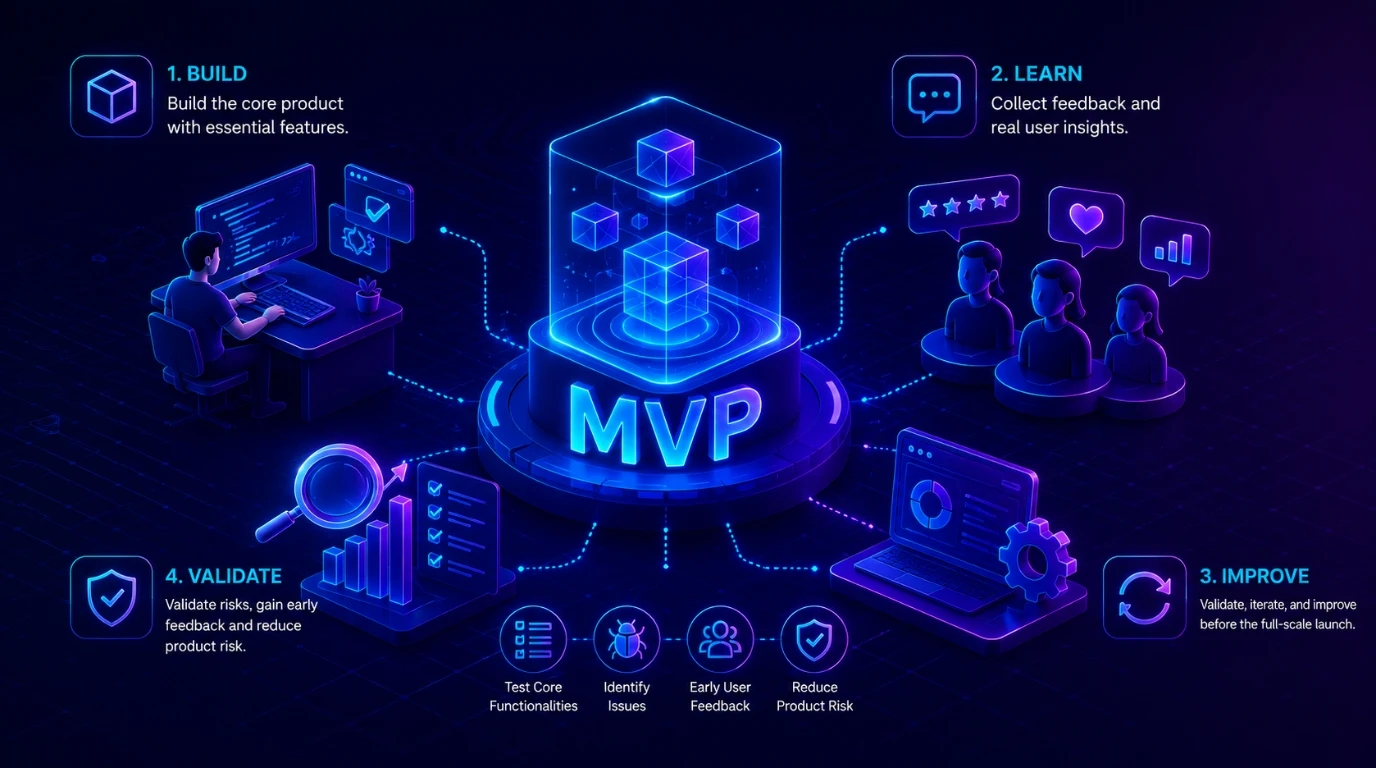
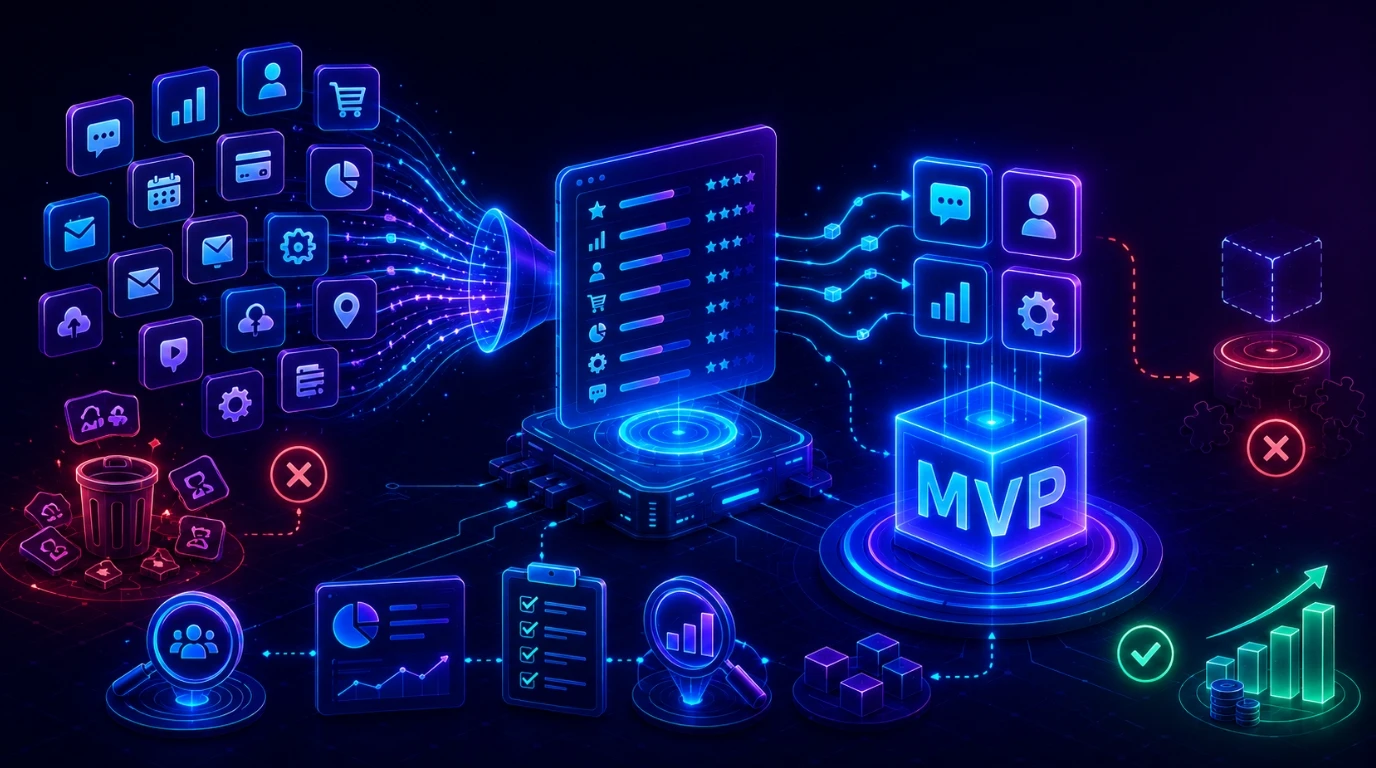
      A Minimum Viable Product (MVP) helps developers determine which features will work and which will not work. It also helps them decide which features are necessary and which are not. The goal is to deliver the best product to the customers and minimize the risk of failure.

      Entrepreneurs often become excited about their ideas and rush to launch products without validating whether customers actually need them.

      What Does MVP Mean in Software Development

      In the software development and IT industry, MVP is the most basic version of an application or website. It is specifically made for the purpose of testing its features and capabilities. It is usually distributed among a limited number of users or just to the in-house development team. All the bugs, glitches, and UI issues are tested, polished, and fixed in the MVP.

      The Purpose of MVP Development

      The main purpose or goal of an MVP is to determine and prove that the product will work in the intended market. During the early stages of development, an MVP is used to validate the risks, such as user data security. Feedback is taken from early adopters to further polish the product.

      Why Feature Prioritization Is the Core of MVP Development

      Feature prioritization in MVP is the process of choosing and ranking which features are important for the basic version of your digital product. It is different from the actual full-fledged development of the software, as this only focuses on the features and not anything else, like the UI.

      It is to test the viability of the product while using as few resources as possible. Through hypotheses and research, it is determined what features the users need and how they will behave while using the software.

      Through feature prioritization, teams can avoid adding unnecessary features while making sure the product solves real-world problems effectively.

      The Cost of Building Too Many Features

      If during the MVP design, you add too many features assuming that the users need all of them, then you would fall into a rabbit hole of not being able to decide which are useful. This is one of the most common challenges businesses face during mobile app development, and it often leads to wasted investment and delayed launches.

      The Risk of Building Too Few Features

      If you start with very few features, that means you have not understood the core issue that your software is going to solve. You have to research and perform a survey to understand what your target user base wants. An MVP that lacks critical features may fail to solve the user’s core problem, resulting in poor feedback and additional development cycles.

      How to Define MVP Features: A Step-by-Step Framework

      how to define mvp features: a step-by-step framework

      If you follow the step-by-step framework mentioned here, you will be able to make successful MVPs instead of wasting your time and money on failed products.

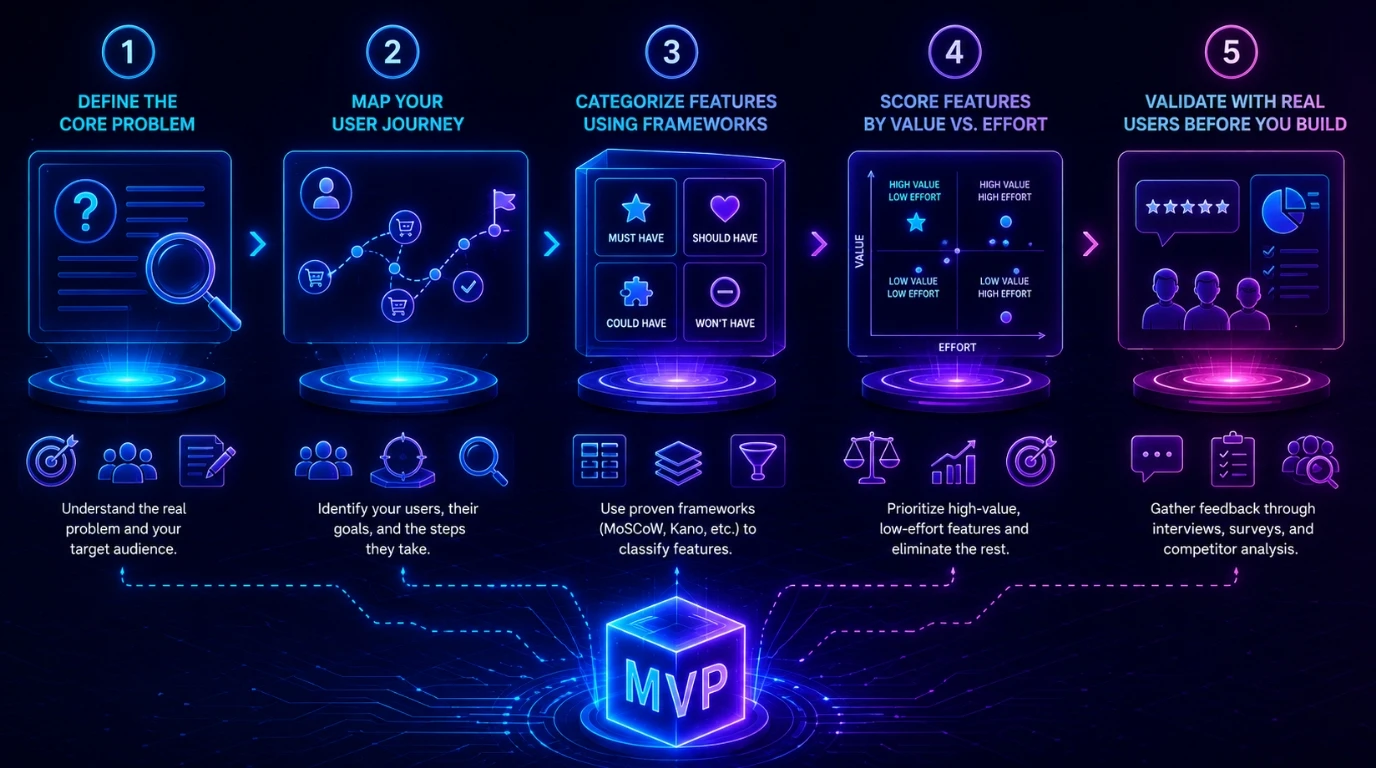
      Step 1 - Start With Your Core Problem Statement

      Begin by understanding and documenting the core problem statement that you aim to solve with your product. This will help you understand your customers. Most founders come up with solutions for problems that do not even exist.

      Step 2 - Map Your User Journey

      You must be as precise as possible to determine who your audience is going to be. You have to know one thing: you cannot make your product for everyone. Your product will cater to a part of society.

      Step 3 - Categorize Features Using the Frameworks

      This is where most development teams make mistakes. They prioritize features based on assumptions about which ones would work and which ones would not. The best and most efficient way to determine that systematically is by using proven frameworks. Teams also benefit from understanding whether custom software suits them better than off-the-shelf solutions before locking in their feature set.

      Step 4 - Score Features by Value vs. Effort

      In this step, you are to classify the features of your software into value and effort. The features with the highest value and least effort should be given more priority. The features with the least value should be immediately scrapped.

      Step 5 - Validate With Real Users Before You Build

      Before you build the final version of your software, you must take customer feedback and reviews. Have a direct conversation with the customers, conduct surveys, and do competitor analysis. Working with experienced custom software development services in India can help you structure this validation process more effectively.

      How Do You Decide What To Include In An MVP?

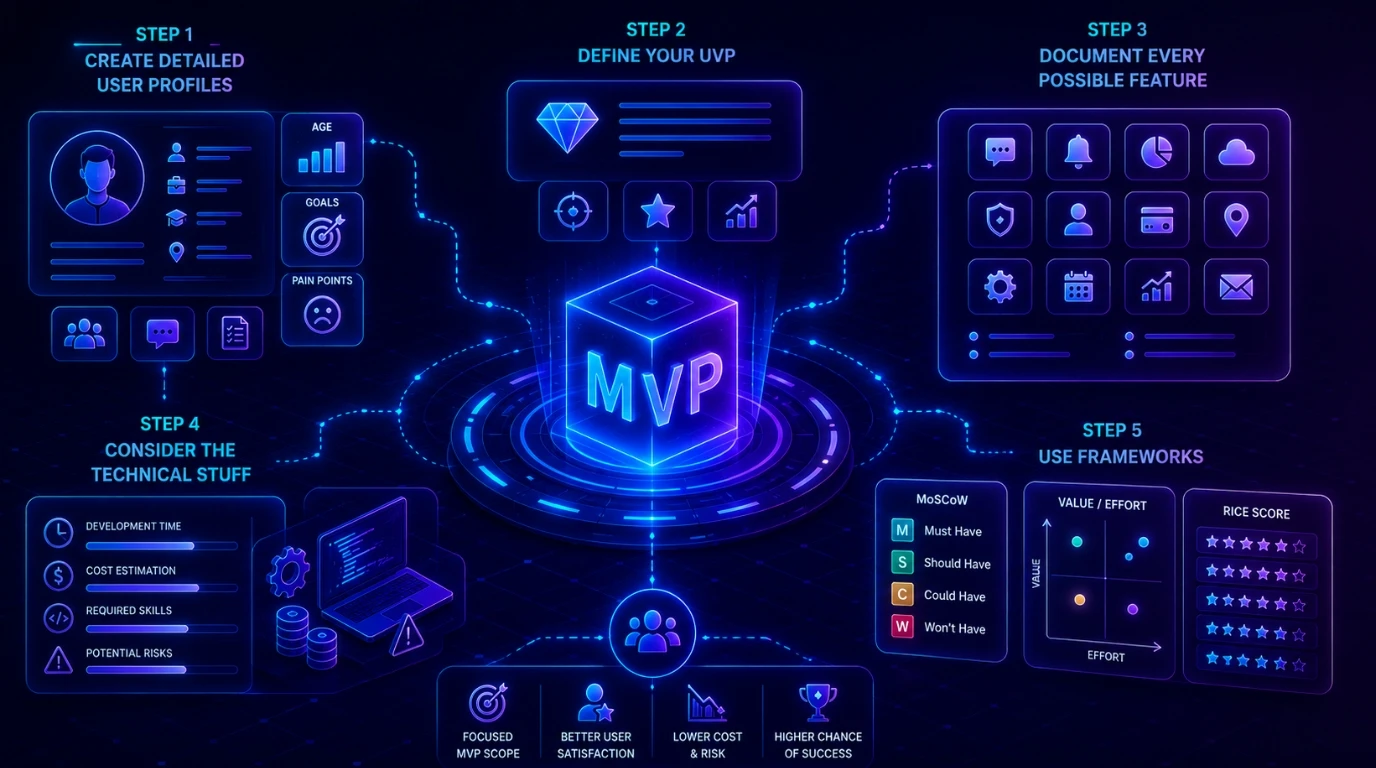
      • Create detailed user profiles:
        Know your users thoroughly. Take surveys and feedback. The demographics, job titles, age, etc of your users. How do they solve the problem right now? What type of solution will make them switch to your product?
      • Define your UVP:
        Your UVP (Unique Value Proposition) should be 1-2 sentences long, defining how you will solve the problem.
      • Document every possible feature:
        Document every possible feature you can think of or want to add. This will help you filter out.
      • Consider the technical stuff:
        Consider how long a feature would take to develop, the costs, and the skills required. What can go wrong during its development?
      • Use frameworks:
        Utilize frameworks to decide which features should be added to your application.
       

      How to Prioritize Features for MVP: Popular Frameworks Compared

      There are several frameworks used in the MVP development process. These frameworks help developers decide which features to include and which to avoid. They offer different ways that developers can organize and rank features based on their team size, industry, and product type. Here is the comparison of some of the most popular frameworks.

      Framework Main Idea How It Works Best For
      MoSCoW Method
      To prioritise features on the basis of importance
      Divides features into Must-Have, Should-Have, Could-Have, and Won’t-Have
      MVP feature planning
      Kano Model
      To understand which features will have higher user satisfaction
      Groups features into Basic, Performance, and Excitement
      Improving user experience
      RICE Scoring (Reach, Impact, Confidence, Effort)
      To quantitatively compare different features
      Calculates feature score by: (Reach × Impact × Confidence) ÷ Effort
      Data-driven decisions
      Opportunity Scoring
      To find out how important a feature is and how satisfied the users are with it
      If a feature has high importance and low satisfaction, it is considered a high opportunity
      Identifying market opportunities and innovation

      The Role of Your MVP Development Team in Feature Decisions

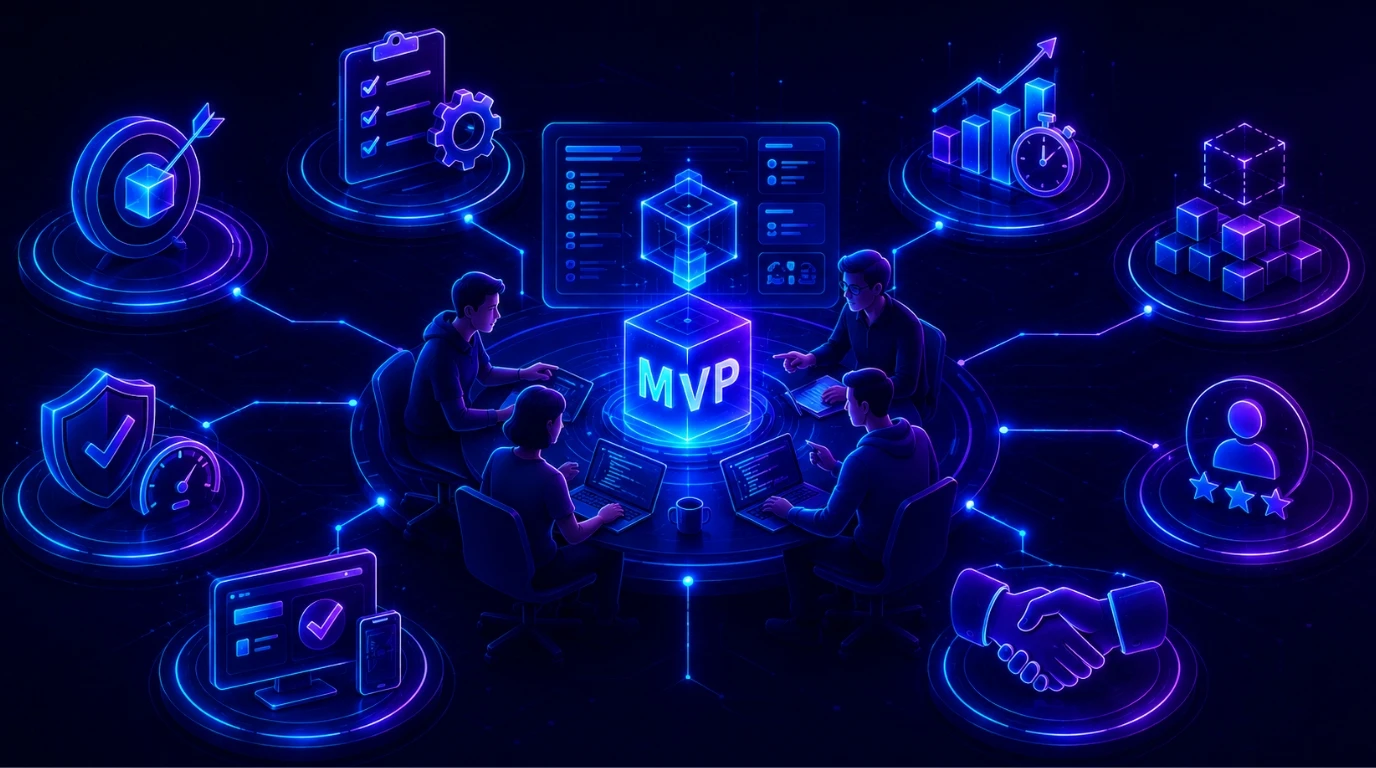
      • Identifying Core Features:
        The development team helps determine which features are essential for solving the main problem.
      • Evaluating Technical Aspects:
        They assess whether features can be built within the available timeline, budget, and technology.
      • Reducing Unnecessary Complexity: Providing Useful Insights:
        MVP teams often use past experience to recommend features that can improve usability and faster adoption.
      • Balancing Quality and Launch:
        The team ensures the MVP launches quickly without compromising essential functionalities and performance.
      • Scalability Planning:
        Developers help create a foundation that allows future features to be added easily.
      • Improving User Experience:
        The team gives ideas that make the MVP more user-friendly.
      • Collaborating with Stakeholders:
        The development team works closely with clients, designers, and product managers to facilitate better decisions.

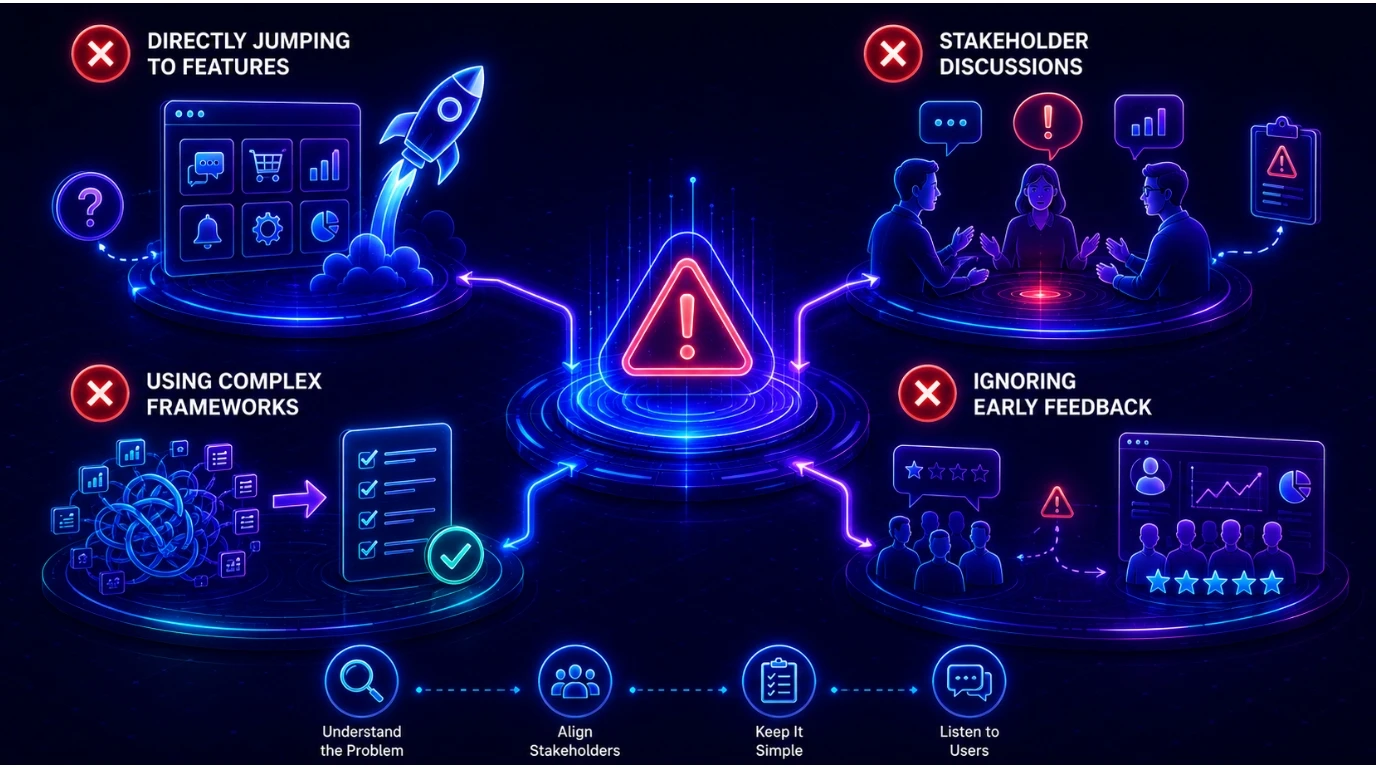
      Common Mistakes When Deciding MVP Features

        • Stakeholder Discussions:
          If stakeholders are not updated on the latest status of the project, disagreements can happen in later stages, and the project scope can change.
        • Using Complex Frameworks:
          Start with a basic and simple framework that your team can understand. Move to a more complex framework only when necessary.
        • Ignoring Early Feedback:
          Always update priorities after receiving feedback from users.

      Conclusion

      Developing MVPs is a stage of software development, and even a good app development company in India might overlook it. Always begin with an MVP whenever you want to launch a new digital product in the market. It will help you save time, money, and manpower. You would also be able to get higher customer satisfaction ratings and engagement if you start with MVPs.

      Remember, it’s okay if the MVP is not perfect. In fact, it is not even supposed to be perfect. It is just a stepping stone in your development journey. It will teach you everything you need to know about your product and the users.

      Ready to build? Contact Our Global Teams

      🇺🇸 USA: +1 (919) 629-9671

      🇬🇧 UK: +44 20 3581 6366

      🇮🇳 India: +91 99099 84567

      🇦🇺 AUS: +61 07 3121 3147

      💬 Interested in Regular Insights on Software and App Development?

      📲 Follow Shaligram Infotech on LinkedIn
      Let’s build the future of applications together.

      FAQs

      What is the difference between an MVP and a prototype?

      A prototype is a model used to test ideas and design concepts, while an MVP is a functional product with core features that real users can use. Prototypes validate initial concepts, whereas MVPs validate market demand through actual user feedback.

      An MVP is ready to launch when its core features effectively solve the main user problem and provide a stable experience. It should be functional enough for real users to test, use, and provide meaningful feedback for future improvements.

      MVP features should be decided collaboratively by both the client and product team. Clients provide business goals and market understanding, while the product team contributes technical expertise and insights to prioritize the most valuable and practical features.

      An MVP has too many features when it includes functions beyond solving the core user problem. Extra features increase development time, cost, and complexity. It reduces the speed and efficiency that make MVP development valuable in the first place.

      Incorrect feature prioritization can delay product launches, increase costs, and confuse users. Missing essential features may reduce product value and unnecessary features create complexity.

      MVP development is useful for both startups and enterprises. Startups use it to validate ideas quickly, while enterprises use MVPs to test innovations, reduce risks, explore new markets, and gather customer feedback before making large-scale investments.Artificial intelligence helps improve mobile apps by delivering personalized user experiences, automating repetitive tasks, enabling predictive analytics, and enhancing security features. AI-powered mobile applications help businesses increase user engagement, streamline operations, and make smarter decisions based on real-time data insights. Contact our experts to build intelligent, scalable mobile app solutions for your business needs.

      MVP development costs vary depending on product complexity, features, technology stack, and development resources. Simple MVPs may cost a few thousand dollars, while complex applications require larger budgets. The objective is to minimize costs by focusing only on essential features.

      Categories
      Blog Software Development

      How Cloud-Based Business Applications Improve Scalability

      Software Development

      How Cloud-Based Business Applications Improve Scalability

      How Cloud-Based Business Applications Improve Scalability

      GEt in Touch


        TABLE

          Quick Summary :

          Cloud-based business applications help businesses scale faster and smarter by eliminating the limitations of on-premise hardware. They offer on-demand resource allocation, pay-as-you-go pricing, and automated maintenance, making growth more accessible and cost-efficient. Whether you are a startup or an enterprise, cloud solutions provide the flexibility and reliability needed to stay competitive.

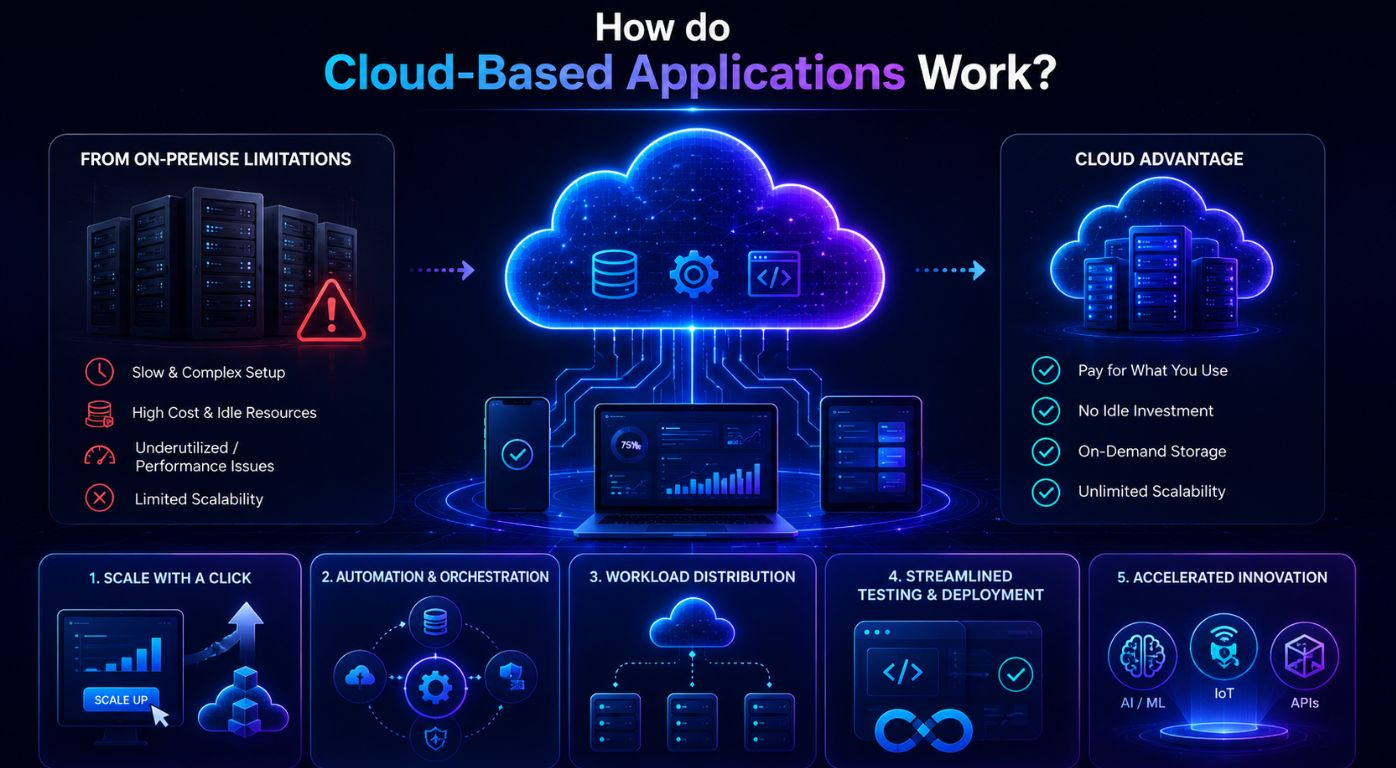
          How do Cloud-Based Applications Work?

          How Cloud-Based Applications Work

          Overcoming the Limitations of On-Premise Scaling

          Setting up and managing on-premise hardware can be burdensome and time-consuming. If you do not have experience with IT or do not want to hire a dedicated team for setting it up, then a cloud-based application is the best option. Manual installation can be costly, slow, and disruptive.

          In most cases, when businesses install on-premise hardware for scaling, they are not able to utilize it at full capacity. As a result, most of the hardware sits idle, and the money invested sees little to no return. Sometimes businesses incorrectly assume the storage they will require and then struggle with poor performance due to a lack of storage.

          On the other hand, with cloud-based applications, businesses only have to pay for what they use, which means there is no “idle” investment and no chance of a lack of storage. Businesses can just buy up storage as they need.

          Dynamic and Automated Resource Allocation

          Automation is at the heart of cloud-based systems. In fact, it is one of the major reasons why businesses prefer cloud-based applications over on-premise ones.

          Scaling at the Click of a Button

          Managing IT infrastructure that can keep up with evolving demands can be tough for businesses. On-premise hardware requires a hefty upfront investment. In cloud-based applications, scaling can often be done with just a click of a button. Yes, it is that simple and quick. They provide unprecedented flexibility. You can even scale down if necessary with just a few clicks.

          You can adjust resources quickly based on demands. For instance, if you have a seasonal business and are expecting a spike in demand, you can allocate resources without any costly hardware changes.

          Automation and Orchestration

          Automated scaling processes ensure you can scale during unpredictable or seasonal surges in traffic. Many businesses are disrupted when the right amount of resources is not available during such surges. This usually happens with on-premise hardware. It can ruin the reputation of the business and the overall user experience.

          Cloud infrastructure is built to provide a level of scaling that most businesses cannot attain without spending heavily. The process of scaling a cloud-based application can be automated with just a few clicks. This is especially beneficial for seasonal businesses or businesses that have predictable surges in traffic.

          Workload Distribution

          Unlike on-premise hardware that requires frequent manual intervention to make sure a single server does not get overloaded with data, cloud infrastructure maintains performance efficiency by automatically distributing workload. This system eliminates single points of failure and keeps the application running, while supporting massive growth in demand.

          Streamlined Testing and Deployment

          This is one of the major reasons why custom software development services in India love to work on cloud-based business applications. Testing applications and software on the cloud is so much easier and streamlined than using on-premise hardware. Utilising on-premise hardware requires long hours and manual labor at many phases.

          By using cloud infrastructure, developers can simulate and analyze real-world application behaviour across different platforms and scenarios. This allows them to test and ensure that the application will work smoothly as it scales. They can also detect glitches and bugs quickly this way.

          Accelerated Innovation

          In a highly competitive market, speed and efficiency can be the differentiating factor. By hiring a software development agency in India, businesses can take advantage of the cloud infrastructure. They can get access to advanced tools and technologies like AI, ML, IoT, and many more. These tools can help them develop and deploy applications without worrying about building expensive hardware. They can experiment easily and keep polishing the software before launching it in the market.

          Cloud also enables continuous integration and continuous deployment (CI/CD) pipelines. These allow developers to push new updates faster globally. This approach is also helping businesses modernise legacy systems without interrupting daily operations, making the transition to the cloud smoother and more efficient. Such a quick development and release timeline can empower businesses to gain a competitive edge and adapt to evolving customer needs and market conditions. 

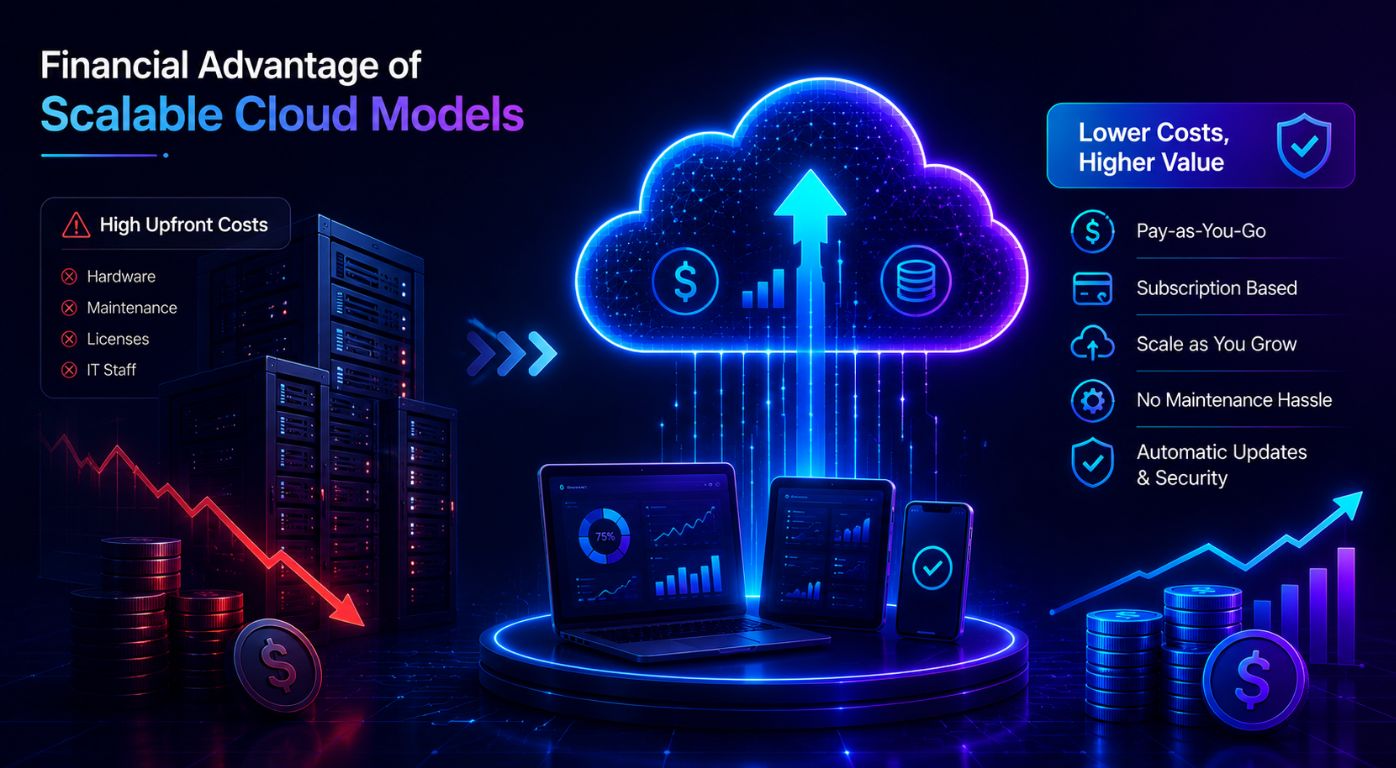
          The Financial Advantage of Scalable Cloud Models

          The Financial Advantage of Scalable Cloud Models

          Investing in on-premise infrastructure can be exhaustive. Small businesses and startups usually cannot afford such expensive hardware. On-premise infrastructure comes with maintenance, software licenses, and a dedicated IT staff to manage the systems. In the long run, these costs can add up quickly.


          Cloud-based applications are operational expenditure (OpEx) instead of capital expenditure (CapEx). It allows businesses to avoid huge upfront investments. Cloud services work on pay-as-you-go models and subscription-based services. Thus, businesses can add or remove storage or services as they grow and evolve. This is especially valuable for businesses running complex business systems like an ERP software development company in India, where cloud deployment removes the burden of costly on-premise server management. 

          Operational Efficiency: Freeing the IT Team

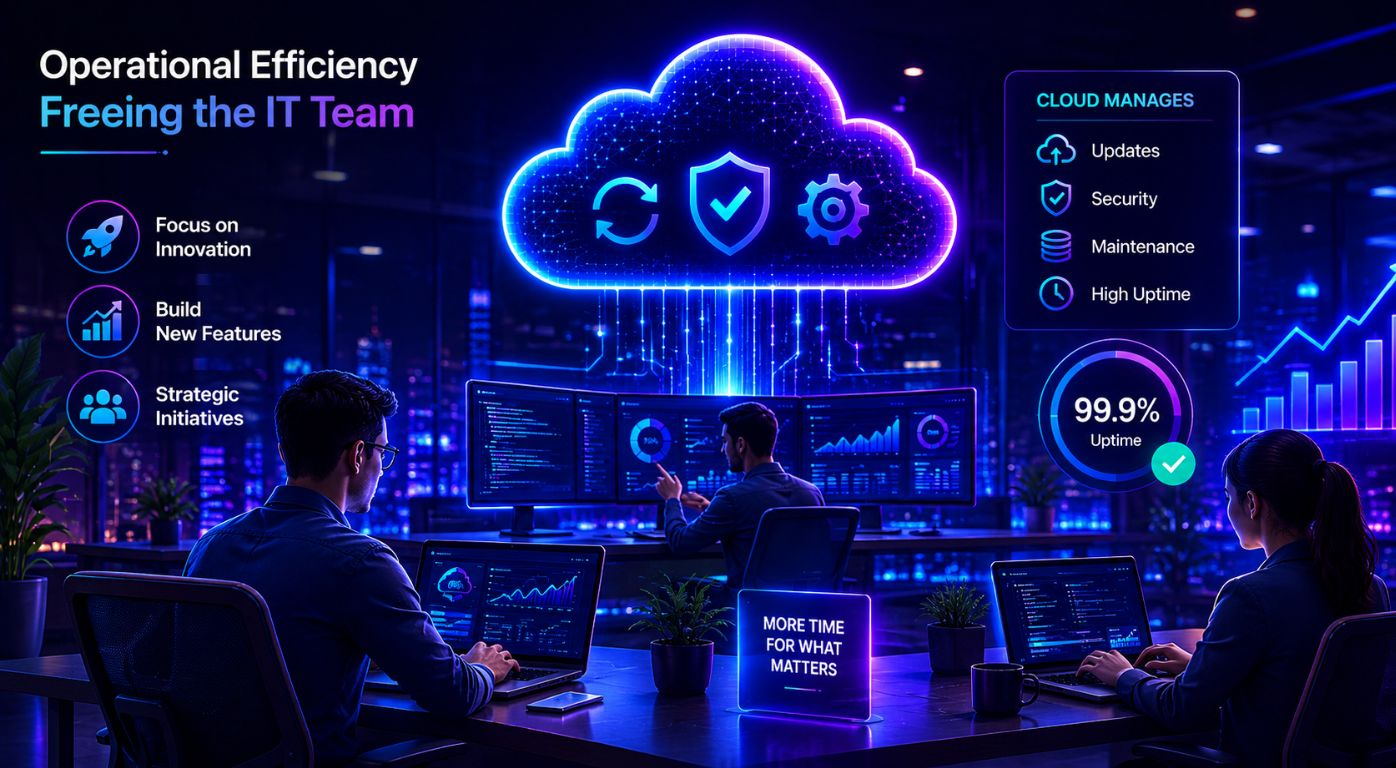
          You would not have to assign your IT team to monitor or manage the on-premise infrastructure. They can focus on other important strategic initiatives and develop new features and products. It will also save you money as you would not have to hire dedicated specialists.

          Cloud service providers will handle all the updates and maintenance, which makes it easier to scale, as you do not have to focus on those things. Many service providers guarantee 99% uptime, which means your IT team does not have to worry about outages or disruptions.

          Conclusion

          The world is evolving, and so are technology trends. As more industries start prioritizing efficiency and speed over establishing a hardware infrastructure, cloud-based applications are going to become the norm over the coming years.

          They provide everything, from seamless collaboration and security to almost zero chances of disruption and easy scalability. Businesses looking to build scalable cloud-based products should also consider choosing the right SaaS architecture to ensure long-term performance and growth. By embracing this technology, businesses, small and big corporations alike, can stay ahead in the competition while providing the best services to their customers. Even companies for mobile app development in India have rapidly adopted cloud-based development for efficiency, speed, and cost-efficiency.

          Ready to build? Contact Our Global Teams

          🇺🇸 USA: +1 (919) 629-9671

          🇬🇧 UK: +44 20 3581 6366

          🇮🇳 India: +91 99099 84567

          🇦🇺 AUS: +61 07 3121 3147

          💬 Interested in Regular Insights on Software Development?

          📲 Follow Shaligram Infotech on LinkedIn
          Let’s build the future of applications together.

          FAQs

          What are cloud-based business applications?

          Cloud-based business applications are software solutions hosted on remote servers and accessed through the internet. They help businesses manage operations, data, collaboration, and customer interactions without relying heavily on expensive and inefficient on-premise infrastructure.

          Cloud applications allow businesses to instantly increase or decrease computing resources based on demand. This flexibility helps companies handle growth, seasonal traffic spikes, and expanding operations without investing time and money in expensive hardware.

          Yes, cloud-based applications are perfect for small businesses and startups because they reduce upfront infrastructure costs. Cloud service providers have pay-as-you-go pricing models. This makes advanced technology more accessible and affordable.

          Absolutely. Cloud applications enable employees to access files, tools, and systems from anywhere with an internet connection. This improves collaboration, communication, and productivity across distributed teams.
          Most cloud service providers offer advanced security features such as data encryption, regular backups, multi-factor authentication, and automatic security updates. However, we recommend that businesses still follow best practices for data protection and access management.

          Industries with fluctuating demand or rapid growth, such as eCommerce, healthcare, finance, education, logistics, and SaaS companies, benefit greatly from cloud scalability.  It allows them to quickly adapt to changing workloads and demands.

          Scalability refers to the ability to increase or decrease resources to support long-term business growth. Elasticity focuses on automatically adjusting resources in real time based on short-term workload fluctuations.

          Categories
          Blog Microsoft

          Dedicated Development Team vs Project-Based Outsourcing

          Microsoft Dynamics 365

          Dedicated Development Team vs Project-Based Outsourcing

          GEt in Touch


            TABLE

              What Is a Dedicated Development Team Model?

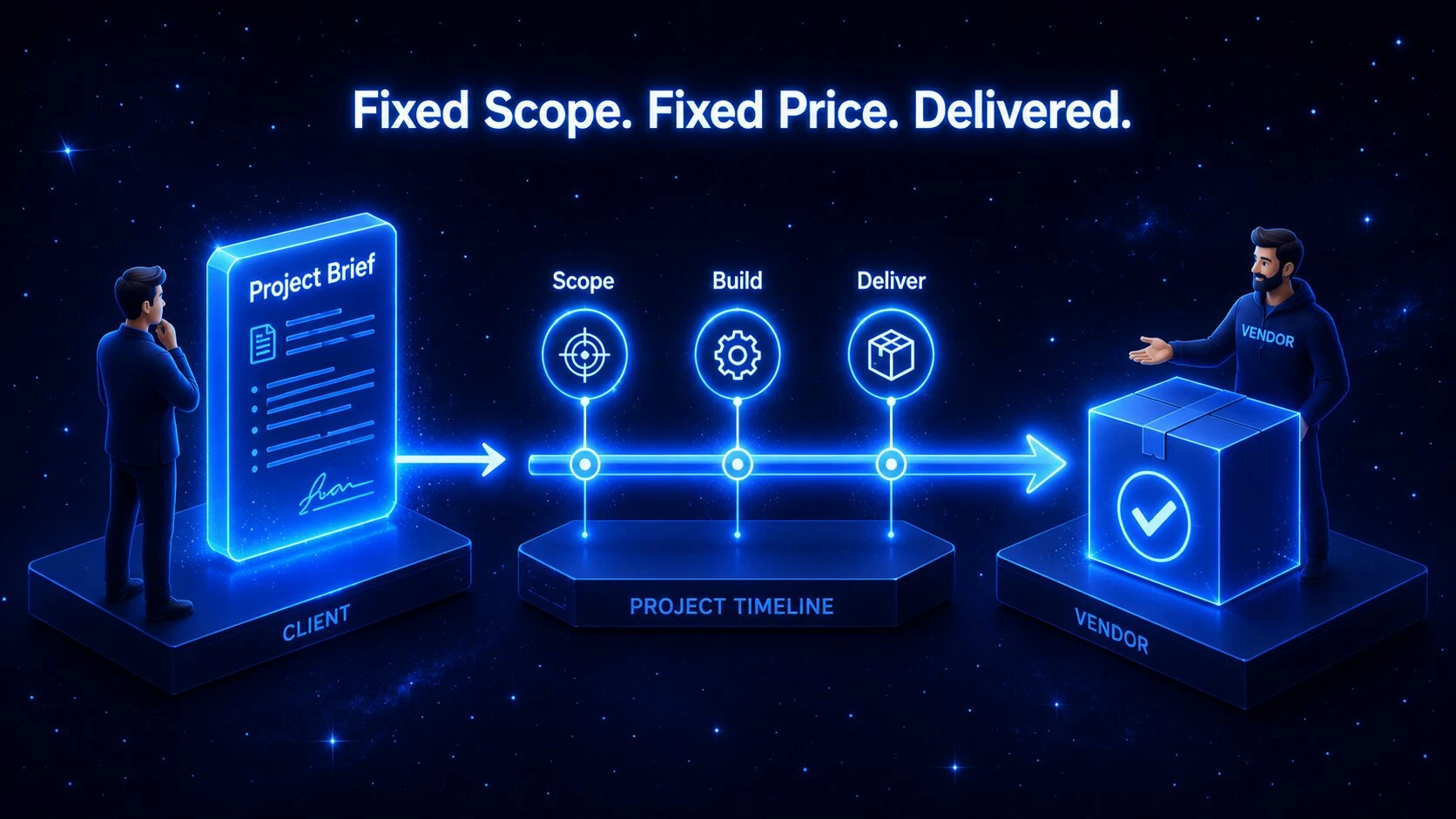
              Project-based outsourcing model in software development illustrated with a contract and milestone timeline

              Before diving into the differences, it is important to understand what a dedicated team model is and how it functions for growing businesses.

              Definition and Core Concept of a Dedicated Team

              At its core, the dedicated development team model is a long-term partnership where an external IT company provides a fully committed group of remote professionals who work exclusively on your software projects. When a team works solely on your project, it is referred to as a dedicated development team model.

               This approach gives you a complete team of developers, QA testers, and designers who operate as a natural extension of your internal staff. The dedicated development team does not divide its time across other clients, ensuring total focus on your business goals and company culture.

               It is a reliable model, particularly when you want to build long-term product knowledge and maintain momentum without starting from scratch every time you scale.

              How a Dedicated Software Development Team Works

              In this setup, you manage the team’s daily tasks and project priorities directly, much like your own in-house staff. Many businesses choose to hire dedicated developers who use your communication tools, attend your regular meetings, and focus entirely on your product roadmap.

               The service provider handles office space, HR responsibilities, and hardware setup, allowing your remote engineers to remain fully productive from day one.

              Dedicated Development Team vs Project-Based Outsourcing: Key Differences Explained

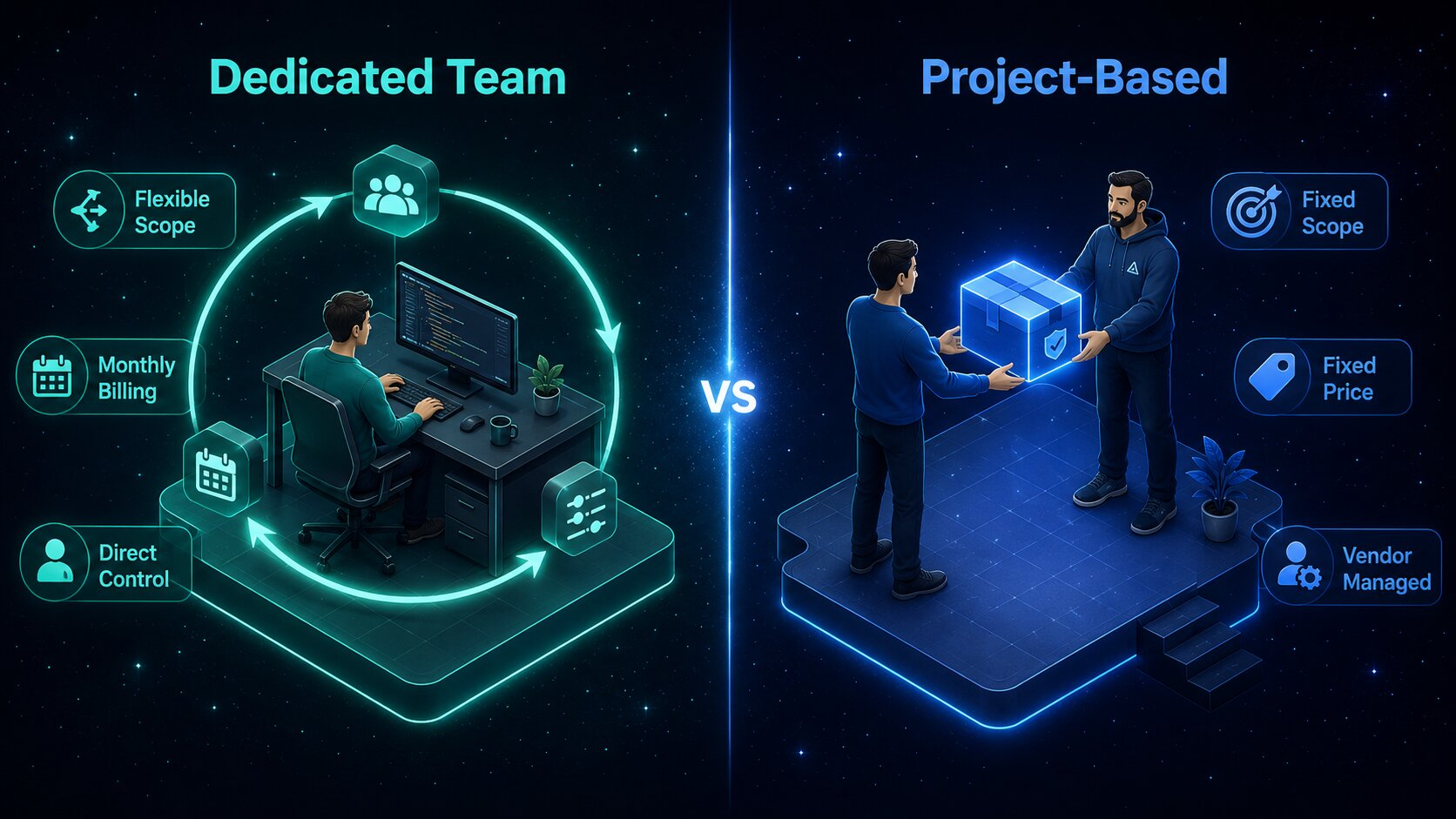
              Comparison table of dedicated development team vs project-based outsourcing key differences

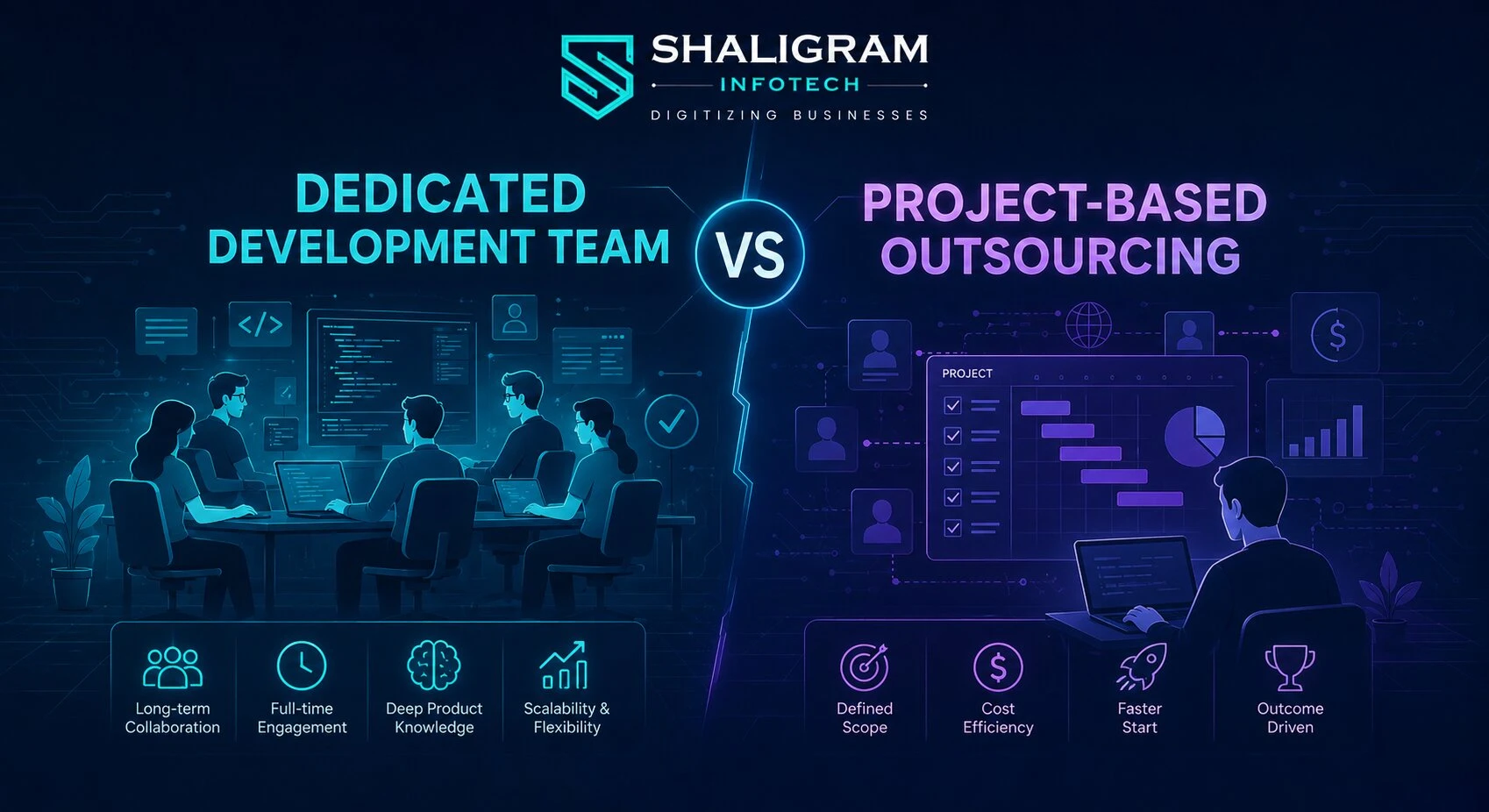
              Here is a side-by-side comparison of the dedicated development team vs the outsourcing model:

              Factor Dedicated Development Team Project-Based Outsourcing
              Team Control
              Full direct management
              Vendor-managed
              Scope Flexibility
              High – evolves with the product
              Low – fixed at contract start
              Pricing Model
              Monthly, resource-based billing
              Fixed-price contract
              Best For
              Long-term, evolving products
              Short-term, defined deliverables
              Engagement Length
              Ongoing
              One-time project
              Product Knowledge
              Builds continuously
              Resets with each engagement
              Scalability
              On demand
              On demand
              Risk Distribution
              Shared
              Vendor assumes delivery risk

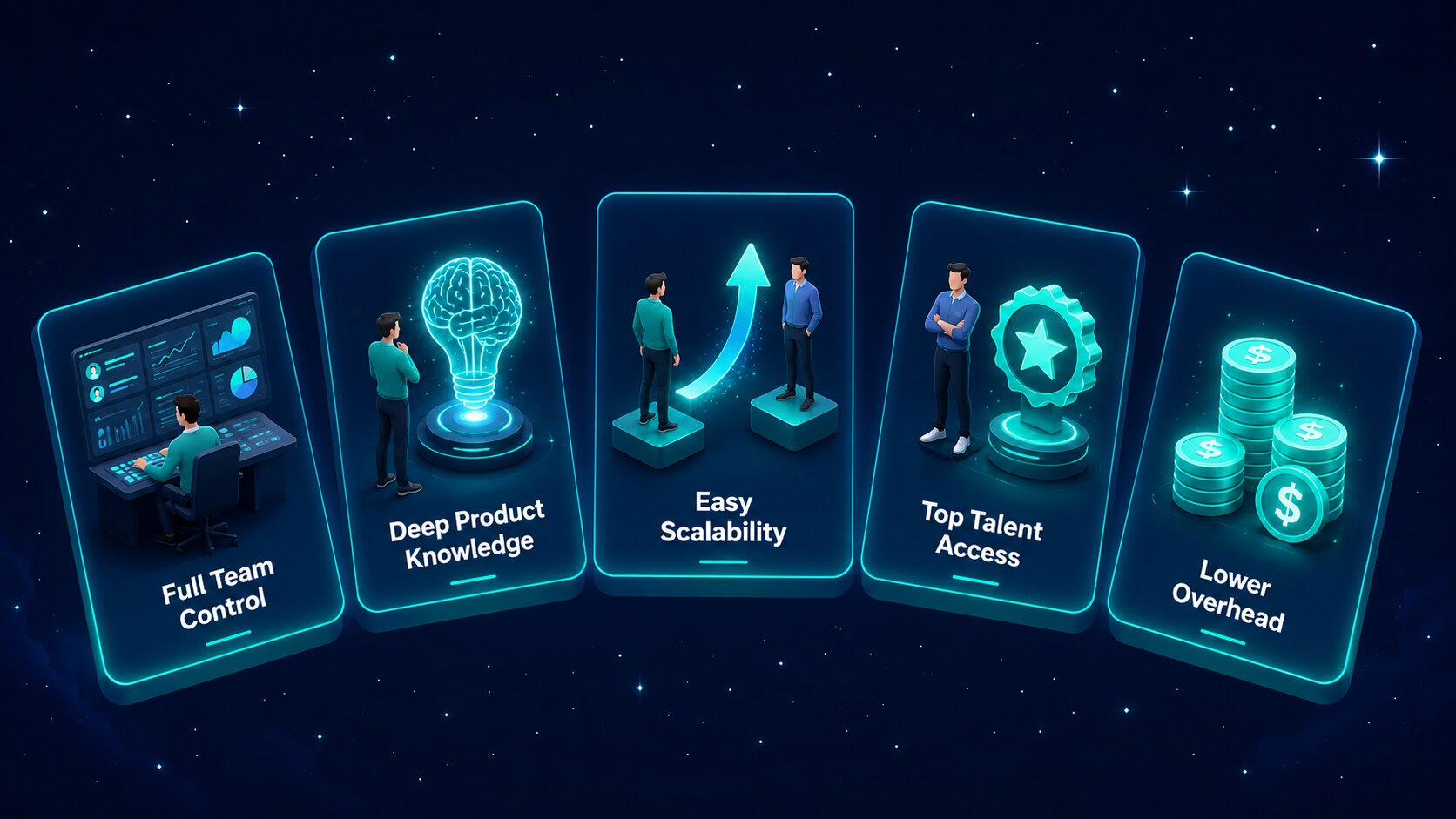
              Benefits of Hiring a Dedicated Software Development Team

              The key benefits of hiring a dedicated software development team include:

              Complete and Direct Team Control

              You manage daily tasks, workflows, and project priorities directly, just as you would with your own in-house staff. This hands-on approach keeps developers fully aligned with your business goals, company culture, and technical standards.

              Deep Product Knowledge

              As the team focuses exclusively on your software, they build a thorough understanding of your business logic. This accumulated knowledge leads to smarter technical decisions, higher code quality, and faster feature delivery over time.

              High Scalability and Flexibility

              You can scale your team up or down based on changing market demands. This flexibility allows your business to adjust direction without going through lengthy hiring cycles.

              Deep Product Knowledge

              The model makes it straightforward to hire dedicated mobile app developers or niche engineers. You can onboard skilled professionals with expertise in the latest technologies without being constrained by local talent shortages.

              Deep Product Knowledge

              You save significantly on recruitment, onboarding, employee benefits, and office infrastructure. The vendor manages all administrative responsibilities, allowing you to direct your full budget toward software development.

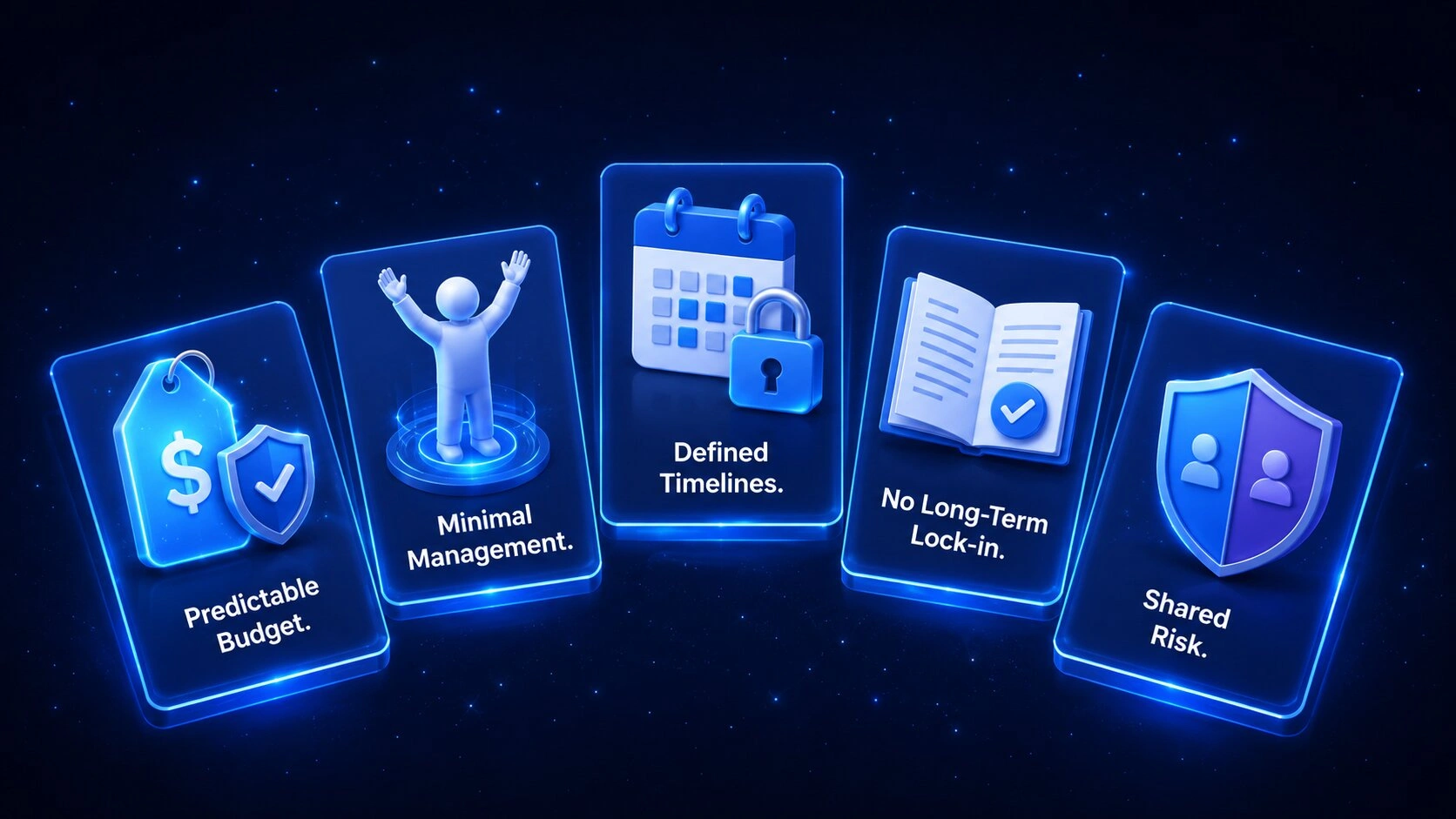
              Benefits of Project-Based Outsourcing

              The benefits of outsourcing software development on a project basis include:

              Predictable Project Budgeting

              Financial planning is straightforward because the total cost is fixed before development begins. Fixed pricing protects your business from unexpected cost overruns and makes budget approvals easier to manage.

              Minimal Management Responsibility

              The external vendor manages daily tasks, developer oversight, and milestone tracking. Your team retains valuable time and bandwidth, allowing internal leaders to focus on core business operations.

              Clear and Defined Timelines

              Every deadline is agreed upon before any development begins. The agency tracks progress against these milestones, giving your business a predictable schedule for its product launch.

              No Long-Term Commitments

              The engagement concludes naturally once the vendor delivers the final product. There are no ongoing obligations, making this a suitable approach for one-off initiatives or standalone builds.

              Lower Shared Risk

              Your vendor assumes responsibility for meeting all project requirements by the agreed deadline. Any unexpected technical challenges or resourcing changes must be resolved internally by the vendor at no additional cost to you.

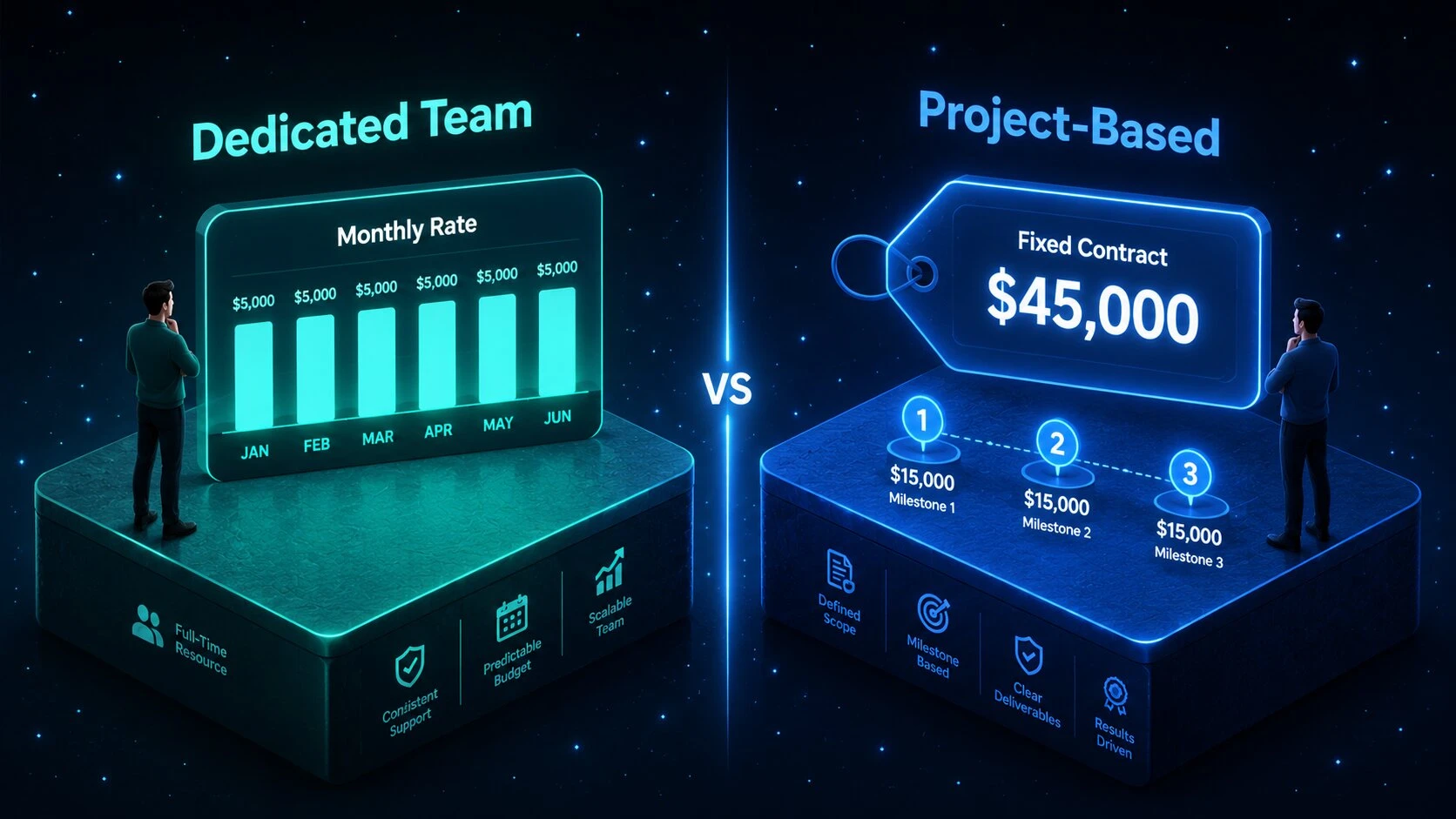
              Dedicated Team Model vs Outsourcing Model: Cost Comparison

              Cost comparison between dedicated development team and project-based outsourcing models on a timeline

              How Pricing Works in a Dedicated Team Model

              Monthly Billing Structure: You pay a single monthly invoice covering full-time developer rates and the vendor’s administrative fees.

              Resource-Based Costs: Your expenses are based on team size and hours worked, not on changes to project features.

               Predictable Operational Costs: Financial forecasting is straightforward because your monthly engineering costs remain consistent over time.

              How Pricing Works in Project-Based Outsourcing

              Fixed-Price Contract: The total cost for building your software is agreed upon and locked in before work begins.

               Milestone Payments: Payments are released in instalments once the vendor meets specific delivery dates and pre-defined project goals.

               Paid Change Requests: Any modification to the original project scope requires separate negotiation, which can increase your overall budget significantly.

              When to Choose a Dedicated Development Team

              Signs Your Project Needs a Dedicated Team

              You should hire a dedicated team when you: 

              • Need close collaboration with full direct control
              • Have a product that is actively expanding with no defined end date
              • Want to avoid repeated onboarding across multiple vendors
              • Are scaling and need a consistent, predictable development pace
              • Require niche or senior-level technical expertise

              When to Choose Project-Based Outsourcing

              Signs Your Project Is a Good Fit for Outsourcing

              You should choose project-based outsourcing when you:

              • Are building a one-time product or standalone feature
              • Have a fully defined scope, timeline, and budget
              • Need speed and delivery predictability above all else
              • Do not have the internal bandwidth to manage developers directly
              • Are validating an idea before committing to a full build

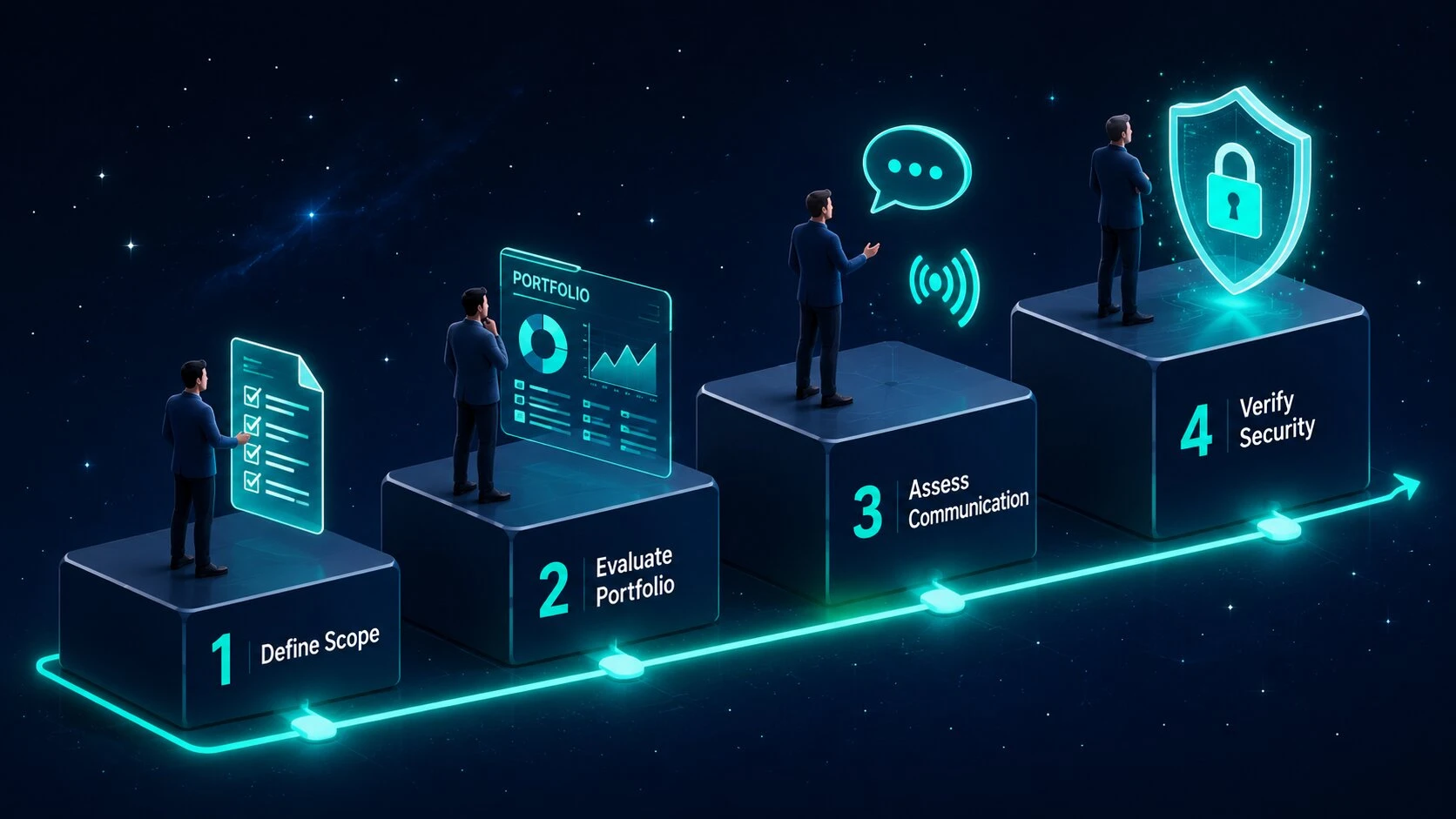
              How to Hire a Dedicated Software Development Team

              Four-step process for hiring a dedicated software development team illustrated as a flowchart

              Here is how to hire a dedicated software development team:

              Define Technical Scope: Begin by listing the exact programming languages, frameworks, and team composition your software product requires.

               Evaluate Portfolio Quality: Review the past work and case studies of potential service providers to assess their technical depth and delivery track record.

               Assess Communication Skills: Evaluate how effectively the remote developers communicate and collaborate using shared tools and async workflows.

               Verify Security Standards: Confirm that the agency uses robust non-disclosure agreements and secure data handling protocols before any engagement begins.

               To secure long-term product success, partner with a best-in-class software development company in India with a proven track record of delivering top-tier engineering talent and high-quality code.

              Common Mistakes to Avoid When Choosing an Outsourcing Model

              Vague Project Scope Definition: Failing to create clear, documented technical requirements leads to significant misunderstandings and missed delivery deadlines.

               Selecting Fixed Pricing for Evolving Products: Applying a project-based contract to a complex software build with a changing feature set leads to constant delays and costly change orders.

               Prioritising Cost Over Code Quality: Choosing a partner based solely on the lowest quote typically results in poor software architecture and expensive rewrites down the line.

               Failing to Align Vendor Expertise with the Chosen Model: Hiring an agency without specialist experience in custom software development services makes it difficult to switch or scale engagement frameworks as your project evolves.

              Conclusion

              Choosing between a dedicated development team and project-based outsourcing ultimately depends on your project scope, budget flexibility, and how much management involvement your team can sustain. The right model delivers a smooth workflow and helps you build excellent software without unnecessary delays.

              As a leading software development company in India, Shaligram Infotech provides scalable engagement models tailored precisely to your technical requirements and operational workflows. Get in touch with our team today to build the right development strategy for your next digital initiative.

              Ready to build? Contact Our Global Teams

              🇺🇸 USA: +1 (919) 629-9671

              🇬🇧 UK: +44 20 3581 6366

              🇮🇳 India: +91 99099 84567

              🇦🇺 AUS: +61 07 3121 3147

              💬 Interested in Regular Insights on Microsoft Dynamics 365?

              📲 Follow Shaligram Infotech on LinkedIn
              Let’s build the future of applications together.

              FAQs

              What is a dedicated development team model?

              It is a long-term partnership where an external agency provides an exclusive team of remote developers who work solely on your product under your direct management and control.

              It is a fixed-scope engagement where you hire a vendor to build a specific software product from start to finish for an agreed price, with no ongoing involvement after delivery.

              Dedicated teams offer high flexibility, direct management control, and rolling monthly billing. Project-based outsourcing provides a fixed scope, minimal day-to-day management, and strict delivery timelines.

              Choose a dedicated team when your product has a long-term, evolving roadmap and your organisation has an internal lead who can guide daily priorities and maintain product direction.

              Yes, but only for short-term, well-defined projects. For ongoing software development, dedicated teams are typically more cost-effective because they eliminate the expensive change request cycles common in fixed-scope contracts.

              Yes. You can transition smoothly to a dedicated team once your initial version launches and requires continuous scaling, regular updates, or ongoing feature development.

              Start by defining your exact technical requirements, review the vendor’s portfolio and case studies, assess their communication practices, and partner with an established agency with a strong delivery record.

              Choose a dedicated team for long-term, evolving digital products where control and knowledge retention matter. Choose project-based outsourcing if you have a fixed budget and a clearly scoped, one-time application to build.

              Categories
              Blog Mobile App Development

              AI in Mobile App Development: Use Cases, Trends, and Benefits for Modern Apps

              Mobile App Development

              AI in Mobile App Development: Use Cases, Trends, and Benefits for Modern Apps

              GEt in Touch


                TABLE

                  Quick Summary :

                  Artificial Intelligence (AI) is transforming mobile app development by enabling smarter, faster, and more personalized user experiences. From AI chatbots and voice assistants to fraud detection, predictive analytics, and automation, businesses are using AI-powered mobile apps to improve customer engagement, streamline operations, and strengthen security. As technologies like generative AI, edge AI, and hyper-personalization continue to evolve, AI-driven mobile applications are becoming essential for businesses looking to stay competitive and deliver innovative digital experiences.

                  What Is AI in Mobile App Development?

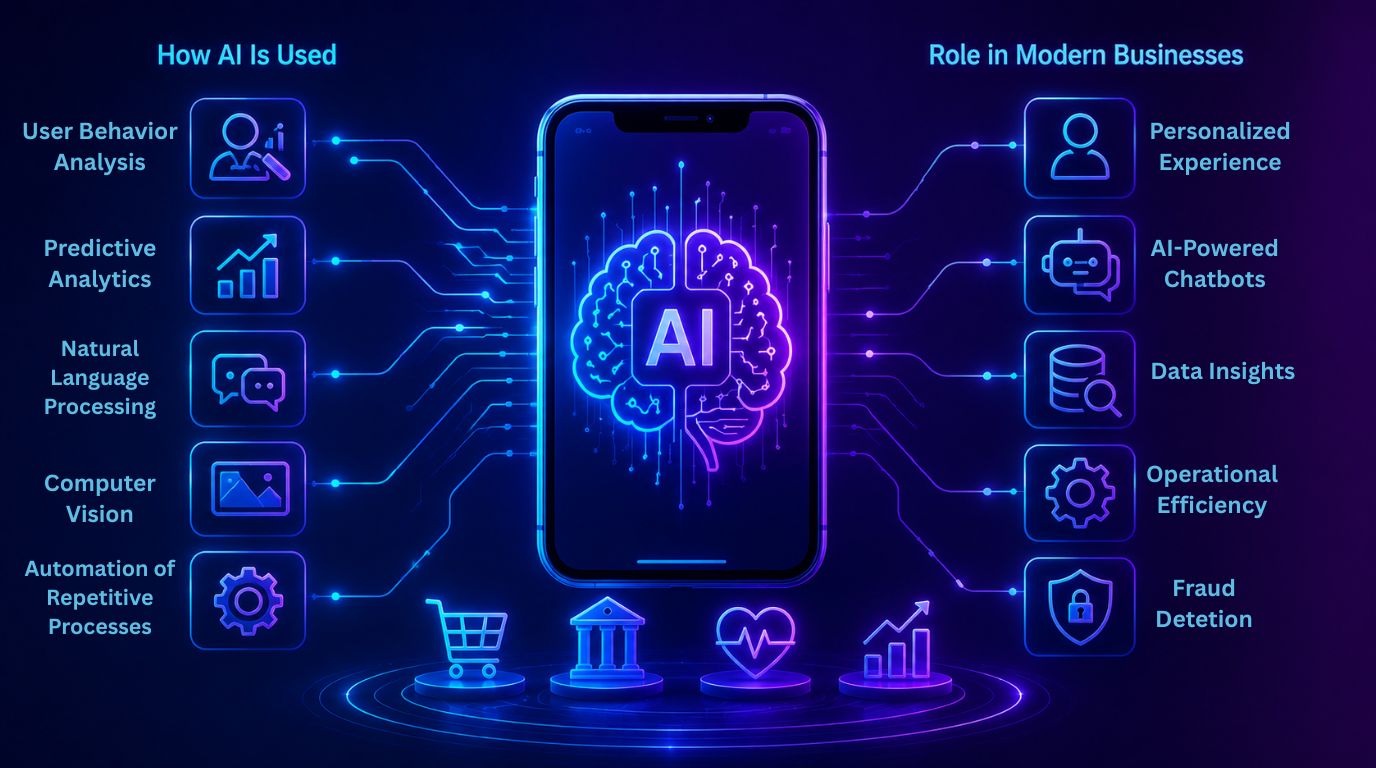
                  How AI Is Used in Mobile App Development

                  How AI Is Used in Mobile App Development

                  AI is used in mobile application development and functionality throughout the entire cycle of mobile application development.  

                  Some examples are:  

                  • User Behavior Analysis: AI algorithms assist in analyzing the patterns of user behavior, so an application can provide better content for each user.  
                  • Predictive Analytics AI: AI models assist in forecasting future user interactions and business outcomes based on historical data.
                  • Natural Language Processing: Natural Language Processing allows an application to understand and engage with its users through voice command systems, chatbots, and intelligent search.   
                  • Computer Vision: AI is utilized in mobile apps to allow the application to read data from images via image input from the user’s mobile device.  
                  • Automation of Repetitive Processes: AI assists in automating repetitive processes like customer service responses, workflow management, data processing, and more.  

                  With these capabilities, AI will enable developers to create more intelligent, adaptive, and responsive mobile applications for users.

                  Role of Artificial Intelligence Apps in Modern Businesses

                  Mobile applications using AI are critical tools for business today as they allow businesses to meet customer needs, streamline operations, and provide competitive advantages.  

                  AI-based mobile applications help businesses to:  

                  • Provide hyper-personalized customer experiences 
                  • Automate customer service via AI chatbots 
                  • Analyze large volumes of user data to discover unique business opportunities 
                  • Increase operational efficiency through intelligent automation 
                  • Detect security threats and fraudulent activity in real time 

                  For instance, eCommerce applications use AI to deliver personalized product recommendations based on user browsing history, while banking applications use AI to identify and explain suspicious transactions in real time. Healthcare applications also leverage AI for symptom analysis, remote patient monitoring, and predictive healthcare insights. 

                  Businesses investing in AI and machine learning development services are increasingly using these technologies to build smarter mobile applications that enhance customer engagement, improve user satisfaction, and support data-driven decision-making.

                  Key Benefits of AI in Mobile App Development

                  Key Benefits of AI in Mobile App Development

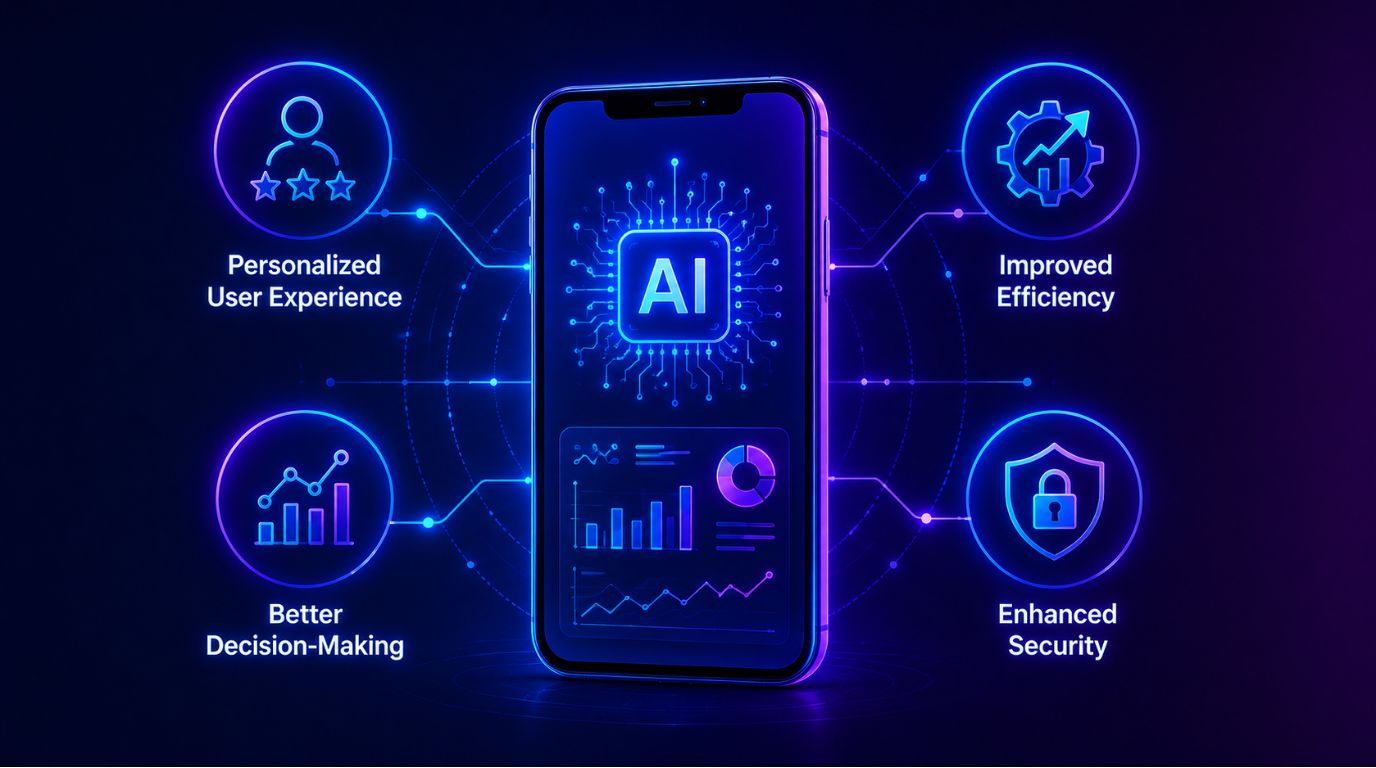
                  Personalized User Experience

                  AI analyzes user habits and preferences to create tailored content, suggestions, and interactions, which leads to a better user experience.

                  Improved Efficiency

                  AI automates tedious tasks and simplifies processes when used within a mobile app, resulting in quicker mobile app functions and a decreased amount of manual work required by the business.

                  Better Decision-Making

                  AI examines vast amounts of data to provide insights and projections that help businesses make smart and high-value business decisions.

                  Enhanced Security

                  AI enhances the security of mobile applications by monitoring and identifying questionable behavior to thwart fraudulent activity and provide sophisticated authentication methods.

                  Top AI Use Cases in Mobile Apps

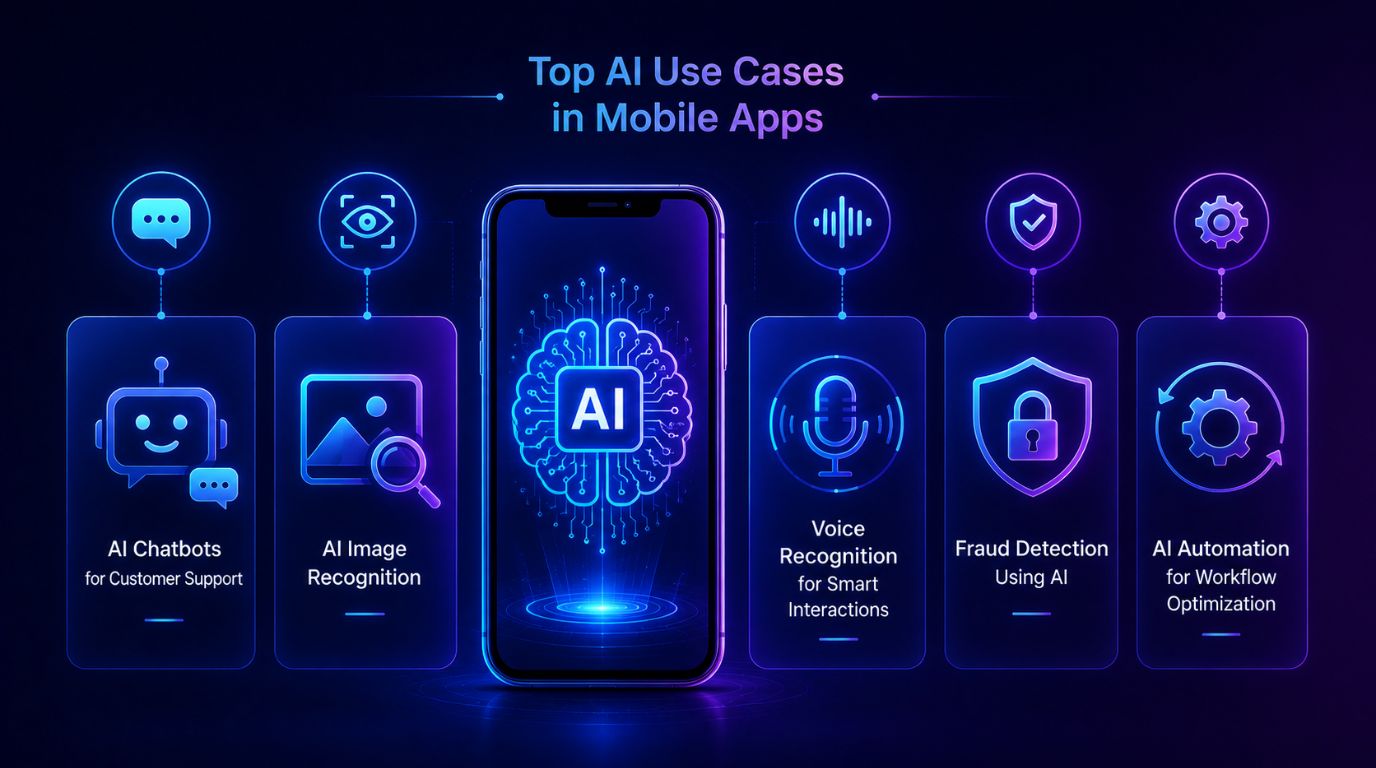
                  AI Chatbots in Mobile Apps for Customer Support

                  Mobile apps that have AI features commonly use chatbots that utilize AI technology – such as natural language processing – to handle user requests and give an immediate response. 

                  Some advantages of these chatbots include: 

                  • 24-hour customer service support 
                  • Decreased workload for human customer support teams 
                  • Quicker replies to customers 
                  • More consistent interaction with customers  

                  Many companies across various sectors rely on these mobile app-enabled chatbots to answer common questions, assist customers in completing tasks, and so on.

                  AI Image Recognition Apps for Visual Intelligence

                  Mobile applications use image recognition technology to analyze visual material and understand its meaning.   

                  Common applications include:  

                  • Facial recognition for authentication 
                  • Visual product search in eCommerce apps 
                  • Medical image analysis in healthcare apps 
                  • Augmented reality features  

                  Retail applications permit customers to upload product photos, which generate similar item recommendations. 

                  Voice Recognition Mobile Apps for Smart Interactions

                  Mobile applications use voice recognition technology to process and execute spoken commands received from users.   

                  There are three voice-based technologies, which include:  

                  • Voice assistants 
                  • Voice search functionality 
                  • Smart home control apps 
                  • Accessibility features for users with disabilities  

                  Mobile applications become easier to use because users can interact with them through voice commands. 

                  Fraud Detection in Mobile Apps Using AI

                  Security is a worry for mobile apps, especially when it comes to money matters and digital payments.  

                  AI-powered systems for fraud detection in mobile apps analyze user behavior and transaction data to identify suspicious activities and anomalies in real time.  

                  Some key things these systems can do include:  

                  • Real-time monitoring of transactions  
                  • Analyzing data from behavior  
                  • Scoring risks  
                  • Sending automated alerts about fraud  

                  These technologies help keep users and businesses safe from scams. 

                  AI Automation in Mobile Apps for Workflow Optimization

                  Implementing AI automation in mobile apps significantly improves application performance and accelerates task completion.

                  Examples include:

                  • Automated calendar scheduling
                  • Intelligent push notifications and reminders
                  • Advanced data interpretation and analytics
                  • Automated document organization and processing

                  By leveraging AI automation in mobile apps, businesses can focus on big-picture strategies rather than repetitive manual tasks. AI-driven automation significantly improves operational efficiency, allowing human teams to focus on high-value activities that drive growth.

                  At the same time, businesses often face several hurdles while building smart applications. Common Challenges Businesses Face During Mobile App Development include integrating AI features, managing app security, maintaining performance, handling large amounts of data, and ensuring a seamless user experience across devices. Overcoming these challenges with the right development strategy helps businesses create scalable and future-ready mobile applications.

                  Generative AI in Mobile Apps: The Next Big Shift

                  Content Generation and Recommendations

                  Through generative artificial intelligence (AI), text, image, video, and personalized recommendations can be generated for use within mobile applications.  

                  Some examples of this are:  

                  • AI-generated marketing materials 
                  • Personalized news feed content 
                  • Smart product descriptions 
                  • Automated Summary of Information  

                  Businesses are increasingly adopting Generative AI Development Services in India to build intelligent mobile applications that improve customer engagement and streamline content creation. The growing impact of generative AI provides organizations with advanced tools to create innovative, scalable, and highly interactive digital experiences for their users.

                  AI-Powered Personalization

                  Generative AI improves personalization by analyzing a user’s activities to create tailored experiences. Examples of applications include:  

                  • Personalized shopping experiences 
                  • Customized learning routes provided by educational applications 
                  • Dynamic user interfaces built according to user preferences  

                  The overall effect of these features is to significantly enhance users’ engagement level and likelihood of continued use of an app or website. 

                  Intelligent User Assistance

                  Users of AI-enabled assistants support finding resources, completing tasks, answering questions, or providing useful or relevant solutions based on the current context.  

                  Here are some examples:  

                  • Writing Assistant 
                  • Virtual Shopping Assistant 
                  • Travel Planner 
                  • Smart Productivity Assistant 

                  These functions make mobile apps more interactive and assistive to their users.

                  AI Mobile App Development Trends to Watch

                  A few different trends are changing how we are viewing mobile applications that utilize the power of AI.  

                  Trends such as: 

                  Edge AI and Processing on Devices

                  By eliminating the need for the cloud to process information, an AI model running on the device improves performance and privacy.

                  Voice-Enabled AI Access

                  More apps are using voice to interact with their users, allowing more people to have access to technology. 

                  Hyper Personalization Through AI Models

                  Using advanced AI models will provide more in-depth information about how people behave and what their preferences are.

                  AI Cybersecurity

                  As more users rely on mobile applications to do their daily tasks, it will be essential for AI to help detect threats and protect sensitive information.

                  IoT and AI Application Integration

                  AI applications can be developed to control and monitor many connected devices, both in the home and in businesses.  

                  These trends show us the growing role AI will play in creating new user experiences on mobile devices.

                  How to Build AI-Powered Mobile Applications

                  AI in Mobile App Development

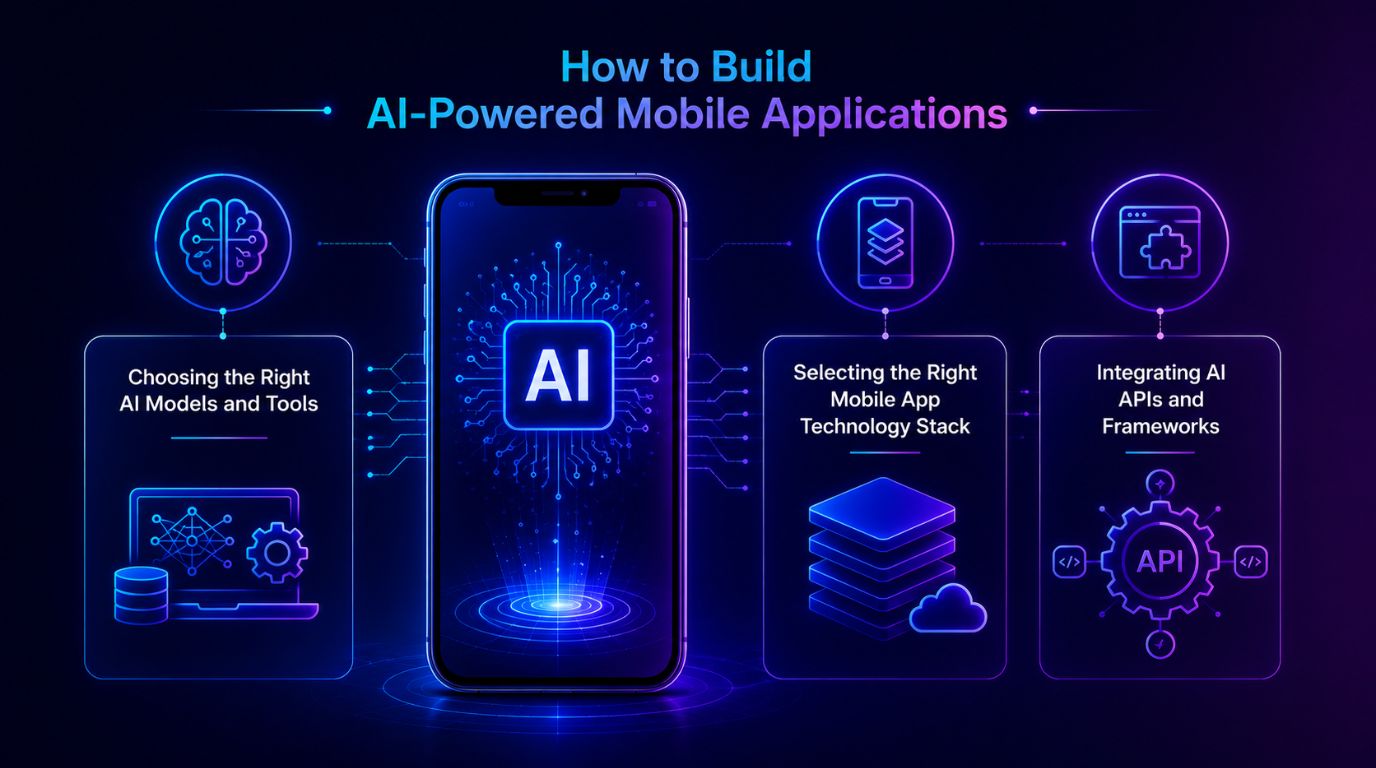
                  Choosing the Right AI Models and Tools

                  Choose AI technology wisely – the key to intelligent application development.  

                  AI tech generally includes:  

                  • Machine Learning algorithms. 
                  • Natural Language processing models. 
                  • Computer Vision Systems. 
                  • Predictive analytic tools. 

                  When selecting models, developers will need to consider the use of their application, performance requirements, and the amount/type of data that is available.

                  Selecting the Right Mobile App Technology Stack

                  The technology stack significantly impacts how well and how much a mobile application with Artificial Intelligence works.  

                  Some of the common technologies are:  

                  • Mobile Frameworks – e.g. Flutter, React Native 
                  • Cloud Computing Platforms – e.g. Azure, AWS 
                  • Artificial Intelligence Development Tools – e.g. TensorFlow, PyTorch 
                  • Backend Data Processing and Analytics Frameworks  

                  The end result of a well-designed technology stack is a user-friendly integration of AI functionality.

                  Integrating AI APIs and Frameworks

                  Technology stacks play a major role in determining how effective and efficient an AI-based mobile application will run.  

                  Some examples of technology stacks include:  

                  • Mobile Frameworks: Flutter or React Native 
                  • Cloud Computing: Azure or AWS 
                  • AI Development: TensorFlow or Pytorch 
                  • Data Processing / Analytics Frameworks  

                  A well-designed technology stack will provide users with a seamless experience integrating AI capabilities.

                  Challenges in AI Mobile App Development

                  Implementing Artificial intelligence (AI) into mobile apps brings many benefits, but it also presents challenges.  

                  Some of the main challenges are:  

                  • Data Quality and Availability: AI needs to use a lot of high-quality data to make accurate predictions.  
                  • Computational Needs: The computational power required to process AI may slow down the mobile app.  
                  • Privacy and Security Issues: Using user data must meet the privacy compliance guidelines for data collection and processing. 
                  • Complexity of Integration: Bringing together AI technologies with mobile architecture can be very technically complex.  
                  • Maintenance and Upgrades of Models: AI Models will need to be updated and monitored over time to be effective.  

                  These challenges must be addressed through sound planning and the use of developers with appropriate experience.

                  Best Practices for AI in Mobile App Development

                  To get the best out of AI within mobile applications, there are some key steps businesses must follow:   

                  • Defining clear use cases   
                  • Collecting clean and organized data   
                  • Ensuring privacy concerns and compliance with regulations   
                  • Utilizing scalable cloud infrastructure   
                  • Monitoring and enhancing your model(s)   
                  • Putting your end-users first to create and maintain both user experience and transparency.   

                  By working through the above, businesses can develop dependable and successful mobile applications built on AI. 

                  Future of Artificial Intelligence in Mobile Apps

                  Mobile app development is going to have a very productive future with artificial intelligence. This means mobile apps will be more intelligent, responsive, and unique due to artificial intelligence technologies that continue evolving.  

                  Some examples of how this may occur:  

                  • Sophisticated Artificial Intelligence personal assistants that can accomplish difficult workloads 
                  • Embedded real-time predictive analytics into routine applications 
                  • More powerful on-device artificial intelligence processing 
                  • Seamless integration with smart devices and mobile applications 
                  • Fully autonomous digital personal assistants  

                  These new technologies change the way consumers and companies use mobile technology and provide digital services. 

                  Conclusion

                  Mobile application development has changed for good with the advent of artificial intelligence (AI). Application creation will become more intelligent and more tailored to individual users now that we have application interfaces such as chatbots, voice assistants, and fraud detection. Generative AI in mobile apps will continue to provide advanced functionality and highly personalized digital experiences.  

                  Companies that integrate AI into their mobile applications can significantly improve user experience, automate complex workflows, and gain valuable insights through data analysis. Partnering with a leading software development company in India like Shaligram Infotech can help businesses successfully implement AI-powered mobile solutions that are scalable, secure, and future-ready. As AI technology continues to evolve, businesses using AI-driven mobile applications will stay ahead in digital innovation, competition, and long-term growth.

                  Ready to build? Contact Our Global Teams

                  🇺🇸 USA: +1 (919) 629-9671

                  🇬🇧 UK: +44 20 3581 6366

                  🇮🇳 India: +91 99099 84567

                  🇦🇺 AUS: +61 07 3121 3147

                  💬 Interested in Regular Insights on Software and App Development?

                  📲 Follow Shaligram Infotech on LinkedIn
                  Let’s build the future of applications together.

                  FAQs

                  What are the benefits of AI in mobile app development?

                  Artificial intelligence helps improve mobile apps by delivering personalized user experiences, automating repetitive tasks, enabling predictive analytics, and enhancing security features. AI-powered mobile applications help businesses increase user engagement, streamline operations, and make smarter decisions based on real-time data insights. Contact our experts to build intelligent, scalable mobile app solutions for your business needs.

                  The top AI use cases in mobile apps include AI chatbots in mobile apps for customer support, voice recognition mobile apps, and AI image recognition apps. Additionally, artificial intelligence apps are widely used to analyze transactions, recommend personalized content, and drive AI automation in mobile apps.

                  Artificial intelligence looks at how people use things, what they buy, and what they have done before to find things that do not seem right. It can find these things happening. Send out warnings or stop fake transactions all by itself.

                  Artificial intelligence looks at how people use things, what they buy, and what they have done before to find things that do not seem right. It can find these things happening. Send out warnings or stop fake transactions all by itself.

                  Some new things that people are doing with intelligence include using it on the device itself, using it to make voice assistants, adding it to apps, making things that are just for the person using them, and using it to keep apps safe from harm. Artificial intelligence is used in all these ways to make mobile apps better and to help businesses. Artificial intelligence is good at helping people and making things easier for them. Many businesses now prefer to hire mobile app developers in India to create smarter, faster, and more user-friendly mobile applications.

                  Categories
                  Blog Microsoft

                  AI Agents vs Copilot in Dynamics 365: What’s the Difference

                  Microsoft

                  AI Agents vs Copilot in Dynamics 365: What’s the Difference

                  AI agents vs Copilot in Dynamics 365

                  GEt in Touch


                    TABLE

                      Quick Summary :

                      AI agents and Copilot serve different but complementary roles in Dynamics 365. While AI agents automate workflows and execute tasks independently, Copilot enhances productivity by assisting users with insights and content generation. Using both together enables smarter and more efficient business operations.

                      What Are AI Agents in Dynamics 365?

                      AI agents' automation in business systems

                      Understanding AI Agents in Enterprise Systems

                      Autonomous Artificial Intelligence Agents are computer programs that perform tasks using predefined data and rules, executed by machine learning models. AI Agents are digital workers that live within enterprise systems to reduce manual intervention and help streamline complex processes within an organization.

                      Here are some key attributes of AI agents:

                      • Perform tasks without human intervention AI agents can complete tasks without human intervention. Examples include processing customer requests, updating records, or starting a workflow. 
                      • Use available data to decide the best next step AI agents analyze business data to determine the most appropriate next step.  
                      • Learn from experience Machine learning models used by the agent allow it to improve over time as it receives additional data and learns from its results.
                      • Collaborate with other systems  AI agents integrate with systems like CRM, ERP, and operational platforms to enable end-to-end automation.

                      Being able to do this creates more than just automation; it allows for intelligent workflow automation as organizations transition from traditional automation. Organizations expanding Dynamics 365 beyond CRM and ERP are increasingly adopting AI-driven automation

                      How AI Agents Automate Business Processes

                      Artificial intelligence agents create automated processes by integrating data, workflows, and decision-making logic across enterprise systems. AI agents do not need people to oversee their work; they continually monitor events and can automatically take the appropriate actions.  

                      Examples of process automation include the following:  

                      • Customer service automation
                        Automatically route customer inquiries to appropriate departments; categorize customer tickets to expedite processing; suggest appropriate resolutions for customer inquiries.
                      • Sales workflow (process) automation
                        Prioritize high-value leads; schedule timely follow-up actions; update opportunity records.
                      • Finance operations support
                        Monitor transactions, detect unusual activity, and trigger workflow approval processes.
                      • Supply chain management
                        Analyze inventory trends, initiate procurement, and create replenishment orders. Embedding automation into existing workflows will reduce operational delays and improve efficiency across enterprises.

                      By adopting AI and machine learning development services, organizations can build smarter AI agents that continuously learn from data, improve decision-making accuracy, and drive more efficient end-to-end automation across business workflows.

                      Businesses using Dynamics 365 business process automation can significantly reduce manual workload and improve efficiency.

                      Role of AI Agents in Microsoft Dynamics 365

                      AI agents in Dynamics 365 function across a variety of modules, including sales, finance, customer service, and supply chain management. They also help companies implement automated, event-driven business processes.

                      Some examples of what AI agents can do for enterprises include:

                      • Automated Repetitive Tasks within CRM & ERP
                      • Workflows Triggered/initiated by real estate events
                      • Data Analysis will help provide recommendations for actions to take
                      • Facilitating/Coordinating Processes Across Systems

                      All these abilities allow companies to grow their business without increasing their manual labor burden.

                      What Is Microsoft Copilot in Dynamics 365?

                      How Microsoft Copilot Works in Dynamics 365

                      Integrating Copilot across Dynamics 365 interfaces enables users to interact with the platform and its core data elements using natural language prompts.  

                      The main features of Copilot include:  

                      • Contextual Assistance
                        Copilot recognizes a user’s request based on its relationship to an organization and provides the right assistance.
                      • Natural Language
                        Users can ask questions or solicit summary reports using conversational prompts.
                      • Generative Content Creation
                        Copilot can create drafts of emails, reports, and customer responses.
                      • Insights and Recommendations in Real-Time
                        The AI algorithms that power Copilot analyze business data stored in Dynamics 365 to provide insights and suggestions.

                      All these features make it easier for users to utilize Dynamics 365 and minimize time spent doing repetitive documentation and analysis. 

                      CRM Copilot and Productivity Use Cases

                      In a customer relationship management context, Copilot increases team productivity by supporting sales and service teams with their day-to-day tasks.  

                      Use cases in the CRM environment include:  

                      • Drafting personalized emails to customers 
                      • Summarizing the history of customers 
                      • Generating notes to prepare for meetings 
                      • Providing sales teams with insights into their opportunities 
                      • Creating recommended follow-up tasks for teams.
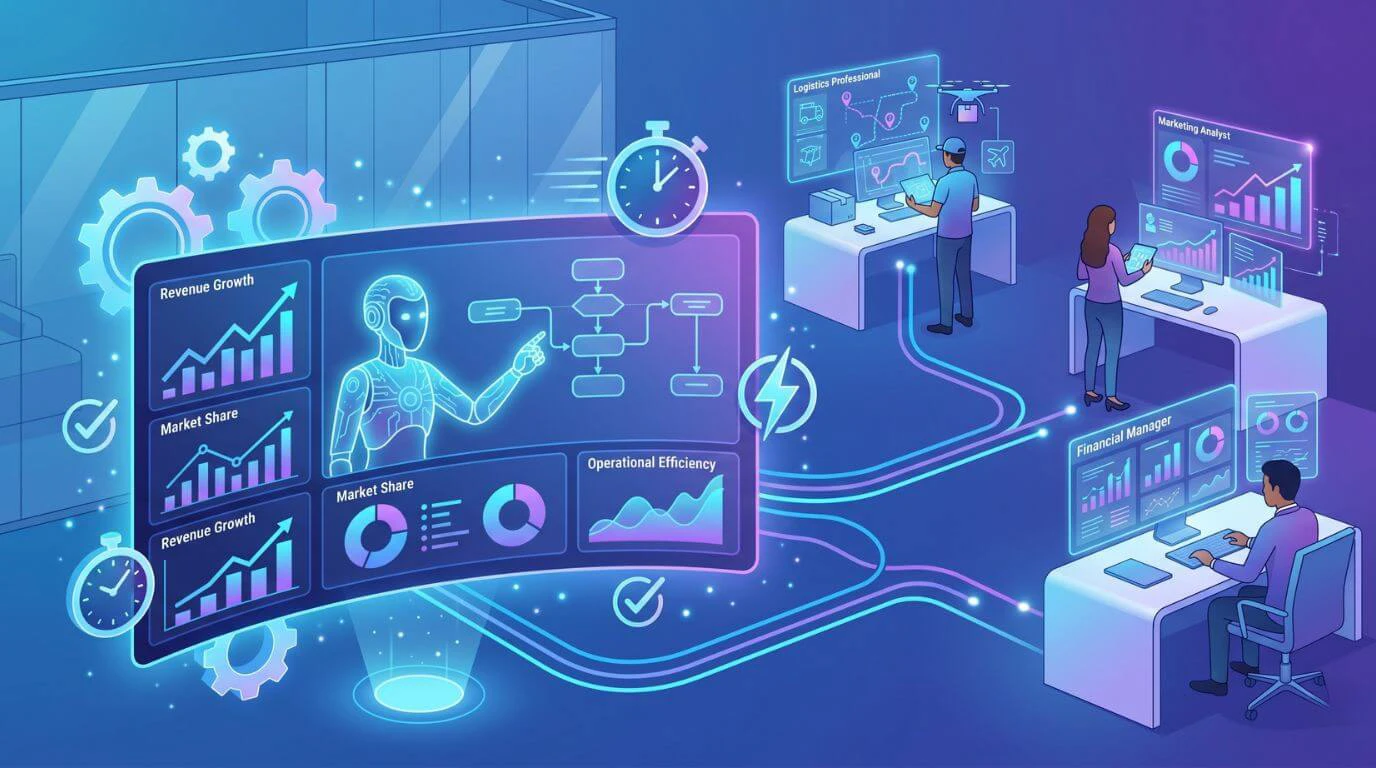
                      Because Copilot simplifies routine CRM activities, team members can concentrate on building relationships with customers and making strategic decisions.

                      AI Copilot for User Assistance and Insights

                      Copilot is not only designed for CRM efficiency; it can also serve as an intelligent assistant, helping users interpret and analyze their business data.

                      Copilot can assist users with the following capabilities: 

                      • Data Summarization
                        Users will be able to receive quick summaries of their dashboards, reports, or account history.
                      • Generating insights
                        Copilot can identify patterns, trends, and potential opportunities.
                      • Recommending next steps
                        Copilot can recommend the next steps in workflows.
                      • Retrieving knowledge
                        Copilot can reply to users with answers from any organizational data sources.

                      Businesses leveraging Generative AI Development Services can further enhance Copilot capabilities by customizing AI models to generate context-aware content, automate communication, and deliver more personalized user experiences within Dynamics 365.

                      Instead of removing human input from the process, it will assist with decision-making and improve productivity. Integrating AI and machine learning into Dynamics 365 enables smarter, data-driven decisions across operations.

                      AI Agents vs Copilot: Key Differences Explained

                      Feature AI Agents Microsoft Copilot
                      Primary Role
                      Autonomous workflow automation
                      AI-powered user assistance
                      Interaction Model
                      Event-driven automation
                      Conversational interface
                      Task Execution
                      Performs tasks automatically
                      Suggests or assists users
                      Decision Capability
                      Can make contextual decisions
                      Provides recommendations
                      User Involvement
                      Minimal human intervention
                      Requires user interaction
                      Business Impact
                      End-to-end process automation
                      Productivity and insight enhancement

                      Automation vs Assistance

                      The main distinction between AI agents and Copilot is their primary objectives.  The emphasis of an AI agent is to provide automated systems with the means to complete workflows autonomously, without human intervention.  

                      The purpose of a copilot is to assist users in completing tasks more quickly by suggesting what to do, summarizing what has been done, or generating final products.  

                      To illustrate this in practical terms:  

                      • AI agents eliminate repetitive manual activities. 
                      • Copilots help users work more productively and successfully.

                      Decision-Making Capabilities

                      AI agents are created to inspect information and create events within a business based on a set of criteria or learning models applied to the AI agent.

                      Sample Actions Include:

                      • Approve or escalate requests
                      • Trigger workflow actions
                      • Auto-assign a task

                      Copilot, on the other hand, provides decision support rather than executing a decision.  

                      An example of Copilot would be to:

                      • Recommend the best follow-up event for a sales opportunity
                      • Identify areas of high risk within a sales opportunity 
                      • Show possible responses to customer inquiries  

                      The user still holds final authority over the decision. 

                      Level of Autonomy

                      The key difference is autonomy. Autonomy refers to an AI Agent’s ability to function independently after it’s set up, versus a CoPilot needing user input and approval to engage.  

                      The level of autonomy for these systems greatly affects how they are used in the workplace.

                      Workflow Impact and Use Cases

                      Workflows are fundamentally changed by incorporating the agents into everyday business activities.  

                      There are many examples of how this is accomplished.  

                      • Providing automated assignment of service tickets 
                      • Updating CRM records based on customer activity 
                      • Triggering invoice approval processes  

                      Copilot is similar, but it leverages user productivity gains and enhanced information accessibility to improve workflows.  

                      Some specific examples of Copilot improving workflow include:  

                      • Drafting emails for customers 
                      • Summarizing meeting notes 
                      • Generating reports  

                      Both AI agents and Copilot improve workflow efficiency; however, each does so in very distinct ways.

                      AI Copilot vs AI Agents: A Detailed Comparison for Businesses

                      Use Case Comparison in Dynamics 365

                      Process automation scenarios are perfect for AI agents.
                      Examples of Process Automation Scenarios:  

                      • Lead Qualification Workflow  
                      • Automated Ticket Routing  
                      • Supply Chain Monitoring  
                      • Invoice Processing  

                      Knowledge-driven tasks are better suited for Copilot to accomplish.  
                      Examples of Knowledge-Driven Tasks:  

                      • Sales Opportunities and Insights Summary  
                      • Drafting Customer Communication  
                      • Interpreting Data  
                      • Creating Meetings/Reports 

                      The combination of these capabilities will provide employees with both operational automation support and productivity enhancement. 

                      Integration with Business Automation Tools

                      Automation platforms that AI-driven automation usually connect to include the following:   

                      • Microsoft Power Automate  
                      • Workflow orchestration applications  
                      • Process engines for ERP or CRM 

                      With these integrations, agents can perform a series of processes across various systems.  

                      By better integrating with user productivity tools, such as:  

                      • CRM user interfaces 
                      • Collaboration platforms  
                      • Reporting dashboards   

                      Copilot provides users with immediate access to AI assistance within their daily workflows.

                      Scalability and Enterprise Use

                      Businesses deploy these systems to automate tasks across large-scale operations.
                      Benefits of using both include:  

                      • Lower Operational Costs 
                      • Faster Processes 
                      • Improved Workflow Consistency 

                      Copilot will allow you to scale your organization differently by increasing team productivity.  
                      Specifics of Copilot may include:  

                      • Quicker Decision Making 
                      • Lower Administrative Burden 
                      • Better Knowledge Availability  

                      Many organizations are deploying both the agents and Copilot to drive efficiencies.

                      How AI Agents and Copilot Work Together in Dynamics 365

                      Combining Automation and Assistance

                      AI agents provide automated solutions to operational tasks, while Copilot supports employees as they manage their daily workload and make decisions.  
                      Examples:  
                      • AI agents automatically process and route inbound customer support tickets.  
                      • Copilot helps agents prepare email responses to customers.  
                      Together, these tools provide the foundation for improved workflow efficiency and increased employee productivity.

                      End-to-End Workflow Optimization

                      Organizations can develop workflows using AI Agents to complete tasks and Copilots for decision support.   
                      Sample workflow:  

                      1. AI Agents find top sales leads. 
                      2. The system routes leads to a sales agent. 
                      3. A personalized email is created using Copilot. 
                      4. A sales agent reviews and sends the email.  

                       This allows for both automation and personalization. 

                      Real-Time Decision Support

                      With real-time insight into daily decisions, Copilot gives employees access to decision-making information, while the agents manage operational tasks behind the scenes.  
                      The results are:
                      • Faster response to business events;  
                      • Decisions based on data;  
                      • Greater operational agility. 
                      Together, these functions allow businesses to create AI-powered workflows.

                      Use Cases: When to Use AI Agents vs Copilot in Dynamics 365

                      When AI Agents Are the Better Choice

                      The optimal application of these systems is in cases that require automation.  
                      Common examples include:  
                      • Customer Service Routing Automation 
                      • Workflow Approval Automation 
                      • Data Processing Automation 
                      • Supply Chain Automation 
                      • Compliance Monitoring Automation 
                       Scenarios require little to no human involvement and yield consistent results.

                      When Copilot Is the Better Choice

                      Copilot is particularly beneficial to staff when an employee requests an AI-based understanding of what to do and how to achieve it.   
                      This situation might take the form of:   
                      • Sales Opportunity Insight  
                      • Drafting for the Customer  
                      • Taking Notes and Summarizing Meetings  
                      • Interpreting Data   
                      Each of these scenarios requires human judgment, as well as support from AI-powered assistance.

                      Benefits of AI Agents and Copilot for Business Automation

                      While AI-based capabilities can offer many advantages, they also pose challenges during implementation.
                      Examples of the common considerations include the following:  

                      • Data Quality Requirements
                        For AI systems to work properly, they need access to accurate, well-organized data.
                      • Complexity In Designing Workflows
                        Automation designs must be implemented with sufficient precision to prevent errors.
                      • Change Management
                        When employees begin using AI-supported processes, they will need to learn about them.
                      • Concerns Related To Security And Compliance
                        Data security and adherence to required standards should be ensured at the beginning of the AI implementation process.

                      Successfully implementing AI into an organization requires consideration of the above challenges.

                      Future of AI Agents and Copilot in Microsoft Dynamics 365

                      The future of enterprise AI will probably involve increased cooperation between AI assistants and autonomous agents.   
                      Trends that are developing include:   
                      • The use of multiple agents to orchestrate complex workflows. 
                      • Deeper integration with enterprise data platforms. 
                      • Improved contextual awareness for AI assistants.  
                      • More advanced automation of decisions. 
                      With the development of these emerging technologies, Dynamics 365 will be more frequently used as a fully AI-enabled business application, with automation and assistance working in a completely integrated way.

                      Conclusion

                      As a leading software development company in India, Microsoft Copilot and AI Agents are two of the biggest ways organizations can use AI inside of Dynamics 365. The focus of AI-driven automation is to automate workflows and execute tasks, while Copilot’s goal is to help users be more productive through suggestions, recommendations, and generative assistance. By combining these two technologies, organizations can leverage both capabilities to build intelligent, efficient, and scalable workflows that enable operational automation and human decision-making with the expertise of Shaligram Infotech.

                      Ready to build? Contact Our Global Teams

                      🇺🇸 USA: +1 (919) 629-9671

                      🇬🇧 UK: +44 20 3581 6366

                      🇮🇳 India: +91 99099 84567

                      🇦🇺 AUS: +61 07 3121 3147

                      💬 Interested in Regular Insights on Software and App Development?

                      📲 Follow Shaligram Infotech on LinkedIn
                      Let’s build the future of applications together.

                      FAQs

                      What is the difference between AI agents and Copilot?

                      AI agents automate workflows and carry out these tasks without human operators present. In contrast to AI agents, Microsoft’s Copilot is an AI-powered tool that provides users with content creation, insights, and recommendations. Looking to implement AI agents or Copilot in Dynamics 365? Contact our experts to build intelligent, scalable business solutions.

                      Generally speaking, AI agents are favored for business automation because they can perform tasks autonomously. Copilot is a more favorable option for improving employee productivity and/or decision-making.

                      AI agents will apply and automate workflows by monitoring business activity, analyzing data, and triggering events within Dynamics 365.

                      Both AI agents and Copilot work together in harmony, combining workflow automation and intelligent user support to improve efficiency and data-centric processes within an organization.

                      Dynamics 365 includes intelligent computer programs that allow you to automate repetitive tasks and help you analyze your company’s data, as well as assist you in making more accurate decisions. Each program works within a structured process to increase productivity and efficiency within your organization. Contact us to see how AI agents can benefit your business.

                      Examples of business processes that employ AI agents include automating routine workflow activities such as ticket routing, invoice processing, and supply chain monitoring. Examples of productivity tools that would be created via Copilot implementation in conjunction with AI agents include email drafts, customer engagement summary documents, and sales staff insight generation.

                      Categories
                      Blog Microsoft

                      What Are AI Agents in Dynamics 365 and How They Change Business Workflows

                      Microsoft

                      What Are AI Agents in Dynamics 365 and How They Change Business Workflows

                      AI agents in Dynamics 365 workflow automation

                      GEt in Touch


                        TABLE

                          Quick Summary :

                          AI agents in Dynamics 365 enable intelligent automation by analyzing enterprise data, making context-aware decisions, and optimizing workflows across CRM and ERP systems. Businesses that deploy them see measurable gains in operational efficiency, decision speed, and the capacity to automate complex, multi-step processes at scale.

                          What Are AI Agents in Enterprise Software?

                          Understanding Artificial Intelligence Agents

                          Software agents or artificial intelligence agents represent entities that work independently to perform their functions by analyzing data, learning from that data, and making decisions based on defined parameters set by an organization. The principal distinction between AI agents and traditional automation mechanisms is that AI agents adapt to ever-changing conditions and learn to increase their efficacy over time.

                          There are three major elements in an AI agent: the capability to process data, the ability to analyze or interpret that data, and the capability to act based on its interpretation. All these elements, combined, allow an AI agent to receive input from its context, process the data, and execute actions that align with the organization’s desired outcomes.

                          In organizations, AI agents can be located within software systems such as CRM, ERP, and other customer service systems. By automating many complex business functions, AI agents can be applied to tasks such as processing customer support requests, predicting future sales, reconciling financial transactions, and optimizing inventory.

                          AI agents provide businesses with a unique opportunity to combine automation with intelligence. Rather than continue to execute rigid processes, they will continually evaluate the quality of the data received and adjust their actions as appropriate, making them particularly useful in businesses that frequently experience changing conditions.

                          How AI Agents Work in Business Systems

                          AI agents use a combination of ML models, APIs, and automated toolsets to interact with enterprise data and workflows.

                          The first step for an AI agent to accomplish this is to collect data from multiple sources. AI agents will gather information from several disparate sources, including customer records in a CRM, transactional databases, email, and customer interactions. This data is then analyzed using either ML algorithms or generated by the AI agent itself through its AI modeling.

                          Businesses often rely on AI and machine learning development services to build and integrate these intelligent models into enterprise systems for more accurate predictions and automation.

                           After processing data, AI agents use predictive insights to decide actions automatically.

                          Once the AI agent has determined how to act, it will execute its actions within the enterprise system. The AI agent may do this by updating CRM records, creating reports, triggering workflows, or engaging in conversations with users via chat-based user interfaces.

                          With continued learning from previous outcomes, AI agents will become increasingly effective at completing these actions. Because of this ability to learn and evolve, AI agents will become significantly more effective than similar types of fixed automation toolsets. 

                          Role of Microsoft AI Agents in Modern Enterprises

                          Microsoft added artificial intelligence across its entire suite of business products. Microsoft Dynamics 365, Power Platform, and the Azure AI Services enable companies to deploy AI agents that work across multiple business functions.

                          Microsoft AI agents play an important role in many areas for a modern enterprise, such as:  

                          • Customer Relationship Management 
                          • Financial Operations 
                          • Supply Chain Optimization 
                          • Sales Forecasting and Lead Management 
                          • Customer Service Automation

                          Microsoft AI agents help streamline business operations, decrease manual workloads, and provide greater insight into enterprise data. By embedding AI directly into business applications, Microsoft enables companies to adopt intelligent automation without relying on extensive data science experience.

                          AI Agents in Dynamics 365: A New Era of Workflow Automation

                          How Microsoft Dynamics 365 Uses AI Agents

                          In Dynamics 365, AI agents are embedded directly into business applications to enhance CRM and ERP workflows with real-time intelligence.

                          These agents work within the Dynamics ecosystem by leveraging data from sales, customer service, finance, and operations modules. Instead of only analyzing data, they actively support decision-making by providing recommendations, automating tasks, and initiating workflows.

                          For example, AI agents in Dynamics 365 can prioritize leads, suggest next best actions for sales teams, automate customer service responses, and generate financial insights.

                          By integrating AI capabilities directly into everyday workflows, Dynamics 365 enables businesses to move from manual operations to intelligent, data-driven automation.

                          Generative AI in Dynamics 365 for Intelligent Automation

                          Generative AI is enhancing the capabilities of artificial intelligence agents in the Dynamics 365 platform. With generative models, AI agents can now create content, automatically summarize, recommend, and generate data.

                          Businesses are increasingly leveraging Generative AI development services to integrate these advanced capabilities into Dynamics 365 and unlock more intelligent automation outcomes.

                          This technology can also analyze and generate business insights from large volumes of data that would be difficult to determine manually. By using generative AI alongside enterprise data, Dynamics 365 enables improved workflow intelligence and efficiency.

                          Microsoft Copilot Dynamics 365 and CRM Copilot Integration

                          Microsoft Copilot is an important technology that integrates AI directly into the Dynamics 365 user interface. By integrating an AI assistant into CRM and ERP workflows, Copilot serves as a virtual assistant for Microsoft Dynamics users.

                          Users can interact with the system in natural language via Copilot’s integration with Dynamics 365 CRMs and ERPs.

                          Using AI agents for business workflows, CRM Copilot can access relevant data, recognize patterns, and generate responses instantly. This allows CRM Copilot to dramatically reduce the time required to create reports, analyze customer data, and communicate with customers.

                          By embedding AI into the workflow, Copilot increases the usability and productivity of enterprise applications. 

                          Businesses expanding Dynamics 365 beyond traditional CRM and ERP are increasingly leveraging AI-driven automation.

                          AI Agents vs Traditional Workflows: What's Changing?

                          AI vs traditional workflows
                          Factor Traditional Workflow AI Agent Workflow
                          Logic type
                          Rule-based, static
                          ML-driven, adaptive
                          Change handling
                          Manual reconfiguration
                          Learns and adjusts automatically
                          Decision support
                          None
                          Predictive recommendations
                          Error handling
                          Fails at edge cases
                          Flags anomalies and escalates
                          Maintenance
                          High (rule updates)
                          Lower after initial training
                          Data usage
                          Triggers on conditions
                          Analyzes patterns across data sources

                          Limitations of Traditional Workflow Automation

                          Traditional workflow automation relies on static logic and established rules; therefore, while it may assist with automating repetitive processes, this type of system is typically unable to adapt to a continuously changing business environment.

                          In addition to being difficult for human beings to configure and update each time business conditions change, the rule-based workflow system is also unable to generate decisions based on complex data patterns or to interpret conditions beyond the established scenarios used to generate results.

                          Therefore, when many companies try to automate more complex business processes, they run into barriers to using automation to assist with many decision-related tasks, and many of these tasks require ongoing human involvement.

                          Benefits of AI-Powered Workflows in Dynamics 365

                          Automated solutions have been revolutionized through the adoption of AI-driven processes. Previously, automated processes were limited to executing rules. However, with the use of AI, agents will analyze current data and make decisions based on predictive insights when determining what action to take.

                          Here are a few of the significant advantages this will provide:  

                          • Faster decision-making enabled by predictive analytics 
                          • Decreased manual labor for employees 
                          • Improved accuracy with fewer operational errors 
                          • Real-time insights and recommendations 
                          • Ability to continuously improve via machine learning 

                          Incorporating AI agents into Dynamics 365 workflows will enable companies to build intelligent, automated solutions that can respond to real-world situations.

                          From Rule-Based Systems to Intelligent Automation

                          Transitioning from a rule-based to an intelligent automation model for enterprise software represents a significant change in financial management systems.

                          With rule-based systems, you are required to follow explicit rules when performing time-sensitive tasks. In contrast, the intelligent automation model analyzes data and selects contextually appropriate actions to achieve business goals.

                          In Dynamics 365, virtual agents support decision-making within workflows. By examining data, AI agents will identify opportunities and assess their likely consequences. Ultimately, artificial intelligence agents will trigger automated events without requiring human intervention.

                          Through this transition from simple automation of business processes to completely automated intelligent operations, organizations can become true intelligent businesses.

                          How AI Agents Automate Business Workflows in Dynamics 365

                          AI workflow automation in Dynamics 365

                          Workflow Automation Using AI Agents

                          AI agents can be used with Power Automate and Dynamics 365’s workflow engine to automate your workflows.

                          AI agents for business workflows can monitor system actions, process incoming data, and execute automated techniques when predefined conditions are met. For instance, if there is an identified high-value sales opportunity, the AI agent can immediately notify a member of the sales team with the recommendation of actions to take.

                          Using this approach provides less room for delays and ensures that key processes are executed as efficiently as possible.

                          Business Process Automation Across Departments

                          The AI agents in Dynamics 365 can assist a variety of teams/departments. Automation of processes across departments using AI agents leads to improved connectivity and efficiency within an organization.

                          Real-Time Decision Making and Process Optimization

                          Real-time decision support through the AI agent capabilities is among their greatest strengths.  

                          AI agents can recognize situations, find opportunities, and identify anomalies using real-time data. Companies can continually optimize processes rather than wait for regular reports and/or manual review.

                          When used within Dynamics 365 environments, this capability enables greater operational agility.

                          Real-World Use Cases of AI Agents in Dynamics 365

                          Customer Service Automation

                          A B2B company using Dynamics 365 Customer Service deploys an AI agent that reads incoming ticket subjects, pulls the customer’s order history from Dataverse, and drafts a resolution response routed to the right support tier, cutting average handle time by cutting repetitive triage steps.

                          Sales Forecasting and Lead Scoring

                          Dynamics 365 Sales agents score leads by analyzing email engagement, CRM activity, and firmographic data. Sales reps receive a prioritized pipeline view each morning without manually reviewing activity logs.

                          Invoice and Payment Processing

                          In Dynamics 365 Finance, AI agents perform three-way matching (PO, receipt, invoice) and flag discrepancies automatically, reducing manual reconciliation effort in high-volume AP operations.

                          Inventory and Supply Chain

                          Dynamics 365 Supply Chain Management agents monitor stock levels against historical demand signals and trigger replenishment orders when thresholds are breached, reducing stockout events without buyer intervention.

                          Document Data Extraction

                          AI agents extract structured data from unstructured sources like supplier contracts or shipping docs using Azure AI Document Intelligence, writing results directly into Dynamics records.`

                          AI Security in Dynamics 365: Managing Risks and Compliance

                          Data Privacy and Governance

                          AI technologies depend on large amounts of enterprise data; therefore, both are important to consider when developing an organization’s approach to data privacy and protection. Organizations’ AI-based solutions must adhere to strict guidelines for accessing and using their data. 

                          Dynamics 365 provides organizations with embedded systems to support their governance practices, such as ensuring data security, enforcing appropriate access controls, and meeting compliance obligations for all types of data.

                          Responsible AI in Business Workflows

                          Enterprise environments must adopt AI responsibly as they incorporate it into their business operations. The AI-enabled solution should ensure that the AI output is clear and unbiased; it should adhere to the business’s established code of conduct or ethics. 

                          Microsoft has created many tools to promote responsible AI use in Dynamics 365. Some of these tools provide monitoring capabilities for AI output, detection of potential AI bias, and development of AI accountability mechanisms.

                          Security Challenges in AI Automation

                          AI automation brings both benefits and new security issues. Potential risks include unauthorized access to data, inaccuracies in AI’s predictions, and integration issues. 

                          Organizations that implement AI agents need to enforce strict security measures, including identity management, access control, and ongoing monitoring. Strong governance and compliance are critical when implementing AI in enterprise systems.

                          Microsoft Dynamics 365 Automation Testing with AI Agents

                          Role of AI in Testing and Quality Assurance

                          Using the capabilities of AI, you can have better testing and quality assurance help for your implementation of Dynamics 365.

                          By analyzing the way that your workflows and systems interact, AI tools will automatically find any bugs, performance issues, or conflicts within your workflows. This will help development teams identify issues earlier in the deployment process.

                          Reducing Errors with Intelligent Automation

                          Using AI, testing tools can simulate how a user would interact with an application or system in the real world to identify potential issues before they affect the business.

                          By doing so, they enhance the overall reliability of automated processes and ensure proper functionality of Dynamics 365 applications. Organizations using business process automation in Dynamics 365 can significantly improve operational efficiency.

                          Benefits of AI Agents for Enterprise Workflow Automation

                          AI business workflow benefits

                          Businesses using AI agents with Dynamics 365 will see many benefits, including:  

                          • Increased operational efficiencies 
                          • Faster decisions in your business 
                          • Reduced manual tasks for employees 
                          • Better engagement with your customers 
                          • Improved prediction and analysis capabilities.  

                          These factors have made AI agents an effective option for business owners wanting to modernize their workflow automation strategy.

                          Challenges of Implementing AI Agents in Dynamics 365

                          There can be challenges involved with the use of AI agents, even though they have many advantages.  

                          When introducing AI, some organizations may face issues with data quality, integration complexity, and change management. Employees may also need training on how to properly interact with the AI-powered system.

                          Companies also must comply with security and governance policies regarding any kind of implementation using AI.

                          Careful planning and effective data management are essential for successful adoption, as is collaboration between technical personnel and business stakeholders.

                          Best Practices for Using AI Agents in Dynamics 365

                          Organizations should adhere to certain best practices to maximize the value of their intelligent automation implementations.

                          Organizations should:  

                          • Define clear goals for what the automation should accomplish. 
                          • Use high-quality structured data to train their AI agents. 
                          • Incrementally introduce AI agents into their workflows. 
                          • Continuously monitor their AI agent’s performance and continuously optimize. 
                          • Develop strong governance and security policies. 

                           Adhering to these principles will help organizations successfully implement intelligent automation using AI agents and achieve sustainable benefits from these solutions over time.

                          Conclusion

                          Businesses looking for the best software developer company in India are increasingly using AI agents in Microsoft Dynamics 365 to automate their operations by combining intelligent automation, predictive analytics, and generative AI. The use of AI agents is reshaping how businesses operate by streamlining processes, enabling better decision-making, and increasing productivity across business units. Microsoft’s Copilot is an example of a tool that will continue to provide businesses with AI-enabled workflows, which have become an integral factor of modern-day enterprises. Businesses that are thoughtful about integrating AI agents can be more efficient, provide a better overall customer experience, and remain competitive in a more data-driven digital marketplace with the expertise of Shaligram Infotech.

                          Ready to build? Contact Our Global Teams

                          🇺🇸 USA: +1 (919) 629-9671

                          🇬🇧 UK: +44 20 3581 6366

                          🇮🇳 India: +91 99099 84567

                          🇦🇺 AUS: +61 07 3121 3147

                          💬 Interested in Regular Insights on Software and App Development?

                          📲 Follow Shaligram Infotech on LinkedIn
                          Let’s build the future of applications together.

                          FAQs

                          What are AI agents in Dynamics 365?

                          Dynamics 365 includes intelligent computer programs that allow you to automate repetitive tasks and help you analyze your company’s data, as well as assist you in making more accurate decisions. Each program works within a structured process to increase productivity and efficiency within your organization. Contact us to see how AI agents can benefit your business.

                          AI analyzes incoming data, identifies patterns, and uses the patterns to automatically trigger actions within Dynamics workflows. This could include things such as lead scoring, routing service requests to appropriate personnel, or generating insight to be used for making decisions.

                          Historically, work processes were based on a set of rules and followed a specific path. AI agents, on the other hand, will leverage their ability to learn from previous events to identify patterns or actions to make on the fly, therefore adapting to the changing environment in which your business is operating.

                          Microsoft Copilot leverages AI to pull relevant data, provide you with insight, and help you execute tasks. Copilot provides you with AI-infused assistance directly in the Dynamics 365 user interface.

                          AI-driven workflows allow companies to become more efficient, minimize how much work an employee needs to do manually, enable them to make real-time decisions, improve the use of predictive analytics, and improve a company’s ability to automate complex business processes.

                          AI security is one of the most important areas of focus for companies using AI. Companies should have strong governance, follow strict data protection policies, and have some type of monitoring of the applications that have been built around AI so that AI will be managed safely and responsibly.

                          AI agents improve workflows by analyzing real-time data, automating decisions, triggering actions, and continuously learning from outcomes to optimize business processes.

                          Categories
                          Blog Mobile App Development

                          Common Challenges Businesses Face During Mobile App Development

                          Mobile App Development

                          Common Challenges Businesses Face During Mobile App Development

                          Mobile app development challenges and solutions

                          GEt in Touch


                            TABLE

                              Why Mobile App Development Is More Challenging Than It Looks

                              Mobile app development complexity concept

                              At first glance, creating mobile apps seems simple. You design an app interface, create the app, and release it to your users. In practice, the mobile app development lifecycle includes multiple complicated levels that require outstanding attention to detail when coordinating between businesspeople, designers, developers, and testers. Mobile app development is not just a technical project. It is a business-critical product strategy that directly impacts revenue, retention, and brand perception.

                              Partnering with experts offering custom software development services ensures your app is aligned with business goals and built with scalability in mind.

                              Mobile apps need to work properly on various devices, operating systems, and network environments. Mobile apps must be designed to ensure excellent performance, a fast user experience, and proper handling of sensitive data. In addition, new technologies are created very rapidly, and mobile app development teams must have the most current knowledge of all frameworks, tools, and platform standards/guidelines.

                              A third challenge that companies deal with when creating mobile applications is the alignment of technical implementation to business goals. Without alignment between business goals and technical execution, projects often face delays, budget overruns, and reduced ROI. They will have an impact on the overall productivity for all parties involved unless various stakeholders, product managers, and mobile development teams are aligned regarding goals. Mobile solutions also play a key role in improving operations, as seen in mobile workforce efficiency strategies.

                              Understanding the Mobile App Development Process

                              Planning and Requirement Gathering

                              Every successful mobile app project begins with the planning phase. The planning stage is when you will determine your app’s goals, audience, features, and expected outcomes.

                              The requirement-gathering phase includes collecting users’ needs, defining technical specifications for the app, and figuring out how the app will function. A rushed or poorly performed requirement-gathering phase can create issues due to scope change or miscommunication later in the development phase.

                              Creating a proper plan allows technical and business parties to share a common view of the finished product. A well-defined strategy is essential, and reviewing key factors in app project planning can help businesses avoid costly mistakes early on.

                              Design, Development, and Testing

                              After the requirements are finalized, the project progresses into the design/development stage. The UI/UX designer will create user-friendly interfaces for users, allowing for easy navigation of the app as well as an enjoyable user experience.  

                              The developer would then build the user interface and backend of the application, as well as make the necessary integrations between the various APIs or databases, etc. Although developing the app is vital to its success, it is not the only determining factor for success; therefore, the application must be continuously tested to determine if it is working as intended across multiple devices/operating systems.  

                              Performance testing, usability testing, and bug-finding are all vital for ensuring quality during this phase of development. 

                              Deployment and Post-Launch Support

                              Once the application has been fully developed and tested, it will be deployed to app stores. Launching your application is not the end of the development lifecycle. 

                              Once the application is launched, developers will be required to monitor user feedback, application performance, troubleshoot/resolve bugs, and release modifications on an ongoing basis. By providing regular releases of updates, businesses can ensure their applications remain compatible with any operating system updates and provide users with new features that enhance their user experience. 

                              Organizations that view mobile app development as an ongoing activity rather than a single event generally perform better in the long term. This structured lifecycle ensures predictability, reduces risk, and improves time-to-market.

                              Top Mobile App Development Challenges Businesses Face

                              Mobile app development challenges overview

                              Unclear Requirements and Poor Planning

                              The main cause of mobile application project failures occurs when project teams receive their work requirements in an unclear manner or receive incomplete requirements. Development teams struggle when businesses fail to define the app’s value proposition, feature scope, and target user groups.

                              Frequent requirement changes (scope creep) lead to delays, budget overruns, and misalignment between teams.
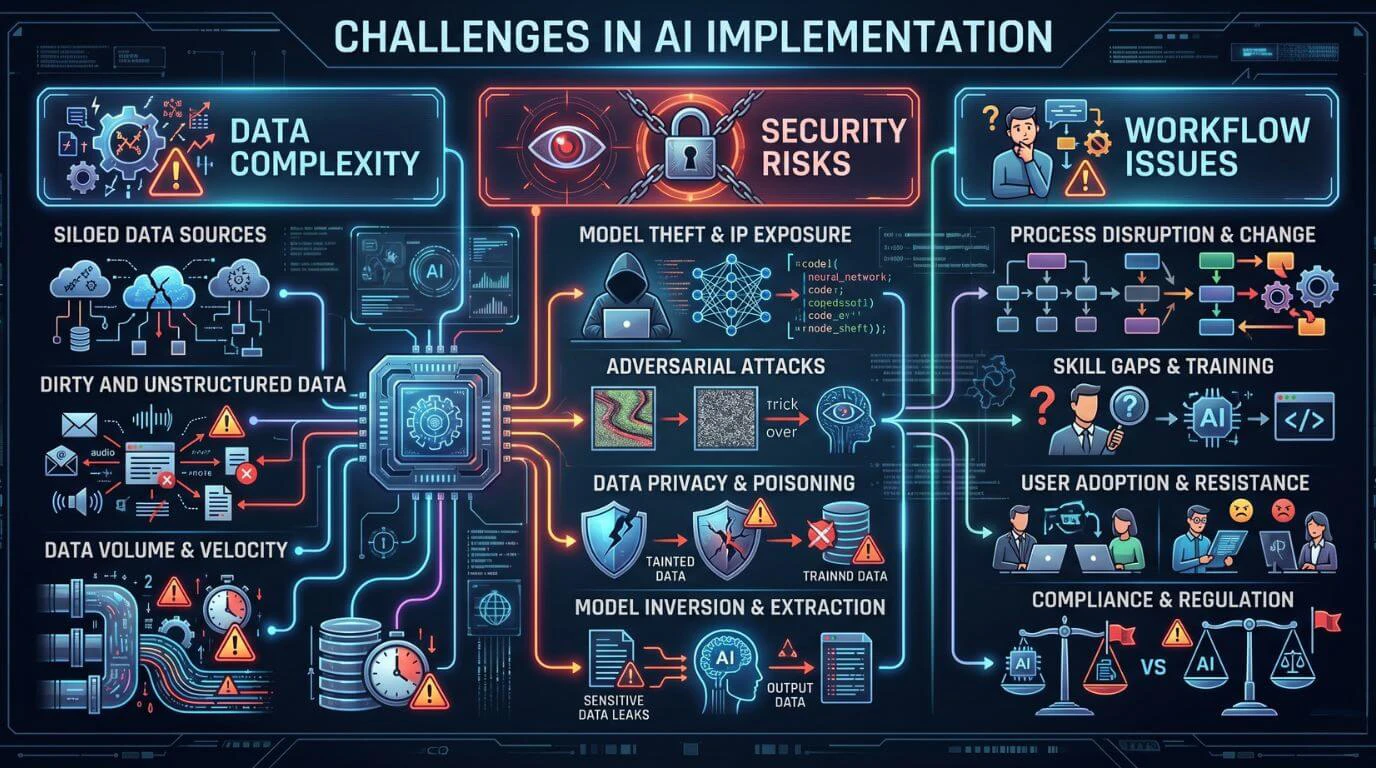
                              Cost of Mobile App Development and Budget Overruns

                              Mobile application development requires businesses to spend large amounts of money on design work, development processes, infrastructure construction, testing procedures, and ongoing system maintenance. The complete application development and maintenance costs remain unknown to most businesses. Mobile app development cost depends on features, platform choice, integrations, and long-term maintenance.

                              The development process will require more time and money because developers face both unexpected technical challenges and unplanned feature requests. To better plan budgets, businesses should understand app development cost factors that impact overall investment.

                              Choosing the Right Technology and Platform

                              The selection of a suitable technology stack presents itself as a significant obstacle that organizations must overcome. Organizations need to determine whether they will create native applications exclusively for particular platforms or whether they will adopt cross-platform development frameworks that allow them to deploy applications across multiple operating systems.
                              Every method provides different benefits and drawbacks, which affect their ability to deliver results, their speed of creation, their ability to expand, and their capacity for ongoing support. The selection of inappropriate technology results in negative consequences that affect both application performance and system adaptability throughout its operational lifespan. Choosing between native, cross-platform, or hybrid frameworks directly impacts performance, scalability, and long-term maintenance costs.
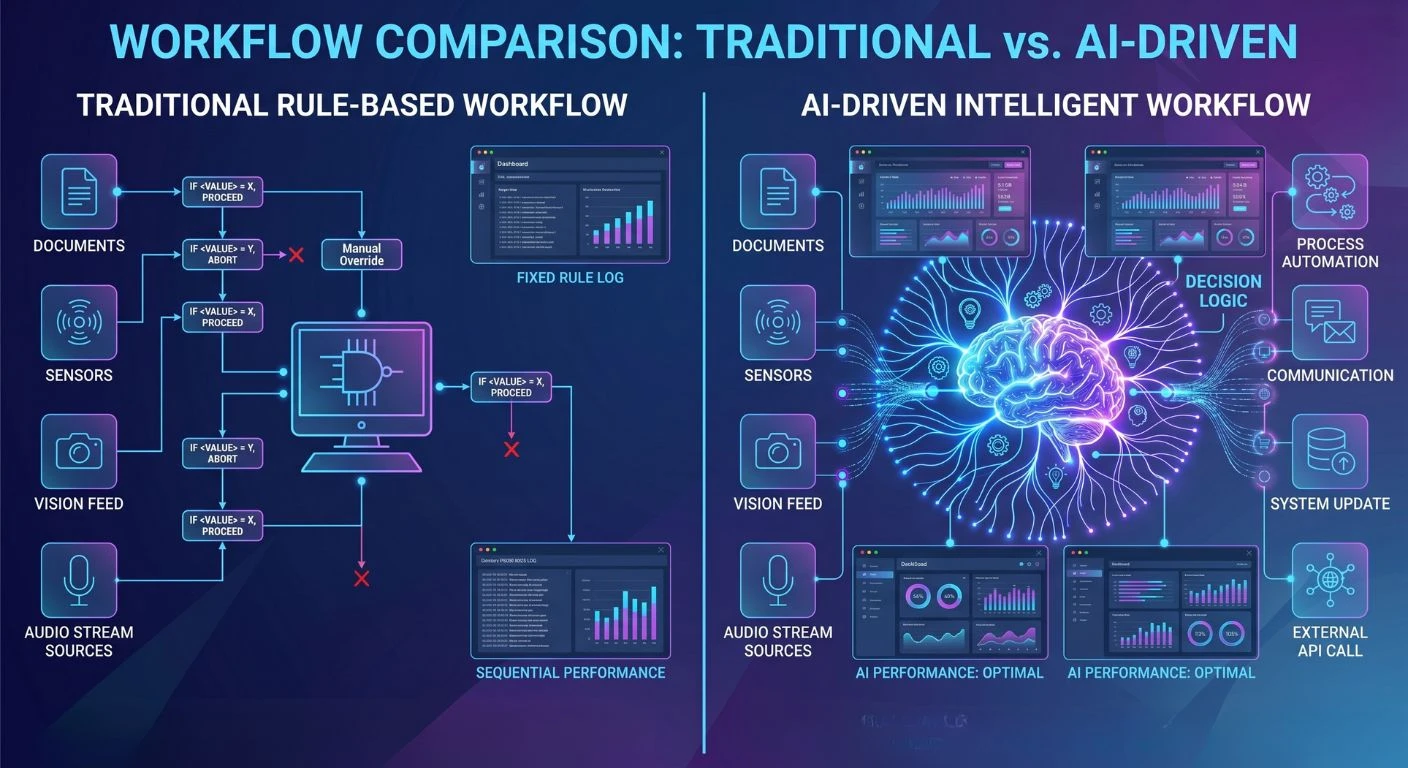
                              Mobile App Performance Issues and Scalability Problems

                              Mobile users expect applications to load quickly and operate smoothly. Poor performance, combined with slow loading times and frequent app crashes, leads to user dissatisfaction, which results in negative app reviews and decreased usage.
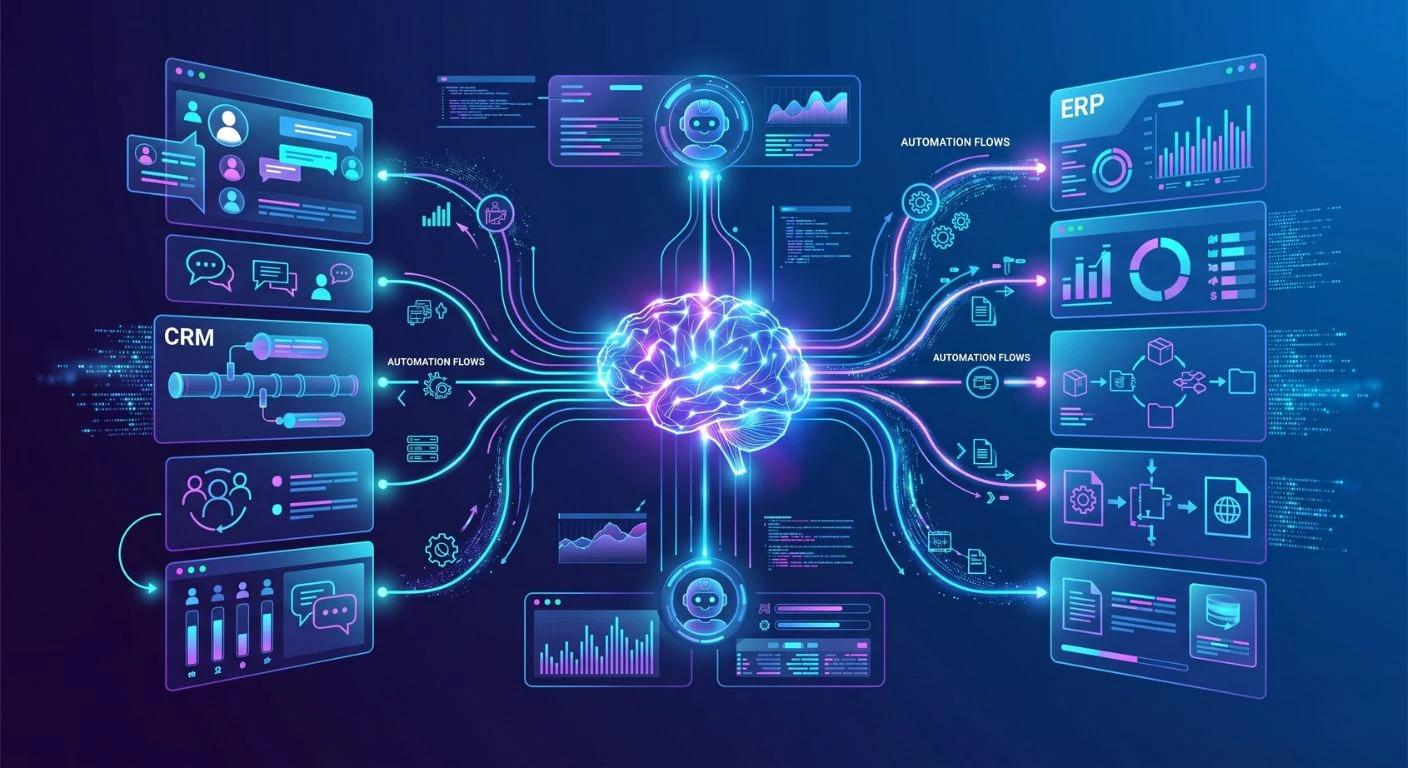
                              Scalability holds equal significance. The application needs to maintain its operational capacity when user numbers increase because the system must manage additional user traffic and data processing demands.

                              Mobile App Testing Challenges

                              Testing mobile applications requires increased collaboration among teams compared to traditional software development because mobile apps have more factors that affect their testing – screen resolutions, devices, operating systems, and connectivity conditions. 

                              If an app doesn’t have a good overall testing strategy in place, it can potentially be plagued by defects or have different behaviors between devices, which could include stability problems or different user experiences in general. 

                              Security Risks and Secure Mobile App Development

                              Mobile applications frequently manage confidential information, which includes personal data, payment information, and user authentication credentials. Security vulnerabilities create risks that lead to data breaches and cyber threats, which affect both businesses and their users. 

                              The protection of user data requires secure coding methods, encryption techniques, authentication systems, and ongoing security assessments.

                              User Retention Challenges in Mobile Apps

                              One of the biggest challenges in mobile app development is acquiring new users, but the bigger challenge for an application developer is keeping their users. Many apps get downloaded a lot, but after a few times using the application, most users stop using it regularly.

                              Users can be lost very quickly when they have a poor user experience, a slow-performing app, or do not find enough things to do on the app, or the application crashes frequently.

                              Common Mistakes in Mobile App Development

                              Mobile app development mistakes

                              All mobile app projects experience the same development errors because businesses rush through their development schedule. 

                              The most common mistakes businesses make include skipping essential planning activities, rushing through testing, and neglecting post-launch user feedback collection, all of which prevent data-driven improvements.Which stops them from making data-driven app improvements.  

                              The development process needs an organized framework, together with expert mobile app development partners, to avoid these development errors. 

                              How to Overcome Mobile Application Development Challenges

                              Mobile app development solutions

                              Build a Strong App Development Strategy

                              Define clear business objectives, target audience, core features, and technology stack before development begins.

                              Focus on User-Centric Design

                              User experience improves through intuitive navigation, clean visual design, and fast, responsive interfaces.

                              Invest in Testing and Quality Assurance

                              The development process requires teams to conduct ongoing testing, which helps them find problems at an early stage.

                              Plan for Scalability and Performance

                              The app architecture needs design elements that enable the system to expand its capacity for handling increased user traffic.

                              Best Practices for Successful Mobile App Development

                              Mobile app development best practices

                              Successful mobile app projects need three elements, which include effective planning, team collaboration, and technical skills. Businesses should implement agile development methods, which enable them to develop products through faster testing cycles and ongoing process enhancements.  

                              Working with skilled development teams improves technology selection, execution efficiency, and overall implementation success rates. The project remains on track to meet its business objectives through ongoing communication between developers and stakeholders.   

                              Businesses need to treat mobile app development as a continuous process that requires ongoing work instead of viewing it as a single project. The organization needs to carry out regular updates while adding new features and enhancing existing elements to achieve sustained success. 

                              Conclusion

                              Mobile app development provides businesses with exceptional opportunities to establish customer connections while enhancing their services and advancing their digital transformation efforts. The development process poses numerous technical challenges and strategic hurdles that require resolution.

                              Collaborating with a reliable software development agency in India can help businesses effectively navigate these challenges with the right expertise and strategic approach.

                              Development requires precise design plans and proficient implementation to handle the unclear requirements, technology choices, performance optimization, and security issues that emerge during the process.

                              Organizations can increase their likelihood of developing successful mobile applications by understanding existing challenges and implementing established best practices that enhance application performance, security, and user experience, with trusted partners like Shaligram Infotech leading the way.

                              Ready to build? Contact Our Global Teams

                              🇺🇸 USA: +1 (919) 629-9671

                              🇬🇧 UK: +44 20 3581 6366

                              🇮🇳 India: +91 99099 84567

                              🇦🇺 AUS: +61 07 3121 3147

                              💬 Interested in Regular Insights on Software and App Development?

                              📲 Follow Shaligram Infotech on LinkedIn
                              Let’s build the future of applications together.

                              FAQs

                              What are the biggest challenges in the mobile application development process?

                              Some major obstacles to application development are unclear project requirements, selecting the right tech stack, ensuring cross-device compatibility, managing development costs, maintaining performance levels, and implementing security measures. For businesses looking to overcome these challenges efficiently, it’s always a smart move to contact us and get expert guidance tailored to your specific project needs.

                              A business’s performance can be enhanced by optimizing code, utilizing an efficient backend architecture, removing non-essential processes, and implementing scalable cloud infrastructures to handle increased volume due to traffic.

                              The most frequent mistakes made when developing an app are poor planning, not considering user experience, not testing, selecting an inappropriate tech stack, and not planning for scalability or future update options.

                              To test an application, developers must consider a multitude of variables such as devices, operating systems, screen sizes, and network environments. The greatest challenge is to provide consistency across these variables through testing.

                              Secure coding practices, data encryption, strong authentication methods, regular vulnerability assessments, and meeting the requirements of security compliance standards are all possible means of improving security.

                              Factors affecting how well users return to an application are performance, design, usefulness, frequency of updates, speed of load time, and user experience.
                              Categories
                              Blog Legacy

                              How Businesses Modernise Legacy Systems Without Interrupting Daily Operations

                              Legacy

                              How Businesses Modernise Legacy Systems Without Interrupting Daily Operations

                              Legacy system modernisation with zero downtime

                              GEt in Touch


                                TABLE

                                  Quick Summary :

                                  Modernising legacy systems is not just about replacing outdated technology; it is about enabling business growth without disrupting daily operations. By following a phased approach, using parallel environments, and adopting strategies like zero-downtime migration, businesses can reduce risk while improving scalability, security, and performance. A well-planned modernisation strategy ensures seamless transition, operational continuity, and long-term digital transformation success.

                                  Why Legacy Systems Hold Back Business Growth

                                  Legacy systems create friction at every level of an organisation. The longer they remain in place, the more they compound the problems they create. 

                                  • High maintenance costs. Specialist knowledge and ageing infrastructure drive up support and upkeep expenses considerably.
                                  • Limited scalability. Older platforms cannot accommodate the demands of modern workloads or rapid business growth.
                                  • Security risks. Unpatched, unsupported systems are prime targets for cyberattacks and data breaches.
                                  • Poor integration capabilities. Legacy applications frequently fail to connect with modern tools, platforms, or APIs, creating costly silos.

                                   Each of these constraints directly limits a business’s ability to innovate, respond to market changes, and deliver a quality experience to customers and employees alike.

                                  What Is Legacy System Modernisation?

                                  Legacy Application Modernisation Explained

                                  Legacy application modernisation refers to the process of updating, re-engineering, or replacing older software systems to improve their performance, usability, and long-term viability. This can involve migrating applications to the cloud, redesigning underlying architecture, replacing outdated components, or rebuilding systems from the ground up where necessary.

                                  The goal is not simply to upgrade technology for its own sake. It is to ensure that the systems supporting your business are fit for purpose, capable of integrating with modern platforms, and able to scale as your organisation grows.

                                  Partnering with a specialist legacy software modernisation company ensures that the modernisation process is planned and executed in a way that minimises risk and delivers measurable business value.

                                  Enterprise System Modernisation vs IT Modernisation

                                  These two terms are often used interchangeably, but they refer to distinct scopes of work.

                                  Enterprise system modernisation focuses specifically on the core business systems that underpin day-to-day operations, such as ERP, CRM, and supply chain management platforms. These systems are deeply embedded in business processes, making modernisation particularly complex and consequential.

                                  IT modernisation is a broader term that encompasses the upgrade of the wider technology environment, including infrastructure, networking equipment, servers, and the general IT estate. It supports enterprise modernisation but extends well beyond individual business applications.

                                  Role of Digital Transformation in Modernisation

                                  Legacy modernisation and digital transformation are closely intertwined. Modernising your systems is frequently both a precondition for and a component of a wider digital transformation programme. Understanding how Dynamics 365 supports digital transformation is one example of how modernising a specific enterprise platform can accelerate broader organisational change.

                                  A well-executed modernisation programme ensures that upgraded systems align with strategic business objectives, improve the customer experience, and support data-driven decision making across the organisation.

                                  Key Challenges in Legacy System Transformation

                                  Risk of Downtime and Business Disruption

                                  The most cited concern among organisations considering legacy modernisation is the risk of operational disruption. For businesses where systems run continuously, even a brief period of unplanned downtime can damage customer confidence, reduce productivity, and result in direct revenue loss.

                                  This is why the most successful modernisation programmes are built around continuity from the start, with phased rollouts, parallel running environments, and robust rollback plans as standard components of the migration approach.

                                  Data Migration Complexity

                                  Moving large volumes of data from legacy systems to modern platforms is one of the most technically demanding aspects of any modernisation project. Data accumulated over years or decades is often inconsistent, poorly documented, or stored in formats that are incompatible with target systems.

                                  Understanding the cost factors of software migrations before starting is essential. Maintaining data integrity, consistency, and security throughout the migration process requires careful planning, thorough validation at each stage, and specialist expertise in data transformation and cleansing.

                                  Integration with Modern Systems

                                  Legacy systems were frequently built in isolation, without consideration for how they might connect to external platforms or future technology. This creates significant integration complexity when businesses attempt to connect legacy applications with modern software, cloud services, or third-party APIs.

                                   Bridging this gap requires a thoughtful integration strategy that may involve building adaptor layers, implementing API gateways, or using middleware to enable communication between old and new systems while minimising disruption to live operations.

                                  How to Modernise Legacy Systems Without Disrupting Operations

                                  Step-by-step process for modernising legacy systems without disrupting operations, showing six phases from evaluation to stakeholder alignment

                                  A structured, methodical approach is the foundation of any successful modernisation programme. Organisations that try to modernise everything at once almost always encounter problems. Those that follow a clear, phased methodology are significantly more likely to succeed. 

                                  • Evaluate current systems. Conduct a thorough audit of your existing applications. Map dependencies, identify critical business functions, document known limitations, and flag systems with the highest risk or cost burden.
                                  • Set clear modernisation goals. Define what success looks like before any technical work begins. Objectives might include improved scalability, reduced maintenance costs, better security posture, or faster time-to-market for new features.
                                  • Implement incrementally. Break the modernisation programme into smaller, manageable phases rather than attempting a large-scale change all at once. Tackle lower-risk systems first to build confidence and establish proven processes.
                                  • Utilise parallel environments. Run both the legacy and modernised systems simultaneously during transition periods. This provides a safety net, allows validation of the new system under real conditions, and makes it possible to revert quickly if issues arise.
                                  • Employ automation tools. Automate testing, deployment pipelines, and monitoring processes to reduce manual errors, increase release velocity, and maintain visibility over system behaviour throughout the migration.
                                  • Align stakeholders. Keep business leaders, IT teams, and end users informed and engaged throughout the program. Resistance to change is one of the most common reasons modernisation initiatives stall: early and sustained communication makes adoption significantly smoother.

                                  Legacy System Migration Strategy for Zero Downtime

                                  Legacy system migration strategy for zero downtime illustrated with parallel environments, migration flow, and continuous uptime indicators

                                  For organisations that must maintain continuous availability, a zero-downtime migration strategy is not optional; it is a fundamental requirement. This means designing the migration approach from the outset to ensure that service is maintained without interruption, even as significant changes are being made to underlying systems.

                                  Effective zero-downtime migration strategies typically incorporate the following:

                                  • Blue-green deployments, where two identical production environments are maintained and traffic is switched between them, allowing the new environment to be validated before the old one is decommissioned.
                                  • Continuous data replication, ensuring that both the legacy and target systems remain synchronised throughout the migration period.
                                  • Incremental workload migration, moving workloads across in stages rather than in a single cutover event, reducing the blast radius of any issues that arise.
                                  • Robust rollback capabilities, so that if an unforeseen problem occurs in the new environment, the business can revert to the legacy system quickly and without data loss.

                                   This approach is closely aligned with how smooth business operations with Dynamics 365 Business Process Automation are maintained during system transitions within Microsoft environments.

                                  Application Modernisation Approaches Businesses Use

                                  There is no single right way to modernise a legacy system. The most appropriate approach depends on the age and condition of the system, the degree of transformation required, available budget and timeline, and the long-term architectural direction of the business.

                                  Rehosting (Lift and Shift)

                                  Rehosting involves migrating an application from on-premises infrastructure to the cloud with minimal changes to the application itself. The core code and architecture remain largely intact; only the hosting environment changes.

                                   Key benefits of rehosting include:

                                  • Fast implementation with relatively low complexity
                                  • Lower upfront costs compared to more transformative approaches
                                  • Minimal disruption to existing processes and workflows

                                   The trade-off is that rehosting does not take full advantage of cloud-native capabilities such as auto-scaling, managed services, or microservices architecture. It is best suited to systems that need to be moved quickly or where deeper transformation will follow in a subsequent phase.

                                  Refactoring and Re-architecting

                                  Refactoring involves modifying the application’s code or architecture to improve performance, scalability, and compatibility with cloud platforms, without changing its core functionality. Re-architecting goes further, restructuring the application to take advantage of cloud-native patterns such as containers, microservices, and serverless computing.

                                   Key benefits include:

                                  • Significantly improved performance and flexibility
                                  • Full access to cloud-native capabilities and managed services
                                  • Greater return on investment over the medium to long term

                                   This approach requires more time and technical expertise than rehosting, but delivers substantially more value for systems that are central to business operations.

                                  Rebuilding or Replacing Systems

                                  In some cases, the most appropriate course of action is to retire the legacy system entirely and replace it with a purpose-built modern solution. This is typically the right choice when the existing system is too constrained to be meaningfully improved, when the codebase is insufficiently documented to be safely refactored, or when a better-fit commercial solution now exists in the market.

                                   For example, businesses managing complex financial or operational workflows may benefit from working with a specialist ERP software development company in India to replace a legacy ERP with a modern, integrated platform. A notable example of this in practice is NAV to Business Central migration, where organisations replace ageing Microsoft Dynamics NAV deployments with the modern Business Central platform.

                                  Key benefits of rebuilding include:

                                  • Complete elimination of legacy constraints and technical debt
                                  • Access to modern features, integrations, and architecture
                                  • Full alignment with current and future business requirements

                                  This approach is the most resource-intensive but typically delivers the most significant long-term benefit.

                                  Role of Digital Transformation Framework in Modernisation

                                  Modernising individual systems in isolation, without a broader strategic framework, frequently produces inconsistent results. A structured digital transformation framework provides the planning scaffolding that ensures each modernisation initiative supports the organisation’s wider goals rather than creating new silos.

                                  The key benefits of using a structured framework include:

                                  • A clear implementation roadmap that sequences initiatives in the right order
                                  • Improved risk management through defined governance and escalation processes
                                  • Better cross-functional collaboration between IT, operations, and business leadership
                                  • Faster adoption of modern technologies, because the organisation is prepared structurally and culturally to absorb change 

                                  Without this framework, modernisation efforts tend to be reactive and fragmented, addressing immediate pain points without building towards a coherent, future-ready architecture.

                                  Improving Operational Efficiency Through System Modernisation

                                  One of the most tangible and immediate benefits of legacy modernisation is a measurable improvement in operational efficiency. Outdated systems are typically slow, manually intensive, and prone to errors that consume significant staff time and resources to manage.

                                  When those systems are modernised and integrated with current platforms, organisations typically experience:

                                  • Faster data processing and reduced time required for decision making
                                  • Improved system reliability and uptime, reducing unplanned interruptions to operations
                                  • A better user experience for both employees and customers interacting with digital services
                                  • Reduced operational and maintenance costs as manual workarounds are eliminated

                                  Businesses that replace outdated processes with automated, integrated systems see productivity and agility gains that compound over time. Modernisation is not simply a technical exercise; it is a direct enabler of operational performance.

                                  Enterprise System Modernisation Best Practices

                                  Successful enterprise modernisation programmes consistently follow a set of proven practices. Organisations that take shortcuts in these areas tend to experience delays, cost overruns, and disruption that could have been avoided.

                                  • Prioritise business-critical systems. Focus initial modernisation efforts on the systems most central to customer experience and operational continuity. Starting with lower-risk peripheral systems builds capability and confidence before tackling the core.
                                  • Use a hybrid modernisation approach. Maintain a mix of legacy and modern systems during the transition period to minimise risk. Forcing a hard cutover before the new system is fully validated is one of the most common causes of modernisation failures.
                                  • Invest in skilled resources. Legacy modernisation requires a combination of domain knowledge, cloud architecture expertise, and hands-on development capability. Engaging a specialist software development company in India provides access to experienced teams at a cost structure that makes large programmes commercially viable.
                                  • Build security and compliance into every stage. Security cannot be retrofitted after the fact. Compliance requirements, data protection obligations, and security controls must be defined and implemented throughout the modernisation process.

                                  Test and validate continuously. Regular, automated testing throughout each phase of the programme keeps systems stable, catches issues before they reach production, and provides the evidence base needed to move forward with confidence.

                                  Common Mistakes in Legacy Application Migration

                                  Understanding where modernisation programmes commonly fail is as valuable as knowing what best practice looks like. The most frequently encountered and avoidable mistakes include:

                                  • Attempting to modernise the entire estate simultaneously rather than in carefully sequenced phases
                                  • Neglecting data quality and migration planning until the technical build is already underway
                                  • Underestimating the complexity of integrating legacy applications with modern systems and platforms
                                  • Starting technical work without a clearly defined strategy, roadmap, or governance structure
                                  • Conducting insufficient testing before deploying changes to production environments

                                   Each of these mistakes significantly increases programme risk and cost. Awareness of them at the planning stage is the most effective way to avoid them.

                                  Future-Ready IT Modernisation Strategy

                                  A modernisation programme that addresses today’s constraints without building towards a future-ready architecture is only solving half the problem. Organisations that invest in the right strategic foundations now will be better positioned to adopt emerging technologies and respond to change as it comes.

                                  Cloud-First Approach

                                  Adopting a cloud-first mindset means evaluating cloud-hosted solutions before considering on-premises alternatives for any new or modernised workload. Cloud platforms offer flexibility, elastic scalability, and cost efficiency that on-premises infrastructure cannot match. They also support remote and distributed working models, which have become a permanent feature of enterprise operations.

                                  A cloud-first strategy does not mean moving everything to the cloud immediately. It means ensuring that architecture decisions are made with cloud compatibility and portability in mind, so that future migrations are straightforward rather than complex.

                                  API-Driven Architecture

                                  APIs are the connective tissue of modern software architecture. An API-driven approach enables legacy applications to communicate with modern platforms, third-party services, and other systems without requiring a complete rebuild of the underlying application. This is particularly valuable during transitional periods, when legacy and modern systems must coexist and share data.

                                  Building versioned, well-documented APIs from the outset of a modernisation programme creates a reusable integration layer that supports both current requirements and future expansion.

                                  Continuous Monitoring and Optimisation

                                  A modernised system that is not monitored will degrade over time. Implementing continuous monitoring from day one of any modernisation programme provides real-time visibility into system performance, error rates, and user behaviour. This data informs ongoing optimisation decisions and enables teams to identify and resolve issues before they affect users.

                                  Continuous monitoring also supports compliance reporting, capacity planning, and the evidence base needed to make the case for further modernisation investment.

                                  Conclusion

                                  Staying competitive in today’s digital environment means ensuring that the technology underpinning your business is fit for purpose, secure, and capable of scaling with growth. For most organisations, that journey begins with modernising legacy systems that have long since become a liability rather than an asset.

                                  At Shaligram Infotech, our team of experienced engineers and modernisation specialists works with businesses to plan and execute legacy system transformations that protect operational continuity at every stage. Whether you are rehosting applications to the cloud, re-architecting a core enterprise system, or replacing an end-of-life platform entirely, we bring the technical depth and delivery experience to do it right. Get in touch with our Legacy Software Modernisation Services team to discuss what a structured modernisation programme could look like for your business.

                                  Ready to build? Contact Our Global Teams

                                  🇺🇸 USA: +1 (919) 629-9671

                                  🇬🇧 UK: +44 20 3581 6366

                                  🇮🇳 India: +91 99099 84567

                                  🇦🇺 AUS: +61 07 3121 3147

                                  💬 Interested in Regular Insights on Microsoft Dynamics 365?

                                  📲 Follow Shaligram Infotech on LinkedIn
                                  Let’s build the future of applications together.

                                  FAQs

                                  What are the key steps in the application modernisation process?

                                  The application modernisation process typically begins with a thorough assessment of existing systems to understand their current state, dependencies, and limitations. From there, organisations define their modernisation objectives, prioritise which systems to address first, build a phased migration roadmap, allocate the necessary technical and financial resources, and execute the programme in stages with continuous testing and validation at each phase.

                                  The most frequently encountered challenges include managing data migration complexity while maintaining integrity and consistency, integrating legacy applications with modern platforms that were not designed to communicate with them, minimising the risk of operational downtime during transition, working with insufficient or outdated system documentation, and managing organisational resistance to change among staff accustomed to existing tools and processes.
                                  Legacy systems act as a constraint on digital transformation by limiting the organisation’s ability to adopt new technologies, integrate modern platforms, and operate at the speed the market demands. Modernising those systems removes the constraint, enabling the business to implement automation, leverage real-time data, improve customer-facing digital services, and build the agility needed to sustain continuous transformation.
                                  Legacy system migration refers to moving a system from its existing environment to a new one, most commonly from on-premises infrastructure to the cloud, with minimal changes to the application itself. Legacy system modernisation is a broader process that may include migration but extends to improving the system’s functionality, architecture, performance, and integration capabilities to meet current and future business requirements.
                                  System modernisation improves operational efficiency by replacing slow, manual, and error-prone legacy processes with automated, integrated workflows. This reduces the time and effort required for routine tasks, improves data quality and availability for decision making, increases system reliability and uptime, and lowers the ongoing cost of maintaining and supporting the technology estate.
                                  Best practices include taking a phased approach that prioritises the most critical systems first, using a hybrid model that maintains legacy and modern systems in parallel during transition, investing in skilled development and architecture resources, building security and compliance requirements into every stage of the programme, and maintaining a continuous testing and validation process throughout the modernisation lifecycle.
                                  Categories
                                  Blog Mobile App Development

                                  Key Considerations Before Starting a Mobile App Development Project

                                  Mobile App Development

                                  Key Considerations Before Starting a Mobile App Development Project

                                  Mobile app development planning ecosystem

                                  GEt in Touch


                                    TABLE

                                      Quick Summary :

                                      To build a successful mobile app, start with clear planning. Define your goals, understand your users, and prioritize key features. Choose the right development approach and platform (iOS, Android, or both). Focus on good design and smooth integrations to avoid common issues like scope creep and budget overruns. A structured development process helps create efficient, scalable apps aligned with business objectives.

                                      Why Proper Mobile App Development Planning Matters

                                      Strategic mobile app development planning illustrated with a roadmap and connected development phase icons
                                      Mobile app development is far more than writing code. It is a structured process that brings together business strategy, user experience design, technical architecture, and ongoing iteration. Businesses that invest in thoughtful planning before development begins are significantly more likely to deliver apps that users adopt and that meet commercial objectives.

                                      When you plan properly, it helps your business in ways.

                                      For example:  

                                      • You can avoid problems that might come up later and cost a lot of money  
                                      • You can clearly say what you want your product to do and how you will know if it is successful
                                      • You can make sure that everyone involved in the project is on the same page  
                                      • You can make a schedule and a budget that works
                                      • You can build a product that will work well and be easy to maintain 

                                      It is really important to have a plan. This way you can make sure that your mobile app actually helps people and is good for your business. A good mobile app development strategy makes sure that your app solves problems for users while helping your business grow.

                                      Define the Goals of Your Mobile App Development Project

                                      Before any technical work begins, you must be clear about what you want to achieve. Vague objectives lead to vague products.

                                      Identify Business Objectives

                                      Your mobile application must map directly to your company’s commercial goals.

                                      Some common goals are:  

                                      • Increasing customer engagement and retention
                                      • Generating new revenue streams through digital products or services
                                      • Automating internal workflows to reduce operational costs
                                      • Strengthening your online presence and brand reach
                                      • Providing faster, more accessible customer support 
                                      Documenting these objectives at the outset gives the development team a reference point for every decision made throughout the project.

                                      Understand Your Target Users

                                      Understanding target users for mobile app development with persona cards and research data icons
                                      To make an application that people really like, you need to know who is going to use it. Companies should think about who will use the app, what kind of problems they have, and how the mobile application can help solve those problems.

                                      There are some things to think about:  

                                      • User demographics: Age group, location, language, and digital literacy
                                      • Behavioural patterns: When, where, and how frequently they use mobile apps
                                      • Platform preferences: Whether your audience skews towards iOS or Android
                                      • Pain points: What problems they currently face that your app will solve
                                      • Expectations: What features or experiences they consider standard
                                      When developers know about the people who will use the application, they can make something that is really useful. The mobile application can be made to give people experience by using user personas and doing research on how people behave. This helps the mobile application do what people want it to do.

                                      Define the Core Features and User Journey

                                      A successful app starts with a focused feature set. The biggest mistake teams make is trying to build everything at once. Successful products almost always begin with a Minimum Viable Product (MVP), the smallest set of features that delivers real value to users.

                                      Companies should think about how people will use the app by answering questions like:  

                                      • How will users interact with the app  
                                      • What will users do often  
                                      • What problems should the app solve away 

                                      A clearly defined user journey keeps development focused and helps avoid costly scope creep once the build is underway. For context on how this compares to web-based approaches, it is worth reading our comparison of mobile vs web apps for businesses.

                                      Key Factors to Consider Before Developing a Mobile App

                                      Market Research and Competitor Analysis

                                      Understanding the competitive landscape before you build is essential. Launching into a market without researching what already exists leads to duplicated effort, missed differentiation, and a weak value proposition.

                                      A thorough market research process includes: 

                                      • Auditing competing apps across Google Play and the App Store
                                      • Identifying gaps in competitor offerings that you can address
                                      • Analysing user reviews to understand recurring complaints and unmet needs
                                      • Validating genuine demand for your proposed solution
                                      This research gives you a data-driven foundation for your product decisions rather than relying on assumptions. It also informs your positioning: what makes your app meaningfully different from what already exists.

                                      User Experience and Interface Design

                                      User experience (UX) is one of the most significant determinants of mobile app success. Apps that are confusing to navigate, slow to respond, or visually inconsistent lose users rapidly, often within the first session.

                                      Effective UX design before development begins involves:

                                      • Mapping user flows to eliminate unnecessary friction
                                      • Creating wireframes and low-fidelity mockups to validate navigation logic
                                      • Designing for accessibility, including appropriate font sizes and contrast ratios
                                      • Following platform-specific design conventions (Material Design for Android; Human Interface Guidelines for iOS)
                                      Good design helps users engage more and makes the app easy to use. Effective design makes users stay and use the app more. Good user experience and design are key to an app’s success.

                                      Scalability and Future Growth

                                      Lots of apps start out with a few users, but they can grow really fast if they are popular. If the people making the app do not think about how it will handle a lot of users when they are building it, the app may have trouble working properly when more people start using it.

                                      A good app should be able to handle these things: 

                                      • A growing number of concurrent users without performance degradation
                                      • Increasing volumes of data storage and retrieval
                                      • The addition of new features without restructuring the core codebase
                                      • Third-party integrations and API connections
                                      Planning for scalability from the outset is far more cost-effective than rebuilding infrastructure after the fact. This is a particularly important consideration when selecting a development partner; ensure they have a proven approach to scalable architecture.

                                      Choosing the Right Mobile App Development Strategy

                                      Aligning the App with Business Models

                                      Your mobile app should not operate as a standalone product divorced from your broader business model. It should complement and reinforce your existing commercial framework. Whether your business is B2B, B2C, or marketplace-based, the app’s features, onboarding flow, and monetisation model must reflect how your business creates and delivers value.

                                      Monetization Strategy

                                      If people want to make money from the app, they need to figure out how to do that from the start.

                                      The ways that mobile apps can make money are: 

                                      • Subscription-based services: Users pay a recurring fee for ongoing access
                                      • In-app purchases: Users buy additional content, features, or consumables within the app
                                      • Advertising: Revenue generated through display or video ads served within the app
                                      • Freemium models: Core functionality is free, with premium features behind a paywall 
                                      Each model has implications for the app’s technical architecture, user experience, and App Store / Play Store listings. Deciding upfront avoids expensive changes later.

                                      Long-Term Product Roadmap

                                      Mobile apps need to change and get better over time. A long-term plan helps businesses make a list of what they want to add to the app in the future, like new features and ways to make the mobile app work faster and better.

                                      A good plan for the app includes: 

                                      • Adding features in the future 
                                      • Making the app work faster and better  
                                      • Working with tools and technologies 
                                      Listening to what users of the app say and using that to make updates

                                      Understanding the Mobile App Development Process

                                      Requirement Gathering and Planning

                                      The first formal stage of any development project is a thorough requirements gathering process.

                                      This step includes: 

                                      • Defining what the technology needs to do  
                                      • Figuring out what features the project requires  
                                      • Seeing what the project needs to work with  
                                      • Setting a schedule for when things need to be done 
                                      Getting all the requirements at the beginning helps prevent confusion and makes sure everyone involved with the development project is on the same page and has a clear understanding of the development project.

                                      UI/UX Design and Prototyping

                                      When we know what we need to do, the designers make drawings and working models of the website or application.

                                      The designers do this to: 

                                      • Creating low-fidelity wireframes to establish screen layouts and user flow
                                      • Developing high-fidelity mockups that reflect the final visual design
                                      • Conducting usability testing with representative users
                                      • Iterating on designs based on feedback before handover to developers 
                                      This step helps reduce mistakes in the design of the website or application before we start building it.

                                      Development, Testing, and Deployment

                                      Once designs are approved, development begins, typically following an agile methodology that delivers working software in iterative sprints. As features are built, rigorous testing runs in parallel to catch issues early.

                                      Types of tests will include: 

                                      • Functionality Testing: Verifying that all features work as intended
                                      • Performance Testing: Ensuring the app performs well under realistic load conditions
                                      • Security Testing: Identifying vulnerabilities before the app reaches users
                                      • Device Compatibility Testing: Confirming consistent behaviour across a range of devices and OS versions
                                      The application will be put into the respective stores after testing is completed with Apple and Google app stores.

                                      Choosing the Right Mobile App Technology Stack

                                      Backend Infrastructure

                                      The backend is the engine that powers your mobile application. A poorly architected backend leads to data issues, security vulnerabilities, and scalability problems.

                                      Backend Infrastructure Examples: 

                                      • Application servers to process requests and business logic
                                      • Databases appropriate to your data model (relational for structured data; NoSQL for flexible, high-volume data)
                                      • RESTful or GraphQL APIs to connect your frontend with backend services
                                      • Authentication systems implementing industry standards such as OAuth 2.0 

                                      Reliable backend systems will enable organizations to manage their data securely and reliably.

                                      Frameworks and Development Tools

                                      Mobile app development frameworks including Flutter, React Native, Swift, and Kotlin illustrated around a central smartphone
                                      Development frameworks can help to simplify coding processes and therefore allow developers to work productively when writing code.

                                      Popular Development Frameworks Include: 

                                      • Flutter (Google): excellent for cross-platform development with near-native performance
                                      • React Native (Meta): widely used, large community, strong for cross-platform projects
                                      • Swift (Apple): the preferred language for native iOS development
                                      • Kotlin (Google): the standard for native Android development
                                      Framework selection should be driven by your performance requirements, target platforms, team expertise, and time-to-market constraints. Read more in our guide comparing native vs cross-platform apps to make an informed choice.

                                      Cloud and Integration Considerations

                                      Cloud services are commonly used by most current mobile applications to improve their level of scalability and reliability.

                                      Cloud platforms can provide: 

                                      • Data storage  
                                      • Real-time data syncing  
                                      • API integrations  
                                      • Analytics/monitoring 
                                      Having a cloud-based architecture means these applications can be scaled easily.

                                      iOS vs Android App Development: Which Platform Should You Choose?

                                      Market Reach and User Demographics

                                      While the Android OS has the largest global market share, the average iPhone user has much more purchasing power than an average Android user.
                                      When deciding which platform to develop for, businesses need to consider their target demographic.

                                      Development Cost and Maintenance

                                      As a result, developing an application for both platforms will result in higher costs due to the need to develop and test two separate applications.
                                      On the flip side, targeting multiple platforms will likely help increase market size.

                                      Performance and Ecosystem Differences

                                      The iOS platform has a more regulated ecosystem, which leads to better performance consistency than that of Android.
                                      The Android platform allows for more variety and flexibility in terms of devices, however, it often requires more testing.

                                      Native vs Hybrid Mobile Apps: Which Approach Works Best?

                                      Native vs hybrid mobile app development comparison showing a single codebase branching to both iOS and Android platforms

                                      Native App Development Benefits

                                      Native applications are developed for a specific platform, such as iOS or Android.

                                      Benefits of developing native apps include the following: 

                                      • High performance 
                                      • More user-friendly 
                                      • Full feature access 
                                      Native development is often a better choice for performance-sensitive and / or complex applications than using cross-platform development tools.

                                      Cross-Platform App Development Advantages

                                      Cross-platform development platforms enable you to create applications for all your various platforms using one codebase.

                                      Some of the benefits are as follows: 

                                      • Quicker development cycles 
                                      • Lower development costs 
                                      • Less complexity in maintaining the application. 
                                      • When Hybrid Apps Make Sense

                                      Hybrid Apps can be especially advantageous for: 

                                      • Creating Minimum Viable Products (MVPs) 
                                      • Creating cost-effective apps 
                                      • Creating simple function-based apps 
                                      Cross-platform development provides businesses with an opportunity to rapidly validate their application idea(s) before they invest in developing natively.

                                      Estimating Mobile App Development Cost

                                      The cost of building a mobile app varies considerably depending on a range of factors. Understanding these variables before you start allows you to set a realistic budget and avoid unpleasant surprises mid-project.

                                      Primary cost drivers include:

                                      • App complexity: A simple informational app requires far less development time than a marketplace, social platform, or fintech solution
                                      • Number of features: Each feature adds development, testing, and maintenance overhead
                                      • Platform choice: Single-platform (iOS or Android) versus dual-platform development
                                      • Development approach: Native development typically costs more than cross-platform development
                                      • Third-party integrations: Payment gateways, mapping services, analytics platforms, and CRM systems all add integration work
                                      • Location of the development team: Offshore development in India, for example, offers high-quality output at significantly lower rates than equivalent teams in Western markets
                                      Even though simple apps can be created for significantly less than an enterprise-grade app with advanced capabilities, companies need to think about the upfront cost of app development as well as the cost of maintaining the app in the long term.

                                      Building a Scalable Mobile Application Development Roadmap

                                      Using a structured roadmap, a mobile application will be strategically improved over time.

                                      Several key elements are included in a development roadmap like:  

                                      • A timeline for MVP release 
                                      • Feature phase-in plan 
                                      • Performance enhancement opportunities 
                                      • Customer feedback integration 
                                      • Security refresh cycles  
                                      By using this phased approach to implementation, companies can deliver updates to their products without losing stability.

                                      Common Mistakes in Mobile App Development Projects

                                      Too many mobile app projects are negatively affected by preventable errors.

                                      The most popular preventable errors are:  

                                      • App development initiated prior to documenting requirements.  
                                      • Neglecting to include user experience design.  
                                      • Overloading the application with superfluous features.  
                                      • Using unsuitable technology for developing applications.  
                                      • No app testing prior to going into production.  
                                      • No consideration given to the app’s scalability.  
                                      Correcting avoidable mistakes will dramatically improve the probability of successful projects.

                                      Best Practices for Starting a Mobile App Development Project

                                      It is essential for organizations to follow proven best practices to successfully develop an application.

                                      Some key recommendations for developing a successful application include:  

                                      • Create a clear product vision  
                                      • Complete thorough market research  
                                      • Provide a focus on user experience and usability through the application  
                                      • Complete the MVP launch process prior to entering full-scale development  
                                      • Choose the appropriate vendor partner for development  
                                      • Prepare for the scalability and for any future updates  
                                      Working with a reputable software development company in India that follows a structured development methodology gives your project the best possible foundation.

                                      Conclusion

                                      Building a successful mobile app requires far more than a good idea. Structured planning, the right technology choices, and a clear understanding of your users are what separate products that thrive from those that fall short.
                                      At Shaligram Infotech, we help businesses navigate every stage of this process, from initial strategy and platform selection through to development, testing, and launch. Partnering with a trusted app development company in India means your app is built on solid foundations, ready to scale, and designed to deliver real value from day one.

                                      Ready to build? Contact Our Global Teams

                                      🇺🇸 USA: +1 (919) 629-9671

                                      🇬🇧 UK: +44 20 3581 6366

                                      🇮🇳 India: +91 99099 84567

                                      🇦🇺 AUS: +61 07 3121 3147

                                      💬 Interested in Regular Insights on Mobile App Development? 󠀢󠀢󠀢󠀢

                                      📲 Follow Shaligram Infotech on LinkedIn
                                      Let’s build the future of applications together.

                                      FAQs

                                      What factors should be considered before developing a mobile app?

                                      When businesses want to make an app, they need to think about a few things. They must consider who their target audience is, what they want to achieve with the app, and what their competitors are doing. They also need to think about what features the app will have, what technology to use, if it can grow with their business, etc.

                                      First, businesses need to gather all the requirements for the app. Then, they need to design the user interface and user experience. After that they make a prototype, develop the app, test it, deploy it, and finally maintain it after it is launched.
                                      The cost of making an app is different for each business. It depends on how complicated the app is, what features it has, what platforms it will be on and how it is developed. Simple apps do not cost much but big complex apps for companies can cost a lot of money.
                                      Businesses should make sure their app fits with their business goals. They need to do some research to see what people want, make sure the app is easy to use, have a plan, what features to add, and choose the right technology to build the app.
                                      Yes, businesses can keep costs down and still make a good app. They can do this by starting with a version of the app, choosing technology that works well, and focusing on the most important features. This way businesses can control money they spend on the app and still have a good quality app.
                                      Some errors may include lack of detailed requirements; poor design of the end-user experience; lack of scalability; insufficient testing of the application before it is released into production; and/or using inadequate technologies to develop the application.
                                      Categories
                                      Blog Microsoft

                                      Dynamics 365 Implementation Mistakes: What Slows Projects Down and How to Avoid Them

                                      Microsoft

                                      Dynamics 365 Implementation Mistakes: What Slows Projects Down and How to Avoid Them

                                      Showcasing Common Mistakes That Slow Down Dynamics 365 Implementations Banner

                                      GEt in Touch


                                        TABLE

                                          Quick Summary :

                                          What are the most common Dynamics 365 implementation mistakes?

                                          The most common Dynamics 365 implementation mistakes are: (1) unclear business objectives before kickoff, (2) poor data preparation and migration planning, (3) misalignment between business and IT teams, (4) over-customization beyond what the platform natively supports, (5) weak project governance and unrealistic timelines, and (6) insufficient user training and change management. Each of these can delay go-live, inflate costs, and reduce ROI.

                                          Why Dynamics 365 Implementation Is More Complex Than Most Businesses Expect

                                          Microsoft Dynamics 365 is a cloud-based business applications platform that combines CRM and ERP capabilities across sales, customer service, field service, finance, supply chain, and marketing. A Dynamics 365 implementation is the end-to-end process of deploying, configuring, integrating, and adopting one or more of these modules within an organization typically delivered in structured phases over weeks to months depending on scope and complexity. Because it works closely with the way a company does business, putting it in place can affect parts of the company, like different departments and systems.
                                          Some companies think they can set up a customer relationship management system like Microsoft Dynamics 365 quickly and easily. The truth is, it takes a lot of planning and work to get it right. Companies need to plan to manage the project well, get their data ready, and make sure the technical and business teams work well together.
                                          When companies do not get ready for the challenges of setting up Microsoft Dynamics 365, things can go wrong. Projects can be delayed because the requirements are not clear, there are problems, or users do not want to use the new system. If companies understand these challenges from the start, they can avoid making mistakes and keep the project on schedule. When implemented correctly, Dynamics 365 improves efficiency across sales, service, finance, and operations.

                                          Poor Dynamics 365 CRM Implementation Strategy from the Start

                                          Lack of Clear Business Goals

                                          A CRM implementation should always start with business objectives that are easy to understand. Many organizations begin using Dynamics 365 without knowing what they want to get out of it. For instance, companies might say they want to manage their customers, but they do not say what that means. They do not say things like we want to get leads to buy our products, or we want to sell things to people faster, or we want to help our customers when they have problems sooner.
                                          When you do not have goals, it is hard to figure out what you need from the system, what is important, and if you are doing a good job. This can cause a lot of problems, like trying to make too many changes all the time and taking too long to get everything working. Dynamics 365 implementation can be a project, and companies need to have clear goals for their CRM implementation.
                                          To avoid these issues, many businesses choose to hire Dynamics 365 developers who can align the system with their goals and ensure a smooth implementation process.

                                          Misalignment Between Business and IT Teams

                                          Another common mistake is that business teams and IT departments are not on the same page.
                                          Business teams know the problems they want to fix and what they do every day, while IT teams focus on the technical side. If these teams do not work together properly, the system they create may not really help the business.
                                          When business and IT teams are not aligned, it can cause problems like setting up the system, making work more difficult and frustrating for users. When departments work together, from the start, they can make sure the CRM solution works technically and fits with how the business really works.

                                          Not Defining a Proper CRM Implementation Roadmap

                                          A Dynamics 365 CRM implementation roadmap should define:
                                          • Implementation phases with clear entry and exit criteria
                                          • Milestones and go/no-go checkpoints
                                          • Resource allocation across business, IT, and vendor teams
                                          • Integration plans for connected systems (ERP, marketing automation, helpdesk)
                                          • Training schedules aligned to role-based user groups
                                          • Risk register and contingency planning
                                          If you do not have a clear roadmap, projects can get off track. Teams might work on tasks without knowing what is most important. This can cause delays and confusion during the implementation process of the project. The implementation roadmap is really important to keep the project on track.

                                          Weak Dynamics 365 Project Management

                                          CRM project workflow delays

                                          Poor Communication Between Stakeholders

                                          Effective Dynamics 365 project management requires coordinating a wide group of stakeholders, including executives, department leads, IT architects, implementation consultants, and end users all working toward the same goal.
                                          When these groups do not talk to each other well, they get confused about what they need, when things are supposed to happen, or what the system can do. This means they must do rework, face frustration, and delays.
                                          Customer relationship management projects need to have updates, easy ways for people to talk to each other, and meetings where everyone agrees on things. This makes sure the project is going as planned with the customer relationship management implementation. The customer relationship management implementation needs updates and clear communication to succeed.

                                          Lack of Defined Roles and Responsibilities

                                          People often have trouble when team members do not know what they are supposed to do.
                                          If the people working on the project do not know what their jobs are, they might do the work twice or forget to do something important. For instance, it might not be clear who is in charge of moving the data from one place to another. Nobody might be responsible for making sure the workflows work properly.
                                          When you make sure everyone knows what their job is, like the project sponsor, solution architect, data migration lead, and user training coordinator, then you know who is responsible for what, and things get done easily.

                                          Unrealistic Implementation Timelines

                                          Some companies try to get Dynamics 365 up and running really fast, thinking it is easy to set up.
                                          However, putting in a customer relationship management system is a big job. It includes getting everything set up right, moving data over, connecting it to other systems, testing it, and teaching users how it works. If you rush through these steps, you might make mistakes in the system, and people might not want to use it. You could end up spending a lot of money to fix things.
                                          If you give yourself time, your team can get Dynamics 365 set up properly and make sure it works the way your business needs it to.

                                          Ignoring Common Dynamics 365 Implementation Challenges

                                          CRM data migration and data transformation

                                          Data Migration Problems

                                          Migrating data from systems into Dynamics 365 can be a tough part of getting everything set up. When we move data from these systems, we often run into some big problems.

                                          Common problems with moving data include:

                                          • Duplicate records
                                          • Inconsistent data formats
                                          • Missing customer information
                                          • Outdated records
                                          If we do not make sure the data is correct and clean before we move it, it can cause a lot of mistakes in the system, and people will not trust it as much. Dynamics 365 is the system we are talking about. We need to get the data migration into Dynamics 365 right.

                                          Integration With Existing Systems

                                          Most companies use a lot of systems for things like finance and marketing. They also use these systems for things like ERP and support operations. Dynamics 365 needs to work with all these systems so that data can flow easily.
                                          When we try to get all these systems to work together, we can run into problems. This happens when the systems are not compatible or when the software is old. Sometimes the APIs are not good. That causes problems, too. If we do not plan the integration carefully, the teams will have to deal with delays. They will not be able to work very efficiently. Dynamics 365 and all these other systems, like finance and marketing, need to be integrated.

                                          Customization vs Configuration Confusion

                                          Dynamics 365 customization vs configuration

                                          With the ability to configure your Dynamics 365 system out of the box without writing custom code, you can create a customized solution for your organization.

                                          Unfortunately, businesses often think about customization first when implementing a new solution rather than utilizing the many ways that the Dynamics 365 configurational capabilities provide; by customizing your system, you can increase the time and cost of developing a solution, as well as create complexities in the future for supporting that custom solution.
                                          By differentiating between configuration and customization, organizations will make more informed decisions when implementing their new system. Understanding the difference between configuration and customization is critical for maintaining scalability and reducing long-term complexity.

                                          Underestimating Dynamics 365 Deployment Challenges

                                          Another contributing factor that can slow down an implementation project is the difficulty of the actual deployment.
                                          Often, organizations do not plan effectively for deployment tasks, including environment preparation, system testing, security configuration, and performance optimization.
                                          If deployment is not planned correctly, it can create a chaotic environment, resulting in unanticipated delays in the final phase of implementation.
                                          To ensure that system testing, validation, and rollout occur smoothly, a structured deployment plan is important.

                                          Poor Data Preparation Before Dynamics 365 CRM Implementation

                                          Data quality is critical to how well a CRM performs.
                                          When moving your existing data into Dynamics 365, ensure it is cleaned, standardized, and validated before migration. Unfortunately, many companies skip this step and try to move raw data directly into their CRM.
                                          This usually leads to duplicate records, missing pieces of information regarding the customer, and inaccurate reporting.
                                          When you have taken proper steps to prepare your data, the CRM will provide accurate reports, allowing the company to make sound decisions based on the information provided by the system.
                                          Data governance and security standards also play a key role in ensuring reliable CRM performance.

                                          Lack of a Clear D365 Implementation Plan

                                          Without a clearly defined D365 implementation plan, teams frequently encounter:

                                          • Ambiguous or changing system requirements that cause scope creep
                                          • Delayed integration activities with ERP, marketing, or support platforms
                                          • Insufficient UAT (User Acceptance Testing) planning, leading to post-go-live issues
                                          • Inadequate user training preparation, resulting in poor adoption rates
                                          • No rollback plan if deployment issues arise
                                          A structured implementation plan should cover five phases: Discovery and Requirements, Solution Design, Development and Configuration, Testing and UAT, and Go-Live and Post-Implementation Support. Each phase should have defined owners, deliverables, and sign-off criteria before the next phase begins.

                                          Over-Customization During Dynamics 365 Implementation

                                          One of the most common errors when deploying customer relationship management systems within an organization is over-customization.
                                          Applying too many customizations can undermine system stability and make future upgrades significantly more complex, costly, and time-consuming, often breaking functionality when Microsoft releases platform updates. Ultimately, through excessive customization, an organization’s CRM will become difficult to maintain, upgrade, and support over the long term.
                                          As a result, the anticipated implementation timeframes will be significantly exceeded. Therefore, organizations should place greater emphasis on their core use of standard product capabilities and use custom solutions only when necessary.
                                          Over-customized systems often create challenges during future upgrades and platform maintenance.

                                          Lack of Training and User Adoption Planning

                                          CRM user adoption and training issues
                                          A business can use highly functional, technically advanced customer relationship management software. However, the business will fail if employees do not use the CRM system effectively.
                                          Most businesses focus more on CRM implementation than on user training and adoption.
                                          Inadequate user training prevents employees from fully utilizing CRM functionality, resulting in low user adoption and incomplete data entry.
                                          Successful CRM implementations include thorough employee training, user documentation, and ongoing user support. This is required to help the employee fully embrace the new technology.

                                          Ignoring Dynamics 365 Implementation Best Practices

                                          Best practices help prevent organizations from failing to implement successfully by ensuring adherence to specific standards, resulting in smoother implementations.
                                          Failure to adhere to best practices can result in inefficient processes, poor system performance, and lower-than-expected ROI due to unsuccessful CRM implementation.
                                          Key Dynamics 365 implementation best practices include:
                                          • Define measurable business goals before kickoff, not just “improve CRM” but specific outcomes like reducing lead response time by 30% or consolidating three legacy systems into one.
                                          • Implement in phases using a pilot-first approach: deploy to one business unit, validate, then roll out company-wide.
                                          • Perform structured UAT with real users testing real-world scenarios, not just technical QA.
                                          • Maintain data integrity through pre-migration audits, deduplication, and field mapping validation.
                                          • Plan for user adoption from day one: assign change champions, create role-based training, and measure adoption post-go-live.
                                          • Use Microsoft’s Success by Design framework as a governance baseline for enterprise D365 implementations.
                                          Following established best practices will significantly reduce the risks of implementing a CRM and improve overall project success rates.

                                          How to Build a Successful Dynamics 365 CRM Implementation Strategy

                                          Connected CRM ecosystem with automation
                                          To successfully implement Dynamics 365, the technology, strategy, and change management need to work as a single, cohesive process that strikes the optimal balance among them.

                                          Businesses must take several key steps to be successful:

                                          Clearly Define Business Objectives

                                          Before you start your implementation, determine exactly what you expect the new CRM to resolve and what it will accomplish for you.

                                          Develop a Plan for Your Implementation

                                          Next, develop a plan outlining all the phases, timelines, and resources of your Dynamics 365 implementations.

                                          Emphasize Data Quality

                                          Data quality is critical for reporting and analytics. Data cleansing and preparation should be part of your migration strategy to ensure that the migrated data provides accurate metrics and reporting.

                                          Prioritize Configuration Over Customization

                                          Leverage the out-of-the-box functionality provided by Dynamics 365 whenever possible to minimize the amount of complexity introduced to the solution.

                                          Establish Appropriate Project Governance

                                          Establish clear roles, responsibilities, and communication protocols so everyone involved understands how the project will be managed.

                                          Allocate Resources for Training and Change Management

                                          Provide employees with a clear understanding of why Dynamics 365 will be important to them and deliver appropriate training so they can adopt the new system.
                                          When you utilize the above steps, your organization will significantly increase the probability of a successful Dynamics 365 implementation.

                                          Conclusion

                                          When implemented correctly, Dynamics 365 from Microsoft can transform the way a company operates. However, many companies fail to take advantage of the benefits offered by this technology because of poor planning, insufficient project management, and/or a lack of experience with data-related challenges or excessive customization.
                                          Awareness of typical failures associated with a Dynamics 365 implementation will give your business the ability to streamline the entire process through proactive resolution of these issues and maximize your investment in this software application. Partnering with an offshore software development company in India can also help businesses access skilled expertise and cost-effective solutions for smoother implementation. At Shaligram Infotech, we help businesses overcome these challenges with expert guidance and proven implementation strategies.
                                          To realize the full potential of Dynamics 365, companies should develop a carefully thought-out strategy with clear lines of communication between teams, concentrate on the end-user experience as their primary concern, and successfully implement the software for operational growth and efficiency.

                                          Ready to build? Contact Our Global Teams

                                          🇺🇸 USA: +1 (919) 629-9671

                                          🇬🇧 UK: +44 20 3581 6366

                                          🇮🇳 India: +91 99099 84567

                                          🇦🇺 AUS: +61 07 3121 3147

                                          💬 Interested in Regular Insights on Microsoft Dynamics 365? 󠀢󠀢󠀢󠀢

                                          📲 Follow Shaligram Infotech on LinkedIn
                                          Let’s build the future of applications together.

                                          FAQs

                                          What are the most common Dynamics 365 implementation mistakes?

                                          Businesses may encounter many problem areas in their CRM projects, including a lack of clarity around business goals, improper data preparation, excessive customizations, no user training, ineffective project management, and no integration with existing systems. Facing these challenges? Contact us today to get expert guidance for a successful Dynamics 365 implementation.
                                          Some of the most significant challenges faced by companies in deploying their CRM solutions are data migration, integration of different systems, managing customizations made to the CRM software, ensuring that users adopt and use the CRM system, and aligning business processes with how the CRM system works.
                                          The length of time it takes to implement a CRM system varies based on the complexity of each company’s project. A small or basic Dynamics 365 implementation typically takes 6 to 12 weeks, depending on scope and data complexity. Mid-size implementations often range from 3 to 6 months, while large enterprise deployments involving multiple modules, integrations, and data migrations can take 9 to 18 months or more.
                                          To avoid issues during the deployment of your CRM solution, define your business goals before beginning your project, prepare your data prior to beginning the project, utilize a consultant who is experienced in assisting companies with implementing their CRM solutions, and utilize proven CRM deployment methodologies.
                                          Business success through CRM use will be achieved through the implementation of this overall strategy, which consists of the following key points: defined business objectives, a structured implementation roadmap, effective project governance, a well-prepared data set, minimal customization, and adequate user training.