

AI Agents vs Copilot in Dynamics 365: What’s the Difference

GEt in Touch
Quick Summary :
AI agents and Copilot serve different but complementary roles in Dynamics 365. While AI agents automate workflows and execute tasks independently, Copilot enhances productivity by assisting users with insights and content generation. Using both together enables smarter and more efficient business operations.
Artificial intelligence is changing the way companies utilize enterprise software, and Microsoft Dynamics 365 is a key player in this evolution. Microsoft Copilot and AI agents are two of the most promoted innovative features in business workflows that provide AI-based enhancements to productivity and automation, but they have very distinct use cases. By understanding these differences and how they can work together, organizations can better leverage automation, optimize their businesses for efficiency, and change their companies digitally through the effective implementation of both technologies.
In today’s rapidly evolving digital landscape, Microsoft Dynamics 365 solutions empower businesses to seamlessly integrate AI-driven tools like Copilot and intelligent agents, enabling smarter automation, enhanced decision-making, and scalable operational efficiency across enterprise workflows.
Understanding when to use AI agents versus Copilot is critical for businesses looking to balance automation with intelligent decision support.
What Are AI Agents in Dynamics 365?
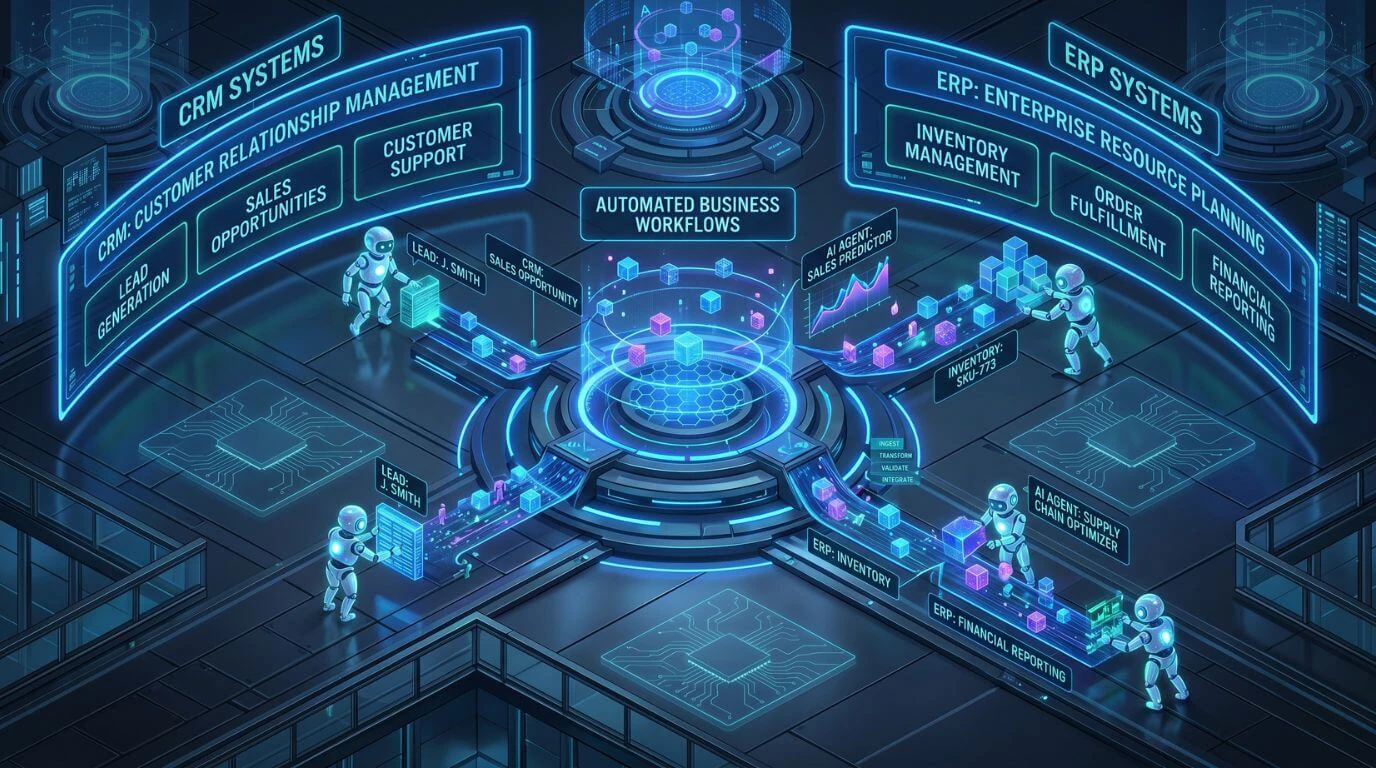
Understanding AI Agents in Enterprise Systems
Autonomous Artificial Intelligence Agents are computer programs that perform tasks using predefined data and rules, executed by machine learning models. AI Agents are digital workers that live within enterprise systems to reduce manual intervention and help streamline complex processes within an organization.
Here are some key attributes of AI agents:
- Perform tasks without human intervention AI agents can complete tasks without human intervention. Examples include processing customer requests, updating records, or starting a workflow.
- Use available data to decide the best next step AI agents analyze business data to determine the most appropriate next step.
- Learn from experience Machine learning models used by the agent allow it to improve over time as it receives additional data and learns from its results.
- Collaborate with other systems AI agents integrate with systems like CRM, ERP, and operational platforms to enable end-to-end automation.
Being able to do this creates more than just automation; it allows for intelligent workflow automation as organizations transition from traditional automation. Organizations expanding Dynamics 365 beyond CRM and ERP are increasingly adopting AI-driven automation
How AI Agents Automate Business Processes
Artificial intelligence agents create automated processes by integrating data, workflows, and decision-making logic across enterprise systems. AI agents do not need people to oversee their work; they continually monitor events and can automatically take the appropriate actions.
Examples of process automation include the following:
- Customer service automation
Automatically route customer inquiries to appropriate departments; categorize customer tickets to expedite processing; suggest appropriate resolutions for customer inquiries.
- Sales workflow (process) automation
Prioritize high-value leads; schedule timely follow-up actions; update opportunity records.
- Finance operations support
Monitor transactions, detect unusual activity, and trigger workflow approval processes.
- Supply chain management
Analyze inventory trends, initiate procurement, and create replenishment orders. Embedding automation into existing workflows will reduce operational delays and improve efficiency across enterprises.
By adopting AI and machine learning development services, organizations can build smarter AI agents that continuously learn from data, improve decision-making accuracy, and drive more efficient end-to-end automation across business workflows.
Businesses using Dynamics 365 business process automation can significantly reduce manual workload and improve efficiency.
Role of AI Agents in Microsoft Dynamics 365
AI agents in Dynamics 365 function across a variety of modules, including sales, finance, customer service, and supply chain management. They also help companies implement automated, event-driven business processes.
Some examples of what AI agents can do for enterprises include:
- Automated Repetitive Tasks within CRM & ERP
- Workflows Triggered/initiated by real estate events
- Data Analysis will help provide recommendations for actions to take
- Facilitating/Coordinating Processes Across Systems
All these abilities allow companies to grow their business without increasing their manual labor burden.
What Is Microsoft Copilot in Dynamics 365?

How Microsoft Copilot Works in Dynamics 365
Integrating Copilot across Dynamics 365 interfaces enables users to interact with the platform and its core data elements using natural language prompts.
The main features of Copilot include:
- Contextual Assistance
Copilot recognizes a user’s request based on its relationship to an organization and provides the right assistance.
- Natural Language
Users can ask questions or solicit summary reports using conversational prompts.
- Generative Content Creation
Copilot can create drafts of emails, reports, and customer responses.
- Insights and Recommendations in Real-Time
The AI algorithms that power Copilot analyze business data stored in Dynamics 365 to provide insights and suggestions.
All these features make it easier for users to utilize Dynamics 365 and minimize time spent doing repetitive documentation and analysis.
CRM Copilot and Productivity Use Cases
In a customer relationship management context, Copilot increases team productivity by supporting sales and service teams with their day-to-day tasks.
Use cases in the CRM environment include:
- Drafting personalized emails to customers
- Summarizing the history of customers
- Generating notes to prepare for meetings
- Providing sales teams with insights into their opportunities
- Creating recommended follow-up tasks for teams.
Because Copilot simplifies routine CRM activities, team members can concentrate on building relationships with customers and making strategic decisions.
AI Copilot for User Assistance and Insights
Copilot is not only designed for CRM efficiency; it can also serve as an intelligent assistant, helping users interpret and analyze their business data.
Copilot can assist users with the following capabilities:
- Data Summarization
Users will be able to receive quick summaries of their dashboards, reports, or account history.
- Generating insights
Copilot can identify patterns, trends, and potential opportunities.
- Recommending next steps
Copilot can recommend the next steps in workflows.
- Retrieving knowledge
Copilot can reply to users with answers from any organizational data sources.
Businesses leveraging Generative AI Development Services can further enhance Copilot capabilities by customizing AI models to generate context-aware content, automate communication, and deliver more personalized user experiences within Dynamics 365.
Instead of removing human input from the process, it will assist with decision-making and improve productivity. Integrating AI and machine learning into Dynamics 365 enables smarter, data-driven decisions across operations.
AI Agents vs Copilot: Key Differences Explained
| Feature | AI Agents | Microsoft Copilot |
|---|---|---|
|
Primary Role
|
Autonomous workflow automation
|
AI-powered user assistance
|
|
Interaction Model
|
Event-driven automation
|
Conversational interface
|
|
Task Execution
|
Performs tasks automatically
|
Suggests or assists users
|
|
Decision Capability
|
Can make contextual decisions
|
Provides recommendations
|
|
User Involvement
|
Minimal human intervention
|
Requires user interaction
|
|
Business Impact
|
End-to-end process automation
|
Productivity and insight enhancement
|
Automation vs Assistance
The main distinction between AI agents and Copilot is their primary objectives. The emphasis of an AI agent is to provide automated systems with the means to complete workflows autonomously, without human intervention.
The purpose of a copilot is to assist users in completing tasks more quickly by suggesting what to do, summarizing what has been done, or generating final products.
To illustrate this in practical terms:
- AI agents eliminate repetitive manual activities.
- Copilots help users work more productively and successfully.
Decision-Making Capabilities
AI agents are created to inspect information and create events within a business based on a set of criteria or learning models applied to the AI agent.
Sample Actions Include:
- Approve or escalate requests
- Trigger workflow actions
- Auto-assign a task
Copilot, on the other hand, provides decision support rather than executing a decision.
An example of Copilot would be to:
- Recommend the best follow-up event for a sales opportunity
- Identify areas of high risk within a sales opportunity
- Show possible responses to customer inquiries
The user still holds final authority over the decision.
Level of Autonomy
The key difference is autonomy. Autonomy refers to an AI Agent’s ability to function independently after it’s set up, versus a CoPilot needing user input and approval to engage.
The level of autonomy for these systems greatly affects how they are used in the workplace.
Workflow Impact and Use Cases
Workflows are fundamentally changed by incorporating the agents into everyday business activities.
There are many examples of how this is accomplished.
- Providing automated assignment of service tickets
- Updating CRM records based on customer activity
- Triggering invoice approval processes
Copilot is similar, but it leverages user productivity gains and enhanced information accessibility to improve workflows.
Some specific examples of Copilot improving workflow include:
- Drafting emails for customers
- Summarizing meeting notes
- Generating reports
Both AI agents and Copilot improve workflow efficiency; however, each does so in very distinct ways.
AI Copilot vs AI Agents: A Detailed Comparison for Businesses
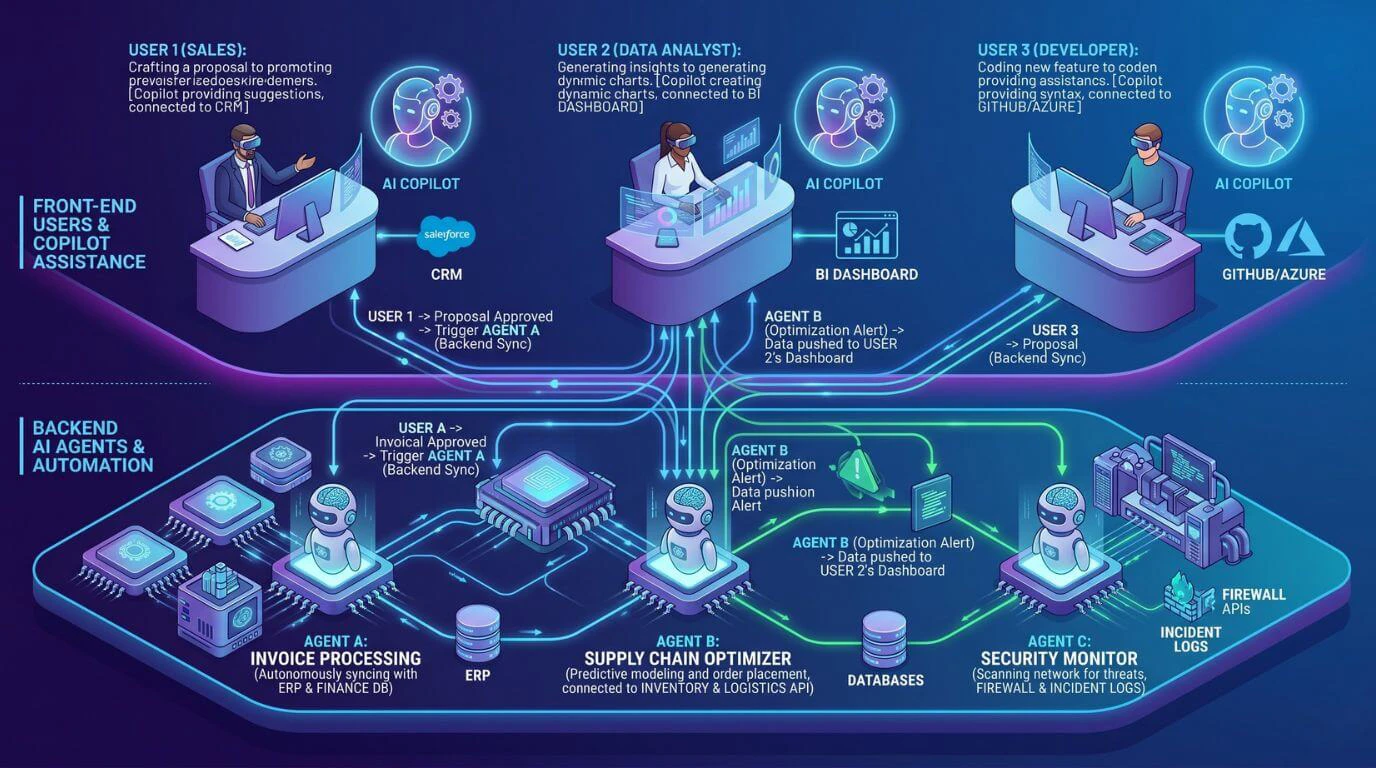
Use Case Comparison in Dynamics 365
Process automation scenarios are perfect for AI agents.
Examples of Process Automation Scenarios:
- Lead Qualification Workflow
- Automated Ticket Routing
- Supply Chain Monitoring
- Invoice Processing
Knowledge-driven tasks are better suited for Copilot to accomplish.
Examples of Knowledge-Driven Tasks:
- Sales Opportunities and Insights Summary
- Drafting Customer Communication
- Interpreting Data
- Creating Meetings/Reports
The combination of these capabilities will provide employees with both operational automation support and productivity enhancement.
Integration with Business Automation Tools
Automation platforms that AI-driven automation usually connect to include the following:
- Microsoft Power Automate
- Workflow orchestration applications
- Process engines for ERP or CRM
With these integrations, agents can perform a series of processes across various systems.
By better integrating with user productivity tools, such as:
- CRM user interfaces
- Collaboration platforms
- Reporting dashboards
Copilot provides users with immediate access to AI assistance within their daily workflows.
Scalability and Enterprise Use
Businesses deploy these systems to automate tasks across large-scale operations.
Benefits of using both include:
- Lower Operational Costs
- Faster Processes
- Improved Workflow Consistency
Copilot will allow you to scale your organization differently by increasing team productivity.
Specifics of Copilot may include:
- Quicker Decision Making
- Lower Administrative Burden
- Better Knowledge Availability
Many organizations are deploying both the agents and Copilot to drive efficiencies.
How AI Agents and Copilot Work Together in Dynamics 365
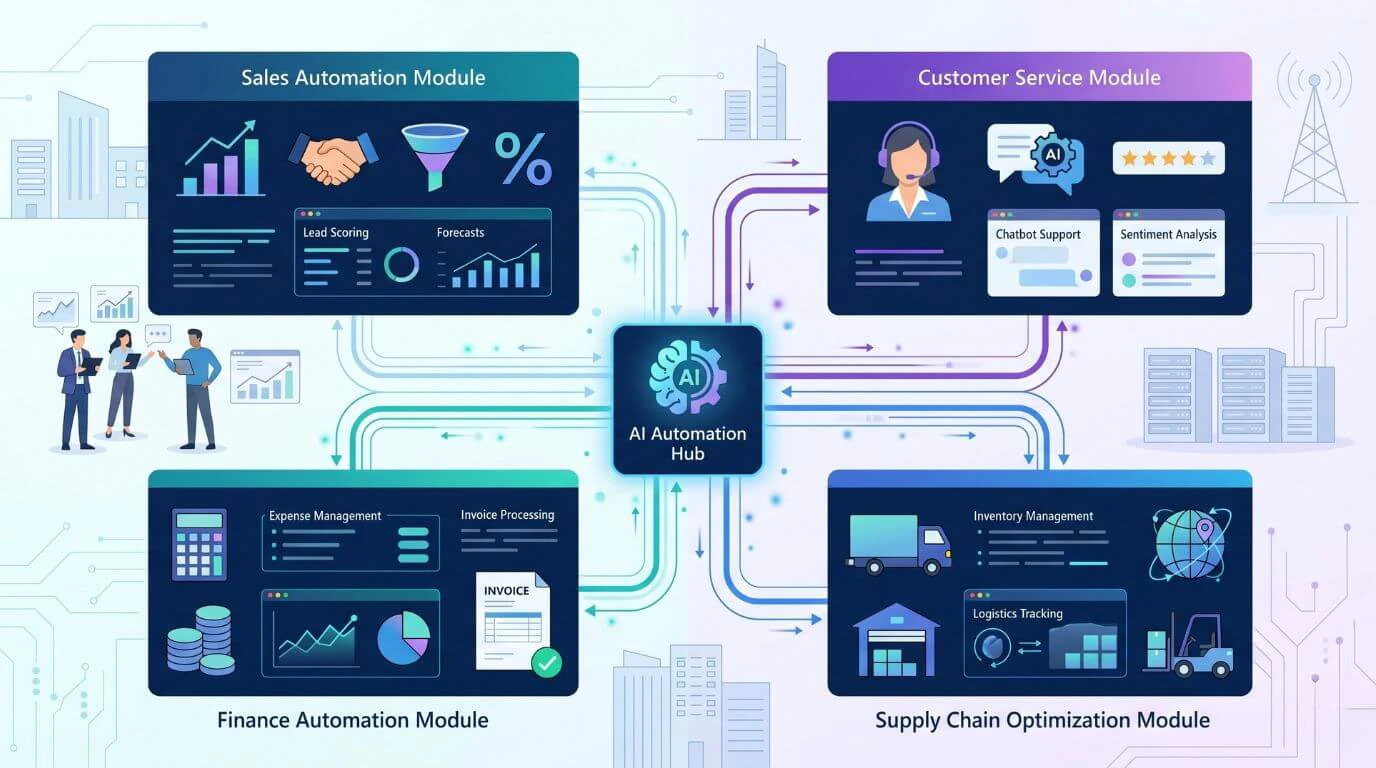
Combining Automation and Assistance
Examples:
- AI agents automatically process and route inbound customer support tickets.
- Copilot helps agents prepare email responses to customers.
End-to-End Workflow Optimization
Organizations can develop workflows using AI Agents to complete tasks and Copilots for decision support.
Sample workflow:
- AI Agents find top sales leads.
- The system routes leads to a sales agent.
- A personalized email is created using Copilot.
- A sales agent reviews and sends the email.
This allows for both automation and personalization.
Real-Time Decision Support
The results are:
- Faster response to business events;
- Decisions based on data;
- Greater operational agility.
Use Cases: When to Use AI Agents vs Copilot in Dynamics 365
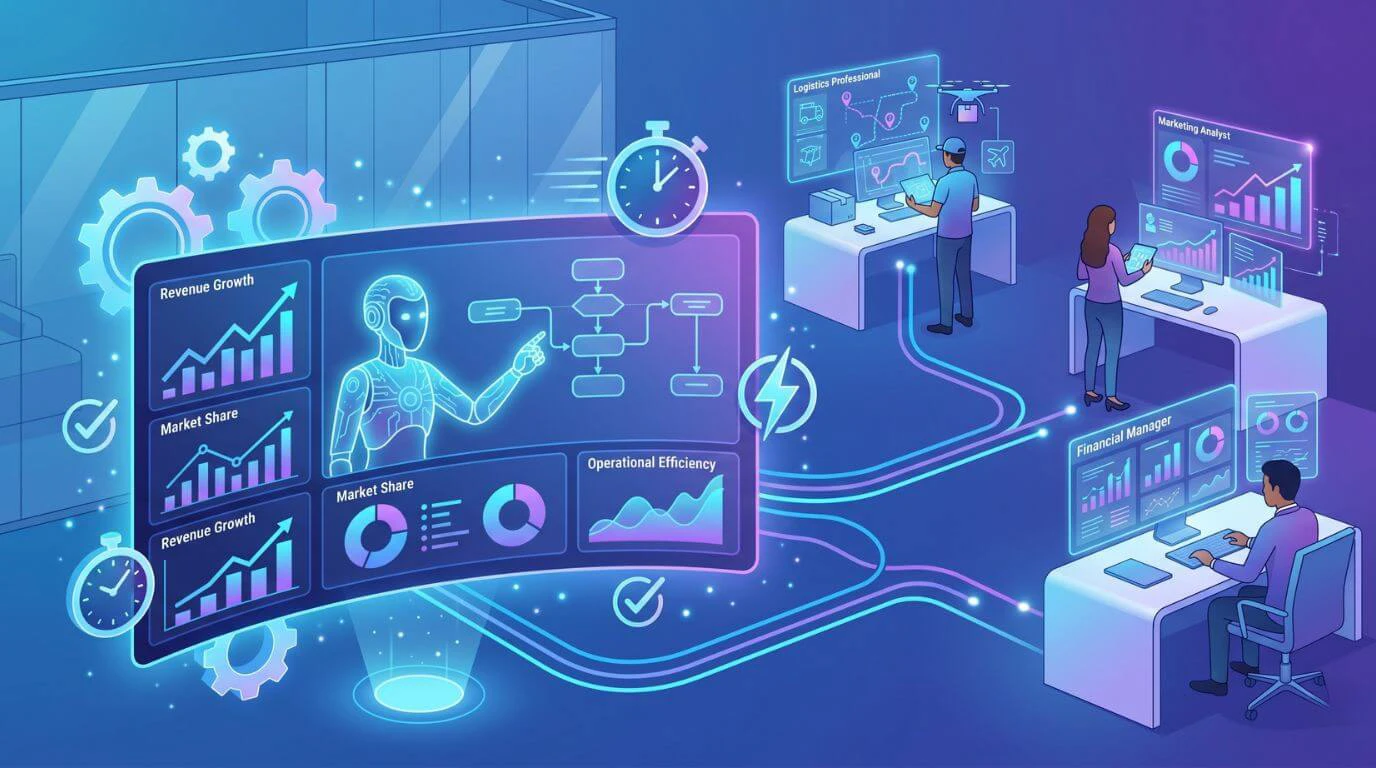
When AI Agents Are the Better Choice
Common examples include:
- Customer Service Routing Automation
- Workflow Approval Automation
- Data Processing Automation
- Supply Chain Automation
- Compliance Monitoring Automation
When Copilot Is the Better Choice
This situation might take the form of:
- Sales Opportunity Insight
- Drafting for the Customer
- Taking Notes and Summarizing Meetings
- Interpreting Data
Benefits of AI Agents and Copilot for Business Automation
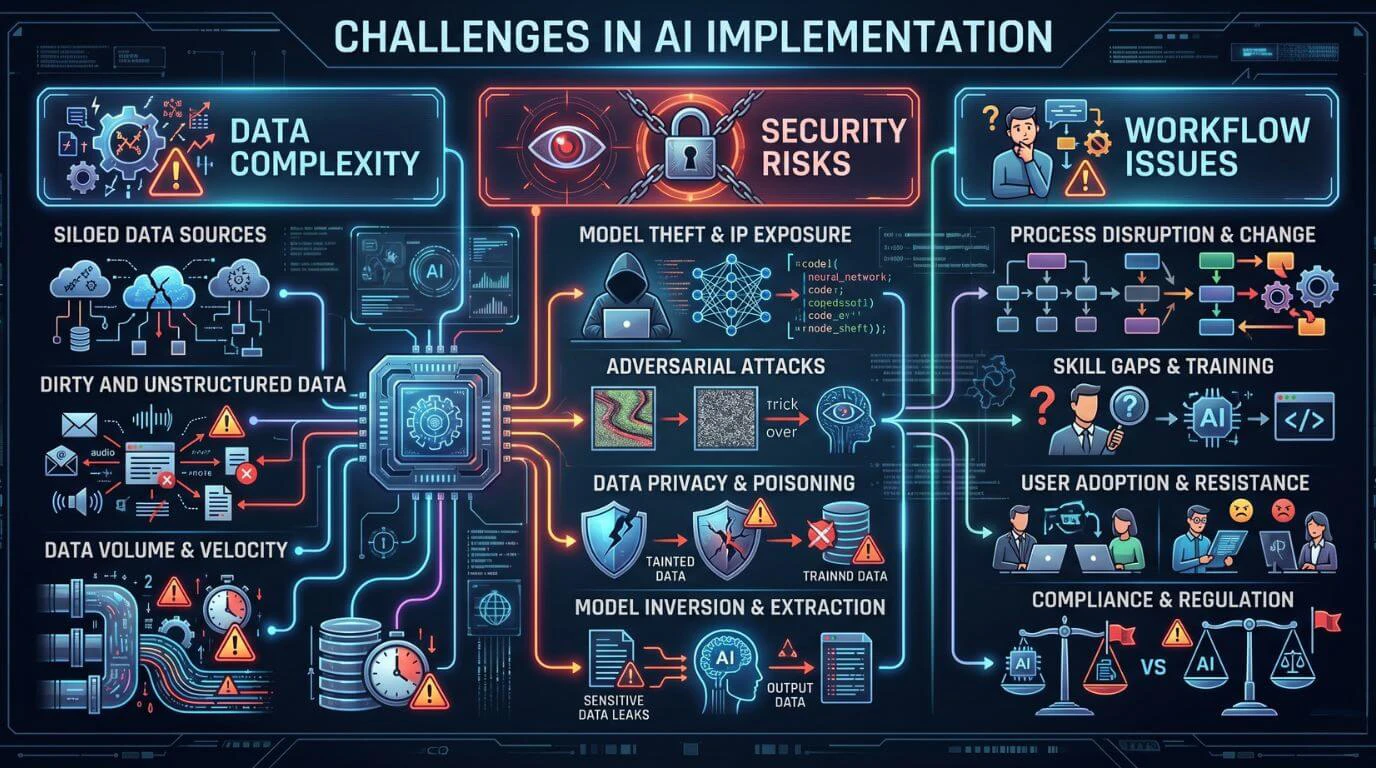
While AI-based capabilities can offer many advantages, they also pose challenges during implementation.
Examples of the common considerations include the following:
- Data Quality Requirements
For AI systems to work properly, they need access to accurate, well-organized data.
- Complexity In Designing Workflows
Automation designs must be implemented with sufficient precision to prevent errors.
- Change Management
When employees begin using AI-supported processes, they will need to learn about them.
- Concerns Related To Security And Compliance
Data security and adherence to required standards should be ensured at the beginning of the AI implementation process.
Successfully implementing AI into an organization requires consideration of the above challenges.
Future of AI Agents and Copilot in Microsoft Dynamics 365
Trends that are developing include:
- The use of multiple agents to orchestrate complex workflows.
- Deeper integration with enterprise data platforms.
- Improved contextual awareness for AI assistants.
- More advanced automation of decisions.
Conclusion
As a leading software development company in USA, Microsoft Copilot and AI Agents are two of the biggest ways organizations can use AI inside of Dynamics 365. The focus of AI-driven automation is to automate workflows and execute tasks, while Copilot’s goal is to help users be more productive through suggestions, recommendations, and generative assistance. By combining these two technologies, organizations can leverage both capabilities to build intelligent, efficient, and scalable workflows that enable operational automation and human decision-making with the expertise of Shaligram Infotech.
Ready to build? Contact Our Global Teams
🇺🇸 USA: +1 (919) 629-9671
🇬🇧 UK: +44 20 3581 6366
🇮🇳 India: +91 99099 84567
🇦🇺 AUS: +61 07 3121 3147

💬 Interested in Regular Insights on Software and App Development?
📲 Follow Shaligram Infotech on LinkedIn
Let’s build the future of applications together.
FAQs
What is the difference between AI agents and Copilot?
What is the difference between AI agents and Copilot?
AI agents automate workflows and carry out these tasks without human operators present. In contrast to AI agents, Microsoft’s Copilot is an AI-powered tool that provides users with content creation, insights, and recommendations. Looking to implement AI agents or Copilot in Dynamics 365? Contact our experts to build intelligent, scalable business solutions.
AI agents vs Copilot: Which is better for business automation?
AI agents vs Copilot: Which is better for business automation?
Generally speaking, AI agents are favored for business automation because they can perform tasks autonomously. Copilot is a more favorable option for improving employee productivity and/or decision-making.
How do AI agents automate workflows in Microsoft Dynamics 365?
How do AI agents automate workflows in Microsoft Dynamics 365?
AI agents will apply and automate workflows by monitoring business activity, analyzing data, and triggering events within Dynamics 365.
How does Microsoft Copilot improve productivity in Dynamics 365?
How does Microsoft Copilot improve productivity in Dynamics 365?
Both AI agents and Copilot work together in harmony, combining workflow automation and intelligent user support to improve efficiency and data-centric processes within an organization.
Can AI agents and Copilot work together in Dynamics 365?
Can AI agents and Copilot work together in Dynamics 365?
Dynamics 365 includes intelligent computer programs that allow you to automate repetitive tasks and help you analyze your company’s data, as well as assist you in making more accurate decisions. Each program works within a structured process to increase productivity and efficiency within your organization. Contact us to see how AI agents can benefit your business.
What are real-world use cases of AI Copilot vs AI agents?
What are real-world use cases of AI Copilot vs AI agents?
Examples of business processes that employ AI agents include automating routine workflow activities such as ticket routing, invoice processing, and supply chain monitoring. Examples of productivity tools that would be created via Copilot implementation in conjunction with AI agents include email drafts, customer engagement summary documents, and sales staff insight generation.


 Get In Touch