Categories
Blog Microsoft

Infrastructure and Hosting Requirements for Dynamics 365

Microsoft

Infrastructure and Hosting Requirements for Dynamics 365

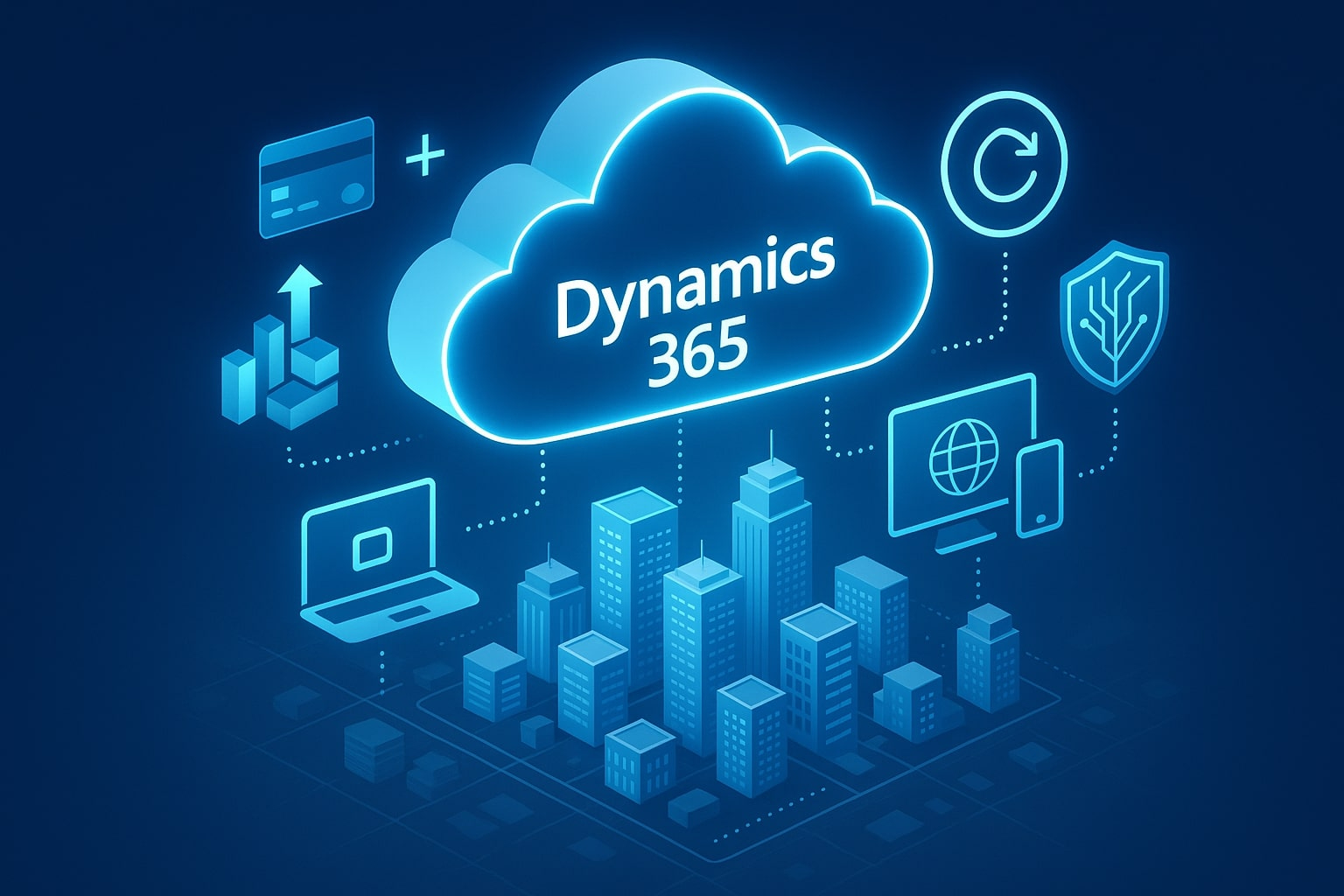
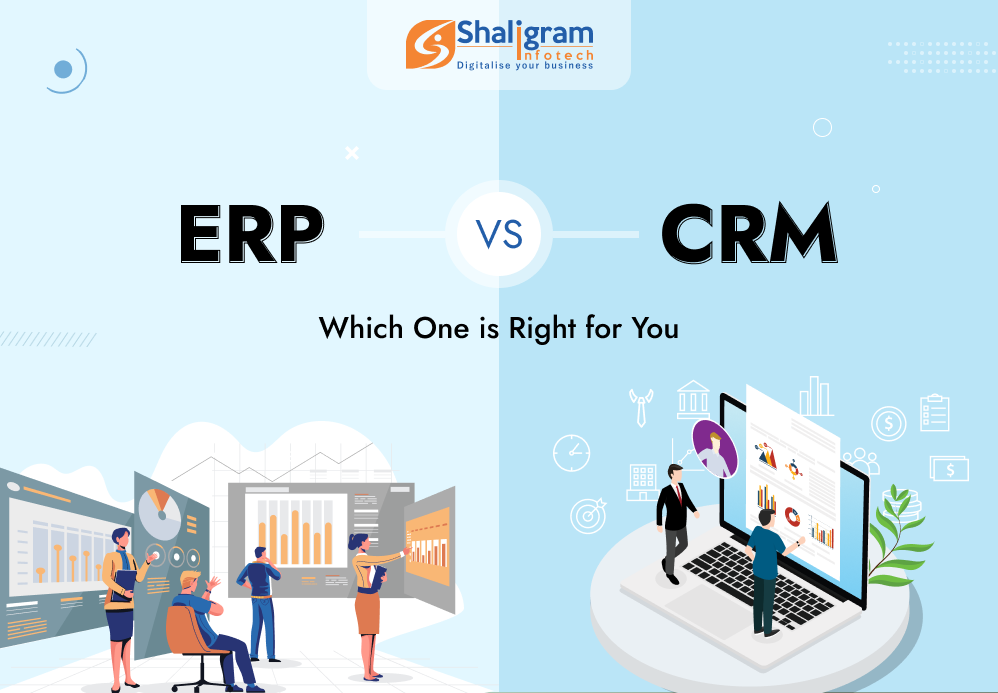
Visual comparison of Dynamics 365 cloud vs on-premise infrastructure

GEt in Touch


    Successful deployment of Microsoft Dynamics 365 requires configuration of the software along with a solid foundation of the infrastructural environment. Regardless of whether your organization decides to deploy D365 in an on-premise model or cloud-hosted solution, understanding your hardware, software, and networking requirements is the ticket to performance and reliability. A trusted Microsoft Dynamics 365 partner in India can guide you through the entire process to provide seamless integration and optimal performance.
    Our blog post talks about the requirements and infrastructure needs for Dynamics 365 deployment. We’ll look at system specifications, deployment models, and performance.

    Dynamics 365 Minimum System Requirements

    On a general level, the Dynamics 365 ecosystem needs to run a Windows Server operating system, SQL Server, and a supported version of .NET. Users can connect via a supported web browser, such as Microsoft Edge, Google Chrome, or Safari. It is assumed users will have access to the necessary network with sufficient bandwidth.

    Dynamics 365 Business Central On-Premise Requirement
    Enterprise software project delivery showcase

    Hardware, OS, SQL Server Versions

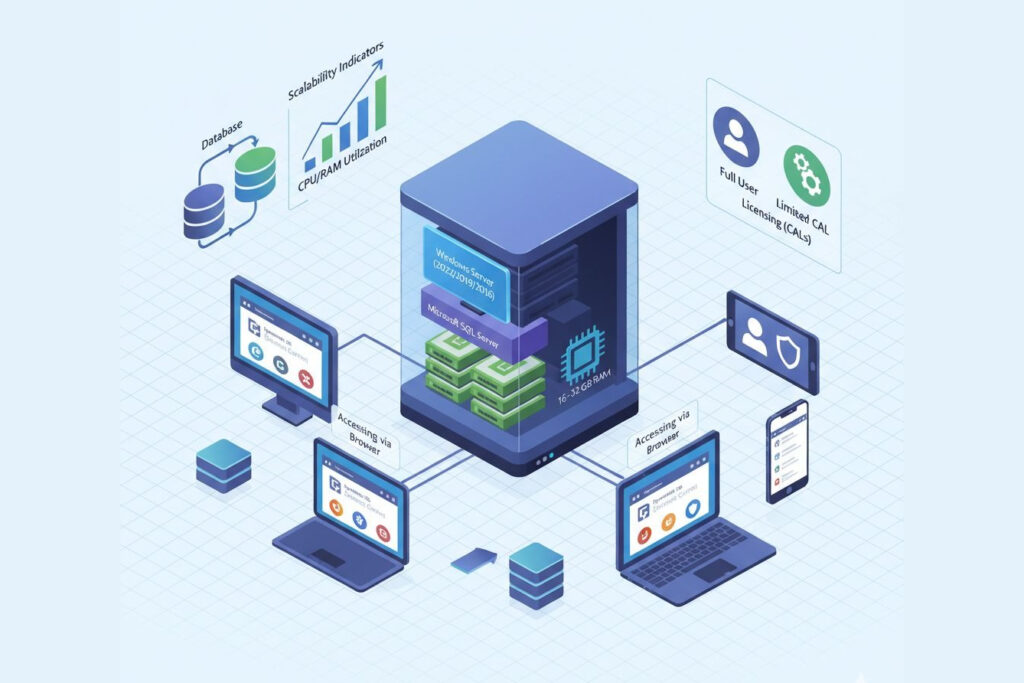
    For Dynamics 365 Business Central On-Premise, the core components required:

    • Operating System: Windows Server 2022, 2019, or 2016 (Standard or Datacenter editions).
    • Database Server: Microsoft SQL Server 2022, 2019, or 2017 with Analysis Services.
    • Hardware: At least 4 cores (recommended 8+) and 16–32 GB RAM for small to medium deployments.
    • Storage: SSDs are highly recommended for database performance, with 100 GB or more free space for application and data files.

    Supported Clients and Browsers

    Business Central can be accessed via modern web browsers (Edge, Chrome, Safari, or Firefox), or by the Windows Desktop App. Mobile access on iOS and Android is also possible through the official apps.

    Storage, Memory, CPU

    Performance scales with database size and user load. A minimum of 8–16 GB RAM, and a minimum of 4 CPU cores for every 50 concurrent users can help ensure Business Central workloads are properly supported. It is recommended that SQL Server instances are properly configured to have dedicated CPU resources to SQL Server and memory caching enabled.

    Licensing and CALs

    Business Central on-premise deployments require Client Access Licenses (CALs), either per user or per device. Properly licensing Business Central ensures that you are compliant, and allows for a mix of full users and limited users within your organization. To ensure proper compliance and licensing structure, consult the official Dynamics 365 Licensing Guide (PDF).
    Note: The requirements listed above apply to the current version of Microsoft Dynamics 365 On-Premises. However, these specifications may change with future platform updates. For the most up-to-date and detailed requirements, you can check the official Microsoft documentation: Microsoft Dynamics 365 On-Premises System Requirements.
    TL;DR: For Dynamics 365 Business Central On-Premises, use Windows Server 2019 or later, SQL Server 2019+, at least 16–32 GB RAM, and SSD storage. Proper CAL licensing and network readiness are essential for optimal performance.

    CRM Dynamics On-Premise Requirements

    On-premise setup for Dynamics 365 CRM including server and Outlook access

    Environment Prerequisites

    For an on-premise installation of Dynamics 365 CRM (Customer Engagement), you will need:

    • Operating System: Windows Server 2019 or newer.
    • Authentication: Active Directory integration for authentication.
    • Database: SQL Server.
    • Web Hosting: IIS (Internet Information Services) for web hosting.

    Server & Workstation Specs

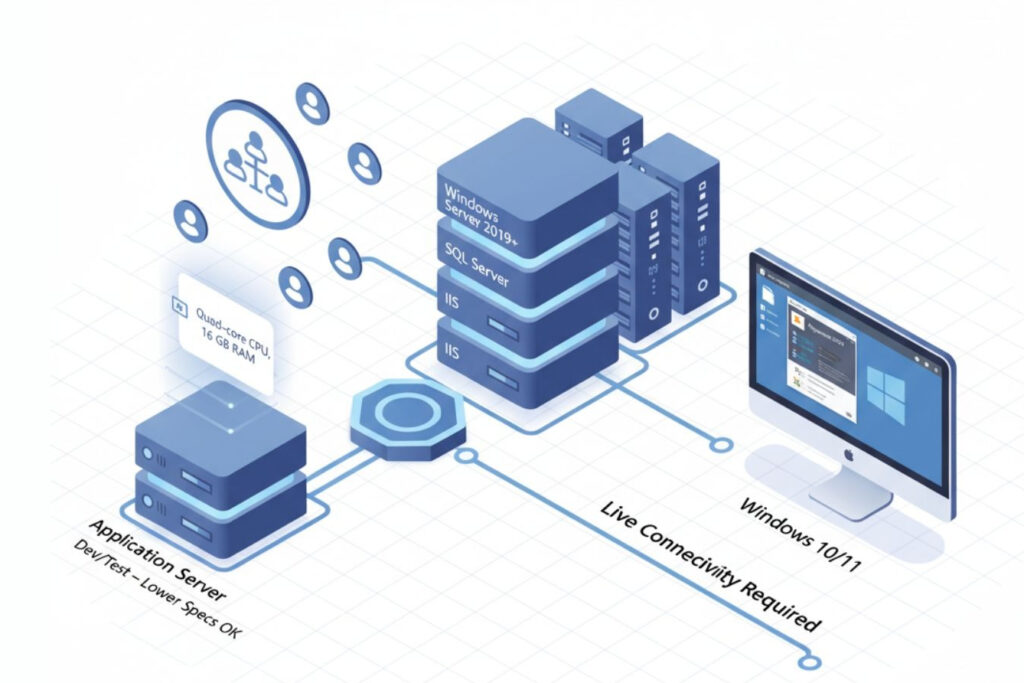
    Application servers should contain at least 16 GB of RAM and quad-core CPU’s. While development or test environments can work with lower specifications, for a production system consider redundancy and load balancing to allow for scale.

    Outlook Client Requirements

    If you are to connect with Dynamics 365 App for Outlook you would need to ensure the users are on Outlook 2019 (or Microsoft 365) on Windows 10/11. The app also requires consistent connectivity to the Dynamics server or online instance.

    Note: The information above outlines the current cloud infrastructure requirements for Microsoft Dynamics 365. As Microsoft frequently enhances its cloud services, these requirements may evolve over time. To review the most up-to-date Dynamics 365 cloud system requirements, visit the official Microsoft documentation: Microsoft Dynamics 365 Cloud System Requirements.

    Dynamics 365 Network Requirements
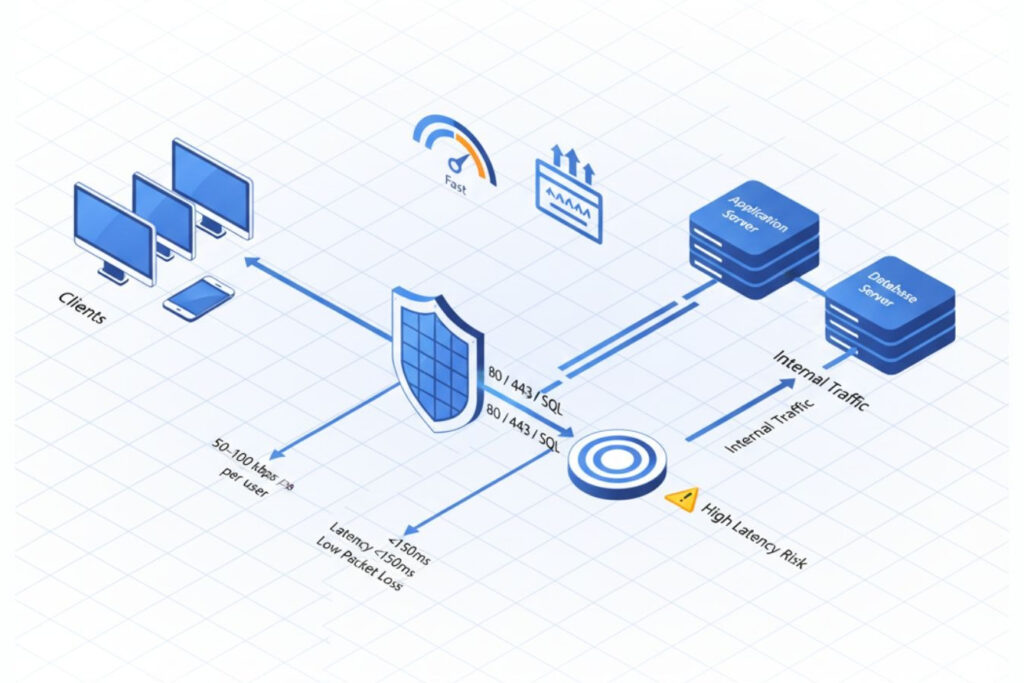
    Network, bandwidth, and firewall setup for Dynamics 365 deployment

    Bandwidth Planning

    The requirement for bandwidth is based on the number of users and data transactions. A rule of thumb is to provide bandwidth of at least 50-100 kbps based on the number of active users per session for cloud deployments.

    Latency and Reliability

    The latency between the client and the Dynamics 365 Server should be under 150 ms for complete user satisfaction. The reliability of the network is also critical. Packet loss or high latency will degrade the loading speeds of forms and the responsiveness of APIs.

    Ports and Firewall Rules

    Make sure ports 80/443 for HTTP/HTTPS, and any SQL connections are open as standard practice. For on-premise, internal firewalls and reverse proxies should be configured for traffic from client machines to application servers to database servers.

    TL;DR: Maintain network latency below 150 ms, bandwidth of 50–100 kbps per active user, and open ports 80/443 for HTTP/HTTPS to ensure fast and secure Dynamics 365 performance.

    Dynamics 365 Core Infrastructure Requirements: Cloud vs On-Premises Setup

    On-Premise Infrastructure

    It requires hardware or virtualized hardware, SQL databases, Active Directory, and storage management. IT teams prepare the environment themselves, patch it internally, and scale the service as directed.

    Cloud Infrastructure

    This option is hosted within Microsoft Azure and allows for managed scalability, automatic patches, and global access. Azure handles uptime, security patches, and disaster recovery, thereby greatly lowering infrastructure overhead.

    Key Differences: On-Premise vs Cloud

    In an on-premise model, the business manages and updates its servers on its own while overseeing security, which provides the most significant amount of control but potentially increases the maintenance and costs. The cloud model is managed by Microsoft, allowing for auto-updates, a lower cost of overhead, and more effortless scalability, which is ideal for the organization that prioritizes flexibility and reduces the burden on IT.
    TL;DR: To run Dynamics 365 effectively, you’ll need a Windows Server OS, a supported SQL Server and .NET framework, and a stable network connection. Users can access Dynamics 365 through modern browsers such as Edge, Chrome, or Safari.

    Dynamics 365 Hosting Options

    Self-Hosting (On-Premise or Private Cloud)

    Best for organizations with data governance or regulatory requirements. Requires dedicated infrastructure, plus IT staff to manage the server, updates, and backups.

    Partner-Hosted / Managed Services

    Certified Microsoft partners will host your systems in private or hybrid clouds. This represents the best balance of flexibility and reduced IT burden as the hosting partners manage updates, monitoring, and compliance.

    Dynamics 365 Hosting Requirements Checklist

    • Supported versions of Windows Server and SQL Server
    • Sufficient RAM, CPU, and SSD storage
    • Secure Active Directory and network configuration
    • Reliable bandwidth and low latency
    • Have a backup and disaster recovery plan
    • Proper licensing and CAL management

    Implementing Microsoft Dynamics 365 Business Central On-Premise

    Planning and Deployment Steps

    • Identify deployment topology (single server, multi-tier, or cluster).
    • Install prerequisites: SQL Server, IIS, and .NET frameworks.
    • Configure Business Central Server and Web Client.
    • Implement Active Directory authentication.
    • Test connectivity, performance, and user access.

    Common Challenges and Solutions

    • Performance bottlenecks: Optimize SQL indexing, enable caching, and allocate dedicated memory to SQL Server.
    • Network delays: Use LAN connections or optimized VPN routes to reduce latency.
    • Maintenance overhead: Automate patching with scripts and use monitoring tools like Azure Monitor or SCOM to ensure system health.
    💡 Pro Tip: Regularly monitor SQL query performance and database growth to avoid slowdowns during peak hours.

    D365 Capacity Planning and Performance Infrastructure

    D365 Capacity Planning Essentials

    Good capacity planning requires estimating user concurrency and transaction volumes as well as data growth. Consider peak load periods for performance and always provide redundancy when designing for load. Streamlining operations with Dynamics 365 can help optimize these processes by automating tasks and improving efficiency, ensuring smoother scalability as your business grows.

    Building High-Performance Dynamics 365 Infrastructure

    • Utilize SSD for SQL database storage.
    • Implement load balancers for web and API requests.
    • Leverage caching and SQL tuning.
    • Continuously monitor metrics to capture deviations before they become a problem.
    TL;DR: Plan your Dynamics 365 capacity by estimating concurrent users, transaction volumes, and data growth. Use SSDs, load balancers, and SQL tuning to maintain performance as usage scales.

    Dynamics 365 Cloud vs On-Premise Comparison

    Dynamics 365 Cloud Dynamics 365 On-Premise
    Setup time
    Immediate
    Longer setup
    Updates
    Automatic
    Manual
    Scalability
    Elastic
    Hardware-dependent
    Maintenance
    Managed by Microsoft
    Requires IT team
    Customization
    Limited access to backend
    Full access
    security
    Microsoft Azure compliant
    Controlled internally

    Conclusion

    The effectiveness of any deployment of Dynamics 365 is directly tied to the alignment of infrastructure selections with business needs. Cloud hosting enables flexibility and less maintenance, while on-premise options provide control and customization. By evaluating your organization’s capacity, security, and compliance needs, you can build an infrastructure that manages performance, prepares for future growth, and ensures high availability. Partnering with a reputable software development agency in India, like Shaligram Infotech, can help you tailor the perfect solution for your business needs and ensure a seamless Dynamics 365 deployment.

    FAQs

    What are the minimum system requirements for Dynamics 365 on-premise?

    A supported Windows Server, SQL Server, and .NET framework, at least 16 GB RAM, and a multi-core CPU.
    Approximately 50 to 100 kbps per active user session, depending on workload and transaction type.
    Yes, many organizations utilize a private cloud or a partner-managed cloud, for a greater degree of control while enjoying the scalability of the cloud.
    When comparing Dynamics 365 On-Premises Vs. Cloud, the key difference lies in control and management. On-premise offers customers full control over the product, including its infrastructure and customized functionality. In contrast, the cloud version is managed by Microsoft, providing automatic and continuous updates, reduced infrastructure costs, and easier scalability.
    Reliable hardware, a SQL database, a supported Windows Server OS, and a good & secure network to connect to. Need help assessing your hosting requirements or ensuring your infrastructure is optimized for Dynamics 365? Contact us today to get expert advice and support for a seamless deployment.
    Categories
    Blog Microsoft

    Dynamics 365 On-Premises Vs. Cloud: Right Deployment Model Explained

    Microsoft

    Dynamics 365 On-Premises Vs. Cloud: Right Deployment Model Explained

    Dynamics 365 on-premises servers vs cloud deployment comparison

    GEt in Touch


      Microsoft Dynamics 365 has established itself as a cornerstone for organizations wanting a unified CRM and ERP solution. However, in any implementation of Dynamics 365, one of the earliest and most important decisions is the deployment model you are going to choose: on-premises or Cloud (online). Both provide significant capabilities for sales, finance, operations, and customer service; however, there are substantial differences in terms of infrastructure, pricing, flexibility, and long-term capabilities. For expert guidance and seamless implementation, many businesses turn to trusted Microsoft Dynamics 365 partners in India.

      In this article, we will explore the two deployment options, the pros and cons of each option, and then provide some guidance on how a company can determine which model is best for its situation.

      What is Dynamics 365 On-Premise?

      On-premises servers with icons for data ownership, customization, offline use, and software integration
      Hosting Microsoft Dynamics applications within a company’s internal servers or private data centres is referred to as Dynamics 365 On-Premise. With the on-premises model, the organization maintains complete control over hardware, infrastructure, updates, and data. The on-premises model is best for organizations that deal with regulatory compliance, integration with custom applications, or organizations that have invested in infrastructure or technology for their IT department.

      Dynamics 365 On-Premise Key Advantages

      Dynamics 365 On-Premise Key Advantages
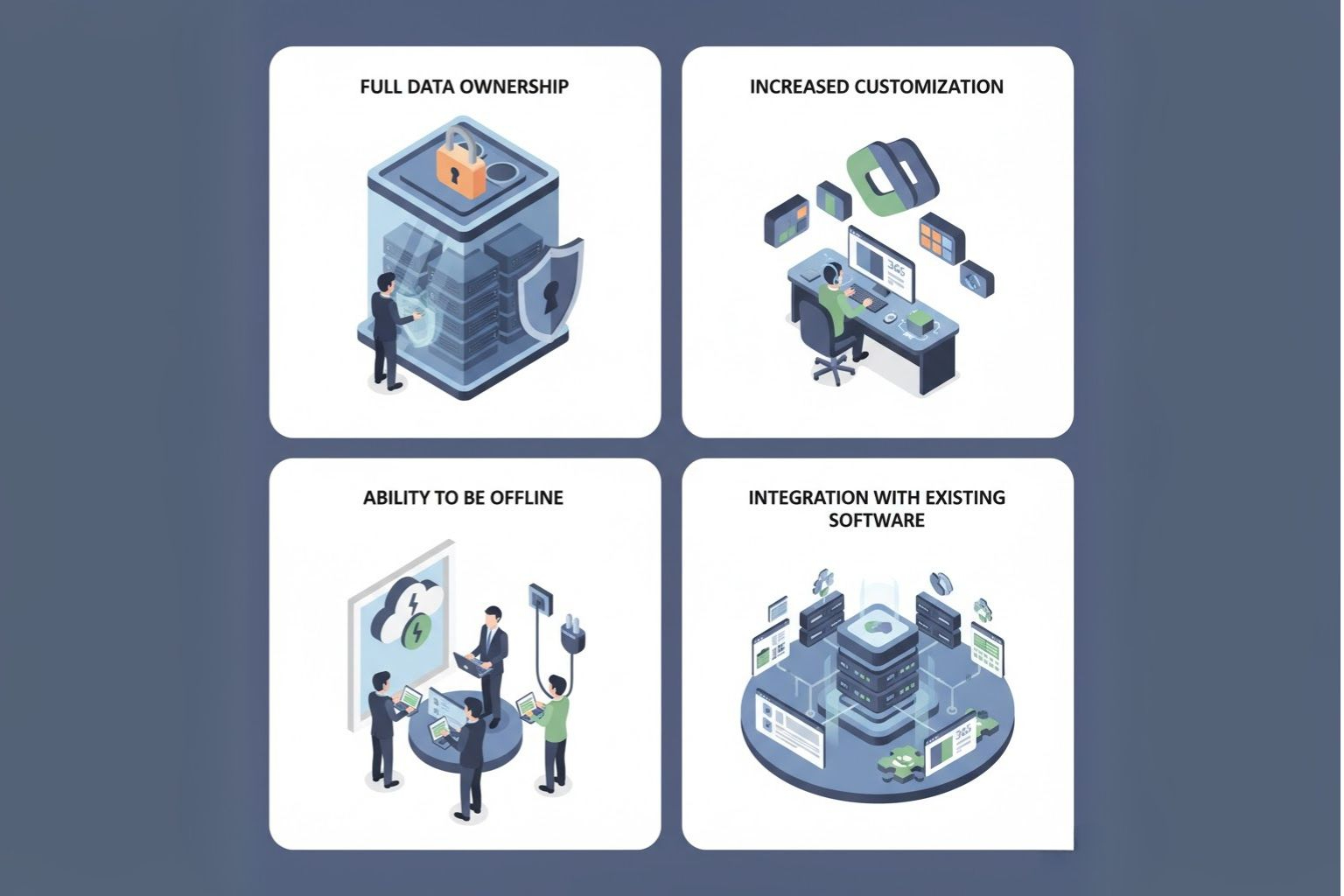
      • Full Data Ownership: All data remains on premises, thus allowing complete data ownership and alignment with internal policies.
      • Increased Customization: Organizations can customize apps, integrations, and workflows in any way they like without being limited by a shared cloud.
      • Ability to be Offline: On-premise systems can run without the internet.
      • Integration with Existing Software: Easier to integrate with already-used on-premises ERP or third-party software.

      Dynamics 365 On-Premise Disadvantages

      t: Dynamics 365 On-Premise Disadvantages
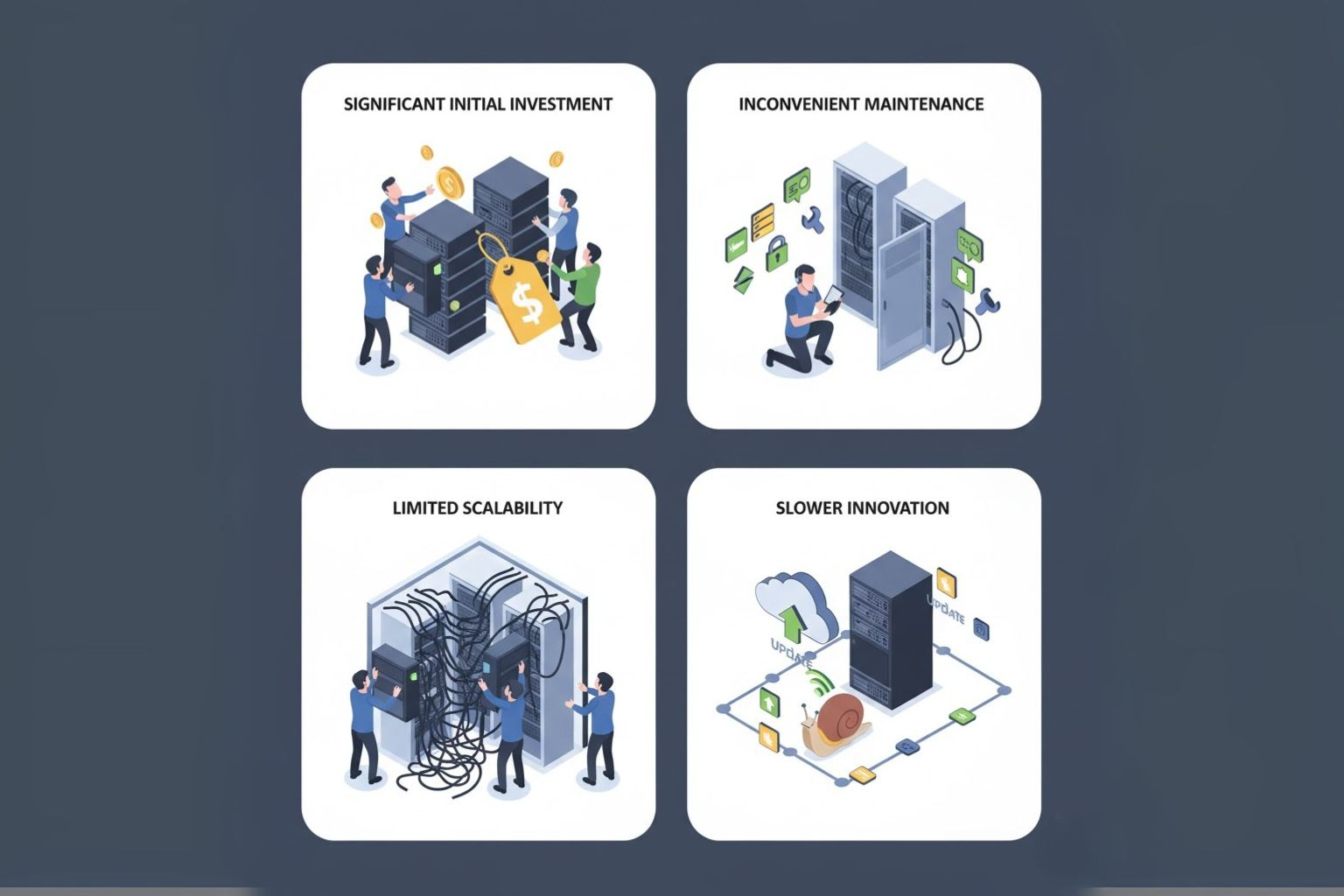
      • Significant Initial Investment: You must factor in the physical setup cost (hardware, licenses, support) in your initial expense.
      • Inconvenient Maintenance: Your IT team needs to manually schedule and execute updates, patches, backups, and security.
      • Limited Scalability: An increasing infrastructure for growth and peak demand will lead to additional physical investments.
      • Slower Innovation: Updates or new features that are released by Microsoft will take longer to reach on-site-based customers than cloud customers.

      Who Should Choose Dynamics 365 On-Premise?

      If strict compliance regulations, sensitive data environments (like government, defense, or banking), or an effective in-house IT department are a consideration, Dynamics 365 Business Central on-premise is the better option. Business Central on-premise is also a good fit for organizations located in an area where internet service is unreliable or for organizations that require in-depth customization of their systems. While the on-premise model addresses specific operational needs, it’s important to recognize how solutions like Dynamics 365 support digital transformation across various industries, helping businesses modernize processes and improve agility.

      What is Dynamics 365 Online/Cloud

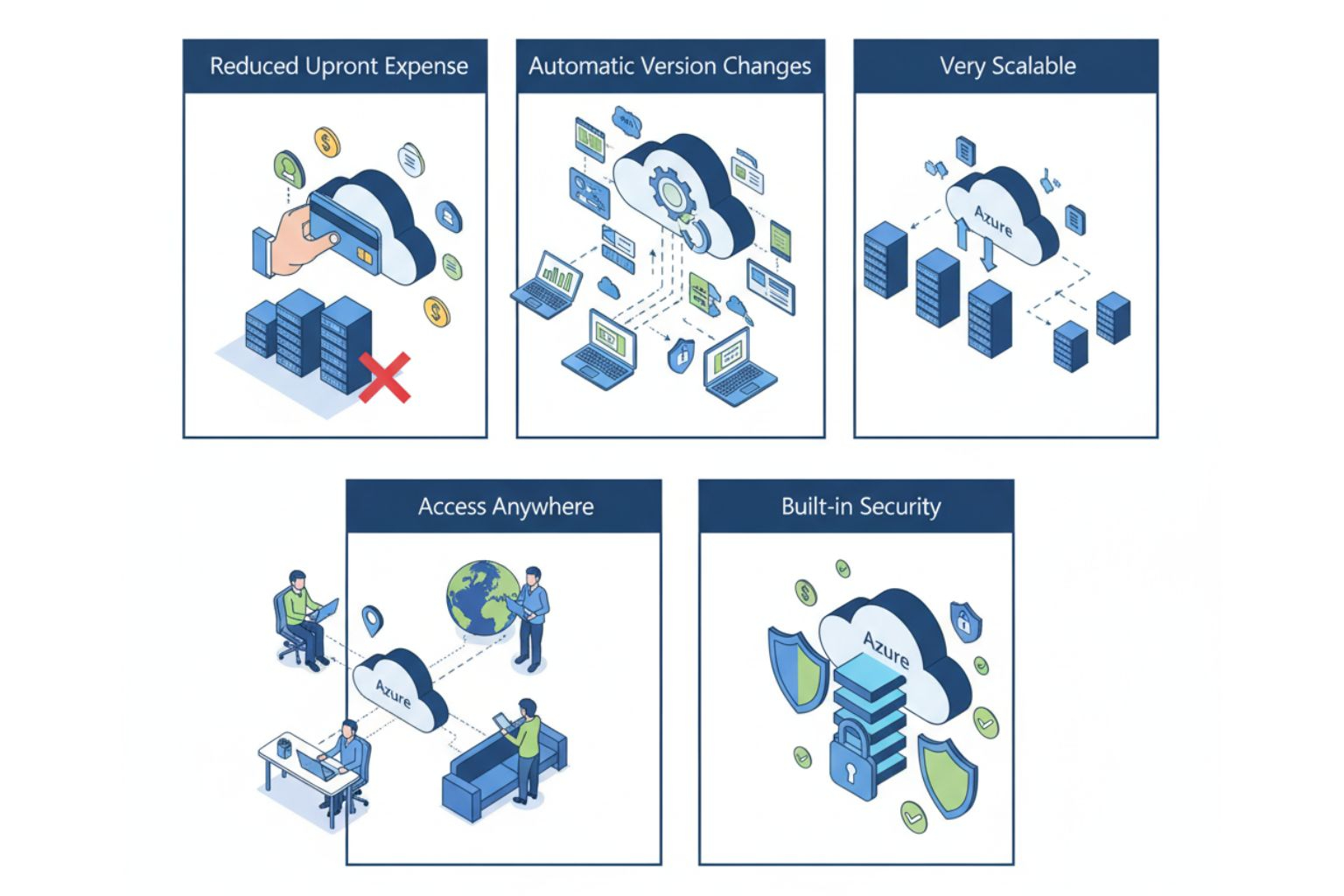
      Cloud with icons for cost savings, automatic updates, scalability, access, and security
      Dynamics 365 Cloud (or Dynamics 365 Online) is Microsoft’s cloud-based Software-as-a-Service (SaaS) deployment model, hosted on Microsoft Azure. All infrastructure, updates, and maintenance are taken care of by Microsoft, which allows businesses to focus on operations rather than IT management needs. Users can access Dynamics 365 from anywhere on any device, with real-time data synchronization across all teams.

      Dynamics 365 Cloud Key Advantages

      Enterprise project milestone showcase
      • Reduced Upfront Expense: By utilizing a subscription payment model, businesses do not have to spend a significant amount on the infrastructure layer.
      • Automatic Version Changes: Microsoft regularly installs feature updates and security patches automatically.
      • Very Scalable: Businesses may easily scale resources up or down based on usage and growth.
      • Access Anywhere: Easy access via web or mobile applications.
      • Built-in Security: Backed by Microsoft’s enterprise-grade Azure security and compliance framework.

      Dynamics 365 Cloud Disadvantages

      Dynamics 365 Cloud Disadvantages
      • Limited Customization: Some in-depth customizations may not be available in the Cloud.
      • Reliance on Internet: You will need a reliable internet connection for continued access.
      • Data Residency Issues: Some industries may have compliance issues with hosting data outside of a given geographic area.

      Who Should Choose Dynamics 365 Cloud?

      The cloud model fits well with businesses that are expanding, remote teams, and enterprises that need to be agile, and those looking for reduced IT costs. It’s a well-suited alternative for organizations where scalability, speed of deployment, and constant innovation are preferred over management of infrastructure costs. Many organizations also rely on cloud consulting services in India to provide a smooth transition and to optimize their cloud strategy for long-term success.

      Client-Side Rendering vs Server-Side Rendering: Comparison

      On-Premise Online/Cloud

      Deployment & Infrastructure

      Managed on-site by your organization’s infrastructure.
      Managed by Microsoft Azure and full cloud-based management.

      Cost Structure (CAPEX vs OPEX)

      High up-front CAPEX for hardware and license.
      OPEX-based monthly/annual license with minimal start-up cost.

      Scalability & Flexibility

      Limited expandability; requires the setup of hardware.
      Completely scalable with dynamic resource configuration.

      Updates & Maintenance

      Maintenance is a manual activity, managed by the IT team.
      Upgrades and new features are automatically provided by Microsoft.

      Security & Compliance

      You have complete control of setup and security policies.
      Azure provides enterprise-grade security and compliance deployed globally.

      Customization & Control

      Customizable to a greater extent.
      More moderate customization with confines of cloud constraints.

      Performance & Reliability

      Limited by performance of the local server.
      High uptime with Microsoft global datacenter and SLAs.

      Integration Capabilities

      Integration is limited to more on-prem legacy systems.
      Strong APIs to allow cloud integration leveraging Microsoft ecosystem.

      Accessibility (Remote & Mobile Access)

      Limited ability to access, requires VPN or remote desktop connections.
      Ability to access anywhere as long as connected to internet.

      Disaster Recovery & Backup

      Managed by internal IT resources.
      Automated backed up and recovery via Azure.

      Data Ownership & Storage Location

      Full ownership; managed internally.
      Managed by Microsoft servers (region based)

      Implementation Time

      Takes longer to set up and configure.
      Cheaper and faster deployment through SaaS model.

      Long-term ROI

      Higher maintenance cost but offers long-run control.
      Cost-effective approach with better agility in the long-run.

      Why Does Deployment Choice Matters in Dynamics 365?

      The decision to choose between Dynamics 365 on-premise or Dynamics 365 Cloud deployment affects your cost, flexibility, Compliance, and innovation. Dynamics 365 On-premise, like Business Central On-premise, may yield some control and stability, whereas a cloud model will enable you to operate at speed and collaborate, and additionally scale your solution. In the fast-evolving digital landscape today, these factors are integral. Additionally, many modern organizations are also considering a hybrid model, which leverages the data security that on-premises can offer, coupled with the agility the Cloud has. Choosing the right strategy depends on the size of your business, set of regulations, IT maturity, and goals for growth.
      With Dynamics 365, businesses can also make data-driven decisions, empowering them to respond swiftly and effectively to changing market demands.

      Conclusion

      Both on-premises and cloud deployments of Dynamics 365 provide powerful capabilities while serving different needs within an organization. The on-premises option is attractive for companies that want to “own” the product, while the cloud version allows companies to innovate more quickly and operate with greater efficiency. Before deciding, consider your budget, data sensitivity, compliance, and scalability requirements. Working with a trusted Dynamics 365 team like Shaligram Infotech, a leading software development company in India, can reduce the stress of making a choice and implementing the deployment model that best drives long-term value for your organization.
      Categories
      Blog Microsoft

      Server-Side Rendering (SSR) v/s Client-Side Rendering (CSR)

      Cloud Computing

      Server-Side Rendering (SSR) v/s Client-Side Rendering (CSR)

      Server side rendering vs client side rendering comparison

      GEt in Touch


        How a page is rendered directly impacts perceived speed, SEO, and user experience, which are critical factors in web application development services in India.
        Client-Side Rendering (CSR): In CSR, the browser downloads a minimal HTML shell and runs JavaScript to build the user interface. This approach is excellent for interactive single-page applications (SPAs), but it requires additional work to optimize SEO and improve first-paint speed.
        Server-Side Rendering (SSR): SSR involves the server returning fully rendered HTML for the initial request. This significantly enhances time-to-first-paint and boosts SEO for content-heavy pages, making it ideal for improving overall page load performance.
        This article covers CSR, SSR, SSG, ISR, and ESR, providing practical examples, runnable code snippets, performance checks, and a developer checklist to help you determine the best approach for your web application project.

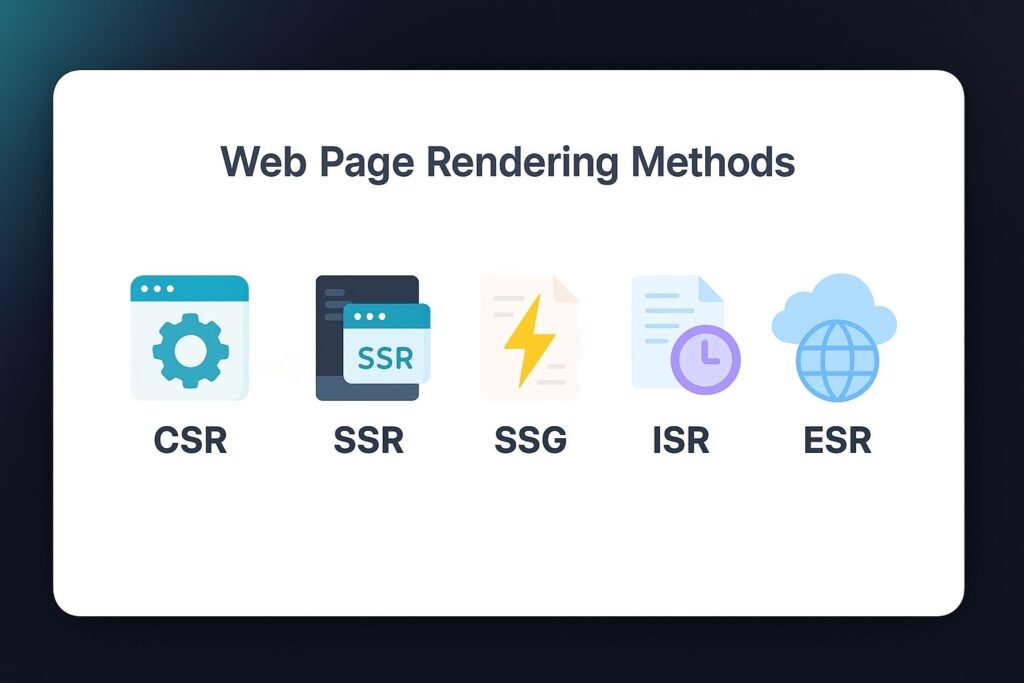
        Web Page Rendering Methods

        Showcasing five web page rendering methods with icons: CSR, SSR, SSG, ISR, and ESR
        Rendering decides when and where HTML is produced. Short definitions:
        • CSR (Client-Side Rendering): The browser downloads a shell and JavaScript bundles, and renders the UI on the client.
        • SSR (Server-Side Rendering): The server returns fully formed HTML per request.
        • SSG (Static Site Generation): Pages are pre-built at build-time and served as static files.
        • ISR (Incremental Static Regeneration): SSG with on-demand/regenerated pages at runtime (e.g., Next.js revalidate).
        • ESR (Edge-Side Rendering): Render near the user on edge nodes for low-latency dynamic pages.
        Below, we dig into practical implications, code, and when to use each.

        What is Client-Side Rendering (CSR)?

        CSR ships an HTML shell and JavaScript bundles to the browser; the browser then fetches data and renders the UI. CSR is ideal when runtime interactivity is primary.

        Key Features

        • Fast interactions after initial load (UI handled on client).
        • Good for real-time updates, drag-and-drop, and complex stateful UIs.
        • Initial load can be slower (JS parsing/execution).
        • SEO requires pre-rendering, dynamic rendering, or server-side fallbacks.

        What is Server-Side Rendering (SSR)?

        SSR generates full HTML for each request on the server and sends it to the client. This improves first-paint and indexability.

        Key Features

        • Faster perceived initial load and better LCP for content pages.
        • Predictable SEO: crawlers receive full HTML.
        • Works better on low-end devices or slow networks (less client CPU).
        • Requires server resources and a caching strategy (s-maxage, stale-while-revalidate) to scale.

        What is Edge-Side Rendering (ESR)?

        ESR runs rendering logic on edge nodes (Cloudflare Workers, Vercel Edge) to deliver dynamic HTML closer to users, reducing network latency.

        Key Features

        • Very low TTFB for users geographically distributed.
        • Suitable for personalized pages that still need SEO-friendly HTML.
        • Requires edge-compatible code and often vendor-specific APIs.
        • Combine with CDN caching (s-maxage) and smart cache keys to scale.

        What is Incremental Static Regeneration (ISR)?

        ISR = SSG + on-demand regeneration. Pre-build pages and re-generate them at runtime using a `revalidate` window.

        Key Features

        • Fast, cached pages with near-real-time freshness.
        • Lower server costs vs. full SSR for extensive catalogs.
        • Ideal for blogs, product catalogs, and news feeds where instant real-time updates aren’t required.

        What is Static Site Generation (SSG)?

        During the build process, all HTML pages are prerendered by Static Site Generation. Pages are delivered as static assets, which, once built, result in lightning-fast performance.

        Key Features

        • High-speed (CDN-cached HTML).
        • Simple infra and excellent scaling for read-heavy sites.
        • Not ideal for highly personalized, real-time data without ISR or client-side fetches.

        Client-Side Rendering vs Server-Side Rendering: Comparison

        Factor CSR SSR
        Rendering
        Client (JS bundles)
        Server returns full HTML
        SEO
        Medium (needs pre-render/dynamic rendering)
        High (HTML available to crawlers)
        Initial load
        Slower (JS parse/exec)
        Faster perceived; better LCP
        Interactivity
        Excellent after load
        Good with partial hydration
        Server cost
        Lower per-request
        Higher (unless cached)
        Use cases
        SPAs, dashboards, in-app editors
        Blogs, product pages, marketing sites

        How to Choose the Correct Web Page Rendering Method?

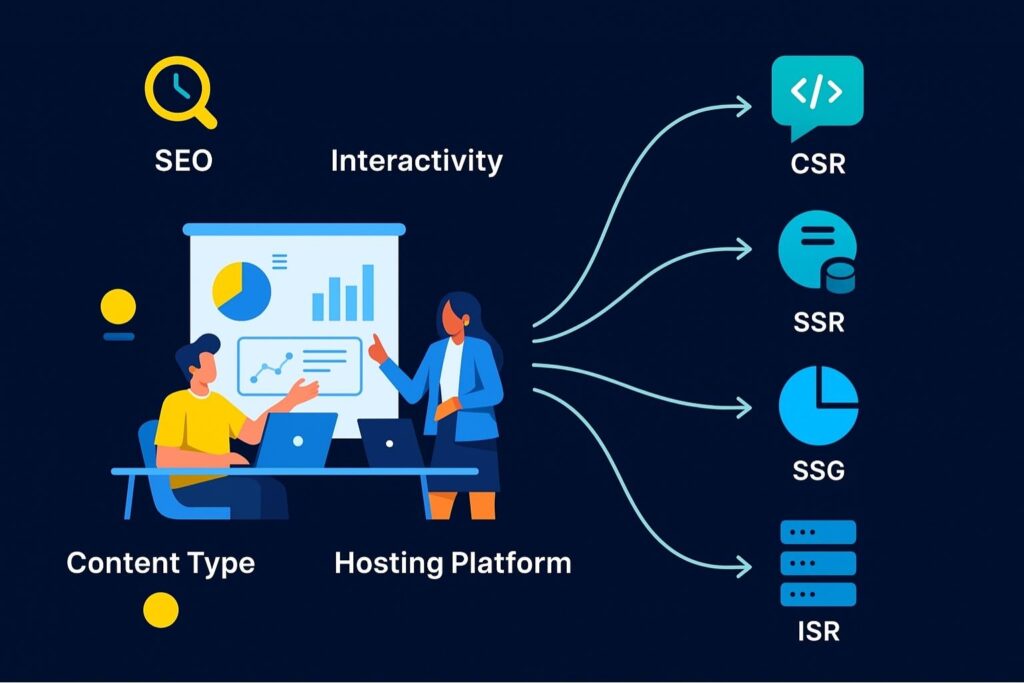
        Flowchart-style image showing factors like SEO, interactivity, and content type leading to different rendering methods
        Choosing a rendering method depends on several factors, including SEO, interactivity, content type, and infrastructure. The following factors are discussed:

        SEO (as needs/priority)

        If your site heavily relies on organic traffic, such as e-commerce sites, publishing/news sites, or blogs, SEO must be a priority. SSR, SSG, or ISR are better options since you get fully rendered HTML that can be crawled easily by Googlebot. Even though CSR can be SEO optimized, it will often take more work if you want proper results (like dynamic rendering, prerendering).

        Website Functionality/User Value

        Think about what is most important to your users. If they require high interactivity (e.g., dashboards, web apps, or chat platforms), CSR will be better, as it allows for dynamic updates in the browser. If your site delivers content as value to the user (e.g., blogs, portfolios, news), SSR, ISR, or SSG will provide better load times and improved readability.

        Project Type (Dynamic vs Static)

        Dynamic websites that undergo frequent changes or display personalized data, such as eCommerce product pages or booking sites, are a better fit for SSR, ISR, or ESR.
        Static websites that require infrequent updates or changes, such as documentation sites, marketing pages, or blogs, are better suited for SSG, primarily because they can be prerendered and served directly.

        Content Refresh Frequency

        Consider how often your content changes.

        • Frequent changes (daily/hourly): SSR or ISR can ensure that users see your updated content immediately.
        • Occasional changes: You can save on costs using SSG, as it only builds a page when needed.
        • Real-time changes: ESR is your best option as edge servers can deliver fresh data at any moment.

        Tech Stack

        Your decision might change based on your framework; for example, if you’re using Next.js, you could have the flexibility of different options (SSR, ISR, SSG, ESR). Technologies/frameworks like Angular, Vue.js, or React often lean towards CSR, but add-ons can also be integrated for SSR support. Ensure that your tech stack fits your developer skills and ability to host.

        Project Requirements

        If you’re focused on achieving personalization, user-specific content, or A/B testing for your project, SSR or ESR may be a better choice as they serve content dynamically. But if you stress speed and simplicity, SSG or ISR can significantly reduce complexity while still achieving excellence in speed.

        UX

        Rendering affects how fast users view your site. CSR involves a load delay on the first load but provides a seamless, app-like experience later. SSR means you serve your content faster on initial load, so users have a better first impression. However, it is less responsive and will reload the entire page if the navigation is not optimized. The choice of selecting your method will help you strike a balance between the speed and interactivity you can achieve.

        Platform Choice

        Some hosting providers and CDNs are optimized for specific rendering methods. Options like Vercel and Netlify are better for SSG and ISR, while others like Cloudflare Workers are more suited for ESR rendering. The choice of Hosting platform/environment makes a massive difference in performance and scalability.

        Which is Better, SSR or CSR?

        Neither SSR nor CSR is better for everything – it is, like most things, “it depends” on your project. SSR is better for SEO-heavy, content-rich, and dynamic sites. CSR is more suitable for highly interactive applications where user engagement occurs after the initial load has been completed.

        Why is SSR Faster Than CSR?

        SSR always feels faster than CSR since the server sends a fully-formed HTML page immediately. In CSR, the browser first loads various JavaScript bundles, parses and executes them, and then provides an HTML page to the user. SSR reduces the delaying step, leading to a better perceived performance.

        What are the Disadvantages of Client-Side Rendering?

        • Initial load may be slower due to JavaScript-based rendering.
        • Increased load on device resources, leading to poorer performance on lower-tier devices.
        • There could be SEO issues if crawlers are unable to access pages rendered with JavaScript.

        Is Client-Side Rendering Bad for SEO?

        CSR is not inherently detrimental to SEO, but it does have drawbacks. Search engines, such as Google, are capable of indexing CSR, but it is slower and less predictable. If SEO is a priority, SSR, ISR, or SSG is often a safer option.

        Conclusion

        Web pages now employ a combination of methods to display content, ranging from basic HTML to more advanced techniques that enhance performance, SEO, and user experience. Client-Side Rendering (CSR) works well for creating dynamic and interactive web applications. However, it can be difficult to manage SEO and speed when the page first loads. SSR can better support SEO and improve initial load performance through server-based rendering, although it places a greater load on your server. These rendering strategies are often implemented by an offshore software development company in India to balance performance, scalability, and development efficiency.
        Modern rendering methods, such as ESR, ISR, and SSG, provide a more flexible and efficient development experience. Shaligram Infotech knows that choosing a rendering method does not always mean selecting one over the others. Each process can be customized to meet your project’s specific goals, whether those focus on performance, interactivity, SEO, or scalability.
        Categories
        Blog Microsoft

        How Dynamics 365 Enables Remote and Mobile Workforce Efficiency

        Microsoft

        How Dynamics 365 Enables Remote and Mobile Workforce Efficiency?

        Showcasing How Dynamics 365 Enables Remote and Mobile Workforce Efficiency

        GEt in Touch


          The way businesses work has changed over the years. Now, employees are no longer required to be present in an office to be an effective contributor as businesses prefer flexibility, real-time collaboration, and the ability to access information from anywhere.
          Microsoft Dynamics 365 solutions have emerged as an important platform in this space by combining cloud-based access, end-to-end workflows, and specialized mobile applications to maintain secure data access and business continuity, while also enabling organizations to enhance workforce productivity.

          Dynamics 365's Core Capabilities for Remote Workforce Efficiency

          Cloud Access: The Key to Remote Workforce Efficiency

          The most significant factor in remote efficiency is access. Dynamics 365’s cloud-first platform provides secure access for employees anywhere, on any device. With real-time access to data, organizations can avoid bottlenecks associated with outdated and siloed information.
          Whether it is reviewing customer records or updating project progress, or tracking sales opportunities, teams can always access the most accurate data.

          Seamless Communication & Dynamics 365 Mobile Workforce Collaboration

          Collaboration is paramount when teams are distributed. Dynamics 365 offers Microsoft Teams integration, enabling employees to message, video conference, and share files directly within their work environment. Such integration enables sales teams to update opportunities during meetings, customer service professionals to access knowledge bases, and project managers to share dashboards.

          Automated Workflows and Task Management

          Manual processes slow down remote teams. Dynamics 365 utilizes automation and AI to automate repetitive and tedious tasks, such as sending reminders, updating records, or generating invoices. Through automated workflows, companies can release teams from time-consuming administrative tasks, enabling them to focus on value-adding work. Task management features ensure team accountability as everyone knows who is assigned a task, by whom, and how to monitor progress. This approach plays a key role in streamlining operations with Dynamics 365 business process automation.

          Real-time Data Sharing, Insights, and Analytics

          Data-driven decision-making has become even more relevant for remote employees. Dynamics 365 offers AI-powered, real-time reporting and analytics capabilities, providing leaders with visibility into their operations. Internal sales expectations, customer engagement levels, and employee performance can all be monitored and adjusted in real time. Furthermore, organizations can quickly recognize new opportunities, challenges, and trends, as they have visibility, even when teams are dispersed.
          For example, a field technician can use the mobile app to access real-time inventory levels, preventing delays and improving customer satisfaction.

          Enhanced Data Security for Remote Access

          Remote access can raise concerns regarding data security. Dynamics 365 takes care of it, as it comes with enterprise-grade security features, including role-based access, multi-factor authentication, and data encryption. IT teams can manage user permissions precisely, ensuring that technology allows employees access to data relevant to their individual roles. This helps ensure compliance with industry regulations while maintaining a balance between flexibility and security.

          Cost Savings

          Promoting a remote workforce typically results in a decrease in overall costs associated with physical office space, travel, and infrastructure. The combination of Dynamics 365, along with your remote workforce, will amplify these cost savings by enhancing processes, eliminating waste, and dependence on various tools that are not connected together. Using a single application will allow you to scale your organization without increasing your IT costs.

          Dynamics 365's Specialized Support for Mobile Workforce Efficiency

          Central cloud hub connecting business icons on a digital grid background

          Understanding Field Service Management (FSM)

          Dynamics 365 Field Service Management is a comprehensive solution from Microsoft that provides businesses with complete control over managing all their field service operations efficiently. The service offers tools and features to optimize scheduling, work order management, dispatching, and team collaboration, enabling industries to deliver excellent customer service. From a holistic perspective, organizations can manage why and how they get their field service operations up and running.

          Key Capabilities of Dynamics 365 Field Service

          This cloud-based business solution centralizes scheduling & dispatching, work order management, and resource and inventory management. Dispatchers can assign the right technician to the right job based on skills, location, and availability. Technicians will have access to customer data that helps them offer personalized service while recommending additional services. Moreover, businesses will be able to carry out continuous improvement and better decision-making by having access to analytics and reporting tools.

          Mobile Application Capabilities

          The Dynamics 365 Field Service mobile app is a game-changer for both businesses and technicians. It offers an easily customizable, flexible, and secure mobile application for businesses without any coding knowledge. It also offers location-tracking, making it easier to manage the field workforce and field appointments.
          For technicians, Dynamics 365 Mobile helps enhance efficiency and accurate recordkeeping by offering access to customer history, job details, checklists, and step-by-step guides, even offline. They will be able to capture customer signatures, update job status in real time, generate invoices, etc.

          Boosting Productivity in Field Service

          Dynamics 365 Field service helps streamline work order management by scheduling the right technician for the job using AI-driven insights. It also offers tools to track and measure the performance of service operations. Moreover, they will have access to a complete view of tasks and schedules that helps with prioritization and planning. Technicians can be assisted with complex tasks and roadblocks through CoPilot integration.

          Integrations with Microsoft 365 for Field Service

          Dynamics 365 Field service integrates with Microsoft 365 tools like Microsoft Outlook, Teams and Viva Connections seamlessly. Integration with Microsoft 365 tools lets field workers collaborate with their team members through Teams, view all their daily tasks and schedules through Viva Connections, manage schedules through Outlook and share documents through SharePoint.

          Maximizing Business Efficiency with Dynamics 365: General Tips Applicable to Remote/Mobile Work

          Mobile device with Dynamics 365 UI surrounded by tech icons and glowing lines

          Customizing Dashboards for Actionable Insights

          Personalized dashboards in Dynamics 365 are a key way to enhance business efficiency, as they display only the key performance indicators (KPIs) that matter to the business. By designing a custom dashboard, employees will be able to view and analyze data that is relevant to their roles. Such quick and direct access to information will help improve response times and decision-making.

          Ensuring Mobile Accessibility

          Teams can access business-critical data with Dynamics 365 and perform tasks from anywhere, using just a mobile app. Teams will be able to stay connected with the systems and manage all operations in real-time, whether they are working on-site, remotely, or traveling. Having a mobile-friendly D365 ensures business operations are uninterrupted, and flexibility and productivity remain intact.

          Regular System Updates and Maintenance

          To enhance system functionality, performance, and security, Microsoft frequently releases new features and updates. Businesses can leverage new tools and capabilities by staying current with these updates, thereby enhancing their efficiency. Additionally, it becomes possible to identify potential problems before they become critical, thereby preventing operational disruptions and reducing downtime through routine maintenance.

          Training and Support for Users

          One of the most effective ways to enhance the efficiency of Dynamics 365 is to provide comprehensive training. It will become possible to ensure employees can leverage the maximum features and tools of the system through comprehensive training. Well-trained users will be able to perform tasks more effectively, navigate the platform seamlessly, and contribute to the overall success of the business.
          Provide targeted training for different user roles (e.g., sales, service, field technicians) and leverage official resources like Microsoft Learn to ensure proficiency and adoption of new processes.

          Customized Solutions with Dynamics 365 Implementation

          Every organization has differing priorities and follows different workflows. To meet industry-specific needs, Dynamics 365 will offer custom dashboards, modules, and integrations. After aligning the platform with strategic priorities, organizations will provide their mobile or remote employees with the best tools and insights possible while maintaining flexibility and efficiency to be adaptable towards changing business needs.

          Conclusion

          As organizations implement remote and mobile work environments, finding digital tools that work effectively, efficiently, securely, and flexibly is essential. Dynamics 365 is leading the way in providing a single platform that allows organizations to have real-time collaboration, automated data intelligence, and robust security. With Dynamics 365’s Field Service capabilities, mobile teams can execute operations more efficiently and utilize tools to perform successfully in the field. Whether you need to support your mobile technicians or remote employees, Shaligram Infotech, the best software development company in India, will help your organization develop the capabilities to complete work efficiently.
          Categories
          Blog Microsoft

          integrating-ai-machine-learning-smarter-operations-dynamics-365

          Microsoft

          Integrating AI and Machine Learning for Smarter Operations with Dynamics 365

          Abstract AI and machine learning visuals integrated with business operations and Dynamics 365 elements

          GEt in Touch


            The speed of digital transformation has never been so fast as now, and businesses are under immense pressure to improve operations and drive value for customers. Artificial Intelligence (AI) and Machine Learning (ML) have become integral to Microsoft Dynamics 365, helping businesses optimize processes, analyze data more effectively, and make smarter, faster decisions. By choosing Dynamics 365 services enhanced with AI and ML, companies can unlock greater value from their existing operations.

            Organizations can open up newer opportunities for automation, efficiency, and customer engagement with the application of AI in business, especially with Microsoft Dynamics 365. By leveraging Microsoft Dynamics 365 services, they can shift from being reactive to proactive by taking advantage of intelligence and taking the right action at the right time to tackle challenges with precision.

            Why AI and Machine Learning Matter for Modern Business Operations?

            Today, businesses use data to run their organizations. They get to generate meaningful information from each customer engagement, financial transaction, and operational process. However, it is not possible to get maximum benefit from data if it is not used correctly when using the right tools. This is where powerful tools like ML and AI for business operations are used to sift through large datasets, find hidden patterns, and get actionable insights.
            AI and ML capabilities can support an organization by providing predictive insights into customer behaviors, optimizing supply chain opportunities, and enabling data-driven, fact-based decision-making over intuition-based strategies. It is now imperative for organizations to embrace AI and ML technologies to remain competitive in these fast-growing markets.

            Integrating AI into Dynamics 365: What You Need to Know

            Visual of AI integration with Dynamics 365 using neural networks, data flows, and business app icons


            Microsoft Dynamics 365 provides built-in AI capabilities across Finance, Supply Chain Management, Sales, and Customer Service modules. This allows businesses to automate workflows, use predictive analytics for demand planning, and deliver highly personalized customer experiences, all from within the Dynamics 365 platform. Dynamics 365 AI integration offers capabilities not limited to data analysis but extending to intelligent automation, natural language processing, and advanced predictive modeling.

            Integration of AI begins with understanding organizational needs and aligning those needs with the AI-powered modules in Dynamics 365. This also involves considering data readiness, ensuring the data is clean, well-structured, and easily accessible, which enables AI to generate accurate results.

            How Microsoft Dynamics 365 AI Solutions Drive Business Growth

            Artificial Intelligence transforms Dynamics 365’s business solutions into intelligent business ecosystems. In Customer Engagement, for example, AI-driven chatbots can assist customers with simple inquiries, which provides the opportunity for agents to focus on high-level, complex cases. In Finance, anomaly detection tools that use ML help detect fraudulent activity, as well as identify any unusual expenses. In Supply Chain Management (SCM), AI predictions help organizations by proposing optimized inventory levels and identifying procurement and demand fluctuations.
            AI business solutions enhance functions to achieve strategic outcomes, while also automating simple tasks. Dynamics 365 serves as the foundation where AI enhances core processes by introducing smarter, faster, and more reliable decision-making capabilities, empowering organizations to make data-driven decisions with Dynamics 365 services.

            Benefits of AI-Driven Business Solutions in Dynamics 365

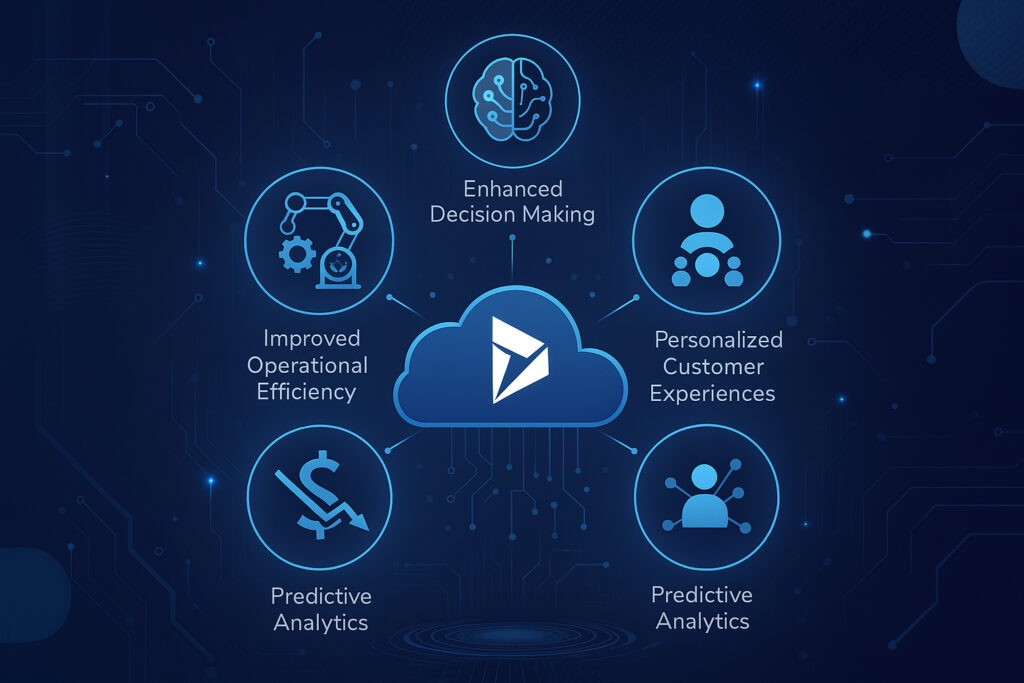
            Digital technology project showcase


            The primary value of integrating Microsoft Dynamics 365 with AI and ML lies in its business applications. Companies need to improve operational efficiencies and innovate in customer interactions and business planning. By applying intelligence to day-to-day activities, Dynamics 365 helps organizations work with agility and resiliency. Let’s examine a few of those benefits more closely.

            Improved Operational Efficiency

            Artificial Intelligence in business, along with automation, helps lower the burden of manual processing within routine tasks so that employees can focus on high-value jobs. Dynamics 365 can help automate day-to-day functions that are repetitive, such as data entry, invoice approvals, time and service scheduling. This helps with faster process flow while removing chances of human errors, leading to efficient & smoother operations.

            Enhanced Decision Making

            Leveraging built-in AI for Dynamics 365 lets leaders make data-driven, informed decisions. Instead of waiting for reports on a monthly or quarterly basis, decision makers will have access to dashboards of data and predictive recommendations in real time. This lets organizations have the ability to spot trends, assess risks, and identify new opportunities quickly.

            Cost Reduction

            By integrating AI into Microsoft Dynamics 365, organizations can reduce operational costs through intelligent automation, predictive maintenance, and accurate demand forecasting. This ensures businesses maximize their Dynamics 365 investment while avoiding costly inefficiencies. Automated workflows contribute to reducing manual tasks, predictive maintenance reduces downtimes, and accurate demand forecasts can eliminate inventory spoilage. With time, these processes lead to effective cost reductions within organizations.

            Personalized Customer Experiences

            Customers today expect every interaction to be deeply personalized. Dynamics 365 with AI-based customer insights promotes customer satisfaction by letting businesses analyze customer preferences, gather customer feedback, and learn from user behaviors. Whether through customized marketing campaigns or unique service recommendations, AI can help businesses stimulate a deeper connection to their customer.

            Predictive Analytics

            AI-based predictive analytics in Dynamics 365 represents one of the more profound possibilities for organizations. Machine learning models assess historical data to predict future behavior, customer needs, and operational hurdles. By addressing these situations before they happen, organizations can prepare for market changes, reduce risk, and capitalize on opportunities before their competition.

            Machine Learning in Dynamics 365: Smarter Business Decisions

            Dynamics 365 Machine Learning models can go beyond providing simple analysis of data. They offer improved predictions and recommendations by continuously learning from new datasets. For example, historically, ML models have been able to predict leads with a high chance of converting into sales and check financial data for any warning alerts. Machine Learning helps businesses make more accurate and more intelligent decisions by refining their insights, thereby ensuring long-term strategic success.

            Streamlining Operations with AI and Automation in Dynamics 365

            AI-driven automation is a groundbreaking force for building operational workflows. Dynamics 365 enables businesses to automate case assignments to the appropriate agents, plan delivery routes, and streamline procurement approval processes, thus improving operations through Dynamics 365 business process automation.

            Overcoming Challenges in AI and Machine Learning Integration

            Even with this great potential, there are significant challenges to integrating AI and ML with Dynamics 365. This includes organizational data being in silos, as well as faulty and incomplete data, and overall company unpreparedness. Additionally, employees who fear their jobs will be replaced by AI will resist the change.
            Being successful at overcoming these potential barriers requires an effective change management plan, proper communication about the AI implementation role, and serious work on the data governance area. Apart from that, security and compliance considerations need to be taken into account to ensure sensitive data is used securely by AI models.

            Best Practices for AI and Machine Learning Adoption in Dynamics 365

            Organizations are required to follow best practices to derive maximum value from using AI and ML in Dynamics 365. Establishing clear objectives and setting them within the framework of actual business is one of the best practices rather than creating technology hype. Ensuring that your data infrastructure can accommodate AI and ML technologies is another key thing. You should also work towards training employees to work with AI tools, including the ability to interpret insights, which can be effective.
            Next, accelerate deployment and mitigate AI-related risks in business integration by partnering with experienced Dynamics 365 professionals like Shaligram Infotech. Finally, adopt a phased approach, starting with small AI-driven projects and then transitioning to large-scale initiatives. This approach enables organizations to build confidence and demonstrate a visible ROI for the business.

            Future-Proofing Your Business with AI and Dynamics 365

            Organizations that integrate AI and ML with Dynamics 365 can identify new opportunities for enhanced customer engagement and efficiency. As a leading software development company in India, we understand how it helps businesses understand customer needs, anticipate market shifts, and innovate as needed with confidence.
            Using AI to enhance business operations with Dynamics 365 involves challenges and requires thorough planning. However, those who can embrace them will be able to cope with the rapidly evolving digital space and ensure long-term growth for themselves. Get in touch with us today to explore how Dynamics 365 and AI can transform your business operations.
            Categories
            Blog Microsoft

            Empowering Data‑Driven Decisions with Dynamics 365

            Other Categories

            Empowering Data‑Driven Decisions with Dynamics 365

            Empowering Data‑Driven Decisions with Dynamics 365

            GEt in Touch


              It is a fact that enormous amounts of data are generated across the digital realm every day. According to reports, approximately402.74 millionterabytes of data are generated daily. For decision-makers, this can mean both boon and bane at the same time. On the one hand, businesses have the ease of getting insights and patterns into market trends, customer behavior, and tips to improve their operations. On the other hand, there is a tremendous volume of complex and challenging data.
              To turn this data into meaningful action, organizations are increasingly turning to solutions like Microsoft Dynamics 365 services. These tools help businesses not only collect and manage large volumes of data but also transform it into actionable insights that drive growth, innovation, and smarter decision-making.
              Because of the data deluge, businesses around the world are now having a hard time making the right call and leveraging their potential. This is where data-driven decision-making software like Microsoft Dynamics 365 saves the day! It helps businesses make data-driven decisions by offering transformative solutions.
              Here in this post, we will try to know more about how D365 is playing a key role in helping business leaders make informed and impactful business decisions.

              Building a Single Source of Truth with Dynamics 365

              Uncoordinated and siloed data cripples decision-making, extends business processes, and creates costly inaccuracies. Dynamics 365 eliminates these pain points by serving as your centralized data hub, seamlessly integrating CRM, ERP, sales, marketing, customer service, and supply chain information into a unified platform.
              For example, a retail client reduced reporting time by 65% after consolidating their disparate systems into Dynamics 365.
              This comprehensive view of business data enables leaders and teams to achieve consistent, real-time access to accurate data, eliminating duplication and misalignment. Organizations can determine a “single source of truth” using Dynamics 365 that aligns reporting, drives strategy, and fosters collaboration.

              Analytics & Dashboards in Dynamics 365

              Data is useless if it is not converted into insight. Dynamics 365 offers out-of-the-box dashboards and reporting, powered by Power BI analytics, which enables users to view trends, measure performance, and track KPIs in real-time.
              Whether it is sales forecasting, inventory, or customer behavior, Dynamics 365 dashboards provide teams and organizations with the ability to filter, drill down, and take action on the most important key performance indicators instantaneously. Visual tools like these replace the dependency on IT teams and provide business users the ability to rapidly make decisions confidently.

              Predictive Insights with AI & Machine Learning in Dynamics 365

              Analytics in Dynamics 365 has evolved from descriptive to predictive insights by leveraging Dynamics 365 Machine Learning and AI possibilities. AI-driven forecasting, user sentiment analysis, and next-best action recommendations provide organizations with the tools to predict and prepare for market shifts, customer needs, and production issues.
              For instance, representatives are freed from the task of identifying priorities when any opportunities emerge, as they can use AI-driven insights to know what to focus on on any given day.
              In industries like manufacturing, downtime can be avoided altogether with predictive maintenance alerts. These intelligent capabilities help take your usual, reactive decision-making approach to a more proactive stance. This will help reduce costs, increase revenue, and enhance customer experiences. When combined with tools like Dynamics 365 business process automation, businesses can streamline workflows even further, making operations more resilient and agile.

              Empowering Teams with Dynamics 365

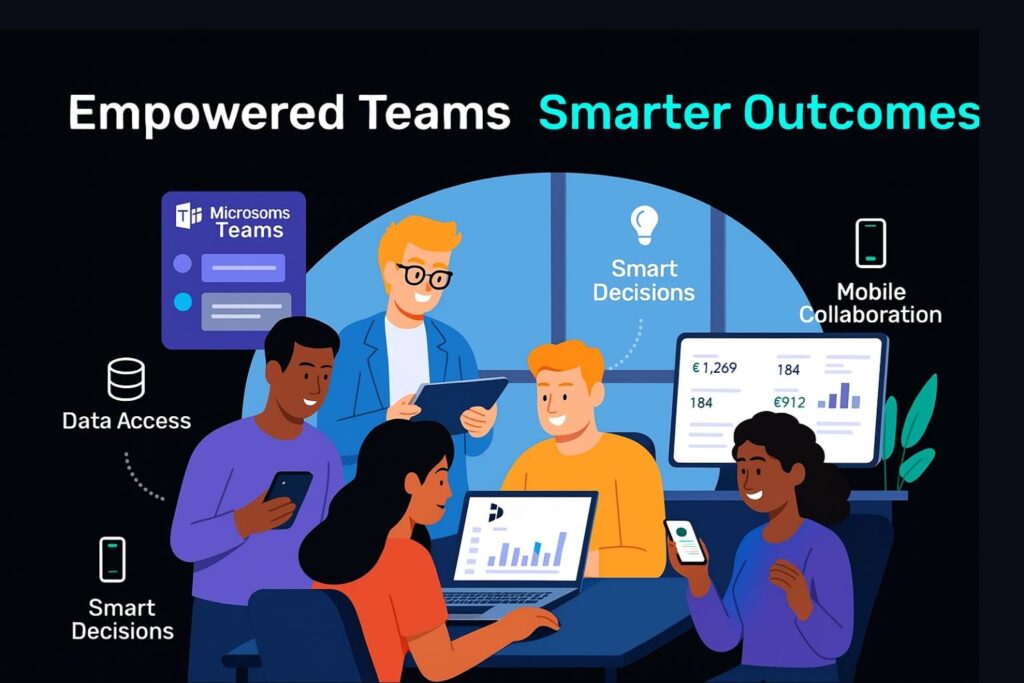
              Showcasing benefits and how empowering teams with Dynamics 365
              The power of the data-driven decision-making process isn’t just something that is reserved for the top-level management. Dynamics 365 allows teams access to the available data, sales, finance, operations, and service, and makes the insights available to them across departments.
              With role-based access, it became possible to ensure that a user only sees the information available that is relevant to their role/responsibility. Dynamics 365 allows teams access to the available data sales, finance, operations, and service, and makes the insights available to them across departments, supporting digital transformationacross the organization.
              By empowering teams, you will have more productive members making faster, smarter decisions while gaining better outcomes, all aligned to the overall business goal.

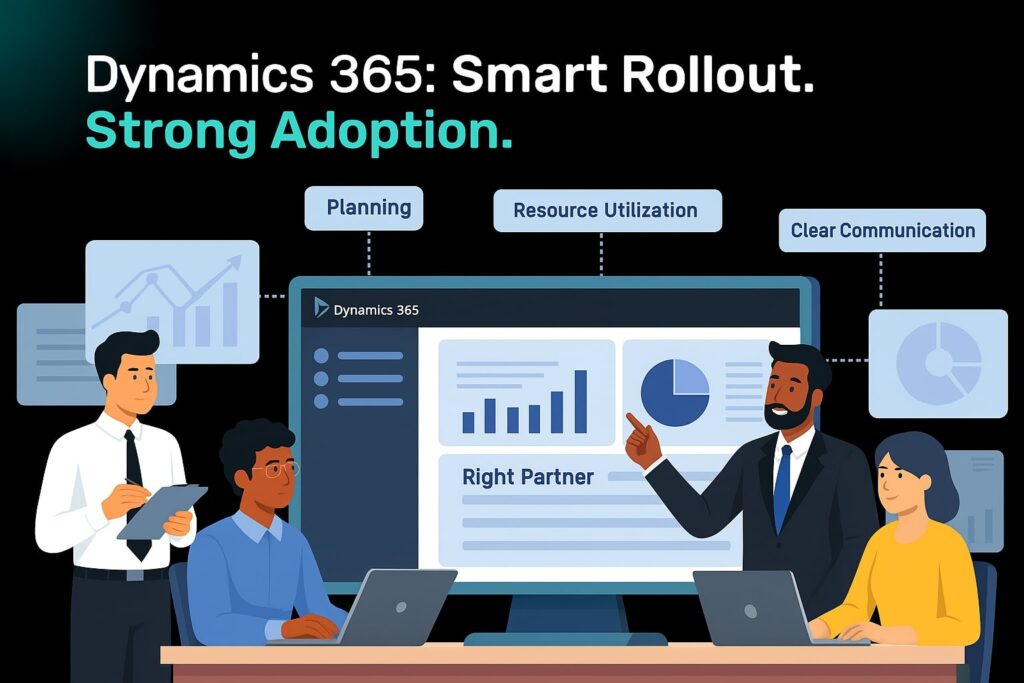
              Best Practices for Dynamics 365 Rollout & Adoption

              Showcasing best practices for Dynamics 365 rollout & adoption
              Here are some Dynamics 365 best practices that businesses can follow during data-driven decision-making transformation.

              Plan Out the Implementation Meticulously

              Plan out each phase of the implementation by defining clear timelines, specific goals, and well-defined responsibilities. It is possible to ensure smoother transitions and reduce risks by having a well-structured plan in place.

              Choose the Ideal Implementation Partner

              Find a certified Dynamics 365 partner that understands your industry. Having the right Dynamics 365 implementation partners will drive solutions that reflect your business and have a greater chance of providing long-term value.

              Assess Existing Functionalities and Tools

              Look for areas of improvement and identify redundancies by evaluating the existing systems. This will help ensure seamless integration with Dynamics 365 while streamlining processes.

              Analyze Business Requirements

              Collect information from all the stakeholders involved to ensure Dynamics 365 meets proper business needs. It will become possible to ensure better user adoption and ROI through a requirement-driven approach.

              Ensure Effective Resource Utilization

              Plan each stage of implementation by assigning the right tools and team members. Project delays can be minimized and efficiency enhanced through proper resource planning.

              Maintain Clear Communication & Collaboration

              Choose feedback loops and regular updates to keep all stakeholders informed about the implementation. Transparency will encourage user engagement and foster alignment.

              Start Your Data-Driven Transformation Journey with Dynamics 365

              Implementing data-driven decision-making software doesn’t happen all at once, but choosing the right technology partner, like Microsoft Dynamics 365, is the beginning. When supported by the best software developer company in India, it equips you with the tools, infrastructure, and intelligence you need not only to engage users and make informed business decisions faster but also to remove the current barriers to centralizing and maximizing your data.
              By breaking down silos, organizations can enter a future with greater frontiers of data-driven value, and that includes:
              • Data centralization
              • Accessing AI-driven insights
              • Real-time analytical backup
              • Well-defined implementation criteria
              If you’re ready to change how decisions are made in your organization,contact us to get started with your Dynamics 365 pathway.
              Categories
              Blog Microsoft

              Streamline Your Operations with Dynamics 365 Business Process Automation

              Other Categories

              Streamlining Operations With Dynamics 365 Business Process Automation

              Streamline Your Operations with Dynamics 365 Business Process Automation

              GEt in Touch


                Businesses of today need to be on top of everything to give their best shots. They need to be agile, efficient, and flexible, but manual processes slow them down in many aspects because they are resource-sensitive, leading to errors and increased operational costs. Businesses can surpass these problems and transform their business operations by going for Business Process Automation (BPA) integrated with Dynamics 365, like a robust platform.

                Here in this post, let’s see how Microsoft Dynamics 365 services can help your organisation have streamlined operations and reach operational excellence by enabling BPA across departments.

                What Is Business Process Automation?

                Business Process Automation (BPA) refers to the use of technology in a business setup to take care of recurring processes or tasks to reduce manual efforts. The goal of leveraging such technology is to improve overall performance while reducing costs, increasing efficiency, and minimising errors. Whether it is about handling customer support requests, managing leads, or routing approvals, BPA makes processes scalable and consistent.

                Why Business Process Automation Is Important?

                When it comes to small teams, manual work may work; however, as the teams grow, this can turn out to be a problem. With automation, it is possible to ensure improved accuracy, faster turnaround times, increased productivity, real-time operational visibility, and standardised compliance.

                What Is Business Process Automation In Dynamics 365?

                Microsoft Dynamics 365 offers a suite of connected applications that focuses on automation and so is considered more than just a CRM or ERP solution. By having features like Power Automate integration, AI insights, business rules, and workflows, D365 helps businesses automate complex processes with maximum flexibility and minimal code.

                Types Of Workflows In Dynamics 365

                Showcasing Types Of Workflows In Dynamics 365

                There are basically 3 types of workflows in Dynamics 365 that help businesses standardise their procedures through automation, and they are:

                Business Process Flows

                To automate record updates, task assignments, notifications, and more, Dynamics 365 includes robust workflow engines apart from BPFs. It is possible to get custom workflows done for your business without heavily investing in the development side to meet your specific business logic.

                Workflows In D365

                To automate record updates, task assignments, notifications, and more, Dynamics 365 includes robust workflow engines apart from BPFs. It is possible to get custom workflows done for your business without heavily investing in the development side to meet your specific business logic.

                Actions In Dynamics 365

                One of the key components of Dynamics 365 is Actions, which helps users to define reusable business logic. They can be called custom operations that let you have deeper customisation across departments and can be triggered from apps or Power Automate.

                Comprehensive Process Automation Using Dynamics 365 Modules

                Sales Automation with Dynamics 365 Sales

                Right from lead scoring to closing deals, Microsoft Dynamics 365 CRM helps automate the complete sales lifecycle. It is possible for the sales representatives to focus more on selling parts and less on data entry by leveraging AI-driven insights, pipeline tracking, and automatic follow-ups.

                Key benefits:

                • AI-based forecasting
                • Smooth proposal and quote generation
                • Lead-to-opportunity automation

                Marketing Automation with Dynamics 365

                With D365 Marketing, different marketing tasks like lead nurturing, segmentation, and campaign management can be automated. It will become possible to ensure the right message reaches the specific target audience at the right time by customising customer journeys.

                Key benefits:

                • Lead scoring
                • Automated email and event marketing
                • Multi-channel campaign planning

                Service Automation with Dynamics 365

                Customer service agents are empowered with automation tools using Dynamics 365 Customer Service for knowledge base suggestions, case routing, and SLA monitoring. This helps the team to ensure consistent customer service is delivered across all channels.

                Key benefits:

                • Intelligent chatbot integration
                • Assigning cases automatically
                • Proactive service alerts
                • Finance Automation with Dynamics 365
                Smarter and faster financial operations can be achieved with Microsoft Dynamics 365 Finance. While maintaining data accuracy, automate compliance reporting, invoice generation, and payment processing.

                Key benefits:

                • Real-time forecast and budget tracking  
                • Automated billing and reconciliations  
                • Global tax compliance automation  
                • Operations Automation with Dynamics 365 

                Dynamics 365 Supply Chain Management automates inventory, procurement, and production planning for supply chain management and manufacturing. This helps improve coordination between departments while reducing delays.

                Key benefits:

                • IoT-driven supply chain insights
                • Predictive maintenance scheduling
                • Automated purchase requisitions

                Analytics & Reporting Automation with Dynamics 365

                Informed decision-making and real-time visibility have become key aspects in today’s data-driven world, as they help businesses stay competitive. Through AI-driven insights, native dashboards, and seamless integration with Power BI, Dynamics 365 offers built-in analytics capabilities that will help businesses turn their data into actionable insights, thereby reducing the dependency on manual reporting.

                With reporting and analytics automation, businesses will be able to –

                • Deliver real-time dashboards for sales teams, executives, and finance managers, as well as other key stakeholders.
                • Based on preset triggers or schedules, auto-generate reports.
                • Can set KPI-based automated alerts
                • Predict forecast sales and customer churn, and identify any operational inefficiencies or anomalies using machine learning models and AI.
                Whether you are tracking financial health or visualising customer journeys, Dynamics 365 ensures you have updated, accurate insights available at your disposal. It completely removes dependency on a manual spreadsheet.

                D365 Business Process Automation Implementation Roadmap

                Showcasing D365 BPA Implementation Roadmap
                It is not just about deploying new tools when we talk about implementing business process automation in Dynamics 365. It is about understanding your strategic goals and aligning technology based on that. It is possible to ensure that measurable ROI is delivered without affecting day-to-day operations by implementing a proper roadmap for automation.
                The key stages of the roadmap are:

                1. Process Discovery & Automation

                Look for business processes that are inconsistent, time-consuming, or error-prone. Involve users to identify pain points and map out current workflows. 

                2. Automation Strategy Design

                Plan out the automation goals that you plan to achieve with it. Based on that, select the ideal D365 modules and tools that meet each process need. 

                3. Solution Configuration & Development
                Customise processes, rules, triggers, and business process flows with D365. This involves integrating third-party data sources, creating custom entities, or building automation components that can be reused.

                4. Pilot Testing & Validation
                Get selected users to run small-scale tests. Now work on improving its performance and usability by gathering feedback, measuring outcomes, and refining the logic of automation.

                5. Deployment & User Training
                Deploy the solution across the organisation. Create documentation and conduct hands-on training sessions to ensure smooth end-user adoption.

                6. Monitoring & Optimisation
                Continuously monitor automated processes using performance dashboards, audit logs, and user feedback from D365.

                TLDR

                Dynamics 365 goes beyond just CRM or ERP; it’s a powerful platform packed with automation features like Power Automate, AI insights, and custom workflows. We explored how it can streamline everything from sales and marketing to finance, customer service, and even supply chain management, helping you reduce errors, cut costs, and improve productivity.

                Achieve Operational Excellence With Dynamics 365

                Business process automation has more to offer a business in terms of building a smarter business setup, apart from just saving time. Microsoft Dynamics 365 helps businesses elevate their operations beyond digitizing them. With Dynamics 365, you will be able to automate, analyse, and act quickly and precisely on different aspects of business, whether it is marketing, sales, service, operations, or finance. As a leading software development company in India, we specialize in helping businesses leverage the full potential of Dynamics 365 to drive growth and improve efficiency.

                GEt in Touch


                  Categories
                  Blog Microsoft

                  How Does Dynamics 365 Support Digital Transformation?

                  Microsoft

                  How Does Dynamics 365 Support Digital Transformation?

                  How Does Dynamics 365 Support Digital Transformation by Shaligram Infotech

                  GEt in Touch


                    Technology plays a critical role in defining how businesses today operate and meet customer expectations. So, when we say this, the role of Microsoft 365 digital transformation is undeniable in this matter. Dynamics 365 is said to influence modern workplaces by offering a set of tools that can enhance customer experience and help them stay resilient with their Microsoft digital strategy.

                    A Brief About Digital Transformation in Business

                    Digital transformation in business is carried out by incorporating digital technologies into every aspect of operations to design more effective processes, improved customer experiences, and evidence-based strategies. Today businesses are left to deal with ineffective operations and separate, independent systems that do not communicate with each other. This causes them a great deal when it comes to meeting customer demands. The unified platform offered by Microsoft Dynamics 365 addressed them well. It offers real-time collaboration, brings together departments, and automates tasks. It encourages teams to work smartly. With Microsoft Dynamics 365 digital transformation, businesses will be able to stay relevant and competitive in the fast-moving market scenario by having access to the right digital tools.

                    Unifying Data Across Silos with Microsoft Dynamics 365 ERP

                    Visual representation of unifying data across supply chain, HR, finance, and operations with Microsoft Dynamics 365 ERP

                    Isolated flow of information between departments and platforms is one of the major digital transformation challenges. Through the implementation of a unified, centralized environment, Microsoft Dynamics 365 ERP eliminates this challenge. It presents an entire business picture to the users by integrating various departments such as supply chain, finance, customer service, and operations. Business owners will be able to make well-informed decisions using precise, real-time data instead of examining distributed sources by having connected systems. Beyond boosting collaboration across departments, it also helps with predictive analytics and intelligent forecasting. Furthermore, Microsoft Dynamics 365 digital transformation helps streamline business operations, reduce redundancies, and respond quickly to changes.

                    Driving Optimisation and Intelligent Automation with Dynamics 365 Digital Transformation

                    Microsoft 365 digital transformation is led by intelligent automation. It makes use of next-gen technologies like Robotic Process Automation, Artificial Intelligence, and Machine Learning to streamline operations and eliminate redundant data. Such integration lets businesses perform efficiently and accurately by automating workflows for inventory management, invoice processing, and customer service. It also monitors processes and offers real-time alarms by managing bottlenecks quickly. This lets firms focus more on the strategic aspects of the business instead of resolving operational issues by reducing human interactions. Moreover, such digital transformation in business helps boost the consistency and speed of critical business components.

                    Increase Customer Engagement through Microsoft 365 Digital Transformation

                    Businesses can enjoy the benefits of digital transformation by adopting Microsoft Dynamics 365 and which includes:

                    • Offer personalised experiences by learning from customer behaviour and preferences, and customise offerings and messages accordingly.
                    • Provide predictive recommendations by leveraging built-in CRM insights and intelligence offered by Dynamics 365 to forecast customer needs.
                    • Establish consistency by delivering omnichannel support by engaging with customers and the target audience across different channels like chat, email, web platforms, and social.
                    • Work on improving the entire customer lifecycle by working on customer journey mapping.

                    Agile Finance & Operations with Microsoft Dynamics 365

                    The Microsoft Dynamics 365 digital transformation initiative primarily revolves around operations and finance. Businesses will be able to have adaptive systems in place with Microsoft Dynamics 365 Services that help them respond to economic shifts and market demands quickly. The team will have better control and visibility by leveraging real-time financial reporting, streamlined workflows, and predictive insights. The dependency on outdated tools and manual spreadsheets can be reduced as the platform automates compliance processes, forecasting, and budgeting. Moreover, such digital transformation in business lets them seamlessly scale their operations and enter new markets without having to make heavy investments in infrastructure.

                    Empowering Your Workforce: Benefits of Digital Transformation

                    Workforce working together and engaging in a collaborative discussion
                    Dynamics 365 digital transformation focuses not just on processes, but significantly on empowering your people. This Microsoft solution provides your workforce with the tools they need for:

                    Enhanced Decision-Making: Employees gain access to AI-powered recommendations and role-based dashboards, leading to better-informed decisions.

                    Increased Productivity: Intuitive interfaces help employees avoid repetitive tasks, allowing them to focus on more critical work.

                    Seamless Collaboration: Integration with Office 365 and Microsoft Teams facilitates cross-functional collaboration and communication, even in remote setups.

                    Ultimately, Dynamics 365 creates an agile, engaged, and empowered workforce by delivering the right tools precisely when needed.

                    Extensibility & Ecosystem: Microsoft Digital Transformation Strategy

                    A key reason businesses prefer Microsoft Dynamics 365 for their digital transformation is its rich ecosystem and extensibility. Built on the scalable and secure Azure cloud, Dynamics 365 offers:

                    Seamless Integration: Easy integration with other Microsoft solutions like Office 365, Power Platform, and various third-party applications. This allows businesses to tailor workflows without building from scratch.

                    Low-Code/No-Code Development: Non-technical users can achieve app development and custom automation using tools like Power Apps and Power Automate.

                    Pre-Built Solutions: The AppSource marketplace provides pre-built solutions for a wide range of industries, eliminating the need to start from scratch.

                    This extensible architecture ensures that the Microsoft digital transformation strategy supports continuous evolution, whether you’re scaling operations or enhancing customer experiences. This makes it an ideal solution for robust digital transformation.

                    Security, Compliance & Governance in the Digital Transformation Process

                    For a business that deals with intellectual property, financials, and customer data, compliance and security is key for Dynamics 365 digital transformation. To make sure sensitive data is secure, Microsoft comes with role-based access controls, identity management, and enterprise-grade security. Moreover, we ensure the business adheres to regulatory norms by following global compliance standards like HIPAA, GDPR, and ISO certifications. To tackle any risks, it comes with advanced threat protection, audit logging, and data loss prevention features. It also comes with automated compliance checks and centralized policies to simplify governance. This way businesses can be protected from regulatory penalties and cyber threats as the business scales.

                    Measuring Transformation Success: Digital Transformation Roadmap

                    It is crucial to recognize that establishing a future-proof digital transformation roadmap is an iterative and continuous process that requires ongoing metric measurement and refinement.
                    Microsoft Dynamics 365 significantly supports organizations in this journey by providing the necessary tools to track and manage progress:

                    Integrated Performance Monitoring: The platform includes built-in dashboards, analytics, and Key Performance Indicators (KPIs) that can be customized to align with specific business goals. This allows administrators to monitor real-time performance across all departments, identifying areas of success and those requiring adjustment.

                    Comprehensive Metric Analysis: Within the platform, businesses can analyze a range of critical metrics, including operational efficiency, financial performance, employee productivity, and customer satisfaction.

                    Data-Driven Decision Making: By leveraging Power BI and embedded analytics, organizations can effectively assess adoption rates, set strategic milestones, and accurately calculate the Return on Investment (ROI) of their digital transformation initiatives.

                    Ultimately, implementing Dynamics 365 enables businesses to advance towards a smarter, more connected operational future.

                    TLDR: Key Takeaways on Dynamics 365 and Digital Transformation

                    Unifying Operations: Breaks down data silos for integrated, real-time business insights across departments.

                    Automating & Optimising: Uses AI and automation to streamline processes, boost efficiency, and reduce manual tasks.

                    Enhancing Customer & Employee Experiences: Delivers personalized customer interactions and empowers employees with smart tools for productivity and collaboration.

                    Ensuring Agility & Security: Offers flexible, scalable solutions with robust security and compliance, enabling businesses to adapt and grow securely.

                    Conclusion

                    Today, going for Microsoft 365 digital transformation is no longer an option. Businesses will be able to empower their employees, modernise their operations, and deliver excellent customer experiences by going for Microsoft Dynamics 365. At Shaligram Infotech, we understand each business is unique and so are their needs, and thereby customise and implement Dynamics 365 solutions that meet set expectations. From strategising to final execution, our team will ensure you have a smooth digital transformation experience.

                    Categories
                    Blog Microsoft

                    ERP vs CRM: Which One Is Right For You? 

                    Microsoft

                    ERP vs CRM: Which One Is Right For You?

                    ERP vs CRM comparison for business decision making

                    The rising trends in technology have paved the way for two automation tools that can help businesses achieve efficiency. They are CRM and ERP systems. At first glance, both may seem to be more or less similar to the general audience. However, if you try to know them better, you will understand that there are some deep differences in their functionalities.  

                    Here in this article, we will try to understand both these systems and their features in detail.

                    What is ERP? 

                    ERP or Enterprise Resource Planning is a powerful system that is used to streamline business operations. It centralizes business data thereby managing and optimizing the everyday processes. For businesses, it can also help with a reduction in overhead and labor costs.  

                    A typical ERP solution is composed of different modules which take care of different operational areas of the business. An ERP system will come with a module for inventory management while another module will manage employees. There are modules to manage financial transactions and another one to manage transportation. 

                    Together all these modules work in sync with each other to provide a comprehensive view of all departments at the organizational level. This helps in achieving better communication and data sharing among the departments.  

                    ERP system is either deployed on the cloud or on-premises. Such a solution can be beneficial for both small businesses and large enterprises and help them boost their efficiency and profitability. It helps businesses make quick decisions while reducing the chances of errors. 

                    Features of ERP

                    • Supply chain management

                    The main reason why manufacturers prefer ERP system is because of the support it offers in inventory management, production plans, and data analysis. All these together help the business use resources wisely and enhance the responsiveness of the supply chain. 

                    • Financial management 

                    This module helps in the management of general ledger and financial accounts. It tracks all the costs linked with the business, like salaries and benefits provided to employees, office rent, utility bills, the budget set for procuring raw materials, etc. Such comprehensive financial data helps businesses streamline their spending and reduce any bottlenecks by forecasting spending accurately. 

                    • Customer relationship management 

                    Some of the ERP solutions in the market offer CRM functionalities that help in monitoring customer interactions and data. It helps to make better marketing and sales efforts by having a better understanding of the preferences and needs of customers.  

                    • Human resource management 

                    The ERP system helps human resource teams to automate different time-consuming repetitive tasks. Most ERP systems manage the data of employees, develop training programs, evaluate performance, monitor benefits, and post job listings.  

                    • Project management 

                    This module in the ERP system makes resource allocation, handling task assignments, and tracking projects simple and easy. It is also possible to find and avoid bottlenecks in the project workflows using this system. 

                    What is CRM? 

                    ERP has been developed in a way to focuses on business and its activities while CRM is focused on achieving customer satisfaction. CRM or Customer Relationship Management system automates and improves interactions of an organization with its existing customers and potential prospects. CRM system is designed in a way that it can serve any kind of business to improve its core performance keeping customers in mind. 

                    An ideal CRM system improves the performance and efficiency of your sales and marketing team by saving their time and resources. CRM collects different data related to customer interactions, purchase history, demographics, etc. to draw conclusions. The collected information is analyzed, and it is used to plan out tailored marketing efforts, boost customer service, and find sales opportunities.  

                    CRM helps businesses to track and follow customer communications and respond to their requests and queries at the earliest. It automates different sales processes in a business, like generating and nurturing leads, and forecasting sales which eventually help in boosting profits and team productivity. 

                    Features of CRM 

                    • Lead/opportunity tracking 

                    This feature helps in managing and tracking any of your potential sales opportunities. Your sales team can prioritize the potential leads and plan follow-ups right from initial contact to final conversion.    

                    • Contact management 

                    This feature tracks communications and interactions of clients to come up with a segmented database. To personalize messages sent to individuals based on their specific position on the sales funnel, sales and marketing teams make use of the customer data.  

                    • Sales forecasting 

                    This feature helps you know whether your sales efforts are effective or not. It will indicate if it is time for you to try out a new approach. With it, it will become possible to analyze past performance and predict revenue based on that and also to plan out future sales activities.  

                    • Marketing automation 

                    With this feature, it becomes possible for marketers to target their potential customers strategically at the beginning of their buying journey. Based on their position in the sales funnel, the marketing team can trigger different messages and keep analyzing their results to enhance the effect of the campaign.  

                    • Integration 

                    CRM allows integration with third-party tools like accounting software, email, and project management systems. Moreover, to chat with customers and to track visitors’ activities on the website, it provides integration of chat and web analytical tools.  

                    • Analytics and reporting tools 

                    This feature tracks important metrics like sales performance, customer acquisition and retention, and the effect of marketing efforts. Access to the tool can be given to multiple users. 

                    To what extent are CRM and ERP similar? 

                    CRM and ERP – both are business applications that are used to store and analyze data. Such data is present in a relational database. Both of these solutions are either delivered on the cloud as a Software-as-a-Service (SaaS) or on-premises the traditional way.  

                    When do you need a CRM? 

                    When you plan to invest in a software system like CRM, it is important to be clear about whether you need it for your business or not. A CRM system can be suitable when: –

                    • You are planning to take your business to the next level, and you want to have a system in place that can boost your revenue.  
                    • When your sales baseline is low. It requires you to have more information on the goods or services offered by your business. Departments that are facing customers need to have more data on existing customers and prospects.  
                    • You have a disorganized sales process. Your leaders are not able to come up with an effective strategy targeting positive accounts or regions.  
                    • You are not able to retain your existing customers. Apart from keeping your current customer loyal, it becomes expensive for the company to acquire new customers. 

                    When do you need an ERP? 

                    Sometimes, your above-mentioned answers may not get resolved by a CRM system and you may have to think about ERP. An ERP system can be suitable when: –  

                    • You are spending more on your business operations than is required. 
                    • Your business is not able to respond to customer demands and market trends accurately and quickly because of data silos. 
                    • Your business needs help to stay compliant with the industry-specific regulations or to manage risks.  
                    • You want to expand your business in new industry domains or regions. 
                    • You want to find out about the efficient workflows and industry-level best practices to save time and money. 

                    What to choose – CRM or ERP? 

                    Both ERP and CRM are exceptional business solutions and come with their own set of strengths and weaknesses. Whether you need a CRM or ERP completely depends on the requirements of your business. CRM helps you improve your front-end processes while ERP helps you strengthen your backend. CRM can help you make more profits while ERP helps you reduce your overhead costs. So, depending on your business size, its requirements and future growth plans, choose CRM or ERP as suits.

                    Categories
                    Blog Microsoft

                    How Much Does It Cost To Implement Microsoft Dynamics CRM?

                    Microsoft

                    How Much Does It Cost To Implement Microsoft Dynamics CRM?

                    Implement Microsoft Dynamics CRM

                    Microsoft Dynamics 365 CRM is a powerful tool from Microsoft that helps businesses to manage their sales, marketing, customers, and other services effectively. How organizations improve sales processes, manage customer relationships, and enhance customer service can be transformed by implement Microsoft Dynamics CRM. However, it is essential for businesses to consider the cost factor before taking such an important step.  

                    Some of the factors that may influence the implementation cost for Microsoft Dynamics 365 CRM are:

                    Implement Microsoft Dynamics CRM type and number of applications that need to be developed

                    Different applications are offered by Microsoft Dynamics 365 CRM to help businesses to look into various aspects of customer relationship management. They are: 

                    • Sales: To manage your sales pipeline, automate sales processes, track leads, and improve sales performance. 
                    • Marketing: Generate leads, nurture prospects, create and execute campaigns, check results, and improve ROI with marketing. 
                    • Customer service: Boost customer satisfaction, automate service workflows, offer omnichannel support, and resolve issues quickly. 
                    • Field service: Optimize service scheduling & dispatching, offer proactive assistance, manage field workforce, and boost the rate of first-time fixes.

                    Here you can select applications as per your business needs. You can either choose a single application or go for a package. The cost of each application or the package will affect the implementation expense as it depends on the licensing model you choose.

                    Users and their roles by Implementing Microsoft Dynamics 365 CRM

                    The next thing that affects the cost of implementing Microsoft Dynamics 365 CRM is the number of users who will have access to the system and their roles. Based on the roles, the level of access and functionality will be set. Microsoft Dynamics 365 provides two types of user licenses to be used in the implementation and they are team member licenses and full user licenses.  

                    As compared to a team member license, a full user license is expensive as it offers complete access to the features and functionalities of an application.

                    Level of customization and integration needed

                    The flexibility of Microsoft Dynamics 365 CRM helps you implement it into your business process as per your need. However, it is possible to implement more customization to it if your business requires it. Such a level of customization and integration can be expensive.  

                    Moreover, if your customization and integration requirements are complex then you cannot simply achieve it with the features and built-in tools offered by Microsoft Dynamics 365 CRM. You will have to hire a developer or a consultant for the job. So based on the resources included and the time required, the cost of customization and integration will increase too. 

                    The deployment models

                    You can deploy your solution in two ways i.e., on-premises and on the cloud. 

                    With the on-premises option, your system will be hosted on your servers or on a third-party hosting provider. This means you will have to install and maintain your set of software and hardware. You will have to bear the license fee for the applications you use and also pay an annual fee to maintain your system. 

                    When you go for cloud deployment, your business solution will be hosted by Microsoft on its servers, and you just have to pay a monthly or annual fee for the applications based on the number of users accessing it. 

                    Support and maintenance

                    For the optimal performance of your business solution, it is important to go for support & maintenance service. The kind of contract you have with Microsoft and the level of service you need for your business will help you know the expense of support & maintenance services you require for your business solution.

                    Conclusion

                    This clearly means that there is no single answer to how much it will cost to go ahead with Microsoft Dynamics 365 CRM implementation. The cost of implementation depends on the requirements of your business and your preferences. However, understanding the factors that may affect the whole expense of Dynamics 365 CRM implementation will help you make the right decision that best suits your business needs.