
Microsoft
Building an Intelligent Business Ecosystem with Dynamics 365 and Power Platform
GEt in Touch
TABLE
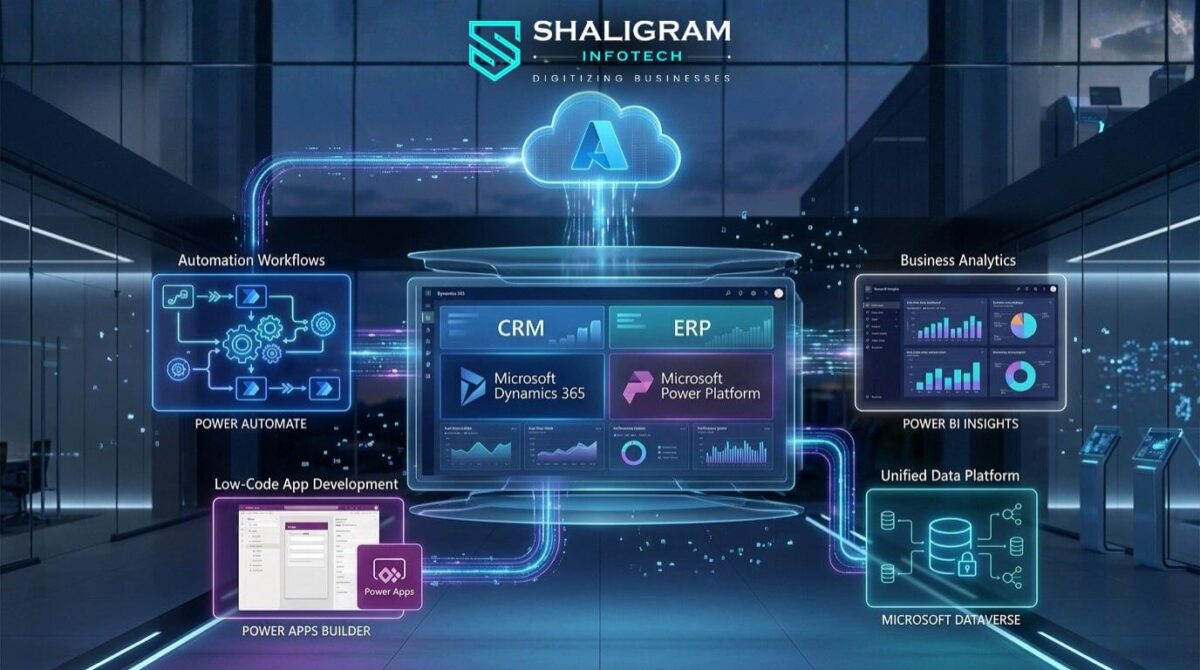
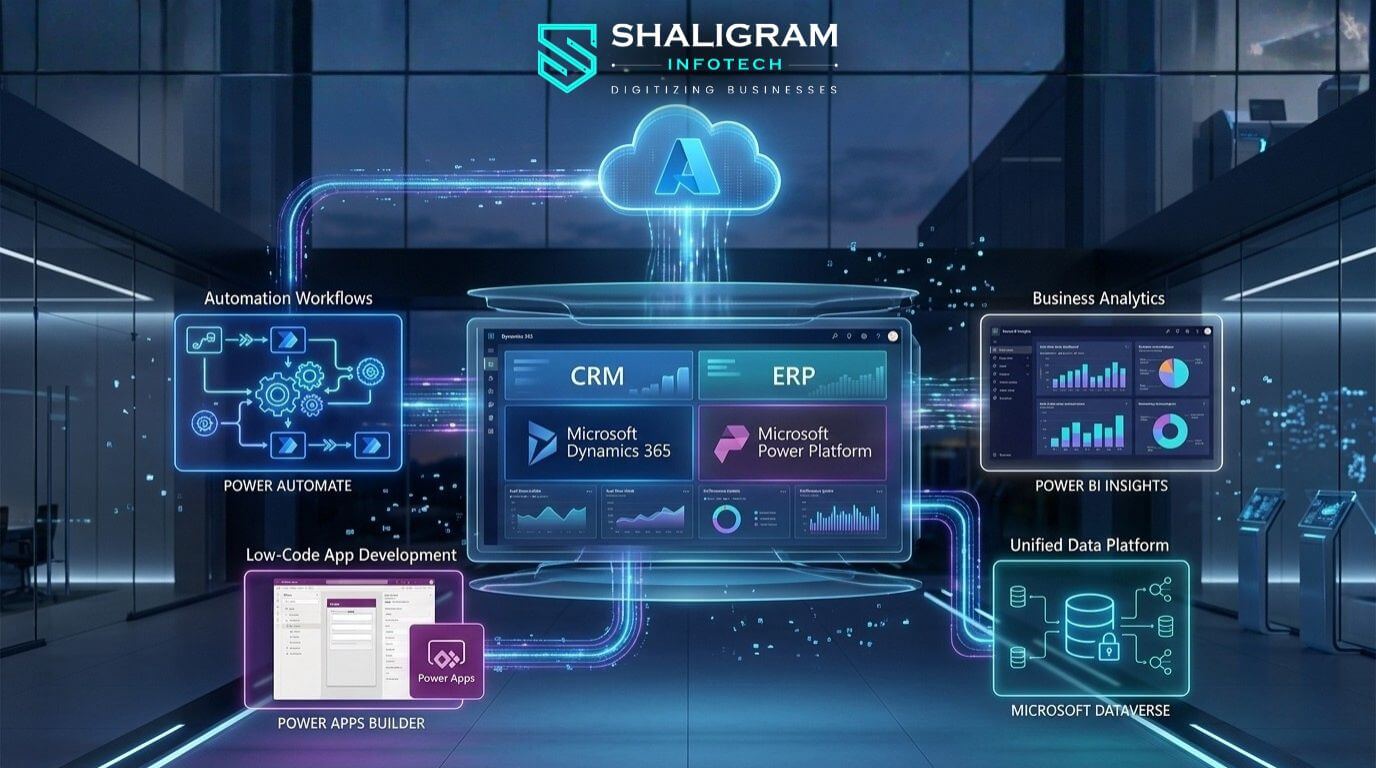
In today’s fast-paced world, organizations must have their applications and work processes more connected than ever before to grow. This ability is based on the use of connected data, automatic decision-making, and digital systems that can adapt to changing business requirements. By bringing together the capabilities of Microsoft Dynamics 365 with the different Microsoft Power Platform tools, organizations can produce a cohesive and intelligent ecosystem that combines operations, analytics, and automation.
With professional Dynamics 365 development services, businesses can further customize and extend these capabilities to build scalable, secure, and industry-specific solutions that align perfectly with their operational needs.
This approach helps organizations streamline internal processes, empower employees through low-code innovation, and gain real-time visibility across business functions. It also reduces dependence on complex custom application development.
What Is the Dynamics 365 and Power Platform Ecosystem?
Understanding the Dynamics 365 Platform
Present-day organizations depend on integrated software systems, which create seamless business processes instead of relying on separate software applications and standalone operational procedures. Organizations need connected data systems that support automated decision processes and flexible digital infrastructure because their business requirements continuously change.
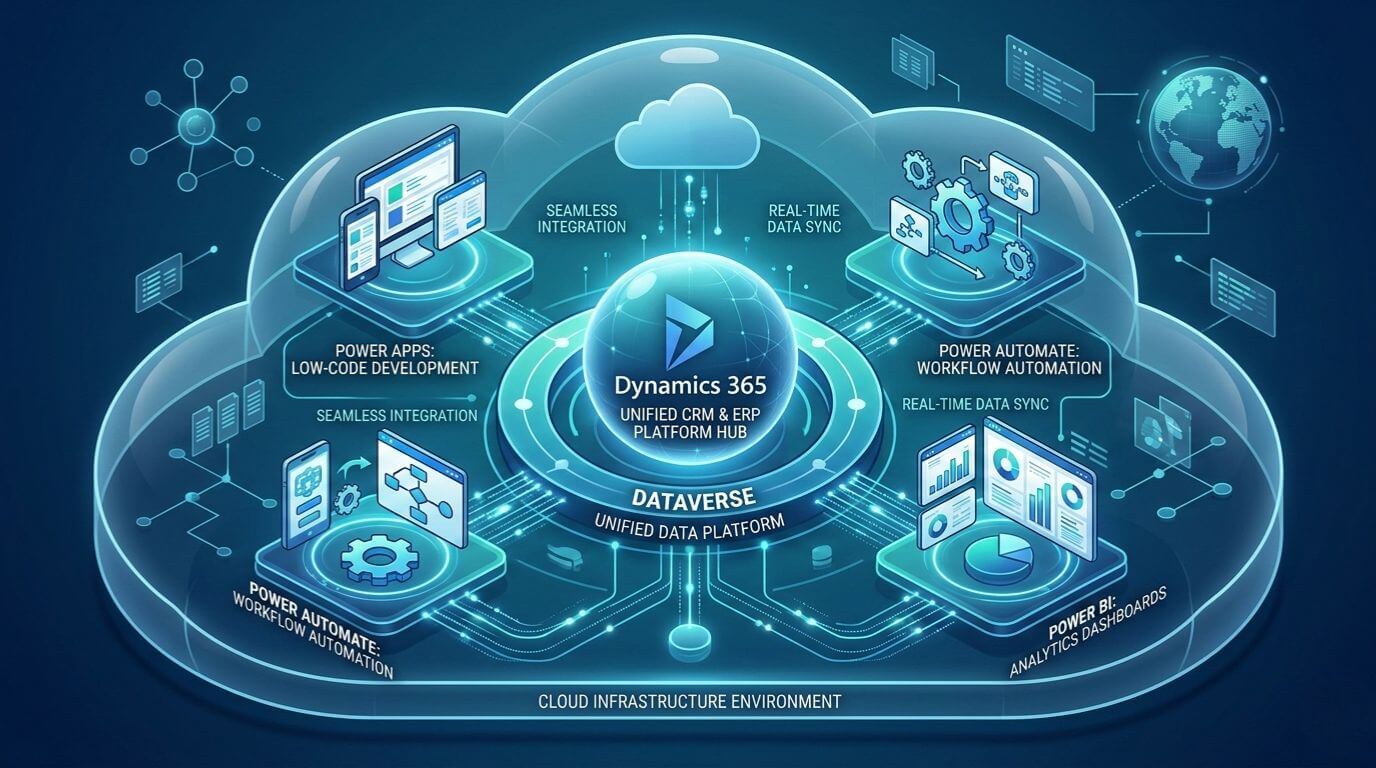
Organizations can build intelligent business solutions through Microsoft Power Platform and Dynamics 365, which connect their different operational processes, data analysis functions, and enterprise automation capabilities. Enterprises can select specific modules from the Dynamics 365 system, which merges enterprise resource planning with customer relationship management to meet their business requirements.
With the support of skilled Power Apps developers, businesses can also create custom low-code applications that extend Dynamics 365 capabilities and connect data across systems to support unique workflows and operational needs.
Key business capabilities include:
- Management of sales activities together with customer engagement processes
- Execution of financial and accounting processes
- Management of supply chain operations, together with inventory systems
- Management of field service operations and project execution
- Customer service operations
The common data model enables all applications to share information, which allows teams to work together across different departments without needing to transfer or duplicate data.
Microsoft Power Platform and Dynamics 365: Seamless Integration
Power Platform enhances Dynamics 365 by providing organizations with tools for automated processes, data analysis, and rapid software development that requires minimal coding.
Microsoft Dataverse serves as the integration backbone, which provides a unified data platform that enables secure application and workflow access to reliable data.
Many global businesses also choose to hire Microsoft CRM developers in India to build customized integrations, automate CRM workflows, and ensure Dynamics 365 solutions align with their specific operational requirements.
Key integration benefits include:
- Automated workflows triggered by Dynamics 365 events
- Custom applications that use operational data in real time
- Real-time analytics dashboards
- Artificial intelligence-based predictions that produce alerts
The seamless connection between these systems removes standard integration difficulties while speeding up digital transformation projects.
Automate Business Processes with Dynamics 365 and Power Automate
Business Process Automation Across Departments
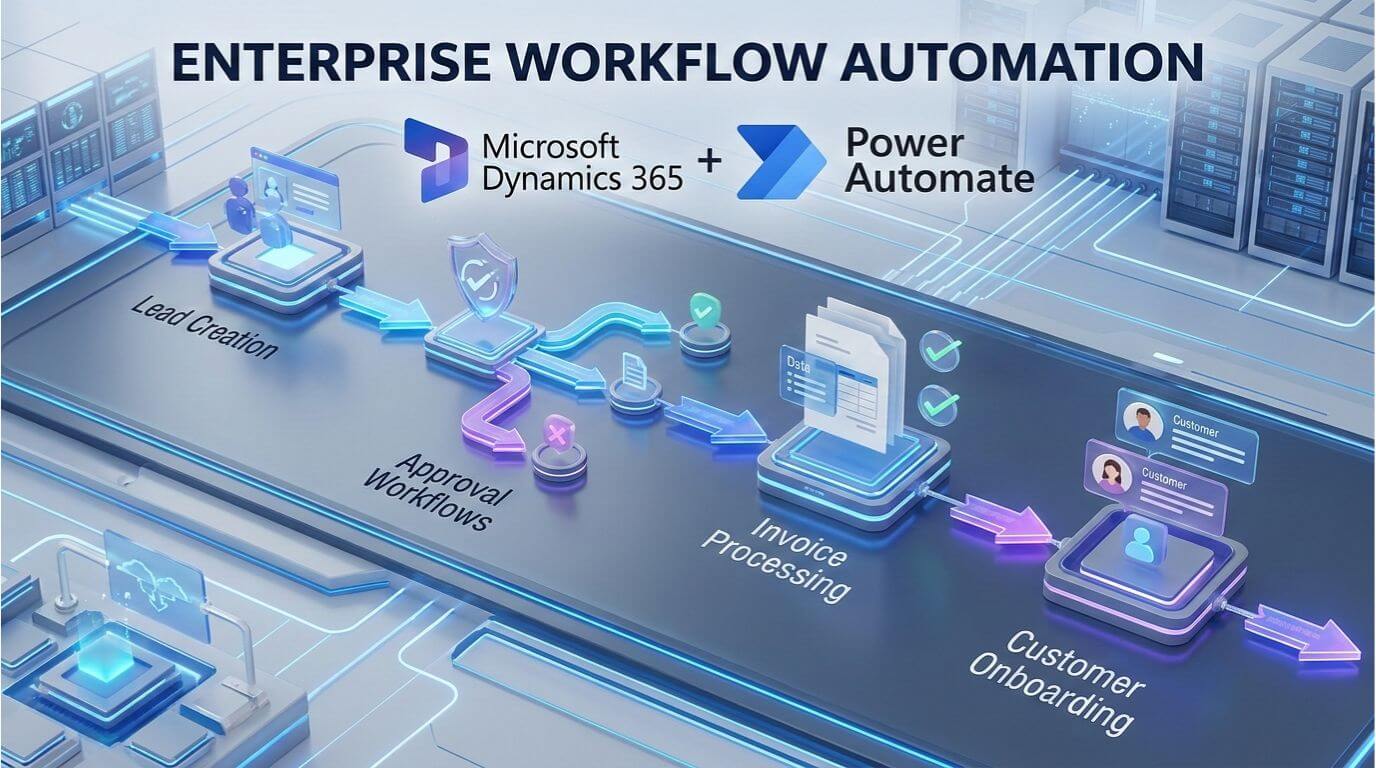
The fastest method for business teams to reach measurable ROI from digital transformation projects is through automation. Power Automate from Microsoft enables businesses to create automated workflows that link directly to their Dynamics 365 operations.
- The following operations show automatic lead qualification routing to managers who need to make decisions about lead qualification.
- The system initiates an invoice approval process when the finance department has completed its validation process.
- Leadership teams start customer onboarding procedures when clients sign their contracts.
- When stock levels fall to the point of shortage, the system generates inventory alerts.
The system reduces manual work through automation while maintaining operational compliance according to established rules.
Dynamics 365 and Power Automate in Action
The sales pipeline process requires evaluation when a deal reaches its next stage in Dynamics 365.
- The system generates automatic notifications to finance teams
- The system creates contract templates.
- The system initiates approval of workflows.
- The system assigns tasks for customer onboarding.
Without automation, the tasks require manual email communication and direct contact. Business operations gain faster execution times because automation increases organizational responsibility.
Power Automate Business Central Integration
The automation capabilities of Microsoft Dynamics 365 Business Central expand to financial and operational workflows through its integration with existing systems.
Organizations can automate these processes:
- Vendor payment approvals
- Purchase order creation
- Inventory replenishment alerts
- Financial reconciliation workflows
The solution helps finance teams by reducing delays and eliminating repetitive administrative tasks while keeping audit readiness intact. Many enterprises are expanding Dynamics 365 beyond traditional CRM and ERP roles to build connected digital ecosystems.
Low-Code Development with Power Platform and Power Apps
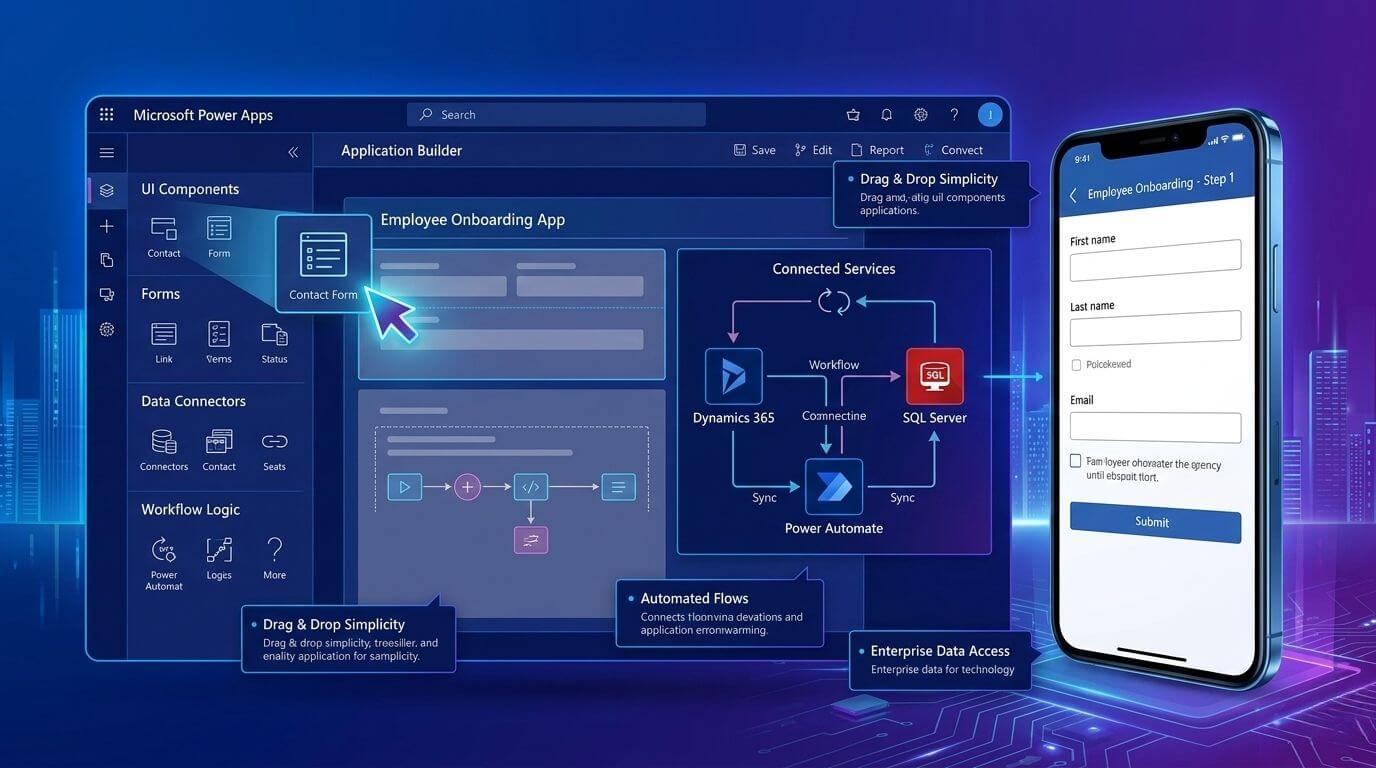
Microsoft Power Apps for Custom Business Solutions
Traditional software development processes create barriers to innovation because they require extended periods to complete development work while needing multiple resources to operate.
Microsoft Power Apps enables Leadership teams to create business applications through its low-code development platform, which allows for quick application development.
Examples include:
- Inspection and compliance applications
- Mobile solutions for field technicians
- Portals for employee onboarding
- Dashboards for vendor approval
Business users and IT teams work together to develop solutions that maintain governance standards while achieving faster delivery times.
Dynamics 365 and Power Apps Integration
Traditional software development processes create barriers to innovation because they require extended periods to complete development work while needing multiple resources to operate.
Microsoft Power Apps enables organizations to create business applications through its low-code development platform, which allows for quick application development.
Examples include:
- Inspection and compliance applications
- Mobile solutions for field technicians
- Portals for employee onboarding
- Dashboards for vendor approval
Business users and IT teams work together to develop solutions that maintain governance standards while achieving faster delivery times.
Microsoft Low-Code Development for Enterprise Automation
The development of low-code platforms helps IT teams to work more effectively. Enterprise governance features allow organizations to:
- Control access permissions
- Maintain data security compliance
- Monitor usage and performance
- Standardize application deployment
The IT departments control system operations while business teams work to create new processes.
The system provides organizations with automated processes that can grow as needed while preventing unauthorized application expansion, ensuring that both IT departments and business teams can collaborate effectively without compromising security or efficiency.
Power BI Integration: Turning Data into Intelligent Decisions
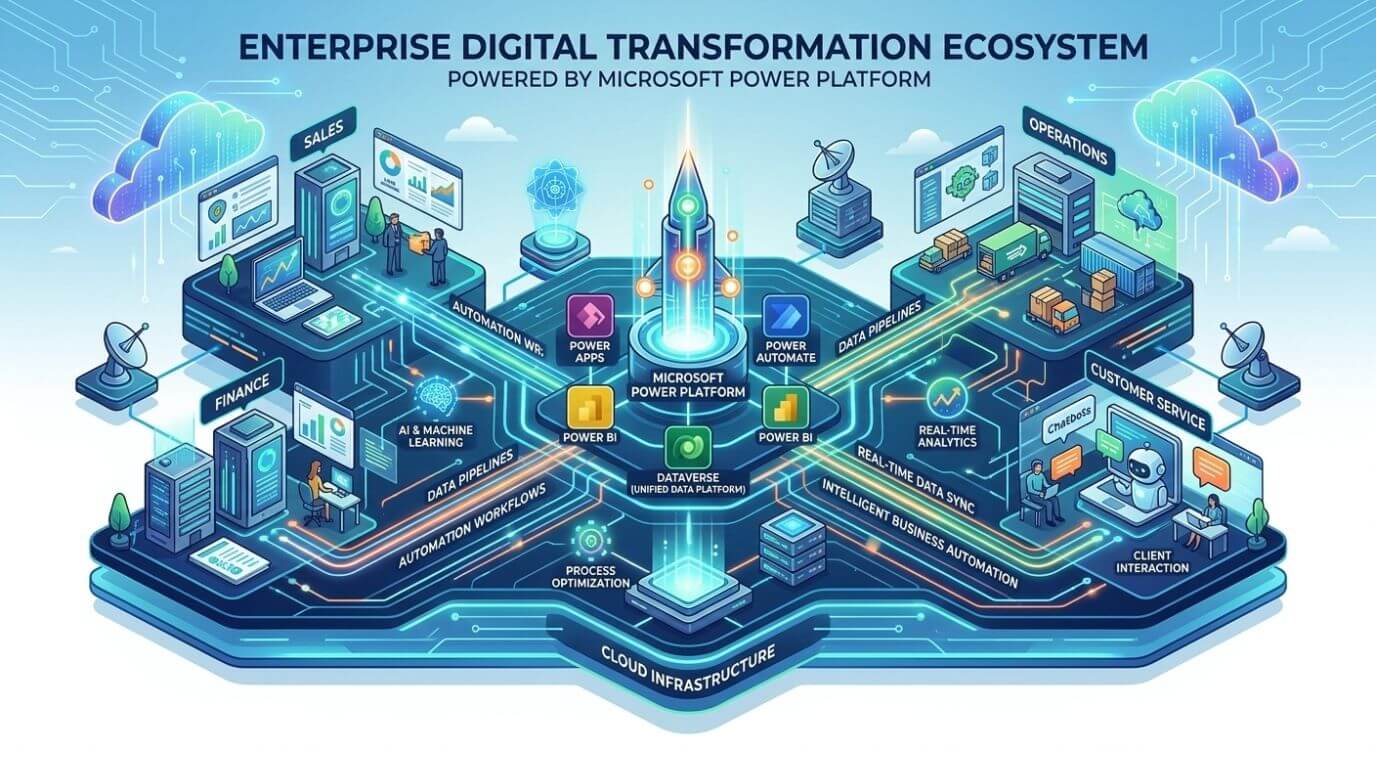
Power BI and Business Central Reporting
Organizations encounter their greatest difficulty when they attempt to achieve transparency in their data. By leveraging power bi and business central together, finance teams can eliminate data silos.
Financial executives obtain enhanced operational understanding through the integration of Microsoft Power BI with Business Central.
The reporting system has achieved better results through three main enhancements, which include:
- Cash flow forecasting dashboards
- Profitability analysis by product or region
- Real-time budget monitoring
- Vendor performance analytics
Executives now use live decision intelligence instead of traditional static spreadsheets.
Power BI Business Central & Dynamics 365 Integration
Power BI combines information from various Dynamics 365 applications to create unified data sets.
Organizations can analyze:
- Customer lifecycle performance
- Sales pipeline conversion rates
- Operational bottlenecks
- Supply chain efficiency
The automatic dashboard refresh process allows leadership teams to access current data without depending on outdated monthly reports.
Power BI Integration for Executive Visibility
The executive leadership team requires centralized analytics, which provides them with essential operational advantages.
The dashboards display three distinct functions, which include:
- The system tracks essential performance indicators throughout all company departments
- The system provides instant revenue information to users
- The system measures customer satisfaction through its dedicated metrics
- The system conducts risk assessments while also verifying compliance with regulations.
Decision-makers acquire complete organizational insights that they cannot achieve through conventional reporting methods, enabling them to make informed decisions that enhance customer satisfaction, streamline operations, and ultimately improve the overall customer experience as measured by the system’s dedicated metrics.
Enterprise Automation with Microsoft Power Platform
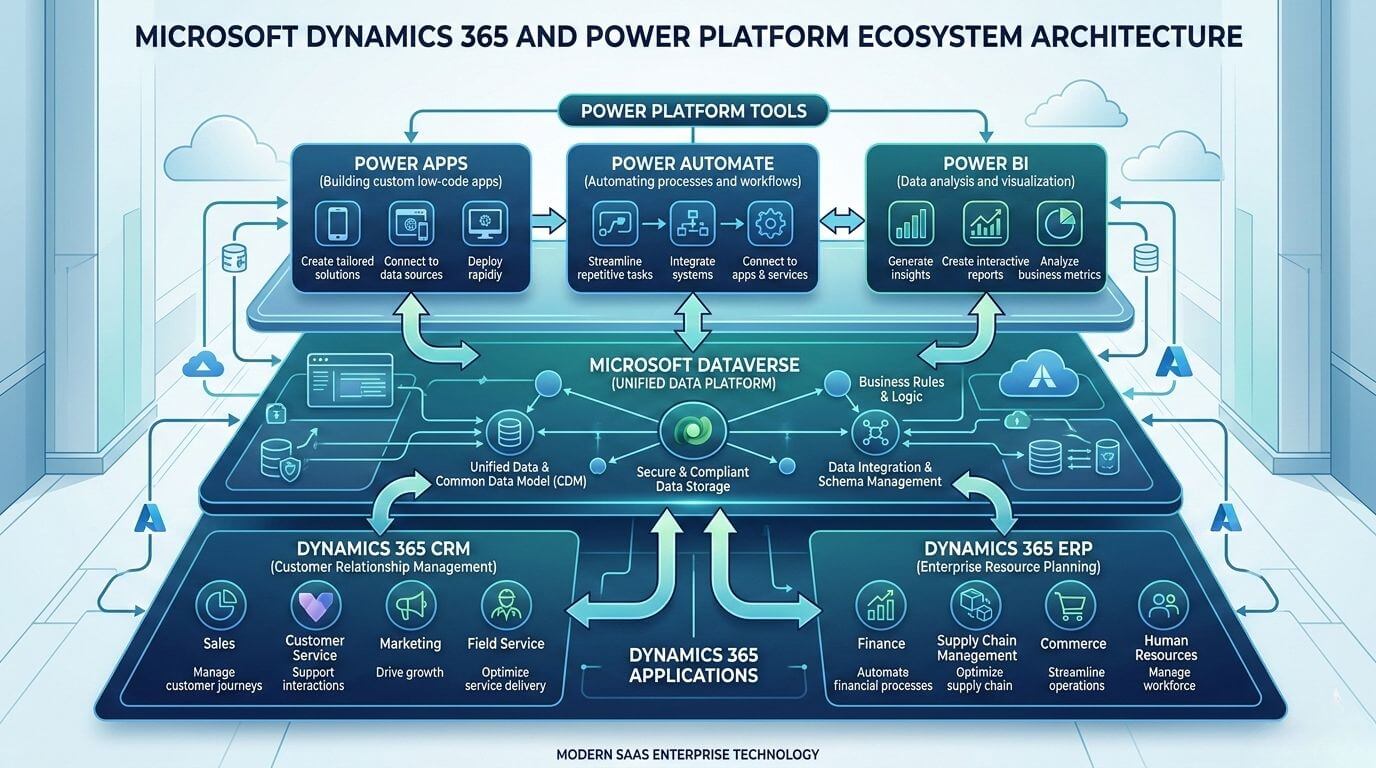
Building Intelligent Business Solutions
The intelligent ecosystem connects people, processes, and data to create intelligent connections.
Organizations achieve this through:
- The implementation of automated workflows that eliminate the need for manual coordination
- The development of custom applications that solve specific operational needs
- Data-driven insights that lead to strategic decision-making
- The combined use of ERP and CRM systems enables organizations to work together.
Companies use unified intelligence to manage their technology systems rather than handling technology silos, which allows for improved data sharing and collaboration across departments.
Dynamics 365 Integration Across Systems
Most enterprises require multiple systems because they need to use their existing ERP systems, HR software, and additional third-party applications.
The Dynamics 365 platform offers integration capabilities through its APIs and connectors, which enable users to connect with:
- E-commerce platforms
- HR management systems
- Banking integrations
- External logistics providers
The organization maintains uninterrupted service while it updates its services through gradual improvements instead of implementing complete system changes, ensuring that customers continue to receive reliable support and access to essential features during the transition.
Real-World Use Cases: Dynamics 365 Power Platform in Action
Sales & Customer Experience Automation
Sales teams gain advantages through the use of automated engagement workflows, which handle their customer outreach activities.
Examples include:
- Automated follow-up emails after meetings
- Customer sentiment tracking dashboards
- AI-driven opportunity scoring
Sales representatives dedicate most of their time to creating customer relationships instead of doing administrative tasks, which allows them to focus on understanding customer needs and improving sales performance.
Financial Process Optimization
Finance departments achieve better control over their operations through the implementation of automated systems.
The system provides the following capabilities:
- The system facilitates the automatic processing of invoices.
- The system allows users to establish approval workflows that incorporate trackable audit trails.
- It equips financial professionals with the necessary tools to construct financial consolidation dashboards.
The process of manual data entry results in a substantial reduction of entry errors.
Operations & Supply Chain Automation
Supply chain teams acquire predictive abilities through their work.
Organizations automate:
- Inventory replenishment alerts
- Vendor communication workflows
- Shipment tracking updates
Companies experience fewer operational interruptions, which leads to improved customer satisfaction.
Common Mistakes When Integrating Dynamics 365 and Power Platform
Organizations face implementation challenges that prevent them from utilizing their existing capabilities.
Common mistakes include:
- Over-customizing instead of configuring standard features
- Organizations fail to enforce governance policies that apply to their low-code applications
- The organization needs to optimize its processes before proceeding with process automation.
- The organization needs user training programs together with adoption strategies to achieve its goals.
- The organization needs to establish proper processes for handling data quality issues.
Operational inefficiencies require both technological solutions and strategic planning to achieve their resolution. Choosing between configuration and customization also plays an important role in maintaining platform scalability.
Best Practices for Building a Scalable Intelligent Ecosystem
Organizations achieve long-term success when they follow structured implementation strategies.
Recommended best practices include:
- Business objectives should drive the creation of automation priority definitions.
- Low-code development requires the establishment of governance frameworks.
- Data standardization should receive primary focus during the initial project phase.
- Organizations should create a system that allows their IT department and business teams to work together.
- Organizations should use a phased implementation approach instead of implementing their entire system at once.
Organizations achieve scalability through managed innovation processes, which prevent them from expanding their operations too quickly. Security and compliance frameworks should also be considered when designing enterprise automation environments.
Conclusion
Organizations need to create operational connections, develop automation capabilities, and establish data-driven decision-making systems before they can establish intelligent business ecosystems through new software implementation.
Many businesses today work with a software development agency in India to implement and customize solutions like Microsoft Dynamics 365 and Power Platform. These agencies help companies build systems that fit their business needs, improve workflows, and ensure smooth integration between different tools.
The combination of Dynamics 365 software and Power Platform functions enables businesses to create unified operational processes that drive their innovative development while accessing enterprise-level intelligence across their entire organization. Businesses that strategically integrate automation with analytics and low-code development tools gain the ability to adapt to market changes while achieving enhanced operational performance.
Shaligram Infotech helps businesses implement and customize Dynamics 365 and Power Platform solutions to build connected, scalable, and intelligent systems that support long-term growth.
Ready to build? Contact Our Global Teams
📧 Email: info@shaligraminfotech.com
🇺🇸 USA: +1 (919) 629-9671
🇬🇧 UK: +44 20 3581 6366
🇮🇳 India: +91 99099 84567
🇦🇺 AUS: +61 07 3121 3147
💬 Interested in Regular Insights on Microsoft Dynamics 365?
📲 Follow Shaligram Infotech on LinkedIn
Let’s build the future of applications together.
Let’s build the future of applications together.
FAQs
How do Dynamics 365 and Microsoft Power Platform work together?
How do Dynamics 365 and Microsoft Power Platform work together?
The system operates through Dynamics 365, which controls CRM and ERP operational data management, while Power Platform enhances its functions through automated processes, analytical tools, and application creation capabilities. The organization creates seamless operational systems through shared data models, which enable their workflows, dashboards, and applications to function across different platforms. Contact us to learn how you can implement this integration for your business.
How can you automate business processes with Dynamics 365?
How can you automate business processes with Dynamics 365?
Organizations establish business process automation systems that activate when specific events occur. Using dynamics 365 and power automate, teams can trigger multi-step workflows for sales approvals, invoice processing, onboarding, and inventory alerts without manual intervention.
What are the benefits of Dynamics 365 and Power Apps integration?
What are the benefits of Dynamics 365 and Power Apps integration?
Organizations use integration to develop personalized applications that access live operational information. Teams develop mobile applications, dashboards, and approval workflows that meet their specific business needs while using minimal coding skills.
How does Power BI and Business Central integration improve reporting and analytics?
How does Power BI and Business Central integration improve reporting and analytics?
Integration provides organizations with financial dashboards that present real-time data, forecasting insights, and operational analytics. Leadership teams can see all performance metrics immediately, which eliminates the need for them to wait for scheduled reporting periods.
What is enterprise automation with Microsoft Power Platform?
What is enterprise automation with Microsoft Power Platform?
Enterprise automation enables departments to link their workflows with analytics and AI systems. The system provides automated approval processes, predictive alert systems, compliance monitoring functions, and intelligent decision support systems.
Can low-code development with Power Platform replace traditional custom development?
Can low-code development with Power Platform replace traditional custom development?
Low-code development accelerates many business solutions, especially workflow automation and internal applications. However, organizations still need traditional development methods to create complex enterprise systems or their unique integrations.


 Get In Touch