Categories
Blog Microsoft

How Dynamics 365 Enables Remote and Mobile Workforce Efficiency

Microsoft

How Dynamics 365 Enables Remote and Mobile Workforce Efficiency?

Showcasing How Dynamics 365 Enables Remote and Mobile Workforce Efficiency

GEt in Touch


    The way businesses work has changed over the years. Now, employees are no longer required to be present in an office to be an effective contributor as businesses prefer flexibility, real-time collaboration, and the ability to access information from anywhere.
    Microsoft Dynamics 365 solutions have emerged as an important platform in this space by combining cloud-based access, end-to-end workflows, and specialized mobile applications to maintain secure data access and business continuity, while also enabling organizations to enhance workforce productivity.

    Dynamics 365's Core Capabilities for Remote Workforce Efficiency

    Cloud Access: The Key to Remote Workforce Efficiency

    The most significant factor in remote efficiency is access. Dynamics 365’s cloud-first platform provides secure access for employees anywhere, on any device. With real-time access to data, organizations can avoid bottlenecks associated with outdated and siloed information.
    Whether it is reviewing customer records or updating project progress, or tracking sales opportunities, teams can always access the most accurate data.

    Seamless Communication & Dynamics 365 Mobile Workforce Collaboration

    Collaboration is paramount when teams are distributed. Dynamics 365 offers Microsoft Teams integration, enabling employees to message, video conference, and share files directly within their work environment. Such integration enables sales teams to update opportunities during meetings, customer service professionals to access knowledge bases, and project managers to share dashboards.

    Automated Workflows and Task Management

    Manual processes slow down remote teams. Dynamics 365 utilizes automation and AI to automate repetitive and tedious tasks, such as sending reminders, updating records, or generating invoices. Through automated workflows, companies can release teams from time-consuming administrative tasks, enabling them to focus on value-adding work. Task management features ensure team accountability as everyone knows who is assigned a task, by whom, and how to monitor progress. This approach plays a key role in streamlining operations with Dynamics 365 business process automation.

    Real-time Data Sharing, Insights, and Analytics

    Data-driven decision-making has become even more relevant for remote employees. Dynamics 365 offers AI-powered, real-time reporting and analytics capabilities, providing leaders with visibility into their operations. Internal sales expectations, customer engagement levels, and employee performance can all be monitored and adjusted in real time. Furthermore, organizations can quickly recognize new opportunities, challenges, and trends, as they have visibility, even when teams are dispersed.
    For example, a field technician can use the mobile app to access real-time inventory levels, preventing delays and improving customer satisfaction.

    Enhanced Data Security for Remote Access

    Remote access can raise concerns regarding data security. Dynamics 365 takes care of it, as it comes with enterprise-grade security features, including role-based access, multi-factor authentication, and data encryption. IT teams can manage user permissions precisely, ensuring that technology allows employees access to data relevant to their individual roles. This helps ensure compliance with industry regulations while maintaining a balance between flexibility and security.

    Cost Savings

    Promoting a remote workforce typically results in a decrease in overall costs associated with physical office space, travel, and infrastructure. The combination of Dynamics 365, along with your remote workforce, will amplify these cost savings by enhancing processes, eliminating waste, and dependence on various tools that are not connected together. Using a single application will allow you to scale your organization without increasing your IT costs.

    Dynamics 365's Specialized Support for Mobile Workforce Efficiency

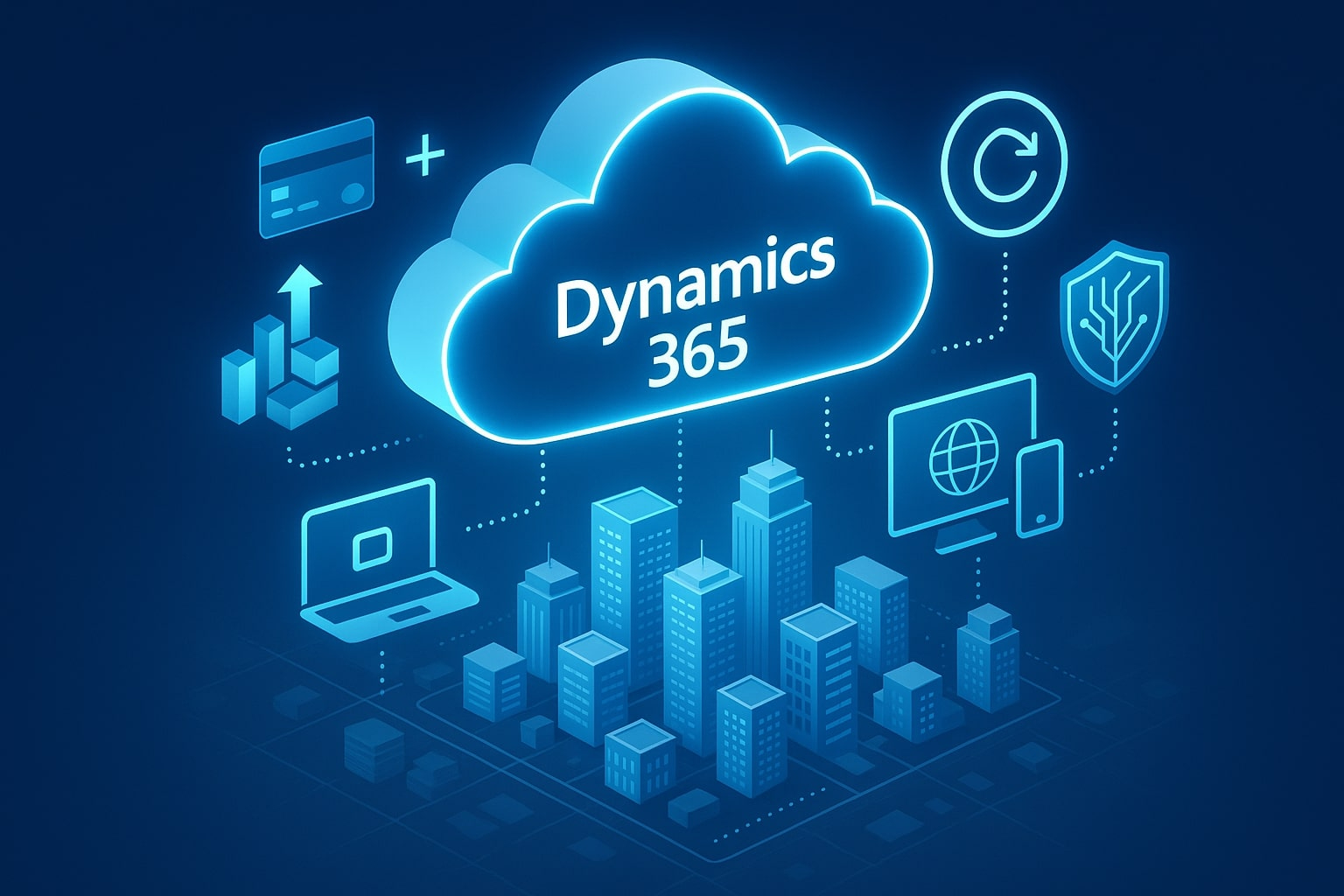
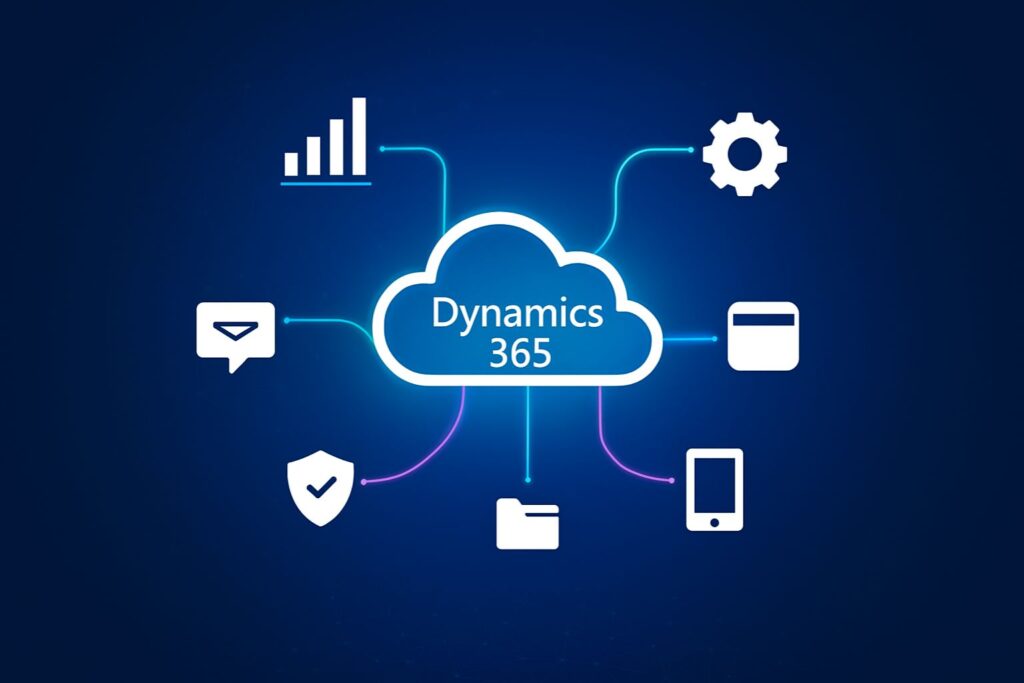
    Central cloud hub connecting business icons on a digital grid background

    Understanding Field Service Management (FSM)

    Dynamics 365 Field Service Management is a comprehensive solution from Microsoft that provides businesses with complete control over managing all their field service operations efficiently. The service offers tools and features to optimize scheduling, work order management, dispatching, and team collaboration, enabling industries to deliver excellent customer service. From a holistic perspective, organizations can manage why and how they get their field service operations up and running.

    Key Capabilities of Dynamics 365 Field Service

    This cloud-based business solution centralizes scheduling & dispatching, work order management, and resource and inventory management. Dispatchers can assign the right technician to the right job based on skills, location, and availability. Technicians will have access to customer data that helps them offer personalized service while recommending additional services. Moreover, businesses will be able to carry out continuous improvement and better decision-making by having access to analytics and reporting tools.

    Mobile Application Capabilities

    The Dynamics 365 Field Service mobile app is a game-changer for both businesses and technicians. It offers an easily customizable, flexible, and secure mobile application for businesses without any coding knowledge. It also offers location-tracking, making it easier to manage the field workforce and field appointments.
    For technicians, Dynamics 365 Mobile helps enhance efficiency and accurate recordkeeping by offering access to customer history, job details, checklists, and step-by-step guides, even offline. They will be able to capture customer signatures, update job status in real time, generate invoices, etc.

    Boosting Productivity in Field Service

    Dynamics 365 Field service helps streamline work order management by scheduling the right technician for the job using AI-driven insights. It also offers tools to track and measure the performance of service operations. Moreover, they will have access to a complete view of tasks and schedules that helps with prioritization and planning. Technicians can be assisted with complex tasks and roadblocks through CoPilot integration.

    Integrations with Microsoft 365 for Field Service

    Dynamics 365 Field service integrates with Microsoft 365 tools like Microsoft Outlook, Teams and Viva Connections seamlessly. Integration with Microsoft 365 tools lets field workers collaborate with their team members through Teams, view all their daily tasks and schedules through Viva Connections, manage schedules through Outlook and share documents through SharePoint.

    Maximizing Business Efficiency with Dynamics 365: General Tips Applicable to Remote/Mobile Work

    Mobile device with Dynamics 365 UI surrounded by tech icons and glowing lines

    Customizing Dashboards for Actionable Insights

    Personalized dashboards in Dynamics 365 are a key way to enhance business efficiency, as they display only the key performance indicators (KPIs) that matter to the business. By designing a custom dashboard, employees will be able to view and analyze data that is relevant to their roles. Such quick and direct access to information will help improve response times and decision-making.

    Ensuring Mobile Accessibility

    Teams can access business-critical data with Dynamics 365 and perform tasks from anywhere, using just a mobile app. Teams will be able to stay connected with the systems and manage all operations in real-time, whether they are working on-site, remotely, or traveling. Having a mobile-friendly D365 ensures business operations are uninterrupted, and flexibility and productivity remain intact.

    Regular System Updates and Maintenance

    To enhance system functionality, performance, and security, Microsoft frequently releases new features and updates. Businesses can leverage new tools and capabilities by staying current with these updates, thereby enhancing their efficiency. Additionally, it becomes possible to identify potential problems before they become critical, thereby preventing operational disruptions and reducing downtime through routine maintenance.

    Training and Support for Users

    One of the most effective ways to enhance the efficiency of Dynamics 365 is to provide comprehensive training. It will become possible to ensure employees can leverage the maximum features and tools of the system through comprehensive training. Well-trained users will be able to perform tasks more effectively, navigate the platform seamlessly, and contribute to the overall success of the business.
    Provide targeted training for different user roles (e.g., sales, service, field technicians) and leverage official resources like Microsoft Learn to ensure proficiency and adoption of new processes.

    Customized Solutions with Dynamics 365 Implementation

    Every organization has differing priorities and follows different workflows. To meet industry-specific needs, Dynamics 365 will offer custom dashboards, modules, and integrations. After aligning the platform with strategic priorities, organizations will provide their mobile or remote employees with the best tools and insights possible while maintaining flexibility and efficiency to be adaptable towards changing business needs.

    Conclusion

    As organizations implement remote and mobile work environments, finding digital tools that work effectively, efficiently, securely, and flexibly is essential. Dynamics 365 is leading the way in providing a single platform that allows organizations to have real-time collaboration, automated data intelligence, and robust security. With Dynamics 365’s Field Service capabilities, mobile teams can execute operations more efficiently and utilize tools to perform successfully in the field. Whether you need to support your mobile technicians or remote employees, Shaligram Infotech, the best software development company in India, will help your organization develop the capabilities to complete work efficiently.
    Categories
    Blog Microsoft

    integrating-ai-machine-learning-smarter-operations-dynamics-365

    Microsoft

    Integrating AI and Machine Learning for Smarter Operations with Dynamics 365

    Abstract AI and machine learning visuals integrated with business operations and Dynamics 365 elements

    GEt in Touch


      The speed of digital transformation has never been so fast as now, and businesses are under immense pressure to improve operations and drive value for customers. Artificial Intelligence (AI) and Machine Learning (ML) have become integral to Microsoft Dynamics 365, helping businesses optimize processes, analyze data more effectively, and make smarter, faster decisions. By choosing Dynamics 365 services enhanced with AI and ML, companies can unlock greater value from their existing operations.

      Organizations can open up newer opportunities for automation, efficiency, and customer engagement with the application of AI in business, especially with Microsoft Dynamics 365. By leveraging Microsoft Dynamics 365 services, they can shift from being reactive to proactive by taking advantage of intelligence and taking the right action at the right time to tackle challenges with precision.

      Why AI and Machine Learning Matter for Modern Business Operations?

      Today, businesses use data to run their organizations. They get to generate meaningful information from each customer engagement, financial transaction, and operational process. However, it is not possible to get maximum benefit from data if it is not used correctly when using the right tools. This is where powerful tools like ML and AI for business operations are used to sift through large datasets, find hidden patterns, and get actionable insights.
      AI and ML capabilities can support an organization by providing predictive insights into customer behaviors, optimizing supply chain opportunities, and enabling data-driven, fact-based decision-making over intuition-based strategies. It is now imperative for organizations to embrace AI and ML technologies to remain competitive in these fast-growing markets.

      Integrating AI into Dynamics 365: What You Need to Know

      Visual of AI integration with Dynamics 365 using neural networks, data flows, and business app icons


      Microsoft Dynamics 365 provides built-in AI capabilities across Finance, Supply Chain Management, Sales, and Customer Service modules. This allows businesses to automate workflows, use predictive analytics for demand planning, and deliver highly personalized customer experiences, all from within the Dynamics 365 platform. Dynamics 365 AI integration offers capabilities not limited to data analysis but extending to intelligent automation, natural language processing, and advanced predictive modeling.

      Integration of AI begins with understanding organizational needs and aligning those needs with the AI-powered modules in Dynamics 365. This also involves considering data readiness, ensuring the data is clean, well-structured, and easily accessible, which enables AI to generate accurate results.

      How Microsoft Dynamics 365 AI Solutions Drive Business Growth

      Artificial Intelligence transforms Dynamics 365’s business solutions into intelligent business ecosystems. In Customer Engagement, for example, AI-driven chatbots can assist customers with simple inquiries, which provides the opportunity for agents to focus on high-level, complex cases. In Finance, anomaly detection tools that use ML help detect fraudulent activity, as well as identify any unusual expenses. In Supply Chain Management (SCM), AI predictions help organizations by proposing optimized inventory levels and identifying procurement and demand fluctuations.
      AI business solutions enhance functions to achieve strategic outcomes, while also automating simple tasks. Dynamics 365 serves as the foundation where AI enhances core processes by introducing smarter, faster, and more reliable decision-making capabilities, empowering organizations to make data-driven decisions with Dynamics 365 services.

      Benefits of AI-Driven Business Solutions in Dynamics 365

      Digital technology project showcase


      The primary value of integrating Microsoft Dynamics 365 with AI and ML lies in its business applications. Companies need to improve operational efficiencies and innovate in customer interactions and business planning. By applying intelligence to day-to-day activities, Dynamics 365 helps organizations work with agility and resiliency. Let’s examine a few of those benefits more closely.

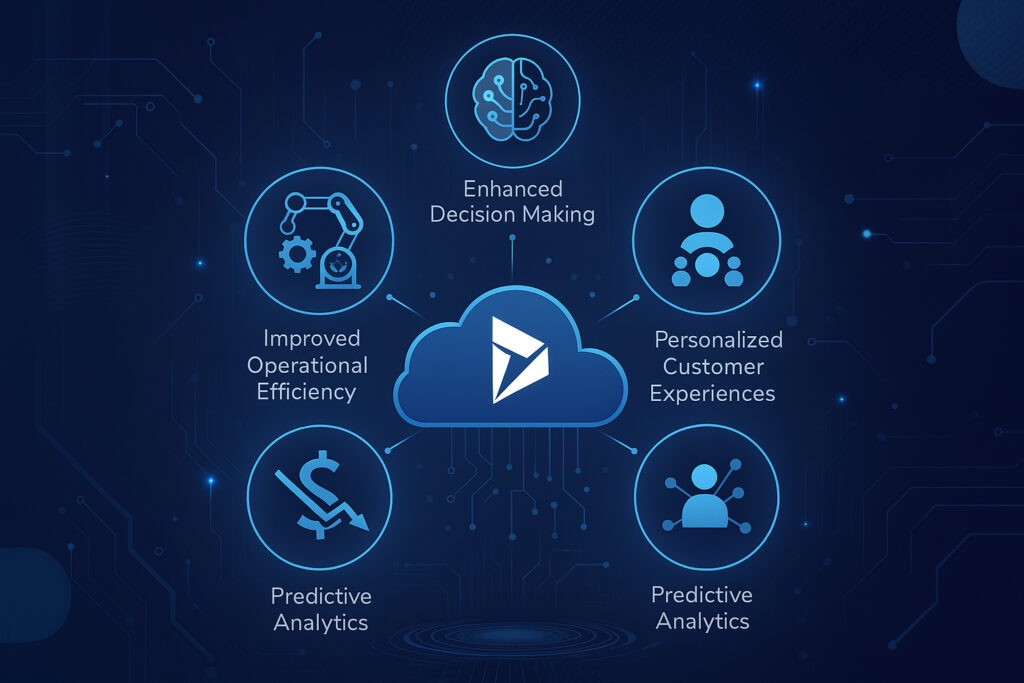
      Improved Operational Efficiency

      Artificial Intelligence in business, along with automation, helps lower the burden of manual processing within routine tasks so that employees can focus on high-value jobs. Dynamics 365 can help automate day-to-day functions that are repetitive, such as data entry, invoice approvals, time and service scheduling. This helps with faster process flow while removing chances of human errors, leading to efficient & smoother operations.

      Enhanced Decision Making

      Leveraging built-in AI for Dynamics 365 lets leaders make data-driven, informed decisions. Instead of waiting for reports on a monthly or quarterly basis, decision makers will have access to dashboards of data and predictive recommendations in real time. This lets organizations have the ability to spot trends, assess risks, and identify new opportunities quickly.

      Cost Reduction

      By integrating AI into Microsoft Dynamics 365, organizations can reduce operational costs through intelligent automation, predictive maintenance, and accurate demand forecasting. This ensures businesses maximize their Dynamics 365 investment while avoiding costly inefficiencies. Automated workflows contribute to reducing manual tasks, predictive maintenance reduces downtimes, and accurate demand forecasts can eliminate inventory spoilage. With time, these processes lead to effective cost reductions within organizations.

      Personalized Customer Experiences

      Customers today expect every interaction to be deeply personalized. Dynamics 365 with AI-based customer insights promotes customer satisfaction by letting businesses analyze customer preferences, gather customer feedback, and learn from user behaviors. Whether through customized marketing campaigns or unique service recommendations, AI can help businesses stimulate a deeper connection to their customer.

      Predictive Analytics

      AI-based predictive analytics in Dynamics 365 represents one of the more profound possibilities for organizations. Machine learning models assess historical data to predict future behavior, customer needs, and operational hurdles. By addressing these situations before they happen, organizations can prepare for market changes, reduce risk, and capitalize on opportunities before their competition.

      Machine Learning in Dynamics 365: Smarter Business Decisions

      Dynamics 365 Machine Learning models can go beyond providing simple analysis of data. They offer improved predictions and recommendations by continuously learning from new datasets. For example, historically, ML models have been able to predict leads with a high chance of converting into sales and check financial data for any warning alerts. Machine Learning helps businesses make more accurate and more intelligent decisions by refining their insights, thereby ensuring long-term strategic success.

      Streamlining Operations with AI and Automation in Dynamics 365

      AI-driven automation is a groundbreaking force for building operational workflows. Dynamics 365 enables businesses to automate case assignments to the appropriate agents, plan delivery routes, and streamline procurement approval processes, thus improving operations through Dynamics 365 business process automation.

      Overcoming Challenges in AI and Machine Learning Integration

      Even with this great potential, there are significant challenges to integrating AI and ML with Dynamics 365. This includes organizational data being in silos, as well as faulty and incomplete data, and overall company unpreparedness. Additionally, employees who fear their jobs will be replaced by AI will resist the change.
      Being successful at overcoming these potential barriers requires an effective change management plan, proper communication about the AI implementation role, and serious work on the data governance area. Apart from that, security and compliance considerations need to be taken into account to ensure sensitive data is used securely by AI models.

      Best Practices for AI and Machine Learning Adoption in Dynamics 365

      Organizations are required to follow best practices to derive maximum value from using AI and ML in Dynamics 365. Establishing clear objectives and setting them within the framework of actual business is one of the best practices rather than creating technology hype. Ensuring that your data infrastructure can accommodate AI and ML technologies is another key thing. You should also work towards training employees to work with AI tools, including the ability to interpret insights, which can be effective.
      Next, accelerate deployment and mitigate AI-related risks in business integration by partnering with experienced Dynamics 365 professionals like Shaligram Infotech. Finally, adopt a phased approach, starting with small AI-driven projects and then transitioning to large-scale initiatives. This approach enables organizations to build confidence and demonstrate a visible ROI for the business.

      Future-Proofing Your Business with AI and Dynamics 365

      Organizations that integrate AI and ML with Dynamics 365 can identify new opportunities for enhanced customer engagement and efficiency. As a leading software development company in India, we understand how it helps businesses understand customer needs, anticipate market shifts, and innovate as needed with confidence.
      Using AI to enhance business operations with Dynamics 365 involves challenges and requires thorough planning. However, those who can embrace them will be able to cope with the rapidly evolving digital space and ensure long-term growth for themselves. Get in touch with us today to explore how Dynamics 365 and AI can transform your business operations.
      Categories
      Blog Microsoft

      Empowering Data‑Driven Decisions with Dynamics 365

      Other Categories

      Empowering Data‑Driven Decisions with Dynamics 365

      Empowering Data‑Driven Decisions with Dynamics 365

      GEt in Touch


        It is a fact that enormous amounts of data are generated across the digital realm every day. According to reports, approximately402.74 millionterabytes of data are generated daily. For decision-makers, this can mean both boon and bane at the same time. On the one hand, businesses have the ease of getting insights and patterns into market trends, customer behavior, and tips to improve their operations. On the other hand, there is a tremendous volume of complex and challenging data.
        To turn this data into meaningful action, organizations are increasingly turning to solutions like Microsoft Dynamics 365 services. These tools help businesses not only collect and manage large volumes of data but also transform it into actionable insights that drive growth, innovation, and smarter decision-making.
        Because of the data deluge, businesses around the world are now having a hard time making the right call and leveraging their potential. This is where data-driven decision-making software like Microsoft Dynamics 365 saves the day! It helps businesses make data-driven decisions by offering transformative solutions.
        Here in this post, we will try to know more about how D365 is playing a key role in helping business leaders make informed and impactful business decisions.

        Building a Single Source of Truth with Dynamics 365

        Uncoordinated and siloed data cripples decision-making, extends business processes, and creates costly inaccuracies. Dynamics 365 eliminates these pain points by serving as your centralized data hub, seamlessly integrating CRM, ERP, sales, marketing, customer service, and supply chain information into a unified platform.
        For example, a retail client reduced reporting time by 65% after consolidating their disparate systems into Dynamics 365.
        This comprehensive view of business data enables leaders and teams to achieve consistent, real-time access to accurate data, eliminating duplication and misalignment. Organizations can determine a “single source of truth” using Dynamics 365 that aligns reporting, drives strategy, and fosters collaboration.

        Analytics & Dashboards in Dynamics 365

        Data is useless if it is not converted into insight. Dynamics 365 offers out-of-the-box dashboards and reporting, powered by Power BI analytics, which enables users to view trends, measure performance, and track KPIs in real-time.
        Whether it is sales forecasting, inventory, or customer behavior, Dynamics 365 dashboards provide teams and organizations with the ability to filter, drill down, and take action on the most important key performance indicators instantaneously. Visual tools like these replace the dependency on IT teams and provide business users the ability to rapidly make decisions confidently.

        Predictive Insights with AI & Machine Learning in Dynamics 365

        Analytics in Dynamics 365 has evolved from descriptive to predictive insights by leveraging Dynamics 365 Machine Learning and AI possibilities. AI-driven forecasting, user sentiment analysis, and next-best action recommendations provide organizations with the tools to predict and prepare for market shifts, customer needs, and production issues.
        For instance, representatives are freed from the task of identifying priorities when any opportunities emerge, as they can use AI-driven insights to know what to focus on on any given day.
        In industries like manufacturing, downtime can be avoided altogether with predictive maintenance alerts. These intelligent capabilities help take your usual, reactive decision-making approach to a more proactive stance. This will help reduce costs, increase revenue, and enhance customer experiences. When combined with tools like Dynamics 365 business process automation, businesses can streamline workflows even further, making operations more resilient and agile.

        Empowering Teams with Dynamics 365

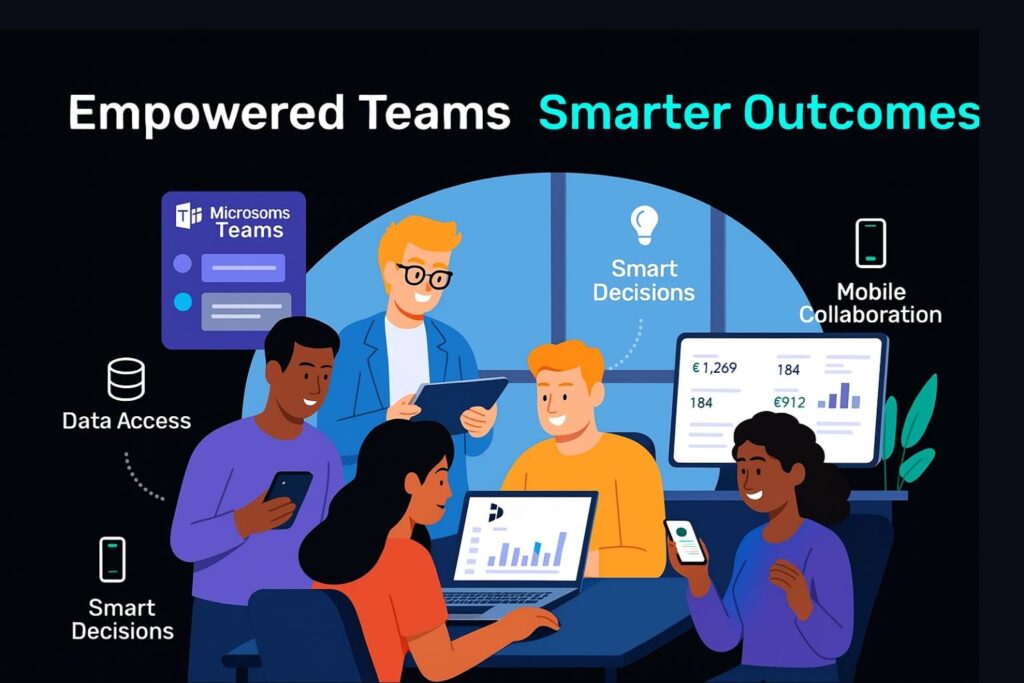
        Showcasing benefits and how empowering teams with Dynamics 365
        The power of the data-driven decision-making process isn’t just something that is reserved for the top-level management. Dynamics 365 allows teams access to the available data, sales, finance, operations, and service, and makes the insights available to them across departments.
        With role-based access, it became possible to ensure that a user only sees the information available that is relevant to their role/responsibility. Dynamics 365 allows teams access to the available data sales, finance, operations, and service, and makes the insights available to them across departments, supporting digital transformationacross the organization.
        By empowering teams, you will have more productive members making faster, smarter decisions while gaining better outcomes, all aligned to the overall business goal.

        Best Practices for Dynamics 365 Rollout & Adoption

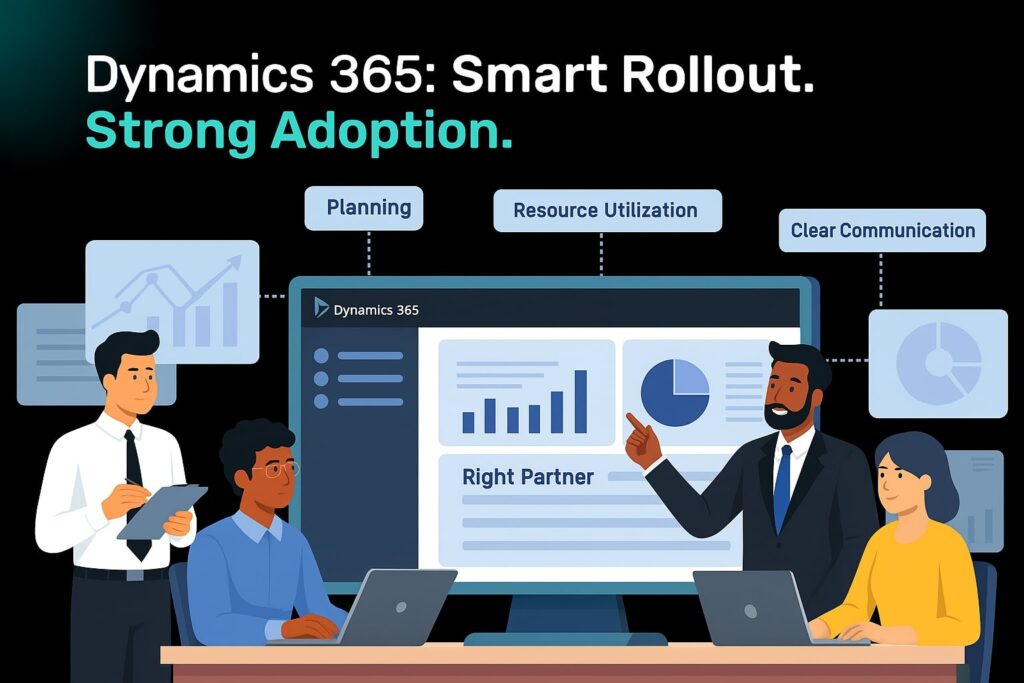
        Showcasing best practices for Dynamics 365 rollout & adoption
        Here are some Dynamics 365 best practices that businesses can follow during data-driven decision-making transformation.

        Plan Out the Implementation Meticulously

        Plan out each phase of the implementation by defining clear timelines, specific goals, and well-defined responsibilities. It is possible to ensure smoother transitions and reduce risks by having a well-structured plan in place.

        Choose the Ideal Implementation Partner

        Find a certified Dynamics 365 partner that understands your industry. Having the right Dynamics 365 implementation partners will drive solutions that reflect your business and have a greater chance of providing long-term value.

        Assess Existing Functionalities and Tools

        Look for areas of improvement and identify redundancies by evaluating the existing systems. This will help ensure seamless integration with Dynamics 365 while streamlining processes.

        Analyze Business Requirements

        Collect information from all the stakeholders involved to ensure Dynamics 365 meets proper business needs. It will become possible to ensure better user adoption and ROI through a requirement-driven approach.

        Ensure Effective Resource Utilization

        Plan each stage of implementation by assigning the right tools and team members. Project delays can be minimized and efficiency enhanced through proper resource planning.

        Maintain Clear Communication & Collaboration

        Choose feedback loops and regular updates to keep all stakeholders informed about the implementation. Transparency will encourage user engagement and foster alignment.

        Start Your Data-Driven Transformation Journey with Dynamics 365

        Implementing data-driven decision-making software doesn’t happen all at once, but choosing the right technology partner, like Microsoft Dynamics 365, is the beginning. When supported by the best software developer company in India, it equips you with the tools, infrastructure, and intelligence you need not only to engage users and make informed business decisions faster but also to remove the current barriers to centralizing and maximizing your data.
        By breaking down silos, organizations can enter a future with greater frontiers of data-driven value, and that includes:
        • Data centralization
        • Accessing AI-driven insights
        • Real-time analytical backup
        • Well-defined implementation criteria
        If you’re ready to change how decisions are made in your organization,contact us to get started with your Dynamics 365 pathway.
        Categories
        Blog Microsoft

        Streamline Your Operations with Dynamics 365 Business Process Automation

        Other Categories

        Streamlining Operations With Dynamics 365 Business Process Automation

        Streamline Your Operations with Dynamics 365 Business Process Automation

        GEt in Touch


          Businesses of today need to be on top of everything to give their best shots. They need to be agile, efficient, and flexible, but manual processes slow them down in many aspects because they are resource-sensitive, leading to errors and increased operational costs. Businesses can surpass these problems and transform their business operations by going for Business Process Automation (BPA) integrated with Dynamics 365, like a robust platform.

          Here in this post, let’s see how Microsoft Dynamics 365 services can help your organisation have streamlined operations and reach operational excellence by enabling BPA across departments.

          What Is Business Process Automation?

          Business Process Automation (BPA) refers to the use of technology in a business setup to take care of recurring processes or tasks to reduce manual efforts. The goal of leveraging such technology is to improve overall performance while reducing costs, increasing efficiency, and minimising errors. Whether it is about handling customer support requests, managing leads, or routing approvals, BPA makes processes scalable and consistent.

          Why Business Process Automation Is Important?

          When it comes to small teams, manual work may work; however, as the teams grow, this can turn out to be a problem. With automation, it is possible to ensure improved accuracy, faster turnaround times, increased productivity, real-time operational visibility, and standardised compliance.

          What Is Business Process Automation In Dynamics 365?

          Microsoft Dynamics 365 offers a suite of connected applications that focuses on automation and so is considered more than just a CRM or ERP solution. By having features like Power Automate integration, AI insights, business rules, and workflows, D365 helps businesses automate complex processes with maximum flexibility and minimal code.

          Types Of Workflows In Dynamics 365

          Showcasing Types Of Workflows In Dynamics 365

          There are basically 3 types of workflows in Dynamics 365 that help businesses standardise their procedures through automation, and they are:

          Business Process Flows

          To automate record updates, task assignments, notifications, and more, Dynamics 365 includes robust workflow engines apart from BPFs. It is possible to get custom workflows done for your business without heavily investing in the development side to meet your specific business logic.

          Workflows In D365

          To automate record updates, task assignments, notifications, and more, Dynamics 365 includes robust workflow engines apart from BPFs. It is possible to get custom workflows done for your business without heavily investing in the development side to meet your specific business logic.

          Actions In Dynamics 365

          One of the key components of Dynamics 365 is Actions, which helps users to define reusable business logic. They can be called custom operations that let you have deeper customisation across departments and can be triggered from apps or Power Automate.

          Comprehensive Process Automation Using Dynamics 365 Modules

          Sales Automation with Dynamics 365 Sales

          Right from lead scoring to closing deals, Microsoft Dynamics 365 CRM helps automate the complete sales lifecycle. It is possible for the sales representatives to focus more on selling parts and less on data entry by leveraging AI-driven insights, pipeline tracking, and automatic follow-ups.

          Key benefits:

          • AI-based forecasting
          • Smooth proposal and quote generation
          • Lead-to-opportunity automation

          Marketing Automation with Dynamics 365

          With D365 Marketing, different marketing tasks like lead nurturing, segmentation, and campaign management can be automated. It will become possible to ensure the right message reaches the specific target audience at the right time by customising customer journeys.

          Key benefits:

          • Lead scoring
          • Automated email and event marketing
          • Multi-channel campaign planning

          Service Automation with Dynamics 365

          Customer service agents are empowered with automation tools using Dynamics 365 Customer Service for knowledge base suggestions, case routing, and SLA monitoring. This helps the team to ensure consistent customer service is delivered across all channels.

          Key benefits:

          • Intelligent chatbot integration
          • Assigning cases automatically
          • Proactive service alerts
          • Finance Automation with Dynamics 365
          Smarter and faster financial operations can be achieved with Microsoft Dynamics 365 Finance. While maintaining data accuracy, automate compliance reporting, invoice generation, and payment processing.

          Key benefits:

          • Real-time forecast and budget tracking  
          • Automated billing and reconciliations  
          • Global tax compliance automation  
          • Operations Automation with Dynamics 365 

          Dynamics 365 Supply Chain Management automates inventory, procurement, and production planning for supply chain management and manufacturing. This helps improve coordination between departments while reducing delays.

          Key benefits:

          • IoT-driven supply chain insights
          • Predictive maintenance scheduling
          • Automated purchase requisitions

          Analytics & Reporting Automation with Dynamics 365

          Informed decision-making and real-time visibility have become key aspects in today’s data-driven world, as they help businesses stay competitive. Through AI-driven insights, native dashboards, and seamless integration with Power BI, Dynamics 365 offers built-in analytics capabilities that will help businesses turn their data into actionable insights, thereby reducing the dependency on manual reporting.

          With reporting and analytics automation, businesses will be able to –

          • Deliver real-time dashboards for sales teams, executives, and finance managers, as well as other key stakeholders.
          • Based on preset triggers or schedules, auto-generate reports.
          • Can set KPI-based automated alerts
          • Predict forecast sales and customer churn, and identify any operational inefficiencies or anomalies using machine learning models and AI.
          Whether you are tracking financial health or visualising customer journeys, Dynamics 365 ensures you have updated, accurate insights available at your disposal. It completely removes dependency on a manual spreadsheet.

          D365 Business Process Automation Implementation Roadmap

          Showcasing D365 BPA Implementation Roadmap
          It is not just about deploying new tools when we talk about implementing business process automation in Dynamics 365. It is about understanding your strategic goals and aligning technology based on that. It is possible to ensure that measurable ROI is delivered without affecting day-to-day operations by implementing a proper roadmap for automation.
          The key stages of the roadmap are:

          1. Process Discovery & Automation

          Look for business processes that are inconsistent, time-consuming, or error-prone. Involve users to identify pain points and map out current workflows. 

          2. Automation Strategy Design

          Plan out the automation goals that you plan to achieve with it. Based on that, select the ideal D365 modules and tools that meet each process need. 

          3. Solution Configuration & Development
          Customise processes, rules, triggers, and business process flows with D365. This involves integrating third-party data sources, creating custom entities, or building automation components that can be reused.

          4. Pilot Testing & Validation
          Get selected users to run small-scale tests. Now work on improving its performance and usability by gathering feedback, measuring outcomes, and refining the logic of automation.

          5. Deployment & User Training
          Deploy the solution across the organisation. Create documentation and conduct hands-on training sessions to ensure smooth end-user adoption.

          6. Monitoring & Optimisation
          Continuously monitor automated processes using performance dashboards, audit logs, and user feedback from D365.

          TLDR

          Dynamics 365 goes beyond just CRM or ERP; it’s a powerful platform packed with automation features like Power Automate, AI insights, and custom workflows. We explored how it can streamline everything from sales and marketing to finance, customer service, and even supply chain management, helping you reduce errors, cut costs, and improve productivity.

          Achieve Operational Excellence With Dynamics 365

          Business process automation has more to offer a business in terms of building a smarter business setup, apart from just saving time. Microsoft Dynamics 365 helps businesses elevate their operations beyond digitizing them. With Dynamics 365, you will be able to automate, analyse, and act quickly and precisely on different aspects of business, whether it is marketing, sales, service, operations, or finance. As a leading software development company in India, we specialize in helping businesses leverage the full potential of Dynamics 365 to drive growth and improve efficiency.

          GEt in Touch


            Categories
            Blog Microsoft

            How Does Dynamics 365 Support Digital Transformation?

            Microsoft

            How Does Dynamics 365 Support Digital Transformation?

            How Does Dynamics 365 Support Digital Transformation by Shaligram Infotech

            GEt in Touch


              Technology plays a critical role in defining how businesses today operate and meet customer expectations. So, when we say this, the role of Microsoft 365 digital transformation is undeniable in this matter. Dynamics 365 is said to influence modern workplaces by offering a set of tools that can enhance customer experience and help them stay resilient with their Microsoft digital strategy.

              A Brief About Digital Transformation in Business

              Digital transformation in business is carried out by incorporating digital technologies into every aspect of operations to design more effective processes, improved customer experiences, and evidence-based strategies. Today businesses are left to deal with ineffective operations and separate, independent systems that do not communicate with each other. This causes them a great deal when it comes to meeting customer demands. The unified platform offered by Microsoft Dynamics 365 addressed them well. It offers real-time collaboration, brings together departments, and automates tasks. It encourages teams to work smartly. With Microsoft Dynamics 365 digital transformation, businesses will be able to stay relevant and competitive in the fast-moving market scenario by having access to the right digital tools.

              Unifying Data Across Silos with Microsoft Dynamics 365 ERP

              Visual representation of unifying data across supply chain, HR, finance, and operations with Microsoft Dynamics 365 ERP

              Isolated flow of information between departments and platforms is one of the major digital transformation challenges. Through the implementation of a unified, centralized environment, Microsoft Dynamics 365 ERP eliminates this challenge. It presents an entire business picture to the users by integrating various departments such as supply chain, finance, customer service, and operations. Business owners will be able to make well-informed decisions using precise, real-time data instead of examining distributed sources by having connected systems. Beyond boosting collaboration across departments, it also helps with predictive analytics and intelligent forecasting. Furthermore, Microsoft Dynamics 365 digital transformation helps streamline business operations, reduce redundancies, and respond quickly to changes.

              Driving Optimisation and Intelligent Automation with Dynamics 365 Digital Transformation

              Microsoft 365 digital transformation is led by intelligent automation. It makes use of next-gen technologies like Robotic Process Automation, Artificial Intelligence, and Machine Learning to streamline operations and eliminate redundant data. Such integration lets businesses perform efficiently and accurately by automating workflows for inventory management, invoice processing, and customer service. It also monitors processes and offers real-time alarms by managing bottlenecks quickly. This lets firms focus more on the strategic aspects of the business instead of resolving operational issues by reducing human interactions. Moreover, such digital transformation in business helps boost the consistency and speed of critical business components.

              Increase Customer Engagement through Microsoft 365 Digital Transformation

              Businesses can enjoy the benefits of digital transformation by adopting Microsoft Dynamics 365 and which includes:

              • Offer personalised experiences by learning from customer behaviour and preferences, and customise offerings and messages accordingly.
              • Provide predictive recommendations by leveraging built-in CRM insights and intelligence offered by Dynamics 365 to forecast customer needs.
              • Establish consistency by delivering omnichannel support by engaging with customers and the target audience across different channels like chat, email, web platforms, and social.
              • Work on improving the entire customer lifecycle by working on customer journey mapping.

              Agile Finance & Operations with Microsoft Dynamics 365

              The Microsoft Dynamics 365 digital transformation initiative primarily revolves around operations and finance. Businesses will be able to have adaptive systems in place with Microsoft Dynamics 365 Services that help them respond to economic shifts and market demands quickly. The team will have better control and visibility by leveraging real-time financial reporting, streamlined workflows, and predictive insights. The dependency on outdated tools and manual spreadsheets can be reduced as the platform automates compliance processes, forecasting, and budgeting. Moreover, such digital transformation in business lets them seamlessly scale their operations and enter new markets without having to make heavy investments in infrastructure.

              Empowering Your Workforce: Benefits of Digital Transformation

              Workforce working together and engaging in a collaborative discussion
              Dynamics 365 digital transformation focuses not just on processes, but significantly on empowering your people. This Microsoft solution provides your workforce with the tools they need for:

              Enhanced Decision-Making: Employees gain access to AI-powered recommendations and role-based dashboards, leading to better-informed decisions.

              Increased Productivity: Intuitive interfaces help employees avoid repetitive tasks, allowing them to focus on more critical work.

              Seamless Collaboration: Integration with Office 365 and Microsoft Teams facilitates cross-functional collaboration and communication, even in remote setups.

              Ultimately, Dynamics 365 creates an agile, engaged, and empowered workforce by delivering the right tools precisely when needed.

              Extensibility & Ecosystem: Microsoft Digital Transformation Strategy

              A key reason businesses prefer Microsoft Dynamics 365 for their digital transformation is its rich ecosystem and extensibility. Built on the scalable and secure Azure cloud, Dynamics 365 offers:

              Seamless Integration: Easy integration with other Microsoft solutions like Office 365, Power Platform, and various third-party applications. This allows businesses to tailor workflows without building from scratch.

              Low-Code/No-Code Development: Non-technical users can achieve app development and custom automation using tools like Power Apps and Power Automate.

              Pre-Built Solutions: The AppSource marketplace provides pre-built solutions for a wide range of industries, eliminating the need to start from scratch.

              This extensible architecture ensures that the Microsoft digital transformation strategy supports continuous evolution, whether you’re scaling operations or enhancing customer experiences. This makes it an ideal solution for robust digital transformation.

              Security, Compliance & Governance in the Digital Transformation Process

              For a business that deals with intellectual property, financials, and customer data, compliance and security is key for Dynamics 365 digital transformation. To make sure sensitive data is secure, Microsoft comes with role-based access controls, identity management, and enterprise-grade security. Moreover, we ensure the business adheres to regulatory norms by following global compliance standards like HIPAA, GDPR, and ISO certifications. To tackle any risks, it comes with advanced threat protection, audit logging, and data loss prevention features. It also comes with automated compliance checks and centralized policies to simplify governance. This way businesses can be protected from regulatory penalties and cyber threats as the business scales.

              Measuring Transformation Success: Digital Transformation Roadmap

              It is crucial to recognize that establishing a future-proof digital transformation roadmap is an iterative and continuous process that requires ongoing metric measurement and refinement.
              Microsoft Dynamics 365 significantly supports organizations in this journey by providing the necessary tools to track and manage progress:

              Integrated Performance Monitoring: The platform includes built-in dashboards, analytics, and Key Performance Indicators (KPIs) that can be customized to align with specific business goals. This allows administrators to monitor real-time performance across all departments, identifying areas of success and those requiring adjustment.

              Comprehensive Metric Analysis: Within the platform, businesses can analyze a range of critical metrics, including operational efficiency, financial performance, employee productivity, and customer satisfaction.

              Data-Driven Decision Making: By leveraging Power BI and embedded analytics, organizations can effectively assess adoption rates, set strategic milestones, and accurately calculate the Return on Investment (ROI) of their digital transformation initiatives.

              Ultimately, implementing Dynamics 365 enables businesses to advance towards a smarter, more connected operational future.

              TLDR: Key Takeaways on Dynamics 365 and Digital Transformation

              Unifying Operations: Breaks down data silos for integrated, real-time business insights across departments.

              Automating & Optimising: Uses AI and automation to streamline processes, boost efficiency, and reduce manual tasks.

              Enhancing Customer & Employee Experiences: Delivers personalized customer interactions and empowers employees with smart tools for productivity and collaboration.

              Ensuring Agility & Security: Offers flexible, scalable solutions with robust security and compliance, enabling businesses to adapt and grow securely.

              Conclusion

              Today, going for Microsoft 365 digital transformation is no longer an option. Businesses will be able to empower their employees, modernise their operations, and deliver excellent customer experiences by going for Microsoft Dynamics 365. At Shaligram Infotech, we understand each business is unique and so are their needs, and thereby customise and implement Dynamics 365 solutions that meet set expectations. From strategising to final execution, our team will ensure you have a smooth digital transformation experience.

              Categories
              Blog Software Development

              React JS vs. Angular: Which is the Best Choice for Front-end Development?

              Software Development

              React JS vs. Angular: Which is the Best Choice for Front-end Development?

              React JS vs Angular framework comparison

              To keep up with the dynamic market demands in this modern landscape, enterprises need to invest in efficient, scalable,e and robust solutions. When it comes to choosing the right front-end framework, they end up looking at two heavyweights- React and Angular which comes with its own set capabilities and strengths. The way developers craft dynamic, modern and user-friendly web applications has been redefined by these technologies. In short, business owners who are trying to select the most suitable option for themselves can feel entrapped in the complexities of both solutions.  

              The best way to resolve this issue is to understand what Angular is and what React is? Keeping that in mind, here in this blog, we will take a look at each of these technologies, try to understand each of them and compare them from different aspects.

              An Overview: React Vs Angular 

              React is a JavaScript library while Angular is a frontend framework based on TypeScript. Both of them have their own set of strengths and weaknesses. React comes with a component-based architecture, virtual DOM, a good ecosystem of packages, and much more. Angular, on the other hand, comes with dependency injection, two-way data binding, and much more. 

              So, let’s start by understanding each one of the technologies before you make

              What is React? 

              React is an open-source JavaScript library used to build UI components during front-end development. Developers can create complex and interactive UIs by leveraging its declarative views and component-based architecture. The library can be used to develop fast and scalable apps for businesses.  

              Key features of React are: 

              • JS advantage 
              • One-way data binding 
              • Declarative views 
              • Building blocks flexibility 
              • Virtual DOM 

              Benefits of React 

              Benefits of React
              • Comes with an intuitive user interface 
              • Offers code reusability 
              • Has view-oriented approach 
              • Faster development time 
              • Easy integration with third-party libraries 
              • Faster updates for both server-side and front-end support
              • Offers high and efficient performance with React native library support 

              What is Angular? 

              Angular is a TypeScript-based development platform that comes with a component-based architecture. This application-design framework is used to develop scalable web apps. It comes with several features and libraries that help in boosting front-end development. It comes with a set of developer tools that helps seamlessly scale your small application to an enterprise-grade one.  

              Key features of Angular are: 

              • Angular CLI 
              • Dependency injection 
              • Two-way data binding 
              • Build-in libraries 
              • Virtual scrolling 

              Benefits of Angular 

              Benefits of Angular 
              • Helps write clean code with dependency injection 
              • Build-in documentation available for Ajax, HTTP, and Observables 
              • Single routing option with data binding and interactive UIs 
              • Offers quick server-side rendering 
              • Let developers create reusable components 
              • Synchronizes data between the component and model view. 

              A Quick Comparison: React Vs Angular 

                React  Angular 
              Type   JavaScript-based library  Structural framework 
              Purpose   Build interactive UI components  Build dynamic web applications 
              Language   JavaScript  TypeScript 
              Developed/maintained by  Facebook  Google  
              Development approach  Uses JSX, XML-like syntax  HTML functionality extended 
              DOM  Virtual   Real  
              Performance   Higher performance  High performance
              Data binding  One-way Two-way 
              Dependency injection  Dependency injection is not fully enabled  Dependency injection is supported
              Learning curve  Relatively less Tough for beginners 
              Ideal use cases  Good for large and modern web apps that come with variable data.  Good for enterprise apps, SPAs, and PWAs.  

              Detailed Comparison Of React Vs Angular 

              1. Components 

              React does not come with a fixed format to let developers write codes. It comes with a codebase that is readable and well-structured. The codes can be logically organized by using component trees. 

              Angular is based on MVC framework which is divided into components called Models, Views and Controllers. However, it comes with a complex and fixed app structure. Here codes can be divided into individual files which means codebases and templates can be reused across other projects.  

              2. UI Components 

              React comes with reusable UI components which are used by front-end developers to create dynamic user interfaces. Developers can go for UI configuration to build interactive web applications with the best user interface by using variable data. 

              Angular, on the other hand, builds UI components from scratch using the Angular Material UI library and thereby designs dynamic web applications.   

              3. Data Binding 

              React uses one-way data binding. So, once the model state is updated, the modifications are rendered in the interface model. The model state remains unchanged whenever the UI components are changed.  

              On the other hand, Angular uses two-way data binding. This means the model state changes whenever the interface element is changed.   

              4. DOM 

              React uses a virtual DOM while Angular comes with a real DOM. A user’s current browser view is represented graphically with a Document Object Model or DOM view controller. 

              5. Performance 

              When it comes to building high-performing apps, React does a better job than Angular. Angular applications have an easier codebase structure due to their digest cycle. This makes rendering fast while improving speed and performance on the server side.  

              Now in case of React, virtual DOM ensures speedier performance and faster rendering. As React does not require a complete HTML rewrite, updates are rendered faster and performance on client side gets improved.  

              6. Language 

              Angular makes use of TypeScript, where it is easy to navigate codes and typos can be identified easily. On the other hand, React writes applications using JavaScript (ES6+). Any language that compiles with JavaScript can be used for React which makes it a better option than Angular from a language perspective.  

              7. Tools 

              React comes with a lightweight ecosystem that helps developers to work on the specific needs of the project by choosing and configuring tools accordingly. It makes use of many code editing tools like Atom, Visual Studio, and Sublime Text. It makes use of the Next.js framework for server-side rendering Create React App to bootstrap a project. Different tools are used by developers to test the application developed using React. 

              Angular is considered the best option for developing larger projects as it offers an extensive ecosystem of tools which also includes Angular CLI. Different operations can be executed by developers using Angular JS tools. The Angular application can be tested using any tool like Protractor, Jasmine, or Karma. 

              8. Learning curve 

              Angular has a steeper learning curve as compared to React. It comes with a complicated component handling system which beginners can find time-consuming to learn. Again, an issue can be resolved in many ways as Google Angular IO framework provides many solutions. 

              React comes with a low learning curve and anyone with knowledge of JavaScript will be able to build an app on React. It provides beginners with enough resources to get started with the framework even after its frequent updates.   

              Angular vs React: When to choose what? 

              Now that you know about both front-end technologies better and have a detailed comparison of both technologies based on different parameters, it is time to understand when to choose what. 

              Angular vs React: When to choose what?


              When to choose Angular? 

              • You need to build an enterprise-grade application. 
              • You need a ready-made solution. 
              • The app’s complexity is around low to medium.  
              • Need to build long-term projects that are easy to maintain.  
              • Developers have knowledge of TypeScript, C#, Java, etc.  

              When to choose React? 

              • You need to build a custom application. 
              • You need to have dynamic interfaces that offer real-time updates. 
              • Need to build web applications that have interactive UI components.  
              • Need to build cross-platform mobile applications that run smoothly on iOS and Android.  
              • Developers have knowledge of JavaScript, HTML, and CSS  

              Conclusion 

              When it comes to front-end technologies, both Angular and React are popular among the developer community. Both of them can be considered as the right solutions for developing modern-day applications. So, choose one that matches your project needs, required functionalities, skills of developers, and of course your budget.  

              At Shaligram Infotech, we have teams with varying expertise in React and Angular, capable of offering the required solution that meets your business needs. Whether you need to optimize your existing application or need to build one from scratch, we can help you with that. Get in touch with us to discuss your project ideas and know how we can help you meet your business goals.   


              Categories
              Blog Other Categories

              Technology Upgrades 2025: An Expense or a Smart Investment? 

              Other Categories

              Technology Upgrades 2025: An Expense or a Smart Investment?

              Technology upgrades in 2025 as a smart business investment

              In a time when innovation drives business success, it will become eminent for companies to think about going for technology upgrades later, if not now. If we look forward to 2025, investing in technology upgrades may seem to be an expense at first glance. However, when we look at things from a broader perspective, we will understand that it will turn out to be powerful investments that will play a key role in building sustainable, profitable businesses that offer a competitive edge in the market.  

              Investing money upfront seems like an expense for many businesses and they may even hesitate to move forward in this direction. Implementing new software, buying new hardware, training employees, and getting the new system integrated with the existing one – all cost money. Yes, there are upfront costs and that is justified too. However, such spending comes with perks. Getting the business ready with modern technology settings will help with scalability, efficiency, and profitability.  

              Making Technology Investment In 2025 A Smart Move

              Rather than a mere expense, investing in upgraded technology in 2025 for your business can be considered as a smart investment. It will help the business with: 

              Making Technology Investment In 2025 A Smart Move

              Boost productivity and efficiency 

              Your teams will be able to complete more tasks in less time by leveraging modern-day tools powered by cloud computing, automation, and AI as it helps streamline operations. For example, employees will be able to free up their time to focus more on core business areas by opting for automated workflows. It will help in improving overall productivity while reducing manual errors. Moreover, they will be able to get more work done with fewer resources which will lead to cost savings in the long run.   

              Stay competitive 

              Not staying relevant in the market can turn your business into losses as your competitors are opting for innovative technologies. By going for technology upgrades you will be able to ensure you stay on top of the evolving market through improved product offerings, advanced data analytics, and agile business practices.

              Improve customer experience 

              It becomes possible for businesses to provide seamless experiences to their customers across different channels with quick responses and personalized user interactions by upgrading to modern technology. To build loyalty, it is important to have a customer-centric approach, and this can be achieved with AI-powered chatbots or advanced CRMs.  

              Ensure compliance and security 

              Outdated systems are more vulnerable to cybersecurity threats that are increasing in the digital space. Having proper security measures in place will ensure the business remains compliant with regulations, protects data, and builds trust with clients.  

              Ease of scaling

              Legacy systems neither have the flexibility to integrate with newer solutions nor are they capable of handling increasing demands. You will be able to expand your business smoothly by upgrading to a cloud-based scalable platform.  

              Cost savings 

              At first, it may seem that the initial investment is expensive but, in the long run, technology upgrades reduce maintenance costs, minimize downtime and enhance energy efficiency.  

              How to approach technology upgrades in 2025? 

              It is important for businesses to take a strategic approach to make the most out of technology upgrades. Here are a few steps that you can follow to ensure your technology investments will turn fruitful: 

              How to approach technology upgrades in 2025

              Identify business needs 

              Assess your business and try to identify its pain points which can be resolved with the implementation of the right technological solution. Whether you need to boost operational efficiency, improve customer service, or better security, you will be able to know which technology to choose by understanding your priorities.  

              Set clear objectives 

              Be clear about what you plan to achieve with your technology investments. Setting the criteria will help you set metrics accordingly and track your progress. So, whether you want to improve customer engagement or decrease operational costs, it can be measured against ROI.

              Choose solutions that scale 

              You need to ensure that you have a scalable and flexible solution developed for your business when you plan to invest in technology. You can expand your business seamlessly without having to go through the pain of having technology infrastructure by investing in modular systems and cloud-based solutions.  

              Make employees part of a transition 

              Successful adoption of technology in the workplace completely depends on the people who use it. Include your employees at the early stage of decision-making and adoption and provide them with support and training to get used to the new system. This will increase the chances of long-term success of the solution.  

              Making technology investments in 2025 is definitely a smart move! 

              Technology upgrades are bound to play a crucial role in deciding the future of businesses in 2025 and beyond. At first, it may feel that the initial investments are high but when you consider the long-term benefits, the initial investments will seem to be small. Businesses get the strength to thrive in the competitive digital space by opting for technological upgrades. It helps businesses stay competitive, enhance customer experiences, boost efficiency, and ensure scalability.  

              In short, instead of looking at technology upgrades as an expense, businesses should consider having them for long-term benefits. So, if you too are planning to make such an investment for your business, partner with Shaligram Infotech to ensure success for your business in 2025 and beyond.  


              Categories
              Blog Mobile App Development

              An Online Food Delivery App Development: A Step-by-Step Guide for 2025?  

              Mobile App Development

              An Online Food Delivery App Development: A Step-by-Step Guide for 2025?

              Online food delivery app development guide for 2025

              Finding it hard to manage the orders coming to your restaurant? Are human errors causing you trouble and losses? This issue can be resolved by implementing a food delivery app for your business.  

              Food delivery app development has turned out to be a trending solution in the market. It has helped many restaurant businesses to earn millions a year while simplifying the process of ordering food for consumers. To keep it simple, the development of a food ordering app has added convenience to the process of placing food orders and delivering them.  

              Today, Shaligram Infotech will take you through the step-by-step guide to develop a food delivery app. We will also discuss the key challenges that our team faced when developing such an application.   

              Different types of food delivery app models 

              In this kind of model, food orders are placed by customers on the mobile application of a specific restaurant. The restaurant starts preparing the order once they accept it. The food is then delivered to the customer at their doorstep. Restaurants that are well-established and have dedicated delivery riders can go for this model. Some of such restaurants are Domino’s, KFC, etc.  

              In this model, customers can place orders for food and get it delivered to their doorstep. Here, the app provides many restaurant options for the users to choose from. This can be ideal for restaurant businesses that are small and have no delivery drivers. Here a commission fee is charged by the app for the delivery service. Again, such an app offers real-time tracking to the customers for their food orders. Some of such examples are Uber Eats, Zomato, DoorDash, etc.    

              Restaurant Panel  Customer Panel  Driver Panel  Admin Panel 
              Dashboard  Sign-up & profile management  Registration  Registration & Profile management 
              Order management Restaurant list  Delivery history  Manage customers
              Add products  Geo location  Order management  Manage restaurants 
              Account & management Food cart  Online support  One-click dashboard 
              Restaurant profile  Payment mode  Call/chat option  Feedback management 
              Track payments  Delivery address  Status update  Driver management 
              Order reports  Order history    Payment management 
              Offers/coupon management  Filters    Reset passwords 
              Customer support  Review & rating    Campaign management 
                Push notification   Reporting & analytics 
                    Discounts & promotions 

              Step-by-step guide for online food delivery app development 

              Our online food delivery app development is divided into a few steps, and they are

              1. Product analysis 

              To begin with, our team will conduct a competitor analysis to know the kind of apps that are present in the market. It will help us spot the unique features. To carry out the technical feasibility of the product, we also carry out our architecture analysis. In this phase, our team will finalize the architecture of the app and come up with a Product Requirement Document. The project timeline, priority features, and release plans will also be decided in this phase.  

              2. UI/UX design research 

              Our team carries out in-depth user research as a part of the user-centric approach in this step. This helps us to understand user preferences, needs, and behaviors. Based on that, we will come up with wireframes and prototypes that explain the user interface and flow of the application visually. After that, we bring out the aesthetics and usability of the app by developing visual elements. 

              3. Technology selection

              Based on the requirements of the project and the technical need, we will decide upon the technical stack for the project. Now this includes choosing the right programming languages, libraries, frameworks, and development tools. We will also select the right system and architecture for the database. 

              4. Platform development 

              At this stage, we develop different areas of the app like its infrastructure, frontend, backend, and database. Based on the items prioritized in the product backlog, functionalities, and features will be developed and implemented.  

              5. QA 

              To ensure high-quality apps are developed, we start by documenting the testing process which includes test cases, test data, and test plans. We make use of project management tools to track and manage bugs in the app project throughout its lifecycle.   

              6. User acceptance testing 

              To validate the app’s features and to collect user feedback, we carry out user acceptance testing with clients. After analyzing the received feedback, we quickly investigate the bugs or issues and iterate them.   

              7. Delivery and release 

              Once the app meets all the business requirements it is ready to be deployed over different environments. At each development environment, the app is tested and configured properly. Finally, the product is released to the environment of the client.  

              Challenges faced during online food delivery app development 

              1. Intense market competition 

              The competition for food delivery app development in the market is high. Even if Uber Eats may not be present in remote areas, there will be still some local names popular. For any food delivery app business, it is not an issue to start locally. However, things change when it is time to expand and scale to new cities and regions.   

              2. Scalability and sustainability of the app 

              Developing food delivery applications is complicated. Food delivery applications perform multiple tasks and work on different APIs like maps, payment gateways, GPS services, etc. Apart from app functionality related to end-users, the food delivery app also includes backend features like processing personal data, processing transactions, managing security issues, and much more. Such things should be addressed even before app development starts.  

              3. Basic features for the working app 

              The first version of the food delivery app you develop is the main impression you create. It is challenging to come up with a full list of features that is required by your online food delivery application. Again, you are required to come up with the list before the development process starts. Here your main aim is to avoid developing something that will be of no use to your product; thus, saving on the budget.  

              Conclusion 

              Food delivery app development strategy requires to have a well-planned process in place apart from having a dedicated team. To attract and retain customers, the app is required to keep up with the latest trends like offering personalized experiences, advanced analytics, and multiple payment options.  


              Categories
              Awards Blog

              The Manifest Names Shaligram Infotech as one of the Most-Reviewed Web Developers in Brisbane 

              Awards

              The Manifest Names Shaligram Infotech as one of the Most-Reviewed Web Developers in Brisbane

              Digital manifesto and business strategy concept

              In today’s digital world, having a strong online presence is no more an option, but a critical need of the hour for businesses that wishes to thrive. Digital solutions like websites and apps need to be user-friendly, functional, and best in aesthetics as it is often where customers have their first interaction with the brand. At Shaligram Infotech we understand the importance of creating an impactful digital footprint. Learn more about how you can improve your online performance by teaming up with our incredible company. 

              Shaligram Infotech is an award-winning 9001:2015 certified Custom Software Development Company. We specialize in solving complex business problems with innovative and reliable software solutions. Whether it is custom web or mobile development or developing a product from scratch, we have more than 300+ experts onboard ready to take your project to the next level.

              With that being said, our team would love to add another award under our belt. The Manifest has recently named us as one of the most-reviewed web developers in Brisbane and we are excited to be part of this incredible list. 

              For those of you who are wondering, The Manifest is a business blog and reviews website that aims to gather and verify the hard data, expert insights, and actionable advice that you need to build your brand and grow your business – to provide the practical business wisdom that manifests in your success. 

              To help us in celebrating this amazing milestone, here is Chintan Patel, Sales Head of Shaligram Infotech:

              We are thrilled to have been chosen as one of the leading software development and emerging technologies companies in India and Brisbane by The Manifest!”  

              Lastly, our team would like to express our appreciation to our clients and partners for supporting our business. This award wouldn’t have been possible without all of you!  

              Send us a message and let us know how we can help you reach your goals! 


              Categories
              Blog Software Development

              How To Build Custom Software For Small Businesses? 

              Software Development

              How To Build Custom Software For Small Businesses? 

              Custom software development guide for small businesses

              Developing custom software for small business involves a few steps and they are: