Categories
Blog Mobile App Development

Why Native App Development Still Delivers the Best User Experience

Mobile App Development

Why Native App Development Still Delivers the Best User Experience

3D visualization of mobile phones displaying native app high-frame-rate performance and code elements

GEt in Touch


    What Is Native App Development?

    Showcasing native app development ios android minimal
    Native mobile application development is the building of apps for one mobile operating system, iOS or Android, in the OS platform-specific programming languages, using the development environment that the platform specifies.
    • iOS development relies on Swift (and the modern SwiftUI framework) within Xcode.
    • Android development primarily uses Kotlin (and Jetpack Compose) inside Android Studio.
    Unlike native apps, hybrid or cross-platform approaches utilize one codebase and additional layers to translate before the app runs, meaning they cannot interact with the device hardware and OS APIs directly. When native apps speak directly to device hardware and the OS APIs, performance is generally faster, animations are smoother, and the interfaces simply feel more natural when engaging with the app.

    iOS Development

    Native iOS apps are made for the complete Apple ecosystem: iPhones, iPads, and Apple Watches. To create this seamless experience, developers utilize Swift and SwiftUI alongside Apple’s Human Interface Guidelines (HIG). This ensures that navigational patterns, font scaling, and animations behave exactly as loyal iPhone users expect. Many businesses also choose to hire iOS app developers in India to build high-quality native iOS apps that align perfectly with Apple’s design and performance standards.
    The major UX benefits of the native iOS approach are:
    • Close integration with the use of SiriKit, ARKit, HealthKit, and Face ID
    • The compatibility with features such as haptic feedback, widgets, and gesture-based navigation
    • High performance throughout Apple’s highly regulated device ecosystem
    Each aspect, including animations and touch responses, is made to suit the hardware and software of iOS perfectly. As a result, a smooth and coherent experience is produced that matches the expectations of the users perfectly.

    Android Development

    Native Android applications are done with Kotlin or Java, and that too by following Google’s Material Design for aesthetic uniformity. Android programmers get the chance to explore more through Jetpack and Google Play Services, which are already equipped with loads of APIs and libraries; hence, creating applications with great personalization and extensibility is easier. Because of this flexibility and deep ecosystem support, many businesses prefer to hire Android app developers in India to build scalable and highly customized native Android apps.
    The User Experience that Android native development offers contains:
    • Specific experiences for all possible screen sizes and resolutions
    • Strong connection with Google Maps, Firebase, and Play Billing
    • Plenty of customization and adaptive UI layout possibilities
    • Smart controlling of background activities, notifications, and data synchronization
    It is native development that allows Android applications to deliver swift responses and different types of experiences, at the same time across various kinds of hardware.

    Why this matters for UX

    The perfect UX is not only about the aesthetics of an app, it is also about the experience it provides. The user will rate the product based on responsiveness, reliability, and intuitiveness. Native apps have the following advantages:
    They…
    • Mount the fastest performance using platform-specific APIs.
    • Immediately give any feedback to the user’s actions.
    • Keep the same UI patterns that the users are familiar with.
    • Take away the offline unreliability and provide smooth data synchronization.
    All these things combined to make native apps seem like a part of the user’s natural environment, and they operate without any effort on the user’s part; these are the most important factors in users’ retention and happiness.

    Key Benefits of Native App Development (UX-First)

    native app development benefits minimal icons

    Super-Speed Performance

    Because native applications work directly with the operating system through compiled code, they enjoy speedy load times.

    Smooth UI and Animations

    The rendering engine is fine-tuned for the GPU of the device, which results in quick and soft transitions as well as touch responses.

    Consistent User Experience Over Different Platforms

    The design of every UI component corresponds to the principles of the respective platform design standards, such as Apple’s HIG or Google’s Material Design.

    Functionality without Connectivity

    The use of native caching and local storage APIs makes it possible for apps to be very effective even in the absence of an internet connection.

    Top-notch Security

    The use of secure APIs like Keychain, Secure Enclave, and SafetyNet for integration guarantees data security.

    Long-Term Scalability

    Native architectures easily adapt to the new operating system features and the changes in business requirements.

    Advantages of Native Mobile Apps (vs Alternatives)

    Three factors, like Performance, Development Cost & Time, and Scalability, have to be considered when you compare native apps and cross-platform or hybrid methods.

    Performance

    Native applications provide the ultimate performance due to the fact that they are executed right on the operating system without any middleware or code translation. It guarantees:
    • Faster startup times
    • Stable frame rates
    • Lower battery consumption
    • Fewer crashes
    While cross-platform frameworks are improving, they rely on non-native rendering engines or communication bridges (like the JS bridge in React Native). These abstraction layers can introduce latency, causing “jank” in complex animations that native code handles effortlessly. Thus, if an app is dealing with real-time interactions, 3D graphics, AR/VR, or video processing, then native performance is definitely the best option.
    In the end, the smoother the app, the stronger the emotional users’ connection, and that’s the area where native development excels.

    Development Cost & Time

    Cross-platform frameworks claim that sharing the same code for both iOS and Android would result in quicker delivery to market. But, in the long run, native apps might have better cost efficiency.
    Here are the reasons:
    • Maintenance hours are cut down as the native app faces fewer bugs that are unique to the platform.
    • With OS releases, updates are rolled out more accurately.
    • Native frameworks decrease reliance on third-party plugins, resulting in smaller technical debt.
    Investing money at the beginning may be higher, but the total cost of ownership (TCO) of the app during its lifetime is usually lower, particularly for apps that need constant updates, high UX quality, or advanced integrations.

    Scalability

    Scalability is not only measured by the number of users but also by the application, creating no hassle for the users as it becomes more complicated. So, native architectures can scale up effectively by doing the following:
    • They can take advantage of multithreading and background services.
    • Integration with various cloud platforms such as AWS, Azure, and Firebase is hassle-free.
    • They can adopt a modular development approach and a microservices-based architecture.
    Cross-platform frameworks sometimes cannot keep up with the demand for more features or changes in the OS, which often leads to the need for extra workarounds. On the contrary, native apps are getting better together with platform innovations, thus they are a future-ready investment.

    App Performance in Native Apps

    Native applications performed faster and smoothly as they were made with platform-dependent code, which was completely optimized for the device. They had direct access to hardware resources such as CPU, GPU, and sensors, which, besides eliminating the delays caused by cross-platform layers, also gave a faster load time. Such performance stability and even fluid animations during heavy usage were the result of the native applications.
    Native APIs enabled developers to choose memory and caching in such a way as to provide an always responsive experience, one that feels easy for users and builds trust in the application’s quality.

    Mobile UX: Why Native Apps Win

    The user experience is connected to emotions, and the users relate the responsiveness, speed, and design quality to the brand’s trustworthiness. Native applications have a constant lead over others because they:

    • React without delay to finger movements and words
    • Render clean and lively pictures and transitions
    • Combine perfectly with system gestures and haptics
    • Keep the look and feel the same during updates
    All these not so obvious but very important factors contribute to the app being alive, which in turn, user engagement, retention, and app store ratings, all become better.

    iOS Development vs Android Development: What Changes for UX?

    iOS vs Android user experience comparison illustration
    Although native development ensures both platforms provide excellent experiences, they are still separated by design philosophy and technical ecosystems.

    1. Design Language

    • iOS → clarity, depth, motion, simplicity
    • Android → flexibility, customization, adaptable components

    2. Ecosystem Control

    • iOS → limited devices = consistent experience
    • Android → many device types = customization with complexity

    3. UX Outcome

    • iOS → more uniform
    • Android → more personalized
    The best outcome is achieved when the successful applications adapt their UX strategy to every platform rather than impose a universal approach.

    Cross Platform App Development: Pros, Cons & When It Fits

    Cross-platform development comes with its pros and cons, especially around speed and code sharing. It is a good choice when:
    • The project is an MVP or prototype
    • The target audience is small or limited
    • The performance of UX is still of no critical concern.
    Nonetheless, cross-platform frameworks might not be able to deliver the same level of smoothness as native applications that need very high interactivity, offline performance, or even native-level animations. Companies have to decide if getting the product to market quickly or providing a top-notch user experience over the long haul is their primary concern.

    Mobile App Performance Optimization (Native Playbook)

    There is one thing to develop a native application and another thing to maintain its speed and efficiency. Developers use proven methods to keep the user experience performance at its best:
    • Regularly profile using Xcode Instruments and Android Profiler.
    • Reduce the number of layers drawn and layout complexity for faster rendering.
    • Apply lazy loading techniques to reduce cold start times.
    • Store assets so they are accessible without glitches during offline periods.
    • Conduct A/B tests to refine interaction paths and increase customer retention.
    Data drives these optimizations in native frameworks and can be measured directly, thus making sure that the UX grows alongside the user habits.

    Mobile App Development Decision Framework (TCO & Roadmap)

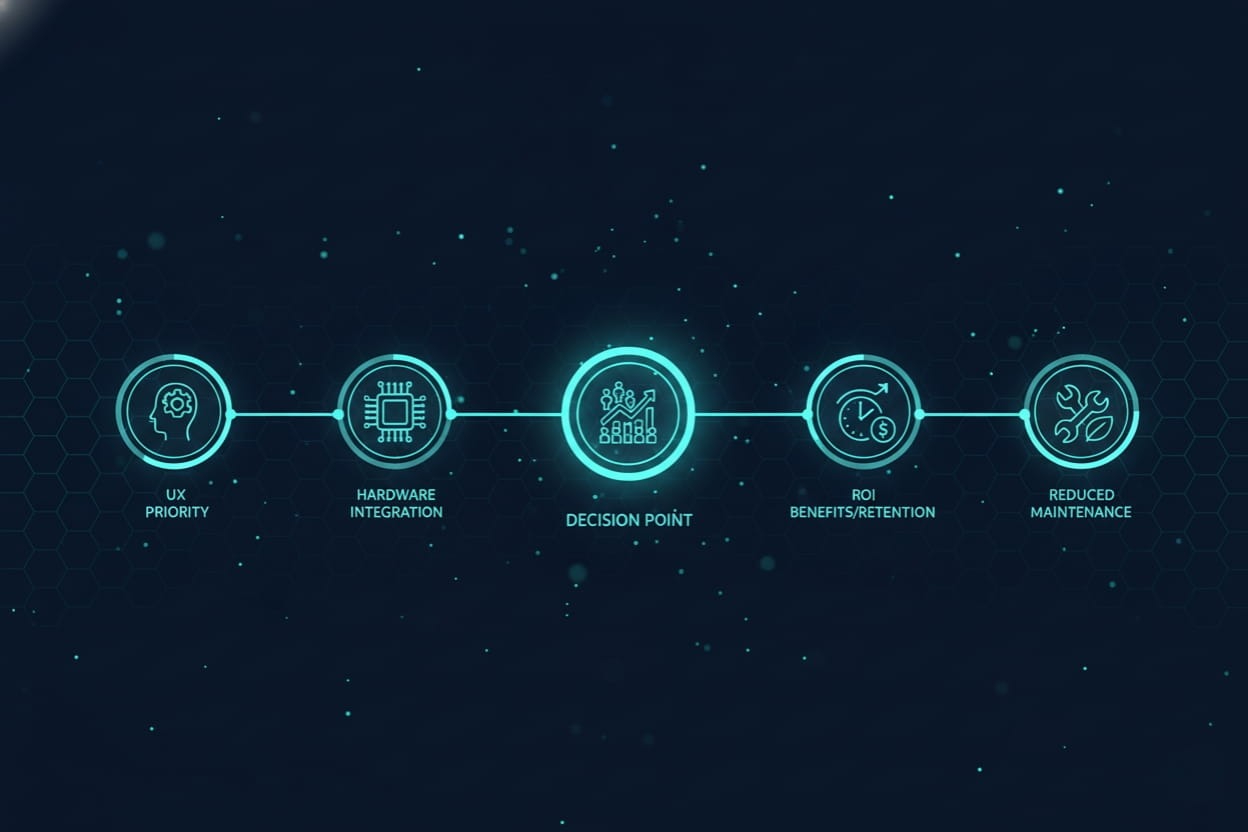
    mobile app development decision roadmap minimal
    Although native development ensures both platforms provide excellent experiences, they are still separated by design philosophy and technical ecosystems.
    Choose native development when:
    • UX is a core business priority
    • You need advanced hardware integrations
    • The app will scale to a large user base
    • The product roadmap includes long-term updates
    Native apps cost more early on but deliver better ROI through:
    • Lower crash rates
    • Higher retention
    • Longer lifespan
    • Fewer maintenance issues

    Team Structure, Tools & CI/CD for Native Development

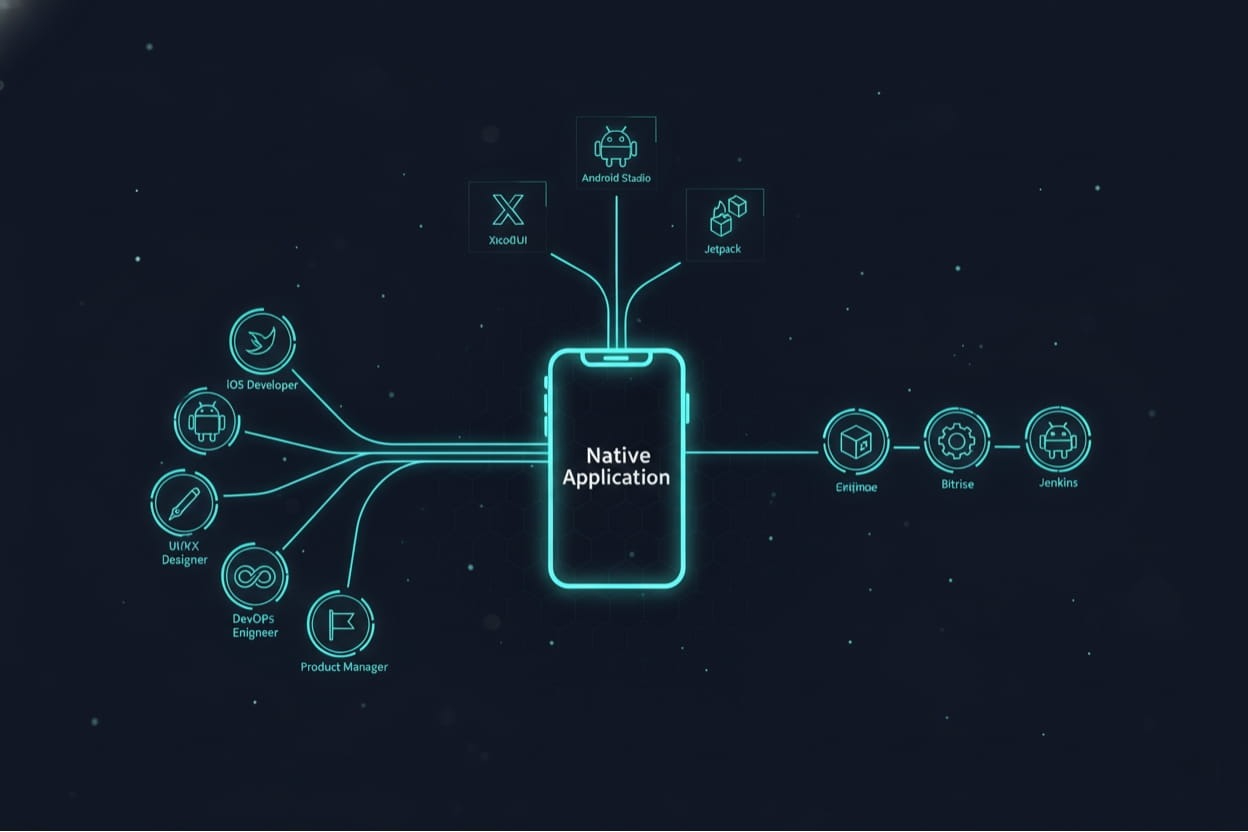
    native development team tools cicd diagram

    Team Needed

    • iOS developers
    • Android developers
    • UI/UX designer
    • QA engineer
    • DevOps engineer
    • Product manager

    Tech Tools

    • iOS: Xcode, SwiftUI
    • Android: Android Studio, Jetpack, Firebase

    CI/CD Tools

    • GitHub Actions
    • Bitrise
    • Jenkins
    These provide smooth releases and consistent app quality.

    Conclusion

    Cross-platform technologies are getting better, but native app development remains the ultimate standard for delivering the user experience users expect. It merges raw power, platform mastery, and artistic precision to produce intuitive, reliable applications that feel like a natural extension of the user’s device.
    Shaligram Infotech brings this philosophy to every project, empowering Healthcare, Fintech, and E-commerce businesses with future-ready native solutions backed by our reputation as the best software development company in India. For companies that view UX as a competitive edge, native development is the proven strategy for long-term brand loyalty and growth.

    Ready to build? Contact our global teams:

    🇺🇸 USA: +1 (919) 629-9671
    🇬🇧 UK: +44 20 3581 6366
    🇮🇳 India: +91 99099 84567
    🇦🇺 AUS: +61 07 3121 3147

    FAQs

    Is native or cross-platform better for mobile UX?

    The most incredible user experience is given by native apps through their very access to the hardware, OS-level APIs, and design guidelines that align with users’ expectations.
    They not only make the app more interactive and immersive, but also increase the user’s connection to the app, thus improving the user’s joy and satisfaction.
    Native application programming interfaces take care of the work and ensure the performance is not affected by the cache or sync operations.
    The initial cost of native applications is higher, but the total cost of ownership is lower due to bugs, maintenance, and user retention being the factors.
    • Cold start time
    • Crash-free rate
    • Frame time
    • User satisfaction scores
    Native apps consistently outperform cross-platform apps in all these metrics.
    Categories
    Blog Mobile App Development

    Native vs Cross-Platform Mobile Apps: Which One is Ideal

    Mobile App Development

    Native vs Cross-Platform Mobile Apps: Which One is Ideal?

    Native vs Cross-Platform Mobile Apps Showcasing with smartphones and digital tech graphics

    GEt in Touch


      What is Native App Development?

      showcasing native app development
      Native app development is the process of building apps specifically for one OS: Android or iOS. Using the OS’s own programming languages and development environments, developers construct their applications:
      • iOS Uses: Swift or Objective-C, functionally using Xcode.
      • Android Uses: Kotlin or Java, functionally using Android Studio.
      Since such applications utilize the native tools and frameworks of the platform, they very closely integrate the features of the device, such as the camera, GPS, push notifications, and sensors. Direct access lets us have excellent performance, outstanding responsiveness, and platform-consistent UI/UX. If you are planning to hire a dedicated Android developer or a dedicated iOS developer for one‑platform optimization, native development gives you complete control.
      Apps like Spotify, Instagram, and WhatsApp are the ones that are the most used, and they are all native-built and make use of the native APIs to provide users with perfect multimedia experiences, fast and fluent navigation, and development of interaction in real-time. Native apps use platform-specific languages and environments, like Swift for iOS and Kotlin for Android. If you’re considering building a native app, you can read more about the technical differences in Android Vs iOS App development.

      Centralized Guest Database

      Better Performance

      Native applications are compiled directly into machine code specific to their respective platforms, thus removing the performance bottlenecks that are usually caused by the abstraction layers. They can perform very smoothly and process complex animations, graphics, and big data operations without any difficulties.
      This is a reason why the native option is the only one for applications where speed and responsiveness are the main criteria, such as gaming, video streaming, and financial platforms, where even a tiny delay can affect user experience.

      Better User Experience

      Native development gives the designers the chance to be in perfect sync with each platform’s user interface guidelines – for Android, it is Google’s Material Design, and for iOS, it is Apple’s Human Interface Guidelines.
      It is like providing users with a consistent, intuitive, and familiar experience. The buttons, gestures, and layout behaviors feel nice and smooth, like the very nature of the respective operating system, which results in user satisfaction and a less steep learning curve.

      Enhanced Capability

      The scalability of Native apps is remarkable; their capability to adjust available resources based on business needs is also tremendous. Developers can, without any performance or compatibility issues, create new modules, integrate APIs, or even system functions.
      Moreover, the applications manage large numbers of users, multiple sessions, and complicated backend connections simultaneously, which makes them the best fit for big corporations and long-term growth plans.

      Ease of Maintenance Stability

      Native apps are powerful in the area of support from both the vendor and the community. Apple and Google give the developers regular SDK updates, performance improvements, and security patches.
      Thanks to this, the applications are guaranteed long-term usability, lower crash rates, and even a constant update with OS-level innovations such as biometric authentication, app widgets, and AI-driven services.

      Better Customization

      Native development provides complete command over the application in terms of its behavior and design. Developers can create very customized features that utilize the highest level of device capabilities – such as AR/VR, machine learning, or low-level hardware functionalities.
      For example, a natively developed camera app that can tap into the full potential of the device’s lenses and sensors, resulting in a super professional and fast user experience. If you’re looking to create a highly customized and high-performance mobile app, it might be time to hire mobile app developers. Our developers bring specialized expertise to build native applications that take full advantage of the platform’s capabilities.

      What is Cross-Platform App Development?

      Cross platform app development showcasing unified experience
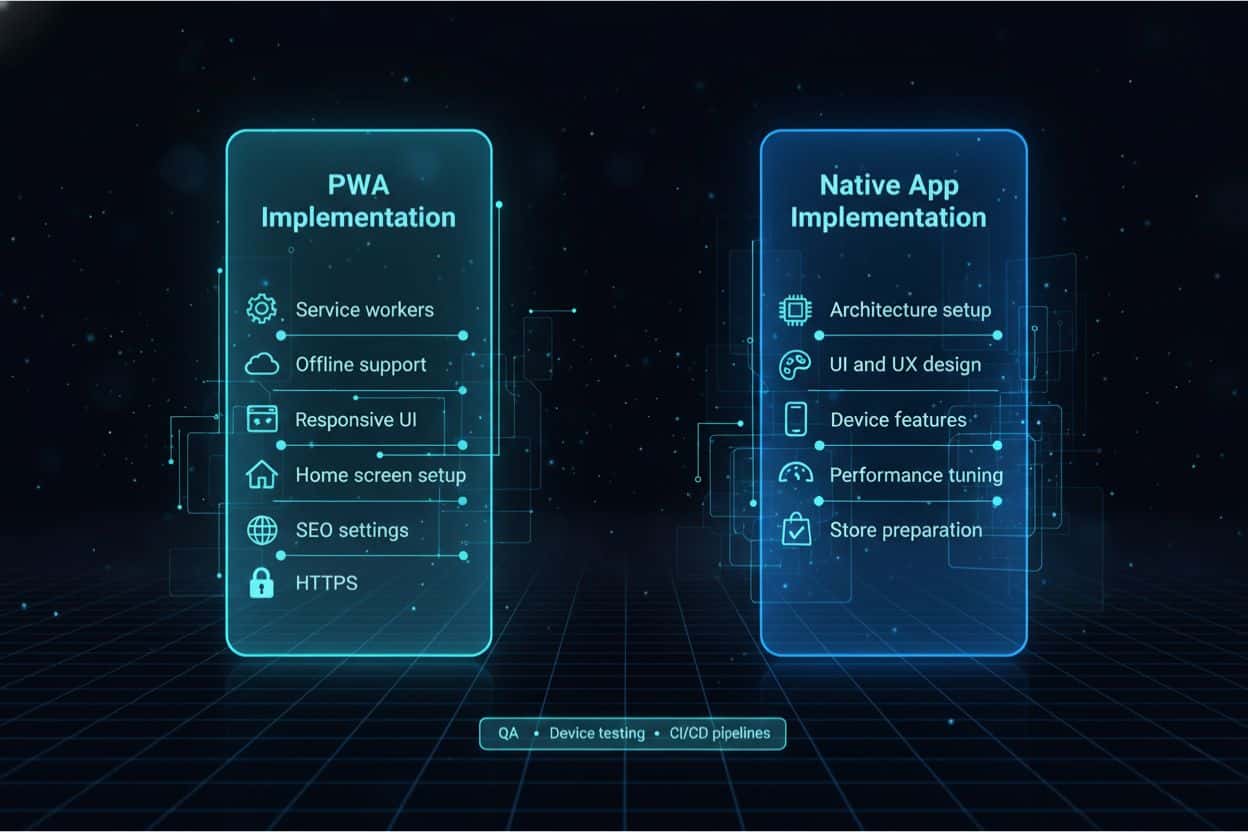
      Cross-platform application development is all about the seamless running of apps on different operating systems, primarily iOS and Android, through the use of a single and shared codebase. For many businesses wanting to reach both iOS and Android quickly, the option to hire dedicated mobile app developers experienced in cross‑platform frameworks is a strong strategy.
      Developers do not need to write different code for every platform; instead, they will make use of frameworks like:
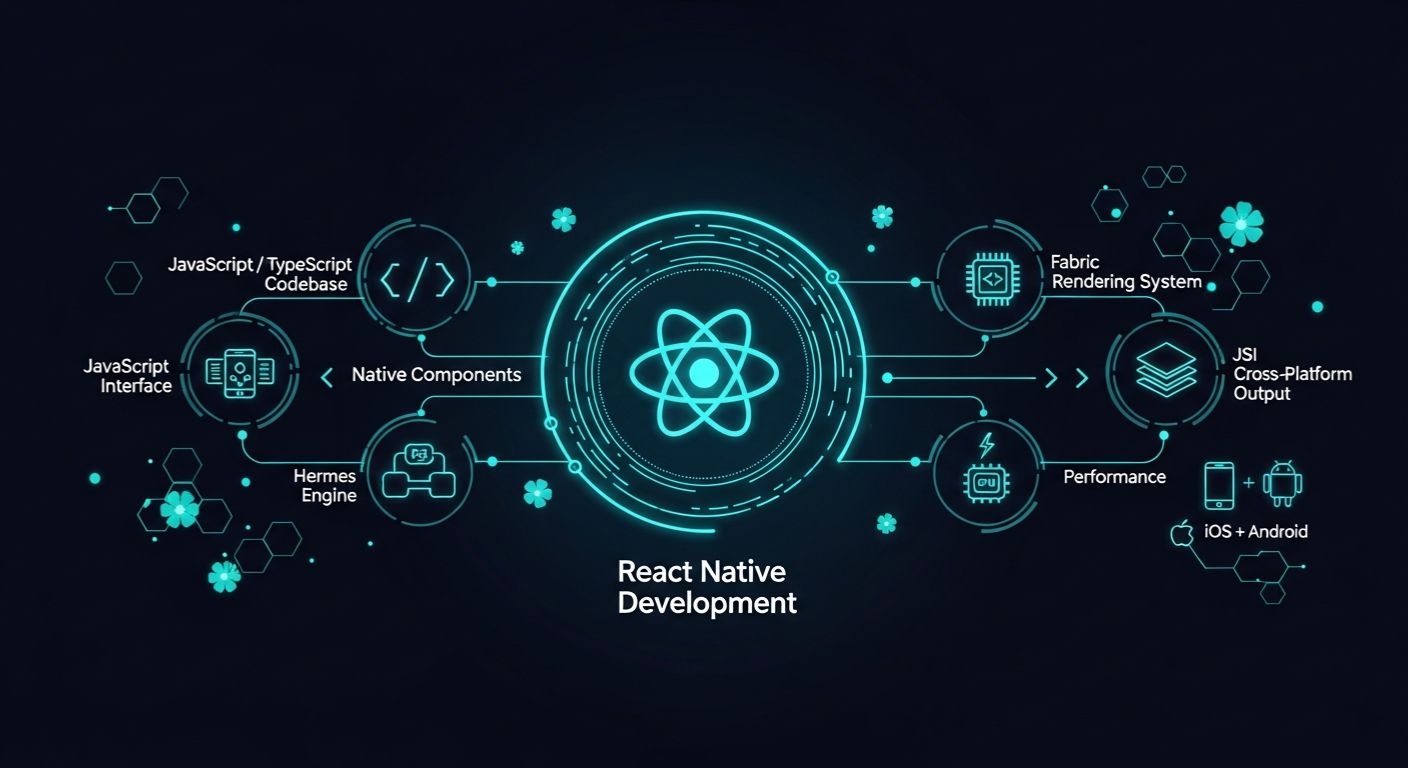
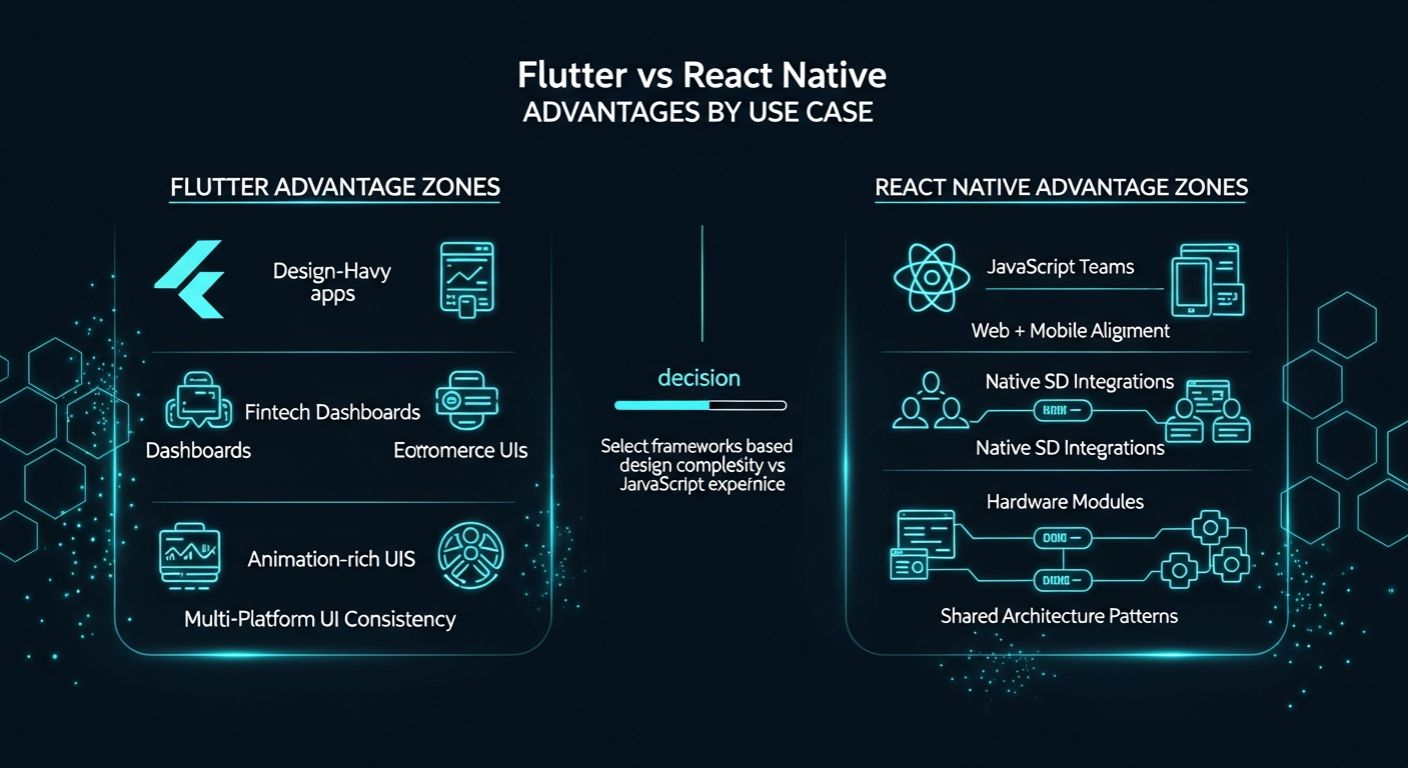
      • React Native (JavaScript)
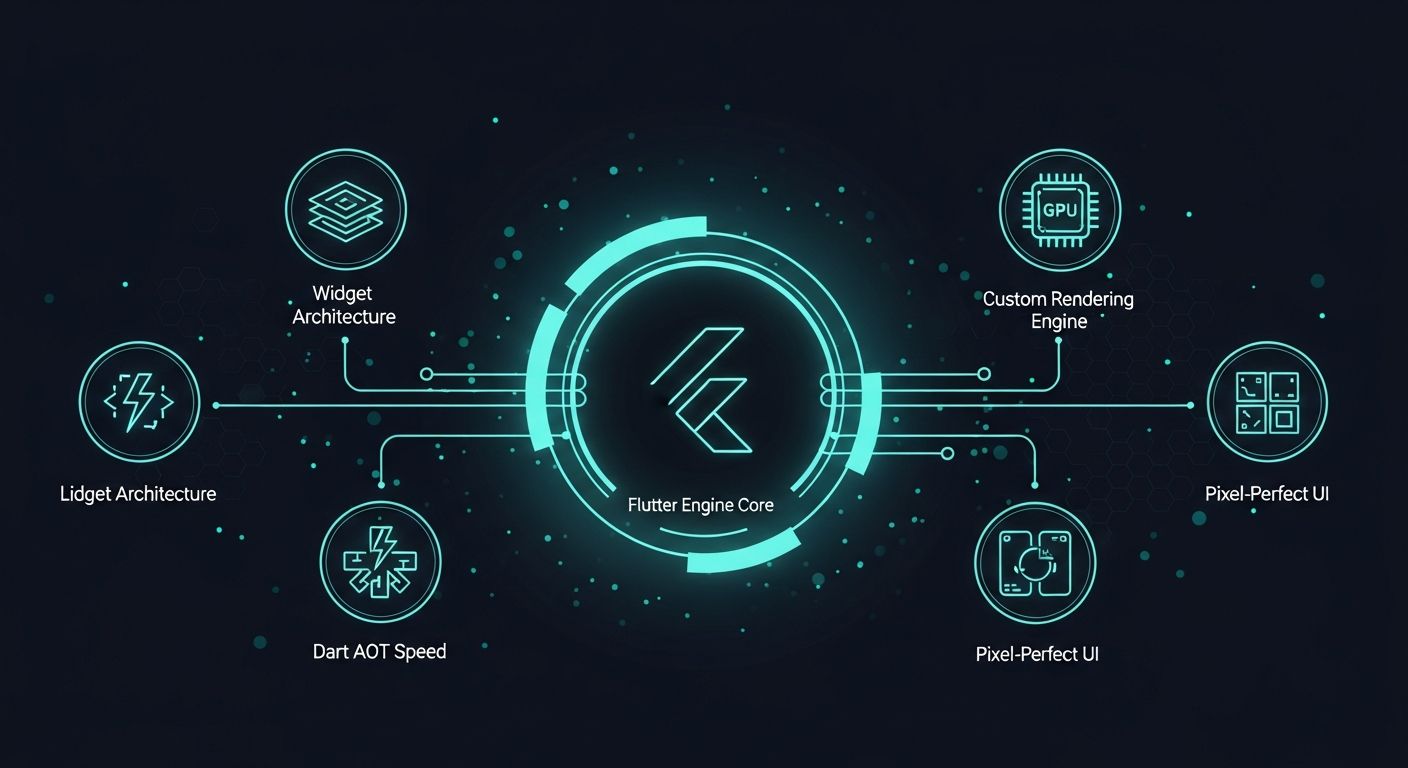
      • Flutter (Dart)
      • Xamarin (.NET)
      • Ionic (HTML, CSS, JavaScript)
      The frameworks will compile or bridge the shared code into the native components, which will result in the apps being almost indistinguishable in terms of look and behavior from the native applications. Companies are considering cross-platform development because of the advantages it offers in terms of speed, cost-effectiveness, and an established, broader user base without the need to have two development teams for two different platforms.
      Notable companies that have gone for cross-platform technology are Airbnb, Pinterest, and Skype, whose experiences with these tools have always been high-quality user experiences alongside the company’s broad reach.

      Key Benefits of Cross-Platform App Development

      Code Reusability

      Using a single codebase, developers have the possibility of writing once and deploying it everywhere. This not only cuts down on the amount of effort spent but also makes sure that the platform’s apps are all very similar to each other, and leads to shorter development periods. In case a bug is found or a change in a feature is desired, it will only take an update that becomes visible on all platforms, which implies lower maintenance costs and fewer mistakes.

      Consistency Across Apps

      Cross-platform frameworks are the ones that support companies in providing their customers with the same experience, no matter what device they are using. Users who move from one device to another are less likely to get confused because of the brand’s consistency and the simplified user journey.

      Faster and Cheaper

      The time and money for developing two separate native apps can be equal to that of one native app multiplied by two. Cross-platform frameworks help companies cut down on their development time by up to 50% while retaining the functionality that is still quite strong.
      The said method is particularly advantageous for startups, small and medium-sized businesses, or any organization that wants to quickly launch an MVP (Minimum Viable Product) for market testing.

      Enhanced Audience Reach

      Simultaneous launch on iOS and Android platforms allows companies to connect with a larger user base instantly. This strategy enhances the visibility, the number of users, and the revenue potential from the very start.

      Code Reusability

      A shared codebase equates to one testing procedure only. The quality assurance (QA) teams can conduct the tests once rather than doing the same thing for every platform, which speeds up the release process and makes the product more reliable.

      Key Differences Between Native and Cross-Platform App Development

      showcasing native vs cross-platform comparison infographic

      Native vs Cross-Platform Mobile App Development: A Complete Comparison

      Performance

      Native applications, due to their close association with the platform, provide a degree of performance that is hard to beat, practically no lag at all, plus they can communicate directly with the APIs. They can perform activities demanding a lot of system resources, like 3D graphics, videos, and vast amounts of data interaction, and at the same time, the user can be unaware of it.
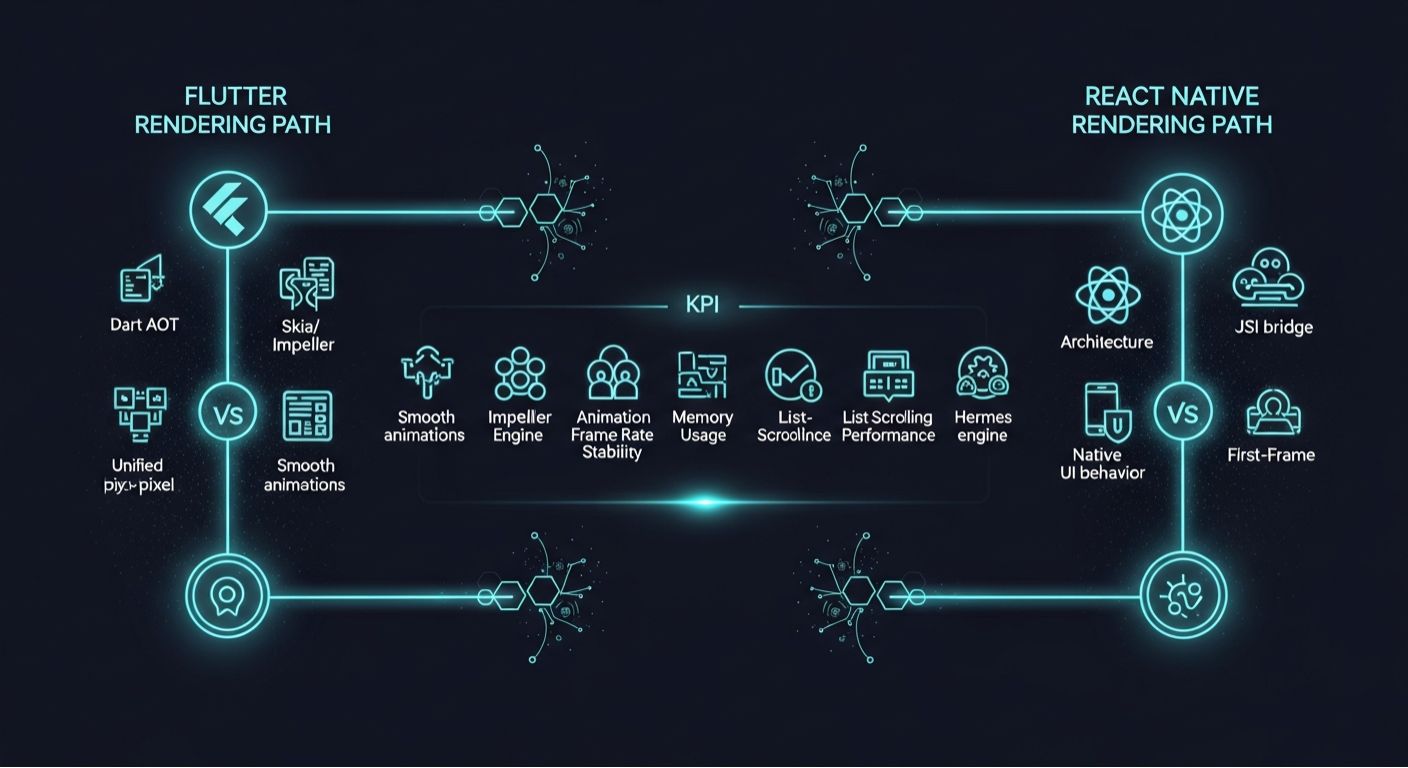
      Using cross-platform apps, although there is a gradual improvement by means of technologies like Flutter’s Skia engine or React Native’s bridge architecture, there is still a little bit of overhead. Learn more about its capabilities in Flutter Docs. For regular applications, the difference will be hardly noticeable to users; however, for the demanding apps, the native platform is still the winner.

      Development Cost and Time

      Native application development entails working with two separate codebases, thus increasing the number of developers, extending the timeline, and increasing the budget. Yet, it guarantees much deeper integration and stability that lasts for a long time.
      However, cross-platform development streamlines the process and consequently lowers the costs, making it a good option for startups and businesses that want to be the first to the market and thus have speed as their main priority.

      Scalability

      The very nature of native apps makes them more scalable as each platform can be updated independently, thus taking care of the risks associated with large-scale updates. Also, they tend to be more compatible with new OS updates.
      On the other hand, cross-platform apps can still scale, but the process is mainly dependent on the chosen framework’s abilities and the support from the community. Sometimes, the release of updates for frameworks is behind that for OSes, resulting in new features being a bit delayed.

      Choosing the Best Approach for Mobile App Development

      Best mobile app development approach illustration

      How to Choose Between Native and Cross-Platform Apps

      If your application requires high interaction levels with the device type, a high UX level, a tightly integrated hardware aspect, or relies on large data volumes, handle it; make it a native app. If you are using limited resources and time to reach multiple platforms, a cross-platform approach will maximize your efficiency.

      Key Considerations for Selecting Native or Cross-Platform Development

      • Budget: Native applications come with a larger initial investment; cross-platform is more cost-effective.
      • Timeline: It typically takes longer to develop a native product; instead, a cross-platform product will deliver faster time to market.
      • App Complexity: If the application has a lot of complex interaction (AI, AR/VR, advanced APIs), native can be the best bet.
      • Target Audience: A cross-platform app can be developed at once for the target audience on both Android and iOS.
      • Future Scalability: Native will be the best approach for future growth of the product or complex updates.

      TL;DR - Which is better?

      If peak performance, advanced hardware access, or complex graphics matter, choose native. If speed to market and lower cost across iOS and Android are priority, choose cross-platform. For most MVPs and consumer apps, cross-platform delivers faster ROI.

      Cross-Platform vs Native: Which Approach is Better for Your Mobile App?

      Before you can make a choice, understanding each app type in terms of its benefits is essential.

      Benefits of Native App Development

      The native approach gives the best performance, a lot of stability, and a unique experience of the platform. Companies that prioritize offline functionality, data protection, and the factors mentioned above find this method more appropriate.
      This also gives more room for the UI control to be set, so it is perfect for applications where the user experience is an aspect of competition.

      Advantages of Cross-Platform Development

      Cross-platform is king in terms of quickness and productivity. It’s an excellent option for startups or small and medium-sized enterprises that want to rapidly test their ideas and not spend much while reaching different user groups.
      The modern frameworks have become so good that they can deliver near-native app performance; hence, they are a strong player in the majority of the mainstream app categories.

      Difference Between Cross-Platform and Hybrid Apps

      cross-platform vs hybrid apps infographic

      With so much buzz in the market surrounding the terms ‘cross-platform’ and ‘hybrid’, knowing how they differ from each other is key.  

      Cross-Platform Apps vs Hybrid Apps: What’s the Difference?

      Even though they are frequently considered the same, there is a difference between them.

      Cross-Platform Apps

      Those are developed with the help of frameworks that turn the code into native binaries. They can run quite fast, and, at the same time, native APIs (like React Native, Flutter) can be used.

      Hybrid Apps

      They are nothing more than web technologies (HTML, CSS, JS) that have been embedded into a native wrapper and thus run within a webview. The development of these apps is faster; however, they are still usually slower and less responsive. Besides that, hybrid apps can be used for content-heavy or simpler applications, but cross-platform apps come out as the better option for scalable, performance-driven mobile experiences.

      When Should You Choose Native vs Cross-Platform for Mobile App Development?

      Best Use Cases for Native App Development

      • AR/VR Applications
      • Enterprise Applications
      • Audio & Video Streaming
      • AI/ML Applications
      • Gaming Applications
      • ECommerce Applications

      Best Use Cases for Cross-Platform App Development

      • Social Networking Applications
      • E-Learning Systems
      • Utility Applications
      • Startups and Minimum Viable Products

      Conclusion

      Both Native and Cross-Platform App Development methodologies offer significant advantages. If you value performance, scalability, and long-term extensibility, native development is the safer bet. If you value development speed, budget, and broad usability, cross-platform frameworks are your friend.
      At Shaligram Infotech, our skilled developers work in both native and cross-platform technologies and map them back to business needs, helping businesses build beautiful, user-friendly apps with high performance. Whether you’re building an MVP or a fully-fledged enterprise-grade solution, our team will help make sure your app does something special; it’s built to be an agile powerhouse and prepared for new technologies for ever-expanding features. Partnering with the best software development company in India gives you access to the entire lifecycle, from strategy and design to deployment and post-launch support.

      💬 Want regular insights on mobile app development?


      Follow Shaligram Infotech on LinkedIn

      Let’s redefine guest experiences with smart technology.

      FAQs

      What is the difference between native and cross-platform mobile app development?

      Native applications are developed specifically for one operating system in its official programming languages, while cross-platform applications use a single codebase that can be executed over multiple operating systems. Contact us to choose the best approach for your mobile app development project.
      For complex applications that require high performance, native is the best option. If you are a business and your priorities are to have a broader reach and a faster time-to-market, then expect to develop your app as a cross-platform app.
      Cross-platform applications compile down to native code, while hybrid applications are built as code and run as a web-based approach within a native shell.
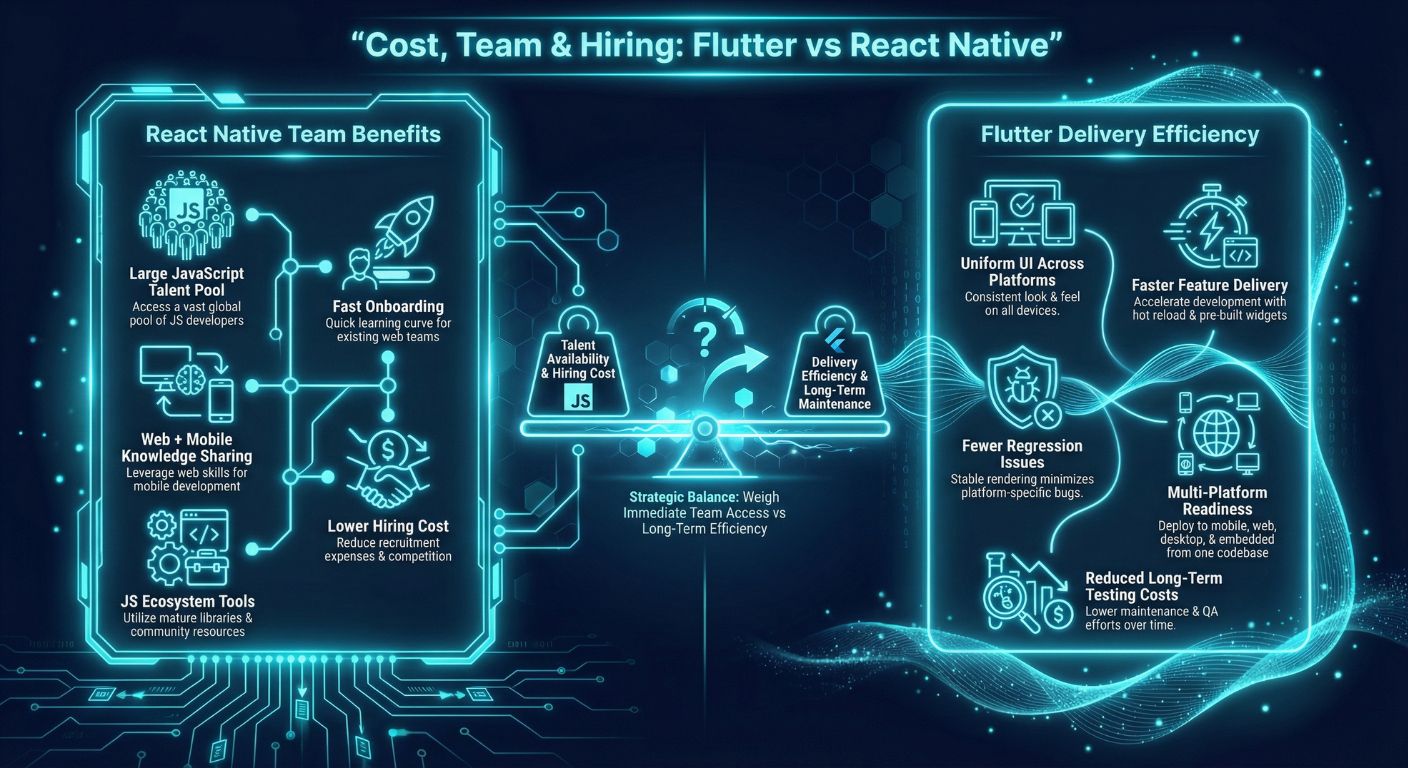
      React native provides a faster time to market, a lower cost, and performs natively, while native applications give developers complete control and optimization.
      Flutter offers faster development, a single codebase for multiple platforms, and near-native performance, while native app development provides greater flexibility, platform-specific optimization, and deeper integration with device features.
      Categories
      Blog Microsoft

      Updates, Upgrades, and Maintenance in Dynamics 365

      Microsoft

      Updates, Upgrades, and Maintenance in Dynamics 365

      Dynamics 365 updates, upgrades, and maintenance concept with cloud technology and IT professiona

      GEt in Touch


        Dynamics 365 is more of an evolving ecosystem than a mere application suite for businesses, helping enterprises grow agile, stay competitive in the market, and remain connected. From smaller-scale improvements to integrations with major key releases, the system lives between the three main pillars: updates, upgrades, and maintenance.
        Businesses need to understand how separate processes differ from each other, and more importantly, how to harness their power strategically, as that can be the difference between achieving smooth operations and expensive interruptions. Dynamics 365 services play a crucial role in helping companies navigate these complexities, offering customized solutions to meet specific business needs.
        In this blog, we shall discuss each of these processes, their implications on the Dynamics 365 environment, and how to come up with a plan on approaching these processes from a proactive standpoint.

        What Are Dynamics 365 Service Updates?

        Visual of Dynamics 365 service updates with a glowing cloud, progress bars, and performance monitoring
        Microsoft carries out D365 service updates regularly, which include small increments for better performance, introduce minor features, and fix bugs. The updates usually take place either every month or every other month and are different for each app (e.g., Sales, Finance, Customer Service, or Field Service).
        As Dynamics 365 is basically a cloud model, Microsoft carries out automatic updates for its customers. This is designed to remove any manual intervention and ensure availability to AI technology, enhanced UI, or security measures in a continuous manner.
        For businesses, including those working with a financial software development company, understanding these updates is crucial. The service updates are generally small in impact and usually need very little time for maintenance or user interference. The companies will be informed in advance, and the upgrades will most probably be done during off-peak hours. The point is to keep your system modern, stable, and in line with Microsoft’s product roadmap, without interfering with your daily tasks.

        What Are Dynamics 365 Upgrades?

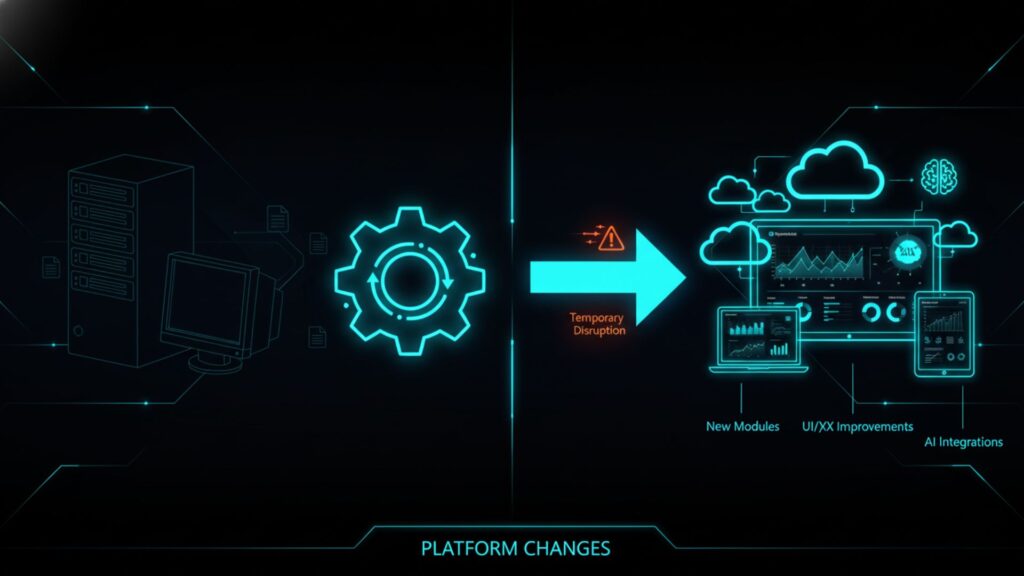
        showing the transition from old tech to Dynamics 365 cloud with new modules and AI integrations
        Unlike service updates, upgrades are significant for version or platform changes. They signify the upcoming group of Dynamics 365 capacities, infrastructure, or interface experiences. Such upgrades generally come with great improvements like new modules, enhanced UI/UX, better performance architecture, or Artificial Intelligence integrations that allow for changing the way users interact with the system.
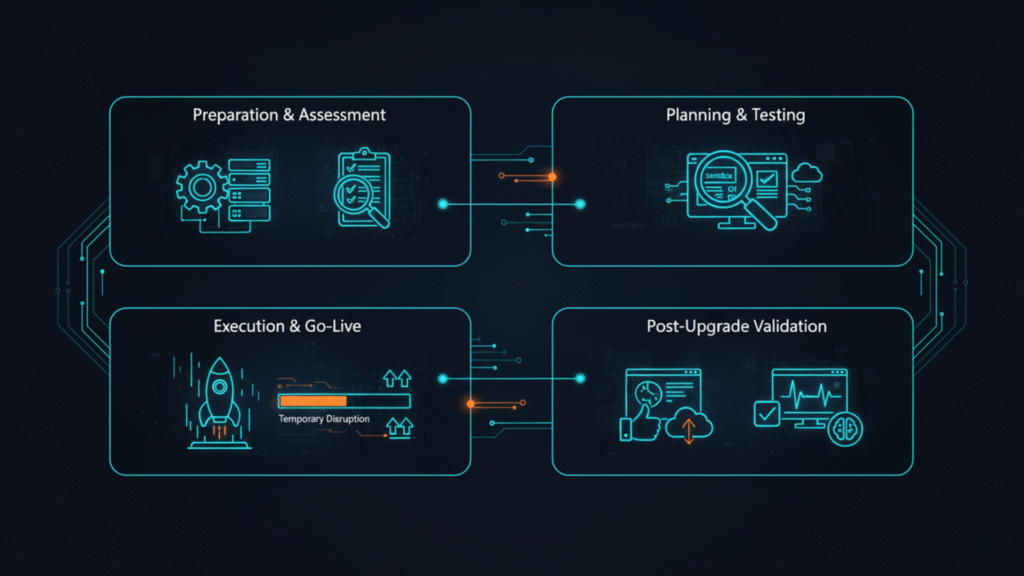
        For example, transitioning from Dynamics AX or CRM on-premises to the Dynamics 365 Cloud is an upgrade. It involves a prolonged assessment process, moving data, changing customizations, and educating users all over again. Since upgrades change the way the system operates, they have to be planned for in detail, and this is done along with the testing and the internal IT teams collaborating, who, on the other hand, might have to work with the Microsoft partners closely and bring in the stakeholders.
        While upgrades may bring temporary disturbance, they are necessary for companies that want to remain competitive in the market. They ensure regulatory compliance, access to new tools, and plan for future scalability, all the while getting rid of the old technology and reducing the cost of maintenance.
        If you’re considering moving from on-premises systems to the cloud, our guide on Dynamics 365 On-Premises vs Cloud Deployment can help you understand the pros and cons of each approach.

        What Is Ongoing Maintenance in Dynamics 365?

        Ongoing maintenance and support for Dynamics 365
        Maintenance is the constant effort needed to care for the health, security, and performance of your Dynamics 365 environment. It is not related to Microsoft’s release schedule; it’s the organization’s own responsibility to ensure the system is running smoothly.
        Ongoing Dynamics 365 maintenance activities include:
        • Monitoring the system’s performance and the usage of resources
        • Execution of integrations with other business solutions
        • Regular data cleanups and integrity checks
        • Security reviews are conducted regularly, and patches are applied
        • Tests of the backups and recovery processes are made
        Maintenance can also be done in-house by IT teams or outsourced to managed service providers who are experts in Dynamics 365 optimizations. By putting effort and time into these Dynamics 365 preventive maintenance, companies can expect a reduction in the number of incidents, the prolonging of the lifespan of their deployment, as well as preventing business downtime.
        In summary, while updates and upgrades introduce new features, maintenance is what makes the system dependable, making sure that everything continues to function exactly as it should every day.

        Dynamics 365 Lifecycle: Understanding Updates, Upgrades, and Maintenance

        A table comparing all three concepts – Updates vs. Upgrades vs. Maintenance against some key criteria is as below:
        Updates Upgrades Continuous, as needed
        Frequency
        Monthly or Bi-monthly
        Annually or Major Release Cycle
        Continuous, as needed
        Who Manages It
        Microsoft-led
        Partner-led or Joint effort
        Partner or Customer-led
        Primary Goal
        Introduce new features and carry out fixes
        Deliver innovation or platform shift
        Ensure system stability and performance
        User impact
        Low
        High
        Varies

        Frequency (Monthly vs. Yearly vs. Ongoing)

        Service updates are recurring and predictable, keeping the users upfront with the latest Microsoft timeline. On the other hand, upgrades are not so frequent and tend to take place when Microsoft plans to make any bigger releases or changes in its infrastructure. Nevertheless, maintenance is the only thing that continues guiding the overall operations and monitoring of the organization’s system.

        Who Manages It (Microsoft-led vs. Partner-led vs. Customer-led)

        For the cloud deployments, updates are automatically done by Microsoft. To install upgrades, however, the customer must work with the implementation partners since this process requires a thorough check, planning, and then moving to a new version. But when it comes to maintenance, the IT department of the organization or the outsourced partners will most probably be responsible for this part.

        Primary Goal (New Features vs. Platform Stability vs. Performance Health)

        Updates are aimed at making the present functionality better. Upgrades change the very platform with its new functionalities, the new architecture, or the new user interface. Maintenance, on the other hand, optimizes the system in terms of compliance, performance, and user satisfaction.

        User Impact (Low vs. High vs. Varies)

        Updates are meant to cause minimal user disruption. On the other hand, upgrades can cause retraining or even downtime. Maintenance, in its turn, may have differing influences on the users, standard regular checks will not be noticeable, but the temporary lack of access may be caused due to large-scale optimizations.

        How to Master Dynamics 365 Cloud Maintenance

        Design showing proactive maintenance for Dynamics 365 with AI insights, analytics, and a preventive checklist

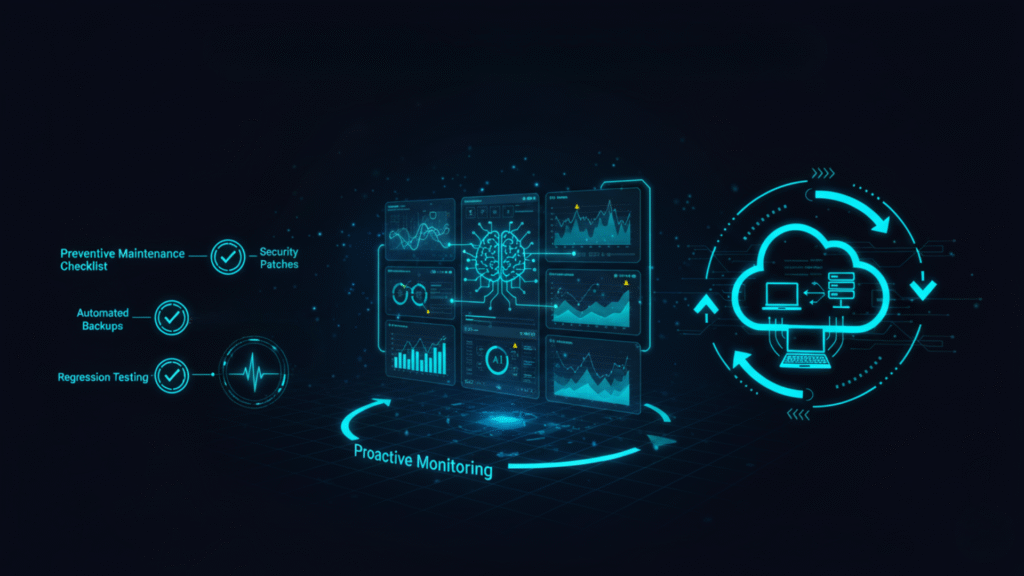
        Shift from Reactive to Proactive

        In many businesses, maintenance is done only after a problem arises. However, in the cloud world, this reactive model is no longer followed. The proactive approach leads to the use of analytics, automation, and AI insights to early detect any performance degradation and make corrections immediately.
        Companies that switch to this new maintenance model face fewer downtimes, have minimal support costs, and have happy users. With Dynamics 365 preventive maintenance, it will be more advantageous in terms of both time and money to prevent the machine from going down than to fix it.

        Your Preventive Maintenance Checklist

        To keep your Microsoft Dynamics 365 environment compliant and optimized, use the provided checklist:
        • Roles and access controls should be reviewed and updated every month.
        • LCS dashboards should be used to monitor API and integration health.
        • Security patches and cumulative updates are to be applied regularly.
        • Backups of the system should be validated, and recovery tests should be performed.
        • Storage capacity must be checked and optimized by archiving data.
        • Workflows and Power Automate flows need to be audited regularly for any performance glitches.
        • The release notes must be reviewed before each update round so that the operators are prepared for the changes.
        • Regression testing is to be done in a sandbox before the production rollout without fail.
        Organizations that adopt this list are ready for future updates, thereby making their system ready for any inspection at any time and also on the alert side.
        For technical teams, it’s also important to align your maintenance strategy with proper infrastructure. Learn more in our article on Infrastructure Hosting Requirements for Dynamics 365.

        Best Practices for Managing Updates and Maintenance

        To effectively manage Dynamics 365 updates and Dynamics 365 maintenance, companies need to employ a mix of automation, scheduling, and documentation. The following are the most crucial practices:
        • Plan Update Windows Strategically: Line up updates with either business hours or after-hours schedules.
        • Stay Informed: Be an active subscriber to the release planner from Microsoft to know about new features and changes beforehand.
        • Maintain Version Documentation: Create and organize all records on updates, patches, and configurations.
        • Test Before Applying: It is better to test updates in a sandbox to be sure everything is compatible.
        • Back up Regularly: Get a backup right before every major update or configuration change.
        • Train Users Continuously: Provide short training within the timetable of changes and update operations.
        • Partner Strategically: Access the professionalism and proactive monitoring competence of Dynamics 365 service providers with the right certification and partnership.
        The above practices are ways through which your support team can always have maintenance as a strategic advantage and not a bothersome routine task.

        Conclusion

        For the safe, stable, and future-friendly running of the Microsoft Dynamics 365 environment, companies need to regularly update, upgrade, and maintain their IT systems. The three IT processes mentioned above all have different but equally important roles.
        Partnering with an offshore software development company in India can be a strategic choice for businesses looking to manage these processes efficiently, cost-effectively, and with expert support.
        The process of updating is aimed at delivering a continuous improvement to the system; the upgrades are made to expand future product capacity, and the maintenance process is concerned with system durability.

        FAQs

        What is the difference between a Dynamics 365 update and an upgrade?

        An update stands for a small, incremental enhancement or a fix rolled out automatically by Microsoft. However, an upgrade embodies a complete version or platform transition that brings considerably new features and needs planning and testing.
        Normally, Microsoft rolls out service updates either every month or every two months, and comes with two major feature releases a year, called Release Wave 1 and Wave 2.
        For customers always in the cloud, the upgrades are part of your subscription. Nevertheless, in the case your system has many customizations, or you are using third-party integrations, there might be a need for additional configuration or partner support costs.
        Yes. To reduce business disruptions, administrators can stall or schedule updates within the allowed timelines of Microsoft.
        If you decide to do without an upgrade, you are going to experience issues with compatibility, risks of data loss, and problems with security. All these, in the long run, lead to more technical debts, thereby rendering the whole process of future upgrades that much more complex, not to mention being expensive. Don’t let delays cost you more. Connect our Dynamics 365 experts to plan your upgrade the right way and provide a smooth, secure transition.
        Categories
        Blog Microsoft

        Security, Compliance, and Data Governance in Microsoft Dynamics 365

        Microsoft

        Security, Compliance, and Data Governance in Dynamics 365

        tech illustration showing security shields, data streams, cloud, and Dynamics 365 interface

        GEt in Touch


          As businesses embrace digital transformation, data security has become a top priority. Microsoft Dynamics 365 offers an all-in-one platform for security, compliance, and data management, ensuring your organization’s data stays protected and well-governed. Organizations looking to streamline operations and enhance data protection often turn to Microsoft Dynamics 365 solutions for their robust capabilities. Understanding how D365 ensures security and compliance is crucial for building trust and meeting regulatory standards, whether it involves customer data, financial data, or operational workflows.
          In this post, we will delve into the Security, compliance, and data governance aspects of Dynamics 365, along with the recommended practices for administrators to create a robust and compliant data environment.

          What is Dynamics 365 Security?

          Dynamics 365 security framework for enterprise data protection

          Dynamics 365 security protects your data from unauthorized access, misuse, or breaches. It defines who can access what, what actions they can take, and how data visibility is managed across the system.

          D365 adopts a layered security model that not only works together with but also leverages Microsoft’s cloud infrastructure and Microsoft Entra ID (formerly Azure Active Directory) to provide top-notch enterprise-level authentication, authorization, and encryption. This allows for a situation where users are given access rights that are appropriate to their roles and responsibilities, as well as the organizational hierarchy.

          Some of the key focuses of Security in Dynamics 365 are:

          • Confidentiality : Making it impossible for anyone who is not a legitimate user to access the data.
          • Integrity : Making it impossible for anyone without permission to change the data.
          • Availability : Making sure that data and services are not only accessible but also available at any time without difficulties.

          Core Components: Role-Based, Field-Level, and Record-Level Security

          Dynamics 365, built on Microsoft Dataverse, provides administrators with three primary security controls, Role-based, Field-level, and Record-level, that can be applied individually or together to define precise access permissions:

          Role-Based Security:

          Each user gets access based on their role. For example, a sales manager can view and edit all opportunities, while a sales representative can only access the ones assigned to them.

          Field-Level Security:

          Access to specific data fields within an entity can be limited. Field-level Security is handy in keeping private information such as “salaries, social security numbers, and financial data” off-limits.

          Record-Level Security:

          The restrictions on access apply to the individual record level. The administrator can control access rights based on record ownership, hierarchy, or sharing rules. All these factors combined will provide users with data access according to their role, business needs, and regulatory requirements.

          What is Dynamics 365 Data Governance?

          Dynamics 365 data governance and compliance solutions
          Dynamics 365 data governance is the process of managing data so it stays accurate, consistent, private, and reliable. It involves setting policies and controls for how data is collected, stored, and shared within the system.
          D365 provides these capabilities to support data governance:
          • Data integrity controls (validation rules, duplicate detection).
          • Data life cycle management (archiving and retention policies).
          • Auditing and traceability functions to observe changes as users perform their actions.
          A strong data governance framework allows you to meet regulations while improving operational efficiency and the quality of decisions.

          What is Dynamics 365 Compliance?

          illustration showing encryption audit logs certificates and regulatory compliance with Dynamics 365

          Dynamics 365 compliance means the system meets global standards for data protection and privacy, including GDPR, HIPAA, and ISO 27001. Moreover, Microsoft keeps up with it by continuously working on upgrading its cloud and D365 services to be in line with the ever-changing legal landscape.

          Some of the most significant compliance characteristics are:

          • Regulations and controls related to data residency and sovereignty.
          • Data encryption is applied both at rest and in transit, with support for Microsoft-managed keys and Customer-Managed Keys (CMK) for added control and compliance flexibility.
          • Detailed audit logs to support accountability.
          • Instruments for processing data subject requests (DSRs).

          Organizations can view compliance documents, certificates, and recommendations for setting up D365 in a compliant way through Microsoft’s Compliance Manager and Service Trust Portal.

          Comparing Dynamics 365's Key Security Models

          Criteria Role-based Security Field-level Security Record-level Security
          Scope of Control
          Entity-level
          Specific data fields within an entity
          Individual records
          Primary Use Case
          Define permissions based on job roles or departments
          Protect confidential or sensitive fields
          Restrict access based on hierarchy or ownership
          Ease of Implementation
          Easy to configure and maintain
          Moderate. Needs to identify sensitive fields
          Complex. Needs sharing rules or a clear hierarchy
          Performance Impact
          Minimal
          Slight, depends on secured field numbers
          If applied more, it can impact performance

          Scope of Control (Entity, Field, Record)

          • Role-Based Security operates at the entity level, establishing accessibility throughout the whole system, such as Accounts and Contacts.
          • Field-Level Security narrows down the access to view for specific fields, e.g., salary or ID numbers.
          • Record-Level Security deals with granting access to single records according to the owner or team hierarchy.
          When configuring security and data governance, it’s also important to review the Infrastructure and Hosting Requirements for Dynamics 365 to ensure your environment supports the necessary performance, scalability, and compliance needs.

          Primary Use Case

          • Role-Based Security operates at the entity level, establishing accessibility throughout the whole system, such as Accounts and Contacts.
          • Field-Level Security is the one that safeguards sensitive or private information in files.
          • Record-Level Security ensures that only the users who own or manage the records have access to them, which is perfect for an organization with data access based on hierarchy.

          Ease of Implementation

          • Role-Based Security is the easiest to implement and the most scalable for new users.
          • Field-Level Security requires a meticulous configuration for profiles and fields that are very sensitive.
          • Record-Level Security, with its reliance on ownership rules and sharing logic, turns out to be the most complicated.
          Additionally, understanding the differences in Dynamics 365 On-Premises Vs. Cloud deployments can help administrators plan security, compliance, and governance strategies more effectively.

          Performance Impact

          • Role-Based Security brings nearly zero performance costs.
          • Field-Level Security will cause minimal delays only when many fields are involved.
          • Record-Level Security can affect system performance when excessive sharing rules, deep hierarchies, or frequent recalculations are involved. Regular audits and role optimization mitigate this impact.

          How to Achieve Dynamics 365 GDPR Compliance

          Dynamics 365 GDPR compliance and data protection

          Handling Data Subject Requests (DSRs)

          Individuals are entitled to request and receive access, amend, and delete their personal data under GDPR. Data Subject Requests (DSRs) can be satisfied by administrators of D365 from the following capabilities:
          • Data Subject Requests (DSRs) can be efficiently handled using Dynamics 365’s Advanced Find, Data Management Framework, and Export/Delete tools.
          • Admins can further automate consent and erasure workflows using Power Automate for faster, auditable GDPR responses.

          Managing Consent and Data Portability

          Tracking consent and data portability are important GDPR requirements.
          • Consent: D365 can store consent preferences in account or contact records. Administrators can configure to automatically alert contacts of consent expirations or integrate the Power Automate console to automate workflows for compliance purposes.
          • Portability: Personal data should be easy to export in machine-readable formats like CSV or XML to meet data portability requests.

          Using D365 Tools for Breach Notification

          Integration between Dynamics 365, Microsoft Defender, and Compliance Center helps organizations:
          • Promptly identify and notify of possible data leaks.
          • Trigger notifications automatically through Power Automate or Azure Sentinel.
          • Document cases for audits of compliance and notifications regarding breaches.
          In this way, the organizations would be able to comply with GDPR’s rigorous reporting deadlines and openness requirements

          Dynamics 365 Security Best Practices

          enterprise security showing role-based access field field-level auditing, and Office 365 groups in Dynamics 365
          The enforcement of strong Dynamics 365 security best practices is always safe and compliant. What follows are some crucial suggestions:

          Implement the Principle of Least Privilege

          Give users only the access they need for their job. This reduces the risk of leaks or accidental changes. Use role-based security to control who can view or edit data.

          Regularly Audit Your Security Roles

          Regularly assess and reassign security roles as your organization evolves. Leverage tools like the Security Role Viewer, XrmToolBox plugins, and the Security Diagnostics feature in Power Platform Admin Center for a comprehensive review.

          Enable Field-Level Auditing for Sensitive Data

          Apply for the auditing of the fields that hold personal or financial information. This could help track changes, detect anomalies, and fulfill the requirements for compliance through the audit trail.

          Leverage Office 365 Security Groups for Simpler Management

          Rather than going for the individual user-based roles assignment, associate the security roles with Office 365 or the Azure AD security groups. This makes user management efficient, especially in the case of large organizations.

          Conclusion

          Security, compliance, and data governance in Dynamics 365 are ongoing commitments rather than one-time setups. Microsoft’s complete security ecosystem built on Dataverse, Entra ID, and Zero Trust principles, organizations can maintain a secure, compliant, and resilient environment. Regular audits, minimal privilege access, and proactive governance ensure long-term data integrity and regulatory alignment. At Shaligram Infotech, we specialize in helping businesses implement these strategies, making us one of the best software development companies in India for Dynamics 365 solutions.
          As a result of the escalating regulatory scrutiny and data privacy concerns, companies that emphasize governance in Dynamics 365 will not only be shielded from risks but will also acquire a competitive advantage in terms of customer trust and operational resilience.

          FAQs

          What is the difference between security in Dynamics 365 and Dynamics 365 compliance?

          The primary concern of Security is to keep data safe from any unauthorized access or use, while compliance is to make sure that data handling procedures are adequate according to laws and regulations. Both are dependent on each other but have different goals.
          Go to Settings → Security → Field Security Profiles, then click on the button to create a new profile and assign it to specific fields, users, or teams. After that, you will be able to set up permissions for the read, update, or create actions on those fields.
          Microsoft Dynamics 365 provides the resources and environment to achieve GDPR compliance; however, the process of setting up and following compliance rules remains with the organization. IT administrators must establish the right policies, auditing, and consent management on behalf of the organization.
          Absolutely. You are allowed to duplicate current security roles with the intention of creating new ones with equivalent privileges. This is a good practice since it not only speeds up the creation of roles but also keeps the access structures consistent.
          To do that, use the Access Checker tool, which is included in Dynamics 365. This will enable the administrators to pick up a user and a record to check the effective access permissions, thus helping in resolving issues related to visibility or privileges. Need expert help configuring D365 security for your organization? Contact us today or drop us an email at info@shaligraminfotech.com and let our team of specialists ensure your Dynamics 365 environment is secure, compliant, and optimized.
          Categories
          Blog Microsoft

          Infrastructure and Hosting Requirements for Dynamics 365

          Microsoft

          Infrastructure and Hosting Requirements for Dynamics 365

          Visual comparison of Dynamics 365 cloud vs on-premise infrastructure

          GEt in Touch


            Successful deployment of Microsoft Dynamics 365 requires configuration of the software along with a solid foundation of the infrastructural environment. Regardless of whether your organization decides to deploy D365 in an on-premise model or cloud-hosted solution, understanding your hardware, software, and networking requirements is the ticket to performance and reliability. A trusted Microsoft Dynamics 365 partner in India can guide you through the entire process to provide seamless integration and optimal performance.
            Our blog post talks about the requirements and infrastructure needs for Dynamics 365 deployment. We’ll look at system specifications, deployment models, and performance.

            Dynamics 365 Minimum System Requirements

            On a general level, the Dynamics 365 ecosystem needs to run a Windows Server operating system, SQL Server, and a supported version of .NET. Users can connect via a supported web browser, such as Microsoft Edge, Google Chrome, or Safari. It is assumed users will have access to the necessary network with sufficient bandwidth.

            Dynamics 365 Business Central On-Premise Requirement

            Enterprise software project delivery showcase

            Hardware, OS, SQL Server Versions

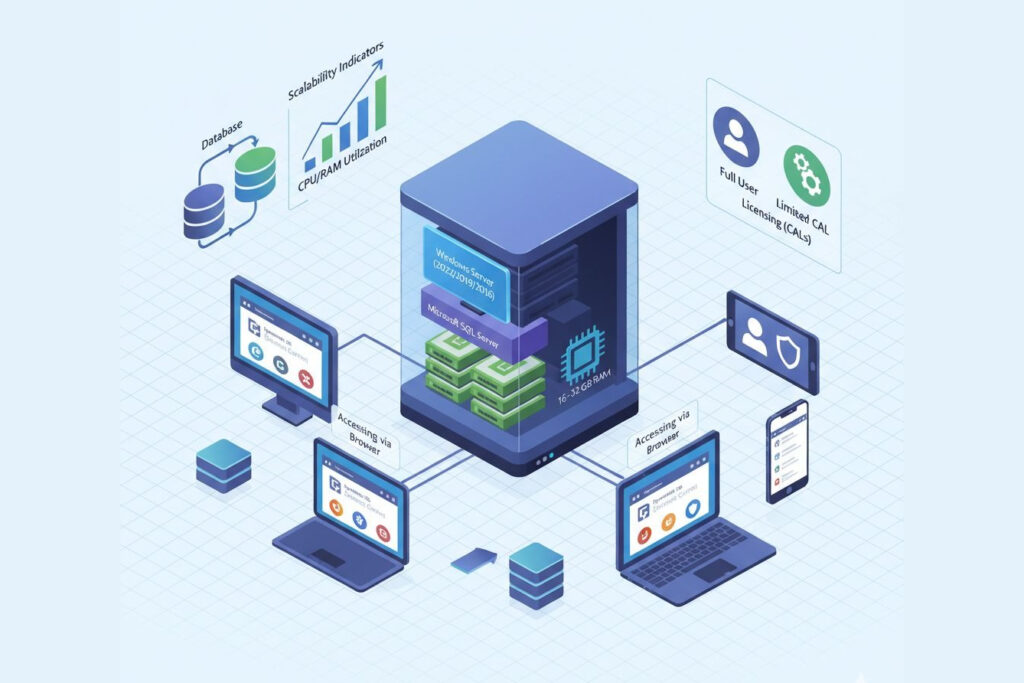
            For Dynamics 365 Business Central On-Premise, the core components required:

            • Operating System: Windows Server 2022, 2019, or 2016 (Standard or Datacenter editions).
            • Database Server: Microsoft SQL Server 2022, 2019, or 2017 with Analysis Services.
            • Hardware: At least 4 cores (recommended 8+) and 16–32 GB RAM for small to medium deployments.
            • Storage: SSDs are highly recommended for database performance, with 100 GB or more free space for application and data files.

            Supported Clients and Browsers

            Business Central can be accessed via modern web browsers (Edge, Chrome, Safari, or Firefox), or by the Windows Desktop App. Mobile access on iOS and Android is also possible through the official apps.

            Storage, Memory, CPU

            Performance scales with database size and user load. A minimum of 8–16 GB RAM, and a minimum of 4 CPU cores for every 50 concurrent users can help ensure Business Central workloads are properly supported. It is recommended that SQL Server instances are properly configured to have dedicated CPU resources to SQL Server and memory caching enabled.

            Licensing and CALs

            Business Central on-premise deployments require Client Access Licenses (CALs), either per user or per device. Properly licensing Business Central ensures that you are compliant, and allows for a mix of full users and limited users within your organization. To ensure proper compliance and licensing structure, consult the official Dynamics 365 Licensing Guide (PDF).
            Note: The requirements listed above apply to the current version of Microsoft Dynamics 365 On-Premises. However, these specifications may change with future platform updates. For the most up-to-date and detailed requirements, you can check the official Microsoft documentation: Microsoft Dynamics 365 On-Premises System Requirements.
            TL;DR: For Dynamics 365 Business Central On-Premises, use Windows Server 2019 or later, SQL Server 2019+, at least 16–32 GB RAM, and SSD storage. Proper CAL licensing and network readiness are essential for optimal performance.

            CRM Dynamics On-Premise Requirements

            On-premise setup for Dynamics 365 CRM including server and Outlook access

            Environment Prerequisites

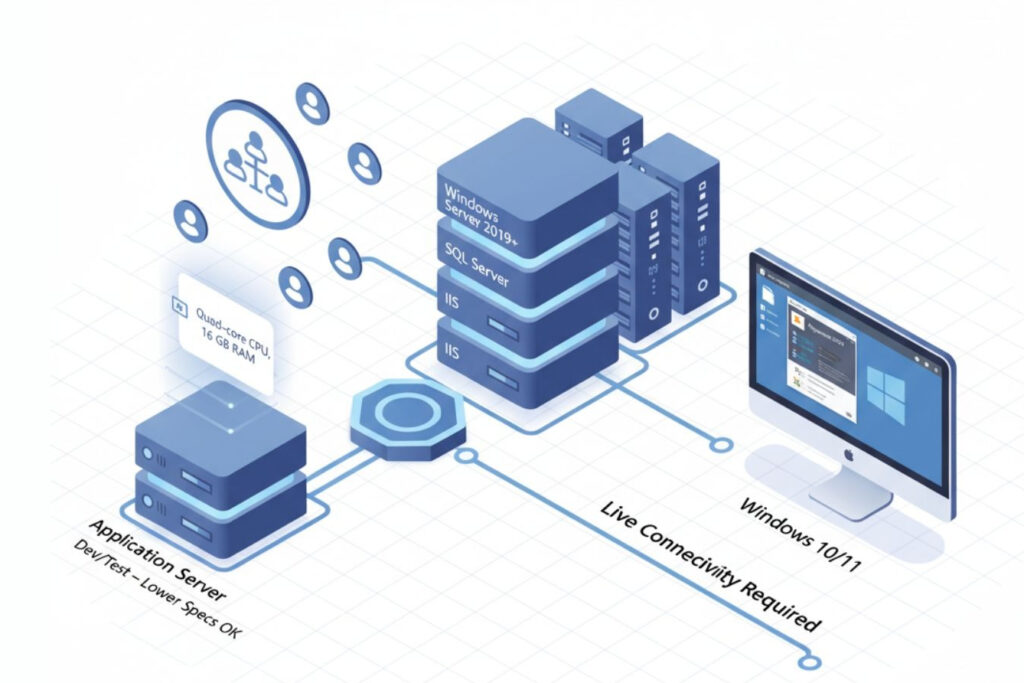
            For an on-premise installation of Dynamics 365 CRM (Customer Engagement), you will need:

            • Operating System: Windows Server 2019 or newer.
            • Authentication: Active Directory integration for authentication.
            • Database: SQL Server.
            • Web Hosting: IIS (Internet Information Services) for web hosting.

            Server & Workstation Specs

            Application servers should contain at least 16 GB of RAM and quad-core CPU’s. While development or test environments can work with lower specifications, for a production system consider redundancy and load balancing to allow for scale.

            Outlook Client Requirements

            If you are to connect with Dynamics 365 App for Outlook you would need to ensure the users are on Outlook 2019 (or Microsoft 365) on Windows 10/11. The app also requires consistent connectivity to the Dynamics server or online instance.

            Note: The information above outlines the current cloud infrastructure requirements for Microsoft Dynamics 365. As Microsoft frequently enhances its cloud services, these requirements may evolve over time. To review the most up-to-date Dynamics 365 cloud system requirements, visit the official Microsoft documentation: Microsoft Dynamics 365 Cloud System Requirements.

            Dynamics 365 Network Requirements

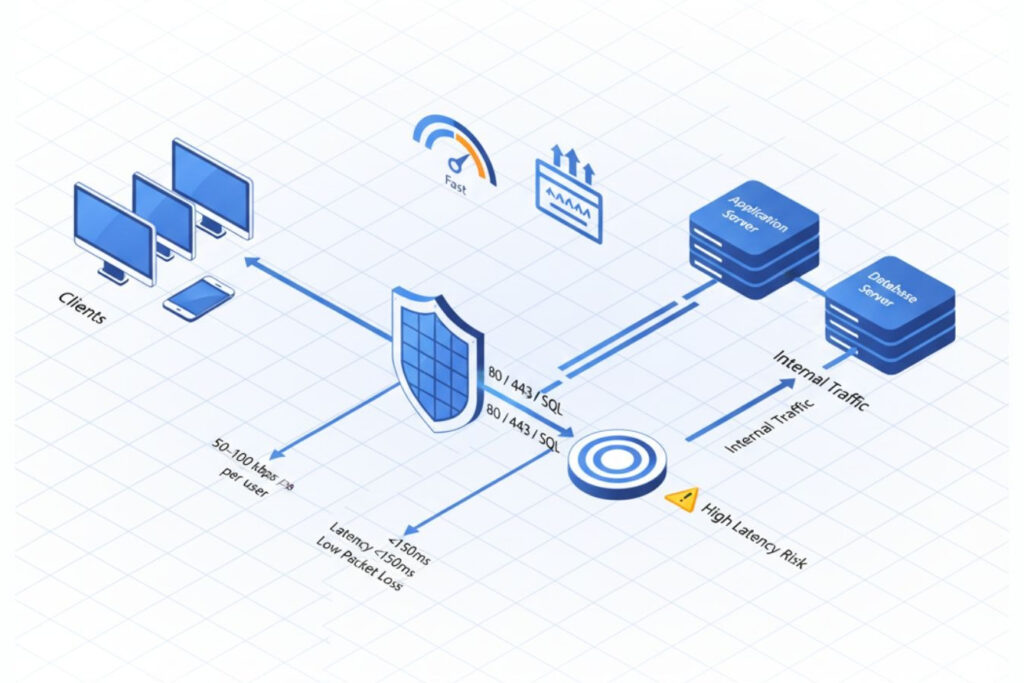
            Network, bandwidth, and firewall setup for Dynamics 365 deployment

            Bandwidth Planning

            The requirement for bandwidth is based on the number of users and data transactions. A rule of thumb is to provide bandwidth of at least 50-100 kbps based on the number of active users per session for cloud deployments.

            Latency and Reliability

            The latency between the client and the Dynamics 365 Server should be under 150 ms for complete user satisfaction. The reliability of the network is also critical. Packet loss or high latency will degrade the loading speeds of forms and the responsiveness of APIs.

            Ports and Firewall Rules

            Make sure ports 80/443 for HTTP/HTTPS, and any SQL connections are open as standard practice. For on-premise, internal firewalls and reverse proxies should be configured for traffic from client machines to application servers to database servers.

            TL;DR: Maintain network latency below 150 ms, bandwidth of 50–100 kbps per active user, and open ports 80/443 for HTTP/HTTPS to ensure fast and secure Dynamics 365 performance.

            Dynamics 365 Core Infrastructure Requirements: Cloud vs On-Premises Setup

            On-Premise Infrastructure

            It requires hardware or virtualized hardware, SQL databases, Active Directory, and storage management. IT teams prepare the environment themselves, patch it internally, and scale the service as directed.

            Cloud Infrastructure

            This option is hosted within Microsoft Azure and allows for managed scalability, automatic patches, and global access. Azure handles uptime, security patches, and disaster recovery, thereby greatly lowering infrastructure overhead.

            Key Differences: On-Premise vs Cloud

            In an on-premise model, the business manages and updates its servers on its own while overseeing security, which provides the most significant amount of control but potentially increases the maintenance and costs. The cloud model is managed by Microsoft, allowing for auto-updates, a lower cost of overhead, and more effortless scalability, which is ideal for the organization that prioritizes flexibility and reduces the burden on IT.
            TL;DR: To run Dynamics 365 effectively, you’ll need a Windows Server OS, a supported SQL Server and .NET framework, and a stable network connection. Users can access Dynamics 365 through modern browsers such as Edge, Chrome, or Safari.

            Dynamics 365 Hosting Options

            Self-Hosting (On-Premise or Private Cloud)

            Best for organizations with data governance or regulatory requirements. Requires dedicated infrastructure, plus IT staff to manage the server, updates, and backups.

            Partner-Hosted / Managed Services

            Certified Microsoft partners will host your systems in private or hybrid clouds. This represents the best balance of flexibility and reduced IT burden as the hosting partners manage updates, monitoring, and compliance.

            Dynamics 365 Hosting Requirements Checklist

            • Supported versions of Windows Server and SQL Server
            • Sufficient RAM, CPU, and SSD storage
            • Secure Active Directory and network configuration
            • Reliable bandwidth and low latency
            • Have a backup and disaster recovery plan
            • Proper licensing and CAL management

            Implementing Microsoft Dynamics 365 Business Central On-Premise

            Planning and Deployment Steps

            • Identify deployment topology (single server, multi-tier, or cluster).
            • Install prerequisites: SQL Server, IIS, and .NET frameworks.
            • Configure Business Central Server and Web Client.
            • Implement Active Directory authentication.
            • Test connectivity, performance, and user access.

            Common Challenges and Solutions

            • Performance bottlenecks: Optimize SQL indexing, enable caching, and allocate dedicated memory to SQL Server.
            • Network delays: Use LAN connections or optimized VPN routes to reduce latency.
            • Maintenance overhead: Automate patching with scripts and use monitoring tools like Azure Monitor or SCOM to ensure system health.
            💡 Pro Tip: Regularly monitor SQL query performance and database growth to avoid slowdowns during peak hours.

            D365 Capacity Planning and Performance Infrastructure

            D365 Capacity Planning Essentials

            Good capacity planning requires estimating user concurrency and transaction volumes as well as data growth. Consider peak load periods for performance and always provide redundancy when designing for load. Streamlining operations with Dynamics 365 can help optimize these processes by automating tasks and improving efficiency, ensuring smoother scalability as your business grows.

            Building High-Performance Dynamics 365 Infrastructure

            • Utilize SSD for SQL database storage.
            • Implement load balancers for web and API requests.
            • Leverage caching and SQL tuning.
            • Continuously monitor metrics to capture deviations before they become a problem.
            TL;DR: Plan your Dynamics 365 capacity by estimating concurrent users, transaction volumes, and data growth. Use SSDs, load balancers, and SQL tuning to maintain performance as usage scales.

            Dynamics 365 Cloud vs On-Premise Comparison

            Dynamics 365 Cloud Dynamics 365 On-Premise
            Setup time
            Immediate
            Longer setup
            Updates
            Automatic
            Manual
            Scalability
            Elastic
            Hardware-dependent
            Maintenance
            Managed by Microsoft
            Requires IT team
            Customization
            Limited access to backend
            Full access
            security
            Microsoft Azure compliant
            Controlled internally

            Conclusion

            The effectiveness of any deployment of Dynamics 365 is directly tied to the alignment of infrastructure selections with business needs. Cloud hosting enables flexibility and less maintenance, while on-premise options provide control and customization. By evaluating your organization’s capacity, security, and compliance needs, you can build an infrastructure that manages performance, prepares for future growth, and ensures high availability. Partnering with a reputable software development agency in India, like Shaligram Infotech, can help you tailor the perfect solution for your business needs and ensure a seamless Dynamics 365 deployment.

            FAQs

            What are the minimum system requirements for Dynamics 365 on-premise?

            A supported Windows Server, SQL Server, and .NET framework, at least 16 GB RAM, and a multi-core CPU.
            Approximately 50 to 100 kbps per active user session, depending on workload and transaction type.
            Yes, many organizations utilize a private cloud or a partner-managed cloud, for a greater degree of control while enjoying the scalability of the cloud.
            When comparing Dynamics 365 On-Premises Vs. Cloud, the key difference lies in control and management. On-premise offers customers full control over the product, including its infrastructure and customized functionality. In contrast, the cloud version is managed by Microsoft, providing automatic and continuous updates, reduced infrastructure costs, and easier scalability.
            Reliable hardware, a SQL database, a supported Windows Server OS, and a good & secure network to connect to. Need help assessing your hosting requirements or ensuring your infrastructure is optimized for Dynamics 365? Contact us today to get expert advice and support for a seamless deployment.
            Categories
            Blog Microsoft

            Dynamics 365 On-Premises Vs. Cloud: Right Deployment Model Explained

            Microsoft

            Dynamics 365 On-Premises Vs. Cloud: Right Deployment Model Explained

            Dynamics 365 on-premises servers vs cloud deployment comparison

            GEt in Touch


              Microsoft Dynamics 365 has established itself as a cornerstone for organizations wanting a unified CRM and ERP solution. However, in any implementation of Dynamics 365, one of the earliest and most important decisions is the deployment model you are going to choose: on-premises or Cloud (online). Both provide significant capabilities for sales, finance, operations, and customer service; however, there are substantial differences in terms of infrastructure, pricing, flexibility, and long-term capabilities. For expert guidance and seamless implementation, many businesses turn to trusted Microsoft Dynamics 365 partners in India.

              In this article, we will explore the two deployment options, the pros and cons of each option, and then provide some guidance on how a company can determine which model is best for its situation.

              What is Dynamics 365 On-Premise?

              On-premises servers with icons for data ownership, customization, offline use, and software integration
              Hosting Microsoft Dynamics applications within a company’s internal servers or private data centres is referred to as Dynamics 365 On-Premise. With the on-premises model, the organization maintains complete control over hardware, infrastructure, updates, and data. The on-premises model is best for organizations that deal with regulatory compliance, integration with custom applications, or organizations that have invested in infrastructure or technology for their IT department.

              Dynamics 365 On-Premise Key Advantages

              Dynamics 365 On-Premise Key Advantages
              • Full Data Ownership: All data remains on premises, thus allowing complete data ownership and alignment with internal policies.
              • Increased Customization: Organizations can customize apps, integrations, and workflows in any way they like without being limited by a shared cloud.
              • Ability to be Offline: On-premise systems can run without the internet.
              • Integration with Existing Software: Easier to integrate with already-used on-premises ERP or third-party software.

              Dynamics 365 On-Premise Disadvantages

              t: Dynamics 365 On-Premise Disadvantages
              • Significant Initial Investment: You must factor in the physical setup cost (hardware, licenses, support) in your initial expense.
              • Inconvenient Maintenance: Your IT team needs to manually schedule and execute updates, patches, backups, and security.
              • Limited Scalability: An increasing infrastructure for growth and peak demand will lead to additional physical investments.
              • Slower Innovation: Updates or new features that are released by Microsoft will take longer to reach on-site-based customers than cloud customers.

              Who Should Choose Dynamics 365 On-Premise?

              If strict compliance regulations, sensitive data environments (like government, defense, or banking), or an effective in-house IT department are a consideration, Dynamics 365 Business Central on-premise is the better option. Business Central on-premise is also a good fit for organizations located in an area where internet service is unreliable or for organizations that require in-depth customization of their systems. While the on-premise model addresses specific operational needs, it’s important to recognize how solutions like Dynamics 365 support digital transformation across various industries, helping businesses modernize processes and improve agility.

              What is Dynamics 365 Online/Cloud

              Cloud with icons for cost savings, automatic updates, scalability, access, and security
              Dynamics 365 Cloud (or Dynamics 365 Online) is Microsoft’s cloud-based Software-as-a-Service (SaaS) deployment model, hosted on Microsoft Azure. All infrastructure, updates, and maintenance are taken care of by Microsoft, which allows businesses to focus on operations rather than IT management needs. Users can access Dynamics 365 from anywhere on any device, with real-time data synchronization across all teams.

              Dynamics 365 Cloud Key Advantages

              Enterprise project milestone showcase
              • Reduced Upfront Expense: By utilizing a subscription payment model, businesses do not have to spend a significant amount on the infrastructure layer.
              • Automatic Version Changes: Microsoft regularly installs feature updates and security patches automatically.
              • Very Scalable: Businesses may easily scale resources up or down based on usage and growth.
              • Access Anywhere: Easy access via web or mobile applications.
              • Built-in Security: Backed by Microsoft’s enterprise-grade Azure security and compliance framework.

              Dynamics 365 Cloud Disadvantages

              Dynamics 365 Cloud Disadvantages
              • Limited Customization: Some in-depth customizations may not be available in the Cloud.
              • Reliance on Internet: You will need a reliable internet connection for continued access.
              • Data Residency Issues: Some industries may have compliance issues with hosting data outside of a given geographic area.

              Who Should Choose Dynamics 365 Cloud?

              The cloud model fits well with businesses that are expanding, remote teams, and enterprises that need to be agile, and those looking for reduced IT costs. It’s a well-suited alternative for organizations where scalability, speed of deployment, and constant innovation are preferred over management of infrastructure costs. Many organizations also rely on cloud consulting services in India to provide a smooth transition and to optimize their cloud strategy for long-term success.

              Client-Side Rendering vs Server-Side Rendering: Comparison

              On-Premise Online/Cloud

              Deployment & Infrastructure

              Managed on-site by your organization’s infrastructure.
              Managed by Microsoft Azure and full cloud-based management.

              Cost Structure (CAPEX vs OPEX)

              High up-front CAPEX for hardware and license.
              OPEX-based monthly/annual license with minimal start-up cost.

              Scalability & Flexibility

              Limited expandability; requires the setup of hardware.
              Completely scalable with dynamic resource configuration.

              Updates & Maintenance

              Maintenance is a manual activity, managed by the IT team.
              Upgrades and new features are automatically provided by Microsoft.

              Security & Compliance

              You have complete control of setup and security policies.
              Azure provides enterprise-grade security and compliance deployed globally.

              Customization & Control

              Customizable to a greater extent.
              More moderate customization with confines of cloud constraints.

              Performance & Reliability

              Limited by performance of the local server.
              High uptime with Microsoft global datacenter and SLAs.

              Integration Capabilities

              Integration is limited to more on-prem legacy systems.
              Strong APIs to allow cloud integration leveraging Microsoft ecosystem.

              Accessibility (Remote & Mobile Access)

              Limited ability to access, requires VPN or remote desktop connections.
              Ability to access anywhere as long as connected to internet.

              Disaster Recovery & Backup

              Managed by internal IT resources.
              Automated backed up and recovery via Azure.

              Data Ownership & Storage Location

              Full ownership; managed internally.
              Managed by Microsoft servers (region based)

              Implementation Time

              Takes longer to set up and configure.
              Cheaper and faster deployment through SaaS model.

              Long-term ROI

              Higher maintenance cost but offers long-run control.
              Cost-effective approach with better agility in the long-run.

              Why Does Deployment Choice Matters in Dynamics 365?

              The decision to choose between Dynamics 365 on-premise or Dynamics 365 Cloud deployment affects your cost, flexibility, Compliance, and innovation. Dynamics 365 On-premise, like Business Central On-premise, may yield some control and stability, whereas a cloud model will enable you to operate at speed and collaborate, and additionally scale your solution. In the fast-evolving digital landscape today, these factors are integral. Additionally, many modern organizations are also considering a hybrid model, which leverages the data security that on-premises can offer, coupled with the agility the Cloud has. Choosing the right strategy depends on the size of your business, set of regulations, IT maturity, and goals for growth.
              With Dynamics 365, businesses can also make data-driven decisions, empowering them to respond swiftly and effectively to changing market demands.

              Conclusion

              Both on-premises and cloud deployments of Dynamics 365 provide powerful capabilities while serving different needs within an organization. The on-premises option is attractive for companies that want to “own” the product, while the cloud version allows companies to innovate more quickly and operate with greater efficiency. Before deciding, consider your budget, data sensitivity, compliance, and scalability requirements. Working with a trusted Dynamics 365 team like Shaligram Infotech, a leading software development company in India, can reduce the stress of making a choice and implementing the deployment model that best drives long-term value for your organization.
              Categories
              Blog Software Development

              Hotel CRM Development: Features, Benefits, And Implementation

              Software Development

              Hotel CRM Development: Features, Benefits, And Implementation

              Abstract digital interface showing hotel CRM technology features and benefits

              GEt in Touch


                Experiences drive the hospitality sector. For hotels, providing a unique, hassle-free, and unforgettable stay is as essential as comfortable rooms and luxury facilities. In today’s digitally led world, guests expect a lot more than a friendly smile – they want personalized offers, simple booking processes, and fast communication at every stage of their journey. This is where Hotel CRM, or Customer Relationship Management, in the hospitality industry comes in.
                Investment in hotel CRM systems, such as Microsoft Dynamics 365 services, has become a strategic necessity for hotels that are looking to establish a stronger relationship with their guests and reduce reliance on OTAs (Online Travel Agencies) while maximizing their revenue.
                In this blog, we’ll explore everything you need to know about hotel CRM development, its important features, benefits, implementation, and key considerations for success.

                What is a Hotel CRM?

                A hotel CRM is a type of software designed to help manage relationships with guests, optimize hotel operations, and create new revenue opportunities. Unlike more generic CRM systems, hotel CRMs are designed specifically to meet the needs of the hospitality sector. As highlighted by Harvard Business Review, hospitality-focused CRM tools enable personalized guest experiences by centralizing critical data.
                Hotel CRMs aggregate guest data, guest reservation history, guest communication preferences, and guest feedback into a central location so hotels can personalize the guest experience and cultivate guest loyalty.
                You can think of the hotel CRM system like a digital gatekeeper. It tracks each interaction you have with the guest, from the first inquiry through a post-stay follow-up, making it easy for you to maintain a consistent and personalized experience. With the support of custom software development services, these CRM systems can be tailored to meet the unique operational needs of your hotel, ensuring maximum efficiency and guest satisfaction.

                Why Hotels Need CRM Software

                The hotel sector is one of the most competitive markets, and the expectations of guests are changing fast. Hotels using a robust CRM system are less likely to over-depend on OTAs, to miss upselling, and will develop long-term guest loyalty.
                The key reasons hotels need hospitality CRM automation can be summarized as follows, and working with a trusted CRM development company helps implement these strategies effectively:
                • To consolidate guest profile information that is fragmented across booking engines, marketing tools, and the front desk system.
                • To deliver personalized offers and messaging that are relevant to the modern traveler.
                • To generate more direct bookings from tailored promotions, which will reduce the reliance on OTAs.
                • To make staff more efficient and to automate repetitive tasks.
                • To access guest data, which will help hoteliers make decisions for the business moving forward.
                In summary, CRM software for the hospitality industry is not merely an investment in technology, but rather a systematic way to remain competitive and guest-focused.

                Must-Have Features of a Hotel CRM System

                Tech-focused dashboard visualizing key CRM features for hotels

                Centralized Guest Database

                A guest database includes the history of guests’ stay, their preferences and demographics, and their feedback. This type of information allows a hotel to communicate more effectively with guests, drive repeat bookings, and create a unique guest experience.

                Integration with Hotel Booking Software & Reservation
                Management Systems

                Easy integration with PMS (Property Management Systems), booking engine, and reservation services allows for real-time information flow into the hotel operation. This means that it helps avoid overbooking, minimizes administrative errors, and provides useful data on occupancy trends

                Automated Guest Communication & Personalization

                Automation enables timely communication (booking confirmations, pre-arrival reminders, post-stay survey). Personalization engines allow hotels to send special offers, discounts for birthdays, or room upgrade offers to guests, making them feel appreciated.

                Loyalty Program Management

                Hotel booking management system lets you design and manage loyalty programs right from tracking points, as well as providing incentives for frequent travelers. A well-executed loyalty program boosts repeat bookings and allows for a hotel’s dependency on OTAs to decrease.

                Revenue Management & Upselling Tools

                CRMs that have revenue optimization technology enable revenue managers to develop opportunities for upselling guests on amenities, such as spa specials, dining options, or late checkout requests. This type of capability supports the core hotel industry principle of growing secondary revenue at the same time as enhancing guest satisfaction.

                Mobile Access for Staff

                Modern hotel CRM systems offer mobile apps to staff to let them access guest profiles and booking information, leading to industry mobility that allows front desk associates to share reservations with housekeeping in real time. Mobile CRMs enable a hotel to quickly and easily communicate booking changes across departments while also keeping the guest engaged, whether it be the front desk or housekeeping. Dynamics 365 further supports this by enabling efficient remote and mobile workforce operations.

                Advanced Analytics & Reporting

                Analytics dashboards give insight and visual representations of guest behaviors, booking trends, and campaign effectiveness. This helps managers make informed data-driven decisions in terms of marketing investments, pricing strategies, and guest services to offer the best customer experience possible.

                Benefits of Hotel CRM for the Hospitality Industry

                Enterprise software project execution image

                Improved Guest Satisfaction and Retention

                A hotel can generate repeat customers who not only appreciate their stay but also will tell others how great it was by investing in good hotel reservation software. A great hotel CRM will allow staff to understand guest preferences before a stay begins, creating experiences that feel personalized.

                Increased Direct Bookings vs. OTA Dependency

                Attracting repeat guests with offers and loyalty programs will drive direct bookings to the hotel, which will lower costly OTA commissions from bookings. According to McKinsey’s analysis of hospitality trends, direct booking strategies are essential for improving margins and guest loyalty.

                Streamlined Operations with Hospitality CRM Systems

                A centralized CRM will allow for efficiency in staffing, more coordination between departments, and an easier workflow throughout the property. Solutions like Dynamics 365 play a key role in streamlining operations and improving overall property management.

                Data-driven Decision-Making for Managers

                With a reliable hotel reservation management system, managers get access to deep insights on what to do with pricing, staffing, and marketing, which will lead to more profits. Dynamics 365 supports these data-driven decisions by providing real-time analytics and actionable insights.

                Improved Sales Pipeline with Hotel Sales CRM

                Sales CRM functions will help attract corporate clients, book events, and build B2B relationships with travel agencies and groups.

                Custom vs. Ready-Made Hotel CRM Solutions

                When hotels start thinking about rolling out a CRM, one of the first points of consideration is whether to engage in a custom-built solution or a pre-built CRM solution. Both have pros and cons, and the right choice for the hotel will depend on size, budget, long-term strategy, and technical requirements.

                Pre-Built Hotel CRM Solutions

                Pre-built CRM solutions are off-the-shelf platforms that hotels can quickly buy, configure, and deploy. Many popular SaaS CRMs targeted to hospitality come with integration for booking engines, property management systems (PMS), and marketing tools.

                Custom Hotel CRM Solutions

                Custom hotel CRMs are custom-built systems developed for a hotel or a chain of hotels. They are built from the ground up to meet specific business processes, brand standards, and guest engagement strategies.

                Hotel CRM for Different Types of Hospitality Businesses

                Enterprise software project delivery snapshot
                The versatility of CRM systems represents their primary strengths. Not every hotel operates under the same conditions, nor do they accommodate the same types of guests. Below are illustrations of how each hotel sector can provide different levels of unique value with CRMs

                Luxury Hotels & Resorts

                Luxury travelers expect flawless personalization. A CRM allows the hotel staff to anticipate guest needs – whether they prefer champagne or sparkling water in their room after check-in, the type of pillow used, or if the spa needs to be arranged ahead of time. Integration with the hotel’s loyalty program ensures returning VIPs leave with a feeling of recognition while confirming that they are being offered unique value.

                Boutique Hotels

                Boutique hotels rely on storytelling and unique guest experiences. A CRM allows them to maintain personal relationships with their guests while storing guest feedback, reasons for their trip (i.e., honeymoon, anniversary, business trip), and their stated preferences. CRMs also provide the boutique hotel with options to conduct targeted marketing campaigns consistent with their hotel’s brand.

                Business Hotels

                For business travelers, time and efficiency are what matter the most. A CRM for business hotel guests is centered around managing corporate accounts, group bookings, event management, and fast check-in times. A CRM may also allow the user to handle invoicing automatically, as well as manage the meeting-room schedules at the hotel property.

                Resorts & Spas

                Guests of resorts and spas are often looking to package everything together, from wellness programs to adventure programs. A CRM allows the hotel to assess the guest’s interests to recommend/to upsell another service, together with a spa appointment or golf outings, or a negotiable water adventure.

                Small & Budget Hotels

                Budget hotels often operate on narrow margins and are highly dependent on OTAs. With a small hotel booking software, they can reduce labor costs by automating many communications (check-in letters, post-stay surveys, etc.) and can stimulate loyalty among budget-conscious travelers.

                Chains & Multi-Property Groups

                Hotel chains need a CRM that can scale globally at each property, while allowing centralized guest records from anywhere in the world. This enables guests to experience seamless service, whether they are staying in New York or Singapore, and enables the tracking of loyalty points earned anywhere in the world.

                Hotel CRM Development & Implementation Process

                Enterprise software project delivery overview
                Establishing and launching a CRM for hotels is a multi-step process. If deployments are rushed without deliberate thought, a hotel may find its new CRM is not being fully utilized, or worse, employees may simply be resistant. Using a step-by-step or structured approach will pay back in the end:

                Identify Requirements

                The first step is to determine what is required by the hotel. Does it need stronger communication between hotel guests and staff, enhanced reporting, and integration with OTAs in a streamlined way? Hotels should be sure to involve all stakeholders from the front desk, sales, marketing, housekeeping, and management, to ensure the CRM will meet requirements for all relevant touchpoints.

                Vendor/Development Partner Selection

                Determining if a hotel should opt for off-the-shelf CRM products or partner with a development company for a custom piece of software is required early. Some key selection criteria for a hotel CRM should include cost, future scalability, integrations, ease of use, and primary software support by the vendor.

                System Design & Developmen

                In the case of developing your own CRM, the design process will require determining what modules will be included (such as a guest database, loyalty databases, analytics), what workflows will be needed, and integration flows to make your new CRM work rock-solidly with your hotel. If a CRM is off-the-shelf, this phase is likely simply customizing settings to fit the uniqueness of the existing hotel operations.

                Integration with Existing Systems

                No CRM stands alone as a system. A hotel’s new CRM must integrate with the PMS, POS, booking engines, and channel manager to stay accurate with good data and to eliminate manual duplication. For a stronger hospitality operation, including larger hotels, this integration process will rely on APIs working seamlessly together and in real-time.

                Testing & Pilot Implementation

                Before full-scale deployment, hotels should conduct tests on a pilot basis in one property or department. This allows hotels to identify gaps, usability issues, and training requirements. Feedback obtained through tests helps further tweak the system.

                Training & Change Management Staff

                Technology implementation is considered only successful when employees feel comfortable using it. Training sessions at all levels, along with user guides that are easily digestible and have ongoing support, ultimately convince employees to adopt the CRM rather than resist using it.

                Implementation & Ongoing Monitoring

                After successful pilots, hotels can go for full deployment at all properties. Monitoring will occur on a regular basis and throughout guest feedback and employee performance reviews to measure ROI. This ongoing data analysis presents the opportunity for continuous improvements, such as AI updates and feature enhancements.
                The hospitality CRM landscape is proceeding to evolve rapidly, strongly driven by technology, guest expectations, and competition in the market. Below are the major announcements that are shaping the future:

                Artificial Intelligence & Machine Learning

                AI-enabled CRMs are moving beyond basic automation. The future of CRMs lies in their ability to forecast guest behavior, recommend servicing opportunities, and enable dynamic pricing. With machine learning, hotels recognize patterns within CRMs (i.e., the guest who always avails themselves of spa services during winter stays) and serve bespoke offers automatically.

                Conversational AI & Chatbots

                The smiling face of the front desk staff is no longer the only expectation guests adopt with hospitality – the expectation is now 24/7 availability. Whether integrated into a hotel’s website, WhatsApp, or mobile CRM, chatbots should provide instant responses to guests, manage their bookings, and handle complaints. This will improve guest satisfaction and also lessen the workload of hospitality staff.

                IoT Integration for Personalized Stays

                Internet of Things (IoT) devices, or smart devices, such as smart thermostats, smart lighting, or smart in-room entertainment systems, are the new attractions in inviting guests to have tailored in-room experiences. A returning guest could walk into their assigned room to find their preferred room temperature, and their Netflix account already logged in.

                Omnichannel Engagement

                In the future, CRMs will expand their use of communication beyond most likely email and SMS messaging. In addition, they will incorporate social media direct messages, messaging apps, and possibly even voice assistants, so hotels can engage with future guests on channels that they likely already use every day.

                Cloud-Based & Mobile-First Solutions

                Cloud-based CRM is quickly becoming the norm, given its scalability and cost-effectiveness, and ease of implementation. Mobile-first CRMs for the hospitality industry allow guest data access in real-time, and anytime, anywhere, service on the go across the property. Hyper-Personalization with Big Data Guests also expect more than just “Dear Mr. X” in an email. The ability to harness Big Data within CRMs will provide a significant opportunity for hyper-personalization, like spa discount offers presented to health-conscious travelers, or promote repeat family guests by promoting family packages.

                Data Privacy & Compliance

                As regulations develop, such as GDPR and CCPA, CRM systems will prioritize guest data security and transparency in the future. Hotels need to choose and provide checkpoints for guests to easily opt-in/opt-out of sharing data, as well as ensure effective encryption protocols to uphold trust through simplicity.

                Sustainability-Driven CRM Features

                Eco-conscious travel is on the rise. We will soon see CRMs capturing and advocating green initiatives, paperless check-ins, carbon neutrality stays, and eco-friendly packages as hotels seek to appeal to guests who are interested in sustainability.

                Conclusion

                A hotel CRM system is not a luxury anymore; it is a competitive advantage. From generating guest loyalty to maximizing revenue, hotel CRM systems allow hotels to create unforgettable experiences for each guest while streamlining operations; whether it’s small boutique properties or a global chain, incorporating hotel CRM development is a step towards improved guest relationships and future success.

                💬 Want regular insights on CRM in hospitality?

                Follow Shaligram Infotech on LinkedIn
                Let’s redefine guest experiences with smart technology.

                FAQs

                How does hotel CRM software improve guest experience?

                Hotel CRM works on delivering personalized interactions to guests and making them feel valued throughout their stay, as well as improving the before and after experiences by automating communication and centralizing guest data.
                The best hotel CRM should include key features like centralized data with guest information, loyalty program management, booking integration, advanced analytics, mobile access, and automated communication.
                Hotel booking software can manage reservations, while hotel CRM software can help with guest relationships and personalization, and encourage guest loyalty. They should be used together if you integrate the two systems.
                Yes, even small hotels can use a hotel CRM system to engage repeat guests, develop less dependence on OTAs, and operate more efficiently. This is possible today because some hotel CRMs exist in the cloud.
                Many different factors can contribute to the cost of HRM software development, such as complexity, how many integrations, and any unique customizations. A smaller CRM project may start out as an affordable SaaS option. A custom-built enterprise-level hotel CRM option could be close to 100k or higher. Ready to find the right CRM solution for your hotel? Contact us today to get started!
                You could start evaluating your goals, then choose a hotel CRM that is custom-built or ready-made, integrate your CRM with your existing hotel software system, train your staff, monitor how your CRM system is performing throughout, and continue implementing changes.
                Categories
                Blog finance & forex

                CRM Development for Financial Services & Banking: Features, Benefits, and Implementation

                Finance & Forex

                CRM Development for Financial Services & Banking: Features, Benefits, and Implementation

                CRM for financial Fintech industry

                GEt in Touch


                  The financial services industry has always been based on relationships, trust, and personalized service. However, digital transformation and the expectations of digitally savvy customers have changed the way customers interact with their banks and financial institutions. Customers are no longer satisfied with traditional banking; they expect personalized advice, quick resolutions, and seamless experiences from their banks. To address these evolving needs, many institutions are now partnering with a financial software development company to deliver innovative and customer-centric solutions.
                  This is where Customer Relationship Management (CRM) is said to play an innovative role in the financial services industry. Banks and financial service providers can use a cohesive CRM system to gather customer data at a single place, streamline banking operations, enhance service quality, and identify newer opportunities to do business. CRM is not just software, but a strategic enabler of customer-centric growth in financial services.

                  What is CRM in Banking?

                  CRM in banking refers to the software and strategies that monitor and analyze customer interactions and data throughout their lifecycle with a company. Banking CRM is different from general CRMs and is designed for the needs of financial institutions and includes customer data management, regulatory compliance, and delivery of personalized services.
                  A banking Customer Relationship Management (CRM) system collects all customer data from different channels, such as branch visits, bank application, call center, and online banking platform, and integrates them into a single view. Such an approach gives the banks an idea about their customers’ behavior, foresee their needs, and offer services proactively. Understanding the key CRM development features and benefits helps banks make the most of such systems
                  In short, customer relationship management in banking works as a bridge joining financial product services to customer needs and desires, ensuring the services are accessible and relevant.

                  Why Do Banks & Financial Industries Need a CRM?

                  The financial sector is based on one of the most regulated and competitive environments. Clients can switch providers by seeing a single negative customer experience. There are a few reasons why banks and financial institutions need a CRM, and they are:
                  • Data-driven decision making – To get actionable insights from large volumes of transactional and customer data, institutions need tools.
                  • Changing customer expectations – Customers of today expect personalized, faster, and 24*7 services.
                  • Competitive differentiation – Create stronger relationships by offering personalized offers, enhanced services, and loyalty programs.
                  • Regulatory compliance – While adhering to privacy regulations like GDPR, CRM systems offer secure ways to manage data.
                  • Operational efficiency – Staff will be able to focus on high-value customer interactions by automating routine tasks.
                  Banks and financial institutions will end up offering inconsistent, fragmented, and outdated customer experiences without having a proper CRM in place.

                  Key Benefits of CRM in Banking

                  Professionals using holographic CRM in a futuristic ban

                  Personalized Customer Experience

                  Through centralization of customer data, CRM software lets banks offer customized services while having a complete view of customer interactions. They will be able to connect with customers one-to-one, offer seamless experiences, and deliver their needs by getting a complete overview. Through customized solutions, banks will be able to offer enhanced experiences while ensuring customer satisfaction

                  Enhanced Sales and Cross-Selling

                  CRM software examines customer data to get insights on their likes and dislikes to identify upselling and cross-selling opportunities. Banks will be able to generate sales and revenue by offering the right products and services beforehand. The software will help them approach customers individually by identifying where any additional products or services would be of interest to a given customer. Banks can create more valuable customer relationships, expand wallet share, and drive revenue expansion by exploring the potential of cross-selling.

                  Improved Customer Retention

                  Banks are facing the issues of customer churn. By looking into past data and forecasting, banks get to reduce this through CRM tools. This lets them work on activities that can help retain customers. With CRM, personalized banking experiences can be delivered which will in turn help them build customer loyalty.

                  Data-driven decision making

                  With CRM software, banks can better understand their customers as it offers them advanced analytics. With it, they can tailor and personalize their campaigns and products. Moreover, they will be able to identify profitable channels for selling their services and products by using advanced information and forecasting functions. The software constantly analyses each transaction to look for patterns that can be harmful. This helps them build a secure banking system while preventing any risks. Data-driven decisions with Dynamics 365 services support these functions and help banks use analytics more effectively.

                  Efficient customer service

                  By bringing together customer data to let support groups respond more accurately and faster, CRM solutions automate customer service processes. Automated follow-up and communication procedures will help respond to the right customer at the right time with the right information. By analyzing customer behavior and needs, banks can forecast customer issues and address them by offering customized solutions, thereby leading to low churn and high loyalty. This will lead to a drastic decrease in query resolution times and a significant increase in customer satisfaction scores.

                  Compliance and risk management

                  When it comes to compliance management for banks and financial institutions, CRM software plays a key role as it offers a centralized, integrated platform for managing, tracking, and reporting information. It stores and processes customer data including transaction history, KYC data and risk data by following compliance rules.

                  CRM solution offers advanced reporting functionality to track transactions and interactions with customers, generate paperwork regulatory auditing, and alert compliance related potential risks. CRM solution is supported by regulatory auditing which leaves fewer chances for error, saves time, and generates reports with desired data in requested format. CRM for financial services helps carry out customer due diligence by classifying customer data from various sources and analyzing them.

                  Streamlined operations

                  CRM systems can centralize customer data and automate routine tasks. This streamlines operations and lets the team deal with crucial customer problems. Apart from that follow-up processes and communication can also be automated with CRM systems. This ensures that the right information is made available to customers at the right time. Such a streamlined approach helps banks to improve customer retention while reducing the costs related to acquiring new customers.

                  Customer acquisition

                  By addressing customer issues proactively, delivering personalized customer experiences, and building trust through professional interactions and secure data handling, banks will be able to attract new customers. CRM will help financial institutions to plan and carry out targeted marketing strategies to attract potential customers.

                  Improved employee productivity

                  CRM systems enhance operational efficiency by letting employees focus more on customer needs by centralizing customer data, and by automating routine tasks. CRM systems will ensure the right information reaches the customers at the right time by automating follow-up processes and communications. CRM systems centralize customer information by streamlining customer service operations, thereby offering accurate and faster responses by empowering support teams.

                  Must-Have Features of a Banking CRM System

                  Ongoing enterprise software development project

                  Enhanced Security Measures

                  The banking sector cannot ignore the need for security, and advanced security features are offered by CRM systems to protect sensitive customer data. CRM software secures banking assets from cyber threats and ensures regulatory standards are met by including features like role-based access controls, encrypted transactions, and regular data backups.

                  Advanced Dashboard and Reporting

                  CRM software for banks and financial institutions comes with an easy-to-use dashboard, data analytics, and reporting capabilities that can help banking staff work efficiently. These dashboards assist banking staff in making informed decisions efficiently and quickly by offering actionable data and real-time insights.

                  Easy Integration

                  For ease of working, CRMs developed for banks can seamlessly integrate with third-party applications as well as other existing banking systems like reporting and loan management systems. This will help you maximize the value of your CRM investment while ensuring a smooth transition. From long-term strategic analysis to daily operations, such reports offer banks a clear picture of the areas for improvement and the areas where they are performing well.

                  On-the-go Accessibility

                  It is crucial to have an on-the-go CRM for the banking and financial sector to keep up with this mobile-first world. The feature of mobile CRM lets the team stay productive from anywhere, anytime by having direct access to customer data, responding quickly to inquiries, and taking care of key tasks on the go.

                  Scalability

                  Your CRM solution must scale to meet your growing needs as your banking operations expand. Scalability will ensure that CRM solutions can seamlessly handle all your business customer data and additional functionalities without affecting performance in any way. This flexibility will ensure long-term success while supporting the growth strategies of financial institutions.

                  Predictive Analytics

                  Predictive analytics help banks get clear and crisp information about customer behavior and transaction patterns. This will help them offer personalized products and services by anticipating the needs of customers even before they ask for them.

                  Automated Workflows

                  One of the key features of banking CRM solutions is workflow automation. It minimizes risks of errors while reducing manual intervention. By automating routine tasks like loan approvals or simple data entry, it will help your team to focus on activities that matter most to them.

                  User-friendly Interface

                  CRM software for banks needs to be easy to use and can seamlessly meet the needs of all types of users. For the same, it needs to come with an intuitive and visually appealing interface. People belonging to different age groups access banking services and so it is important to invest in seamless UI/UX design that everyone can use.

                  360-degree Customer View

                  For any CRM platform, having complete customer information is key, and things are not different for banking and financial services. Your CRM for banking should bring together all information on customers including their financial history, interactions, credit scores, and much more. Your staff will be able to get all the required information and offer proper services to customers by having centralized access to everything.

                  AI & Analytics in Banking CRM

                  The field of Artificial Intelligence (AI) and advanced analytics has revolutionized customer relationship management (CRM) systems in the financial services sector. Banks previously used data scientists to sift through data, but now they can leverage AI to help them to:
                  • Predict customer behavior: Identify who is likely to apply for loans, switch accounts, or cancel bank accounts
                  • Personalize recommendations: Recommend a client a more appropriate investment plan or a more suitable loan
                  • Automate customer service: AI chatbots provide answers to clients’ questions immediately, reducing the dependency on a human agent
                  • Fraud detection: Detect suspicious activity in real-time by monitoring suspicious transactions, while also providing an immediate response to possible fraud.
                  • Sentiment analysis: Document customer sentiment derived from social media and emails for service improvement.
                  Combining AI and CRM allows banks to move from a reactive service model to an active and personalized interaction model.

                  CRM Solutions for Different Financial Institutions

                  Different financial institutions linked by central CRM hub

                  Financial services vary widely. Retail banks and wealth management firms, for example, serve different client bases and operate in different ways. Each of these businesses may require a CRM system designed for their unique operations.

                  CRM for Retail Banking

                  Retail banks engage millions of customers on a daily basis. Their CRM requires the following functionality:

                  • Simplicity when managing accounts.
                  • Personalized financial advice and support.
                  • Chatbots, mobile banking apps, and other customer service enhancements.
                  • Cross-selling products such as mortgages, credit cards, and savings accounts.

                  CRM for Investment Banking

                  Investment banks engage with clients worth millions of dollars and manage complex transactions. The CRM used in Investment Banking needs functionality for:
                  • Institutional and corporate relationships
                  • Investment opportunities
                  • Ability to collaborate in real-time across teams
                  • Interact across global markets in a compliant manner
                  • CRM for Insurance & Wealth Management
                  • Manage client policies, renewals, and claims
                  • Offer personalized portfolio management advice and communication
                  • Use risk profiling and investment tracking tools
                  • Provide transparency in reporting and build trust with clients

                  CRM for Credit Unions & Regional Banks

                  Smaller, regional financial services organizations have unique operations and build relationships with their clients because they are local within communities. These smaller organizations may use a CRM system to:
                  • Build member engagement through personalized communication
                  • Much simpler loan origination workflow for loans, etc.
                  • Support local outreach efforts and manage community programs
                  • Provide digital engagement tools in a cost-efficient manner while remaining compliant

                  Custom vs Ready-Made Banking CRM

                  Split scene showing custom CRM building vs ready-made CRM use
                  In CRM implementation, financial institutions typically must decide between having a custom or ready-made solution. Both of these solutions have their own key features.

                  Custom CRM:

                  • Custom-built to fit the bank’s unique workflows.
                  • Integrate flexibly with systems that exist.
                  • Larger initial expenditure with long-term value.
                  • Longer time for implementation.

                  Ready-Made CRM:

                  • Initial configuration requires minimal effort.
                  • Low initial budget.
                  • Minimal customization or scalability.
                  • May require adjustment of business processes.
                  Depending on the budget, capacity for scalable practices, and complexity of operations, the choice is often clear. The custom route is favored more by larger banks, whereas the ready-made approach fits smaller organizations better.

                  Future of CRM in Banking & Financial Services

                  In banking, CRM is evolving from simple customer management to become essential infrastructure for digital-first financial services. The future will be all about smarter, faster, and more personalized experiences
                  One of the most significant transformations will be the move to hyper-personalization. Through AI and behavioral analytics, banks and FinTech’s will shift from offering generic products to designing personalized financial journeys. For example, they may offer home loans at the right moment as soon as customers start exploring real estate or offer retirement plans only to customers in the right life stage.
                  As conversational and voice-enabled banking develops, customers will engage banks more frequently through chatbots and voice-enabled technologies. As this unfolds, the entire conversation can be documented in the CRM. When combined with predictive analytics, this will allow banks to anticipate customer needs before they are even expressed – and be proactive advisers instead of reactive product providers.
                  Security and trust will remain at the center of the future of banking, and we may even see the first blockchain-enabled CRM platforms that securely store customer data and contracts, that are tamper-proof. Moreover, real-time data processing will make it possible to provide instantly approved loans or recommendation decisions, for fraud detection or even investment recommendations, all through real-time processing, which increases the potential to reduce inconvenience.
                  Embedded finance will also impact the future evolution of CRM. Banking services will increasingly be offered within e-commerce, travel or lifestyle platforms. CRMs will need to continue innovating to provide solutions within those ecosystems where banks and customers keep connected, happy, and satisfied, irrespective of the experience the product may be contained in.
                  In summary, CRM software for the financial services industry will deliver experiences that are secure, personalized, and effortless by combining human and machine intelligence. Banks that invest in next-gen systems will not only meet the expected outcomes of their customers but likely set new benchmarks of trust and innovation for both current and future clients.

                  Conclusion

                  CRM is no longer a ‘nice to have’ for banks or companies offering financial services, but imperative. Whether it’s improving customer experience, compliance, or simply driving revenue, CRM is crucial to building trust, revenue growth, and innovation. Shaligram Infotech, recognized as the best software developer company in India, helps financial service providers implement AI-powered CRM solutions tailored to their needs. Financial Services companies adopting such solutions will be very well placed to compete as customer-focused businesses in the future. The banks of tomorrow will be those that successfully blend technology with human relationships.

                  💬 Want regular insights on CRM in fintech?

                  Follow Shaligram Infotech on LinkedIn
                  Let’s build the future of finance, together.

                  FAQs

                  Why is opting for CRM software in financial services beneficial?

                  CRM helps financial institutions greatly improve their customer journey, lower barriers to assist with cross-sells, increase and simplify compliance, and improve operations with automated workflows and business intelligence
                  AI allows CRM to be smarter and more proactive; it powers predictive analysis, fraud detection, omnichannel support, automates customer support with chatbots, and promotes personalized product recommendations.
                  When searching for a banking CRM system, look for features such as a 360-degree customer view, omnichannel customer support, automated workflows, AI insights, compliance components, and strong integration functionality.
                  Customer retention in banking can be improved through the use of CRM by providing personalized messages with automated reminders to clients, offering loyalty programs, and proactively offering innovative services. Contact us now to learn how our CRM solutions can help you increase customer loyalty and retention.
                  The future of banking CRM will benefit banks with AI, Blockchain, or predictive analytics that can provide hyper-personalized, secure, and innovative service in the financial services industry.
                  Categories
                  Blog Real Estate

                  CRM Development for Real Estate: Features, Benefits, and Implementation

                  Real Estate

                  CRM Development for Real Estate: Features, Benefits, and Implementation

                  Enterprise project implementation overview

                  GEt in Touch


                    Stronger and lasting relationships built on trust have always been the essence of real estate. Buyers, sellers, investors, and tenants now demand personalized service, timely updates, and instant communication. As firms grow, managing these interactions with spreadsheets becomes unmanageable.

                    That’s why CRM systems are vital in real estate. A well-designed CRM organizes sales pipelines, automates follow-ups, tracks property details, and enhances the customer experience. CRM usage can increase productivity by 29%, improve forecast accuracy by 40%, and raise revenue per salesperson by 41% (LLCBuddy).

                    Whether you’re a broker, investor, or developer, the right CRM can transform how you operate. With support from a real estate app development company in India, implementation becomes seamless and practical.

                    What is CRM in Real Estate?

                    Customer Relationship Management (CRM) software for real estate is designed to help agents manage client interactions, track property details, and streamline the sales process. Unlike general CRMs, it is tailored to the unique processes of property transactions.

                    Think of a real estate CRM as the central hub of your business. It allows you to:

                    • Track inquiries and follow-ups
                    • Manage property listings
                    • Store and manage documents for signing
                    • Replace multiple tools for communication, project management, and reporting

                    All of this happens on one platform, eliminating the need to juggle between systems.

                    A real estate CRM manages the entire client journey. For example:
                    • A buyer submits information on a property → the CRM captures the lead
                    • The lead is assigned to an agent → the system triggers an automated follow-up email
                    • The buyer schedules a site visit → the CRM updates the pipeline with reminders and documents
                    • During negotiation → the CRM tracks documents, payment terms, and client preferences
                    From the first interaction to the final signature, the CRM keeps agents organized and ensures no steps are missed. With Dynamics CRM services, one can further enhance this with automation, advanced lead tracking, and seamless communication features.

                    Real estate agents often receive hundreds of leads from websites, property portals, social media, referrals, and walk-ins. Without a CRM, these leads end up scattered across emails or spreadsheets, making it difficult to prioritize and follow up consistently. With a CRM, leads are:

                    Must-Have Features of a Real Estate CRM

                    Person in front of CRM interface showing charts and real estate icons

                    Not all CRM systems are identical. CRM for real estate should include functionality specialized for the industry. Let’s examine the essential features more closely.

                    The real estate industry is fast-paced and highly competitive, with long decision-making cycles and high-value transactions. These unique challenges require tools that go beyond spreadsheets and manual tracking. A customer relationship management (CRM) system offers solutions tailored to these pain points, helping professionals stay organized and efficient.

                    Real estate agents often receive hundreds of leads from websites, property portals, social media, referrals, and walk-ins. Without a CRM, these leads end up scattered across emails or spreadsheets, making it difficult to prioritize and follow up consistently. With a CRM, leads are:

                    • Centralized in one place
                    • Categorized and scored based on readiness
                    • Organized so agents can focus on the hottest leads first

                    Every real estate transaction involves multiple documents such as contracts, agreements, NOCs, and receipts. Handling them manually is time-consuming and prone to error. A CRM solves this by digitizing, securely storing, and linking documents directly to client or property profiles, making them easy to access and manage

                    In short, implementing CRM brings in some key positive changes for real estate businesses, and they are:

                    • Handling complex processes
                    • Respond quickly to inquiries
                    • Convert more leads to deals
                    • Build stronger client relationships

                    Every real estate transaction involves multiple documents such as contracts, agreements, NOCs, and receipts. Handling them manually is time-consuming and prone to error. A CRM solves this by digitizing, securely storing, and linking documents directly to client or property profiles, making them easy to access and manage

                    Feature Description
                    Lead Management
                    Real estate firms gather leads from listing sites, expos, partners, referrals, and ads. A CRM consolidates them, removes duplicates, and segments leads so agents can focus on high-value prospects.

                    Property & Project Tracking
                    CRMs store property details (location, price, amenities, legal info) and project units at various stages. Agents access accurate data quickly to build trust with clients.

                    Automated Follow-Ups
                    CRMs automate reminders and messages, ensuring no lead is neglected. They schedule follow-ups for undecided buyers, maintaining engagement throughout long sales cycles.

                    Document Management
                    Paperwork such as booking forms and legal agreements can be digitized and stored securely. Agents retrieve documents quickly, reducing delays and errors.

                    Multi-Channel Communication
                    CRMs centralize phone, email, SMS, and WhatsApp interactions in one system. This enables seamless client engagement without switching apps, while recording every exchange
                    Customer History & Analytics
                    CRMs log emails, calls, and visits, helping agents personalize communication. Dashboards provide insights on conversions, deal timelines, and revenue forecasts for data-driven decisions.
                    Mobile Access
                    Mobile CRM apps let agents in the field access property data, update leads, and respond instantly, boosting efficiency and responsiveness.
                    Integration Capabilities
                    Top CRMs connect with marketing, accounting, ERP, and property portals, creating an ecosystem that reduces duplication and increases efficiency.

                    Advantages of Real Estate CRM Development

                    Active enterprise software development project

                    An effective CRM for real estate can foster change within firms. Keeping that in mind, let’s see the advantages of real estate CRM.

                    Improved Customer Service

                    When the CRM solutions document each client’s preferences and their specific history, agents can provide a more personalized experience. For example, knowing that a client prefers an apartment by the sea at a particular budget means that an agent can suggest more options that they will appreciate and become loyal clients.

                    Higher Sales Efficiency

                    Completing manual tasks like logging a call or sending reminder emails takes away valuable time that agents could be investing in negotiating, arranging, or closing a deal. By automating these processes, CRM Solutions frees agents up to conduct business, enabling much quicker conversions and sales with the same amount of agency resources.

                    Better Team Collaboration

                    When large firms have many agents and brokers, as well as back-office personnel, all working on one deal, CRM needs to allow everyone to access the same information. This would enable the teams to communicate effectively, leading to better teamwork.

                    Data-Driven Decision-Making

                    CRM dashboards provide firms with valuable insights into which advertising channels generate the most leads, which properties are in high demand, and which agents are performing consistently. Firms use this data to allocate their resources and to devise their growth strategies.

                    Faster Deal Closures

                    A CRM reduces the time of follow-ups, paperwork, and delays with approvals, thereby accelerating the overall transaction process. For example, a buyer who receives timely communication and all required documents is often quicker to close.

                    Scalability

                    As firms grow and begin to manage thousands of client and property files, it becomes tough to do everything manually. CRM for real estate helps businesses to handle large volumes of data while maintaining efficiency as the business scales.

                    Why Choose Custom CRM Development for Real Estate?

                    All real estate businesses are not the same. Brokerage firms do things differently from developers and property managers. While off-the-shelf CRMs may have general tools for a real estate business, they don’t accommodate workflows that are tailored to specific needs.

                    With custom real estate CRM development, your software can be designed around your business model. For example:
                    • Developers can add modules specific to projects.
                    • Property managers can add rent collection and maintenance requests.
                    • Brokers can track agent metrics and commissions, as well as team performance.
                    A custom CRM will allow for integration with the exact 3rd party tools your business relies on, facilitating adoption. Although a custom-built CRM incurs higher upfront costs, its long-term efficiency and unlimited scalability make it worthwhile.

                    Custom vs. Ready-Made Real Estate CRM

                    Split-screen comparison of custom and ready-made CRM interfaces with real estate elements like property icons and dashboards
                    Ready-made and custom CRMs have their own advantages and disadvantages.
                    • Ready-made CRMs can be deployed quickly and are less expensive at the start. There is often a lack of industry-specific features on the platform, which may require businesses to adapt their workflows to accommodate the software’s functionality.
                    • Custom CRMs often take longer to design and build, and cost more upfront, but they are built specifically for your processes. Custom CRMs can adapt better as your business grows.
                    For smaller agencies with limited budgets, ready-made CRMs may be enough. However, larger firms or those that grow quickly may find that custom real estate CRM development offers a better ROI in the long run. To build a tailored solution that scales with your business, it’s a smart move to hire Microsoft CRM developers in India for expert custom development.

                    CRM Solutions for Different Real Estate Professionals

                    CRM Software For Real Estate Agents

                    Agents depend on quick follow-ups and organized client information. CRM software for real estate agents helps agents manage leads and site visits, allowing them to follow up without forgetting. A CRM will also allow agents to change client status on the go.

                    CRM Software For Real Estate Brokers

                    Brokers supervise many agents and clients simultaneously. CRM software for real estate brokers is beneficial for reporting agent performance, managing leads, and tracking the sales pipeline to ensure leads are disbursed fairly and your overall sales pipeline can be monitored. It allows brokers to have visibility over the entire team, thereby coaching and guiding them effectively.

                    CRM Software For Real Estate Investors

                    Investors need more than just lead management from a CRM. They need to track portfolios, risk assessments, and ROI analysis. A CRM software for real estate investors has dashboards to show financial performance, rents, long-term growth potential, and other key metrics.

                    CRM Software For Property Developers

                    Developers manage large projects involving multiple units and numerous buyers. A CRM for property developers can track and export timelines and milestones, communicate information with hundreds of clients, store legal information, and perform other related tasks. A CRM for real estate property developers will increase credibility and transparency.

                    CRM Software For Property Managers

                    A property manager oversees rentals, tenants, and handles servicing & maintenance requests. A property management CRM can automate rent notifications, log tenant or property maintenance requests, and track work orders and lease renewal notifications. This would reduce administrative costs and improve client satisfaction.

                    CRM Development Process for Real Estate

                    Creating a CRM for real estate necessitates a systematic procedure:
                    • Requirements Analysis: To ascertain workflows, weaknesses, and goals of the actual business.
                    • Design & Planning: To design wireframes and design the user experience for the agents, brokers, and management.
                    • Development: To develop all of your features, like property modules, lead management, and integrations.
                    • Testing: Checking usability, security, and performance to confirm the system can run smoothly.
                    • Deployment: Deploying the system across the business, running real-time data transfers.
                    • Training & Adoption: Ensuring agents and staff members know how to use the system properly.
                    • Maintenance & Enhancements: Continuously upgrading the system with new features and scaling with business growth.
                    Each stage demonstrated in CRM development for real estate ensures that it is aligned with business needs and offers sustainable value.

                    The future of real estate CRM platforms will continue to be dictated by advances in technology. 

                    • Artificial intelligence (AI): Predictive lead scorers and various market forecasts allow businesses to stay proactive and focus on the best opportunities.
                    • Automation: Activities such as drip campaigns and the ability to generate a contract instantly reduce human intervention through automation.
                    • Voice-enabled CRM: Agents can now update their records or search for pertinent information hands-free, allowing them to move more quickly.
                    • AR/VR Integration: Virtual tours embedded in the CRM profile allow the agent to see the clients’ interests based on the properties viewed.
                    • Blockchain for Transactions: Ensures property deals are secure, transparent, and tamper-proof.
                    • Mobile-first design: Agents are always on the go, meaning CRMs must be optimized for mobile.

                    The enhanced capabilities afforded by these technologies will make CRMs smarter, faster, and more client-focused, maintaining an edge amongst competitors.

                    Conclusion

                    Real estate is changing, and so are client expectations. Firms still using spreadsheets and manual tracking risk falling behind. A CRM for real estate provides efficiency, transparency, and personalization three cornerstones of today’s economic environment. Partnering with the best software developer company in India, like Shaligram Infotech, can help you implement the right CRM solution tailored to your needs and keep you ahead of the curve.
                    From lead management to paperwork processing, expediting communication, and enhancing the customer experience, CRM development for real estate has become the backbone of modern-day businesses in the industry.
                    Whether you are an agent with many leads, a broker with many teams, or a developer with many different new builds, the right CRM for real estate allows you to focus on what matters the most: building relationships and closing deals.
                    The future of real estate belongs to those who adapt to technology. CRM sits at the center of this transformation, forever changing the sales and customer experience, one customer relationship at a time.
                    Categories
                    Blog Microsoft

                    Server-Side Rendering (SSR) v/s Client-Side Rendering (CSR)

                    Cloud Computing

                    Server-Side Rendering (SSR) v/s Client-Side Rendering (CSR)

                    Server side rendering vs client side rendering comparison

                    GEt in Touch


                      How a page is rendered directly impacts perceived speed, SEO, and user experience, which are critical factors in web application development services in India.
                      Client-Side Rendering (CSR): In CSR, the browser downloads a minimal HTML shell and runs JavaScript to build the user interface. This approach is excellent for interactive single-page applications (SPAs), but it requires additional work to optimize SEO and improve first-paint speed.
                      Server-Side Rendering (SSR): SSR involves the server returning fully rendered HTML for the initial request. This significantly enhances time-to-first-paint and boosts SEO for content-heavy pages, making it ideal for improving overall page load performance.
                      This article covers CSR, SSR, SSG, ISR, and ESR, providing practical examples, runnable code snippets, performance checks, and a developer checklist to help you determine the best approach for your web application project.

                      Web Page Rendering Methods

                      Showcasing five web page rendering methods with icons: CSR, SSR, SSG, ISR, and ESR
                      Rendering decides when and where HTML is produced. Short definitions:
                      • CSR (Client-Side Rendering): The browser downloads a shell and JavaScript bundles, and renders the UI on the client.
                      • SSR (Server-Side Rendering): The server returns fully formed HTML per request.
                      • SSG (Static Site Generation): Pages are pre-built at build-time and served as static files.
                      • ISR (Incremental Static Regeneration): SSG with on-demand/regenerated pages at runtime (e.g., Next.js revalidate).
                      • ESR (Edge-Side Rendering): Render near the user on edge nodes for low-latency dynamic pages.
                      Below, we dig into practical implications, code, and when to use each.

                      What is Client-Side Rendering (CSR)?

                      CSR ships an HTML shell and JavaScript bundles to the browser; the browser then fetches data and renders the UI. CSR is ideal when runtime interactivity is primary.

                      Key Features

                      • Fast interactions after initial load (UI handled on client).
                      • Good for real-time updates, drag-and-drop, and complex stateful UIs.
                      • Initial load can be slower (JS parsing/execution).
                      • SEO requires pre-rendering, dynamic rendering, or server-side fallbacks.

                      What is Server-Side Rendering (SSR)?

                      SSR generates full HTML for each request on the server and sends it to the client. This improves first-paint and indexability.

                      Key Features

                      • Faster perceived initial load and better LCP for content pages.
                      • Predictable SEO: crawlers receive full HTML.
                      • Works better on low-end devices or slow networks (less client CPU).
                      • Requires server resources and a caching strategy (s-maxage, stale-while-revalidate) to scale.

                      What is Edge-Side Rendering (ESR)?

                      ESR runs rendering logic on edge nodes (Cloudflare Workers, Vercel Edge) to deliver dynamic HTML closer to users, reducing network latency.

                      Key Features

                      • Very low TTFB for users geographically distributed.
                      • Suitable for personalized pages that still need SEO-friendly HTML.
                      • Requires edge-compatible code and often vendor-specific APIs.
                      • Combine with CDN caching (s-maxage) and smart cache keys to scale.

                      What is Incremental Static Regeneration (ISR)?

                      ISR = SSG + on-demand regeneration. Pre-build pages and re-generate them at runtime using a `revalidate` window.

                      Key Features

                      • Fast, cached pages with near-real-time freshness.
                      • Lower server costs vs. full SSR for extensive catalogs.
                      • Ideal for blogs, product catalogs, and news feeds where instant real-time updates aren’t required.

                      What is Static Site Generation (SSG)?

                      During the build process, all HTML pages are prerendered by Static Site Generation. Pages are delivered as static assets, which, once built, result in lightning-fast performance.

                      Key Features

                      • High-speed (CDN-cached HTML).
                      • Simple infra and excellent scaling for read-heavy sites.
                      • Not ideal for highly personalized, real-time data without ISR or client-side fetches.

                      Client-Side Rendering vs Server-Side Rendering: Comparison

                      Factor CSR SSR
                      Rendering
                      Client (JS bundles)
                      Server returns full HTML
                      SEO
                      Medium (needs pre-render/dynamic rendering)
                      High (HTML available to crawlers)
                      Initial load
                      Slower (JS parse/exec)
                      Faster perceived; better LCP
                      Interactivity
                      Excellent after load
                      Good with partial hydration
                      Server cost
                      Lower per-request
                      Higher (unless cached)
                      Use cases
                      SPAs, dashboards, in-app editors
                      Blogs, product pages, marketing sites

                      How to Choose the Correct Web Page Rendering Method?

                      Flowchart-style image showing factors like SEO, interactivity, and content type leading to different rendering methods
                      Choosing a rendering method depends on several factors, including SEO, interactivity, content type, and infrastructure. The following factors are discussed:

                      SEO (as needs/priority)

                      If your site heavily relies on organic traffic, such as e-commerce sites, publishing/news sites, or blogs, SEO must be a priority. SSR, SSG, or ISR are better options since you get fully rendered HTML that can be crawled easily by Googlebot. Even though CSR can be SEO optimized, it will often take more work if you want proper results (like dynamic rendering, prerendering).

                      Website Functionality/User Value

                      Think about what is most important to your users. If they require high interactivity (e.g., dashboards, web apps, or chat platforms), CSR will be better, as it allows for dynamic updates in the browser. If your site delivers content as value to the user (e.g., blogs, portfolios, news), SSR, ISR, or SSG will provide better load times and improved readability.

                      Project Type (Dynamic vs Static)

                      Dynamic websites that undergo frequent changes or display personalized data, such as eCommerce product pages or booking sites, are a better fit for SSR, ISR, or ESR.
                      Static websites that require infrequent updates or changes, such as documentation sites, marketing pages, or blogs, are better suited for SSG, primarily because they can be prerendered and served directly.

                      Content Refresh Frequency

                      Consider how often your content changes.

                      • Frequent changes (daily/hourly): SSR or ISR can ensure that users see your updated content immediately.
                      • Occasional changes: You can save on costs using SSG, as it only builds a page when needed.
                      • Real-time changes: ESR is your best option as edge servers can deliver fresh data at any moment.

                      Tech Stack

                      Your decision might change based on your framework; for example, if you’re using Next.js, you could have the flexibility of different options (SSR, ISR, SSG, ESR). Technologies/frameworks like Angular, Vue.js, or React often lean towards CSR, but add-ons can also be integrated for SSR support. Ensure that your tech stack fits your developer skills and ability to host.

                      Project Requirements

                      If you’re focused on achieving personalization, user-specific content, or A/B testing for your project, SSR or ESR may be a better choice as they serve content dynamically. But if you stress speed and simplicity, SSG or ISR can significantly reduce complexity while still achieving excellence in speed.

                      UX

                      Rendering affects how fast users view your site. CSR involves a load delay on the first load but provides a seamless, app-like experience later. SSR means you serve your content faster on initial load, so users have a better first impression. However, it is less responsive and will reload the entire page if the navigation is not optimized. The choice of selecting your method will help you strike a balance between the speed and interactivity you can achieve.

                      Platform Choice

                      Some hosting providers and CDNs are optimized for specific rendering methods. Options like Vercel and Netlify are better for SSG and ISR, while others like Cloudflare Workers are more suited for ESR rendering. The choice of Hosting platform/environment makes a massive difference in performance and scalability.

                      Which is Better, SSR or CSR?

                      Neither SSR nor CSR is better for everything – it is, like most things, “it depends” on your project. SSR is better for SEO-heavy, content-rich, and dynamic sites. CSR is more suitable for highly interactive applications where user engagement occurs after the initial load has been completed.

                      Why is SSR Faster Than CSR?

                      SSR always feels faster than CSR since the server sends a fully-formed HTML page immediately. In CSR, the browser first loads various JavaScript bundles, parses and executes them, and then provides an HTML page to the user. SSR reduces the delaying step, leading to a better perceived performance.

                      What are the Disadvantages of Client-Side Rendering?

                      • Initial load may be slower due to JavaScript-based rendering.
                      • Increased load on device resources, leading to poorer performance on lower-tier devices.
                      • There could be SEO issues if crawlers are unable to access pages rendered with JavaScript.

                      Is Client-Side Rendering Bad for SEO?

                      CSR is not inherently detrimental to SEO, but it does have drawbacks. Search engines, such as Google, are capable of indexing CSR, but it is slower and less predictable. If SEO is a priority, SSR, ISR, or SSG is often a safer option.

                      Conclusion

                      Web pages now employ a combination of methods to display content, ranging from basic HTML to more advanced techniques that enhance performance, SEO, and user experience. Client-Side Rendering (CSR) works well for creating dynamic and interactive web applications. However, it can be difficult to manage SEO and speed when the page first loads. SSR can better support SEO and improve initial load performance through server-based rendering, although it places a greater load on your server. These rendering strategies are often implemented by an offshore software development company in India to balance performance, scalability, and development efficiency.
                      Modern rendering methods, such as ESR, ISR, and SSG, provide a more flexible and efficient development experience. Shaligram Infotech knows that choosing a rendering method does not always mean selecting one over the others. Each process can be customized to meet your project’s specific goals, whether those focus on performance, interactivity, SEO, or scalability.