Categories
Blog Microsoft

Empowering Data‑Driven Decisions with Dynamics 365

Other Categories

Empowering Data‑Driven Decisions with Dynamics 365

Empowering Data‑Driven Decisions with Dynamics 365

GEt in Touch


    It is a fact that enormous amounts of data are generated across the digital realm every day. According to reports, approximately402.74 millionterabytes of data are generated daily. For decision-makers, this can mean both boon and bane at the same time. On the one hand, businesses have the ease of getting insights and patterns into market trends, customer behavior, and tips to improve their operations. On the other hand, there is a tremendous volume of complex and challenging data.
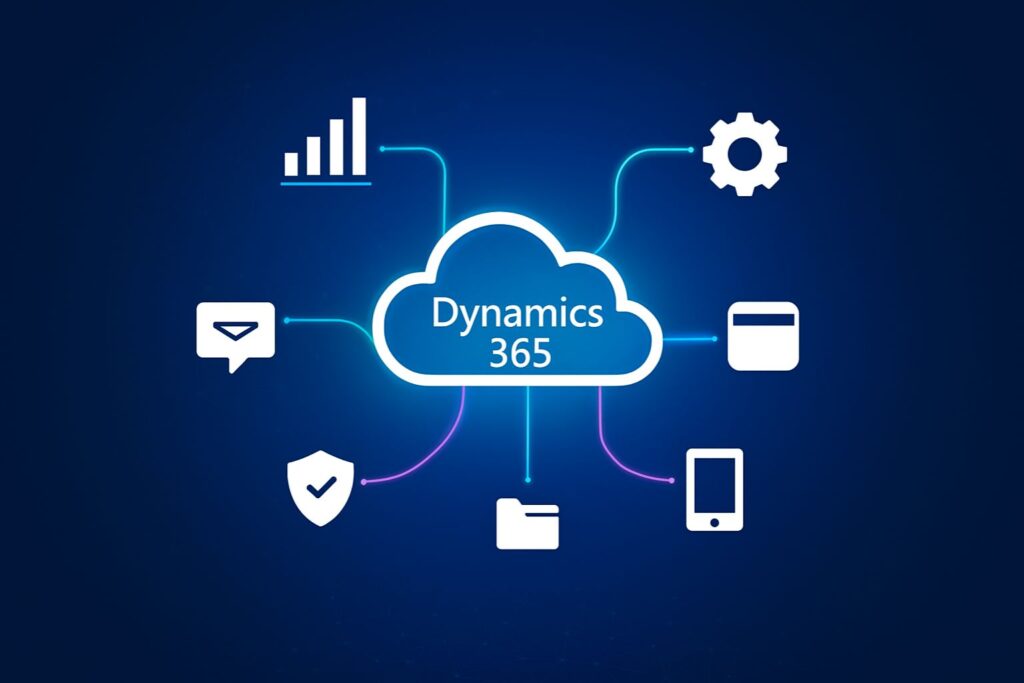
    To turn this data into meaningful action, organizations are increasingly turning to solutions like Microsoft Dynamics 365 services. These tools help businesses not only collect and manage large volumes of data but also transform it into actionable insights that drive growth, innovation, and smarter decision-making.
    Because of the data deluge, businesses around the world are now having a hard time making the right call and leveraging their potential. This is where data-driven decision-making software like Microsoft Dynamics 365 saves the day! It helps businesses make data-driven decisions by offering transformative solutions.
    Here in this post, we will try to know more about how D365 is playing a key role in helping business leaders make informed and impactful business decisions.

    Building a Single Source of Truth with Dynamics 365

    Uncoordinated and siloed data cripples decision-making, extends business processes, and creates costly inaccuracies. Dynamics 365 eliminates these pain points by serving as your centralized data hub, seamlessly integrating CRM, ERP, sales, marketing, customer service, and supply chain information into a unified platform.
    For example, a retail client reduced reporting time by 65% after consolidating their disparate systems into Dynamics 365.
    This comprehensive view of business data enables leaders and teams to achieve consistent, real-time access to accurate data, eliminating duplication and misalignment. Organizations can determine a “single source of truth” using Dynamics 365 that aligns reporting, drives strategy, and fosters collaboration.

    Analytics & Dashboards in Dynamics 365

    Data is useless if it is not converted into insight. Dynamics 365 offers out-of-the-box dashboards and reporting, powered by Power BI analytics, which enables users to view trends, measure performance, and track KPIs in real-time.
    Whether it is sales forecasting, inventory, or customer behavior, Dynamics 365 dashboards provide teams and organizations with the ability to filter, drill down, and take action on the most important key performance indicators instantaneously. Visual tools like these replace the dependency on IT teams and provide business users the ability to rapidly make decisions confidently.

    Predictive Insights with AI & Machine Learning in Dynamics 365

    Analytics in Dynamics 365 has evolved from descriptive to predictive insights by leveraging Dynamics 365 Machine Learning and AI possibilities. AI-driven forecasting, user sentiment analysis, and next-best action recommendations provide organizations with the tools to predict and prepare for market shifts, customer needs, and production issues.
    For instance, representatives are freed from the task of identifying priorities when any opportunities emerge, as they can use AI-driven insights to know what to focus on on any given day.
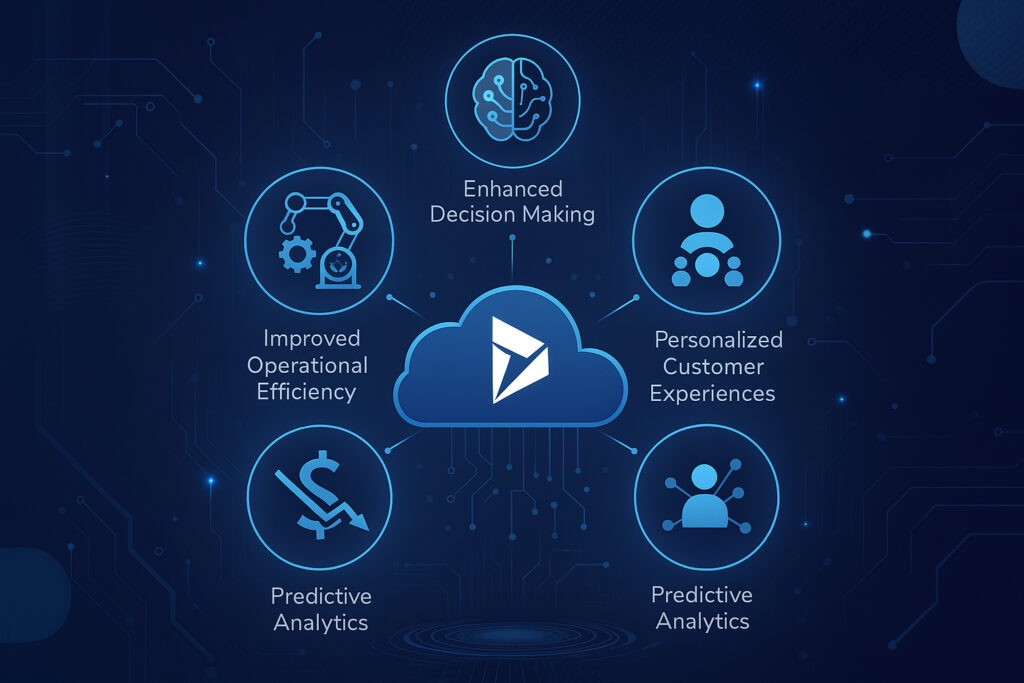
    In industries like manufacturing, downtime can be avoided altogether with predictive maintenance alerts. These intelligent capabilities help take your usual, reactive decision-making approach to a more proactive stance. This will help reduce costs, increase revenue, and enhance customer experiences. When combined with tools like Dynamics 365 business process automation, businesses can streamline workflows even further, making operations more resilient and agile.

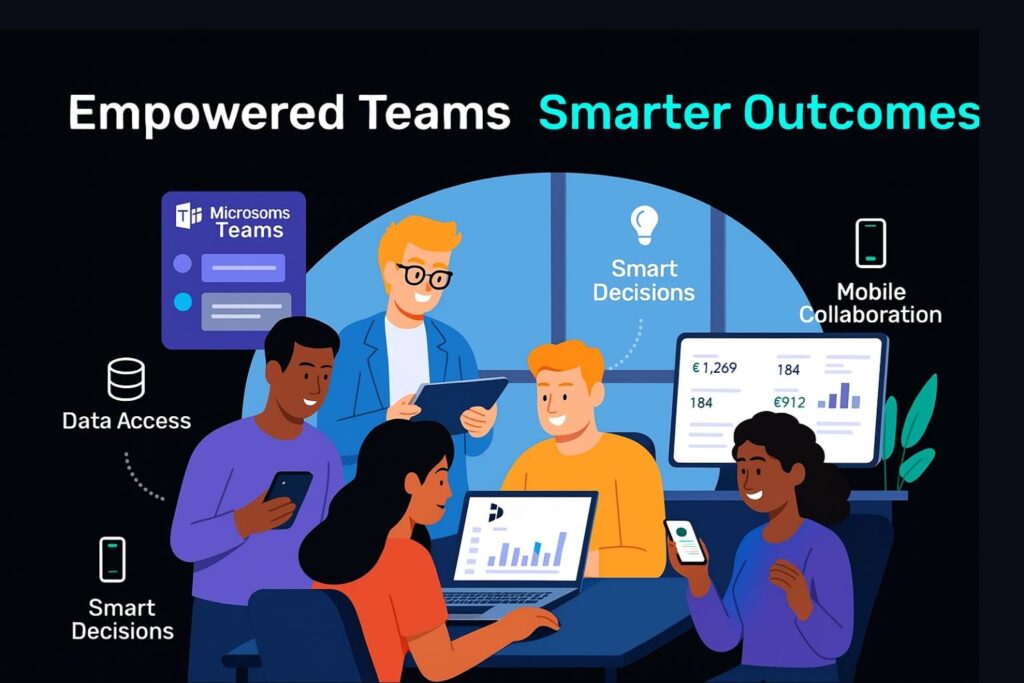
    Empowering Teams with Dynamics 365

    Showcasing benefits and how empowering teams with Dynamics 365
    The power of the data-driven decision-making process isn’t just something that is reserved for the top-level management. Dynamics 365 allows teams access to the available data, sales, finance, operations, and service, and makes the insights available to them across departments.
    With role-based access, it became possible to ensure that a user only sees the information available that is relevant to their role/responsibility. Dynamics 365 allows teams access to the available data sales, finance, operations, and service, and makes the insights available to them across departments, supporting digital transformationacross the organization.
    By empowering teams, you will have more productive members making faster, smarter decisions while gaining better outcomes, all aligned to the overall business goal.

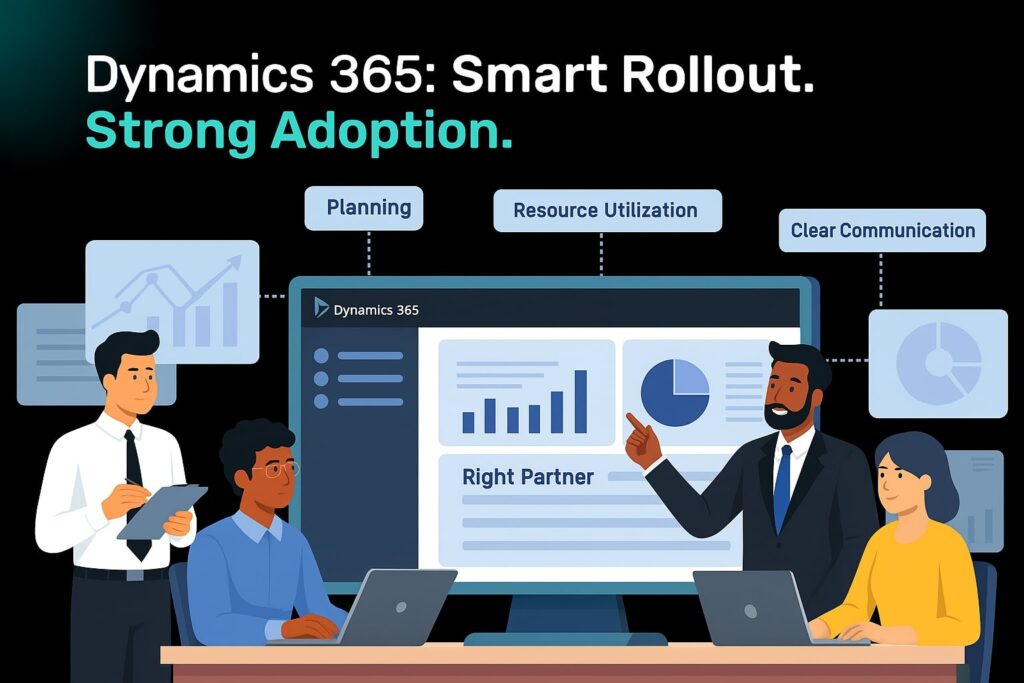
    Best Practices for Dynamics 365 Rollout & Adoption

    Showcasing best practices for Dynamics 365 rollout & adoption
    Here are some Dynamics 365 best practices that businesses can follow during data-driven decision-making transformation.

    Plan Out the Implementation Meticulously

    Plan out each phase of the implementation by defining clear timelines, specific goals, and well-defined responsibilities. It is possible to ensure smoother transitions and reduce risks by having a well-structured plan in place.

    Choose the Ideal Implementation Partner

    Find a certified Dynamics 365 partner that understands your industry. Having the right Dynamics 365 implementation partners will drive solutions that reflect your business and have a greater chance of providing long-term value.

    Assess Existing Functionalities and Tools

    Look for areas of improvement and identify redundancies by evaluating the existing systems. This will help ensure seamless integration with Dynamics 365 while streamlining processes.

    Analyze Business Requirements

    Collect information from all the stakeholders involved to ensure Dynamics 365 meets proper business needs. It will become possible to ensure better user adoption and ROI through a requirement-driven approach.

    Ensure Effective Resource Utilization

    Plan each stage of implementation by assigning the right tools and team members. Project delays can be minimized and efficiency enhanced through proper resource planning.

    Maintain Clear Communication & Collaboration

    Choose feedback loops and regular updates to keep all stakeholders informed about the implementation. Transparency will encourage user engagement and foster alignment.

    Start Your Data-Driven Transformation Journey with Dynamics 365

    Implementing data-driven decision-making software doesn’t happen all at once, but choosing the right technology partner, like Microsoft Dynamics 365, is the beginning. When supported by the best software developer company in India, it equips you with the tools, infrastructure, and intelligence you need not only to engage users and make informed business decisions faster but also to remove the current barriers to centralizing and maximizing your data.
    By breaking down silos, organizations can enter a future with greater frontiers of data-driven value, and that includes:
    • Data centralization
    • Accessing AI-driven insights
    • Real-time analytical backup
    • Well-defined implementation criteria
    If you’re ready to change how decisions are made in your organization,contact us to get started with your Dynamics 365 pathway.
    Categories
    Blog Microsoft

    Streamline Your Operations with Dynamics 365 Business Process Automation

    Other Categories

    Streamlining Operations With Dynamics 365 Business Process Automation

    Streamline Your Operations with Dynamics 365 Business Process Automation

    GEt in Touch


      Businesses of today need to be on top of everything to give their best shots. They need to be agile, efficient, and flexible, but manual processes slow them down in many aspects because they are resource-sensitive, leading to errors and increased operational costs. Businesses can surpass these problems and transform their business operations by going for Business Process Automation (BPA) integrated with Dynamics 365, like a robust platform.

      Here in this post, let’s see how Microsoft Dynamics 365 services can help your organisation have streamlined operations and reach operational excellence by enabling BPA across departments.

      What Is Business Process Automation?

      Business Process Automation (BPA) refers to the use of technology in a business setup to take care of recurring processes or tasks to reduce manual efforts. The goal of leveraging such technology is to improve overall performance while reducing costs, increasing efficiency, and minimising errors. Whether it is about handling customer support requests, managing leads, or routing approvals, BPA makes processes scalable and consistent.

      Why Business Process Automation Is Important?

      When it comes to small teams, manual work may work; however, as the teams grow, this can turn out to be a problem. With automation, it is possible to ensure improved accuracy, faster turnaround times, increased productivity, real-time operational visibility, and standardised compliance.

      What Is Business Process Automation In Dynamics 365?

      Microsoft Dynamics 365 offers a suite of connected applications that focuses on automation and so is considered more than just a CRM or ERP solution. By having features like Power Automate integration, AI insights, business rules, and workflows, D365 helps businesses automate complex processes with maximum flexibility and minimal code.

      Types Of Workflows In Dynamics 365

      Showcasing Types Of Workflows In Dynamics 365

      There are basically 3 types of workflows in Dynamics 365 that help businesses standardise their procedures through automation, and they are:

      Business Process Flows

      To automate record updates, task assignments, notifications, and more, Dynamics 365 includes robust workflow engines apart from BPFs. It is possible to get custom workflows done for your business without heavily investing in the development side to meet your specific business logic.

      Workflows In D365

      To automate record updates, task assignments, notifications, and more, Dynamics 365 includes robust workflow engines apart from BPFs. It is possible to get custom workflows done for your business without heavily investing in the development side to meet your specific business logic.

      Actions In Dynamics 365

      One of the key components of Dynamics 365 is Actions, which helps users to define reusable business logic. They can be called custom operations that let you have deeper customisation across departments and can be triggered from apps or Power Automate.

      Comprehensive Process Automation Using Dynamics 365 Modules

      Sales Automation with Dynamics 365 Sales

      Right from lead scoring to closing deals, Microsoft Dynamics 365 CRM helps automate the complete sales lifecycle. It is possible for the sales representatives to focus more on selling parts and less on data entry by leveraging AI-driven insights, pipeline tracking, and automatic follow-ups.

      Key benefits:

      • AI-based forecasting
      • Smooth proposal and quote generation
      • Lead-to-opportunity automation

      Marketing Automation with Dynamics 365

      With D365 Marketing, different marketing tasks like lead nurturing, segmentation, and campaign management can be automated. It will become possible to ensure the right message reaches the specific target audience at the right time by customising customer journeys.

      Key benefits:

      • Lead scoring
      • Automated email and event marketing
      • Multi-channel campaign planning

      Service Automation with Dynamics 365

      Customer service agents are empowered with automation tools using Dynamics 365 Customer Service for knowledge base suggestions, case routing, and SLA monitoring. This helps the team to ensure consistent customer service is delivered across all channels.

      Key benefits:

      • Intelligent chatbot integration
      • Assigning cases automatically
      • Proactive service alerts
      • Finance Automation with Dynamics 365
      Smarter and faster financial operations can be achieved with Microsoft Dynamics 365 Finance. While maintaining data accuracy, automate compliance reporting, invoice generation, and payment processing.

      Key benefits:

      • Real-time forecast and budget tracking  
      • Automated billing and reconciliations  
      • Global tax compliance automation  
      • Operations Automation with Dynamics 365 

      Dynamics 365 Supply Chain Management automates inventory, procurement, and production planning for supply chain management and manufacturing. This helps improve coordination between departments while reducing delays.

      Key benefits:

      • IoT-driven supply chain insights
      • Predictive maintenance scheduling
      • Automated purchase requisitions

      Analytics & Reporting Automation with Dynamics 365

      Informed decision-making and real-time visibility have become key aspects in today’s data-driven world, as they help businesses stay competitive. Through AI-driven insights, native dashboards, and seamless integration with Power BI, Dynamics 365 offers built-in analytics capabilities that will help businesses turn their data into actionable insights, thereby reducing the dependency on manual reporting.

      With reporting and analytics automation, businesses will be able to –

      • Deliver real-time dashboards for sales teams, executives, and finance managers, as well as other key stakeholders.
      • Based on preset triggers or schedules, auto-generate reports.
      • Can set KPI-based automated alerts
      • Predict forecast sales and customer churn, and identify any operational inefficiencies or anomalies using machine learning models and AI.
      Whether you are tracking financial health or visualising customer journeys, Dynamics 365 ensures you have updated, accurate insights available at your disposal. It completely removes dependency on a manual spreadsheet.

      D365 Business Process Automation Implementation Roadmap

      Showcasing D365 BPA Implementation Roadmap
      It is not just about deploying new tools when we talk about implementing business process automation in Dynamics 365. It is about understanding your strategic goals and aligning technology based on that. It is possible to ensure that measurable ROI is delivered without affecting day-to-day operations by implementing a proper roadmap for automation.
      The key stages of the roadmap are:

      1. Process Discovery & Automation

      Look for business processes that are inconsistent, time-consuming, or error-prone. Involve users to identify pain points and map out current workflows. 

      2. Automation Strategy Design

      Plan out the automation goals that you plan to achieve with it. Based on that, select the ideal D365 modules and tools that meet each process need. 

      3. Solution Configuration & Development
      Customise processes, rules, triggers, and business process flows with D365. This involves integrating third-party data sources, creating custom entities, or building automation components that can be reused.

      4. Pilot Testing & Validation
      Get selected users to run small-scale tests. Now work on improving its performance and usability by gathering feedback, measuring outcomes, and refining the logic of automation.

      5. Deployment & User Training
      Deploy the solution across the organisation. Create documentation and conduct hands-on training sessions to ensure smooth end-user adoption.

      6. Monitoring & Optimisation
      Continuously monitor automated processes using performance dashboards, audit logs, and user feedback from D365.

      TLDR

      Dynamics 365 goes beyond just CRM or ERP; it’s a powerful platform packed with automation features like Power Automate, AI insights, and custom workflows. We explored how it can streamline everything from sales and marketing to finance, customer service, and even supply chain management, helping you reduce errors, cut costs, and improve productivity.

      Achieve Operational Excellence With Dynamics 365

      Business process automation has more to offer a business in terms of building a smarter business setup, apart from just saving time. Microsoft Dynamics 365 helps businesses elevate their operations beyond digitizing them. With Dynamics 365, you will be able to automate, analyse, and act quickly and precisely on different aspects of business, whether it is marketing, sales, service, operations, or finance. As a leading software development company in India, we specialize in helping businesses leverage the full potential of Dynamics 365 to drive growth and improve efficiency.

      GEt in Touch


        Categories
        Blog Microsoft

        How Does Dynamics 365 Support Digital Transformation?

        Microsoft

        How Does Dynamics 365 Support Digital Transformation?

        How Does Dynamics 365 Support Digital Transformation by Shaligram Infotech

        GEt in Touch


          Technology plays a critical role in defining how businesses today operate and meet customer expectations. So, when we say this, the role of Microsoft 365 digital transformation is undeniable in this matter. Dynamics 365 is said to influence modern workplaces by offering a set of tools that can enhance customer experience and help them stay resilient with their Microsoft digital strategy.

          A Brief About Digital Transformation in Business

          Digital transformation in business is carried out by incorporating digital technologies into every aspect of operations to design more effective processes, improved customer experiences, and evidence-based strategies. Today businesses are left to deal with ineffective operations and separate, independent systems that do not communicate with each other. This causes them a great deal when it comes to meeting customer demands. The unified platform offered by Microsoft Dynamics 365 addressed them well. It offers real-time collaboration, brings together departments, and automates tasks. It encourages teams to work smartly. With Microsoft Dynamics 365 digital transformation, businesses will be able to stay relevant and competitive in the fast-moving market scenario by having access to the right digital tools.

          Unifying Data Across Silos with Microsoft Dynamics 365 ERP

          Visual representation of unifying data across supply chain, HR, finance, and operations with Microsoft Dynamics 365 ERP

          Isolated flow of information between departments and platforms is one of the major digital transformation challenges. Through the implementation of a unified, centralized environment, Microsoft Dynamics 365 ERP eliminates this challenge. It presents an entire business picture to the users by integrating various departments such as supply chain, finance, customer service, and operations. Business owners will be able to make well-informed decisions using precise, real-time data instead of examining distributed sources by having connected systems. Beyond boosting collaboration across departments, it also helps with predictive analytics and intelligent forecasting. Furthermore, Microsoft Dynamics 365 digital transformation helps streamline business operations, reduce redundancies, and respond quickly to changes.

          Driving Optimisation and Intelligent Automation with Dynamics 365 Digital Transformation

          Microsoft 365 digital transformation is led by intelligent automation. It makes use of next-gen technologies like Robotic Process Automation, Artificial Intelligence, and Machine Learning to streamline operations and eliminate redundant data. Such integration lets businesses perform efficiently and accurately by automating workflows for inventory management, invoice processing, and customer service. It also monitors processes and offers real-time alarms by managing bottlenecks quickly. This lets firms focus more on the strategic aspects of the business instead of resolving operational issues by reducing human interactions. Moreover, such digital transformation in business helps boost the consistency and speed of critical business components.

          Increase Customer Engagement through Microsoft 365 Digital Transformation

          Businesses can enjoy the benefits of digital transformation by adopting Microsoft Dynamics 365 and which includes:

          • Offer personalised experiences by learning from customer behaviour and preferences, and customise offerings and messages accordingly.
          • Provide predictive recommendations by leveraging built-in CRM insights and intelligence offered by Dynamics 365 to forecast customer needs.
          • Establish consistency by delivering omnichannel support by engaging with customers and the target audience across different channels like chat, email, web platforms, and social.
          • Work on improving the entire customer lifecycle by working on customer journey mapping.

          Agile Finance & Operations with Microsoft Dynamics 365

          The Microsoft Dynamics 365 digital transformation initiative primarily revolves around operations and finance. Businesses will be able to have adaptive systems in place with Microsoft Dynamics 365 Services that help them respond to economic shifts and market demands quickly. The team will have better control and visibility by leveraging real-time financial reporting, streamlined workflows, and predictive insights. The dependency on outdated tools and manual spreadsheets can be reduced as the platform automates compliance processes, forecasting, and budgeting. Moreover, such digital transformation in business lets them seamlessly scale their operations and enter new markets without having to make heavy investments in infrastructure.

          Empowering Your Workforce: Benefits of Digital Transformation

          Workforce working together and engaging in a collaborative discussion
          Dynamics 365 digital transformation focuses not just on processes, but significantly on empowering your people. This Microsoft solution provides your workforce with the tools they need for:

          Enhanced Decision-Making: Employees gain access to AI-powered recommendations and role-based dashboards, leading to better-informed decisions.

          Increased Productivity: Intuitive interfaces help employees avoid repetitive tasks, allowing them to focus on more critical work.

          Seamless Collaboration: Integration with Office 365 and Microsoft Teams facilitates cross-functional collaboration and communication, even in remote setups.

          Ultimately, Dynamics 365 creates an agile, engaged, and empowered workforce by delivering the right tools precisely when needed.

          Extensibility & Ecosystem: Microsoft Digital Transformation Strategy

          A key reason businesses prefer Microsoft Dynamics 365 for their digital transformation is its rich ecosystem and extensibility. Built on the scalable and secure Azure cloud, Dynamics 365 offers:

          Seamless Integration: Easy integration with other Microsoft solutions like Office 365, Power Platform, and various third-party applications. This allows businesses to tailor workflows without building from scratch.

          Low-Code/No-Code Development: Non-technical users can achieve app development and custom automation using tools like Power Apps and Power Automate.

          Pre-Built Solutions: The AppSource marketplace provides pre-built solutions for a wide range of industries, eliminating the need to start from scratch.

          This extensible architecture ensures that the Microsoft digital transformation strategy supports continuous evolution, whether you’re scaling operations or enhancing customer experiences. This makes it an ideal solution for robust digital transformation.

          Security, Compliance & Governance in the Digital Transformation Process

          For a business that deals with intellectual property, financials, and customer data, compliance and security is key for Dynamics 365 digital transformation. To make sure sensitive data is secure, Microsoft comes with role-based access controls, identity management, and enterprise-grade security. Moreover, we ensure the business adheres to regulatory norms by following global compliance standards like HIPAA, GDPR, and ISO certifications. To tackle any risks, it comes with advanced threat protection, audit logging, and data loss prevention features. It also comes with automated compliance checks and centralized policies to simplify governance. This way businesses can be protected from regulatory penalties and cyber threats as the business scales.

          Measuring Transformation Success: Digital Transformation Roadmap

          It is crucial to recognize that establishing a future-proof digital transformation roadmap is an iterative and continuous process that requires ongoing metric measurement and refinement.
          Microsoft Dynamics 365 significantly supports organizations in this journey by providing the necessary tools to track and manage progress:

          Integrated Performance Monitoring: The platform includes built-in dashboards, analytics, and Key Performance Indicators (KPIs) that can be customized to align with specific business goals. This allows administrators to monitor real-time performance across all departments, identifying areas of success and those requiring adjustment.

          Comprehensive Metric Analysis: Within the platform, businesses can analyze a range of critical metrics, including operational efficiency, financial performance, employee productivity, and customer satisfaction.

          Data-Driven Decision Making: By leveraging Power BI and embedded analytics, organizations can effectively assess adoption rates, set strategic milestones, and accurately calculate the Return on Investment (ROI) of their digital transformation initiatives.

          Ultimately, implementing Dynamics 365 enables businesses to advance towards a smarter, more connected operational future.

          TLDR: Key Takeaways on Dynamics 365 and Digital Transformation

          Unifying Operations: Breaks down data silos for integrated, real-time business insights across departments.

          Automating & Optimising: Uses AI and automation to streamline processes, boost efficiency, and reduce manual tasks.

          Enhancing Customer & Employee Experiences: Delivers personalized customer interactions and empowers employees with smart tools for productivity and collaboration.

          Ensuring Agility & Security: Offers flexible, scalable solutions with robust security and compliance, enabling businesses to adapt and grow securely.

          Conclusion

          Today, going for Microsoft 365 digital transformation is no longer an option. Businesses will be able to empower their employees, modernise their operations, and deliver excellent customer experiences by going for Microsoft Dynamics 365. At Shaligram Infotech, we understand each business is unique and so are their needs, and thereby customise and implement Dynamics 365 solutions that meet set expectations. From strategising to final execution, our team will ensure you have a smooth digital transformation experience.

          Categories
          Case Studies Retail & Ecommerce industry

          Retail Stock Supplier

          Retail & Ecommerce industry

          Retail
          Stock Supplier

          Platform that lets grocery retailers buy their stock
          Artificial intelligence solutions for smart applications

          Overview

          It is an Israel-based online B2B supplier that serves retailers, restaurants and others with high-quality grocery items. Their inventory ranges from fresh produce, dairy products, meat, fish, poultry to packaged items along with non-food items.
          Mobile application design sample
          Mobile app user interface example

          Challenges

          The client was running a traditional wholesale grocery business. They were finding it difficult to manage their inventory, orders, and customers. Again, their ordering process was complex & manual leading to many errors and consuming more time.

          Analysis

          After carefully analyzing their business, we suggested coming up with a B2B eCommerce application that can let them connect with retailers and other businesses with ease.

          Mobile application interface preview
          Shaligram Infotech

          Modern Technology Solutions for Scalable Success

          Our team delivered custom software and digital solutions that combine scalable technology, intelligent automation, and data-driven insights to help businesses grow. Optimising workflows and improving decision-making to enable seamless integrations and future-ready infrastructure, we create solutions that drive measurable results and support long-term digital transformation.

          Solution

          To meet the requirements of the client, we came up with a tailor-made, robust B2B eCommerce mobile application using Flutter. This user-friendly app was available both for Android and iOS platforms. Here businesses can create their profile, add sub-users, add money to their wallet and view the monthly spending graph apart from placing orders.

          Key Features

          • Bar code scanner to check product availability
          • Bulk order processing
          • Notifications can be set for sale, out of stock
          • Automated invoice generation
          • Automated ordering system

          Tech Stack

          • Application: Flutter
          • Backend: Node

          Summary

          Building a B2B eCommerce application helped the client to transform their business operations significantly. Right from enhancing efficiency to boosting sales, it helped them touch different aspects of business seamlessly.

          Solution

          To meet the requirements of the client, we came up with a tailor-made, robust B2B eCommerce mobile application using Flutter. This user-friendly app was available both for Android and iOS platforms. Here businesses can create their profile, add sub-users, add money to their wallet and view the monthly spending graph apart from placing orders.

          Key features

          • Bar code scanner to check product availability
          • Bulk order processing
          • Notifications can be set for sale, out of stock
          • Automated invoice generation
          • Automated ordering system

          Technology Stack

          • Application: Flutter
          • Backend: Node

          Summary

          Building a B2B eCommerce application helped the client to transform their business operations significantly. Right from enhancing efficiency to boosting sales, it helped them touch different aspects of business seamlessly.
          Categories
          Case Studies Healthcare

          Platform for Mental health Solution

          Healthcare

          Platform
          for Mental
          health Solution

          Telehealth Platform for Mental Health Solutions
          Mental health platform software solution showing user interface

          Overview

          The client sought to develop a digital platform that offers telehealth and virtual healthcare services to individuals struggling with mental health issues. The goal was to reduce waiting lists and ensure patients receive timely therapy. This platform allows users to find therapists or hospitals, book appointments, and access therapy sessions through various communication modes, including video, audio, and in-person consultations.

          The client sought to develop a SaaS-based digital platform that enables healthcare providers to offer telehealth and virtual healthcare services to individuals struggling with mental health issues. The goal was to reduce waiting lists and ensure patients receive timely therapy. This platform allows users to find therapists or hospitals, book appointments, and access therapy sessions through various communication modes, including video, audio, and in-person consultations.

          Business software interface showcasing dashboard view
          Software solution interface for business operations

          Challenges

          • Integrating therapists from different hospitals and clinics into a unified platform.
          • Ensuring a seamless booking process for therapy sessions.
          • Maintaining secure patient data while offering multiple communication options.

          Analysis

          The need for a centralized telehealth solution was clear, especially with the rising demand for virtual mental health services. The analysis phase focused on identifying key challenges in appointment management, payment processing, patient engagement, and customization options for therapists and hospitals.

          Digital product interface for enterprise applications
          Shaligram Infotech

          Modern Technology Solutions for Scalable Success

          Our team delivered custom software and digital solutions that combine scalable technology, intelligent automation, and data-driven insights to help businesses grow. Optimising workflows and improving decision-making to enable seamless integrations and future-ready infrastructure, we create solutions that drive measurable results and support long-term digital transformation.

          Solution

          To address these challenges, we implemented the following:

          • A multi-mode appointment system, allowing patients to book video, audio, or face-to-face therapy sessions.
          • A universal card system for easy patient access to treatments.
          • Hospital-based tenancy, ensuring that different hospitals and clinics could manage their therapists independently.
          • Customizable themes, allowing therapists to personalize their interface.
          • Automated reminders and customized emails to notify patients of appointments, cancellations, and follow-ups.

          Key Functionalities & Features

          • Dynamic design for a seamless user experience.
          • Multi-factor authentication (MFA) for secure logins.
          • Easy appointment booking with different session types.
          • Pay-as-you-go option for flexible payments.
          • Integrated video and voice calling for virtual consultations.
          • Face-to-face appointment scheduling.
          • Secure chat service for real-time communication.
          • Encrypted patient data to ensure privacy and compliance.
          • Automated email notifications for appointment bookings and cancellations.
          • Comprehensive patient profiles for better medical history tracking.
          • Billing and invoicing system.
          • Customizable reports and analytics for tracking business performance.
          • Chart representation of appointments and revenue trends.

          Tech Stack

          • Angular
          • js
          • Ionic
          • Postgre SQL

          End Result

          This telehealth platform revolutionizes mental healthcare by bringing therapists from multiple hospitals and clinics onto a single, seamless system. Patients can easily book sessions, while therapists can manage their availability and personalize their interface. Admins can assign roles and permissions, ensuring smooth platform management. The integration of virtual and face-to-face therapy options makes it a versatile and accessible solution for modern mental health care.

          Solution

          To address these challenges, we implemented the following:
          • A multi-mode appointment system, allowing patients to book video, audio, or face-to-face therapy sessions.
          • A universal card system for easy patient access to treatments.
          • Hospital-based tenancy, ensuring that different hospitals and clinics could manage their therapists independently.
          • Customizable themes, allowing therapists to personalize their interface.
          • Automated reminders and customized emails to notify patients of appointments, cancellations, and follow-ups.

          Key Functionalities & Features

          • Dynamic design for a seamless user experience.
          • Multi-factor authentication (MFA) for secure logins.
          • Easy appointment booking with different session types.
          • Pay-as-you-go option for flexible payments.
          • Integrated video and voice calling for virtual consultations.
          • Face-to-face appointment scheduling.
          • Secure chat service for real-time communication.
          • Encrypted patient data to ensure privacy and compliance.
          • Automated email notifications for appointment bookings and cancellations.
          • Comprehensive patient profiles for better medical history tracking.
          • Billing and invoicing system.
          • Customizable reports and analytics for tracking business performance.
          • Chart representation of appointments and revenue trends.

          Technology Stack

          • Angular
          • js
          • Ionic
          • Postgre SQL

          End Result

          This telehealth platform revolutionizes mental healthcare by bringing therapists from multiple hospitals and clinics onto a single, seamless system. Patients can easily book sessions, while therapists can manage their availability and personalize their interface. Admins can assign roles and permissions, ensuring smooth platform management. The integration of virtual and face-to-face therapy options makes it a versatile and accessible solution for modern mental health care.
          Categories
          Case Studies Manufacturing

          Integrating Power BI for Instrument manufacturer

          Manufacturing

          Integrating
          Power BI for
          Instrument
          manufacturer

          Modernizing reporting system with Power BI
          Power BI integration for instrument manufacturing business

          Overview

          Our client is a well-known instrument manufacturing company that delivers high-quality engineered products. To maintain operational efficiency and drive decision-making they depended on timely and accurate reporting as their operations was spread across different departments.
          Enterprise software development solutions for businesses
          Custom enterprise software solutions showcasing scalability

          Challenges

          The client was depended on hundreds of excel files for reporting and this was causing them data inconsistencies, inefficiencies and limited insights. The reports were static, lacked mobile access, and performance tracking metrics across departments were insufficient. This was one of the key challenges they faced when transitioning their legacy system to modern ERP solution.

          Analysis

          Our team analyzed their reporting workflow and found that they can improve visibility, streamline operations and eliminate manual effort by integrating Power BI. We were planning to go for a reporting system that was centralized, user-friendly and real-time.
          Business application development for enterprise needs
          Shaligram Infotech

          Modern Technology Solutions for Scalable Success

          Our team delivered custom software and digital solutions that combine scalable technology, intelligent automation, and data-driven insights to help businesses grow. Optimising workflows and improving decision-making to enable seamless integrations and future-ready infrastructure, we create solutions that drive measurable results and support long-term digital transformation.

          Solution

          Shaligram Infotech implemented Microsoft Power BI as the new reporting system for the company to help it modernize its system. We helped the client move its hundreds of Excel-based reporting sheets to an interactive, automated and advanced Power BI reporting solution.

          Key Features

          • Real-time dashboards
          • Mobile accessibility
          • Automated reporting
          • Data integration & transformation
          • User training & support

          End Result

          The client experienced 70% deduction in report generation time and were able to have instant access to important data through interactive dashboards. With improved visibility, decision-making became more strategic and faster. Its user-friendliness made user adaptation quick, and it came with future scalability.

          Solution

          Shaligram Infotech implemented Microsoft Power BI as the new reporting system for the company to help it modernize its system. We helped the client move its hundreds of Excel-based reporting sheets to an interactive, automated and advanced Power BI reporting solution.

          Key Features

          • Real-time dashboards
          • Mobile accessibility
          • Automated reporting
          • Data integration & transformation
          • User training & support

          End Result

          The client experienced 70% deduction in report generation time and were able to have instant access to important data through interactive dashboards. With improved visibility, decision-making became more strategic and faster. Its user-friendliness made user adaptation quick, and it came with future scalability.
          Categories
          Case Studies finance & forex

          Currency Exchange Portal

          Finance & Forex

          Currency
          Exchange Portal

          Digital platform that simplifies monetary transactions
          Currency exchange portal software solution

          Overview

          It is a website used for currency exchanges
          and cross-border payments. It lets users carry out
          all kinds of digital transactions in a secure
          and easy manner.
          React Native mobile app development services
          React Native app solutions for scalable platforms

          Challenges

          The client was planning to build a digital business
          that carries out currency exchange and international
          payments. They were looking for a development partner
          who can design and develop for them a digital solution
          while keeping up with the compliances.

          Analysis

          After careful analysis of their needs, our team
          suggested developing a digital platform that aligned
          with the business requirements of the client.
          Enterprise software application interface preview
          Shaligram Infotech

          Modern Technology Solutions for Scalable Success

          Our team delivered custom software and digital solutions that combine scalable technology, intelligent automation, and data-driven insights to help businesses grow. Optimising workflows and improving decision-making to enable seamless integrations and future-ready infrastructure, we create solutions that drive measurable results and support long-term digital transformation.

          Solution

          We developed a website that simplified the process of currency exchange and international payments for the end users of our client. Keeping the client’s requirements in mind, we implemented a compliance check to help the client ensure all transactions are taking place within the set criteria.

          Key Features

          • Receive international funds
          • SPOT conversions
          • Forward conversions
          • Add/manage beneficiaries
          • Payments
          • Real-time payment and conversion data

          Tech Stack

          • Angular 10
          • .NET Core
          • MS SQL

          End Result

          The client was able to see a boost in the number of financial transactions occurring through their platform. They were able to offer a clear and secure platform for carrying out international payments and foreign currency exchanges.

          Solution

          We developed a website that simplified the process of currency exchange and international payments for the end users of our client. Keeping the client’s requirements in mind, we implemented a compliance check to help the client ensure all transactions are taking place within the set criteria.

          Key Features

          • Receive international funds
          • SPOT conversions
          • Forward conversions
          • Add/manage beneficiaries
          • Payments
          • Real-time payment and conversion data

          Technology
          stack

          • Angular 10
          • .NET Core
          • MS SQL

          End Result

          The client was able to see a boost in the number of financial transactions occurring through their platform. They were able to offer a clear and secure platform for carrying out international payments and foreign currency exchanges.
          Categories
          Case Studies Real Estate

          CoPilot Implementation into Dynamics 365 CRM system for a Real Estate Firm

          Case Study

          CoPilot integration for streamlined customer interactions

          CoPilot integration for streamlined customer interactions
          Copilot integration showcasing streamlined customer interactions

          Overview

          The client is a real estate agency based in the UK that specializes in residential and commercial properties. They deal with properties spread across multiple cities and for that they have more than 100 agents working at different locations. They had integrated a CRM system in place to manage all customers and streamline customer interactions.

          Microsoft Copilot integration for business workflows
          Microsoft Copilot automation solutions

          Challenges

          The client was facing many challenges in terms of its administrative tasks. They lacked real-time insights which affected their decision-making process while they wanted to provide personalized interactions by improving customer engagement. Moreover, their CRM solution required some upgrades in terms of having smarter business operations.

          Analysis

          Our team started by assessing the business and the implemented CRM system. We wanted to be sure that CoPilot aligns with the processes and workflows of the business. We then focused on identifying opportunities for automation and areas where AI capabilities could make the biggest impact, aligning the integration with their business goals and daily workflows.

          Microsoft Copilot AI assistant integration
          Shaligram Infotech

          Modern Technology Solutions for Scalable Success

          Our team delivered custom software and digital solutions that combine scalable technology, intelligent automation, and data-driven insights to help businesses grow. Optimising workflows and improving decision-making to enable seamless integrations and future-ready infrastructure, we create solutions that drive measurable results and support long-term digital transformation.

          Solution

          • We customized CoPilot to implement it smoothly into the client’s CRM system.
          • Implemented automation to take care of regular tasks like appointment scheduling, reminders, follow-ups, etc.
          • To offer real-time accurate updates, we enabled data synchronization.
          • Carried out performance monitoring to identify improvement areas and make regular updates.
          • Implemented predictive analytics to forecast sales trends and identify potential leads.

          Key Features

          • Seamless CoPilot integration with Dynamics 365 CRM
          • Automation of scheduling, reminders, and follow-ups
          • Real-time data synchronization for up-to-date insights
          • Predictive analytics for sales forecasting and lead identification
          • Personalized property recommendations for enhanced user engagement

          Tech Stack

          • Microsoft Dynamics 365
          • Microsoft CoPilot
          • Real-time synchronization APIs
          • AI-driven predictive analytics models
          • Workflow and task automation within Dynamics CRM

          End Result

          • Several time-consuming administrative tasks got automated with CoPilot, letting agents focus more on property showings and client interactions.
          • Predictive analytics helped with higher conversion rates
          • Real-time data helped make quick and informed decisions
          • Offering personalized property recommendations increased user engagement
          Categories
          Blog Software Development

          React JS vs. Angular: Which is the Best Choice for Front-end Development?

          Software Development

          React JS vs. Angular: Which is the Best Choice for Front-end Development?

          React JS vs Angular framework comparison

          To keep up with the dynamic market demands in this modern landscape, enterprises need to invest in efficient, scalable,e and robust solutions. When it comes to choosing the right front-end framework, they end up looking at two heavyweights- React and Angular which comes with its own set capabilities and strengths. The way developers craft dynamic, modern and user-friendly web applications has been redefined by these technologies. In short, business owners who are trying to select the most suitable option for themselves can feel entrapped in the complexities of both solutions.  

          The best way to resolve this issue is to understand what Angular is and what React is? Keeping that in mind, here in this blog, we will take a look at each of these technologies, try to understand each of them and compare them from different aspects.

          An Overview: React Vs Angular 

          React is a JavaScript library while Angular is a frontend framework based on TypeScript. Both of them have their own set of strengths and weaknesses. React comes with a component-based architecture, virtual DOM, a good ecosystem of packages, and much more. Angular, on the other hand, comes with dependency injection, two-way data binding, and much more. 

          So, let’s start by understanding each one of the technologies before you make

          What is React? 

          React is an open-source JavaScript library used to build UI components during front-end development. Developers can create complex and interactive UIs by leveraging its declarative views and component-based architecture. The library can be used to develop fast and scalable apps for businesses.  

          Key features of React are: 

          • JS advantage 
          • One-way data binding 
          • Declarative views 
          • Building blocks flexibility 
          • Virtual DOM 

          Benefits of React 

          Benefits of React
          • Comes with an intuitive user interface 
          • Offers code reusability 
          • Has view-oriented approach 
          • Faster development time 
          • Easy integration with third-party libraries 
          • Faster updates for both server-side and front-end support
          • Offers high and efficient performance with React native library support 

          What is Angular? 

          Angular is a TypeScript-based development platform that comes with a component-based architecture. This application-design framework is used to develop scalable web apps. It comes with several features and libraries that help in boosting front-end development. It comes with a set of developer tools that helps seamlessly scale your small application to an enterprise-grade one.  

          Key features of Angular are: 

          • Angular CLI 
          • Dependency injection 
          • Two-way data binding 
          • Build-in libraries 
          • Virtual scrolling 

          Benefits of Angular 

          Benefits of Angular 
          • Helps write clean code with dependency injection 
          • Build-in documentation available for Ajax, HTTP, and Observables 
          • Single routing option with data binding and interactive UIs 
          • Offers quick server-side rendering 
          • Let developers create reusable components 
          • Synchronizes data between the component and model view. 

          A Quick Comparison: React Vs Angular 

            React  Angular 
          Type   JavaScript-based library  Structural framework 
          Purpose   Build interactive UI components  Build dynamic web applications 
          Language   JavaScript  TypeScript 
          Developed/maintained by  Facebook  Google  
          Development approach  Uses JSX, XML-like syntax  HTML functionality extended 
          DOM  Virtual   Real  
          Performance   Higher performance  High performance
          Data binding  One-way Two-way 
          Dependency injection  Dependency injection is not fully enabled  Dependency injection is supported
          Learning curve  Relatively less Tough for beginners 
          Ideal use cases  Good for large and modern web apps that come with variable data.  Good for enterprise apps, SPAs, and PWAs.  

          Detailed Comparison Of React Vs Angular 

          1. Components 

          React does not come with a fixed format to let developers write codes. It comes with a codebase that is readable and well-structured. The codes can be logically organized by using component trees. 

          Angular is based on MVC framework which is divided into components called Models, Views and Controllers. However, it comes with a complex and fixed app structure. Here codes can be divided into individual files which means codebases and templates can be reused across other projects.  

          2. UI Components 

          React comes with reusable UI components which are used by front-end developers to create dynamic user interfaces. Developers can go for UI configuration to build interactive web applications with the best user interface by using variable data. 

          Angular, on the other hand, builds UI components from scratch using the Angular Material UI library and thereby designs dynamic web applications.   

          3. Data Binding 

          React uses one-way data binding. So, once the model state is updated, the modifications are rendered in the interface model. The model state remains unchanged whenever the UI components are changed.  

          On the other hand, Angular uses two-way data binding. This means the model state changes whenever the interface element is changed.   

          4. DOM 

          React uses a virtual DOM while Angular comes with a real DOM. A user’s current browser view is represented graphically with a Document Object Model or DOM view controller. 

          React uses a virtual DOM while Angular comes with a real DOM. A user’s current browser view is represented graphically with a Document Object Model or DOM view controller. 

          5. Performance 

          When it comes to building high-performing apps, React does a better job than Angular. Angular applications have an easier codebase structure due to their digest cycle. This makes rendering fast while improving speed and performance on the server side.  

          Now in case of React, virtual DOM ensures speedier performance and faster rendering. As React does not require a complete HTML rewrite, updates are rendered faster and performance on client side gets improved.  

          6. Language 

          Angular makes use of TypeScript, where it is easy to navigate codes and typos can be identified easily. On the other hand, React writes applications using JavaScript (ES6+). Any language that compiles with JavaScript can be used for React which makes it a better option than Angular from a language perspective.  

          7. Tools 

          React comes with a lightweight ecosystem that helps developers to work on the specific needs of the project by choosing and configuring tools accordingly. It makes use of many code editing tools like Atom, Visual Studio, and Sublime Text. It makes use of the Next.js framework for server-side rendering Create React App to bootstrap a project. Different tools are used by developers to test the application developed using React. 

          Angular is considered the best option for developing larger projects as it offers an extensive ecosystem of tools which also includes Angular CLI. Different operations can be executed by developers using Angular JS tools. The Angular application can be tested using any tool like Protractor, Jasmine, or Karma. 

          8. Learning curve 

          Angular has a steeper learning curve as compared to React. It comes with a complicated component handling system which beginners can find time-consuming to learn. Again, an issue can be resolved in many ways as Google Angular IO framework provides many solutions. 

          React comes with a low learning curve and anyone with knowledge of JavaScript will be able to build an app on React. It provides beginners with enough resources to get started with the framework even after its frequent updates.   

          Angular vs React: When to choose what? 

          Now that you know about both front-end technologies better and have a detailed comparison of both technologies based on different parameters, it is time to understand when to choose what. 

          Angular vs React: When to choose what?


          When to choose Angular? 

          • You need to build an enterprise-grade application. 
          • You need a ready-made solution. 
          • The app’s complexity is around low to medium.  
          • Need to build long-term projects that are easy to maintain.  
          • Developers have knowledge of TypeScript, C#, Java, etc.  

          When to choose React? 

          • You need to build a custom application. 
          • You need to have dynamic interfaces that offer real-time updates. 
          • Need to build web applications that have interactive UI components.  
          • Need to build cross-platform mobile applications that run smoothly on iOS and Android.  
          • Developers have knowledge of JavaScript, HTML, and CSS  

          Conclusion 

          When it comes to front-end technologies, both Angular and React are popular among the developer community. Both of them can be considered as the right solutions for developing modern-day applications. So, choose one that matches your project needs, required functionalities, skills of developers, and of course your budget.  

          At Shaligram Infotech, we have teams with varying expertise in React and Angular, capable of offering the required solution that meets your business needs. Whether you need to optimize your existing application or need to build one from scratch, we can help you with that. Get in touch with us to discuss your project ideas and know how we can help you meet your business goals.   


          Categories
          Blog Other Categories

          Technology Upgrades 2025: An Expense or a Smart Investment? 

          Other Categories

          Technology Upgrades 2025: An Expense or a Smart Investment?

          Technology upgrades in 2025 as a smart business investment

          In a time when innovation drives business success, it will become eminent for companies to think about going for technology upgrades later, if not now. If we look forward to 2025, investing in technology upgrades may seem to be an expense at first glance. However, when we look at things from a broader perspective, we will understand that it will turn out to be powerful investments that will play a key role in building sustainable, profitable businesses that offer a competitive edge in the market.  

          Investing money upfront seems like an expense for many businesses and they may even hesitate to move forward in this direction. Implementing new software, buying new hardware, training employees, and getting the new system integrated with the existing one – all cost money. Yes, there are upfront costs and that is justified too. However, such spending comes with perks. Getting the business ready with modern technology settings will help with scalability, efficiency, and profitability.  

          Making Technology Investment In 2025 A Smart Move

          Rather than a mere expense, investing in upgraded technology in 2025 for your business can be considered as a smart investment. It will help the business with: 

          Making Technology Investment In 2025 A Smart Move

          Boost productivity and efficiency 

          Your teams will be able to complete more tasks in less time by leveraging modern-day tools powered by cloud computing, automation, and AI as it helps streamline operations. For example, employees will be able to free up their time to focus more on core business areas by opting for automated workflows. It will help in improving overall productivity while reducing manual errors. Moreover, they will be able to get more work done with fewer resources which will lead to cost savings in the long run.   

          Stay competitive 

          Not staying relevant in the market can turn your business into losses as your competitors are opting for innovative technologies. By going for technology upgrades you will be able to ensure you stay on top of the evolving market through improved product offerings, advanced data analytics, and agile business practices.

          Improve customer experience 

          It becomes possible for businesses to provide seamless experiences to their customers across different channels with quick responses and personalized user interactions by upgrading to modern technology. To build loyalty, it is important to have a customer-centric approach, and this can be achieved with AI-powered chatbots or advanced CRMs.  

          Ensure compliance and security 

          Outdated systems are more vulnerable to cybersecurity threats that are increasing in the digital space. Having proper security measures in place will ensure the business remains compliant with regulations, protects data, and builds trust with clients.  

          Ease of scaling

          Legacy systems neither have the flexibility to integrate with newer solutions nor are they capable of handling increasing demands. You will be able to expand your business smoothly by upgrading to a cloud-based scalable platform.  

          Cost savings 

          At first, it may seem that the initial investment is expensive but, in the long run, technology upgrades reduce maintenance costs, minimize downtime and enhance energy efficiency.  

          How to approach technology upgrades in 2025? 

          It is important for businesses to take a strategic approach to make the most out of technology upgrades. Here are a few steps that you can follow to ensure your technology investments will turn fruitful: 

          How to approach technology upgrades in 2025

          Identify business needs 

          Assess your business and try to identify its pain points which can be resolved with the implementation of the right technological solution. Whether you need to boost operational efficiency, improve customer service, or better security, you will be able to know which technology to choose by understanding your priorities.  

          Set clear objectives 

          Be clear about what you plan to achieve with your technology investments. Setting the criteria will help you set metrics accordingly and track your progress. So, whether you want to improve customer engagement or decrease operational costs, it can be measured against ROI.

          Choose solutions that scale 

          You need to ensure that you have a scalable and flexible solution developed for your business when you plan to invest in technology. You can expand your business seamlessly without having to go through the pain of having technology infrastructure by investing in modular systems and cloud-based solutions.  

          Make employees part of a transition 

          Successful adoption of technology in the workplace completely depends on the people who use it. Include your employees at the early stage of decision-making and adoption and provide them with support and training to get used to the new system. This will increase the chances of long-term success of the solution.  

          Making technology investments in 2025 is definitely a smart move! 

          Technology upgrades are bound to play a crucial role in deciding the future of businesses in 2025 and beyond. At first, it may feel that the initial investments are high but when you consider the long-term benefits, the initial investments will seem to be small. Businesses get the strength to thrive in the competitive digital space by opting for technological upgrades. It helps businesses stay competitive, enhance customer experiences, boost efficiency, and ensure scalability.  

          In short, instead of looking at technology upgrades as an expense, businesses should consider having them for long-term benefits. So, if you too are planning to make such an investment for your business, partner with Shaligram Infotech to ensure success for your business in 2025 and beyond.