Categories
Blog Mobile App Development

How to build a QR code scanner app using Google ML Kit and CameraX?

Mobile App Development

How to build a QR code scanner app using Google ML Kit and CameraX?

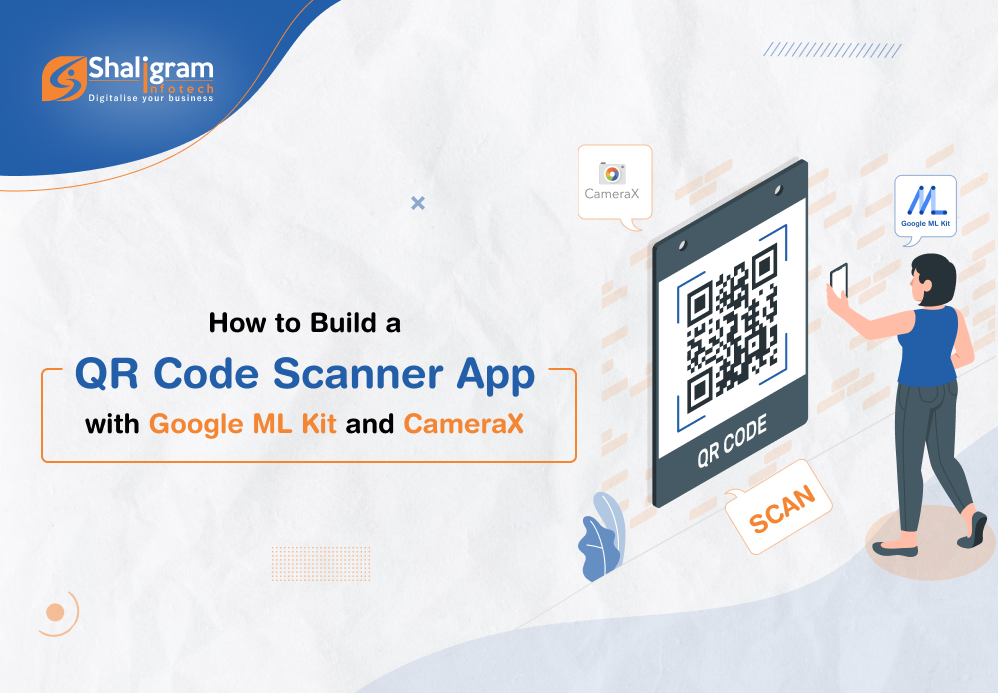
Build a QR Code Scanner App with Google ML Kit and CameraX

One of the most common and asked-for functions in a mobile application is a QR code scanner. QR codes and bar codes work as an effective way of passing information to people using an app.
Here in this post, we will see how we can build a QR code scanner app using Google ML Kit and Camera X.

What is CameraX?

CameraX is a part of the Jetpack support library. It provides an easy-to-use and consistent API surface which works equally well on most Android devices. It simplifies the app development process for developers by adding new capabilities. Here you don’t have to include any kind of device-specific codes which nullifies device compatibility issues altogether.

What is Google ML Kit?

Google ML Kit is a mobile SDK that brings the machine learning expertise of Google to iOS and Android apps. It is an easy-to-use and powerful package from Google that helps developers to come up with personalized solutions that will work smoothly across different devices.

What is the QR code scanning API of ML Kit?

The QR code scanning API of ML Kit lets you read encoded data using the most standard QR/barcode code formats. The data will be recognized and parsed automatically by the ML Kit when a user scans the code letting your app respond quickly and smartly.

Let’s create a QR code scanning project

To create a project…

1. Go to Android Studio. Select New Project under File with an Empty Screen template.

2. Now open the AndroidManifest.xml file to add camera permission & camera hardware permission. Here add the below-mentioned code into the manifest tag-

<uses-permission android:name="android.permission.CAMERA" />
<uses-feature android:name="android.hardware.camera" /> 

3. Open the app/build.gradle file and add a dependency for CameraX & QR code scan by mentioning the below set of codes.

//For barcode scanner(QR Code Scan)
    implementation 'com.google.mlkit:barcode-scanning:17.1.0'
    //For CameraX
    implementation("androidx.camera:camera-core:1.2.2")
    implementation("androidx.camera:camera-camera2:1.2.2")
    implementation("androidx.camera:camera-lifecycle:1.2.2")
    implementation("androidx.camera:camera-view:1.2.2")
  To enable databinding, set dataBinding to true for build features within the Android tag as mentioned below:
	buildFeatures {
        dataBinding = true
    }

4. Now add PreviewView in the main activity layout (activity_main.xml).

PreviewView is the custom View that displays the camera feed for the Preview use case of CameraX.

<?xml version="1.0" encoding="utf-8"?>
	<androidx.coordinatorlayout.widget.CoordinatorLayout xmlns:android="http://schemas.android.com/apk/res/android"
	    xmlns:app="http://schemas.android.com/apk/res-auto"
	    xmlns:tools="http://schemas.android.com/tools"
	    android:layout_width="match_parent"
	    android:layout_height="match_parent"
	    android:background="#000000"
	    tools:context=".QrScannerActivity">
	    <androidx.cardview.widget.CardView
	        android:layout_width="300dp"
	        android:layout_height="300dp"
	        android:layout_gravity="center"
	        app:cardCornerRadius="20dp">
	        <RelativeLayout
	            android:layout_width="match_parent"
	            android:layout_height="match_parent">
	            <androidx.camera.view.PreviewView
	                android:id="@+id/preview"
	                android:layout_width="300dp"
	                android:layout_height="300dp"
	                android:layout_centerInParent="true"
	                android:layout_centerHorizontal="true" />
	            <androidx.appcompat.widget.AppCompatImageView
	                android:layout_width="300dp"
	                android:layout_height="300dp"
	                android:layout_centerInParent="true"
	                android:layout_centerHorizontal="true"
	                android:background="@drawable/background_image" />
	        </RelativeLayout>
	    </androidx.cardview.widget.CardView>
	</androidx.coordinatorlayout.widget.CoordinatorLayout>

5. The next step is to check camera permission to use cameraX for QR Code Scan is available or not. If it is not granted, we must request it in our codes.

class MainActivity : AppCompatActivity() {
		private lateinit var binding: ActivityMainBinding
	    override fun onCreate(savedInstanceState: Bundle?) {
	        super.onCreate(savedInstanceState)
	        binding = ActivityQrScannerBinding.inflate(layoutInflater)
        	setContentView(binding.root)
	        if (isCameraPermissionGranted()) {
	            // startCamera
	        } else {
	            ActivityCompat.requestPermissions(
	                this,
	                arrayOf(Manifest.permission.CAMERA),
	                PERMISSION_CAMERA_REQUEST
	            )
	        }
	    }
	    override fun onRequestPermissionsResult(
	        requestCode: Int,
	        permissions: Array<String>,
	        grantResults: IntArray
	    ) {
	        if (requestCode == PERMISSION_CAMERA_REQUEST) {
	            if (isCameraPermissionGranted()) {
	                // start camera
	            } else {
	                Log.e(TAG, "no camera permission")
	            }
	        }
	        super.onRequestPermissionsResult(requestCode, permissions, grantResults)
	    }
	    private fun isCameraPermissionGranted(): Boolean {
	        return ContextCompat.checkSelfPermission(
	            baseContext,
	            Manifest.permission.CAMERA
	        ) == PackageManager.PERMISSION_GRANTED
	    }
	    companion object {
	        private val TAG = MainActivity::class.java.simpleName
	        private const val PERMISSION_CAMERA_REQUEST = 1
	    }
	} 

[ExecutorService: The ExecutorService helps in maintaining a pool of threads and assigns them tasks. It also provides the facility to queue up tasks until there is a free thread available if the number of tasks is more than the threads available.]

6. Now is the time to implement camera Preview use case.

You need to define a configuration to use a Preview and it is used to create an instance of the use case. You can bind the CameraX lifecycle with the resulting instance once it is created.


ProcessCameraProvider is a singleton which is used to bind the lifecycle of cameras to the lifecycle owner. This way CameraX remains aware of the lifecycle of camera, allowing you to be stress-free about its opening and closing.


Add a Runnable to get cameraProviderLiveData value from cameraProviderFuture. Also, declare camera executor to manage thread.

cameraExecutor = Executors.newSingleThreadExecutor()
	cameraProviderFuture = ProcessCameraProvider.getInstance(this)
	cameraProviderFuture?.addListener({
	            try {
	                val processCameraProvider = cameraProviderFuture?.get()
	                //bind camera view here
	            } catch (e: ExecutionException) {
	                e.printStackTrace()
	            } catch (e: InterruptedException) {
	                e.printStackTrace()
	            }
	        }, ContextCompat.getMainExecutor(this))

7. First, bind view with CameraX. After that, bind your cameraSelector and preview object to the processcameraProvider.

[ImageCapture is designed for basic picture capturing. It provides takePicture() function which captures a picture, saves it to memory or a file, and provides image metadata. Pictures are taken in automatic mode once focus is converged.]

[Detecting Barcode: We’ve used ImageAnalysis feature to implement it. It allows us to define a custom class which will implement the ImageAnalysis.Analyzer interface and in turn will be used to call the camera frames that come in.]

val preview = Preview.Builder().build()
	        val cameraSelector =
	            CameraSelector.Builder().requireLensFacing(CameraSelector.LENS_FACING_BACK).build()
	        preview.setSurfaceProvider(binding.preview.surfaceProvider)
	        val imageCapture = ImageCapture.Builder().build()
	        val imageAnalysis = ImageAnalysis.Builder().setTargetResolution(Size(1280, 720))
	            .setBackpressureStrategy(ImageAnalysis.STRATEGY_KEEP_ONLY_LATEST).build()
	        imageAnalysis.setAnalyzer(cameraExecutor!!, analyzer!!)
	        processCameraProvider?.unbindAll()
	        processCameraProvider?.bindToLifecycle(
	            this,
	            cameraSelector,
	            preview,
	            imageCapture,
	            imageAnalysis
	        )

8. The next step is to create custom class for image analysis & get incoming camera frames. Now here we don’t have to worry about managing the camera session state or even disposing of images. Just like with other lifecycle-aware components, binding to our app’s desired lifecycle is enough.

class MyImageAnalyzer(private val activity: Activity) : ImageAnalysis.Analyzer {
	        override fun analyze(image: ImageProxy) {
	         	//we can analysis images here
	        }
	    } 

9. We process incoming frames on ImageProxy and get images from it. We then detect barcode with ML barcode scanner.

To detect barcode, we need to create InputImage from Image. Then, pass the InputImage object to the BarcodeScanner’s process method as explained below:

@SuppressLint("UnsafeOptInUsageError")
	        private fun scanBarCode(image: ImageProxy) {
	            val image1 = image.image
	            if (image1 != null) {
	                val inputImage = InputImage.fromMediaImage(image1, image.imageInfo.rotationDegrees)
	                val barcodeScannerOptions = BarcodeScannerOptions.Builder()
	                    .setBarcodeFormats(
	                        Barcode.FORMAT_QR_CODE,
	                        Barcode.FORMAT_AZTEC
	                    )
	                    .build()
	                val scanner = BarcodeScanning.getClient(barcodeScannerOptions)
	                scanner.process(inputImage)
	                    .addOnSuccessListener { barcodes ->
	                        // Task completed successfully
	                        // ...
	                        readerBarcodeData(barcodes)
	                    }
	                    .addOnFailureListener {
	                        // Task failed with an exception
	                        // ...
	                    }.addOnCompleteListener {
	                        image.close()
	                    }
	            }
	        }
	        private fun readerBarcodeData(barcodes: List<Barcode>) {
	            for (barcode in barcodes) {
	                Log.e(
	                    "barcode recognize", "QR Code: " + barcode.displayValue
	                ) //Returns barcode value in a user-friendly format.
	                Log.e(
	                    "barcode recognize", "Raw Value: " + barcode.rawValue
	                ) //Returns barcode value as it was encoded in the barcode.
	                Log.e(
	                    "barcode recognize", "Code Type: " + barcode.valueType
	                ) //This will tell you the type of your barcode
	                Toast.makeText(activity, barcode.displayValue, Toast.LENGTH_SHORT).show()
	            }
	        } 

That’s it!
Now this should allow you to scan QR code using the camera on your Android device. You should be able to capture the QR code, scan it and read the information fed into it.

Here is the complete code for creating QR Code Scanner with Google ML Kit and CameraX:

class MainActivity : AppCompatActivity() {
	    private lateinit var binding: ActivityMainBinding
	    private var cameraProviderFuture: ListenableFuture<ProcessCameraProvider>? = null
	    private var cameraExecutor: ExecutorService? = null
	    private var analyzer: MyImageAnalyzer? = null
	    override fun onCreate(savedInstanceState: Bundle?) {
	        super.onCreate(savedInstanceState)
	        binding = ActivityMainBinding.inflate(layoutInflater)
	        setContentView(binding.root)
	        this.window.setFlags(1024, 1024)
	        if (isCameraPermissionGranted()) {
	            // startCamera
	            startCamera()
	        } else {
	            ActivityCompat.requestPermissions(
	                this,
	                arrayOf(Manifest.permission.CAMERA),
	                PERMISSION_CAMERA_REQUEST
	            )
	        }
	    }
	    private fun startCamera() {
	        cameraExecutor = Executors.newSingleThreadExecutor()
	        cameraProviderFuture = ProcessCameraProvider.getInstance(this)
	        analyzer = MyImageAnalyzer(this)
	        cameraProviderFuture?.addListener({
	            try {
	                val processCameraProvider = cameraProviderFuture?.get()
	                bindPreview(processCameraProvider)
	            } catch (e: ExecutionException) {
	                e.printStackTrace()
	            } catch (e: InterruptedException) {
	                e.printStackTrace()
	            }
	        }, ContextCompat.getMainExecutor(this))
	    }
	    private fun bindPreview(processCameraProvider: ProcessCameraProvider?) {
	        val preview = Preview.Builder().build()
	        val cameraSelector =
	            CameraSelector.Builder().requireLensFacing(CameraSelector.LENS_FACING_BACK).build()
	        preview.setSurfaceProvider(binding.preview.surfaceProvider)
	        val imageCapture = ImageCapture.Builder().build()
	        val imageAnalysis = ImageAnalysis.Builder().setTargetResolution(Size(1280, 720))
	            .setBackpressureStrategy(ImageAnalysis.STRATEGY_KEEP_ONLY_LATEST).build()
	        imageAnalysis.setAnalyzer(cameraExecutor!!, analyzer!!)
	        processCameraProvider?.unbindAll()
	        processCameraProvider?.bindToLifecycle(
	            this,
	            cameraSelector,
	            preview,
	            imageCapture,
	            imageAnalysis
	        )
	    }
	    class MyImageAnalyzer(private val activity: Activity) : ImageAnalysis.Analyzer {
	        override fun analyze(image: ImageProxy) {
	            scanBarCode(image)
	        }
	        @SuppressLint("UnsafeOptInUsageError")
	        private fun scanBarCode(image: ImageProxy) {
	            val image1 = image.image
	            if (image1 != null) {
	                val inputImage = InputImage.fromMediaImage(image1, image.imageInfo.rotationDegrees)
	                val barcodeScannerOptions = BarcodeScannerOptions.Builder()
	                    .setBarcodeFormats(
	                        Barcode.FORMAT_QR_CODE,
	                        Barcode.FORMAT_AZTEC
	                    )
	                    .build()
	                val scanner = BarcodeScanning.getClient(barcodeScannerOptions)
	                scanner.process(inputImage)
	                    .addOnSuccessListener { barcodes ->
	                        // Task completed successfully
	                        // ...
	                        readerBarcodeData(barcodes)
	                    }
	                    .addOnFailureListener {
	                        // Task failed with an exception
	                        // ...
	                    }.addOnCompleteListener {
	                        image.close()
	                    }
	            }
	        }
	        private fun readerBarcodeData(barcodes: List<Barcode>) {
	            for (barcode in barcodes) {
	                Log.e(
	                    "barcode recognize", "QR Code: " + barcode.displayValue
	                ) //Returns barcode value in a user-friendly format.
	                Log.e(
	                    "barcode recognize", "Raw Value: " + barcode.rawValue
	                ) //Returns barcode value as it was encoded in the barcode.
	                Log.e(
	                    "barcode recognize", "Code Type: " + barcode.valueType
	                ) //This will tell you the type of your barcode
	                Toast.makeText(activity, barcode.displayValue, Toast.LENGTH_SHORT).show()
	            }
	        }
	    }
	    override fun onRequestPermissionsResult(
	        requestCode: Int,
	        permissions: Array<String>,
	        grantResults: IntArray
	    ) {
	        if (requestCode == PERMISSION_CAMERA_REQUEST) {
	            if (isCameraPermissionGranted()) {
	                // start camera
	            } else {
	                Log.e(TAG, "no camera permission")
	            }
	        }
	        super.onRequestPermissionsResult(requestCode, permissions, grantResults)
	    }
	    private fun isCameraPermissionGranted(): Boolean {
	        return ContextCompat.checkSelfPermission(
	            baseContext,
	            Manifest.permission.CAMERA
	        ) == PackageManager.PERMISSION_GRANTED
	    }
	    companion object {
	        private val TAG = MainActivity::class.java.simpleName
	        private const val PERMISSION_CAMERA_REQUEST = 1
	    }
	} 
Categories
Awards Blog

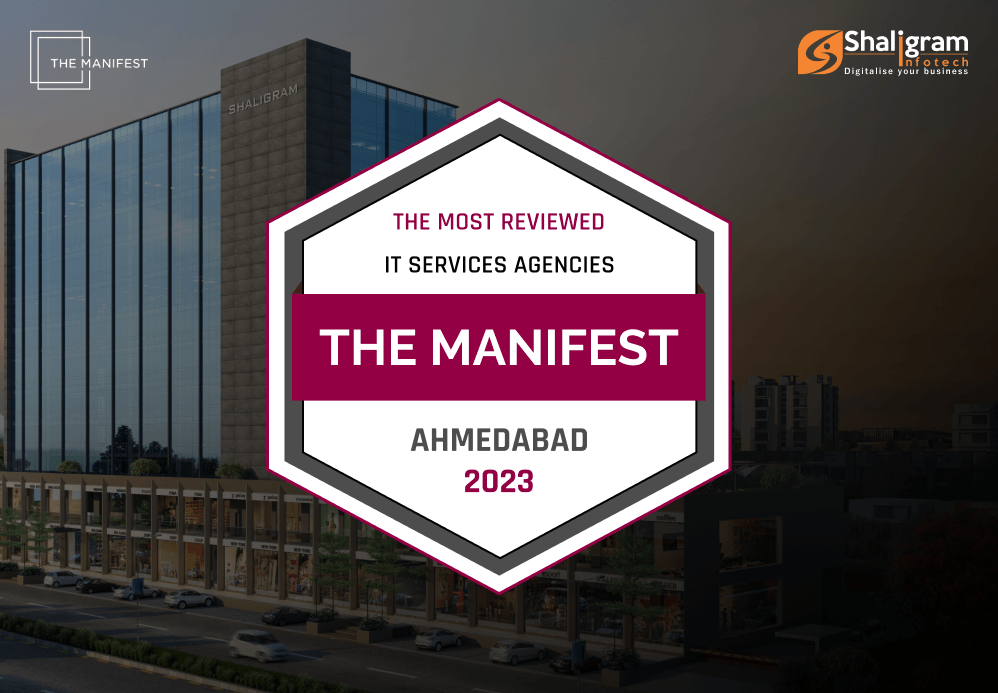
Shaligram Infotech becomes one of the most reviewed IT services Agencies in Ahmedabad

Awards

Shaligram Infotech becomes one of the most reviewed IT services Agencies in Ahmedabad

Most Reviewed IT services Agencies in 2023

There are plenty of ways in which a professional IT agency can help and support your business. If you want to stay competitive in your industry, then getting some additional help with your software, hardware, and digital solutions is crucial. Thankfully, companies like Shaligram Infotech are ready to support your business with such a kind of digital transformation. 

Founded in 2015, Shaligram Infotech is an ISO 9001:2015 certified Custom Software Development Company with 200+ IT Professionals dealing in multiple IT disciplines and technology stacks. We offer software development services in the Middle East, Australia, Canada, and the United States. 

Today, we are set to celebrate an amazing milestone for our company as we introduce our latest award from The Manifest! We’ve been named as one of the most-reviewed IT services agencies in Ahmedabad and we are delighted to share this news with you.  

The Manifest is a business blogging website that aims to gather and verify the hard data, expert insights, and actionable advice that you can access to build your brand and grow your business. In short, it provides practical business wisdom that manifests in your success. 

Their platform showcases leading firms internationally and we are proud to be distinguished as one of the best of them. This not only cements our legacy in the market but is also proof of our commitment to our client’s success. With that being said, we would like to say thank you to everyone who made this award possible, our team is over the moon about this accolade. 

Looking for expert minds to support your business? Send us a message. We’d love to hear from you! 

Categories
Blog Mobile App Development

How Much Does It Cost to Build a Mobile App In 2023? 

Microsoft

How Much Does It Cost To Implement Microsoft Dynamics CRM?

How Much Does It Cost to Build a Mobile App In 2023?

How much does it cost to build an app in 2023? What kind of budget should I plan for mobile app development? These are the kind of questions that we receive from companies interested in investing in mobile app development

We are not surprised that companies ask us these questions first. Being in a competitive market and on a tight budget, they have to be sure about what and where they are investing their money. 

Again, investing in mobile app development makes sense as there are more than 3.5 million apps on Google Play Store while Apple App Store has around 2.2 million. Apart from these numbers from Statista, the Statista Digital Market Outlook estimates that revenue from different app segments will reach around $613 billion by 2025.  

With increasing demand for such solutions, businesses getting curious about mobile app development cost is simply justifying.  

What are the factors that influence mobile app development cost?

The cost of developing a mobile application depends on a number of factors. Some of the key ones have been mentioned below: 

1. Complexity of mobile app 

Simple apps can be developed quickly and so it will cost you less. However, if you want to add in some advanced features, the development time will be extended and so does the app development costs. So, before you get started, there are a few questions you should ask yourself: 

  • How many screens and functions do you want in the app? 
  • How many features are required in the app? 
  • Is the business logic of the app complex? 

The answers to these questions will help you decide whether yours is a simple or complex application. As the app complexity will increase, so will the cost to develop it.  

Here is the app development benchmark for costs based on the increasing complexity: 

App complexity  Functionality   Development Timeline (months)  Average Cost 
Simple app  MVP Simple & basic UI  2-3  $10,000 – $50,000 
Complex app  Custom UI Advanced features  3-9  $50,000 – $120,000 
Highly complex app  Bespoke UI Highly advanced features  10+  $100,000 – $300,000 

2. Features and functionalities

The cost of app development greatly depends on the features and functionalities you want to add to your mobile application. This means the cost of mobile app development will keep increasing with the addition of new features.  

For the same reason, it is recommended to only develop the key features at the initial stage. Developing MVP for your app is also a good solution. Developing such an app with basic features will help you collect user feedback while spending less money and time in development. Based on the response, only the required development can be carried out. This will save you from spending on building features and functionalities that are of no use.

3. App design

The next factor that decides the cost of app development is app design. It is important for you to come up with specific app design to bring in more users and make them invest their time on your app.  

When designing an app, you will have two options to go ahead with– Standard UI and Custom UI. As compared to Standard UI, designing and implementing Custom UI is tough and will require more investment too.  

Other areas to focus on during app designing from an investment perspective are wireframing and animation. Wireframing is opted by developers to create effective user experience and navigation. Animation helps developer project any feature of the app intuitively. Implementing complex animations can cost around $1000 – $20,000.

4. Development region

App development rates are not the same across the globe. In some countries, the cost of hiring app developer is less than others. The reason behind it is the change in the hourly rates of the developers at different places. The average hourly rate of a developer in India can be around $20 – $40 while in UK it can go around $100 – $120. The developers in Australia and other European nations are expensive too while developers from the US are pricey and they charge around $120 – $150.

5. App development platform

It is important to think about the target audience first before getting into the development process. Based on that you can choose to go for native app development or cross-platform app development. If yours is a small business, you can choose to develop the application for one platform first and shift to others later.  

Developing native applications separately for Android and iOS can be an expensive affair. On the other hand, businesses can get cross-platform applications built using a single codebase. This means the cost of app reduces greatly with cross-platform development as a single codebase will work on both platforms effectively. 

6. App development approach

The cost of developing an app also depends on who will work on your app development project. There are different options to choose from like in-house team, local team, freelance developer or an app development company.  

An ideal mobile app development company offers effective mobile app solutions with high-end functionalities and features. Hiring such developers can be expensive as compared to freelancers but is cheaper than building an in-house or a local team.

7. App development team

The complexity of your app project will decide the size of your app development team. This means as the complexity increases so does the number of team members. A bigger team will cost you more. 

The entire app development will be managed by a dedicated project manager. He/she will be responsible for coordinating with the team and the stakeholders. The structure of the team will be as:

Requirements   Simple App  Medium App  Complex App 
Estimated  Development time  2-6 months  6-9 months  9-15 months 
Developers   $30 – $40,000  $50 – $60,000  $100,000+ 
UI/UX Designer  $4 – $5,000  $5 – $7,000  $10 – $15,000 
Project Manager  $5 – $7000  $10 – $15,000  $10,000+ 
QA Specialist  $8 – $10,000  $15 – $20,000  $20,000+ 
Business Analyst  $2 – $3,000  $5 – $8,000  $8 – $10,000 
DevOps  $2 – $4,000  $5 – $7,000  $10,000+ 
Solution Architect  $1 – $3,000  $5 – $8,000  $9,000+ 
Total  $20 – $50,000  $50 – $100,000  $100,000+ 

What are the hidden costs associated with mobile app development? 

Hidden Costs associated with Mobile App Development?


Even after knowing the average app development cost, many companies end up spending more from the already set budget. This is because of a number of hidden charges associated with mobile app development. Some of them has been explained below: 

    • Multi-platform support 

Many companies start by going for native app development. They choose a platform and get ahead with the development process without actually conducting proper market research and understanding the target audience base. 

By conducting proper research, companies will be able to carry out development for another platform in a way that there will be less reworks. This means less requirement for improvements leading to lesser development costs.  

    • Integration of third-party services 

Your development team will feel the need to include specific third-party integrations into your app during the development process. Now this can lead to an increase in the development time and will also affect the pre-decided budget. 

This situation can be completely avoided by creating the infrastructure of the app before development by considering all the required third-party services and integrations. This will give you a clear idea of the app development timeline at the beginning itself saving you from surprises later.

    • Marketing expenses 

Businesses are focused and concerned about the cost of hiring an app developer or the money required for completing the app project. Something they miss during all this is the marketing budget.  

It is important to work on this part right before the app launch itself. Planning out the promotion, working with influencers for beta testing, releasing promos of the app to tease audience, etc. is key for its larger market acceptance.  

    • Maintenance expenses 

When coming up with the estimate for app development, maintenance costs are generally not mentioned. However, businesses end up with the need to maintain the app even after its launch which they are not ready beforehand.  

It has to be kept in mind that when we talk about app development budget, only a part of it is spent on design and development. The developed app will have to go through changes and maintenance in the course of the next couple of years and this needs money.

How can Shaligram Infotech help you build mobile app at affordable rates? 

Again, what is the cost of developing a mobile app? Well, now we know that there is no single and precise answer for that. It is only possible to estimate the cost of mobile app development by considering different factors associated with development, keeping your business requirement in mind.  

When you hire app development company like ours, you can be assured that there will be experts at hand to offer you reliable services.  

Right from effective consultation to building and launching the app in the market, our team of experts covers everything. We here develop scalable, flexible, and future-ready app solutions that help you keep up with the top brands in your industry niche. 

So, whether you are planning to invest in an innovative app development or simply need to get a quote on app development, consult our experts to get started.  

Categories
Awards Blog

Clutch’s 2020 Report Features Shaligram Infotech as Top Software Developer!

Awards

Clutch’s 2020 Report Features Shaligram Infotech as Top Software Developer!

Clutch 2020 top software developer award

Shaligram Infotech is a one-stop shop for all of your tech needs — and let’s face it, everybody has tech needs in 2020. We guarantee the utmost client satisfaction by combining the latest technologies, tools, and frameworks with our ability to deliver customized, reliable, and efficient solutions.

But we’ll stop talking about ourselves and let the numbers speak for themselves. Our team of highly skilled software developers has more than 10 certifications and a return client rate of 80%. We have more than 100 ongoing projects and have completed 500+.

Our #1 objective is to create technology that helps our clients drive efficiencies in their businesses, and we take great pride in our track record as a company that delivers highly satisfactory results. But again, you don’t need to take our word for it — you can see what our clients have to say about us on Clutch, a B2B ratings and reviews platform:

Because of our happy clients, we’ve not only achieved a perfect 5-star rating on Clutch but also been recognized with a Clutch Leader Award! Clutch collects verified client reviews and provides in-depth market research to help buyers connect with and hire the service providers they need. To further assist in this process, Clutch highlights its highest-ranking firms across industries and locations in their Clutch Leader Awards, which are announced throughout the year. According to Clutch’s research on top developers, we’re a Top Software Developer in India!

We’re thankful to our wonderful clients and our committed team. Without them, we wouldn’t have been able to turn our hope of becoming one of the world’s best software developers into a reality. To learn more about why we’re so highly rated, contact us — our teams in India, the US, the UK, and Australia look forward to hearing from you!

Categories
Awards Blog

Clutch Awarded Shaligram Infotech as Top Microsoft Dynamics CRM Consultant & Companies for 2021

Awards

Clutch Awarded Shaligram Infotech as Top Microsoft Dynamics CRM Consultant & Companies for 2021

Clutch 2020 top software developer award

The trend now is for a company to be a one-stop-shop for the clients’ needs. Here at Shaligram Infotech, we combine the latest and most advanced technologies, tools, and frameworks, together with our experience, to deliver customized, reliable, and efficient solutions made just for you. Our goal is to help clients reduce project development costs without compromising significant improvements in quality and project ramp-up period.

The Shaligram team consists of software engineers with a broad knowledge of the industry and hands-on experience of different projects to deliver quality solutions within the expected timeline. We focus on establishing business partnerships and provide unparalleled comfort levels while working with clients.

It has come to our attention that Clutch, a B2B reviews platform, has listed us among the top firms in Microsoft dynamics CRM consultants and companies for 2021. This is one of the most amazing awards we have received. We became more excited about delivering the best solutions for our clients!

We also want to use this chance to thank our wonderful clients. Without them, we won’t be where we are today. Check out the reviews they left on Clutch’s site below:

Contact us now to see how we can cater to your needs. Our development services will adjust based on your needs!

Categories
Awards Blog

International Organization for Standardization

Awards

International Organization for Standardization

ISO certification and compliance standard badge

International Organization for Standardization

The idea that beautiful and functional everyday objects should not only be affordable to the wealthy, but to all, is a core theme in the development of modernism and functionalism. This is probably most completely realized in post-WWII Scandinavian design.

The ideological background was the emergence of a particular Scandinavian form of social democracy in the 1950s, as well as the increased availability of new low-cost materials and methods for mass production. Scandinavian design often makes use of form-pressed wood, plastics, anodized or enameled aluminum or pressed steel.

Many emphasize the democratic design ideals that were a central theme of the movement and are reflected in the rhetoric surrounding contemporary Scandinavian and international design.

The ideological background was the emergence of a particular Scandinavian form of social democracy in the 1950s, as well as the increased availability of new low-cost materials and methods for mass production. Scandinavian design often makes use of form-pressed wood, plastics, anodized or enameled aluminum or pressed steel.

The idea that beautiful and functional everyday objects should not only be affordable to the wealthy, but to all, is a core theme in the development of modernism and functionalism. This is probably most completely realized in post-WWII Scandinavian design.

Categories
Awards Blog

Shaligram Infotech Wins 2022 Clutch Award for India’s Finest IT Services Provider

Awards

Shaligram Infotech Wins 2022 Clutch Award for India’s Finest IT Services Provider

Clutch 2022 top IT services company recognition

In today’s technologically advanced world, your business needs to have great products to set yourself apart from the competition. Here at Shaligram Infotech, we can help you with everything IT and development! Based in Ahmedabad, India, our team is globally known for its cutting-edge solutions and our ability to solve complex problems efficiently. We don’t want you to settle for mundane services, that’s why we’ve made it our mission to always deliver the best of the best.

In light of our team’s hard work and passionate commitment, Shaligram Infotech is proud to announce that we’ve recently been recognized on Clutch! During the widely anticipated Leaders Awards, our team was ranked among the top IT services and software development companies in India this 2022!

Clutch is an independent B2B market research platform that helps potential clients across the globe connect with the best solution providers that they need in order to improve effectiveness and increase productivity. Each year, Clutch honors the highest-performing B2B companies in India across different industries. The top service providers recognized demonstrate deep knowledge in their field and unparalleled-quality customer service.

Finest IT services industry recognition

We know that there’s more to business than receiving awards, but this incredible honor is possible thanks to our clients. We owe them congratulations too because this recognition reflects their success and support. Seeing our clients appreciate our work empowers our team to continue striving for excellence!

Thank you so much to all our generous and fantastic partners! We dedicate this milestone to all of you, most especially to those who reviewed us on Clutch. Every one of you makes our journey exciting and fun!

Let’s work together! We believe that finding the right IT and development partner is the key to your company’s success. Get in touch with our team today so we can help you achieve your goals.

Categories
Blog Other Categories

Supporting Employees Through The Menopause Guidance For Employers

Other Categories

Supporting Employees Through The Menopause Guidance For Employers

Business and technology blog visual

In a free hour, when our power choice is untrammelled and when nothing prevents our being able to do what we like best.

Accounting

HR Functions

Categories
Awards Blog

Clutch Awarded Shaligram Infotech as Top Microsoft Dynamics CRM Consultant & Companies for 2021

Award

Clutch Awarded Shaligram Infotech as Top Microsoft Dynamics CRM Consultant & Companies for 2021

Clutch 2021 top software company recognition

The trend now is for a company to be a one-stop-shop for the clients’ needs. Here at Shaligram Infotech, we combine the latest and most advanced technologies, tools, and frameworks, together with our experience, to deliver customized, reliable, and efficient solutions made just for you. Our goal is to help clients reduce project development costs without compromising significant improvements in quality and project ramp-up period.

The Shaligram team consists of software engineers with a broad knowledge of the industry and hands-on experience of different projects to deliver quality solutions within the expected timeline. We focus on establishing business partnerships and provide unparalleled comfort levels while working with clients.

It has come to our attention that Clutch, a B2B reviews platform, has listed us among the top firms in Microsoft dynamics CRM consultants and companies for 2021. This is one of the most amazing awards we have received. We became more excited about delivering the best solutions for our clients!

Contact us now to see how we can cater to your needs. Our development services will adjust based on your needs!